
Shopify Marketplace Connect is Shopify's native marketplace integration app for selling on channels like Amazon, eBay, Walmart, Target Plus, and in some cases Etsy, directly from your Shopify admin. If you want a practical answer to whether it is worth using, my view is simple: it is one of the best ways to run multi-channel selling from Shopify without stitching together several separate tools.
As someone who builds Shopify apps for a living, I pay close attention to anything that lives close to the merchant's operational core: products, inventory, orders, fulfilment, and checkout. Marketplace integrations can either save a merchant hours every week or create expensive catalogue chaos. Marketplace Connect sits in the first camp when it is set up properly.
This guide covers what Shopify Marketplace Connect does, which marketplaces it supports, how pricing works, how to set it up, and the common mistakes I see merchants make when they expand from Shopify into marketplaces.
Shopify Marketplace Connect is the official app listing on the Shopify App Store.

What is Shopify Marketplace Connect?
Shopify Marketplace Connect is a native Shopify app that connects your Shopify catalogue to major marketplaces and keeps listings, orders, and inventory in sync. It was previously known as Codisto, which is why many merchants still refer to it by its old name.
In practical terms, the app lets you use Shopify as your operational hub while marketplaces act as additional sales channels. Instead of updating stock in five places, importing orders manually, or trying to reconcile mismatched SKUs in spreadsheets, you manage most of it from one system. That centralisation is the real value.
According to Shopify's own documentation, the app is designed to connect your product catalogue to multiple marketplaces and automatically sync changes made in Shopify across those channels. That includes product details, inventory levels, and orders. You can review Shopify's documentation here: Shopify Marketplace Connect app documentation.
What does Shopify Marketplace Connect do?
Shopify Marketplace Connect helps merchants list products, sync inventory, import marketplace orders, and manage multi-channel fulfilment from inside Shopify. Its job is to reduce operational friction as you expand beyond your own storefront.
At a high level, the app handles four things that matter most:
- Listing management - create new marketplace listings or link to existing ones
- Inventory sync - keep stock levels aligned across channels to reduce overselling
- Order import - bring marketplace orders back into Shopify for central handling
- Pricing and currency support - sell into multiple regions with localised pricing
In my experience building Shopify apps, merchants usually underestimate how quickly channel complexity grows. Adding one marketplace sounds easy, but the moment you have variant mapping issues, marketplace-specific attributes, delayed stock updates, and different fulfilment rules, it becomes an operations problem. Marketplace Connect exists to make that manageable.
Which marketplaces does Shopify Marketplace Connect support?
Shopify Marketplace Connect supports Amazon, eBay, Walmart, and Target Plus, with Etsy support appearing in some documentation and legacy setups. Availability can vary by merchant account, region, and existing connection status.
Based on current Shopify and app-related documentation, the main supported marketplaces are:
- Amazon
- eBay
- Walmart
- Target Plus
- Etsy for some merchants or legacy connections
This is one area where you should always verify the current status inside the app and in Shopify's help docs before making plans around a channel. Support can change over time, especially for marketplaces with stricter partner requirements. Target Plus, for example, is not an open marketplace in the same way eBay is, so eligibility matters.
If you also sell through Amazon fulfilment, you might want to read our guide on how to connect Amazon FBA with your Shopify store, because fulfilment strategy and marketplace strategy often overlap.
Is Shopify Marketplace Connect worth it?
Yes, Shopify Marketplace Connect is worth it for most Shopify merchants who want to sell on marketplaces without running separate back-office workflows. It is especially strong if Shopify is already your primary source of truth for products and stock.
I would not call every official Shopify app best-in-class by default, but this one solves a real operational problem. If you are manually uploading CSVs, copying orders between systems, or adjusting stock by hand, the time savings alone usually justify using it.
Where it becomes less compelling is when a merchant has highly unusual marketplace workflows, very custom ERP logic, or catalogue structures that are already held outside Shopify. In those cases, a dedicated middleware tool may be more appropriate. But for the average Shopify merchant, Marketplace Connect is a sensible first choice.
How does Shopify Marketplace Connect work with listings, orders, and inventory?
The app uses Shopify as the central data source and syncs your catalogue and order data with connected marketplaces. When a product sells on a marketplace, the stock level can update in Shopify and then reflect across your other connected channels.
This is the part that matters most operationally. If you sell a product on Amazon and your stock drops from 12 to 11, you want that number updated everywhere quickly. Real-time or near real-time inventory syncing is what prevents overselling, customer support headaches, and refund-heavy operations.
Orders can also be transferred into Shopify so your team can manage fulfilment in one place. That is useful if you already rely on Shopify for shipping workflows, fulfilment apps, or reporting. If you are reviewing your wider post-purchase flow, our Shopify checkout guide is worth a read too.
How are listings created?
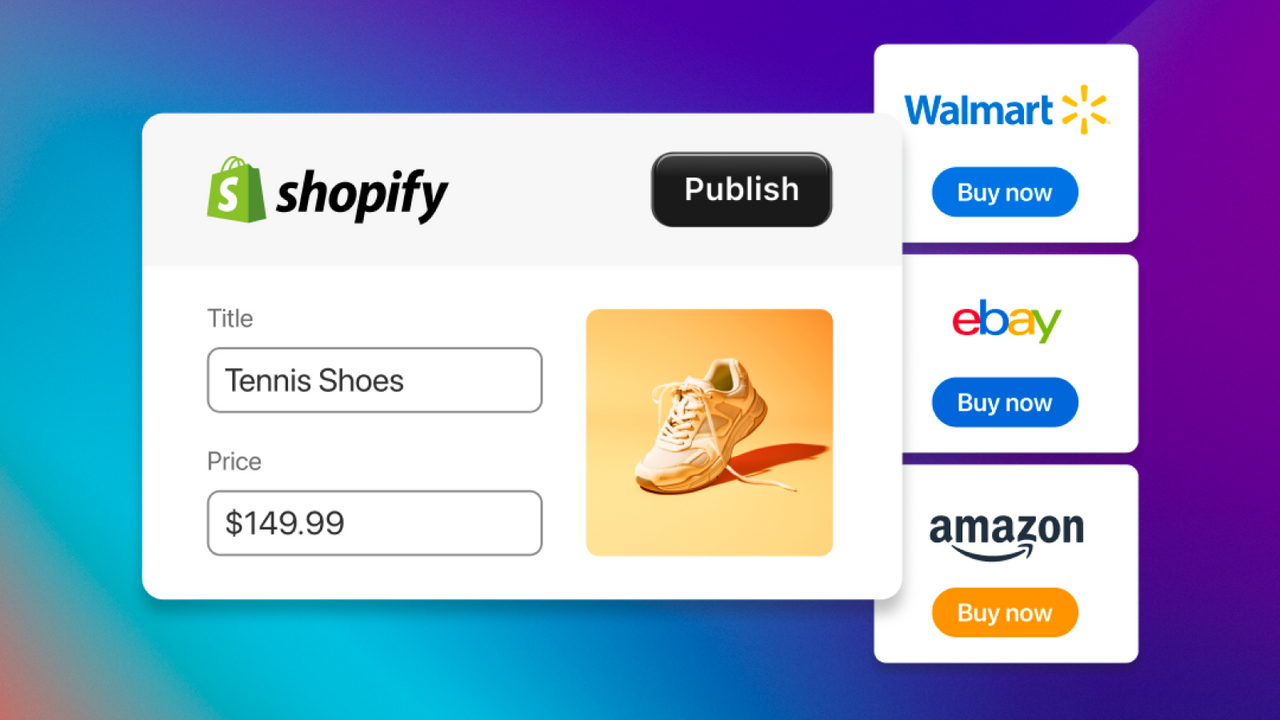
You can usually either create new marketplace listings from Shopify products or link your Shopify products to existing marketplace listings. The right option depends on whether you are starting fresh or already selling on that marketplace.
For new marketplace expansion, pushing products from Shopify is usually cleaner. For established marketplace sellers, linking existing listings can preserve review history, ranking signals, and marketplace-specific data. This is one of the first decisions I would make before bulk publishing anything.
How does inventory sync work?
Inventory sync keeps stock aligned between Shopify and your marketplaces so one sale updates available stock elsewhere. This is essential if the same SKU is sold on more than one channel.
The quality of your sync depends heavily on your product data. If your SKUs are messy, duplicated, or inconsistent across variants, the app cannot fix that for you. In my experience, merchants who spend one afternoon cleaning product identifiers save themselves weeks of confusion later.
How are orders handled?
Marketplace orders can be reviewed and transferred into Shopify based on your settings. That means your operations team can often process orders from one admin rather than jumping between Amazon Seller Central, eBay, Walmart, and Shopify.
That unified workflow is underrated. When merchants tell me they want to "save time", what they usually mean is they want fewer dashboards, fewer mistakes, and fewer missed fulfilment deadlines. Marketplace Connect helps with all three.
How do I set up Shopify Marketplace Connect?
To set up Shopify Marketplace Connect, install or open the app from your Shopify admin, connect a marketplace account, and then configure listings, order settings, and sync preferences. The setup itself is straightforward, but getting the catalogue right takes a bit more care.
Shopify's current quick-start flow is broadly:
- In Shopify admin, go to Settings and then Apps and sales channels
- Open Marketplace Connect
- Choose Connect Marketplaces
- Select the marketplace you want to connect, such as Amazon, eBay, Walmart, or Target Plus
- Sign in to that marketplace account and complete authorisation
- Review listing settings, order transfer settings, and sync behaviour
- Publish products or link existing listings
You can see Shopify's help centre quick-start documentation here: Quick Start Guide for Shopify Marketplace Connect.
What do I need before connecting a marketplace?
You need a valid seller account for the marketplace you want to use, admin access to your Shopify store, and a clean product catalogue. Those are the core prerequisites.
From what Shopify documents, you should also make sure your store is suitable for the app's standard setup. If your catalogue relies on heavy custom code, unusual product structures, or non-standard workflows, test carefully before a full rollout. Marketplace integrations work best when your product data is tidy and predictable.
I also recommend checking these before you connect anything:
- SKU consistency across all variants
- Barcode and GTIN data where required by the marketplace
- Product titles and images that meet marketplace standards
- Shipping and fulfilment rules for each channel
- Tax and returns policies that align with marketplace requirements
For a broader pre-launch operational checklist, our Shopify store launch checklist covers the basics merchants often skip.
What are the best features of Shopify Marketplace Connect?
The best features are centralised listing management, real-time inventory sync, order import into Shopify, built-in currency conversion, and flexible fulfilment support. Those are the features that make the app useful in day-to-day operations rather than just attractive on paper.
Centralised marketplace management
You can manage multiple marketplace channels without living in multiple dashboards. That reduces training time, admin overhead, and the chance of missing updates.
For lean teams, this matters a lot. Most Shopify brands do not have a dedicated marketplace operations manager. It is often the founder, an ecommerce manager, or a VA juggling multiple responsibilities. A single control layer is a genuine advantage.
Real-time or near real-time syncing
Inventory and order syncing is the feature that protects revenue and customer experience. If stock is not synced reliably, marketplace expansion can create more problems than sales.
I have seen merchants lose money simply because one channel sold through stock that another channel still showed as available. Avoiding oversells is not glamorous, but it is one of the biggest reasons to use a proper integration app.
Built-in currency conversion
Marketplace Connect can display pricing in local marketplace currencies. This makes international selling more practical and improves the customer buying experience.
That does not remove the need to think about your pricing strategy, margins, and marketplace fees. But it does remove a major technical headache. Local currency pricing is a baseline expectation in cross-border ecommerce now.
Flexible fulfilment workflows
The app supports different fulfilment strategies, including using Shopify-based inventory or marketplace-specific fulfilment options. That flexibility matters if you sell on Amazon but fulfil some orders elsewhere.
Merchants often evolve into mixed fulfilment models over time. One of the reasons I like this app is that it does not force a simplistic workflow onto a more complex business. You can adapt it to the channel strategy you actually have.
How much does Shopify Marketplace Connect cost?
Shopify Marketplace Connect has historically offered free usage up to a limited number of synced orders, with paid usage scaling after that. Pricing can change, so you should always verify the live plan details on the app listing before committing.
The older and widely cited pricing model was the first 50 marketplace-synced orders per month free, then 1% per additional synced order, capped at $99/month. More recent summaries also refer to a free tier with basic features and limited volume plus paid scaling based on usage and features.
Because Shopify and app pricing can change, I strongly recommend checking the live app page here: Shopify Marketplace Connect pricing on the App Store.
| Pricing point | What to know |
|---|---|
| Entry cost | Free usage is often available for lower order volumes |
| Scaling model | Costs typically increase based on synced order volume and possibly feature access |
| Historic cap | Commonly cited as $99/month maximum, but verify current pricing live |
| Best fit | Very good value for merchants replacing manual marketplace admin |
If you are comparing app costs against your wider Shopify stack, our guide to Shopify pricing and fees can help you model total platform cost more accurately.
What are the main pros and cons of Shopify Marketplace Connect?
The main advantages are centralisation, sync automation, and native Shopify integration. The main drawbacks are marketplace dependency, setup complexity for larger catalogues, and the need for clean product data.
| Pros | Cons |
|---|---|
| Official Shopify app with tight Shopify admin integration | Setup still takes work, especially for large or messy catalogues |
| Syncs listings, orders, and inventory in one place | Marketplace rules and listing requirements still vary by channel |
| Supports major marketplaces merchants actually care about | Some marketplace availability can be region or account dependent |
| Good value for multi-channel sellers | Not ideal if Shopify is not your source of truth |
| Reduces manual admin and overselling risk | Advanced businesses may still need ERP or middleware layers |
What mistakes should merchants avoid when using Shopify Marketplace Connect?
The biggest mistakes are publishing too fast, ignoring SKU hygiene, underestimating marketplace content requirements, and treating all channels as identical. The app can automate workflows, but it cannot fix poor catalogue strategy.
These are the issues I would watch most closely:
- Publishing your full catalogue immediately without testing a smaller product set first
- Using inconsistent SKUs across Shopify and marketplace listings
- Ignoring marketplace-specific product attributes such as condition, compliance, or category fields
- Assuming one title and image set works everywhere
- Not planning fulfilment SLAs before orders start flowing in
- Forgetting fees when setting marketplace pricing
My advice is to start with 10 to 20 products, not 2,000. Validate syncing, order flow, fulfilment, and returns handling first. Small controlled tests beat big messy launches every time.
How do I optimise Shopify Marketplace Connect for better results?
The best way to get more from Marketplace Connect is to treat it as an operational engine, not just a syndication tool. Better catalogue data, channel-specific pricing, and tighter fulfilment processes usually improve results more than simply adding more listings.
Here is the approach I would use:
- Clean your product data before connecting channels
- Choose your best marketplace-fit products rather than listing everything
- Optimise titles, bullets, and images for each marketplace's norms
- Review fees and margins per channel before publishing
- Set realistic fulfilment rules and handling times
- Monitor stock sync behaviour during the first few weeks
- Expand gradually once the workflow is stable
Marketplace selling is not only about reach. It is about matching the right products to the right channel with the right operational setup. The merchants who do best are usually the ones who stay disciplined.
How does Shopify Marketplace Connect compare with manual marketplace selling?
Marketplace Connect is dramatically better than manual multi-channel selling for any merchant with meaningful order volume. Manual workflows might be tolerable when you are testing one or two products, but they do not scale cleanly.
| Approach | Best for | Main downside |
|---|---|---|
| Manual marketplace management | Very early testing with tiny catalogues | Time-heavy and highly error-prone |
| Shopify Marketplace Connect | Most Shopify merchants wanting centralised operations | Requires careful setup and clean data |
| Custom middleware or ERP integration | Larger brands with complex operations | Higher cost and longer implementation time |
For most small to mid-sized Shopify brands, Marketplace Connect is the sensible middle ground. It is much more scalable than manual work, but far simpler than a full enterprise integration stack.
Who should use Shopify Marketplace Connect?
Shopify Marketplace Connect is best for merchants who already run their catalogue and inventory from Shopify and want to add marketplace revenue without duplicating admin work. It is especially useful for lean teams.
I think it is a strong fit for:
- DTC brands expanding beyond their own storefront
- Small and mid-sized merchants who need a practical multi-channel workflow
- Operations-light teams that want Shopify as the central hub
- Founders who do not want to live inside multiple seller dashboards
It is a weaker fit if your business is already heavily dependent on a separate ERP or if your marketplace operations are managed entirely outside Shopify. In that case, forcing Shopify to become the centre may create more friction than it removes.
What is my verdict on Shopify Marketplace Connect?
Shopify Marketplace Connect is one of the most useful native Shopify apps for merchants who want to sell on major marketplaces without losing control of inventory and order operations. For the right merchant, it is not just convenient. It is infrastructure.
In my experience building Shopify apps, the best apps are the ones merchants stop thinking about because they quietly remove repetitive work. Marketplace Connect has that quality when it is configured properly. It helps you expand distribution while keeping Shopify at the centre of your operation.
If you are currently marketplace-curious but operationally cautious, that is the exact situation where this app makes sense. Start small, test carefully, and treat data quality as seriously as channel growth. That is how you make multi-channel selling profitable rather than chaotic.
To get started, visit the official app listing: Shopify Marketplace Connect on the Shopify App Store.