
Yes, you can exclude certain products from discounts on Shopify, but the exact method depends on the discount type you are using. In most cases, Shopify still does not offer a simple universal "exclude these products" toggle for every discount, so you need to use either product-level discount settings, automated collections, or an app.
I've worked with Shopify merchants on discount logic for years, and this is one of those areas that sounds simple but gets messy fast. It becomes especially important during BFCM, brand-funded promotions, MAP-restricted products, bundles, and any sale where you need to avoid double discounting.
If your goal is to run a near storewide sale while keeping out selected brands, collections, gift cards, subscription items, or already discounted products, this guide will show you the cleanest ways to do it.
If you're also trying to prevent stacked markdowns on sale products, read my related guide on how to stop double discounts on Shopify.
How do I exclude certain products from discounts on Shopify?
The quickest answer is this: use an Amount off products discount and apply it only to eligible items, or use Shopify's newer selection behaviour options where available to skip specific products, collections, or tags. If that does not fit your use case, create an automated collection of eligible products and target that collection instead.
For many merchants, the best setup in 2026 is no longer the old workaround alone. Shopify has improved discount configuration, but order-level discounts still have limitations compared with product-level discounts, which is why exclusions can feel inconsistent depending on what you choose.
What discount types in Shopify support exclusions best?
Product discounts are the most flexible for exclusions. Order discounts are usually the most restrictive if you want a true storewide offer with a few exceptions.
This distinction matters because many merchants accidentally choose the wrong discount type first, then assume Shopify cannot do what they need. In reality, the issue is often the discount structure, not the promotion itself.
| Discount type | Can exclude specific products? | Best use case | Main limitation |
|---|---|---|---|
| Amount off products | Yes, best native option | Storewide-style offers with selected exclusions | Needs careful product or collection targeting |
| Amount off order | Usually limited | Spend threshold offers like £20 off £100 | Harder to exclude collections or products cleanly |
| Buy X get Y | Partly | Gift with purchase or bundle promotions | Logic depends on trigger and reward setup |
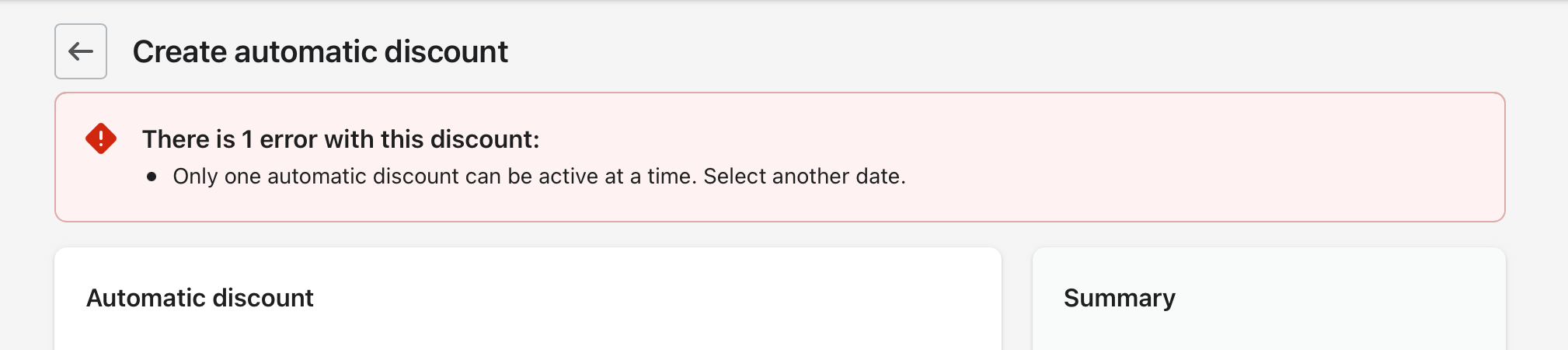
| Automatic discounts | Sometimes | Hands-free promotions | Still less flexible than custom app logic |
| Shopify Functions / Plus setups | Yes, most flexible | Complex enterprise promotions | Requires Plus or app/function setup |
Can Shopify natively exclude products from discounts?
Yes, but only in certain discount setups. Shopify still does not provide one universal exclude rule that works identically across every discount type.
This is why you will see conflicting answers in Shopify Community threads. Some are talking about Amount off orders, others about Amount off products, and the capabilities are not the same. That nuance is missing from a lot of ranking content.
Shopify's help docs on discounts are worth checking because the platform changes this area regularly: Shopify discounts documentation and create discount codes.
How do I exclude products using Shopify's Amount off products discount?
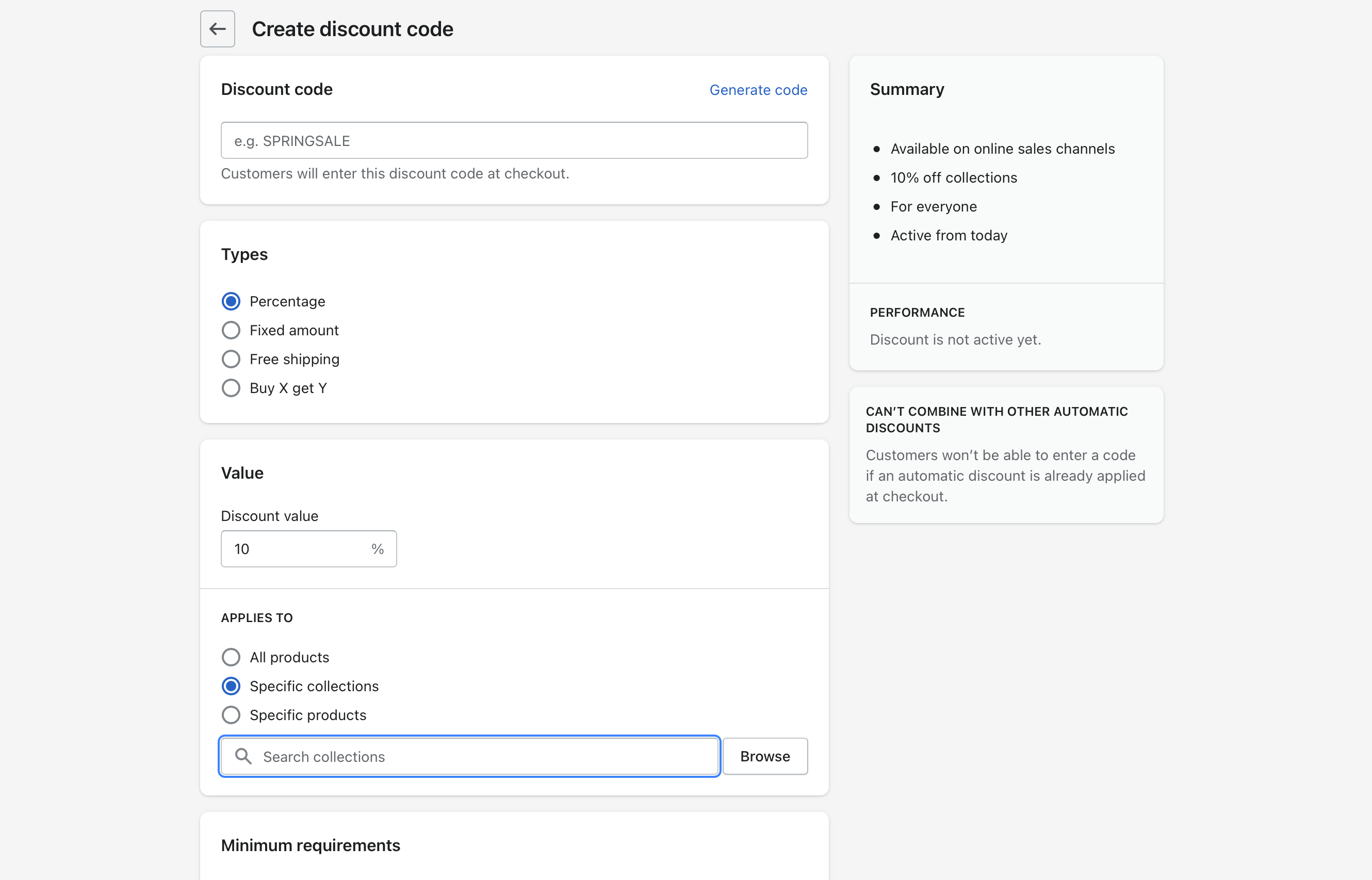
This is the best native method for most stores. You create a product discount, then define which products should receive it, effectively excluding the rest or using skip behaviour where available.
In my experience, this is the cleanest option for merchants who want something like 20% off almost everything except luxury brands, gift cards, or sale items. It is also safer than trying to force an order-level discount to behave like a product-level rule.
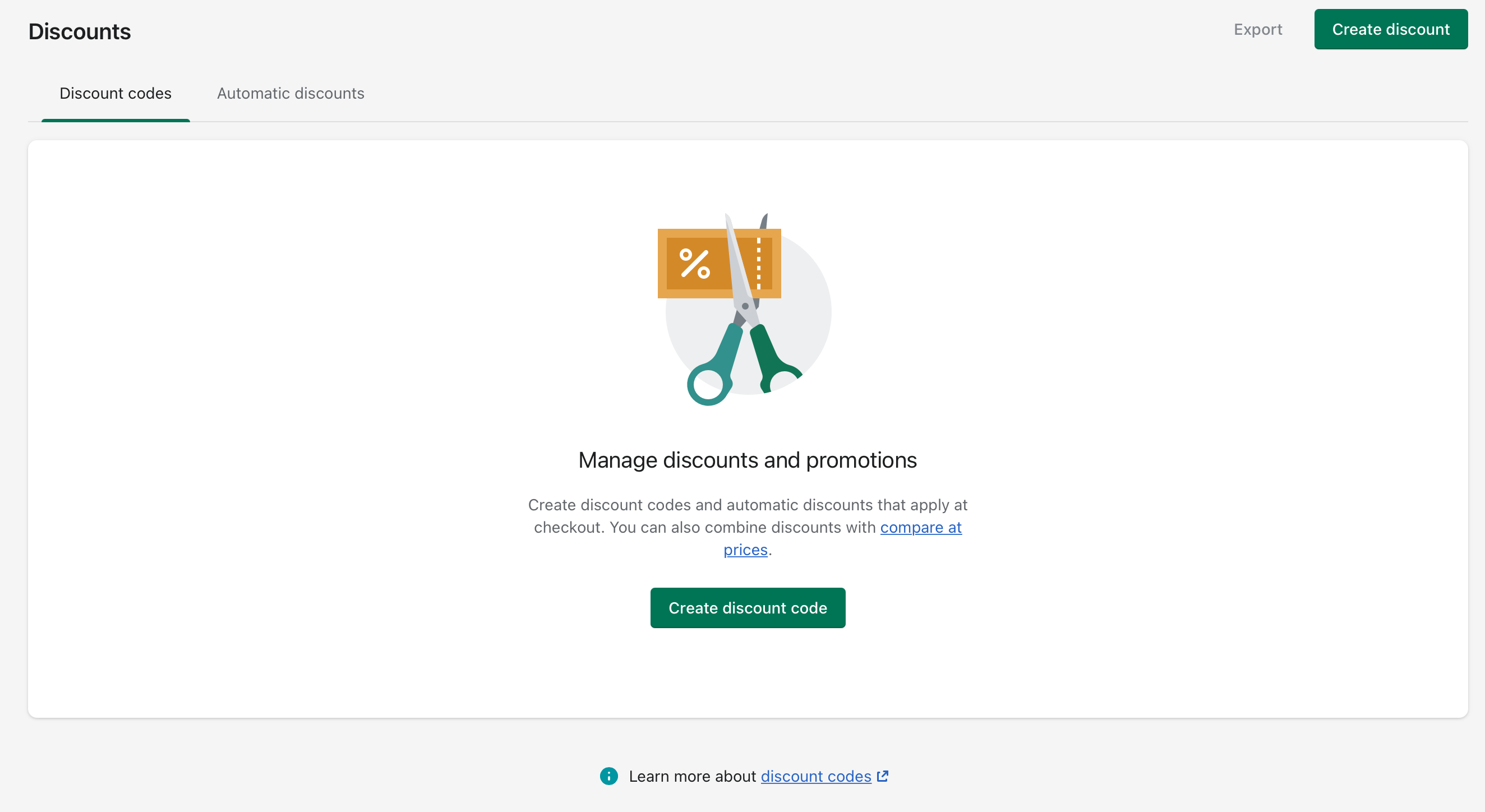
- Go to Shopify Admin > Discounts.
- Click Create discount.
- Select Amount off products.
- Choose whether this is a discount code or automatic discount.
- Enter the discount value, such as 10% off or £15 off.
- Under Discount applies to, choose the relevant products or collections.
- If your admin shows selection behaviour, use the option that lets Shopify skip the selected items below.
- Add the products, collections, variants, or tags you want excluded.
- Save and test the discount in a preview cart or draft order.
This method is especially useful if you have a broad catalogue but only a small number of exclusions. For larger stores, use bulk product selection and collection rules to avoid maintaining the list by hand.
What is the best workaround if Shopify's discount type does not support exclusions?
The best workaround is to create an automated collection of eligible products and apply the discount only to that collection. This effectively excludes anything outside the collection.
I still use this approach a lot because it is reliable, easy to understand, and scalable for non-technical merchants. It also works well when different teams manage merchandising and promotions separately.
How do automated collections help exclude products from discounts?
Automated collections let you define who is in, rather than who is out. That sounds minor, but it is the easiest way to keep discount eligibility organised as your catalogue changes.
For example, instead of building a sale that applies to all products except Brand X, gift cards, and products tagged preorder, you can create one collection that includes products matching your criteria and target that collection only.
How do I exclude certain products from discounts using collections?
Create an automated collection that contains only eligible products, then attach your discount to that collection. Products outside the collection are excluded automatically.
This is the method I recommend for most small to mid-sized stores because it is easy to audit later. When a merchant asks, "Why did this item get discounted?", you can check the collection rules immediately.
Step 1: Create an automated collection of eligible products
Go to Products > Collections and create an automated collection. Use conditions that include the products you want discounted and exclude the ones you do not.
Useful conditions include:
- Product tag is not equal to not-on-sale
- Product vendor is not equal to a restricted brand
- Product type is not equal to gift card or subscription
- Compare-at price is empty if you want to avoid sale items
- Product title does not contain a keyword
The exact rule set depends on your catalogue. I usually prefer product tags over titles because tags are cleaner, more intentional, and easier to bulk edit.
Step 2: Tag products you want excluded
Tagging is the most maintainable way to manage exclusions. A simple tag like not-on-sale, brand-excluded, or promo-block can save hours later.
In stores with hundreds or thousands of SKUs, tags are far more practical than manually selecting products one by one. You can bulk edit tags from the product grid in Shopify admin.
Step 3: Apply the discount to the collection only
Set your discount to apply to specific collections and select the automated collection you just created. This ensures excluded products never qualify.
That is the core workaround behind most Shopify Community answers, Reddit threads, and YouTube tutorials on this topic. It still works well in 2026 because it is simple and robust.
How do I exclude sale items from discount codes on Shopify?
The most reliable method is to separate sale items from full-price items using tags, product type, or collections, then apply discount codes only to the non-sale group. This prevents accidental double discounting.
If you run frequent promotions, this is worth setting up properly. I have seen merchants lose margin very quickly by stacking a 20% sale with a 10% welcome code and a free shipping offer on top.
For a deeper walkthrough, see my guide on stopping double discounts on Shopify.
Practical setup for excluding sale items
Tag all sale products with something like sale-item or not-on-sale depending on how you want to structure it. Then build your discount around the opposite group.
- Create a collection called Non-Sale Items
- Set conditions such as Product tag is not equal to sale-item
- Apply your discount code only to that collection
- Test with one sale product and one full-price product in cart
If you use compare-at price to mark down products, make sure your rules reflect that. Some stores prefer tags because compare-at pricing can be used inconsistently across teams.
What if I want to exclude specific brands or collections from a storewide sale?
Create an eligible-products collection that excludes those brands or collections, then point the discount at that collection. Do not rely on a vague "all products" setup if you have brand restrictions.
This is a common issue for stores selling third-party brands with pricing rules. I have seen merchants use vendor-based collection rules very effectively here, especially when certain brands cannot legally or contractually be discounted.
| Exclusion goal | Best rule type | Example |
|---|---|---|
| Exclude one brand | Product vendor | Vendor is not equal to Brand X |
| Exclude gift cards | Product type or tag | Product type is not equal to Gift Card |
| Exclude sale items | Tag or compare-at price | Tag is not equal to sale-item |
| Exclude pre-orders | Tag | Tag is not equal to preorder |
| Exclude subscription products | Tag, type, or dedicated collection | Tag is not equal to subscription |
What are the limitations of Shopify's native discount exclusions?
The biggest limitation is inconsistency across discount types. What works for product discounts may not work for order discounts, and what works in one admin flow may not appear in another.
That is why merchants often end up in Shopify Community threads like this one on excluding collections from discounts or this one about amount off orders. The platform can do a lot, but the UI does not always make the logic obvious.
- Order discounts are harder to exclude products from cleanly
- Manual maintenance can become painful in large catalogues
- Product data quality matters a lot if you rely on tags or types
- Stacking rules can still create edge cases
- Testing is essential before launching any promotion
How do I manage exclusions on a large Shopify catalogue?
For large catalogues, use tags, automated collections, and bulk editing. Do not try to maintain exclusions product by product unless the list is tiny.
Once a store gets beyond a few hundred SKUs, discount management becomes an operations problem, not just a marketing setting. In my experience building apps for Shopify merchants, the stores that struggle most are usually the ones with inconsistent tagging and no promotion workflow.
Best practices for large stores
Standardise your exclusion tags and document them internally. Even a simple naming convention helps.
- Use one clear tag like promo-excluded
- Avoid multiple versions such as no-sale, notonsale, and exclude-sale
- Use Shopify bulk edit to apply tags quickly
- Audit automated collections monthly
- Test with draft orders before major campaigns
If your store relies heavily on merchandising rules, Shopify Flow can also help automate tagging and cleanup. Shopify Flow documentation is here: Shopify Flow.
Should I use an app to exclude products from discounts on Shopify?
Use an app if your discount logic is complex, frequent, or margin-sensitive. Native Shopify tools are fine for many stores, but they can become awkward when you need advanced exclusions, customer messaging, or automatic rule management.
I generally suggest staying native first. But if you run lots of promotions, need order-level exclusions, or want a cleaner "does not apply to" experience, an app can absolutely be worth it.
Which apps can help exclude products from discounts?
There are several Shopify apps built for advanced discount control. The right one depends on whether you need checkout validation, automatic discount logic, or Plus-specific features.
| App | Best for | Notes |
|---|---|---|
| Discount Bot | Advanced automatic discounts | Useful for more flexible exclusion logic |
| Discount Guardian | Blocking codes on specific items | Helpful when you need custom messaging |
| The Checkout | Shopify Plus checkout control | Best suited to Plus merchants |
Before installing anything, check whether your requirement is really about discount exclusions or upsell strategy. Sometimes merchants try to patch margin loss with more discount complexity when the better answer is improving AOV through smarter offers. If that is relevant, read how to upsell on Shopify in 2026 and how to create Shopify cart drawer upsells.
What about Shopify Plus and Shopify Functions?
Shopify Plus gives you the most control through Shopify Functions and advanced custom discount logic. If exclusions are business-critical, Plus can make this much easier.
For example, if you need automatic discounts that exclude specific collections, tags, or customer scenarios at scale, a function-based setup is far more robust than trying to bend native settings. That said, Plus is only worth it if your store already justifies it, not just for this one feature.
If you are considering that jump, read when to upgrade your store to Shopify Plus.
How should I test discount exclusions before going live?
Always test with real product combinations before launching. Discount logic can look correct in admin and still behave differently in the cart.
I recommend testing at least these scenarios:
- One eligible product only
- One excluded product only
- A mixed cart with both eligible and excluded products
- A cart with another discount code applied
- A mobile checkout test if most of your traffic is mobile
Use draft orders, a hidden test product, or a duplicate code for safe testing. This is particularly important during high-volume periods like Black Friday and Christmas.
What is my recommended setup for most Shopify stores?
For most stores, the best setup is automated collections plus exclusion tags. It is the most maintainable, least risky, and easiest for teams to understand.
If the promotion is simple and Shopify shows the right exclusion behaviour in your admin, use Amount off products. If the promotion is more complex or you need order-level logic, consider an app or a Plus-based approach.
| Store situation | Recommended method | Why |
|---|---|---|
| Small store, few exclusions | Amount off products | Fastest native setup |
| Mid-size store, changing catalogue | Automated collection + tags | Best balance of control and simplicity |
| Large store, many promo rules | Tags + bulk edit + app | More scalable |
| Enterprise or Plus merchant | Functions / Plus custom logic | Most precise control |
Frequently asked questions about excluding products from Shopify discounts
These are the questions I hear most often from merchants. The short answers below should help you decide which route to take.
Can I exclude a collection from a Shopify discount code?
Yes, in some discount setups. If native exclusions are not available in your chosen discount type, create a discount that applies only to an eligible collection instead.
Can I exclude sale items from automatic discounts?
Yes, usually through collections, tags, or app logic. Native support varies, so the safest route is to group sale items separately and only discount the non-sale collection.
Can I exclude gift cards from discounts on Shopify?
Yes. Gift cards are commonly excluded using product type, tags, or by simply not including them in the discount's eligible collection.
Can customers stack discount codes on excluded products?
They should not if your setup is correct, but you must test combinations. Shopify discount combinations can create edge cases if your rules are too broad.
Is there a fully native way to run a storewide discount except for a few products?
Sometimes, yes. The easiest native route is usually Amount off products with exclusion logic or selection behaviour where available. Otherwise, use the automated collection workaround.
Final advice from my experience building for Shopify merchants
The biggest mistake is treating discounts as a one-off marketing task. They are really part of your store's pricing system, and they need structure.
In my experience building Shopify apps and helping merchants troubleshoot promotions, the stores that handle discounts best have three things in place: clean product data, consistent tags, and a repeatable testing process. Get those right, and excluding certain products from discounts becomes much easier.
If your real goal is to improve revenue without relying so heavily on blanket discounts, I would also look at maximising revenue from your product pages, cross-selling matching variants, and AI-powered upsells. In a lot of cases, that is a healthier long-term fix than offering bigger and bigger discounts.