

As a Shopify merchant, you know that offering discounts is a powerful way to drive sales and build customer loyalty. But what happens when your discount strategy starts working against you? Many store owners face a common challenge: preventing double discounts when products already have a compare-at price.
The Double Discount Dilemma
You’ve likely encountered this scenario: You offer a 15% welcome discount when customers sign up for your newsletter. But some of your products are already discounted using Shopify’s compare-at price feature. The result? Customers get both discounts applied, potentially cutting too deeply into your margins.
This becomes even more challenging when you’re managing thousands of products. Manually selecting which items should or shouldn’t receive the additional discount code isn’t practical when you’re constantly adding new inventory.

Why Compare-at Prices Aren’t Recognized as Discounts
Here’s the core issue: Shopify’s system doesn’t recognize a compare-at price as an actual “discount” in technical terms. When you set a compare-at price, you’re simply displaying a reference price alongside your actual selling price. The platform sees only the current price and applies any discount codes to that amount.
The Smart Collection Solution
Fortunately, there’s an elegant solution that works without requiring additional apps or complex coding. Here’s how you can solve this problem:
- Create a new “automated” collection (also called a smart collection) in your Shopify admin
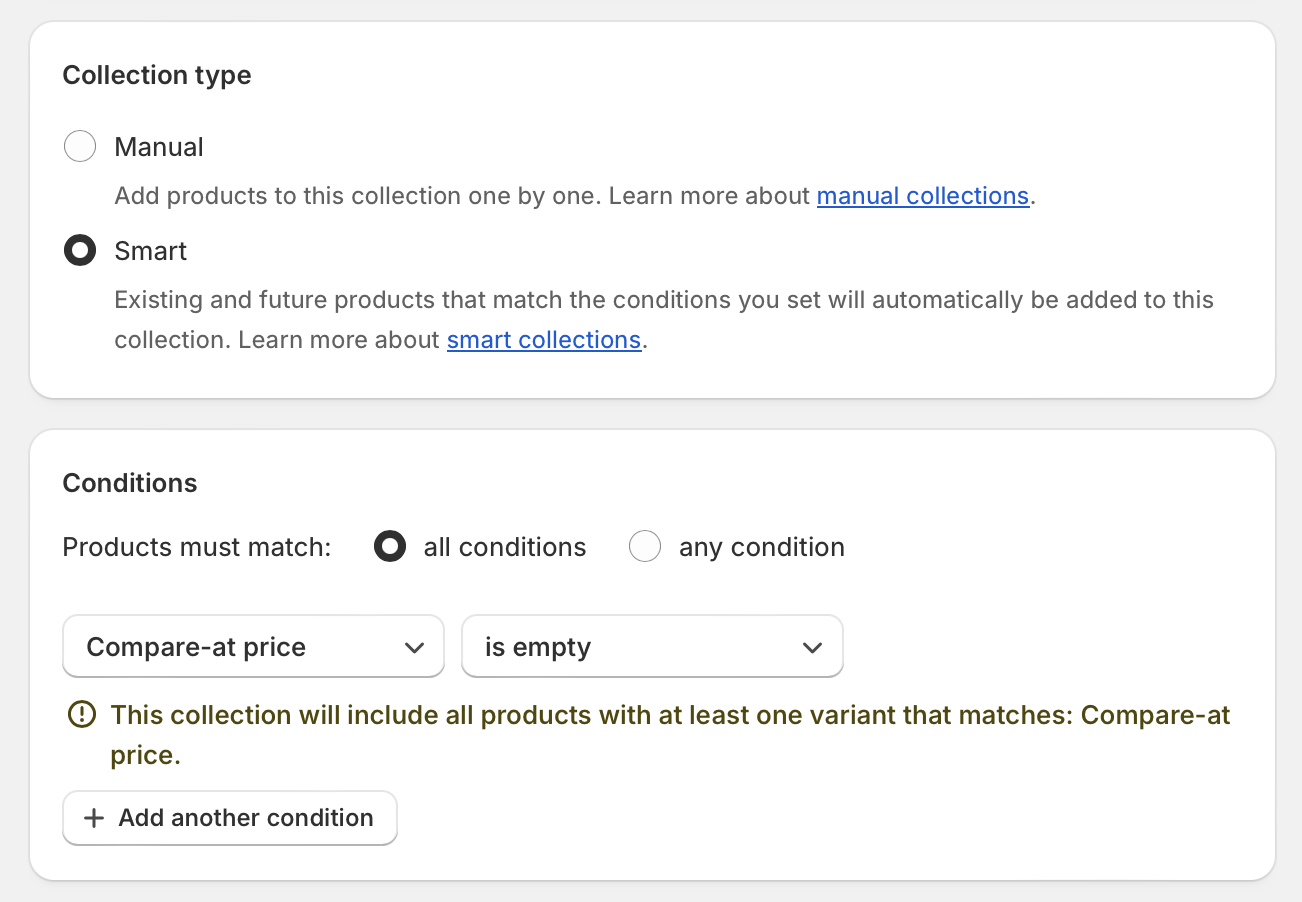
- Set the collection condition to include products where “compare-at price” is “empty“
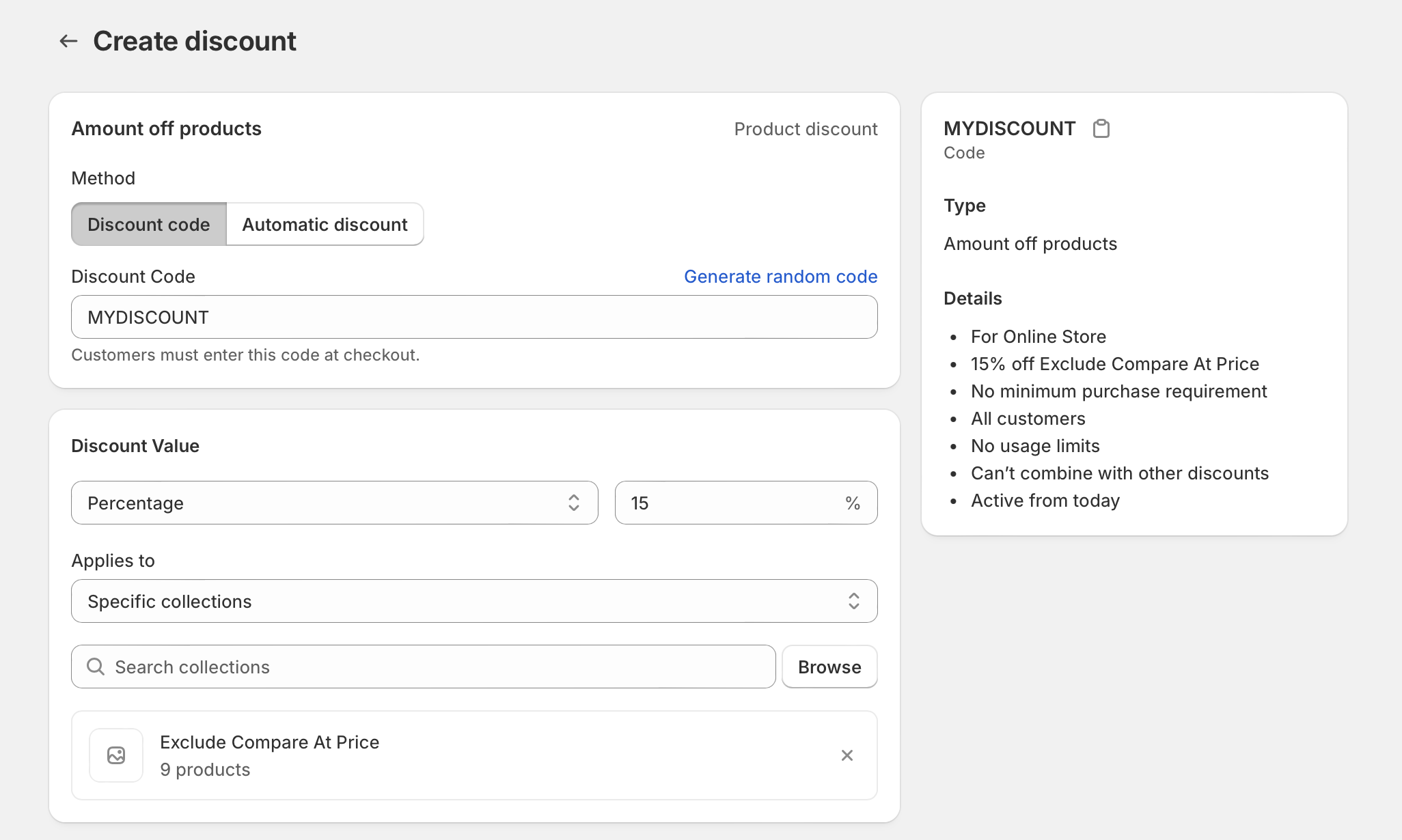
- Configure your discount codes to work only on products in this collection
This approach automatically ensures that only products without compare-at prices will be eligible for your discount codes. As you add new products, they’ll automatically be included or excluded from the collection based on whether they have a compare-at price set.
Why This Works Better Than Other Solutions
Some merchants try to solve this by:
- Disabling the ability to combine discount codes (this doesn’t help since compare-at prices aren’t recognized as discount codes)
- Creating manual collections (too time-consuming for large inventories)
- Using third-party apps (adds unnecessary expense)
The smart collection approach is superior because it:
- Requires zero ongoing maintenance
- Works automatically with new products
- Doesn’t require additional apps or expenses
- Provides a consistent customer experience
Customer Experience Considerations
Remember that customer disappointment at checkout can significantly impact conversion rates. If shoppers expect to get an additional 15% off an already-discounted item and then discover they can’t, it creates friction in the buying process.
By implementing this automated collection solution, you create clarity and consistency. Customers will understand which products are eligible for additional discounts, reducing confusion and abandoned carts.
Implementing Your Automated Collection Discount Strategy
Ready to implement this solution? Follow these steps:
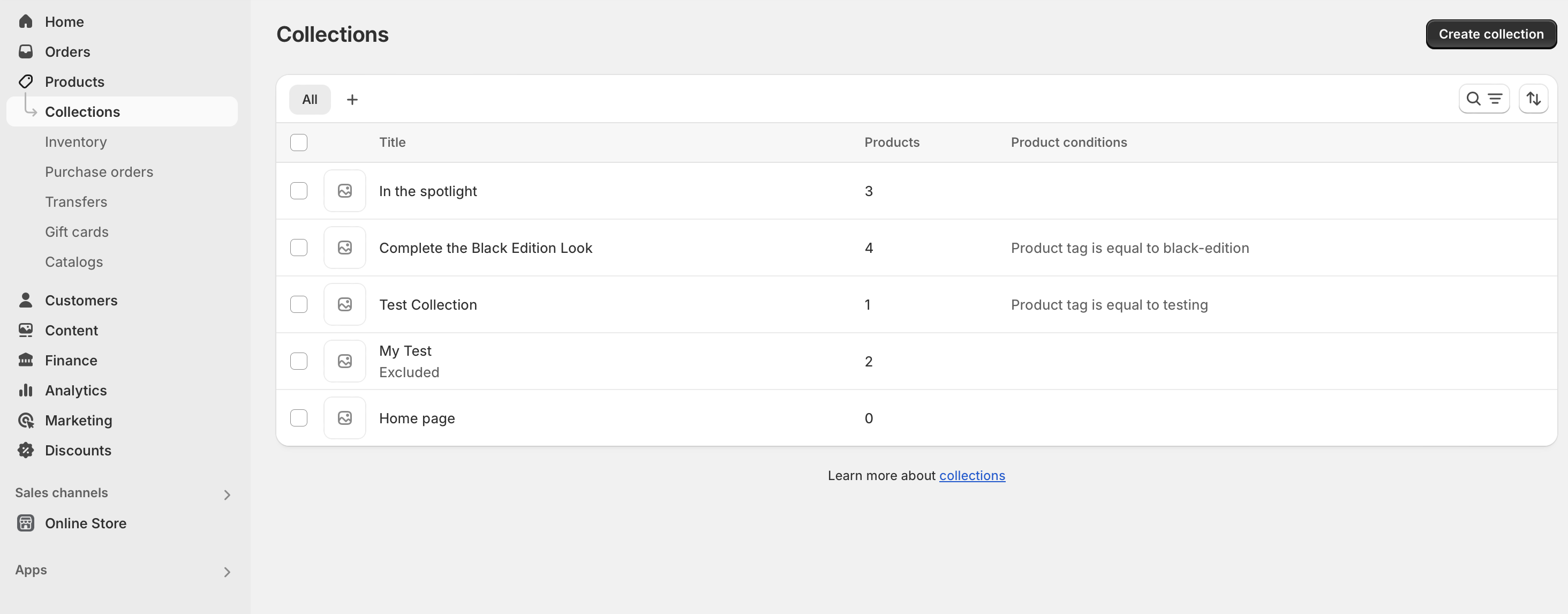
- Go to Products > Collections in your Shopify admin
- Click Create collection
- Select Automated as the collection type (you may also see this referred to as a “smart collection”)
- Name your collection (something like “Discount Code Eligible”)
- Under Conditions, select “compare-at price” from the dropdown, set it to “is empty”
- Save your collection
- Edit your discount code settings to specify this collection as the only eligible products
This straightforward approach will save you countless hours of manual work while maintaining control over your pricing strategy.
Final Thoughts
Managing discounts effectively is crucial for maintaining healthy margins while still attracting customers with competitive pricing. By using Shopify’s built-in automated collections feature (also known as smart collections), you can create an automated system that prevents double-discounting without adding complexity to your store management.


