


















Add an estimated delivery date to your Shopify store
Uncertainty about delivery is one of the top reasons shoppers abandon carts. Show a clear "get it by" date, add urgency with a live cut-off countdown, and turn hesitation into checkouts.
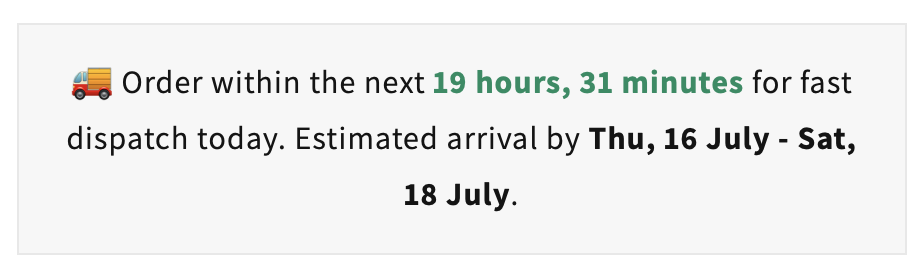
Order within the next … for fast dispatch today. Estimated arrival by ….
What is an estimated delivery date?
An estimated delivery date tells shoppers when an order will arrive if they buy now on your
 Shopify
store. It answers the question every buyer has before checkout: "when will I get it?"
Shopify
store. It answers the question every buyer has before checkout: "when will I get it?"
It combines three things into one clear message: your order cut-off time (order within X for same-day dispatch), your dispatch schedule, and your shipping speed - producing a "get it by" date right where shoppers decide to buy.
Throughout this guide, an estimated delivery date means a clear "get it by" message with a live cut-off countdown - turning delivery uncertainty into confidence to buy.
Cut-off time
The live countdown to same-day dispatch. Example: "Order within 5 hours 12 minutes for fast dispatch today."
Dispatch window
When the order leaves your warehouse, respecting weekends, vacations and non-working days.
"Get it by" date
The estimated arrival date range the shopper actually cares about, shown clearly before they add to cart.
Pick the timer that fits your store
Delivery Timer ships with two styles. Both communicate the same delivery information - choose the one that matches your design.
Classic text-based timer
A single, scannable line with a live countdown to your dispatch cut-off and a clear estimated arrival date. Perfect for slotting neatly under the buy button.
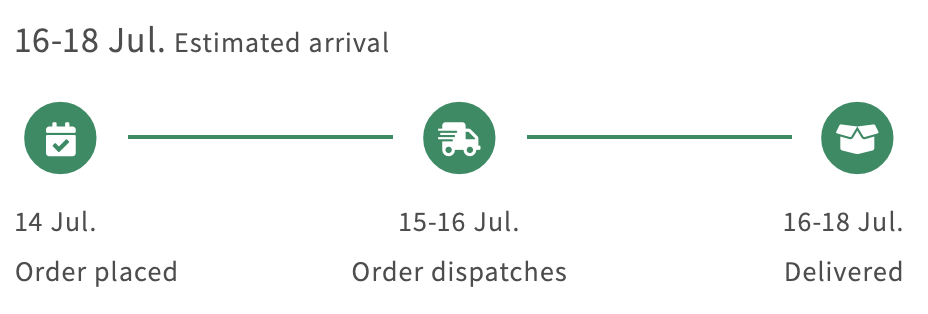
Visual timeline timer
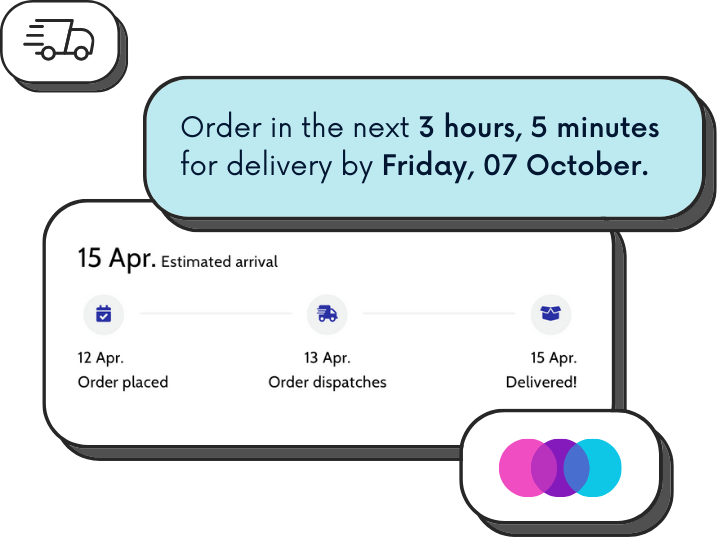
A three-step timeline - order placed, dispatched, delivered - with dates under each stage. A friendly, visual way to set expectations at a glance.
Unclear delivery times cost you sales
When a shopper cannot tell when an order will arrive, doubt creeps in - and doubt at checkout means abandoned carts and extra support work.
Delivery uncertainty
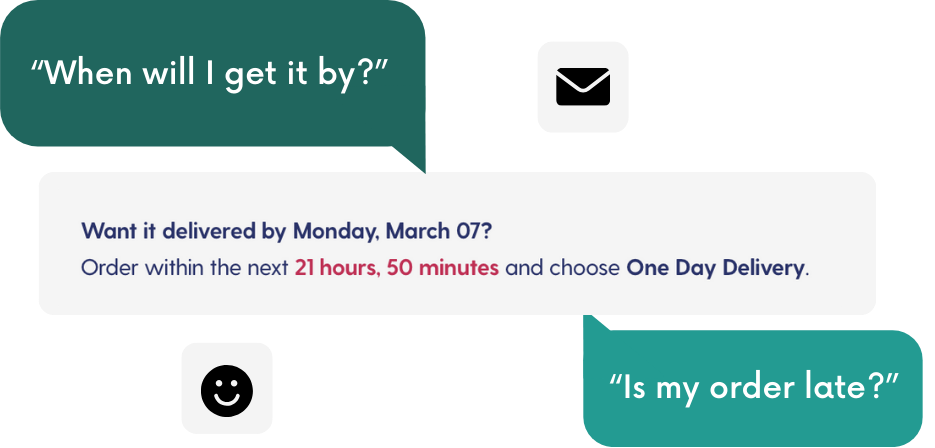
"When will it arrive?" goes unanswered on the product page, so hesitant shoppers leave rather than gamble on a slow delivery.
"Where is my order?"
Without clear expectations set upfront, buyers flood support with status questions your team answers one by one.
No urgency to buy
Nothing signals that ordering now means it ships today, so shoppers put off the decision - and often never come back.
Shipping clarity moves conversion rates
Delivery expectations are one of the strongest levers on cart abandonment. The numbers below are widely cited industry benchmarks on shipping and delivery transparency.
Average cart abandonment rate across ecommerce
Slow or unclear delivery is a leading reason shoppers abandon
Abandon when there is no estimated delivery date shown
Clear arrival dates reassure buyers at the moment of intent
Figures are illustrative industry benchmarks (e.g. Baymard Institute cart abandonment research) and vary by store, category and market.
What Delivery Timer does for your store
One lightweight app that reassures buyers, adds urgency and cuts support load - working on traffic you have already paid for.

Get it by
Show a clear estimated delivery date so shoppers know exactly when their order arrives before they buy.
Urgency
A live cut-off countdown gently nudges shoppers to order now for same-day dispatch.
Value
With the lift in conversions from reduced friction, the app effectively pays for itself.
Fewer support tickets
Clear timelines mean fewer "where is my order?" emails, freeing your team's time.

Go global
Geolocation zones set accurate delivery windows per country and region for every shopper.
Text or visual
Choose the timer style that best matches your store's design and layout.
Free for up to 500 impressions every month
All features included on the free tier. Paid plans unlock higher monthly view limits as you grow.
Estimated delivery date questions, answered
What is an estimated delivery date on Shopify?
An estimated delivery date tells shoppers when their order will arrive - for example "Order within 5 hours to get it by Thursday". It combines your order cut-off time, dispatch schedule and shipping speed into a clear "get it by" message on the product page, so buyers know exactly what to expect before they check out.
Why do estimated delivery dates increase conversions?
Uncertainty about delivery is one of the biggest reasons shoppers abandon carts. Showing a clear delivery estimate removes that doubt at the moment of intent, adds urgency through a live cut-off countdown, and reassures buyers - which lifts add-to-cart and checkout completion rates.
What is the difference between the text and visual timer?
The text-based timer shows a single line such as "Order within the next 5 hours for fast dispatch today. Estimated arrival by Thu 16 - Sat 18 July". The visual timer shows a three-step timeline - order placed, dispatched, delivered - with dates under each step. Both communicate the same information; you pick the style that suits your store design.
Is Delivery Timer free?
Yes. Delivery Timer has a free tier that includes all features for up to 500 impressions every month. Paid tiers unlock higher monthly view limits as your traffic grows, and with the lift in conversions the app typically pays for itself.
Can I set different delivery dates for different countries?
Yes. Delivery Timer supports geolocation zones so you can set accurate cut-off, dispatch and delivery windows per country or region, and create custom rules for products or collections with different lead times.
Do I need code to add an estimated delivery date to Shopify?
No. Delivery Timer installs from the Shopify App Store in a click, matches your store design automatically and goes live without any development work.
Add an estimated delivery date to Shopify
Delivery Timer shows a clear "get it by" date with a live cut-off countdown - in a text or visual style, matched to your store. Free for up to 500 impressions every month.
Add Delivery Timer free on the Shopify App Store