
Observing visitor behavior on your Shopify store can be a valuable strategy for tailoring their experience and optimizing your marketing efforts.
While it’s not possible to track every action a visitor takes on your site, there are specific aspects you can keep an eye on.
Abandoned checkouts
Reducing abandoned checkouts is crucial for boosting sales, and Shopify offers various tools to help you monitor and address this issue. With cart abandonment rates averaging over 70% in 2025—and even higher on mobile devices—recovering these lost sales can significantly impact your revenue.
To review abandoned checkouts, navigate to the Orders section in your Shopify admin panel.
- Click on “Abandoned Checkouts” to access a list of unfinished purchases.
Sometimes, a visitor might abandon their cart due to a payment failure. In such cases, they may attempt to contact you regarding the issue. To investigate payment events for a visitor, follow these steps:
- Visit your Shopify admin and select “Orders.”
- Click on “Abandoned Checkouts.”
- Choose the specific checkout you’d like to examine.
- Click on “Timeline” (previously called “History”) and select the payment event to view related details.
Additionally, you have the option to send automated recovery emails to customers who have abandoned their carts. Modern best practices suggest sending a series of 3-5 recovery emails can help recover 10-20% of lost sales. To set this up:
- Access your Shopify admin and navigate to “Marketing” and then “Automations.”
- Look for the “Abandoned checkout” automation and click to edit settings.
- Select “Send abandoned checkout emails automatically” and customize your timing preferences.
- Click “Customize email” to personalize the message to match your brand voice.
- Turn on the automation to start recovering abandoned carts automatically.
By keeping an eye on visitor behavior, particularly in the context of abandoned checkouts, you can fine-tune your strategies to improve the overall shopping experience and enhance the effectiveness of your marketing campaigns on your Shopify store.
Using the Abandon Aid app
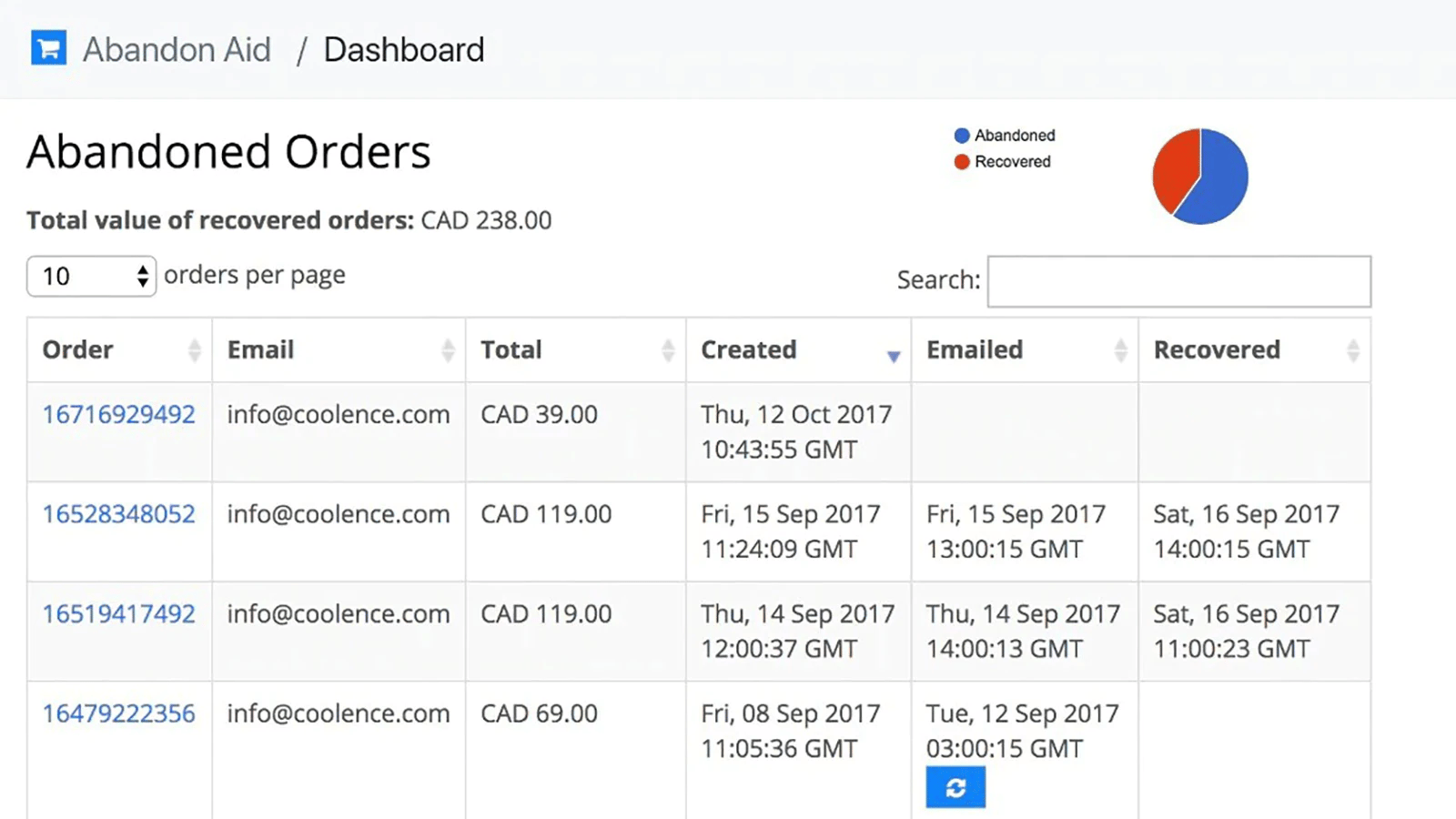
One critical aspect of visitor behavior is cart abandonment—a common challenge faced by Shopify store owners. Abandon Aid is a Shopify app designed to address this issue by providing valuable insights and tools to recover abandoned carts.
Let’s explore why Abandon Aid remains a useful option for anyone keen on optimizing visitor behavior and increasing sales.
1. Automated Email Recovery
Abandon Aid streamlines the process of recovering abandoned carts through automated email campaigns. When a visitor leaves items in their cart without completing the purchase, Abandon Aid springs into action.
It sends personalized and strategically timed emails to these visitors, gently nudging them to return and finalize their transaction. These automated reminders can significantly increase the chances of conversion, with industry data showing recovery rates of 10-20% are achievable with proper email sequences.
2. Personalization for Improved Conversions
Personalization is a key driver of successful e-commerce. Abandon Aid enables you to personalize your recovery emails, making them more engaging and persuasive.
You have the flexibility to include discount codes or incentives tailored to individual visitors, encouraging them to complete their purchase. This level of personalization enhances the effectiveness of your recovery efforts.
3. Sales Boost and Cart Abandonment Reduction
The primary goal of Abandon Aid is crystal clear: to increase your sales by reducing cart abandonment rates. With average abandonment rates exceeding 70%, every abandoned cart represents a potential lost sale, and this app provides you with the tools to recover a significant portion of those sales.
By addressing the issue of cart abandonment head-on, Abandon Aid becomes a valuable asset for boosting your store’s revenue.
4. Easy Setup and User-Friendly Interface
Setting up and using Abandon Aid is a straightforward process. Its user-friendly interface ensures that you can configure your recovery email campaigns without the need for extensive technical expertise.
This simplicity allows you to focus on your core business operations while still harnessing the power of cart recovery.
5. Ideal for Various Shopify Merchants
Whether you’re just starting your Shopify journey or have an established store, Abandon Aid can be a useful addition to your toolkit.
It caters to Shopify merchants looking for a simple, focused solution for cart recovery. The app’s straightforward approach makes it accessible for businesses of different sizes looking to improve their abandoned cart recovery without complex configurations.
In conclusion, Abandon Aid offers a focused solution that helps you leverage visitor behavior insights to recover abandoned carts and increase sales.
With its automated email recovery, personalization features, and user-friendly interface, Abandon Aid provides a practical tool for Shopify store owners looking to optimize their online shopping experience and reduce cart abandonment rates.
By incorporating an abandoned cart recovery strategy into your e-commerce approach—whether through Abandon Aid, Shopify’s built-in automation features, or other cart recovery apps—you’re taking a proactive step toward maximizing your revenue potential and enhancing customer satisfaction.