
Coupon code leaks on Shopify are usually preventable, but only if you treat them as a discount security problem rather than a marketing annoyance. In my experience building Shopify apps and working with merchants on promotions, the stores that lose the most margin are often the ones using public-looking codes, long expiry windows, and no monitoring.
If your discount codes keep showing up on Honey, RetailMeNot, or random coupon blogs, this guide covers 5 practical methods to stop the damage. I will also show you when Shopify's native tools are enough, when you need an app, and which apps are worth testing.
What is a coupon code leak on Shopify?
A coupon code leak is when a discount code intended for a specific audience becomes available to people who were never meant to use it. On Shopify, this usually happens through coupon extensions, affiliate pages, influencer sharing, deal forums, or customers posting codes publicly.
The important point is this: a leaked code is not just a branding issue. It becomes a margin issue, an attribution issue, and sometimes a conversion issue too. If a code works for everyone, it will usually spread further than you expect.
The latest research behind this topic shows that 60% of active codes can appear on aggregator sites. That means even a code you think is semi-private can become public surprisingly quickly.
I've seen merchants assume the leak came from one customer screenshotting an email. Sometimes that happens, but more often the leak is automated. Browser extensions, coupon databases, and checkout monitoring tools are constantly testing and surfacing valid offers.
Why do Shopify discount codes keep leaking?
Shopify discount codes leak because codes are easy to share, easy to scrape, and often not restricted tightly enough. If a code can be applied by anyone, eventually someone or something will publish it.
That is the uncomfortable reality. Most merchants think a code is private because they only sent it to a segment, but distribution is not the same as enforcement. Once a code exists, the real question is whether unauthorised customers can redeem it.
There are a few common leak paths:
- Coupon browser extensions such as Honey, Capital One Shopping, Rakuten, Coupert, and similar tools testing or surfacing codes
- Affiliate and influencer campaigns where static codes get reposted outside their intended audience
- Email and SMS promotions forwarded to friends, forums, Facebook groups, or deal sites
- Public thank you pages, landing pages, or scripts that expose code patterns
- Long-running generic codes like WELCOME10 or SAVE20 that are easy to guess and easy to reuse
In my experience, generic evergreen codes are the biggest risk. They are convenient for marketing teams, but they are also the easiest to leak, scrape, and abuse at scale.
Why are coupon code leaks a serious problem for Shopify stores?
Coupon leaks reduce profit, distort attribution, and can even hurt conversion rate. They do not just create a few accidental redemptions. They can change customer behaviour at checkout.
Industry estimates have put promo code abuse at $89 billion annually. Even if your store is nowhere near enterprise scale, the pattern still matters. A 10% or 15% discount used by the wrong audience can wipe out a large share of profit on paid traffic orders.
There is another hidden cost: coupon hunting. When shoppers see a discount field at checkout, some leave to search for codes. That creates friction and can increase abandonment. If you are already trying to optimise Shopify checkout and increase conversions, leaked codes make that job harder.
Coupon leaks also create affiliate misattribution. A customer who was already going to buy may use an extension or coupon site at the last second, and suddenly a commission is paid where no real referral happened. That means you lose both margin and reporting accuracy.
How do I stop coupon code leaks on Shopify?
The best way to stop coupon code leaks on Shopify is to combine server-side eligibility rules, strict usage limits, shorter expiry windows, automatic or URL-based discounts, and active monitoring. No single tactic is enough on its own.
Below are the 5 methods that actually work for most Shopify stores in 2026. If you only implement one, start with restricting who can use the discount. If you implement all five, you dramatically reduce the damage even when a code spreads.
1. How do I enforce discount eligibility server-side?
Server-side enforcement is the strongest defence against coupon abuse. It makes the discount valid only for the right customer conditions, rather than trusting what happens in the browser.
This is the angle many older articles miss. A code is not secure because it is hidden. A code is secure when eligibility is enforced by Shopify's backend logic, not by theme scripts or assumptions about who received the code.
Using Shopify Functions via suitable discount apps, you can restrict discounts by:
- Customer tags such as VIP, wholesale, newsletter, or creator-campaign
- Customer segments based on order history or geography
- Metafields for custom eligibility logic
- New customer only conditions
- Product, collection, or cart rules to prevent broad abuse
If a leaked code only works for customers tagged vip, then a coupon site can publish it all day and it still will not work for the wrong shoppers. That is the difference between containing a leak and merely hoping one does not happen.
For stores running complex promotions, I generally recommend moving away from broad static codes whenever possible. It is the same logic I use when advising merchants on excluding certain products from discounts on Shopify. The more precisely you define eligibility, the less room there is for abuse.
What should I restrict first?
Start by restricting discounts to customer groups and first-order status. Those two checks usually eliminate the biggest share of unauthorised redemptions.
If you are sending a newsletter offer, tag those subscribers and make the discount valid only for that tag. If you are running influencer campaigns, avoid a universal code if you can. Use a controlled audience, short validity, and a measurable link structure.
2. How do I use limits and expiry dates to reduce damage?
Usage limits and short expiry windows reduce the blast radius of a leaked code. Even if the code gets shared, fewer people can exploit it before it expires.
This is one of the easiest wins in Shopify because native discount settings already support much of it. You can set maximum total uses, one use per customer, and start and end dates in the Shopify admin.
Best practice is simple:
- Set one use per customer wherever possible
- Use short campaign windows rather than leaving codes active for months
- Avoid generic evergreen codes unless they are heavily restricted
- Cap total redemptions for higher-risk campaigns
- Review old codes monthly and archive anything no longer needed
In my experience, merchants often remember to create codes but forget to retire them. Old discounts are low-hanging fruit for coupon sites. A code that still works six months later is practically an invitation to abuse.
If you are running promotional stacks, also make sure you understand how discounts interact. We have covered related issues in our guides on stopping double discounts on Shopify and combining a discount code with free shipping. Leakage gets even more expensive when discounts stack in ways you did not intend.
3. What is the best alternative to public coupon codes on Shopify?
The best alternative is usually automatic discounts or URL-based discounts. These reduce code visibility and remove the need for customers to type or share a code manually.
Shopify supports discount links in the format /discount/CODE?redirect=/path. These are especially useful for email, SMS, affiliates, and influencer campaigns because they can pre-apply a discount without exposing the code as prominently.
Automatic discounts can be even better for on-site campaigns. If the shopper qualifies, the discount applies without any code entry. That means:
- less checkout friction
- less coupon hunting
- fewer opportunities for code sharing
- cleaner user experience
There is no perfect system, but removing visible codes from the journey is often the cleanest structural fix. I especially like this approach for creator partnerships where merchants would otherwise hand out a static code that ends up on every coupon site within days.
If your real goal is conversion rather than coupon mechanics, you may get better results from a targeted offer strategy such as tiered discounts or cart upsells on Shopify rather than broadcasting a flat code to everyone.
4. How do I monitor coupon leaks and block browser extensions?
Monitoring and extension blocking help you detect leaks early and stop automated coupon behaviour at checkout. This is where specialist Shopify apps become useful.
Shopify's native analytics can tell you which discounts are being used, but they will not always tell you where the leak started or whether an extension is interfering with attribution. Apps in this category focus on three jobs:
- blocking coupon extensions
- identifying leaked codes on deal sites
- measuring revenue or attribution impact
That matters because more than 10% of online shoppers use coupon extensions in some form. If you are relying on discounts and affiliate traffic, this can create both margin loss and noisy reporting.
Which Shopify apps help manage coupon code leaks?
The best Shopify apps for coupon leak management are the ones that match your risk profile. Some are better for blocking extensions, while others are stronger on leak detection or reporting.
| App | Best for | Key strength | App Store |
|---|---|---|---|
| Veeper | Brands focused on extension blocking and margin recovery | Blocks major coupon extensions and aims to reduce over-discounting | View app |
| Coupon Detective | Stores wanting visibility into coupon usage and attribution | Tracks how leaked coupons are being used | View app |
| cleanCART | Merchants wanting checkout protection and analytics | Blocks auto-injected codes and shows leakage data | View app |
| Promo Pirates | Affiliate and influencer-heavy brands | Leak tracking and rule-based code shutdowns | View app |
| KeepCart | Stores wanting broad extension blocking coverage | Blocks a large number of extensions and monitors leaks | View app |
What are the best apps to manage and track coupon codes for a Shopify store?
There is no single best app for every store. The right choice depends on whether your main problem is extension blocking, affiliate leakage, or discount reporting.
Below are the most relevant apps from the original article, updated with a clearer view of what each one is best at.
-
Veeper
Veeper is best for merchants who want to block coupon extensions and reduce unnecessary discounting at checkout. It is positioned around stopping tools like Honey, Capital One Shopping, Coupert, and similar extensions from injecting or surfacing codes.
 Veeper is a strong fit if you suspect that high-intent customers are claiming discounts they did not need. Some merchants using tools in this category report meaningful AOV improvements after blocking extension-led discounting, and the research supplied for this post notes that blocking coupon extensions can increase average order value.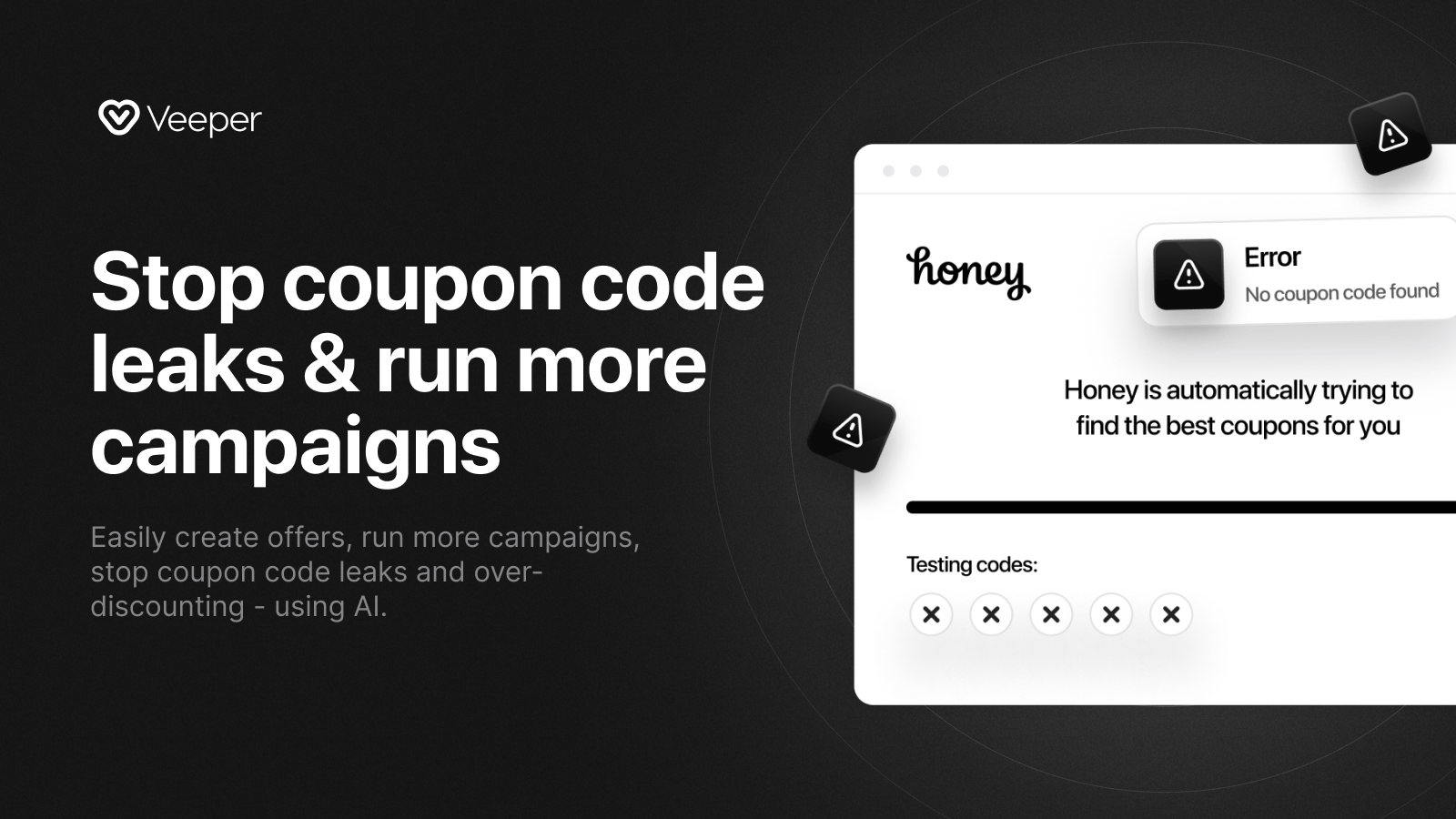
What I like here is the direct focus on margin protection. If your store runs lots of paid traffic and your checkout is attracting coupon extension activity, Veeper is worth shortlisting.
-
Coupon Detective
Coupon Detective is best for stores that need more visibility into how shoppers are using coupons and whether attribution is being distorted. It is less about broad offer creation and more about investigation.
 Coupon Detective helps you identify which deal sites are leaking codes, how extensions are affecting checkout, and where revenue may be slipping through the cracks.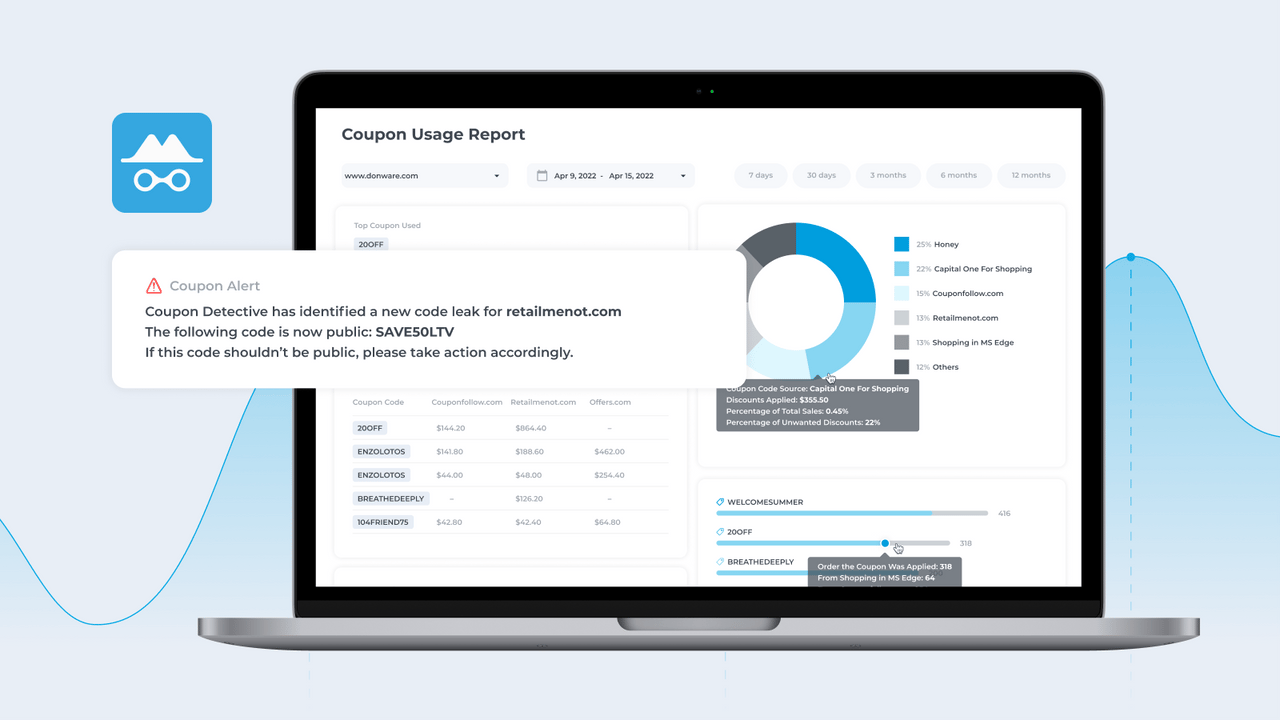
If your team keeps asking, "Where did this code leak from?" this is the type of app I would test first. Attribution clarity is often just as valuable as the discount savings.
-
cleanCART
cleanCART is best for merchants who want a mix of extension blocking and analytics. It aims to stop scraped coupon codes being auto-injected while also showing where leakage is happening.
 cleanCART is particularly relevant if you care about affiliate overpayment and checkout cleanliness. That combination makes it attractive for DTC brands with active partner programmes.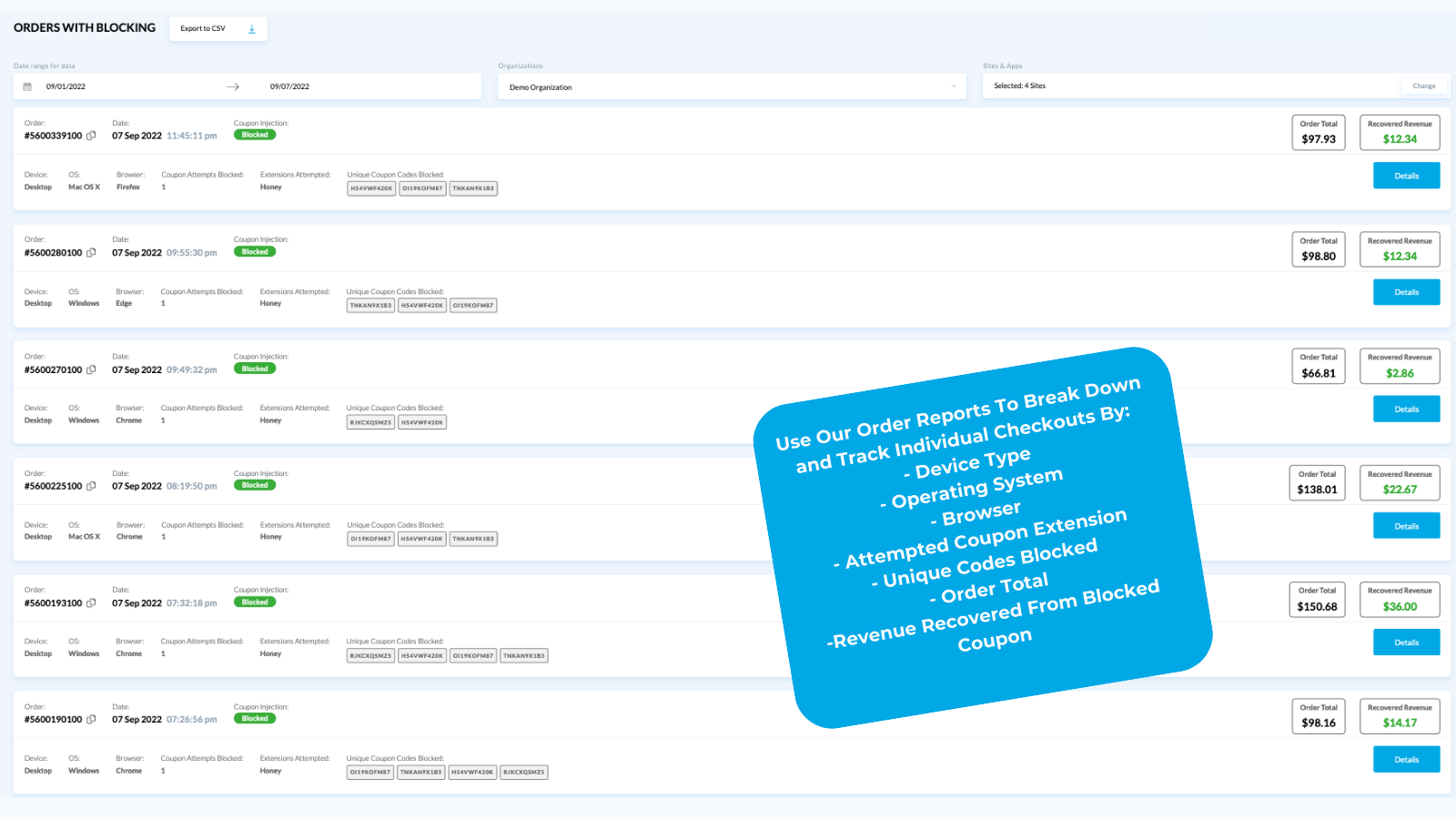
From what I have seen in the Shopify ecosystem, apps that combine protection with reporting are often easier to justify internally because they do not just block a problem. They also show the financial impact.
-
Promo Pirates
Promo Pirates is best for merchants running affiliate or influencer discount campaigns where codes tend to spread beyond the intended audience. It focuses on leak tracking, extension blocking, and rule-based responses.
 Promo Pirates is useful if your creator or affiliate code strategy has become hard to control. The supplied research notes support for modern Shopify checkout setups, which matters for Plus merchants using extensible checkout.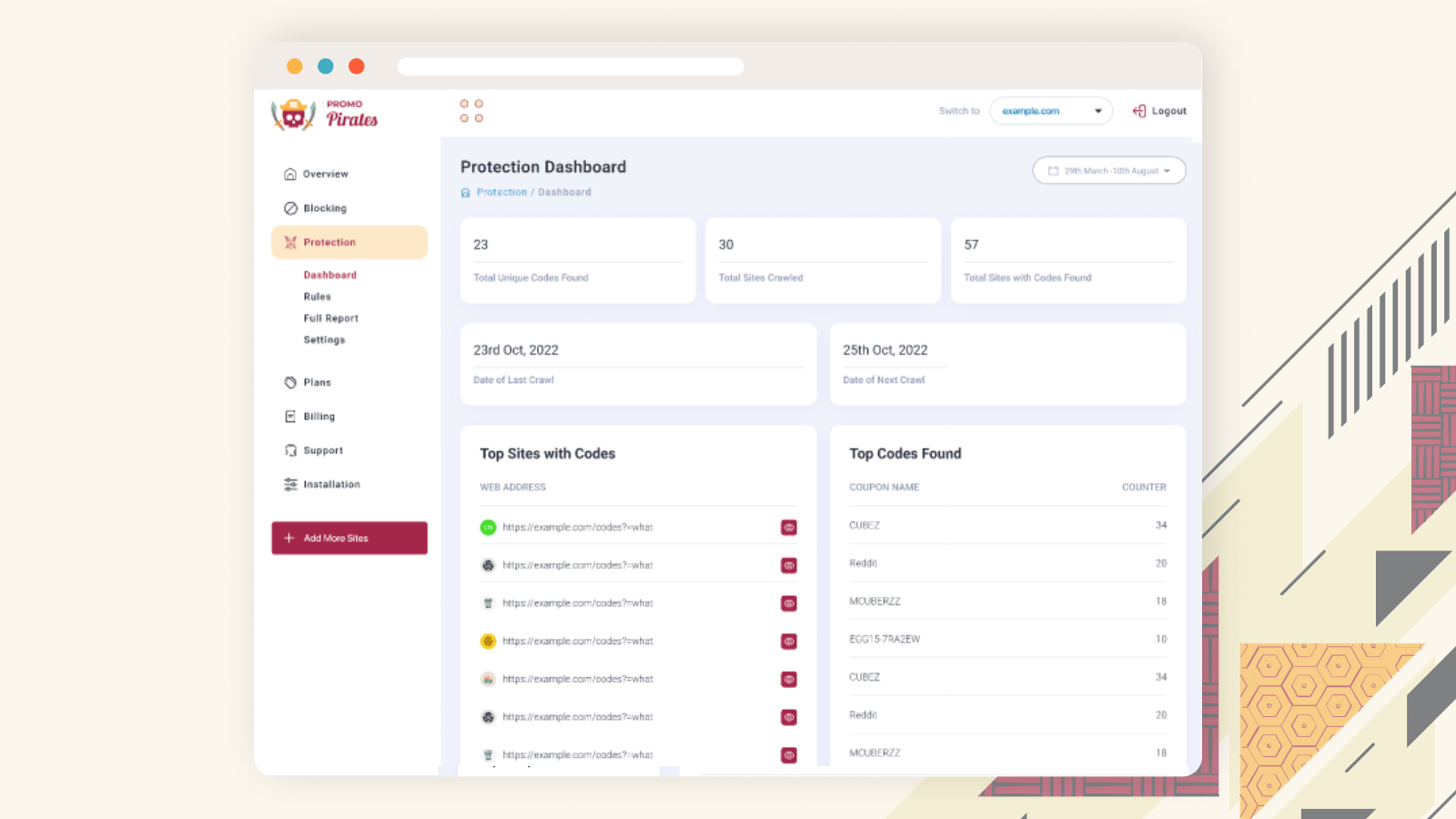
For creator-led brands, this category of app can be the difference between a profitable ambassador programme and one that quietly bleeds margin.
-
KeepCart
KeepCart is best for stores that want broad protection against coupon extensions and leak monitoring. It is positioned as a comprehensive checkout protection tool.
 KeepCart is worth considering if extension coverage is your priority. The latest research for this article notes protection against 150+ extensions, which is a meaningful differentiator if you want broad coverage rather than a narrow block list.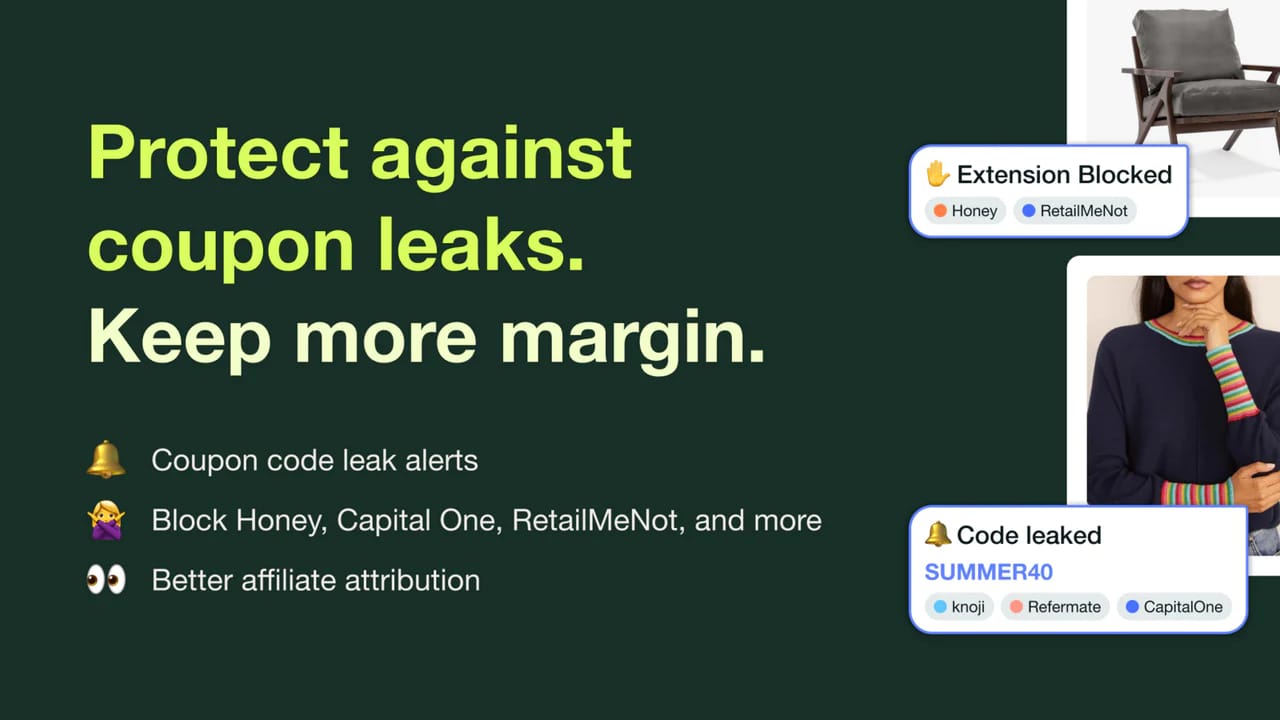
I would shortlist KeepCart if you already know extensions are a problem and want a more aggressive defence. Best for stores with recurring discount abuse is probably the fairest quick verdict.
5. Can I use IP restrictions, geo rules, and delisting requests?
Yes, but these are secondary defences rather than your main fix. IP restrictions, location controls, and delisting requests can reduce abuse, but they work best alongside stronger discount rules.
If you only sell in certain regions, geo restrictions can help limit cross-border abuse. If a leaked code is being redeemed from unexpected locations, that is a useful signal to investigate. Some merchants also monitor suspicious clusters of orders, duplicate customer behaviour, or repeated discount use patterns.
You can also contact coupon sites and request removal of unauthorised codes. Results vary, but it is still worth doing for major leak sources. Think of delisting as damage control, not prevention.
For higher-risk campaigns, I would use this order of operations:
- Restrict eligibility server-side
- Set one-use-per-customer and short expiry
- Use a URL-based or automatic discount instead of a visible code
- Monitor with an app
- Request delisting where needed
What are the most common Shopify discount code mistakes to avoid?
The most common mistakes are using public-style codes, leaving them active too long, and relying on secrecy instead of enforcement. These are easy to fix once you know what to look for.
| Mistake | Why it hurts | Better approach |
|---|---|---|
| Using generic codes like SAVE10 | Easy to guess and easy to share | Use unique or segmented codes |
| Long expiry windows | Gives coupon sites time to spread the code | Use short campaign windows |
| No customer restrictions | Anyone can redeem the leak | Restrict by tag, segment, or order status |
| Ignoring attribution distortion | You may overpay affiliates | Track coupon source and extension activity |
| Letting old codes stay live | Creates ongoing margin leakage | Audit and retire codes monthly |
I would add one more mistake from experience: using discounts to solve every conversion problem. Sometimes the better fix is merchandising, checkout optimisation, or stronger upsells rather than another code floating around the internet. If your store is discount-heavy, also read our guide on reducing abandoned carts in Shopify.
What is my recommended setup for most Shopify stores?
For most Shopify stores, the best setup is a layered one: restricted discounts, short expiry, one-use-per-customer, URL-based delivery, and a monitoring app if you run frequent campaigns. That gives you protection without making your marketing team miserable.
Here is the setup I would recommend for a typical DTC brand:
- Welcome offer: automatic discount or short-lived URL discount
- Email campaign: customer-segment restriction plus expiry in 3-7 days
- Influencer campaign: avoid static codes where possible, use links and strict caps
- VIP offer: server-side eligibility by customer tag
- Ongoing monitoring: use an app if discount abuse is already visible
If you are on Shopify Plus or running more advanced promotional logic, the case for server-side discount control is even stronger. The more revenue flows through discounts, the more important it becomes to protect them properly.
Final thoughts on managing coupon code leaks on Shopify
Coupon code leaks are not just a minor annoyance. They are a predictable outcome of weak discount controls, visible static codes, and no monitoring. The good news is that most of the fixes are straightforward.
The biggest mindset shift is this: stop thinking about coupon privacy and start thinking about coupon eligibility. If the wrong customer cannot use the discount, the leak matters far less. That is the principle I would build around first.
If you are only going to act on one thing after reading this, audit your live discounts today. Check which codes are still active, whether they have customer restrictions, and whether they really need to exist in visible code form at all.
Once you tighten that up, test one of the monitoring apps above if you suspect extension or affiliate leakage. For many merchants, that is where the hidden losses become obvious.