
WISMO means "Where Is My Order?", and for a lot of Shopify stores it makes up 30% to 50% of total support ticket volume. If your inbox feels like a loop of shipping questions every morning, you are not imagining it. In my experience building Shopify apps for post-purchase and conversion workflows, WISMO is usually the first support fire that overwhelms merchants during busy periods, especially around product launches, Black Friday, and holiday shipping crunches.
The frustrating part is that most WISMO tickets are preventable. Customers are not trying to be difficult. They are reacting to uncertainty: unclear delivery promises, no easy self-serve tracking, or an order status page that technically exists but is buried where nobody can find it. The good news is that once you fix those three gaps, you can dramatically cut repetitive support volume and stop manually answering the same question all day.
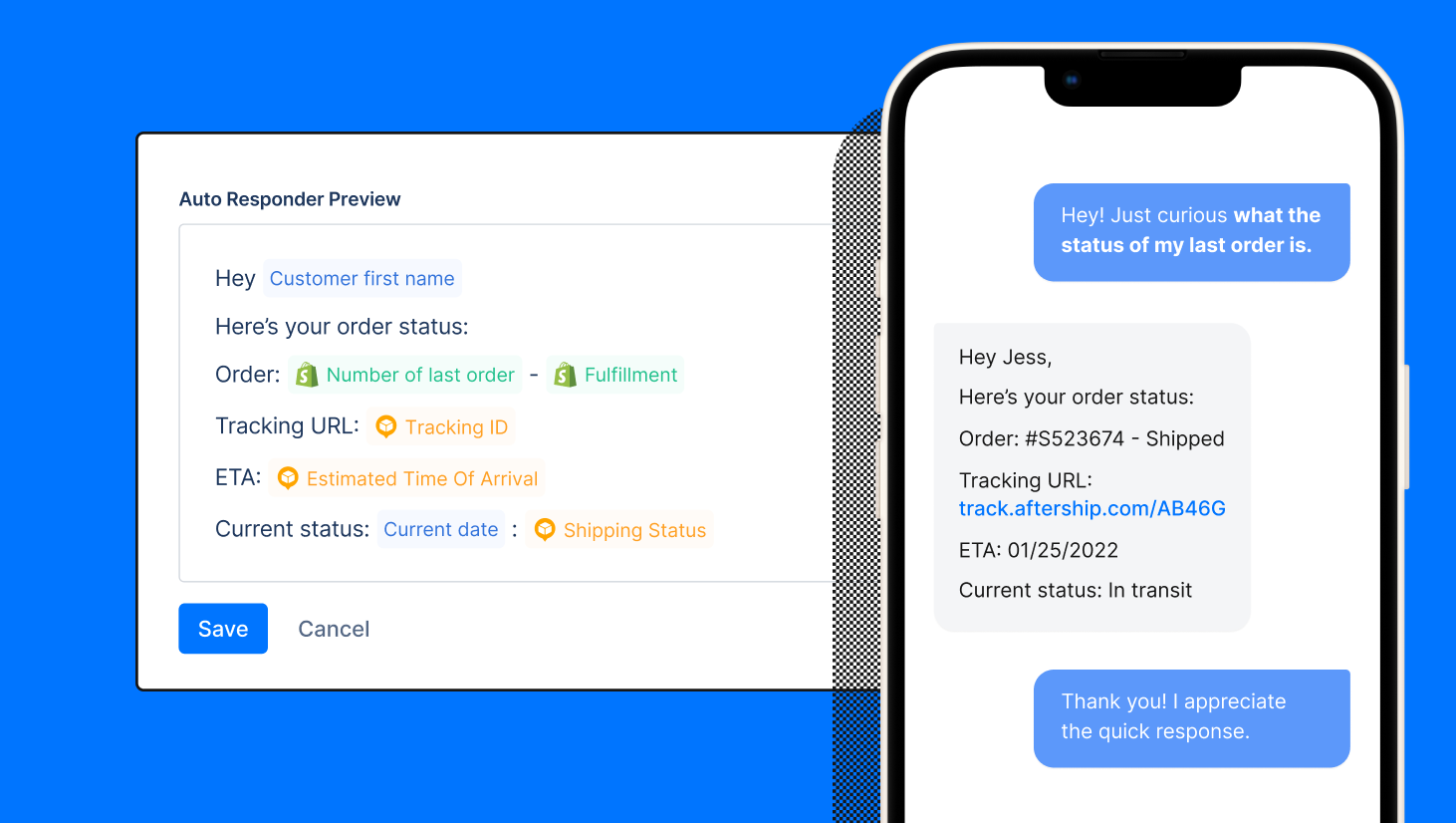
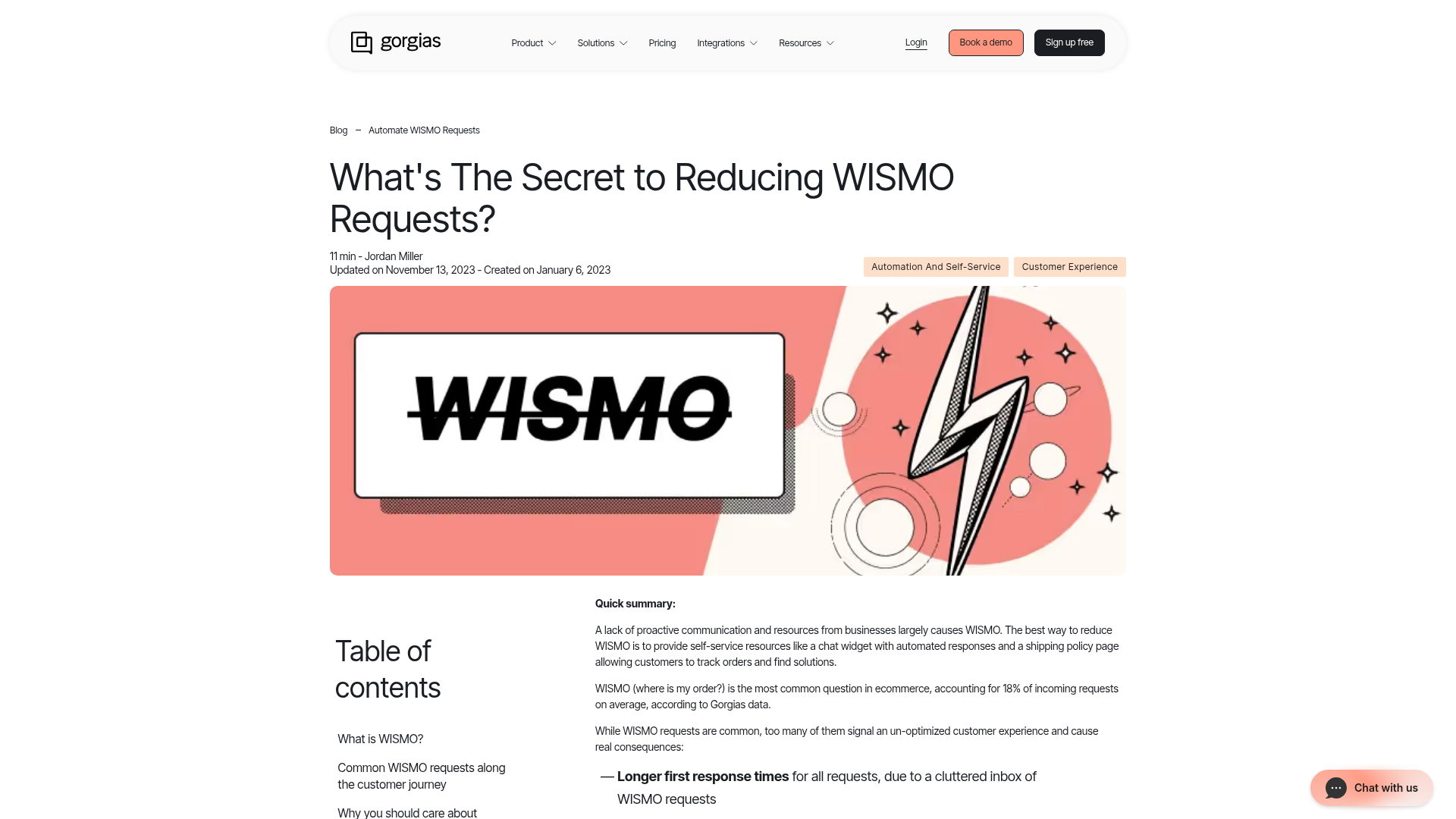
My view is simple: WISMO reduction is a ladder. First, set better shipping expectations. Second, make order tracking obvious and self-serve. Third, add a smart chat agent that can answer order-status questions instantly, 24/7, with the customer and order context already loaded. That is how you get to the point where customers never need to open a ticket in the first place.
What is WISMO and why does it take over a Shopify support inbox?
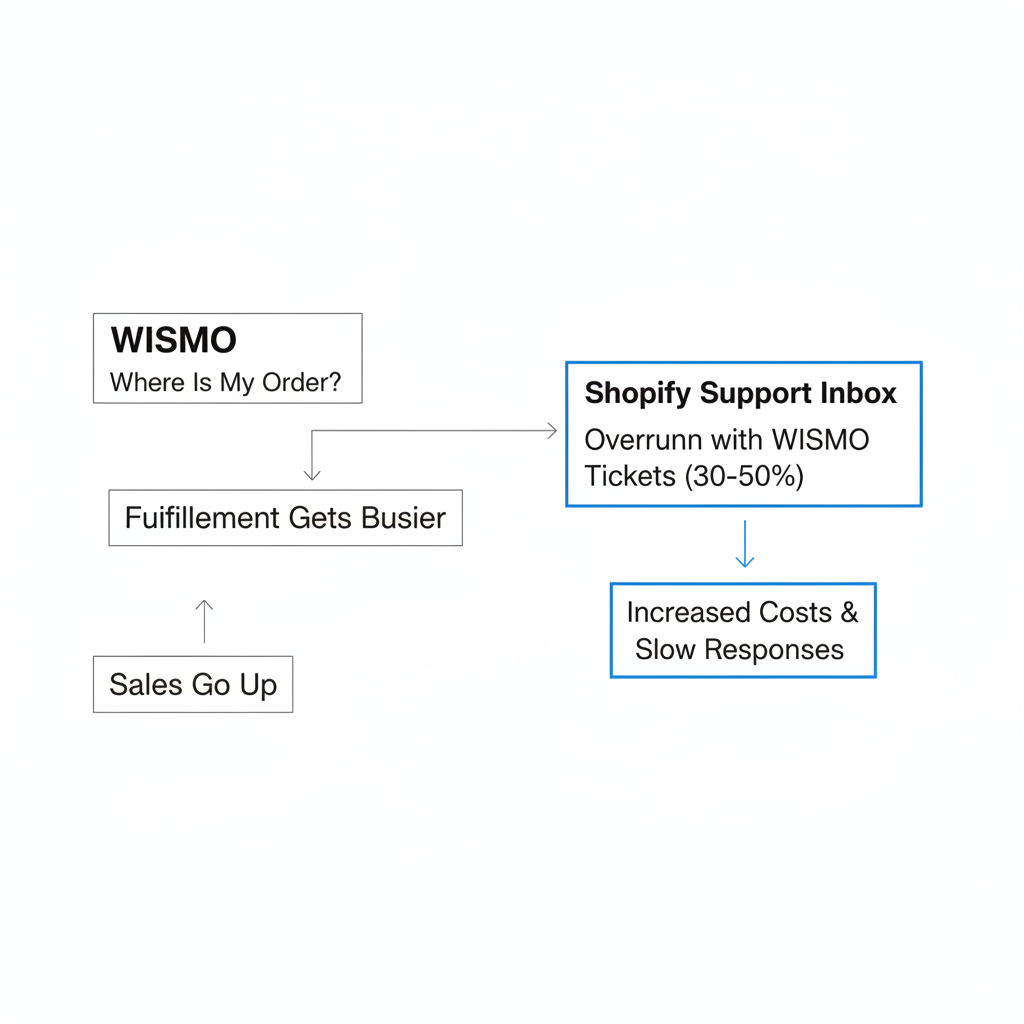
WISMO is short for "Where Is My Order?", and it is usually the biggest category of support contacts for ecommerce brands. For many stores, it accounts for 30% to 50% of ticket volume, which is why reducing WISMO has such an outsized impact on support costs and response times.
When I talk to merchants, the pattern is always familiar. Sales go up, fulfillment gets busier, and suddenly the support queue grows even faster than revenue. A store might be doing well on the front end, but the post-purchase experience creates anxiety that spills straight into email, chat, and social DMs.
This is especially brutal during peak season. If you are shipping hundreds or thousands of orders a week, even a small communication gap turns into dozens of repetitive conversations. That is why I always tell merchants to treat WISMO as a systems problem, not a staffing problem.
Why do customers ask "Where is my order?" so often?
Customers ask "where is my order?" because they do not know when it will arrive, where to check status, or whether anything is happening at all. The root cause is uncertainty, not impatience.
There are three common causes I see again and again on Shopify stores:
- Unclear shipping expectations on product pages, cart, or checkout
- No self-serve tracking flow that is easy to find and easy to understand
- A buried order status page that customers never discover until after they contact support
There is also a fourth hidden cause: the processing gap. This is the quiet period after purchase but before the first meaningful shipping update. If a customer places an order on Monday and hears nothing until Thursday, many of them will assume something is wrong even if your ops team is working normally.
How much does unclear shipping messaging contribute to WISMO?
A lot. If your store says "ships in 3-7 business days" or leaves delivery timing vague, customers fill in the blanks themselves, usually with the most optimistic interpretation.
In my experience building Shopify tools, merchants often focus on acquisition and conversion copy but leave shipping communication generic. That works until expectations and reality drift apart. If your actual delivery experience varies by region, carrier, or product type, broad promises create avoidable support demand.
One of the easiest wins is replacing vague shipping text with specific delivery windows. A date range like "Estimated delivery: Tue 15 - Thu 17" reduces ambiguity much better than generic turnaround language.
Why is the default order status experience not enough?
The default experience is often technically available but practically invisible. If customers cannot find tracking in one click, many of them will contact support instead.
Shopify does provide an order status page, but a lot of stores do not make it prominent enough in navigation, emails, or help content. Others send customers directly to carrier websites, which can be cluttered and confusing. That usually creates more questions, not fewer.
If you want to improve this layer, I recommend reading How to Customize the Order Status Page on Shopify: 4 Methods for 2026 and How to Update the Text on the Shopify Order Confirmation Page in 2026. Both are directly relevant when you are trying to reduce post-purchase confusion.
How do I reduce WISMO tickets on Shopify?
You reduce WISMO tickets on Shopify by following a fix ladder: improve shipping expectations, make tracking self-serve, and then automate order-status replies with AI. That sequence matters because automation works best when the customer experience underneath it is already clear.
Here is the framework I recommend for most stores:
- Fix your shipping and delivery messaging
- Make the order status page easy to find and understand
- Add a 24/7 chat agent for instant WISMO replies
Merchants often try to start at step three because AI feels like the fastest solution. But if your shipping promises are vague and your tracking flow is messy, the bot ends up explaining a confusing system instead of preventing the question.
How do I fix shipping expectations before the order is placed?
The best way to reduce WISMO before it starts is to show clear, realistic delivery expectations on the product page, cart, and checkout. Customers tolerate waiting much better when the timeline feels explicit and believable.
I have seen stores cut a surprising amount of support volume just by tightening pre-purchase shipping communication. This is one of the highest-leverage changes because it prevents the expectation gap at the source.
- Show estimated delivery dates, not vague shipping ranges
- Clarify whether timing is for processing, shipping, or delivery
- Call out delays for made-to-order, preorder, or international items
- Set expectations for peak periods like Black Friday, Christmas, and launches
If delivery timing is a major conversion and support issue for your store, this is exactly where a delivery estimate app can help. My own app background makes me biased toward practical onsite messaging, because if you tell customers the truth before checkout, you prevent a lot of support pain later.
For more on this, see Delivery Promises That Convert: How Countdown Urgency Changes Buyer Behavior on Shopify and How Best to Manage Long AliExpress Shipping Times on Shopify in 2026.
What should a good Shopify order tracking experience include?
A good Shopify tracking experience should answer where the order is, what stage it is in, and when it is likely to arrive. If those three answers are obvious, many WISMO tickets disappear.
Your tracking flow should feel like part of your store, not a handoff to a random carrier page. That means using plain language, visible milestones, and a prominent entry point customers can find without digging through old emails.
What should be on the tracking page?
The tracking page should be simple, branded, and self-serve. It should reduce anxiety in under 10 seconds.
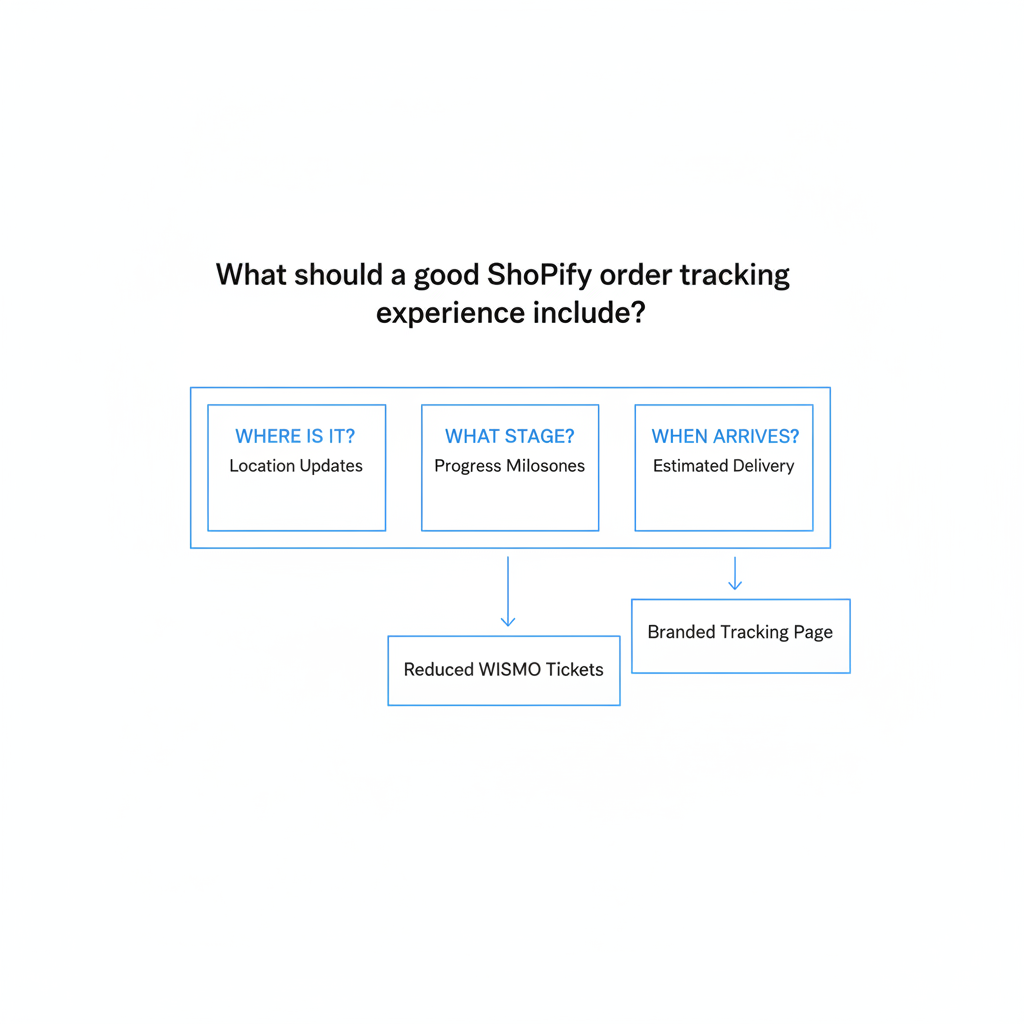
- Order number + email lookup or account-based access
- Plain-English milestones like Confirmed, Packed, In Transit, Out for Delivery, Delivered
- Current status and most recent update
- Estimated delivery window
- Carrier and tracking ID when useful
- Exception messaging for delays, failed delivery attempts, or customs issues
Where should I link the tracking page?
The tracking page should be linked everywhere customers naturally look for answers. If it is hidden, support becomes the default path.
- Main navigation
- Footer
- Order confirmation email
- Shipping confirmation email
- Help center and FAQ
- Chat widget quick actions
If you are still treating tracking as a link buried in an old email, that is probably why your WISMO volume stays high.
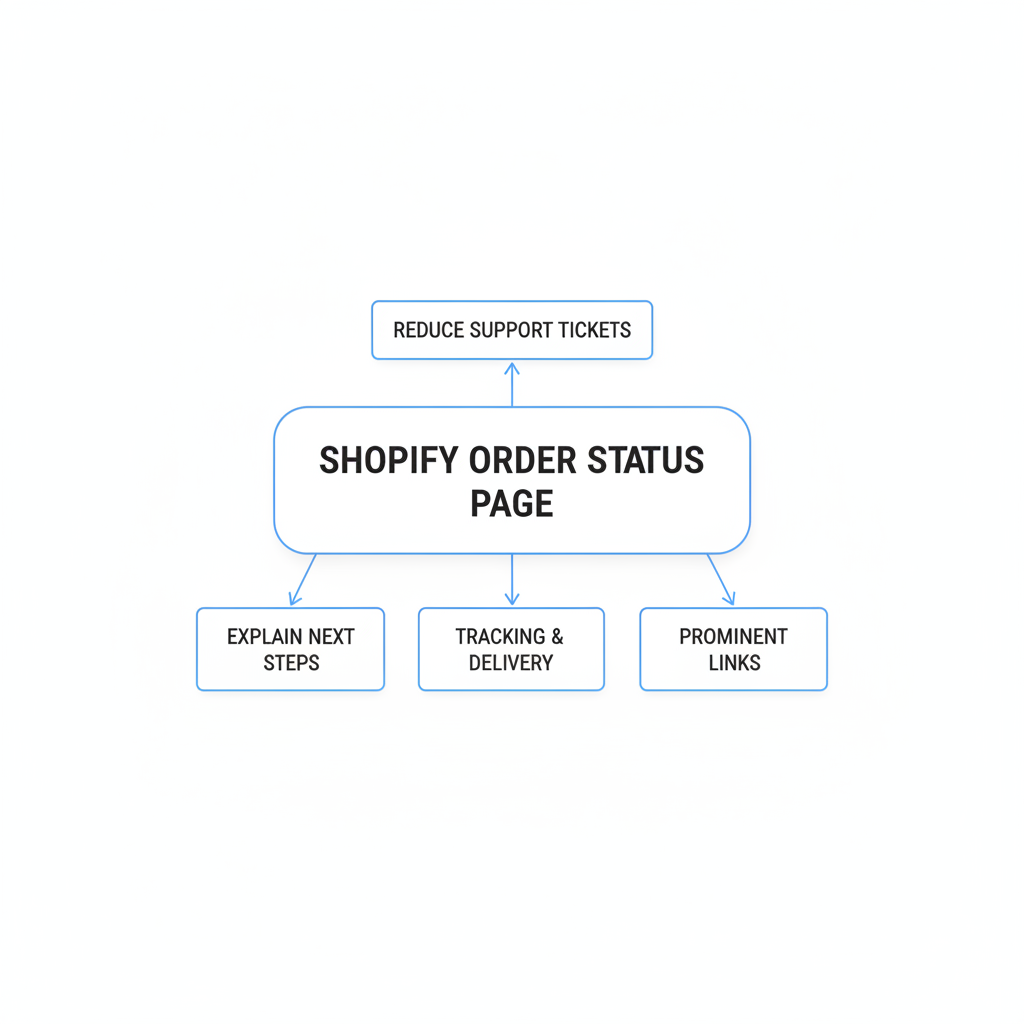
How do I use the Shopify order status page to reduce support tickets?
The Shopify order status page can reduce support tickets when you customize it, clarify the messaging, and make it easy to reach. Out of the box, it is useful, but it often needs better copy and visibility.
In practice, I would focus on three upgrades:
- Rewrite the text so it explains what happens next
- Add tracking and delivery expectation language
- Link to it prominently from all post-purchase communications
This is also where merchants can reduce the processing-gap anxiety. If an order is confirmed but not yet shipped, say that clearly. A message like "We are packing your order now. Tracking will update after carrier pickup" is much better than silence.
If you need help with the nuts and bolts, LaunchTip has a few useful guides: How to Customize the Order Status Page on Shopify: 4 Methods for 2026, How to Change the Tracking Number on Automatic Notifications in Shopify, and How to Update the Order Status to Delivered in Shopify.
What is the best next step after shipping pages and tracking improvements?
The best next step is adding a chat agent that answers order-status questions instantly, 24/7. Once expectations and self-serve tracking are in place, AI chat becomes the final layer that catches the remaining WISMO contacts before they become tickets.
This is the part merchants care about most during peak season. When the support inbox is already overloaded, you do not want every order-status question creating a new conversation that a human has to triage manually.

Chatkit is a good fit for this layer because it can answer customer questions in chat using order context. Instead of forcing the shopper to explain everything from scratch, the system can pull the relevant order details and respond immediately with the status, tracking context, and next step.
That matters more than it sounds. A lot of so-called automation still makes the customer work too hard. If someone has to hunt for an order number, paste tracking info, and wait for a handoff anyway, you have not really reduced WISMO. You have just changed the channel.
How does Chatkit help stop WISMO tickets before they start?
Chatkit helps by bringing order context into the conversation automatically, so the customer gets an answer without opening a traditional support ticket. That is the real win.
When a shopper asks "Where is my order?", the ideal flow is not "please email support." It is an instant response that recognizes the order, checks status, and explains what is happening in plain English. That is how you move from reactive support to self-serve resolution.
- Instant order-status answers in chat
- 24/7 availability during evenings, weekends, and peak traffic spikes
- Less manual lookup for your support team
- Better customer confidence because the answer arrives immediately
In my experience building in the Shopify ecosystem, speed matters almost as much as accuracy here. Even when the update is not perfect news, customers feel better when they get a fast, confident explanation instead of silence.
What does a good WISMO automation flow look like?
A good WISMO automation flow identifies the order, checks the shipping state, translates it into plain English, and only escalates edge cases to a human. The goal is safe automation, not blind automation.
Here is the structure I recommend:
- Identify the customer and order
- Pull the latest order and tracking context
- Translate status into a clear answer
- Provide the next best action
- Escalate exceptions like lost parcels, failed delivery, fraud flags, or conflicting data
That middle step is where most value lives. Customers do not want raw carrier jargon. They want a sentence like "Your order is in transit and is expected between Wednesday and Friday" or "Your package is delayed by 1-2 days due to weather".
What is the difference between self-serve tracking and AI chat for WISMO?
Self-serve tracking prevents questions, while AI chat answers the remaining ones instantly. You need both if you want to get close to eliminating manual WISMO replies.
| Layer | What it does | Best use case | Main limitation |
|---|---|---|---|
| Shipping messaging | Sets delivery expectations before purchase | Preventing expectation-gap tickets | Does not answer post-purchase questions by itself |
| Order status page | Lets customers check progress on their own | Reducing repetitive tracking requests | Only works if customers can find it easily |
| AI chat agent | Answers WISMO questions instantly with order context | Capturing customers who still ask in chat | Needs clear escalation rules for edge cases |
This is why I call it a ladder. Each layer handles a different part of the problem, and together they create a much calmer post-purchase experience.
How much can Shopify stores realistically reduce WISMO tickets?
Most Shopify stores can realistically target a 50% reduction first, and stronger setups can push toward 65% to 80% fewer WISMO tickets over time. The exact number depends on shipping complexity, fulfillment speed, and how broken the current experience is.
If your store currently has vague shipping copy, weak notifications, and no obvious tracking flow, the upside is big. If you already have a solid branded tracking page and proactive shipping messages, the biggest gains may come from adding AI chat to catch the last chunk of repetitive contacts.
| Store setup | Typical WISMO result | What to do next |
|---|---|---|
| Vague shipping info + no clear tracking | High WISMO volume | Fix PDP, cart, checkout, and tracking visibility first |
| Good tracking page but weak communication | Moderate WISMO volume | Add proactive milestone updates and better order-status copy |
| Strong self-serve flow + AI chat | Low manual WISMO volume | Optimize edge-case handling and recontact rate |
The key metric I like is WISMO tickets per 100 orders. It is simple, easy to compare month to month, and immediately shows whether your post-purchase changes are actually working.
What should I do this week to stop answering "Where is my order?" forever?
If you want the fastest path to fewer WISMO tickets, start with a short audit and fix the biggest friction points first. You do not need a six-month support transformation project to make progress.
- Audit your product pages and checkout for vague shipping promises
- Add or improve estimated delivery messaging
- Make your order status page obvious in nav, footer, and emails
- Rewrite order-status copy to explain what happens next
- Add a chat agent like Chatkit for instant order-status replies
- Track WISMO per 100 orders for the next 30 days
If your team is overwhelmed right now, especially during peak season, focus on the changes that remove uncertainty fastest. Customers are usually not asking for miracles. They just want a clear answer, a believable timeline, and an easy way to check status without chasing your support team.
That is why the best WISMO strategy is not hiring more agents to answer the same question faster. It is building a post-purchase experience where the answer is already available, and where chat can fill in the gaps instantly when customers still ask.
Which apps and resources should I look at for reducing WISMO on Shopify?
The best tools are the ones that improve clarity, self-service, and automation. You do not need a bloated stack, but you do need the right pieces in the right order.
- Chatkit - for instant chat-based answers using order context
- Shopify Help Center - for order status and notification documentation
- Shopify - for native post-purchase and customer account features
- Gorgias WISMO guide - useful framing around automation and self-service
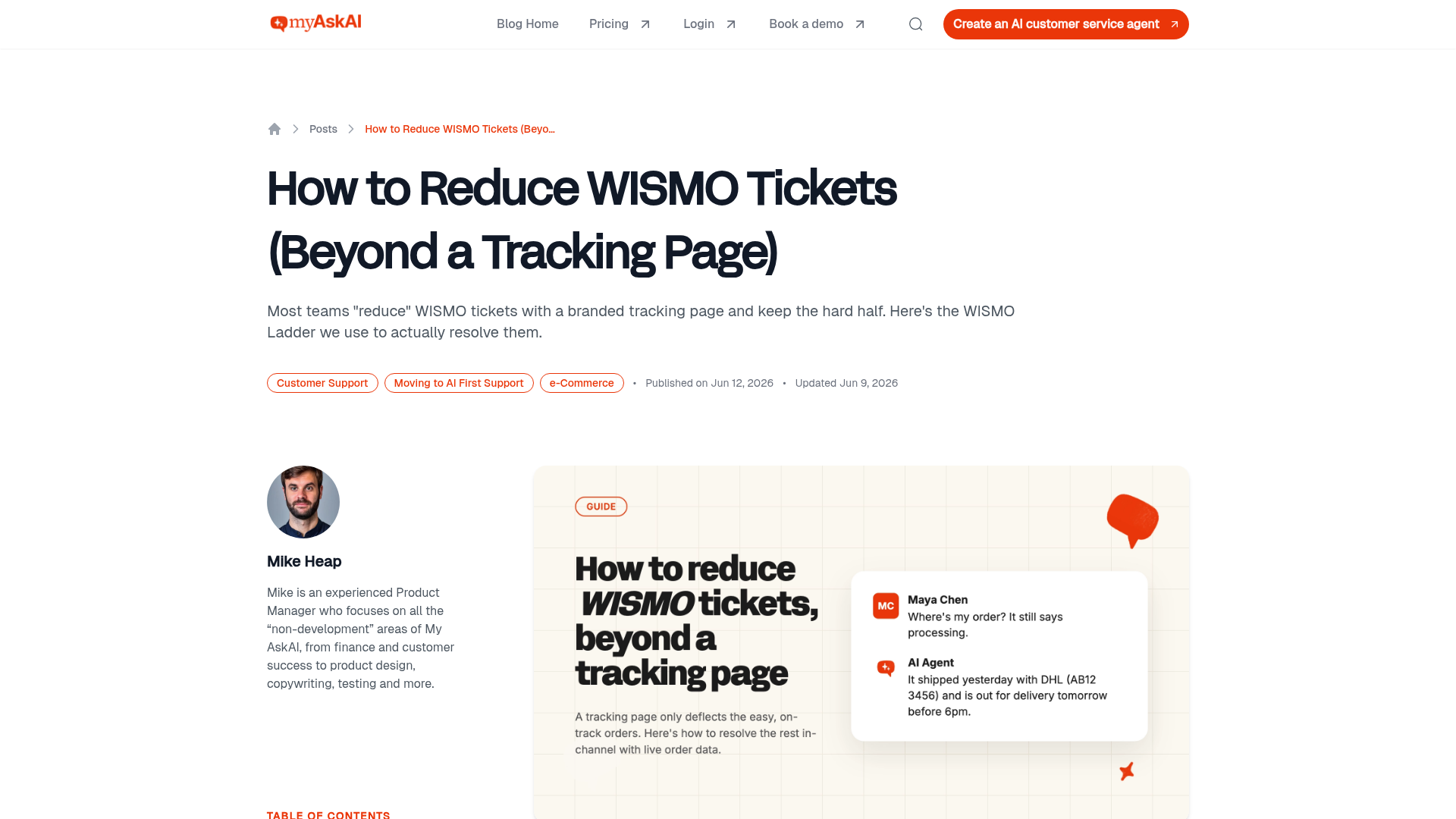
- My AskAI WISMO article - helpful for thinking in layers
- Corso support ticket reduction page - strong explanation of root causes
If I were implementing this on a live store today, I would start with the customer journey first, then layer tooling on top. Better messaging and visibility create the foundation. Then a smart chat layer like Chatkit helps you stop answering the same WISMO question forever.