
AI can generate strong Shopify product descriptions quickly, but the best results come when you combine automation with human editing. In my experience building Shopify apps and working with merchants on conversion problems, AI is brilliant at speed and structure, but it still needs guidance on brand voice, product accuracy, and compliance.
If you want the short version, Shopify Magic is the easiest place to start for single products, while dedicated Shopify apps are better for bulk generation, multilingual SEO, and brand consistency at scale. This guide covers both, along with prompts, workflows, and the mistakes I see merchants make most often.
What is the best way to generate Shopify product descriptions using AI?
The best way to generate Shopify product descriptions using AI is to start with structured product data, use either Shopify Magic or a specialist app, and then edit the output for accuracy, tone, and SEO. For a small catalogue, the built-in Shopify tool is usually enough. For larger stores, a dedicated app is usually faster, more flexible, and more cost-effective per product.
That matches what I see in real stores. Merchants with 20 products can get very far with Shopify's native tools, while merchants with 2,000 SKUs usually need rules, templates, and bulk workflows. The biggest win is not just saving time. It is publishing clearer, more persuasive, more consistent product copy across the whole catalogue.
Top-ranking results for this topic focus heavily on Shopify Magic, and rightly so. But if you want to outperform competitors, you also need to think about SEO metadata, collection copy, image alt text, brand voice controls, and bulk editing. That is where specialist tools and a better workflow matter.
What makes a good Shopify product description?
A good Shopify product description is clear, persuasive, accurate, and easy to scan. It should explain what the product is, who it is for, why it is useful, and what makes it worth buying now.
In practice, the strongest descriptions balance features, benefits, and buying confidence. They answer common objections before the shopper has to ask, and they make the next step feel obvious. That matters for both conversion rate and support load.

A weak description says what the product has. A strong description says what the product does for the customer. For example, "100% cotton" is a feature, but "soft, breathable cotton for all-day comfort" is a customer benefit. AI can help produce that shift quickly, but only if you feed it the right inputs.
It also needs to be formatted for online reading. Most shoppers do not read every line. They scan headings, bullet points, materials, dimensions, care instructions, delivery details, and trust signals. If your product page is a wall of text, even good copy can underperform.
From an SEO angle, product descriptions should include relevant keywords naturally, not awkwardly. If you want a stronger foundation here, I recommend reading Keyword Research SEO Techniques for Shopify Stores and The Power of Intent Based Product Titles for Shopify Stores. AI works best when your keyword targeting is already sensible.
What should every product description include?
Every product description should include the core facts a shopper needs to buy confidently. At minimum, that means product purpose, key benefits, materials or specifications, sizing or dimensions where relevant, and care or usage guidance.
- What it is - a simple opening line
- Who it is for - ideal customer or use case
- Key benefits - practical outcomes, not just features
- Important specifications - size, material, compatibility, ingredients
- Care or usage instructions - reduce uncertainty and returns
- SEO terms - included naturally, not stuffed
- Brand voice - consistent with the rest of the store
Why do well-written product descriptions matter so much?
Well-written product descriptions improve conversion rate, SEO visibility, and customer trust. They also reduce avoidable support questions and can lower return risk by setting clear expectations.
- Increased sales: Better descriptions help customers make informed decisions faster, which usually improves conversion.
- Improved search engine optimisation: Relevant, unique copy gives product pages a better chance of ranking for long-tail searches.
- Increased customer trust: Accurate details and clear language make a store feel more credible.
- Better customer engagement: Benefit-led copy keeps shoppers on the page longer and moves them closer to add to cart.
- Reduced customer service enquiries: Clear answers on sizing, materials, fit, and usage can save a surprising amount of support time.
In my experience, merchants often underestimate the support benefit. If your product pages are vague, customers ask more pre-sale questions. If they are detailed but easy to scan, shoppers feel safer buying without contacting you first.
Can you generate good product descriptions using AI?
Yes, AI can generate very good Shopify product descriptions, especially when you provide product features, keywords, tone guidance, and audience context. It is now realistic to use AI for both single-product drafting and large-scale catalogue generation.
The important caveat is that AI does not automatically know your product as well as you do. It predicts likely wording based on the prompt and available context. That means it is excellent at speed and structure, but it can still produce generic phrasing, factual errors, or claims you should not publish without review.
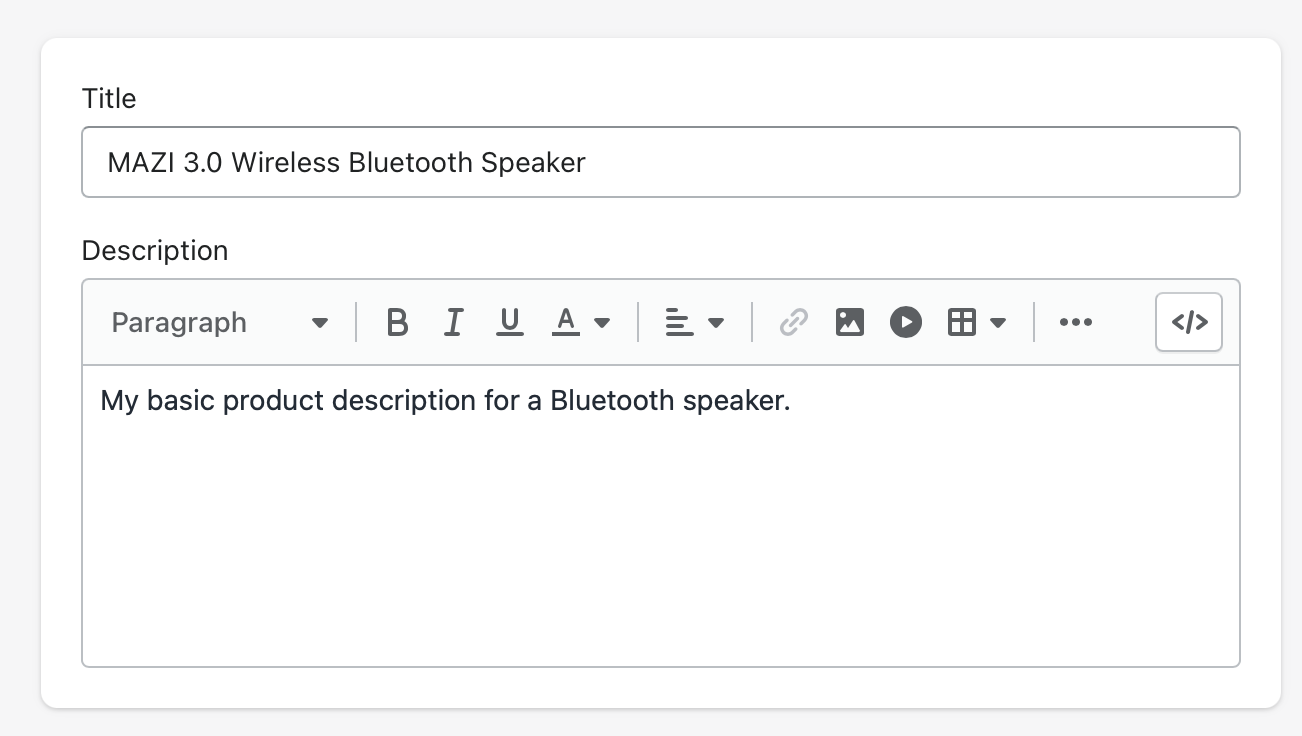
Compared with a few years ago, the tools are much better in 2026. Shopify merchants can now generate descriptions inside the admin, use apps that write in 30+ languages, create SEO metadata in bulk, and even generate copy from product images. That gives smaller teams capabilities that used to require a content team or agency.
Still, I would never recommend publishing thousands of AI descriptions untouched. Human review is the quality control layer. If you are selling technical products, supplements, cosmetics, electronics, or anything with regulatory sensitivity, this matters even more.
How do I generate product descriptions with Shopify Magic?
Shopify Magic is the simplest built-in way to generate AI product descriptions in Shopify. It works best for individual products and is ideal if you want a fast draft without installing another app.
The feature is built into the Shopify admin and uses your prompt to generate text directly in the product description field. For many merchants, this is the best starting point because it is fast, native, and free within Shopify.
- Log in to your Shopify admin and go to Products.
- Select the product you want to update.
- In the Description area, click Generate description with Shopify Magic.
- Enter useful details such as keywords, features, materials, audience, and tone.
- Click Generate.
- Review the draft, edit for brand voice and accuracy, then Save.
Shopify's own documentation confirms that the more detail you provide, the better the output. You can read the official guide here: Automatically generating product descriptions with Shopify Magic.
In testing, I have found Shopify Magic works best when you include specific facts instead of vague instructions. "Write a product description for a candle" is weak. "Write a warm, premium product description for a hand-poured soy candle with notes of cedarwood and vanilla, aimed at gift buyers" is much better.
What are the pros and cons of Shopify Magic?
Shopify Magic is excellent for convenience, but limited for scale. If you have a smaller catalogue, it is often enough. If you need mass generation, advanced rules, or multilingual workflows, it will feel restrictive.
| Factor | Shopify Magic |
|---|---|
| Setup | Very easy - built into Shopify admin |
| Cost | Included with Shopify workflows |
| Best for | Single products and quick drafting |
| Bulk generation | Limited compared with specialist apps |
| Brand controls | Basic prompt-based control |
| Multilingual support | Useful, but not as workflow-heavy as dedicated apps |
| SEO metadata | Not as comprehensive as specialist content apps |
What is the best Shopify app for AI product descriptions?
The best Shopify app for AI product descriptions depends on your catalogue size and workflow. For many high-volume merchants, ChatGPT-AI Product Description is one of the strongest options because it combines bulk generation, multilingual support, SEO features, and automation for new products.
There is no single perfect app for every store. In my experience, the right choice depends on whether you care most about bulk processing, brand voice, image-based generation, or price per description.
| App | Best for | Key features | Pricing signal |
|---|---|---|---|
| ChatGPT-AI Product Description | High-volume stores | Bulk titles and descriptions, SEO metadata, 30+ languages, alt text, auto-generation for new products | Free plan available |
| Describely | Brand consistency at scale | Custom brand rules, ecommerce-focused workflows, bulk generation | Varies by plan |
| Gelo.ai Pics to Description | Image-led catalogues | Generates descriptions from product images, single or bulk workflows | App-store dependent |
If I were advising a merchant with thousands of SKUs, I would usually shortlist a bulk app first. The time savings are significant, and the better apps let you generate titles, descriptions, meta titles, meta descriptions, and image alt text in one pass.
ChatGPT-AI Product Description
ChatGPT-AI Product Description is one of the strongest all-round Shopify apps for AI copy generation. It is especially useful for stores that need bulk workflows, multilingual content, and SEO support.

The app is listed on the Shopify App Store with a 4.9-star rating from 397 reviews and a free plan available. Those are strong signals, especially for merchants who want something proven rather than experimental. You can view it here: ChatGPT-AI Product Description.
What I like is the practical feature set. It is not just about writing one paragraph. It covers bulk content generation, SEO-friendly metadata, automation for newly added products, and support for many languages. That is much closer to how real merchants actually work.
Describely
Describely is a strong option if your main concern is keeping AI copy on-brand. It is built for ecommerce teams that want more control over tone and consistency across a larger catalogue.
Brand drift is one of the most common AI content problems I see. One batch sounds premium, another sounds generic, and a third sounds like a different business entirely. Tools that let you define rules and style guidance can reduce that issue significantly. You can learn more from Describely's Shopify content workflow.
Gelo.ai Pics to Description
Gelo.ai Pics to Description is useful when product imagery is easier to work with than raw product data. That can be helpful for visual catalogues, imported products, or stores with poor existing descriptions.
I would not rely on image-only generation for technical products, but for many fashion, accessories, and homeware stores, it can speed up first drafts dramatically. It is a practical option when you need to replace thin descriptions quickly and then refine the best sellers manually.
How do I write better AI prompts for Shopify product descriptions?
The best AI prompts for Shopify product descriptions include product facts, customer intent, tone, keywords, and formatting instructions. Better prompts produce better drafts. Vague prompts produce bland copy.
This is the part most merchants skip. They blame the AI when the real issue is the input. In my experience, prompt quality has a massive impact on whether the output sounds generic or genuinely useful.
What should I include in the prompt?
A strong prompt should tell the AI what to write, who it is for, and how it should sound. It should also include any non-negotiable facts.
- Product title
- Core features
- Main benefits
- Target customer
- Brand tone - luxury, playful, technical, minimalist
- Primary keyword and secondary terms
- Formatting request - short intro plus bullets, for example
- Restrictions - avoid medical claims, avoid hype, use British English
Example prompt for Shopify Magic or ChatGPT
Here is a prompt structure that works well for most Shopify stores. You can adapt it by category.
Write a Shopify product description in British English for a premium eco-friendly cotton t-shirt. Target audience: men aged 25-40 who want comfortable everyday basics. Include these features: 100% organic cotton, breathable fabric, regular fit, sizes S-XXL, machine washable. Focus on comfort, quality, and sustainability. Use a confident but natural brand voice. Include the keyword "organic cotton t-shirt" naturally. Format with a short opening paragraph followed by 4 bullet points. Do not make exaggerated claims.
If you sell technical products, add compatibility, dimensions, materials, warranty details, and key use cases. If you sell beauty or health-related items, add clear restrictions so the AI does not invent risky claims.
How do I make AI-generated product descriptions sound less generic?
To make AI descriptions sound less generic, feed the model specific details and edit the final copy with real brand language. Generic output usually comes from generic inputs.
I see this all the time. Merchants ask for "a persuasive product description" and get exactly what you would expect: a bland paragraph full of filler. The fix is simple. Add specifics that only your brand would say.
- Use customer language from reviews, support tickets, and on-site search
- Add real differentiators like fit, craftsmanship, ingredients, or sourcing
- Reference actual use cases rather than vague benefits
- Set tone rules such as "witty but not cheesy" or "premium but not formal"
- Edit top sellers manually instead of treating every SKU equally
If you want to improve the rest of your product page around that copy, these guides will help: How to Maximize Revenue from Your Shopify Product Pages and Free Shopify Blueprint for Higher-Converting Product Detail Pages.
How do I optimise AI product descriptions for SEO?
To optimise AI product descriptions for SEO, use target keywords naturally, cover buyer intent, and make each description meaningfully unique. Search engines do not reward AI content just because it is AI-generated. They reward pages that are useful, relevant, and differentiated.
That means your goal is not keyword stuffing. It is creating product pages that answer what a shopper is actually looking for. In ecommerce, that often means combining search intent, specification detail, and conversion-focused copy.
- Include the primary keyword in the title or opening naturally
- Add related modifiers like material, size, colour, audience, or use case
- Generate unique copy for similar products where possible
- Write meta titles and meta descriptions alongside the main description
- Add image alt text for accessibility and image SEO
- Support the page with reviews, FAQs, and specs
For broader AI and search visibility, I also recommend How to Get Your Shopify Store into ChatGPT and How to Optimize Your Shopify Store for AI Shopping Agents. Product descriptions now matter beyond classic Google rankings.
Should I use AI for bulk product descriptions on Shopify?
Yes, AI is one of the best ways to create bulk product descriptions on Shopify, especially for stores with hundreds or thousands of products. The key is to use rules, templates, and spot checks rather than treating bulk generation as a one-click final solution.
For large catalogues, manual writing is often unrealistic. Bulk AI generation can save hours or even weeks of content work. Some Shopify apps are built specifically for this, with pricing models as low as $1 per 100 descriptions depending on the tool and plan.
My advice is to segment your catalogue first. Best sellers deserve more manual review. Long-tail products can use a lighter workflow. This 80/20 approach usually gives the best return on effort.
| Catalogue size | Best approach | Recommendation |
|---|---|---|
| 1-50 products | Manual plus Shopify Magic | Best for small stores |
| 50-500 products | AI drafts plus manual QA | Good balance |
| 500+ products | Bulk app with templates and rules | Best for scale |
| 5,000+ products | Automated workflows plus selective human editing | Not worth doing manually |
If you need to update existing copy across a large catalogue, you might also find Bulk Editing Product Descriptions in Shopify: 3 Methods useful.
What mistakes should I avoid when using AI for Shopify descriptions?
The biggest mistakes are publishing unedited copy, allowing factual errors, and creating descriptions that all sound the same. AI is a tool, not a replacement for product knowledge.
These are the issues I would actively watch for:
- Invented details such as materials, dimensions, or compatibility
- Overblown claims that create compliance risk
- Duplicate-sounding descriptions across similar products
- Ignoring brand voice so the copy feels disconnected from the rest of the store
- Skipping formatting and publishing dense paragraphs
- Forgetting collection and metadata updates
One practical rule I use is this: if the AI could have written the same description for 50 other stores, it is not ready yet. Add specifics until it feels anchored to your actual product and customer.
Will AI-generated product descriptions help conversion rates?
AI-generated product descriptions can improve conversion rates if they make the page clearer, more persuasive, and easier to scan. AI alone does not increase sales. Better product pages do.
That distinction matters. If your old descriptions are thin, vague, or copied from a supplier, AI can create a meaningful uplift simply by improving clarity and relevance. If your pages are already strong, the gains may come more from speed, consistency, and scaling SEO improvements than from dramatic conversion jumps.
In my own Shopify work, the best results usually come when AI-generated descriptions are paired with stronger product page structure, reviews, upsells, FAQs, and trust elements. If that is your next step, see Shopify Upsell on the Product Page and How to Show Recommended Products on Shopify.
What is my recommended workflow for AI product descriptions on Shopify?
The best workflow is to generate quickly, review intelligently, and prioritise high-impact products first. That gives you the speed benefits of AI without sacrificing quality.
- Clean your product data - titles, specs, variants, materials
- Group products by type - apparel, accessories, homeware, technical, etc.
- Create prompt templates for each category
- Use Shopify Magic for individual products or a bulk app for scale
- Generate descriptions plus SEO metadata
- Review best sellers first and manually improve them
- Check formatting on the live theme
- Measure impact on traffic, conversion, and support queries
If you follow that workflow, AI becomes a real operational advantage rather than a content shortcut that creates more cleanup later.
Final thoughts on generating powerful Shopify product descriptions using AI
The smartest way to use AI for Shopify product descriptions is as a force multiplier, not a full replacement for human judgement. Use it to produce first drafts, speed up bulk updates, and standardise structure. Then add the product knowledge, brand nuance, and commercial judgement that AI still lacks.
If you are just getting started, begin with Shopify Magic. If you are managing a larger catalogue, test a specialist app like ChatGPT-AI Product Description. Either way, the merchants who get the best results are the ones who treat AI as part of a broader product page strategy, not as a magic button.