
As a Shopify merchant with hundreds of products in your store, you likely want to know how to efficiently bulk edit product descriptions. Editing each product individually is incredibly time-consuming and not an efficient use of your time, which could be better spent growing your online store.
Fortunately, you don’t have to manually edit your product descriptions one by one. There are faster methods available to bulk edit product descriptions, which are especially useful when you’re short on time or need to import your product collection from another eCommerce platform.
For instance, if you import your eBay listings, the product descriptions might include unwanted placeholders or redundant text. Bulk editing allows you to quickly clean up these descriptions and ensure they meet your store’s standards.
Reasons for Wanting to Bulk Edit
- Time Efficiency: Manually editing each product description is incredibly time-consuming, especially for stores with large inventories.
- Consistency: Ensuring all product descriptions follow a uniform style and format is easier when you can edit them in bulk.
- Error Correction: Quickly correcting errors or updating information across multiple products at once.
- Imports and Migrations: When importing products from other platforms, bulk editing helps clean up and standardize descriptions.
Benefits:
Bulk editing product descriptions saves significant time, allowing merchants to focus on other crucial aspects of their business such as marketing and customer service. It improves accuracy by reducing the chances of inconsistencies or errors in product information.
Moreover, it enhances SEO by ensuring all descriptions are well-optimized and uniform, which can boost search engine rankings. Overall, bulk editing streamlines store operations, making the management of large inventories more efficient and less labor-intensive.
Let’s explore three effective methods to bulk edit product descriptions in Shopify.
Method 1: Export as CSV
This is a quick and reliable method for bulk editing your product descriptions. The CSV export method allows you to work with your product data in familiar spreadsheet software like Excel or Google Sheets.
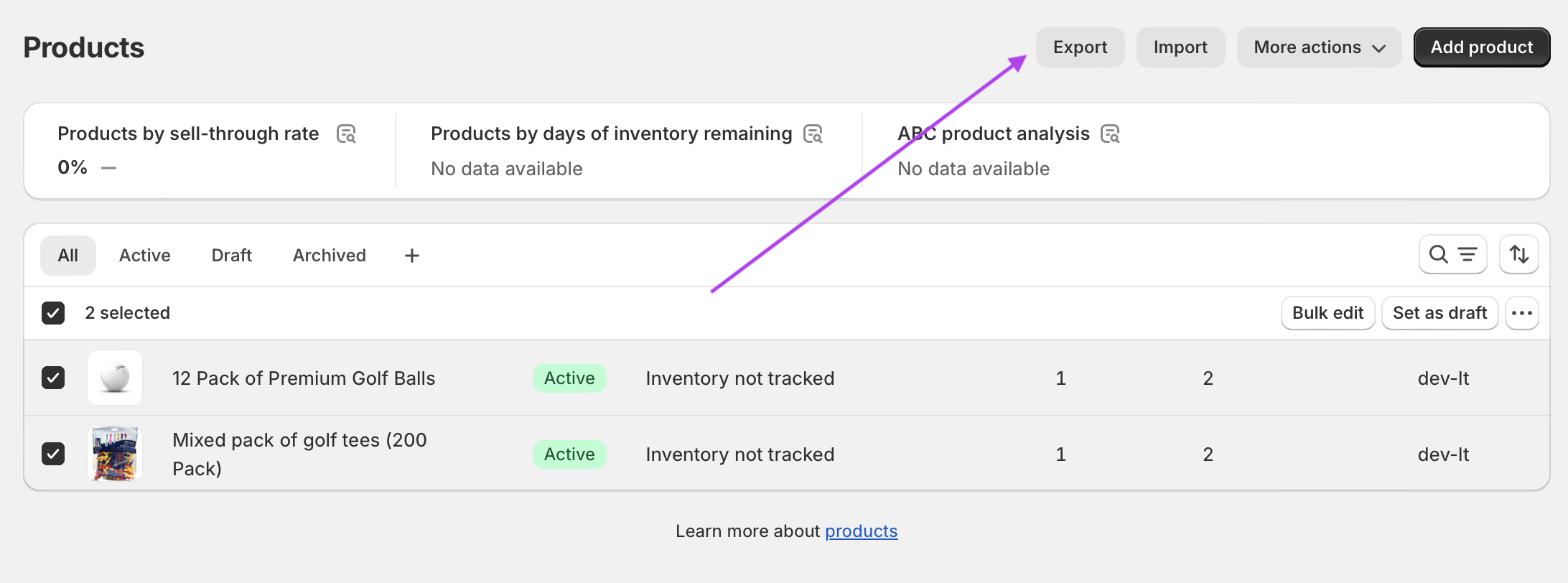
- Navigate to Products: In your Shopify admin, go to the Products section.
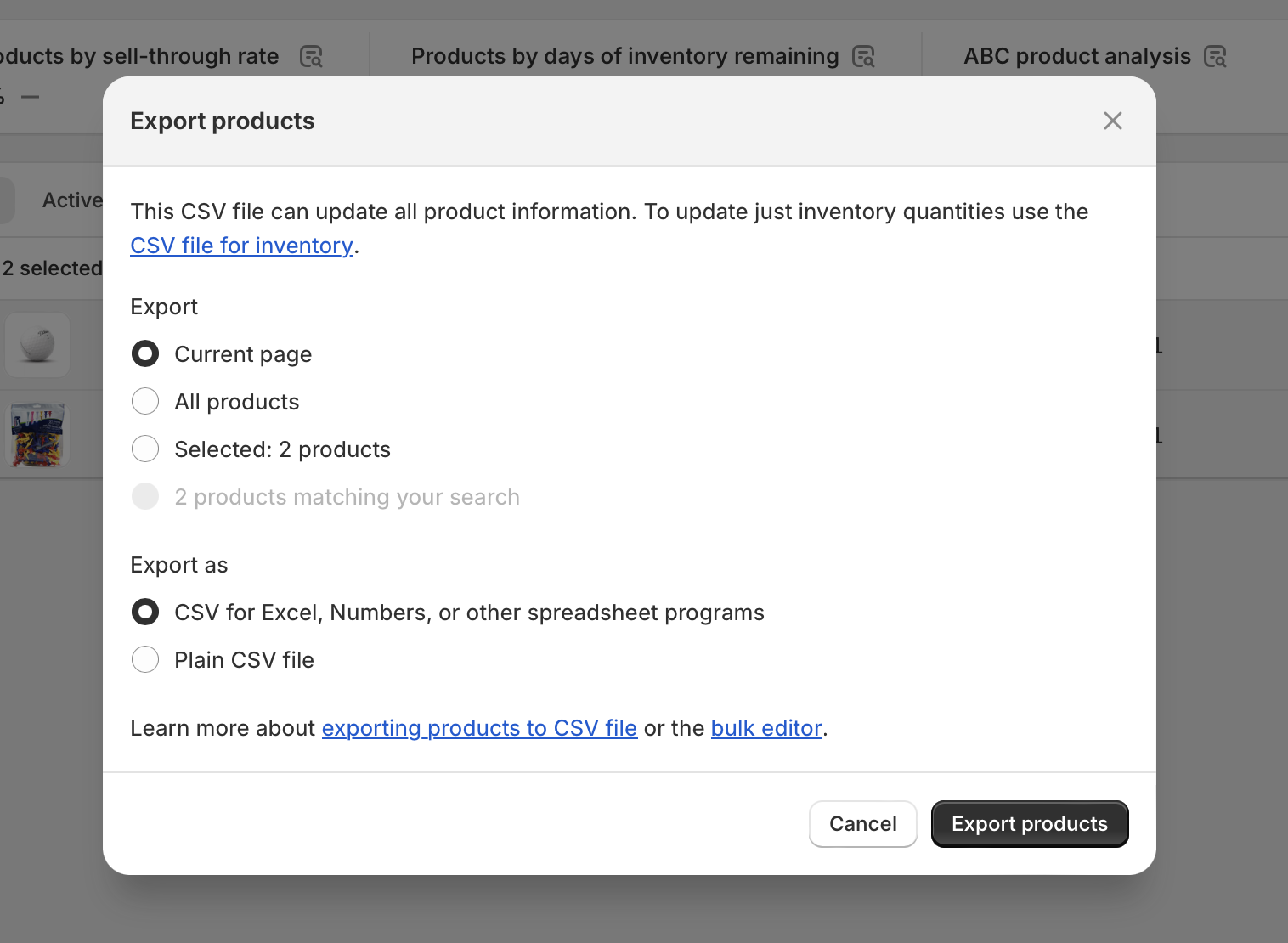
- Export Products: Click on the Export button and select the products you want to edit. Choose to export as a CSV file.
- Edit in Spreadsheet: Open the CSV file in your preferred spreadsheet program (Excel, Google Sheets, etc.).
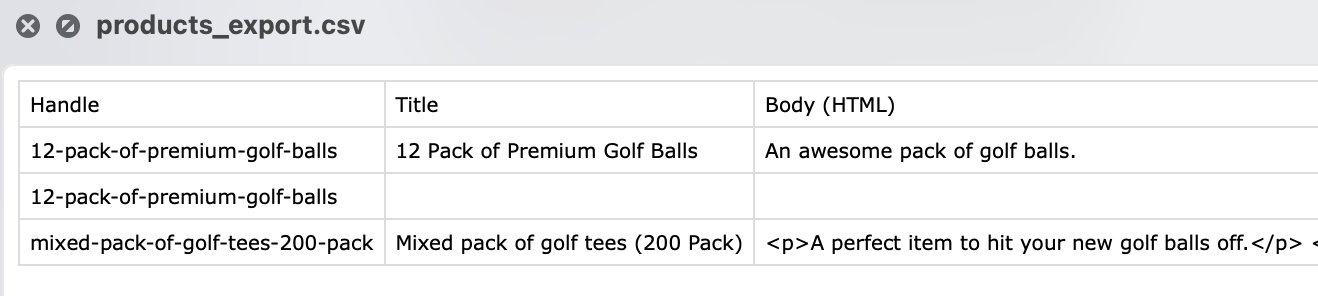
Navigate to the column titled Body (HTML). Here you can change the description for every product.
Once you have finished editing the products, import your amended file into your Shopify store. Make sure to select the option to “Overwrite products with matching handles” to ensure your updated descriptions replace the existing ones.
Method 2: Bulk Edit in Shopify Admin
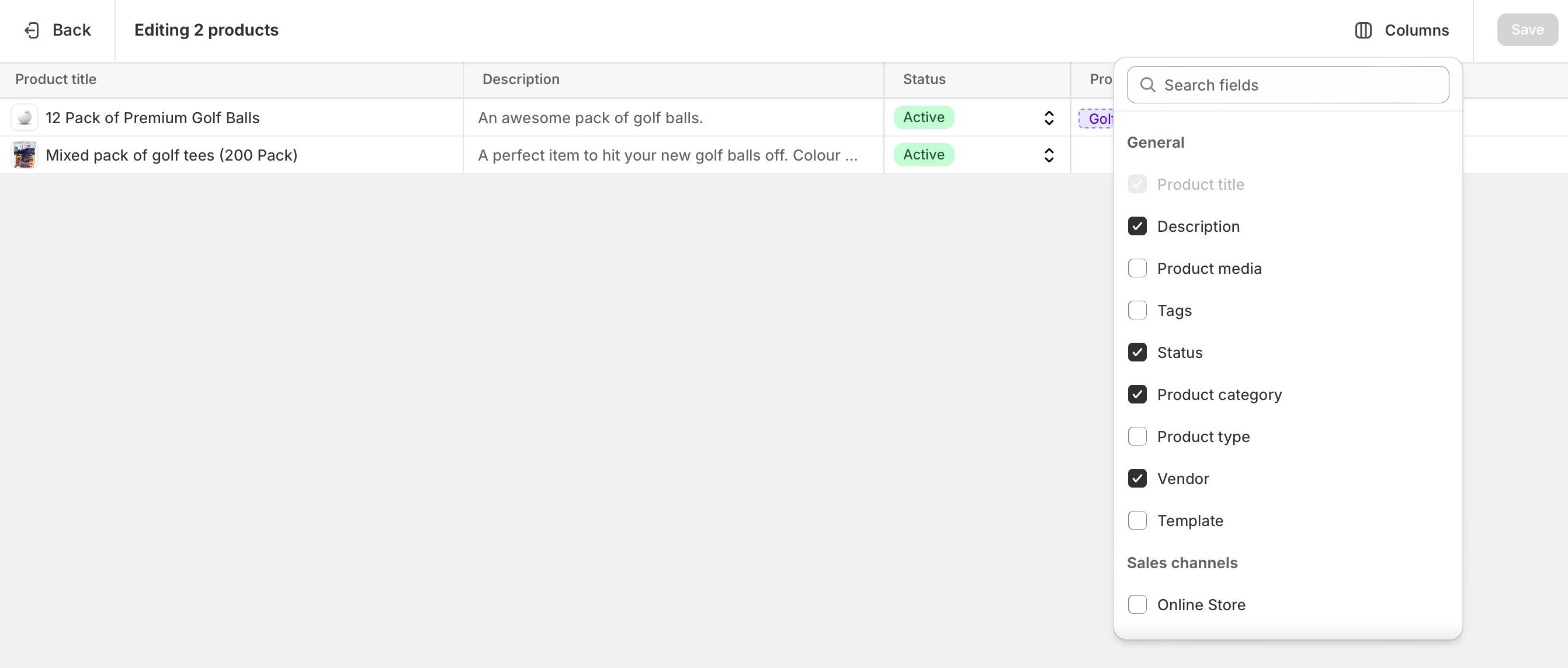
Note: While Shopify’s native bulk editor is excellent for editing many product fields like prices, tags, and inventory, it has limitations when it comes to product descriptions. The built-in bulk editor displays product descriptions but editing them directly in this interface can be limited. For comprehensive description editing, consider using the CSV method or a dedicated app.
However, you can still use the bulk editor for quick access to your products:
- Navigate to Products: In your Shopify admin, go to the Products section.
- Select Products: Select all the products you want to edit or choose specific ones by checking the boxes next to each product.
- Click Bulk Edit: Once you have selected the desired products, click on the Bulk Edit button.
This opens a spreadsheet-like interface where you can view and make changes to various product details.
Method 3: Use an App
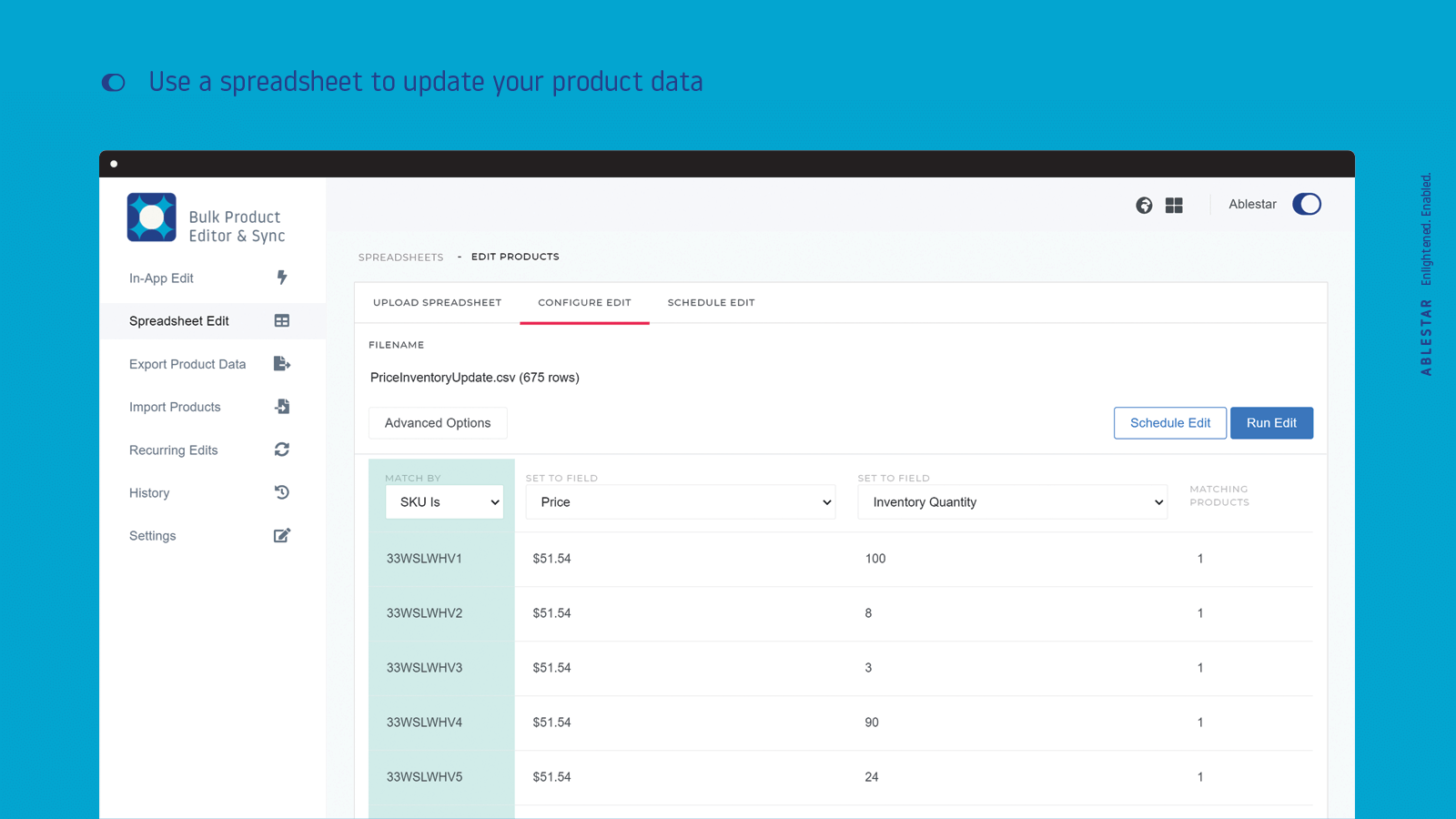
If you prefer a more powerful solution with advanced features, dedicated bulk editing apps are your best option. These apps offer capabilities that go beyond Shopify’s native tools, including advanced filtering, scheduled edits, and the ability to undo changes.
Ablestar Bulk Product Editor is one of the most popular choices, with a 4.9-star rating from over 565 reviews. This app lets you bulk edit product descriptions in many ways:
- Filter for products that you want to edit and modify them as you go
- Upload a spreadsheet with just the values you want changed
- Set up recurring edits to automatically run at fixed intervals
- Preview changes before applying them
- Undo any bulk edit with a single click
- Schedule edits or set recurring automations for updates
Here are some other top features of the app:
- Easily update product prices, descriptions, and metafields
- Add or remove tags and products to collections
- Search or replace text in product descriptions and product titles
- Simply upload a CSV file or Excel to ensure prices and stock levels are synced
- Bulk update Google Shopping fields
- Monitor history of who and when edits are made
Hextom: Bulk Product Edit is another highly-rated app with a 4.9-star rating from 982 reviews. It offers comprehensive bulk editing capabilities with advanced filtering, scheduled tasks, and rollback options. The app efficiently handles large catalogs and includes CSV import/export functionality.
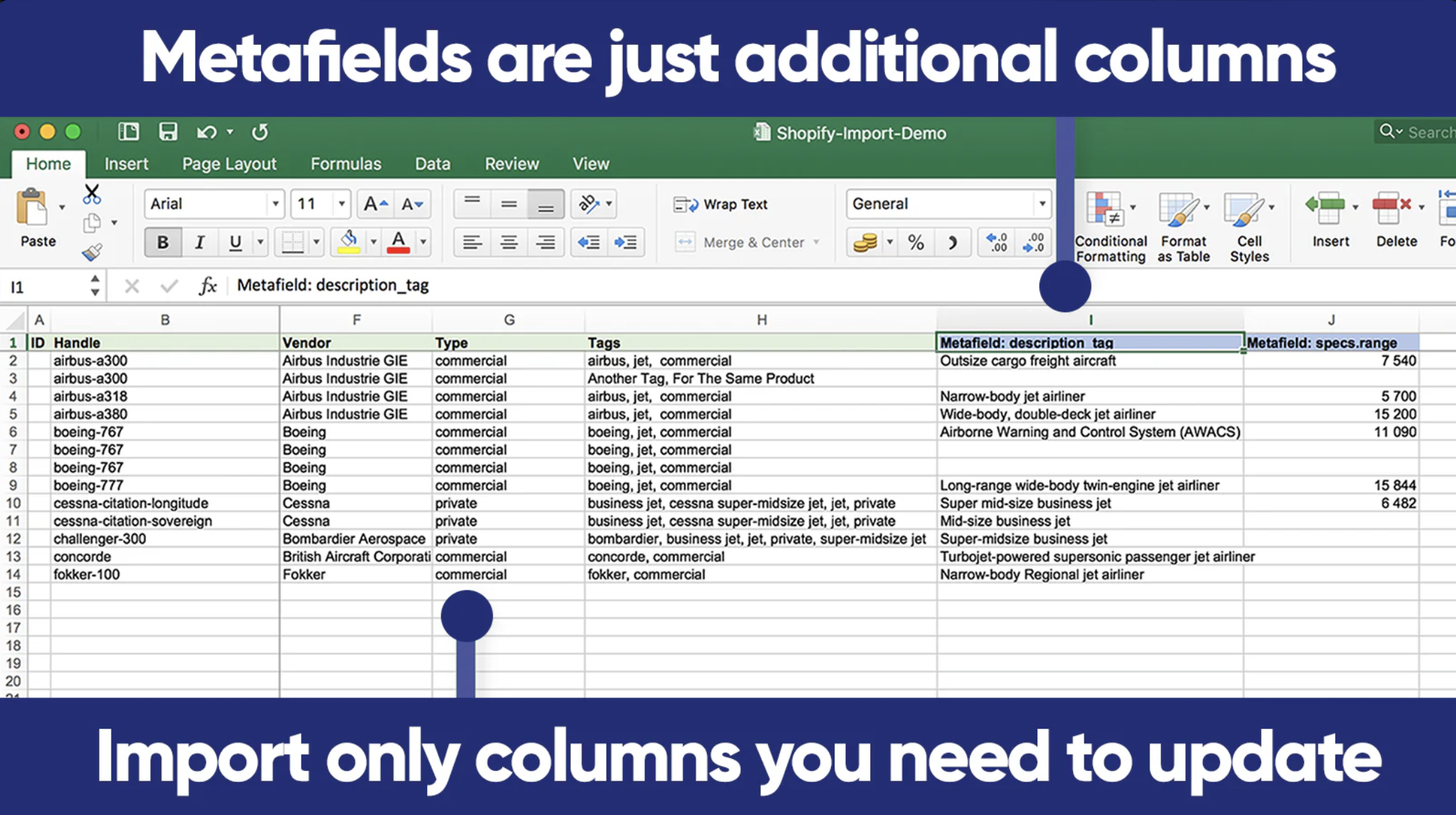
Matrixify (formerly known as Excelify) is another excellent app that you can use for bulk editing product descriptions. With a 4.9-star rating from 542 reviews, it lets you edit CSV or Excel files for products, orders, pages, blogs, collections, and discounts. You can migrate data from any eCommerce platform, such as Lightspeed or WooCommerce, to your Shopify store. The app automatically handles common formatting issues when importing or exporting code.
Conclusion
From looking at the three methods above, it’s easy to see the various approaches available for bulk editing your product descriptions. The CSV export method offers the most flexibility and control, Shopify’s built-in tools provide basic bulk editing capabilities, and dedicated apps offer advanced features like scheduling, previews, and undo functionality.
Ensuring your product descriptions are great is the key to having a well-ranked store on Google. If all your product descriptions are the same, this is not good for SEO.
Google loves original content. So ensuring each product has a unique description is very important for your store. Choose the method that best fits your needs, technical comfort level, and the scale of edits you need to make.