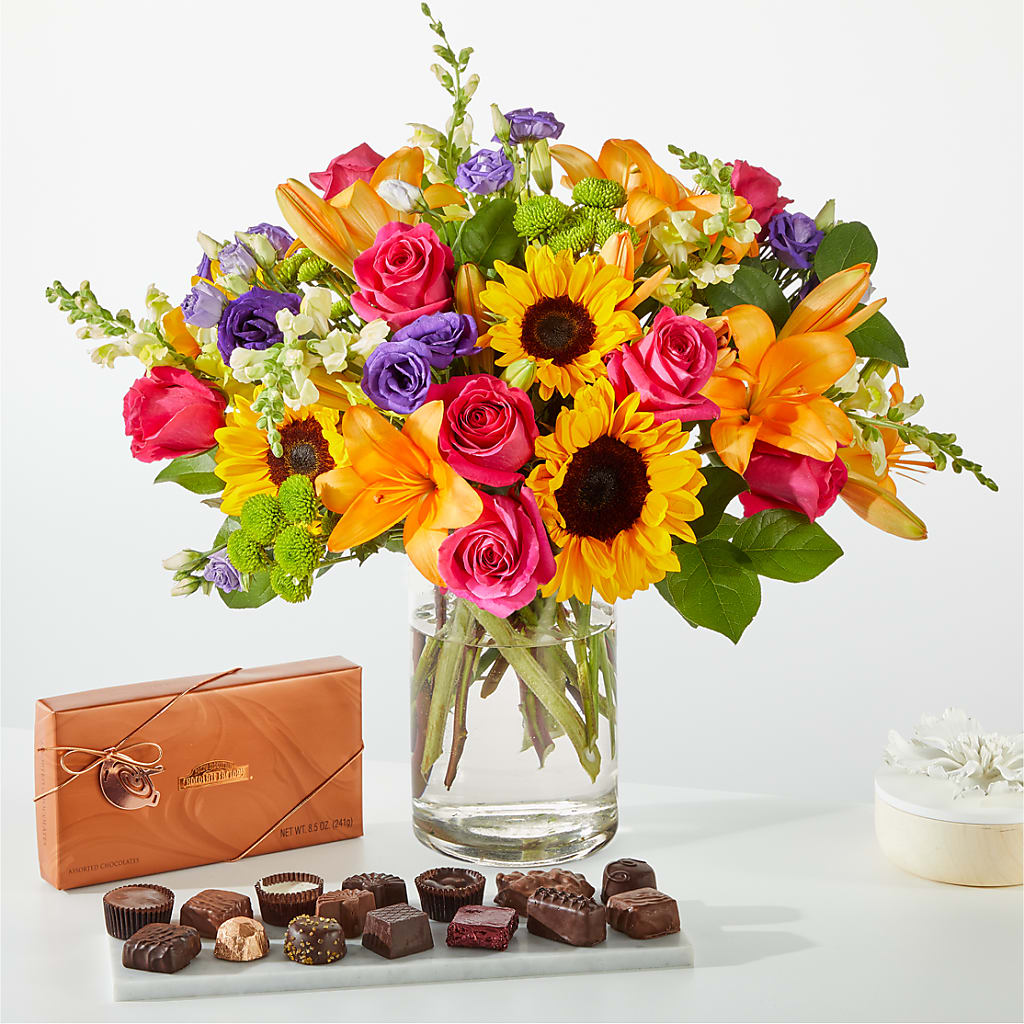
Shopify product add-ons are one of the easiest ways for florists to increase average order value without changing their core catalog. If you sell bouquets on Shopify, the real opportunity is not just moving more stems. It is getting more customers to add a vase, greeting card, chocolates, candle, or teddy bear before they hit checkout.
In my experience building Shopify apps, florist stores are a perfect fit for add-ons because the customer is already in a gift-buying mindset. A bouquet often feels incomplete on its own, so relevant extras convert far better than random upsells. When the add-on flow is built directly into the product page, I regularly see merchants create a much smoother buying experience and a stronger margin on every order.
The good news is you do not need a complicated bundle setup to make this work. A simple, well-placed add-on section under the bouquet price can do a lot of heavy lifting, especially for seasonal peaks like Valentine's Day, Mother's Day, anniversaries, and sympathy orders.
Why do Shopify product add-ons work so well for florists?
Shopify product add-ons work especially well for florists because bouquets naturally pair with gift extras. Customers buying flowers are already emotionally committed, which makes small add-ons feel helpful rather than pushy.
Florists have a rare ecommerce advantage: the main product creates an obvious path to complementary purchases. A customer buying roses for an anniversary does not need to be convinced that a vase or premium card makes sense. They usually just need the option presented clearly and at the right moment.
Research across ecommerce consistently shows upsell and add-on flows can lift AOV by 10 to 30 percent. For florists, that can be even more compelling because items like cards, chocolates, balloons, and vases are often high-margin and less perishable than the flowers themselves.
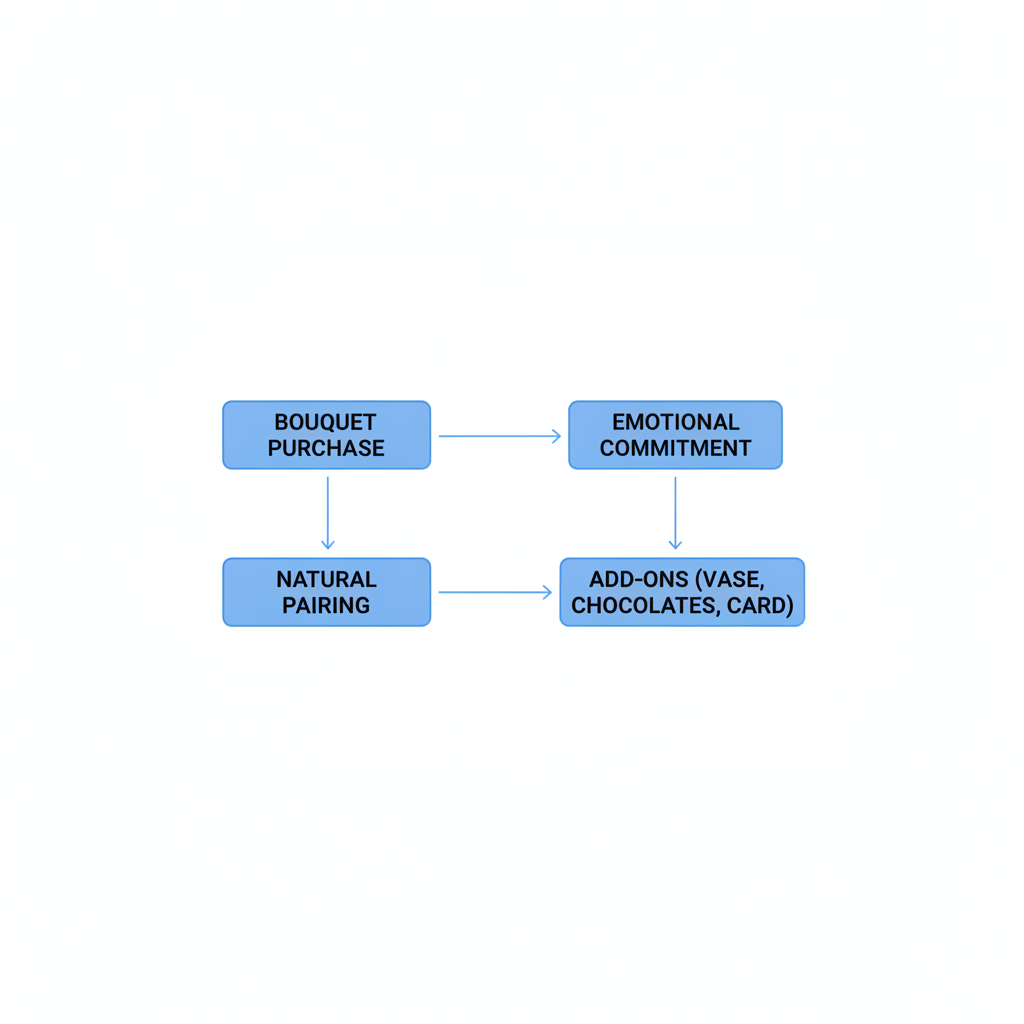
That matters because flower margins can get squeezed by spoilage, same-day logistics, and labor. Add-ons help balance that out. If you can turn a $65 bouquet order into an $82 order with a vase and chocolates, you have improved revenue without needing a new customer.
What pain points stop florists from selling more add-ons on Shopify?
The biggest pain point is friction. If shoppers have to leave the bouquet page, search for separate products, and manually add each extra, most of them simply will not bother.
I see this all the time on florist stores. Merchants create a nice collection for gifts and extras, but the buying journey is disconnected. The customer lands on a bouquet, adds it to cart, and never sees the vase, card, or chocolates in a way that feels part of the same purchase.
There are a few common problems behind that:
- Add-ons are separate products with no guided flow from the bouquet page
- Gift extras are buried in navigation or collection pages
- Mobile layouts hide upsells too far below the add to cart button
- Order management gets messy when staff cannot tell which add-on belongs to which bouquet
- Seasonal relevance is missing, so sympathy orders get shown balloons and teddy bears
Florists also deal with operational complexity that many stores do not. Delivery windows, same-day cutoffs, local zones, and fragile inventory all affect which extras make sense to offer. That is why a generic product page with unrelated recommendations often underperforms.
How should florists structure product add-ons on a bouquet page?
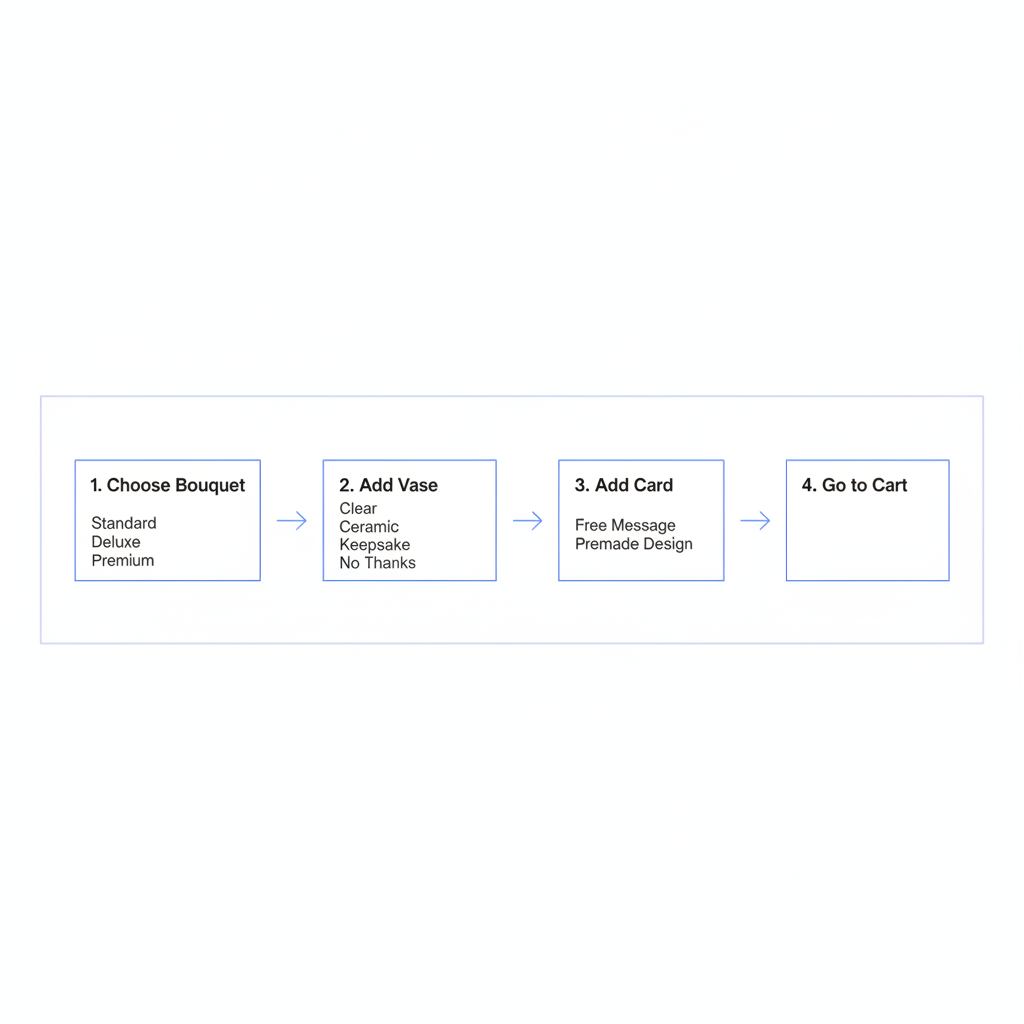
The best florist add-on setup is a guided gift builder directly on the product page. Customers should be able to choose the bouquet, add practical extras, add emotional extras, and then go straight to cart.
In practice, I recommend a simple order:
- Choose the bouquet variant - standard, deluxe, premium
- Add a vase - clear, ceramic, keepsake, or no thanks
- Add a card - free message field plus premium card upgrade
- Add chocolates or a treat - small, medium, luxury
- Add a gift extra - candle, balloon, teddy, champagne where appropriate
This sequence works because it mirrors how people think about gift completion. First they choose the flowers, then they think about presentation, then sentiment, then extras. If you present those options as part of one clean flow, conversion improves.
I also recommend keeping the add-on copy practical and specific. Instead of saying "You may also like," say "Complete the gift" or "Add a vase and card". Florist shoppers respond well when the language matches the occasion.
What are the best add-ons for a florist Shopify store?
The best florist add-ons are the ones that feel expected, giftable, and easy to fulfill. Start with items that naturally attach to most bouquet orders.
- Vases - the highest-intent practical add-on for many bouquets
- Greeting cards - especially premium printed cards
- Chocolates - classic, high-margin, and easy to merchandise
- Candles - great for premium gifting
- Teddy bears or plush gifts - ideal for birthdays, romance, and new baby
- Balloons - strong for celebration occasions
- Wine or champagne - where local laws and delivery rules allow it
My advice is to avoid overwhelming customers with too many choices. Three to five relevant add-ons usually outperform a cluttered wall of options. Relevance beats volume almost every time.
What is the best Shopify app approach for florist product add-ons?
The best approach is to use an add-on app that embeds directly on the product page and keeps order management clean. Florists usually do best with either a dedicated add-on app or a florist-specific tool paired with delivery logic.
There are a few valid routes here depending on how specialized your store is. Some merchants want broad product options. Others want florist-specific occasion logic. And some just want a lightweight way to show checkboxes for vases and chocolates under the add to cart button.
| App / Tool | Best for | Key florist use case | Link |
|---|---|---|---|
| SellUp | Simple embedded add-ons and upsells | Checkbox add-ons for vases, chocolates, cards, with parent attribution | View on Shopify App Store |
| Nuflorist - The Flower Shop App | Florist-specific workflows | Occasion-based add-ons, message suggestions, delivery module | View on Shopify App Store |
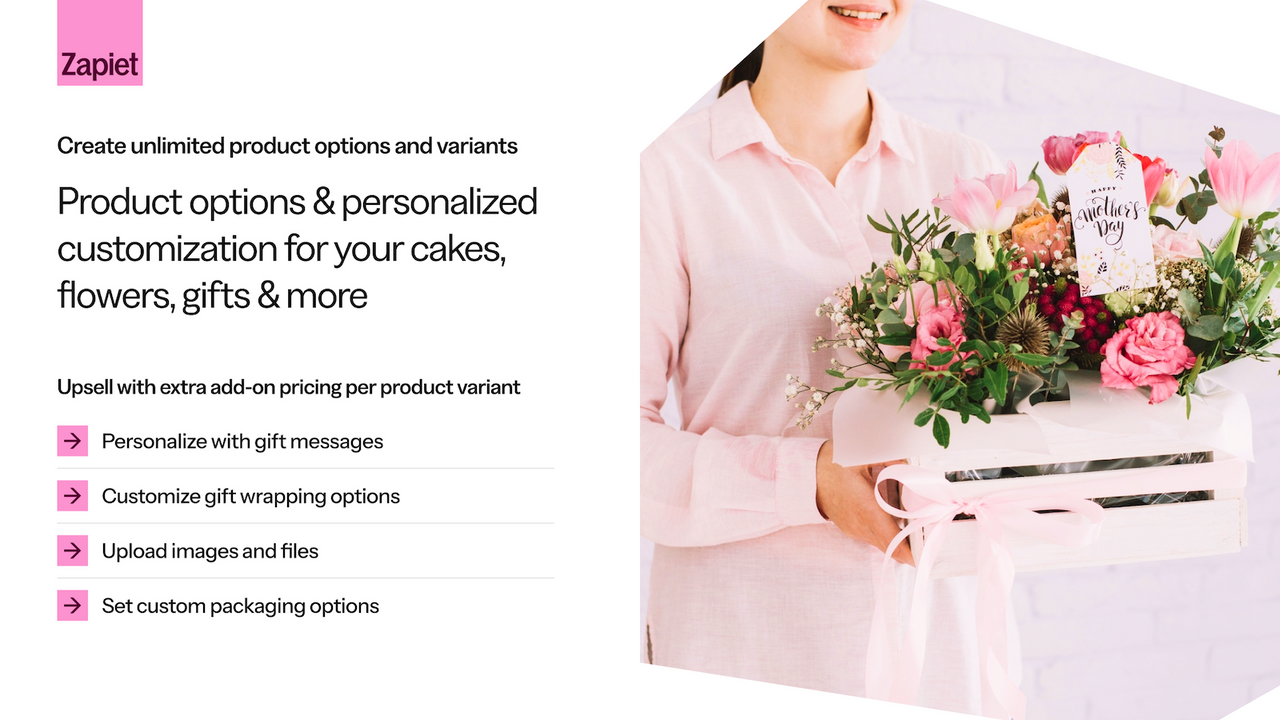
| Zapiet - Product Options | Custom options-heavy stores | Flexible product options for flowers, gifts, and baskets | View on Shopify App Store |
| SellUp | Category-based upsell offers | Promoting complementary gifts and related products | View on Shopify App Store |

If you want a broader overview of apps that suit flower stores, I covered that in Blooming Success: 4 Best Apps for a Florist Shopify Store. That post is useful if you are also thinking about delivery, reviews, and florist-specific store setup.
How does SellUp help florists sell more vases, chocolates, and cards?
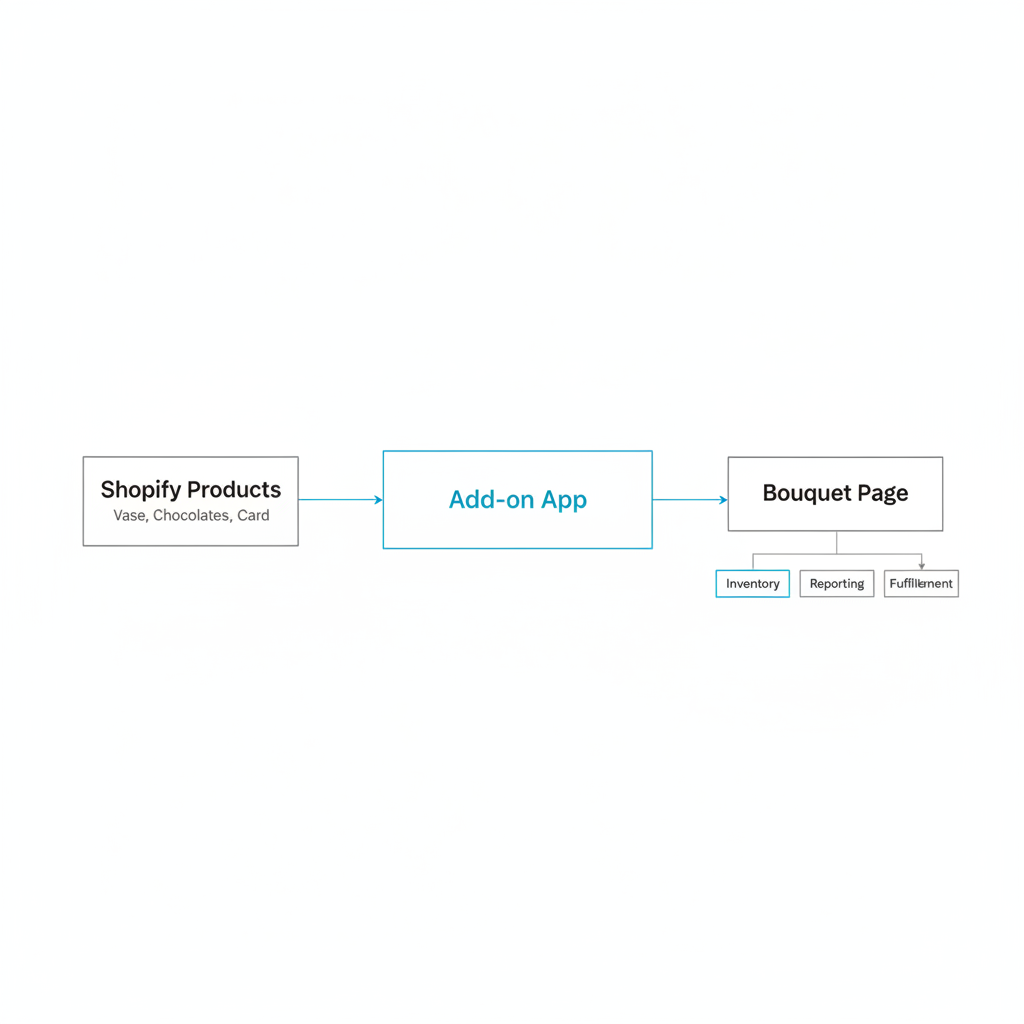
SellUp helps florists by letting them place add-ons directly in the bouquet purchase flow. The key feature for this use case is checkbox add on mode, which makes extras feel like part of the same purchase rather than separate shopping tasks.
As a Shopify app developer, I like this setup because it solves the exact friction problem that kills florist upsells. A shopper sees the bouquet, ticks "Add vase" or "Add chocolates", and those checked items are added to cart with the lead item. It is fast, obvious, and mobile-friendly.
That matters more than many merchants realize. Every extra click between bouquet selection and checkout reduces attach rate. Checkbox add-ons are simple, but simple is often what converts best on high-intent gift purchases.
Another feature florists should pay attention to is parent attribution. When enabled, merchants can see which add-ons belong to which parent product for order management. For a florist team packing multiple orders quickly, that is a big operational win because staff can tell which vase, card, or chocolate box was selected alongside a specific bouquet.
That solves a very real back-office pain point. I have seen stores increase add-on usage, then immediately run into fulfillment confusion because line items look disconnected. Parent attribution keeps the customer experience clean and the packing process more accurate.
If you want a deeper look at product page upsells in general, my guide on Shopify Upsell on the Product Page: Best Methods, Apps and Setup Tips for 2026 covers the design principles that usually move the needle.
When is SellUp the best fit for a florist?
SellUp is the best fit when you want straightforward, product-linked add-ons without overcomplicating the page. It is especially strong for stores that want bouquet + checkbox extras as the core flow.
I would consider it a strong option if your florist store wants to:
- Add vases, chocolates, cards, and candles directly below bouquet details
- Keep add-ons tied to real Shopify products for inventory and reporting
- Use checkbox selection instead of forcing customers into separate product pages
- Improve order clarity with parent attribution
This is also a good route if you are trying to keep your app stack lean. Too many florist stores end up with overlapping upsell tools that slow the theme down and confuse the setup.
Should florists use florist-specific apps or general add-on apps?
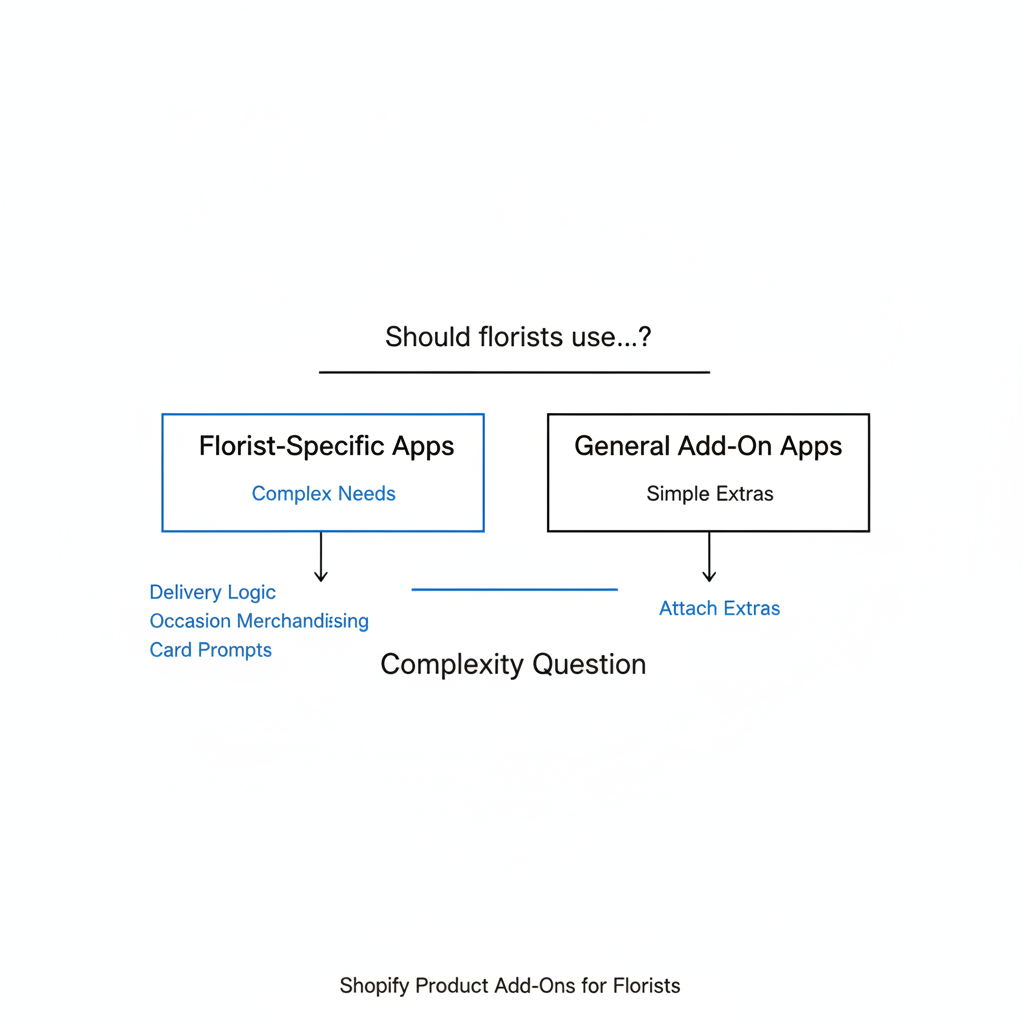
Florists should use a florist-specific app if delivery logic and occasion-based merchandising are central to the business. A general add-on app is often enough if the main goal is simply attaching extras to bouquet purchases.
This is really a complexity question. If your store needs occasion-specific suggestions, delivery scheduling, card message prompts, and local fulfillment rules, a florist-focused tool like Nuflorist can make sense. The app is built around flower shop workflows rather than generic ecommerce assumptions.
If your store already has delivery handled elsewhere and you mainly want better upsell presentation, a simpler add-on app can be the better choice. In my experience, the best app is rarely the one with the most features. It is the one that solves the problem with the least friction.
| Question | Use a simpler add-on app | Use a florist-specific app |
|---|---|---|
| Do you mainly want bouquet extras on-page? | Yes | Maybe |
| Do you need occasion-based add-on logic? | No | Yes |
| Do you need delivery scheduling in the same flow? | No | Yes |
| Do you want the fastest setup with minimal bloat? | Yes | Maybe |
If you are comparing different add-on styles, you may also find my guide on How to Display Customizable Add-Ons & Upsells on Shopify useful.
How do I set up Shopify product add-ons for a florist store?
The best setup is to treat add-ons as real products, then connect them to bouquet pages through an add-on app. This keeps inventory, reporting, and fulfillment much cleaner.
Here is the setup process I would use for most florist stores:
-
Create add-ons as normal Shopify products
Set up products for vases, chocolates, cards, candles, balloons, and plush gifts. Give them clear titles and good photos. -
Organize them into collections
Create collections like Vases, Cards, Chocolates & Treats, and Gift Extras. -
Choose your add-on app
Install a tool like SellUp, Nuflorist, Zapiet Product Options, or SellUp. -
Add offers to bouquet product pages
Attach the most relevant extras to each bouquet. Roses might get chocolates and candles. Sympathy arrangements might get premium cards and vases. -
Keep the offer count tight
Start with 3 to 5 add-ons per bouquet page. Too many choices can hurt conversions. -
Test mobile placement
Make sure the add-ons appear close to price and add to cart, not hidden far below product descriptions. -
Track attach rate
Measure how many bouquet orders include a vase, card, or chocolates. Optimize based on what customers actually pick.
If you are new to this process, my step-by-step post on How to Create Product Add-Ons for Your Shopify Store: 2 Easy Methods That Actually Work walks through the fundamentals.
What are the best merchandising tactics for florist add-ons?
The best merchandising tactic is to make add-ons feel like part of the gift, not an extra sales pitch. Florist shoppers respond best to relevance, timing, and emotional context.
Here are the tactics I would prioritize first:
- Lead with the vase because it is practical and easy to justify
- Show a premium card upgrade rather than only a free text field
- Use occasion language like "Complete the sympathy tribute" or "Make it extra special"
- Pair romance bouquets with chocolates or candles
- Pair celebration bouquets with balloons or teddy bears
- Keep prices visible so the customer can make a fast decision
One thing I have learned from building Shopify apps is that context beats cleverness. A simple checkbox for "Add a glass vase for $12" will often outperform a more elaborate upsell widget because it feels obvious and low-effort.
If you want more ideas on increasing revenue without expanding your main product range, I also recommend How to Increase Shopify Sales Without Additional Products in 2026.
How should florists handle delivery, fulfillment, and add-ons together?
Florists should only promote add-ons that fit their delivery and fulfillment reality. The best upsell is not useful if your team cannot pack, stock, or deliver it reliably.
This is where many stores get tripped up. A fragile vase may be easy to sell but harder to deliver outside a local radius. Premium chocolates may need stock control during Valentine's Day rushes. Balloons may not make sense for every delivery zone or occasion.
That is why I suggest keeping your add-ons tied to actual Shopify products and monitoring inventory closely. If you need delivery scheduling, tools like Nuflorist or other delivery-focused apps can help align fulfillment rules with the customer experience.
Parent-child clarity matters here too. When bouquet add-ons are clearly attributed to the main item, your packing team can move faster and make fewer mistakes. For florists, that is not a nice-to-have. It directly affects customer satisfaction.
What metrics should florists track after adding product add-ons?
The most important metrics are add-on attach rate and average order value. If those two numbers improve, your add-on strategy is doing its job.
I would track these metrics at minimum:
- AOV before and after add-ons go live
- Attach rate by add-on type - vase, card, chocolates, candle
- Attach rate by bouquet collection - roses, sympathy, birthday, wedding
- Conversion rate on bouquet pages to make sure upsells are not hurting the main purchase
- Seasonal performance around Valentine's Day, Mother's Day, and Christmas
In my experience, the best optimization often comes from pruning, not adding. If candles barely convert but vases convert strongly, simplify the offer set. The cleaner the decision path, the better your results tend to be.
What is the best final strategy for florist add-ons on Shopify?
The best strategy is to make every bouquet page a complete gift-buying experience. That means showing relevant add-ons in the purchase flow, keeping the offer set focused, and making fulfillment easy for your team.
If I were setting this up on a florist store today, I would start with vases, premium cards, and chocolates. I would place them directly on the bouquet page using an app that supports product-linked add-ons, ideally with a simple checkbox flow. And if the merchant needs cleaner operations, I would absolutely enable parent attribution so staff can see which extras belong to which bouquet.
That is why this category works so well for florists. You are not trying to force a random upsell. You are helping the customer finish the gift. Done well, that improves the shopping experience and increases revenue at the same time.
If you want to go further with upsells after product-page add-ons are working, you can also look at post-add-to-cart and checkout-adjacent tactics. But for most florist stores, the biggest win starts right on the bouquet page.