
A lot of Shopify stores have an FAQ page, but very few have an FAQ strategy that actually helps convert shoppers. The problem is not that FAQs are useless. The problem is that most FAQ pages live in the footer, far away from the moment where doubt shows up and the sale is won or lost.
In my experience building Shopify apps and reviewing hundreds of storefronts, pre-sale questions rarely get answered on a standalone FAQ page. Shoppers usually do one of three things instead: they ask support, they keep hesitating, or they leave. That is why I think the contrarian take is the correct one here: FAQ pages are where questions go to be ignored unless you also bring those answers onto the product page and into real-time chat.
That does not mean you should delete your FAQ page. A good Shopify FAQ page is still worth having for SEO, policy clarification, and long-tail search visibility. But if your goal is more conversions, you need the same answers to appear where the doubt happens: on the product page, near the Add to Cart button, and inside a chat agent that can respond instantly.
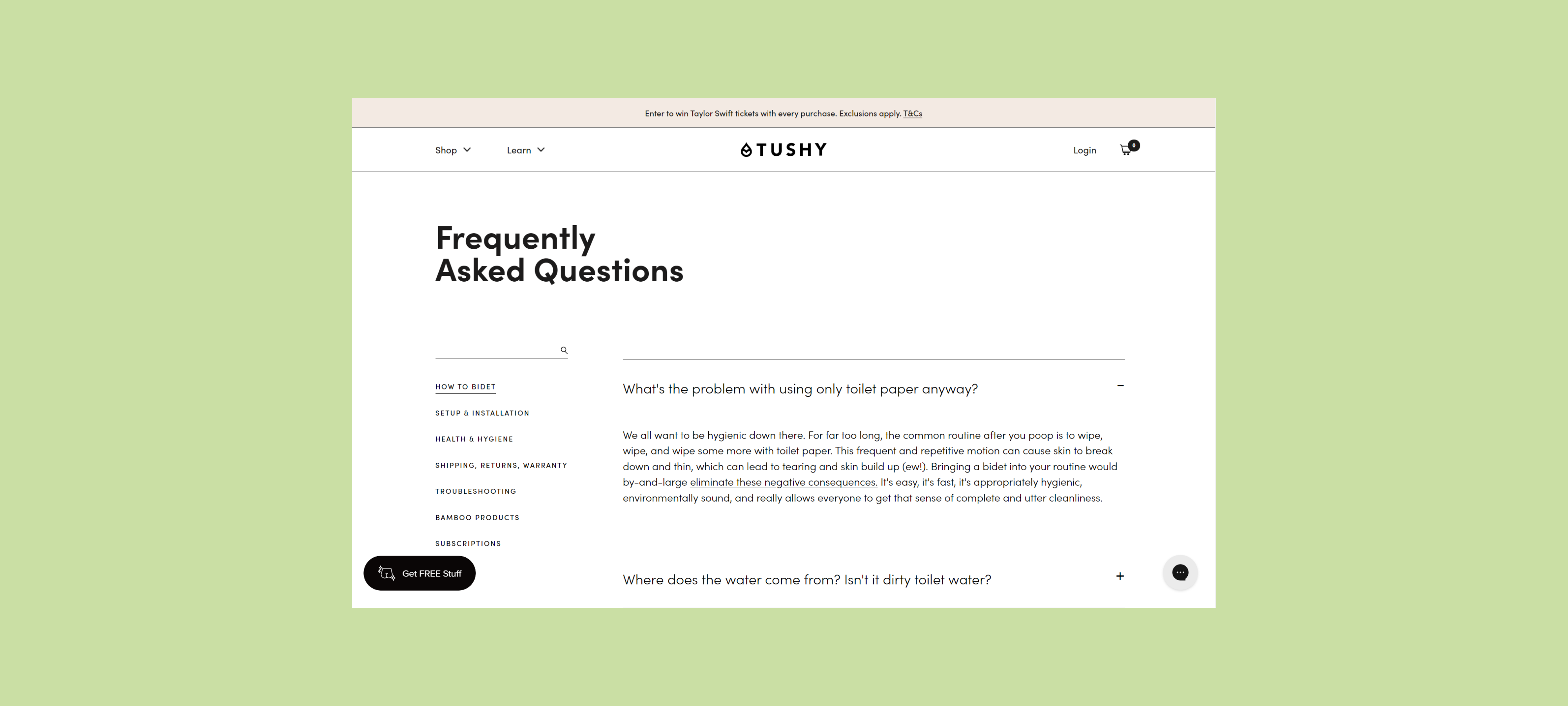
Why isn't a Shopify FAQ page enough?
A Shopify FAQ page is not enough because most shoppers do not leave the product page to hunt for answers. If they cannot quickly confirm shipping, fit, compatibility, or returns, they either abandon the session or contact support.
This is the core issue I keep seeing. Merchants assume that because they have a page called FAQ, their objections are handled. In reality, the questions that matter most to conversion are usually product-specific, timing-specific, or context-specific. A generic help page cannot do that job well on its own.
Think about how people buy. They are on a product page, they are looking at photos, price, variants, delivery timing, and reviews. Then a doubt appears: Will this fit me? Will this arrive before Friday? Is this compatible with my device? That shopper is already at the decision point. Sending them to a separate FAQ page is friction.
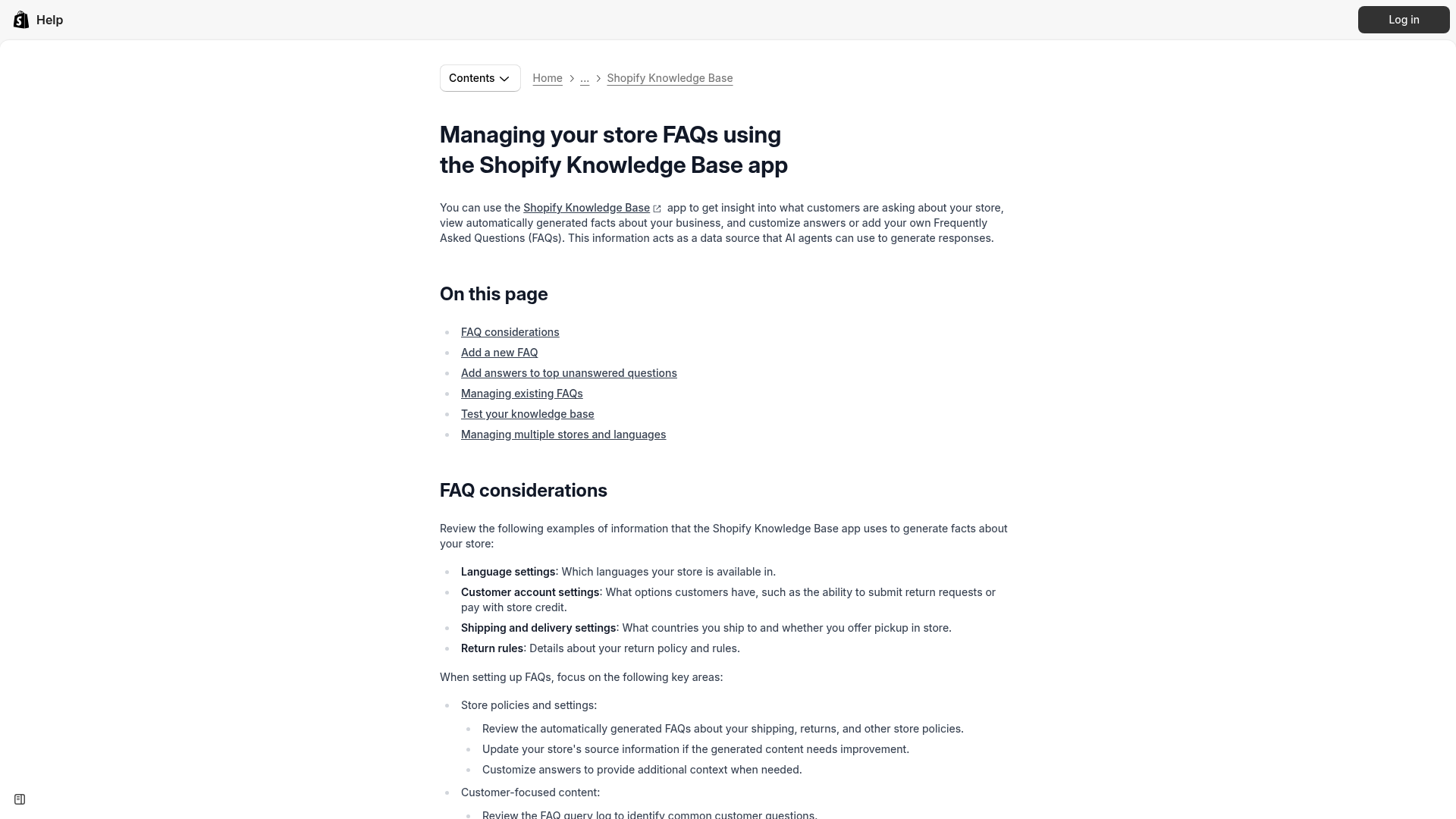
Shopify itself pushes merchants toward clearer product pages and product-specific answers. You can see that trend in Shopify's own help content around the Knowledge Base and in the many tutorials around per-product FAQs using metafields and metaobjects.
What actually answers pre-sale questions on Shopify?
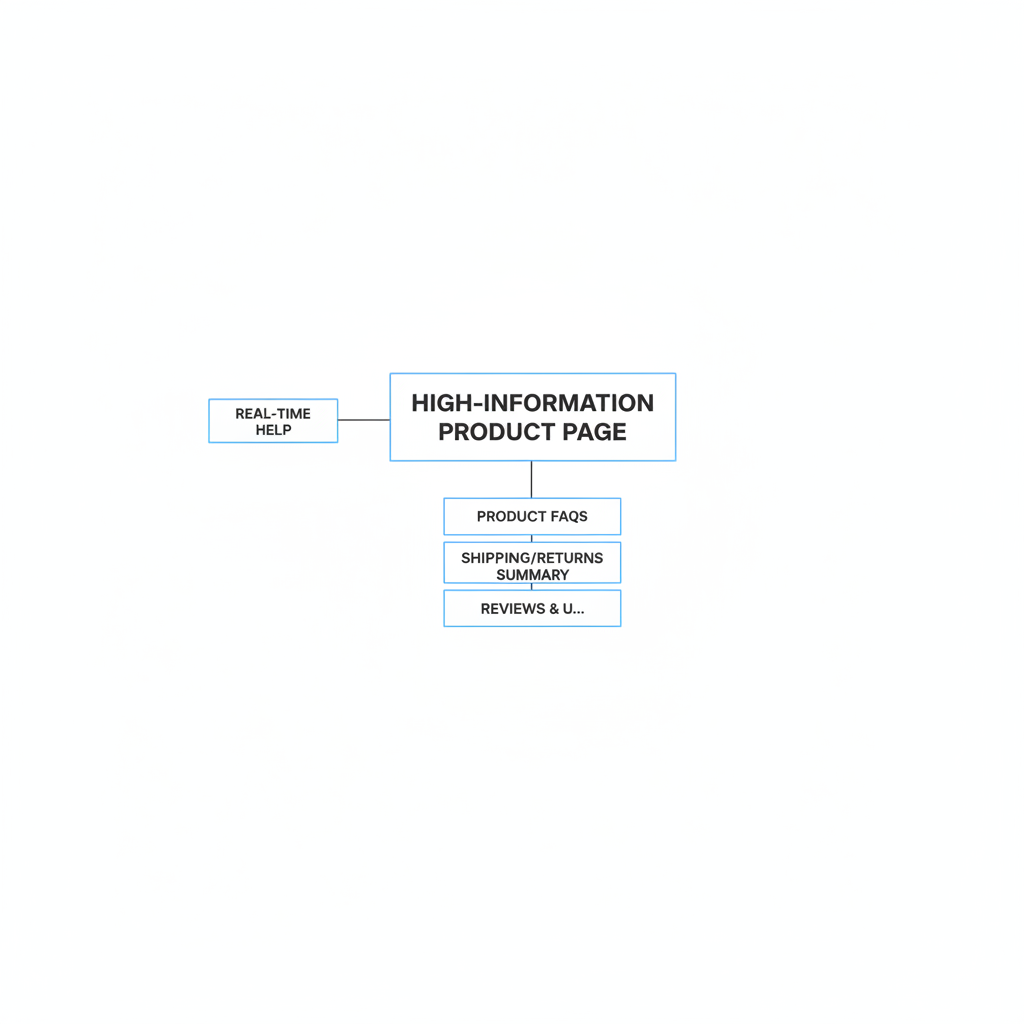
The best answer to pre-sale questions is a high-information product page backed by real-time help. A standalone FAQ page helps with SEO, but product-level answers and chat support drive conversions.
When I test stores, the highest-converting setups tend to combine five things:
- Product-specific FAQs near the Add to Cart area
- Clear shipping and returns summaries on the product page
- Reviews and UGC that remove trust anxiety
- Comparison tables or size guidance for choice anxiety
- Live chat or AI chat for edge-case questions
This is why I do not treat FAQ content as a separate content type anymore. I treat it as conversion copy. It belongs on PDPs, in collapsible sections, in variant-specific notes, in review highlights, and in your chat agent knowledge base.
What questions should be answered on the product page?
The product page should answer the questions that block purchase intent. Shipping, returns, sizing, compatibility, materials, setup, and expected results are the usual conversion-critical topics.
If you sell apparel, fit and fabric questions matter more than company history. If you sell electronics, compatibility and setup matter more than your full refund policy wording. If you sell supplements or beauty products, usage expectations and ingredient concerns usually matter most.
That is why generic FAQs underperform. They are often written from the company's perspective instead of the shopper's perspective. A better approach is to pull actual support tickets, pre-purchase chat logs, and product review questions, then rewrite them into real customer language.
How do I know if my FAQ page isn't working?
Your FAQ page is not working if it gets low engagement, fails to reduce pre-sale tickets, or does not improve conversion on key product pages. A visible FAQ page is not the same as an effective FAQ system.
Here are the signs I look for during store audits:
- Support keeps getting the same pre-sale questions despite an FAQ page existing
- High drop-off on product pages with low Add to Cart rate
- Shoppers ask basic things like shipping times, return windows, or sizing
- FAQ page traffic is low or mostly from branded searches
- Mobile users rarely reach the FAQ page from product pages
In many cases, the issue is not technical, although that happens too. The Shopify Community is full of threads where FAQ accordions do not open properly or content is hidden by theme issues. This screenshot is a good reminder that even when merchants try to add FAQs to product pages, execution often breaks.
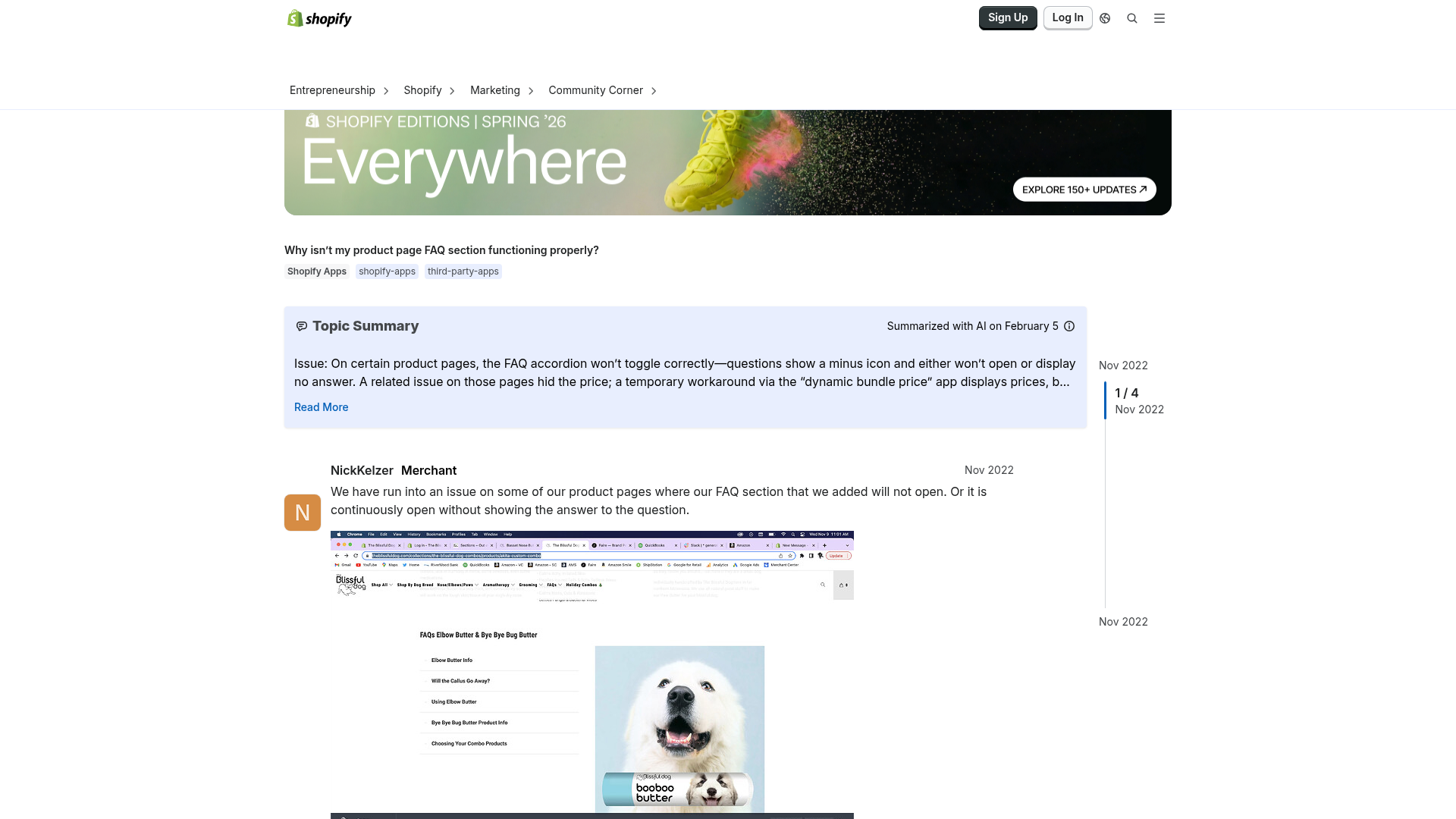
If your FAQ content is hidden, hard to find, or detached from the buying flow, it will not do much for sales. And if your product page is already heavy, make sure your FAQ implementation does not hurt performance. We have a practical guide on how to speed up your Shopify theme if you need to keep Core Web Vitals under control while adding more content blocks.
How should I write a good Shopify FAQ page anyway?
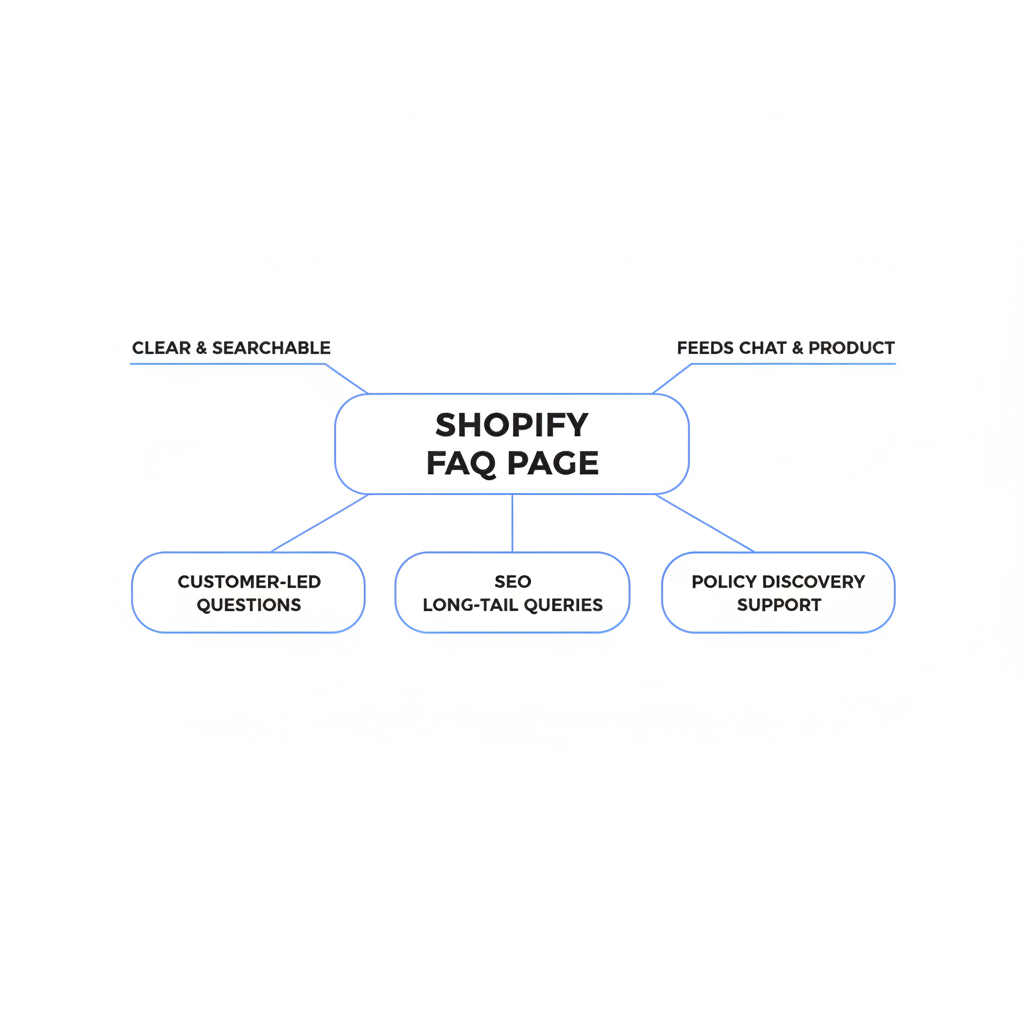
A good Shopify FAQ page should be clear, searchable, customer-led, and SEO-friendly. It still matters because it can rank for long-tail questions, support policy discovery, and feed better answers into product pages and chat.
I would absolutely still create one. I just would not expect it to do all the heavy lifting for conversion.
What should a good FAQ page include?
A good FAQ page should include the most common store-wide questions, organized by topic and written in natural language. Shipping, returns, payments, order changes, product care, and account issues are the usual core categories.
- Question-based headings that match how people search
- Short direct answers first, then optional detail
- Accordion layout for scanability
- Links to deeper policy pages where needed
- FAQ schema markup where appropriate
- Internal links to relevant products or collections
For SEO, the wording matters. Do not write “Delivery Information.” Write “How long does shipping take?” Do not write “Compatibility.” Write “Will this work with iPhone 15?” or “Does this fit a standard queen mattress?” That is the language shoppers and search engines both understand.
If you are working on search visibility more broadly, pair your FAQ improvements with stronger PDP optimization. Our posts on Shopify product page SEO and technical SEO checks for Shopify are useful companions here.
What is the best structure for a Shopify FAQ page?
The best structure is one that makes answers easy to skim and easy to reuse elsewhere. Think modular content, not one giant wall of text.
| FAQ Page Element | Best Practice | Why It Matters |
|---|---|---|
| Page intro | One short sentence explaining what the page covers | Helps users orient quickly |
| Categories | Group by shipping, returns, products, orders, payments | Improves scanability |
| Question format | Use real customer phrasing | Better SEO and comprehension |
| Answer format | Lead with a direct answer in 1-2 sentences | Ideal for AI Overviews and snippets |
| Links | Link to policies, collections, and key products | Moves users deeper into the site |
| Schema | Add FAQ structured data where valid | Can improve search visibility |
One extra tip from app development work: keep FAQ answers in a structured format if possible. If you store them cleanly in metafields, metaobjects, or a knowledge base, you can repurpose them across the FAQ page, PDPs, and chat tools without rewriting everything later.
How do I turn FAQ content into something that actually converts?
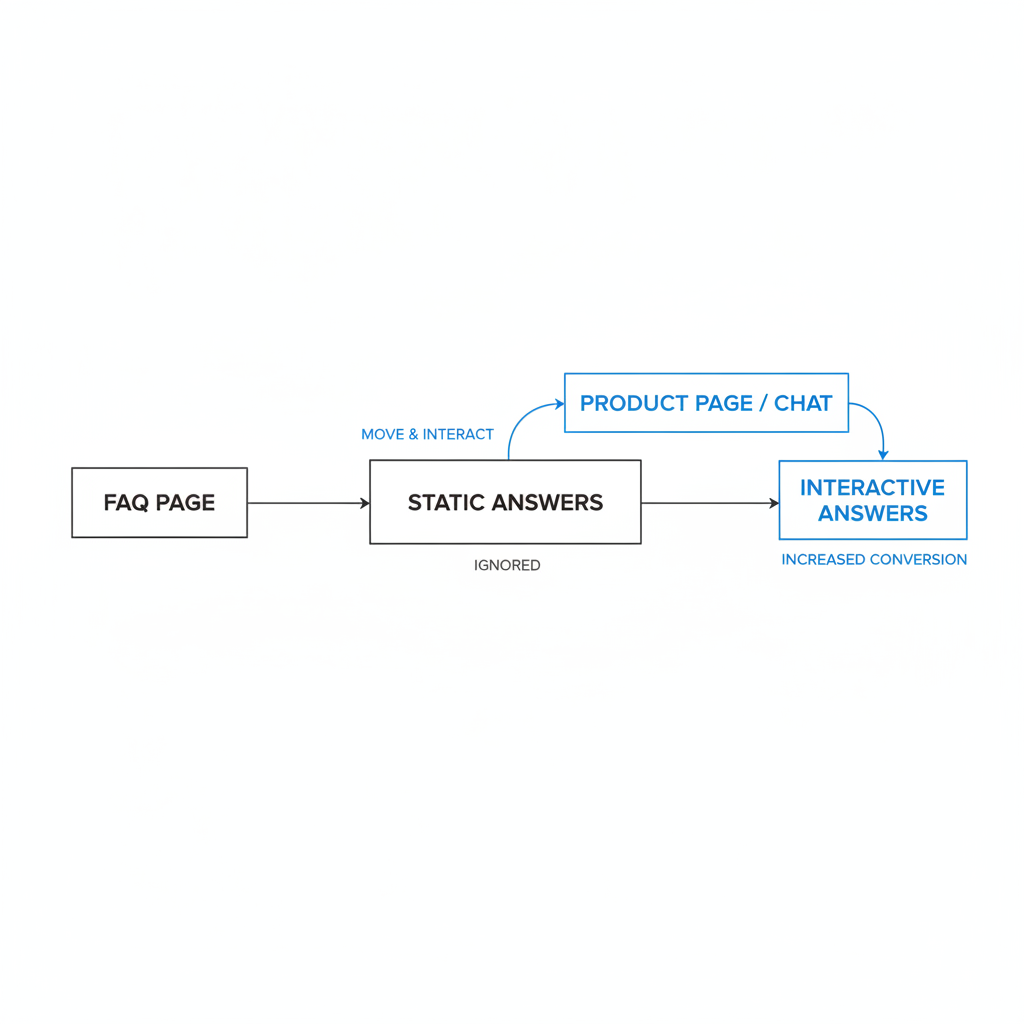
You turn FAQ content into a conversion asset by moving it closer to the purchase decision and making it interactive. The same answer that sits ignored on an FAQ page can increase conversion when shown on the product page or surfaced in chat at the right moment.
This is the shift I would make for almost every Shopify store: stop thinking in terms of “FAQ page” and start thinking in terms of answer distribution.
- Create or clean up your main FAQ content
- Tag which questions are store-wide versus product-specific
- Add the most important questions to product pages near the CTA
- Feed the same content into a chat agent knowledge base
- Track which answers correlate with higher Add to Cart rates
That last point matters. Pre-sale answers are about conversions, not just ticket deflection. If a question appears often before purchase, it belongs in your selling flow.
What is the best way to add product-specific FAQs in Shopify?
The best way to add product-specific FAQs in Shopify is with metafields or metaobjects connected to a collapsible section on the product template. This keeps answers editable, scalable, and unique to each product.
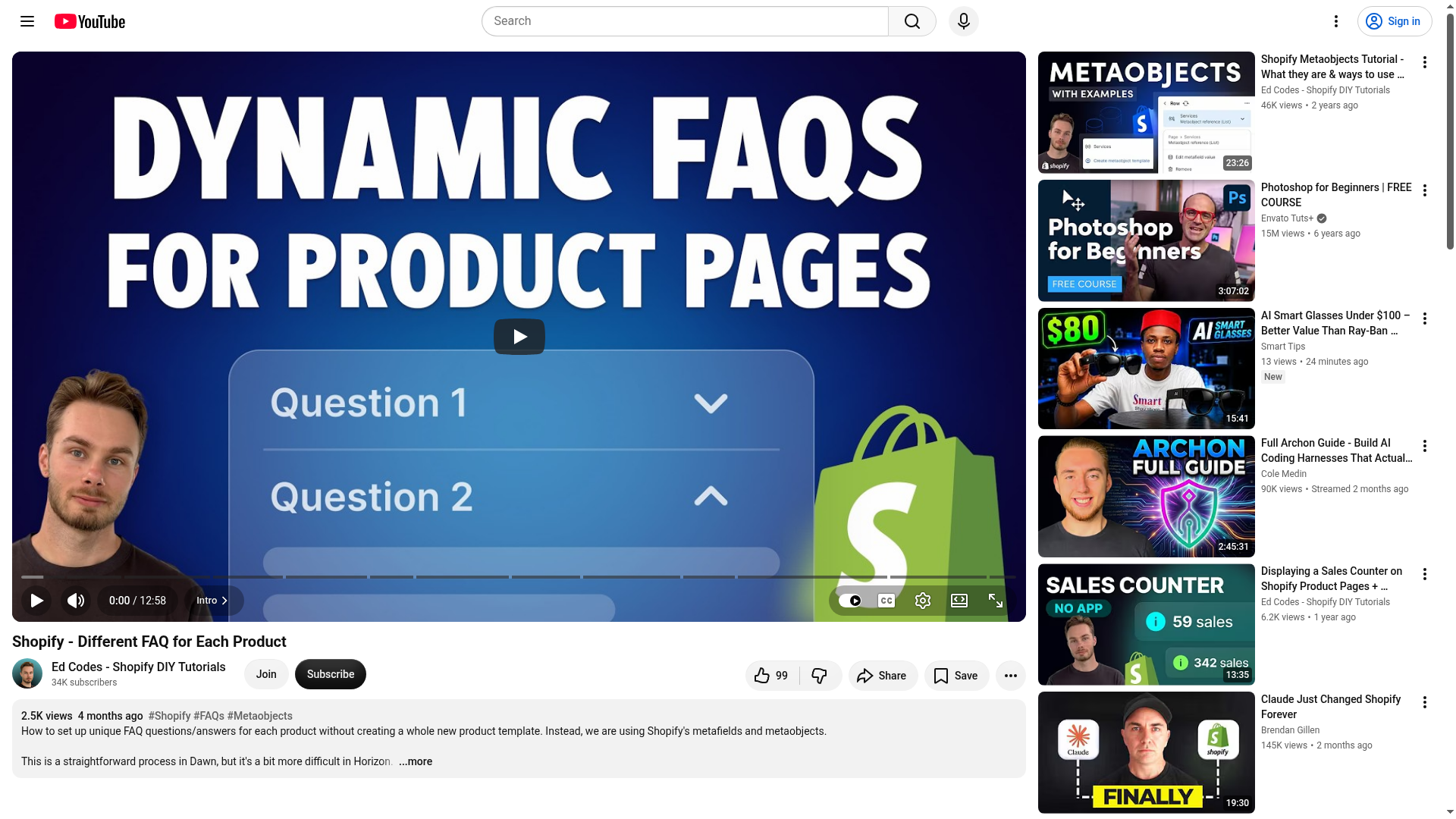
The current SERP is full of tutorials on this, including a popular YouTube walkthrough showing how to create different FAQs for each product using Shopify metaobjects. That is a strong direction because it avoids hardcoding and lets your merchandising team update content without touching theme files.
At a minimum, I recommend adding these product-level questions:
- How long does shipping take for this item?
- What is the return policy for this product?
- How does sizing or fit work?
- Is this compatible with X?
- What should I expect when using it?
If you want to improve the rest of the product page while you are there, our higher-converting PDP blueprint is a good next read.
Why should I feed my FAQ content into a chat agent?
You should feed your FAQ content into a chat agent because chat answers appear at the exact moment uncertainty appears. That makes chat far more useful for pre-sale conversion than a static FAQ page alone.
This is the part most merchants miss. They think chat is a support channel. It is, but it is also a sales tool when it is trained on the right information. If a shopper asks, “Will this arrive before Saturday in Texas?” or “Which version is best for side sleepers?” your chat agent can answer immediately using the same FAQ content you already wrote.
That means your FAQ content stops being a buried page and becomes a live knowledge layer across the storefront. The answer meets the shopper where the doubt happens.
Which Shopify app can help make FAQ content interactive?
Chatkit is one option to consider if you want to turn static answers into interactive support on your Shopify store. A chat app helps surface pre-sale answers in real time instead of forcing shoppers to search manually.

You can view Chatkit on the Shopify App Store. I would use a tool like this to centralize common pre-sale answers, then test prompts around shipping, fit, recommendations, and urgency. The goal is not just to reduce tickets. The goal is to rescue uncertain buyers before they bounce.
If you are already using a helpdesk or chat stack, the same principle still applies. Your agent needs access to your best FAQ content, product details, and policy summaries. Otherwise, you are just adding another widget without improving the answer quality.
| Approach | Best For | Main Weakness | Conversion Impact |
|---|---|---|---|
| Standalone FAQ page | SEO, policy discovery, support reference | Far from purchase context | Low on its own |
| Product-page FAQ block | Handling objections near Add to Cart | Limited for edge cases | High |
| Chat agent with FAQ knowledge base | Real-time pre-sale questions | Needs setup and training | Very high when well configured |
| Combined system | SEO plus conversion support | Takes more planning | Best overall |
How do I build a better FAQ-to-chat workflow?
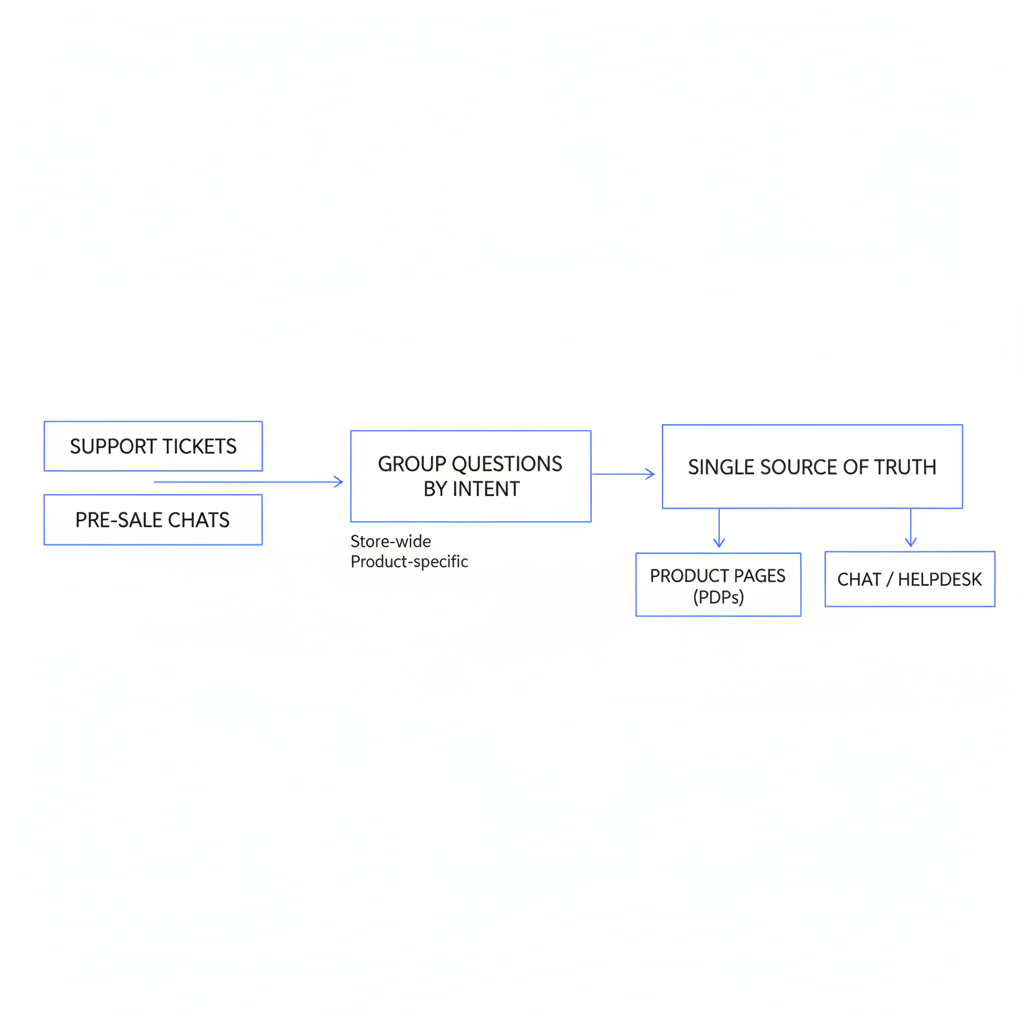
The best FAQ-to-chat workflow starts with real customer questions and ends with answers shown on PDPs and in chat. One source of truth, multiple surfaces is the right model.
-
Export support tickets and pre-sale chats
Look for repeated objections around shipping, sizing, compatibility, ingredients, setup, and returns. -
Group questions by intent
Separate store-wide questions from product-specific ones. This matters for where the answer should live. -
Write concise answer-first responses
Lead with the direct answer, then add detail. This format works for SEO, accordions, and AI chat. -
Publish on the FAQ page
Use the FAQ page as your organized library and search landing page. -
Add the top questions to product pages
Use metafields or theme sections so each product can show relevant FAQs. -
Sync the same content into your chat agent
Make sure the agent can answer with current shipping, return, and product details. -
Measure results
Track Add to Cart rate, support contact rate, and conversion rate on pages where FAQs were added.
In my experience, this approach works especially well for stores with medium to high SKU complexity. The more nuanced your catalog is, the less a generic FAQ page can carry the load by itself.
What mistakes should I avoid with Shopify FAQ pages?
The biggest mistakes are writing generic answers, hiding them in the footer, and treating FAQs as support-only content. If the answer affects buying confidence, it belongs in the conversion path.
- Do not bury key answers on a page that requires extra clicks
- Do not use internal jargon instead of customer phrasing
- Do not publish one global FAQ when products have different objections
- Do not ignore mobile layout and accordion usability
- Do not let FAQ content go stale after shipping or policy changes
- Do not add heavy scripts that slow down the PDP
I would add one more: do not confuse support efficiency with sales performance. Yes, FAQs can reduce repetitive tickets. But the real upside is bigger than that. Pre-sale answers increase confidence, and confidence increases conversion.
Should I still keep a standalone Shopify FAQ page?
Yes, you should still keep a standalone Shopify FAQ page. It is useful for SEO, support, and policy clarity, but it should not be your only answer strategy.
My recommendation is simple:
- Keep the FAQ page for search visibility and reference
- Move conversion-critical answers to product pages and cart touchpoints
- Feed the same content into chat or AI support
If you are also optimizing the checkout journey, this pairs nicely with a stronger post-product experience. Our guide to Shopify checkout covers where reassurance and friction reduction matter after the PDP too.
What is my honest verdict on Shopify FAQ pages?
A Shopify FAQ page is worth having, but not worth relying on. The best FAQ page is the one your shoppers barely need to visit because the most important answers already appear on the product page or in chat.
If I were fixing this for a store today, I would not start by designing a prettier FAQ page. I would start by asking: what questions are blocking purchase right now, and where do they need to appear to remove hesitation? That usually leads to better PDPs, better chat, and a better FAQ page as a side effect.
So yes, build the FAQ page. Optimize it for SEO. Structure it well. But if you want more sales, make your FAQ content interactive and put it where buying decisions happen. That is what actually answers pre-sale questions on Shopify.