
Getting your Shopify store into ChatGPT in 2026 means two things: making your products eligible for official ChatGPT shopping surfaces and making your site easy for AI systems to crawl, understand, and recommend. If you only do one of those, you leave visibility on the table.
Search has changed fast. Customers are no longer just typing product keywords into Google. They are asking ChatGPT, Perplexity, Claude, Copilot, and other AI tools things like “what’s the best carry-on backpack for a 3-day trip?” or “show me a gift under £50 for a coffee lover”. If your store is not structured for those systems, you are much less likely to be surfaced.
In my experience building Shopify apps and analysing hundreds of merchant stores, most shops are still set up for traditional SEO only. Their product data is thin, their structured data is patchy, and their titles are written for merchandising rather than discoverability. That was already a problem in 2025. In 2026, it is a real growth bottleneck.
This guide covers the official Shopify-to-ChatGPT route, the technical setup behind it, and the practical optimisation work that helps your products appear in AI-generated recommendations.
What is the best way to get your Shopify store into ChatGPT?
The best way to get your Shopify store into ChatGPT is to install the official ChatGPT sales channel, opt in to Instant Checkout if eligible, configure payments correctly, and then optimise your store for AI discovery with clean product data, schema, crawlability, and strong supporting content.
There are really two separate use cases people mean when they ask this question. One is getting your products shown in ChatGPT shopping and recommendations. The other is connecting Shopify data to ChatGPT for analytics or internal use. This article focuses mainly on the first, because that is what most merchants actually want when they search this keyword.
Why does ChatGPT visibility matter for Shopify stores?
ChatGPT visibility matters because AI tools are becoming shopping discovery engines, not just chat interfaces. If your products are surfaced in an answer, you can win attention before a customer ever reaches Google or Amazon.
OpenAI usage has grown rapidly, and the broader shift is obvious even beyond one platform. More shoppers now use AI to compare products, shortlist options, and ask buying questions in natural language. That changes what “ranking” looks like. You are no longer just competing for a blue link. You are competing to be the cited answer.
For Shopify merchants, this creates a new layer of opportunity. Organic recommendations inside AI tools can mean incremental traffic without ad spend. If ChatGPT can understand your catalogue, price, availability, shipping, and product fit, your store has a better chance of being included when people ask intent-rich questions.
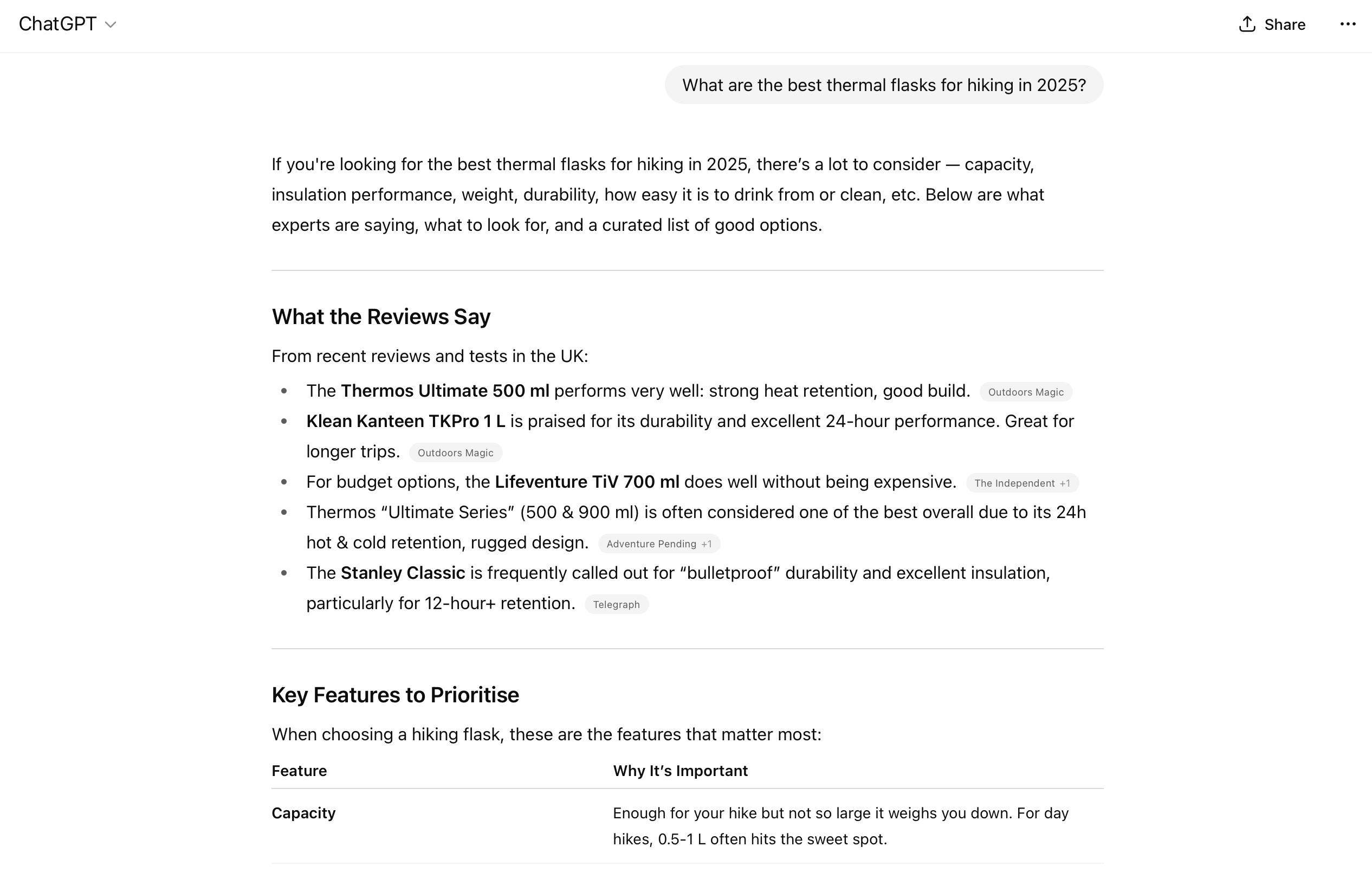
I have seen this pattern already in stores that publish better product context and cleaner structured data. They are not just ranking better in search. They are also much easier for AI systems to quote, summarise, and recommend.
Can Shopify stores appear directly inside ChatGPT shopping?
Yes, Shopify stores can appear directly inside ChatGPT shopping experiences, but access depends on rollout, eligibility, and setup. The official route is through Shopify’s ChatGPT sales channel and the related Instant Checkout infrastructure.
Based on the latest rollout information, U.S.-based stores on paid Shopify plans are prioritised first. Once enabled, Shopify can feed product catalogue data to OpenAI through the official integration, and eligible products may appear in ChatGPT responses and shopping flows.
This is important because some older articles only talk about allowing GPTBot or improving Bing rankings. That still matters for discoverability, but it is not the whole picture anymore. In 2026, there is now an official commerce path merchants need to watch closely.
How do I install the official ChatGPT sales channel on Shopify?
To install the official ChatGPT sales channel, open your Shopify admin, find the ChatGPT sales channel in the Shopify App Store, install it, and follow the onboarding prompts. If your store is eligible, Shopify will guide you through catalogue and checkout setup.
The exact interface may evolve as the rollout expands, but the core process is straightforward:
- Log in to your Shopify admin.
- Go to the Shopify App Store and search for the ChatGPT sales channel.
- Install the app or sales channel.
- Review eligibility requirements and permissions.
- Follow the prompts to connect your catalogue and enable shopping features.
If you do not see access yet, do not panic. Rollouts like this often happen in phases. Keep an eye on Shopify Help Centre updates and your sales channel availability inside admin.
From a merchant point of view, this is the most important update versus older guides. If your goal is to sell inside ChatGPT, not just be mentioned by it, the sales channel is the route to prioritise.
How do I enable Instant Checkout for ChatGPT?
To enable Instant Checkout, you need to opt in through the ChatGPT sales channel and make sure your payment setup supports delegated checkout flows. In practice, that means having a clean payments, shipping, taxes, and refund setup before you go live.
Current rollout information points to Stripe-backed delegated payments via the Agentic Commerce Protocol (ACP). Shopify merchants need to ensure the checkout experience is properly configured so that ChatGPT can hand off the transaction cleanly.
Work through this checklist before you enable anything:
- Payments configured correctly and tested
- Shipping rates visible and accurate
- Tax settings reviewed
- Refund policies clearly published
- Product availability synced and up to date
- Shop policies accessible on-site
If you want a broader grounding in how Shopify checkout works, I would also read The Shopify Checkout Guide: Everything You Need to Know in 2026. A lot of merchants underestimate how much checkout clarity affects channel eligibility and conversion.
Who is eligible for Shopify ChatGPT shopping features?
Eligibility currently appears to favour U.S.-based Shopify stores on paid plans with active products, shipping configured, and admin access available. Wider rollout is expected, but not every merchant will have the feature immediately.
Based on current information, you should check the following:
- Store location - U.S. merchants are prioritised
- Shopify plan - paid plans are more likely to qualify
- Product catalogue - active, published listings
- Shipping setup - working rates and fulfilment logic
- Payment readiness - compatible delegated checkout setup
- Store compliance - policies and operational basics in place
That does not mean non-U.S. merchants should wait passively. The same optimisation work that helps with ChatGPT shopping also helps with Google AI Overviews, Bing, Perplexity, and other AI-driven discovery layers. If you are preparing now, you are not wasting effort.
Do I still need to allow AI crawlers in robots.txt?
Yes, you should still allow relevant AI crawlers unless you have a deliberate reason not to. The official sales channel helps with direct shopping visibility, but crawl access still matters for broader discovery, citation, and understanding.
Check your robots.txt file at yourstore.com/robots.txt. Make sure you are not unintentionally blocking AI-related user agents. A common example looks like this:
User-agent: ChatGPT-User
Allow: /

User-agent: GPTBot
Allow: /

User-agent: OAI-SearchBot
Allow: /

User-agent: ClaudeBot
Allow: /

User-agent: PerplexityBot
Allow: /

User-agent: Google-Extended
Allow: /
Allowing OAI-SearchBot is about search visibility, not automatically consenting to model training. That distinction still trips people up. If you are unsure, review the latest bot and crawler documentation from providers like OpenAI and infrastructure references such as Cloudflare’s robots.txt guide.
It can also take time for changes to be reflected. In practical terms, I usually tell merchants to make the update, validate the file, and then give it at least 24 hours before assuming nothing changed.
How do I optimise my Shopify store for Bing and AI search?
You should optimise for Bing because ChatGPT shopping and AI answers can rely on external search signals as well as direct feeds. Bing is still overlooked by many Shopify merchants, which makes it one of the easier wins.
Submit your sitemap to Bing Webmaster Tools, verify your domain, and monitor indexing issues. Shopify stores often focus entirely on Google Search Console, but Bing coverage can influence how your site is discovered across Microsoft and AI-connected surfaces.
Make sure you also have:
- A clean sitemap.xml
- Minimal duplicate content
- Canonical tags working properly
- Fast-loading product pages
- Indexable collection and product URLs
If you want a stronger foundation here, read How to Rank Your Shopify Store on Google: 9 Key Methods and Boost Your Shopify Store’s SEO: Essential Tips for Getting Found on Google in 2025. Even though those posts focus on classic SEO, the same technical hygiene supports AI discovery.
What product data helps ChatGPT understand and recommend my products?
The product data that helps most is clear, specific, and buyer-oriented. ChatGPT does better with descriptive titles, benefit-led descriptions, detailed attributes, and strong contextual clues about who the product is for.
In my experience, thin product pages are one of the biggest reasons stores fail to show up in AI recommendations. A page that says “Premium quality backpack. Stylish design.” gives almost nothing useful to a model. A page that says “22L under-seat travel backpack with 15.6-inch laptop sleeve, water-resistant shell, and quick-access passport pocket” gives the model something it can actually match to a user query.
How should I write product titles for ChatGPT visibility?
The best product titles are descriptive and intent-based. They should explain what the product is, who it is for, or where it is used, without sounding unnatural.
For example, instead of:
Bad title: Voyager X2
Use:
Better title: Wireless Noise-Cancelling Headphones for Travel
That second title gives AI systems far more context. It also tends to improve click-through from humans because it answers the “what is this?” question immediately.
How should I write product descriptions for AI discovery?
Write product descriptions in plain English with benefits, specifications, and use cases. Avoid vague marketing copy that sounds polished but says very little.
Weak description: Premium quality backpack. Great for travel. Stylish design.
Stronger description: This 22L travel backpack fits under the seat on most major airlines and holds laptops up to 15.6 inches. It is designed for business travellers who want quick access to tech gear, chargers, and travel documents without using overhead luggage.
The second version is better because it includes capacity, compatibility, use case, and target customer. AI systems can map that to real shopping questions much more easily.
Which product attributes matter most?
The most useful attributes are the ones buyers naturally ask about. Size, material, compatibility, colour, care instructions, intended use, and shipping information all help.
| Product Element | What to Include | Why It Helps |
|---|---|---|
| Title | Product type + use case + key feature | Improves intent matching |
| Description | Benefits, specs, audience, scenarios | Gives AI context for recommendations |
| Images | Multiple high-resolution angles | Supports richer product understanding |
| Variants | Clean names like Black / 500ml / Cotton | Reduces ambiguity |
| Attributes | Dimensions, materials, compatibility, care | Helps answer comparison-style queries |
If you are using AI to help draft product copy, make sure you are editing it into something specific and accurate. I covered that in more detail in 36 Best ChatGPT Prompts for Shopify Stores in 2026.
How do I add structured data that helps ChatGPT and AI search?
Structured data helps AI systems understand your products, prices, reviews, availability, and site structure. For Shopify stores, Product, Offer, FAQ, Organization, and Breadcrumb schema are the most useful starting points.
Schema is not a magic switch, but it does make your content easier to parse consistently. In my experience, stores with proper JSON-LD are easier to index, easier to interpret, and less likely to send mixed signals across search and AI tools.
Prioritise these schema types:
- Product schema - name, image, description, SKU, brand
- Offer schema - price, currency, availability
- Review schema - rating and review count where valid
- FAQ schema - common product and policy questions
- Organization schema - your brand identity
- BreadcrumbList schema - site hierarchy
Two apps merchants often use here are SEO Manager and TinyIMG. They can help with technical SEO tasks, metadata, and structured data support depending on your setup.

I still recommend validating output manually. Use Google’s rich result tools, inspect your theme output, and spot-check product pages after app installs. Apps help, but they do not replace verification.
What content formats does ChatGPT tend to surface?
ChatGPT tends to surface content that is explicit, well-structured, and written around real questions. FAQs, buying guides, comparison pages, gift guides, and use-case content all perform better than generic category filler.
This is one of the biggest differences between old SEO content and AI-friendly content. AI systems love pages that answer a question directly and then expand with detail. That is exactly why I structure LaunchTip articles this way now.
Should I add FAQs to product and collection pages?
Yes, FAQs are one of the easiest wins for AI discoverability. They create clean question-and-answer pairs that models can quote or summarise.
Add FAQ sections to:
- Product pages - sizing, materials, compatibility, shipping
- Collection pages - who the category is for, how products differ
- Policy pages - returns, delivery, guarantees
- Blog posts - buying questions and comparisons
If you also want to improve on-site conversion, pair this with stronger trust signals and reviews. For merchants focused on social proof, I would also look at How to Easily Send Automatic Review Requests in Shopify in 2026.
What blog content works best for AI shopping queries?
The best blog content targets specific shopping intent. Think “best gifts for new dog owners under £30” rather than “dog accessories”.
Useful formats include:
- Buying guides - how to choose the right product
- Use-case pages - best products for a specific scenario
- Gift guides - segmented by budget or recipient
- Comparison posts - product type A vs B
- Problem-solution content - products for a pain point
When I test content for AI visibility, specificity nearly always wins. A narrow page with a clear answer often outperforms a broad page trying to rank for everything.
How do I test whether my Shopify store is showing up in ChatGPT?
You can test visibility by prompting ChatGPT with realistic shopping queries, checking whether your products appear, and then testing the full journey through to checkout where available. Do not rely on setup alone. Test the output.
I recommend a simple weekly testing routine:
- Ask ChatGPT a category query your products should match.
- Ask a comparison query with price or use-case constraints.
- Ask a gift or recommendation query.
- Check whether your product details shown are accurate.
- If eligible, test the Instant Checkout flow end to end.
Try prompts like:
- “What is the best under-seat travel backpack for a 15-inch laptop?”
- “Recommend a ceramic coffee gift under $40 with fast shipping.”
- “Show me eco-friendly yoga leggings for hot yoga.”
Look for three things: visibility, accuracy, and conversion readiness. If the wrong variant, outdated price, or unclear shipping info appears, that is not just an SEO issue. It is a sales issue.
What are the most common reasons a Shopify store does not appear in ChatGPT?
The most common reasons are lack of eligibility, blocked crawlers, weak product data, thin content, missing schema, and poor operational setup. Most stores do not have one big issue. They have six small ones.
| Problem | Impact | Fix |
|---|---|---|
| Not enrolled in official sales channel | No direct shopping visibility | Install and configure the ChatGPT sales channel |
| Blocked AI bots | Reduced crawlability | Review robots.txt and bot access |
| Thin product descriptions | Poor intent matching | Add specs, use cases, and buyer context |
| Missing schema | Harder for AI to parse page data | Add Product and Offer JSON-LD |
| Bad variant naming | Confusing product interpretation | Use clean, descriptive variant labels |
| Weak policy and shipping setup | Lower conversion readiness | Review checkout, shipping, taxes, and returns |
In my experience, merchants often obsess over one technical tweak and ignore the basics. Usually, the stores that win are the ones that are simply clearer, cleaner, and more trustworthy across the whole buying journey.
Should I add a ChatGPT-style shopping assistant to my Shopify store too?
Yes, in many cases it is worth adding an on-site AI shopping assistant as well. This is separate from getting into ChatGPT itself, but it can improve product discovery, FAQ handling, and conversion on your own site.
Some merchants use tools like Quickchat AI-style shopping agents to answer questions, recommend products, and recover uncertain buyers on-site. That will not automatically make you appear in ChatGPT’s own shopping results, but it can still improve the customer experience and help you capture more value from AI-led traffic once it lands.
The key is not to confuse the two approaches:
- Official ChatGPT sales channel = visibility and shopping inside ChatGPT
- On-site AI chat widget = AI assistance on your own storefront
If you can only do one first, I would start with the official sales channel and product data cleanup. That creates the stronger long-term foundation.
What is my recommended step-by-step setup for 2026?
My recommended setup is to handle eligibility, crawlability, product clarity, schema, and testing in that order. This gives you both direct shopping readiness and wider AI discoverability.
- Install the official ChatGPT sales channel in Shopify.
- Check eligibility for Instant Checkout and shopping features.
- Configure payments, shipping, taxes, and refunds properly.
- Review robots.txt and allow relevant AI crawlers.
- Submit your sitemap to Bing Webmaster Tools.
- Rewrite product titles and descriptions to be descriptive and intent-based.
- Clean up variants, attributes, and product imagery.
- Add or validate structured data for Product, Offer, FAQ, and Breadcrumbs.
- Create FAQ sections and use-case content around real buyer questions.
- Test prompts in ChatGPT weekly and monitor visibility changes.
If you are serious about AI-era discovery, also read How to Optimize Your Shopify Store for AI Shopping Agents (Not Just Google). It complements this guide well because it looks beyond ChatGPT to the wider agentic shopping shift.
Is it worth doing this now if the rollout is still expanding?
Yes, it is absolutely worth doing now. Even if your store does not yet have full ChatGPT shopping access, the preparation work improves SEO, conversion, feed quality, and discoverability across multiple AI platforms.
This is the same pattern I have seen with every meaningful platform shift in Shopify. Merchants who prepare early usually benefit twice. First, they become eligible sooner. Second, their catalogue is already in better shape than competitors when the feature reaches scale.
Do not treat this as a gimmick. Treat it as the next layer of ecommerce infrastructure. The merchants who win in AI search will usually be the ones with the cleanest data, the clearest content, and the least friction between recommendation and checkout.
If I were starting today, I would not wait for perfect certainty. I would get the sales channel installed, clean up product data this week, add schema, test prompts, and keep iterating monthly.


