
The easiest way to send automatic review requests in Shopify is to use a dedicated review app or Shopify Flow with a compatible reviews platform. In most stores, I recommend starting with an app because setup takes 10 to 20 minutes, you get branded templates, and you can trigger requests after fulfilment or delivery rather than sending them manually.
As someone who builds Shopify apps myself, I have seen this pattern repeatedly. Merchants know reviews matter, but they leave review collection too late, send generic campaigns from an email platform, or ask at the wrong moment. The result is predictable: low response rates, weak social proof, and product pages that never build momentum.
If you want a practical answer to how to easily send automatic review requests in Shopify, this guide covers the methods that are actually working now, the best timing rules, and which apps make the job easiest for different store types.
Why should Shopify stores automate review requests?
Shopify stores should automate review requests because timing and consistency matter more than intention. If you rely on manual follow-up, you will miss orders, send requests too early, or stop asking altogether when things get busy.
Reviews are one of the most reliable forms of social proof in ecommerce. Product pages with visible ratings and recent customer feedback generally convert better than pages with none, especially for first-time visitors who have never heard of your brand. In my experience building apps for Shopify merchants, review collection is one of the highest-leverage retention and conversion tasks because it improves trust without requiring constant ad spend.
There is also a practical SEO angle. Reviews add fresh user-generated content, help merchants understand product issues faster, and can support rich snippets depending on the app and theme setup. If you are already working on trust signals, it also pairs well with broader review strategies like collecting Trustpilot reviews or inviting Google reviews for Shopify.
- Build trust and credibility with verified customer feedback
- Increase conversion rate on product pages and collection pages
- Gather product feedback to improve fulfilment, sizing, packaging, or quality
- Support SEO through fresh content and structured review output
- Encourage repeat purchases through post-purchase engagement
Can Shopify send automatic review request emails on its own?
Shopify can automate parts of the workflow, but Shopify does not natively provide a full built-in product review request system for most merchants. You usually need either a review app, Shopify Flow, or an external automation tool to do this properly.
This is the bit that often confuses merchants. Shopify can send order confirmations, shipping updates, and marketing emails, but automated review collection usually depends on an app that stores the review form, tracks eligibility, and displays the review on the storefront. If you simply send a standard email campaign from an email platform, you still need somewhere for the review to be submitted and published.
So the short answer is: yes, you can automate review requests in Shopify, but the easiest route is almost always through a specialist app. If you want more control, especially on Shopify plans that support it, Shopify Flow can make the automation smarter by using delivery status, tags, refunds, and other conditions.
What is the easiest way to send automatic review requests in Shopify?
The easiest way is to install a review app that handles email timing, templates, review collection, and display widgets in one place. For beginners, this is faster and more reliable than building a custom workflow across multiple tools.
Most review apps now let you trigger requests based on order placed, fulfilled, or delivered status. The best ones also let you exclude refunded orders, send reminders, include product-specific links, and reward customers after they leave feedback. That matters because asking for a review before the parcel arrives is one of the quickest ways to annoy customers and suppress response quality.
If you are running a growing store, the ideal setup usually looks like this:
- Install a review app from the Shopify App Store
- Connect the review widget to your product pages
- Set the trigger to delivered where possible, or fulfilled + delay if not
- Customise the email with your branding and product references
- Add a reminder email for non-responders
- Monitor response rate and adjust timing after 2 to 4 weeks
That setup is simple, scalable, and good enough for most stores under serious time pressure.
Should you use Shopify Flow or a review app?
Use a review app if you want the quickest setup. Use Shopify Flow if you want more precise logic around delivery, customer segments, refunds, or order types.
This is where search intent has shifted over the last year. More merchants now want smarter automation, not just a generic email after checkout. Competitor content is starting to mention delivery-based triggers and Flow, and rightly so. In my experience, the stores getting the best review quality are not necessarily the ones sending the most requests, but the ones sending them at the right moment.
| Method | Best for | Pros | Cons |
|---|---|---|---|
| Review app only | Beginners and small stores | Fast setup, built-in templates, widgets, reminders | Less flexible logic in some apps |
| Shopify Flow + review app | Scaling stores and advanced merchants | Smarter triggers, segmentation, exclude returns or VIP rules | Takes longer to configure |
| Email platform + custom workflow | Teams with technical resources | Full control over messaging | More moving parts, harder to maintain |
If you are on a standard Shopify setup and just want results, start with an app. If your store has subscriptions, wholesale buyers, long shipping windows, or lots of returns, add Flow once the basics are working.
How do I set up automatic review requests in Shopify step by step?
You can set up automatic review requests in Shopify by installing a review app, choosing the trigger event, customising the email, and testing the workflow before going live. The whole process usually takes under 30 minutes.
Here is the process I recommend to merchants.
-
Choose a review app
Pick an app that supports automatic requests, review widgets, and the channels you care about, such as product reviews, Google, or Trustpilot. -
Install and connect it to your store
Most apps guide you through theme integration and email permissions during onboarding. -
Select the send trigger
Use delivery-based triggers if available. If not, use fulfilment plus a realistic delay based on your shipping times. -
Set the delay window
For many physical products, 7 to 14 days after delivery is a strong starting point. For skincare, supplements, or products that need more usage time, wait longer. -
Customise the email template
Include the customer name, product name, clear CTA, and a direct review link. Keep the email short. -
Exclude bad-fit orders
Where possible, exclude refunded, returned, or cancelled orders. This improves response quality and avoids awkward requests. -
Add a reminder
One follow-up to non-responders often lifts total review volume without feeling spammy. -
Test the full flow
Place a test order, check the timing, preview the email on mobile, and make sure the review lands on the right product.
If you are also fine-tuning post-purchase journeys, you may want to pair this with a customer feedback workflow such as post-purchase surveys on Shopify. Surveys tell you why customers bought, while reviews tell future shoppers whether they should buy too.
When should you send a review request after an order?
The best time to send a review request is usually after delivery, not immediately after purchase. For most stores, 7 to 14 days post-delivery is the safest starting range.
This matters more than merchants think. If you send too soon, customers have not used the product yet. If you wait too long, they forget the experience and response rates drop. In my experience, the best timing depends on the product category, shipping speed, and whether the customer needs time to evaluate the item.
| Store type | Recommended timing | Why |
|---|---|---|
| Fashion and accessories | 5 to 10 days after delivery | Enough time to try the product on |
| Beauty and skincare | 10 to 21 days after delivery | Customers need time to see results |
| Homeware and gifts | 7 to 14 days after delivery | Good balance between recall and usage |
| Consumables and supplements | 14 to 30 days after delivery | More realistic product experience window |
| Digital products | 2 to 7 days after fulfilment | Usage starts quickly |
Benchmarks vary, but smartly timed review requests often produce 20 to 30% response rates according to ecommerce automation guidance. You will not hit that with every store, but you are far more likely to get there if your trigger is tied to delivery rather than order creation.
What should an automatic review request email include?
A review request email should be short, clear, and easy to action. The best emails ask for one thing, include a direct product link, and feel like a natural follow-up rather than a campaign blast.
I have seen merchants overcomplicate these emails with long brand stories, multiple offers, and too many buttons. That usually hurts completion. A good review request email only needs a few essentials:
- Customer first name
- Product name and ideally product image
- A simple subject line
- A direct review CTA
- A short explanation of why feedback matters
- Optional incentive, if allowed by your platform and policy
- Branding that matches your store
Example subject lines:
- How did your order turn out?
- Could you leave a quick review?
- Tell us what you think about your recent purchase
If you are sending customers to external destinations like Google or Trustpilot, make sure the email makes that clear. For merchants focused on first-party product reviews, keep the path friction-free so the customer lands directly on the relevant product review form.
What are the best Shopify apps for automatic review requests?
The best Shopify apps for automatic review requests depend on what kind of reviews you want to collect. Some are stronger for product reviews on-site, while others are better for Google, Trustpilot, or reputation management.
Below are the apps most relevant to this topic based on the original article and current merchant needs.
1. Lumo Reviews
Lumo Reviews is best if you want to automate review requests to external review platforms like Google, Trustpilot, Yelp, and Facebook. It is a strong fit for merchants who care about reputation building beyond the storefront, not just collecting product reviews on PDPs.

Lumo Reviews allows merchants to request reviews after fulfilment and route customers to the review destination that matters most. Because I work in the Shopify app ecosystem myself, I know how useful this is for stores that already have strong product pages but need to strengthen public trust signals on third-party sites.

- Automatic review requests after a set number of days
- Send customers to Trustpilot, Google, Yelp, and Facebook
- Manual review requests when needed
- Reputation Shield style flows to handle negative sentiment privately
- Customisable emails
- Optional rewards or discounts after feedback
Best for: merchants focused on off-site reputation and local trust signals.
2. Growave
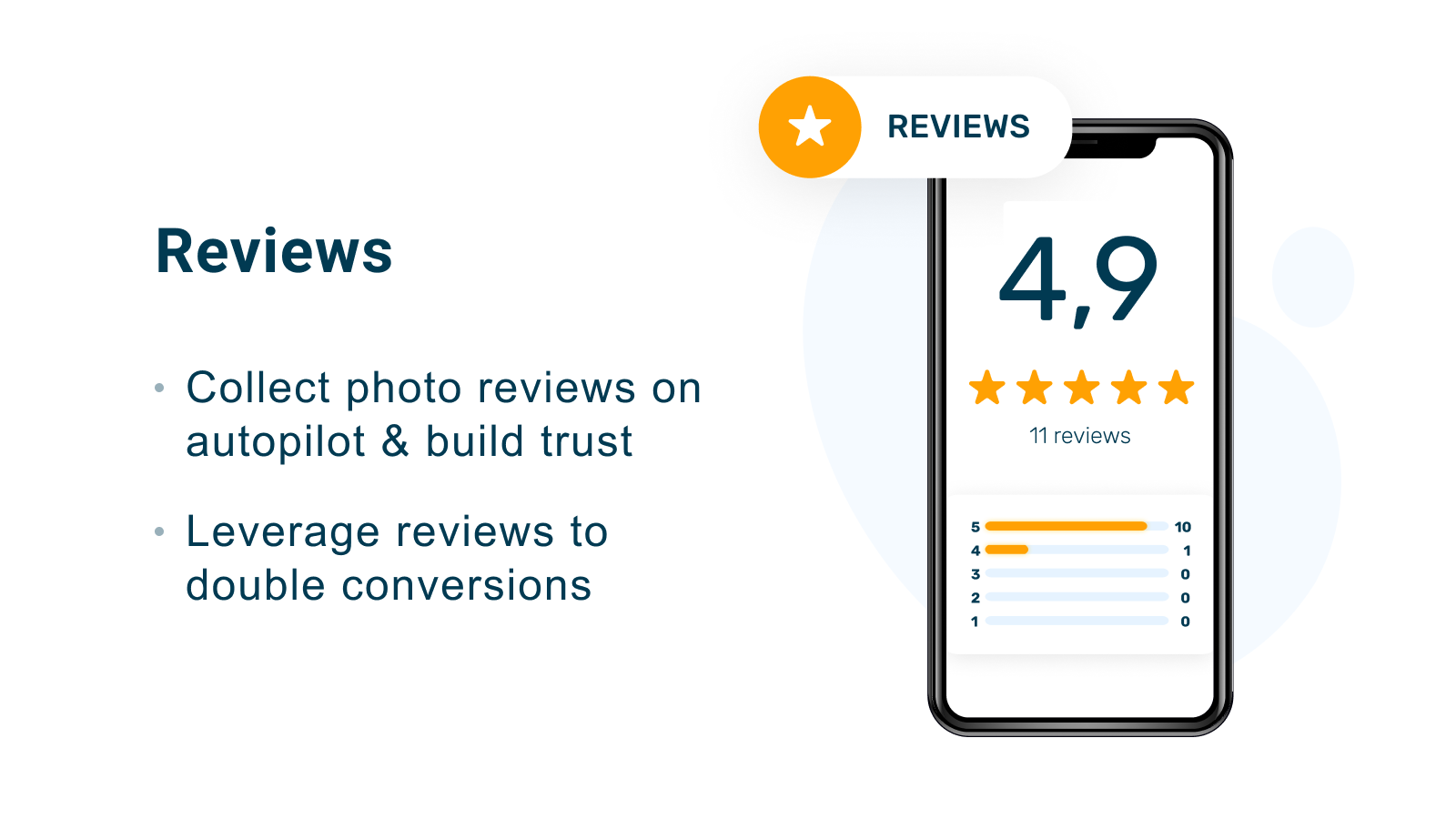
Growave is best for merchants who want reviews as part of a broader loyalty and retention stack. It combines reviews with rewards, wishlists, and customer engagement tools, which can make it attractive if you prefer an all-in-one setup.

Growave supports automated review request emails, custom branding, photo and video reviews, and loyalty rewards for leaving feedback. For stores that want customer reviews tied directly into points and repeat purchase incentives, this can be a very efficient setup.
- Automated review request emails with timing controls
- Photo and video review collection
- Loyalty point rewards for reviews
- Google Shopping integration for star ratings
- Customisable review widget design
- Checkout and POS integration
Best for: stores that want reviews plus loyalty in one platform.
3. Judge.me
Judge.me is one of the most popular review apps on Shopify and is often the easiest recommendation for small to mid-sized stores. It is especially compelling if you want a free plan, broad feature coverage, and a proven ecosystem footprint.

Judge.me has become a default choice for many merchants because it covers the basics well: automatic review requests, storefront widgets, imports, SEO features, and support for photo and video reviews. In practical terms, it is often the app I see merchants choose when they want to get moving quickly without a large monthly cost.
- Unlimited automatic review requests on supported plans
- Email, SMS, and other request channels
- Free plan available
- Display reviews across storefront and Google Shopping
- Import reviews from marketplaces
- Rich snippets and SEO support
- Photo and video review collection
Best for: small stores, budget-conscious merchants, and brands wanting broad review features fast.
4. Other tools worth considering
Other apps can also work very well depending on your stack. The most commonly mentioned options in current search results include REVIEWS.io, Opinew, and Ryviu.
REVIEWS.io is particularly relevant if you want to use Shopify Flow for smarter triggers around delivery status, refunds, tags, or customer segments. Opinew is often cited for post-delivery requests and integrations with email tools such as Klaviyo and Omnisend. Ryviu is straightforward for setting delays and sending thank-you emails with discounts after reviews.
Which review request app is best for your store?
The best app depends on whether you want on-site product reviews, third-party reputation reviews, or a broader retention platform. There is no single best fit for every store.
| App | Best for | Main strength | Potential drawback |
|---|---|---|---|
| Lumo Reviews | Google and Trustpilot style review requests | External reputation collection | Less focused on native PDP review depth |
| Growave | Loyalty-led brands | Reviews plus rewards ecosystem | More than some stores need |
| Judge.me | Small to mid-sized stores | Affordable, broad features, easy setup | May feel less bespoke for enterprise needs |
If your priority is Google and reputation, I would lean towards Lumo Reviews. If your priority is product-page social proof with a low barrier to entry, Judge.me is often the practical choice. If you want reviews tied to loyalty from day one, Growave makes more sense.
How can Shopify Flow make review requests smarter?
Shopify Flow makes review requests smarter by letting you trigger them based on real order conditions rather than a blunt fixed delay. That means you can ask after delivery, exclude refunded orders, or create different rules for VIP, wholesale, or subscription customers.
This is the biggest gap in many older articles on the topic. They explain automation, but not conditional automation. With Flow, you can build if-this-then-that logic that improves both customer experience and review quality.
- Send requests only when an order is marked delivered
- Exclude refunded, cancelled, or returned orders
- Delay requests for products that need longer evaluation time
- Segment by VIP, wholesale, or subscription tags
- Trigger different follow-ups for high-value customers
If you sell products where delivery timing is unpredictable, Flow can be the difference between a polished review programme and one that feels careless.
How do you get more customers to actually leave reviews?
To get more customers to leave reviews, focus on timing, simplicity, and relevance. Most stores do not need aggressive tactics. They need a cleaner request at a better moment.
Here is what tends to work best in practice:
- Ask after delivery, not after checkout
- Keep the email short with one clear CTA
- Link directly to the exact product review form
- Use the customer and product name
- Add one reminder email for non-responders
- Offer rewards carefully, such as points or a small discount
- Exclude customers with support issues or refunds
Also, make sure the reviews are visible once collected. If your review widget is hidden low on the page or your star ratings are not showing in key places, you are not getting the full conversion benefit. If you use Shopify's own review surfaces or need to improve visibility, this guide on displaying total review counts in Shopify is worth a look.
What mistakes should you avoid when automating review requests?
The main mistakes are sending too early, asking everyone indiscriminately, and making the review process harder than it needs to be. These issues quietly kill response rates.
Here are the common problems I see:
- Sending before delivery
- Using a generic marketing email instead of a product-linked request
- Requesting reviews from refunded or unhappy customers
- Not testing the mobile email experience
- Using too many fields in the review form
- Forgetting to publish and display collected reviews properly
- Offering incentives in a way that creates compliance or trust issues
If your store has a lot of custom fulfilment or delivery complexity, sort that first. For example, if you still need to improve checkout data quality, accurate shipping details, or related post-purchase flows, it can help to tighten adjacent systems too, such as address autocomplete on Shopify.
Are automatic review requests worth it for small Shopify stores?
Yes, automatic review requests are absolutely worth it for small Shopify stores because early social proof compounds. A store with 20 genuine reviews will usually outperform a similar store with none.
Small merchants often assume reviews are something to worry about later, once traffic grows. I think that is backwards. Reviews help you convert the traffic you already have, and they give new visitors a reason to trust a young brand. In many cases, a simple free or low-cost app pays for itself quickly if it helps lift conversion even slightly.
If you are just starting out, I would prioritise:
- Easy setup
- Automatic post-delivery emails
- Visible star ratings on product pages
- Photo reviews if your category benefits from them
- A free plan or low monthly cost
That is why tools like Judge.me often become the default starting point for lean stores.
Final thoughts on how to easily send automatic review requests in Shopify
The best way to send automatic review requests in Shopify is to use a dedicated review app, then improve the logic with Shopify Flow if your store needs more control. That approach gives you fast setup now and smarter automation later.
If I were setting this up from scratch for a typical Shopify merchant today, I would choose an app based on the type of reviews needed, trigger requests after delivery, wait 7 to 14 days in most cases, exclude problematic orders, and test the email on mobile before scaling it. That is the practical formula that keeps working.
Whether you choose Lumo Reviews, Growave, Judge.me, or another tool like Opinew or REVIEWS.io, the key is not just automation. It is sending the right request to the right customer at the right time.