
Yes, you can make multiple Shopify stores from one account. The key detail is that each store is still a separate Shopify store with its own subscription, settings, products, domain, and billing, but you can manage them under the same login email and switch between them from your Shopify admin.
That is the short answer, but the real decision is whether you actually need multiple stores or whether Shopify Markets, multiple domains, or segmented storefront experiences inside one store would do the job better. In my experience building Shopify apps and helping merchants structure growth, this is where people either save a lot of money or accidentally create a messy operational setup they regret six months later.
If you are trying to launch a second brand, separate wholesale from retail, run region-specific shops, or split very different product lines, this guide will show you exactly how to create another Shopify store, what the limits are, and when a multi-store setup is the right move.
Can you have multiple Shopify stores under one account?
Yes, you can have multiple Shopify stores under one Shopify login. Shopify currently allows you to create up to 10 stores on a single account, and you can switch between them from the admin without logging in and out each time.
This is one of the biggest points of confusion I still see. Merchants often hear that Shopify only allows one store per account, which is partly true and partly outdated. The more accurate explanation is this: one store equals one subscription, but one login can manage multiple stores.
So if you create a second store, you are not adding a second storefront to your existing Basic or Shopify plan for free. You are creating another independent store that sits under the same login identity. Each one has its own theme, apps, products, orders, taxes, shipping settings, and checkout configuration.
Shopify has also improved multi-store management through store switching and Organisations, which makes this much more practical than it used to be. If you are comparing old forum threads with what Shopify supports now, that is why the advice often looks inconsistent.
How do I create multiple Shopify stores from one account?
To create multiple Shopify stores from one account, log in to your Shopify admin, click your profile name in the top right, open Stores, and click Create another store. Then complete the normal Shopify store setup for the new shop.
Here is the process as it works in practice.
- Log in to your Shopify admin at accounts.shopify.com.
- Click your account name or avatar in the top right corner.
- Select Stores.
- Click Create another store.
- Choose the purpose of the store and work through Shopify's setup prompts.
- Set your store name, default market, billing details, and initial settings.
- Repeat the process for additional stores if needed.
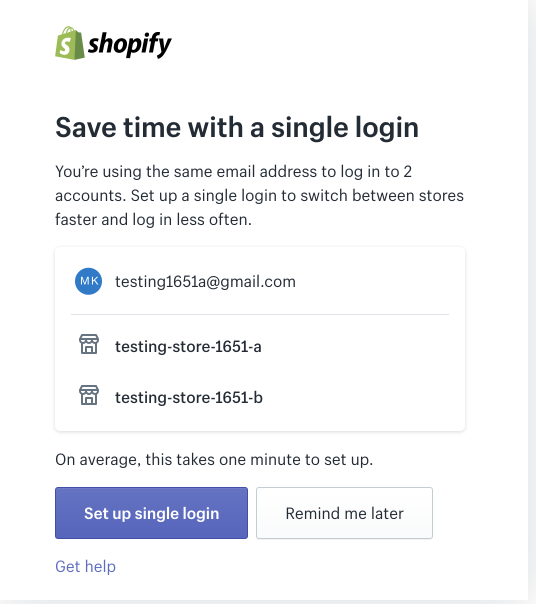
Once created, the new store behaves like any normal Shopify store. It will have its own myshopify.com URL, its own plan, and its own app installation environment. If you use the same email address across stores, Shopify will let you move between them from the store switcher.
That convenience matters more than it sounds. When I test apps across multiple development and live stores, the ability to switch quickly saves a surprising amount of time and reduces mistakes. It also makes staff access cleaner than juggling multiple unrelated logins.
What is the catch with multiple Shopify stores?
The catch is simple: multiple stores do not mean one bill. Every additional store requires its own monthly Shopify subscription, plus separate app subscriptions unless an app offers multi-store pricing.
This is the part merchants often miss when they search for how to make multiple Shopify stores from one account. The account is shared, but the stores are not merged financially or operationally by default. If you run three stores, you are usually paying for three Shopify plans, three app stacks, and potentially three separate operational workflows.
That does not mean it is a bad idea. It just means the business case needs to be strong enough. If the second store helps you target a new region, new customer segment, or new brand identity with clearer positioning, it can absolutely be worth it.
But if you only want different currencies, languages, or domains, you may be better off using Shopify Markets instead of opening another store. I have seen merchants duplicate stores too early, then spend months syncing inventory, maintaining duplicate apps, and keeping content aligned.
When should you create a second Shopify store?
You should create a second Shopify store when you need genuinely separate operations, branding, pricing, or customer experiences. If you only need regional pricing or translated storefronts, one store is often enough.
In my experience, the best reasons to launch another store are usually strategic, not technical. Here are the scenarios where a second store makes the most sense.
- Separate brands with different identities, audiences, and product catalogues
- B2B and B2C separation where pricing, minimum order quantities, and messaging are very different
- Different countries or regions where product assortment, fulfilment, tax setup, or legal requirements vary significantly
- Wholesale, retail, or outlet separation to avoid confusing customers with mixed pricing structures
- Operational separation where different teams or business units need independent control
- Agency or holding company setups where one owner manages several distinct stores
A good example is a merchant selling premium handmade furniture and lower-priced home accessories. Putting both into one shop can weaken the premium brand. A second store can let each range have its own tone, merchandising, and pricing logic.
Another common example is retail versus trade. If your wholesale buyers need net terms, VAT handling, trade-specific collections, and different onboarding, a separate environment can be cleaner. If you are considering that route, it is also worth reading When to Upgrade Your Store to Shopify Plus.
When is one Shopify store better than multiple stores?
One Shopify store is better when your products, fulfilment, and brand are mostly the same and you only need localisation, multi-currency, or market-specific content. In that case, Shopify Markets is usually the cleaner setup.
This is where many merchants can avoid unnecessary cost. Shopify Markets lets you manage international selling from one store with local currencies, domains or subfolders, language support, and market-specific settings. For many brands, that removes the need for separate regional stores entirely.
If your goal is to show different domains to different audiences, you can also assign domains to specific markets and tailor branding for those markets. That is not the same as a fully separate store, but for many use cases it is close enough and much easier to maintain.
I generally suggest one store first if you are testing international demand. Open a second store only when you have proof that the region or segment needs a truly distinct setup. That approach keeps your tech stack lean and makes analytics, SEO, and app management easier.
If your focus is international growth and AI discovery, these may help next: How to Get Your Shopify Store into ChatGPT and How to Optimise Your Shopify Store for AI Shopping Agents.
What is the best option: multiple stores, Shopify Markets, or one store with custom storefronts?
The best option depends on whether you need separate operations or just separate presentation. Multiple stores are best for full separation, Shopify Markets is best for international localisation, and a single store with custom storefront sections is best for lightweight segmentation.
| Option | Best for | Main advantage | Main downside |
|---|---|---|---|
| Multiple Shopify stores | Separate brands, B2B vs B2C, different teams | Full independence for products, checkout, apps, and branding | Higher cost and more admin work |
| Shopify Markets | International selling from one brand | Single backend with local currencies and languages | Less separation than a dedicated store |
| One store with custom landing paths or templates | Microsites, product lines, campaign storefronts | Cheapest and simplest to maintain | Not a true separate store |
I still see merchants trying to force a multi-store solution when what they really need is a better information architecture. If your issue is that customers struggle to browse different categories, then better navigation, collections, and landing pages may solve it without another subscription.
Apps like Shogun and GemPages can help you build distinct storefront experiences inside one store. That approach is often best for small stores that want separate campaign experiences without duplicating everything.
How do I manage multiple Shopify stores efficiently?
To manage multiple Shopify stores efficiently, use the same login email, standardise your app stack, centralise reporting where possible, and only duplicate stores when the commercial upside is clear. The biggest risk is not setup, it is ongoing complexity.
When I work on multi-store setups, I look at operations before design. A second or third store is easy to create. Keeping stock, orders, discounts, analytics, and customer support aligned is the hard part.
How should you handle inventory across multiple stores?
Inventory is usually the first thing that breaks in a multi-store setup. If the same products are sold in more than one store, you need a proper sync layer or ERP.
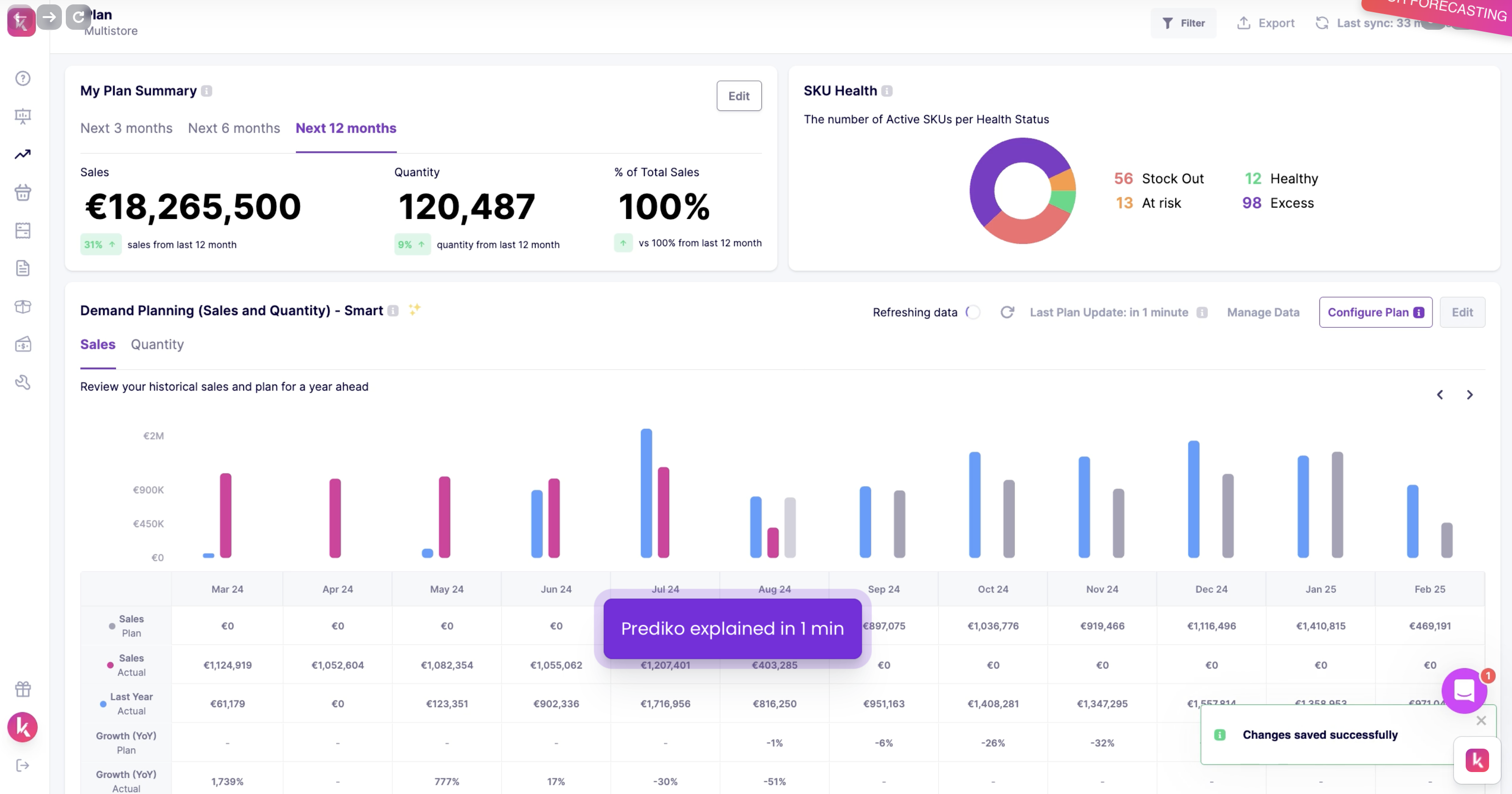
For merchants that need stock syncing, tools such as Multi-Store Inventory Sync, Prediko, and Katana Cloud Inventory are common options. The right choice depends on whether you only need stock sync or also need purchasing, manufacturing, and fulfilment workflows.
If you manufacture or assemble products, Katana tends to make more sense than a basic sync app. If you just need inventory to stay aligned between two storefronts, a lighter sync app may be enough.
How should you handle orders and fulfilment?
Orders should ideally flow into one operational dashboard if your warehouse is shared. That can be done through an ERP, a 3PL integration, or a central order management workflow.
This is especially important if you are running multiple regional stores but shipping from one location. Without centralisation, your team ends up checking each admin separately, which is inefficient and creates fulfilment mistakes.
If you are in a custom order or made-to-order niche, process design matters even more. We covered some of that in How to Track Customized Orders in Shopify and How to Add a Rush Order or Production Option to Your Shopify Store.
How should you handle apps and subscriptions?
Most Shopify apps bill per store, not per login. That means your app costs can multiply quickly as you add stores.
As an app developer, I can tell you this is one of the most overlooked costs in a multi-store strategy. Merchants budget for the extra Shopify subscription but forget that reviews, upsells, bundles, page builders, search, subscriptions, and support apps may all need separate installs.
If increasing average order value is part of the reason you are launching separate stores, compare the economics carefully. Sometimes one stronger store with a better upsell system performs better than two weaker stores. For that, see How to Upsell on Shopify in 2026 and How to Create Shopify Cart Drawer Upsells.
Can Shopify Plus manage multiple stores better?
Yes, Shopify Plus is better for serious multi-store operations because it gives you stronger organisational controls, B2B tools, automation, and more scalable admin management. It is usually the right fit once multi-store complexity becomes a core part of the business.
For smaller merchants, standard Shopify plans are enough to create and run multiple stores. But once you are managing several regions, wholesale and retail, or high-volume operations, Plus becomes much more attractive.
In particular, Shopify Organisations, user permissions, Flow automation, and B2B features can reduce the admin burden. If you are evaluating that step, read When to Upgrade Your Store to Shopify Plus.
| Question | Standard Shopify plans | Shopify Plus |
|---|---|---|
| Can you create multiple stores? | Yes | Yes |
| Separate billing per store? | Yes | Yes, though management is more centralised |
| B2B features | Limited | Much stronger |
| Automation and workflow depth | Basic to moderate | Best for complex operations |
| Best fit | Small to mid-sized merchants | High-growth and multi-entity brands |
Can I use one LLC or company for multiple Shopify stores?
Yes, many merchants run multiple Shopify stores under one LLC or company. The legal structure is separate from Shopify's store structure, although your tax, payment, and compliance setup still needs to be configured properly for each store.
This is a common People Also Ask query, and the practical answer is straightforward. Shopify does not require a separate company for every store. Many brand groups operate several stores under one legal entity.
That said, you should check with your accountant or solicitor if the stores operate in different countries, use different tax registrations, or create liability separation concerns. The ecommerce platform side is only one piece of the picture.
How do I redirect visitors between multiple Shopify stores?
You can redirect visitors between multiple Shopify stores using geolocation apps, market-based domain routing, or manual links between stores. The best method depends on whether you want automatic regional routing or user choice.
If you run separate stores for different countries, geolocation-based routing can help send visitors to the right storefront. You can use Shopify's domain and market settings or dedicated apps such as Shopify Geolocation and Geolocation Redirects Geo:Pro.
Be careful with aggressive auto-redirects, though. They can create SEO issues and frustrate users who want to shop a different region manually. In most cases, I prefer a clear banner or modal that suggests the right store but still lets the visitor choose.
What if I want multiple storefronts on one paid Shopify account?
If you want multiple storefronts on one paid Shopify account without paying for extra stores, your best option is to create storefront-like experiences inside one store. This works for microsites, campaign pages, product line segmentation, or brand-style landing paths.
This is still relevant from the original version of this article, and it is a useful workaround. You can build separate landing page structures, navigation paths, and branded collection pages that feel like mini-stores while still sharing one backend.
For example, you might create:
- A premium collection with its own landing pages and design style
- A trade portal area with distinct navigation
- A seasonal microsite for gifting or launches
- Separate domains that point to specific pages or markets
Page builder apps such as Shogun and GemPages can help here, but a good theme and clear collection architecture can often do most of the work without extra complexity.
What are the biggest mistakes to avoid with multiple Shopify stores?
The biggest mistakes are creating extra stores too early, underestimating app costs, and failing to plan inventory and fulfilment. Multi-store setups work well when the business model demands them, not when they are used as a shortcut for poor store structure.
- Launching a second store before validating demand
- Duplicating products and content without a sync process
- Ignoring SEO cannibalisation between stores targeting the same audience
- Forgetting app costs multiply per store
- Using separate stores when Shopify Markets would be enough
- Not planning customer support workflows across stores
SEO is especially worth mentioning. If two stores target the same country and same products with near-identical content, you can end up competing with yourself in search. If AI search visibility matters to you, structured differentiation is even more important now than it was two years ago.
For related reading, I would look at The Hidden Truth About Shopify Speed Optimisation Scams if you are considering duplicate-theme builds, because performance issues often multiply with store sprawl.
So, what is the best way to make multiple Shopify stores from one account?
The best way is to use one Shopify login with multiple stores attached, but only create extra stores when you need real separation in branding, operations, or market strategy. If you just need localisation, use Shopify Markets first.
If I were advising a merchant today, I would use this decision framework:
- If you need different brands or business models, create separate stores.
- If you need different countries, currencies, or languages, test Shopify Markets first.
- If you need campaign-style storefront variation, build it inside one store.
- If stock is shared, plan your inventory sync before launch.
- If you are scaling beyond a simple setup, assess whether Shopify Plus is justified.
That is the practical answer behind the keyword. Yes, Shopify lets you create multiple stores from one account. But the real win is choosing the structure that keeps your business profitable, manageable, and easy to scale.
If you are building out multiple stores and want to improve monetisation within each one, you might also like How to Maximize Revenue from Your Shopify Product Pages and How to Cross-Sell Matching Variants.