
Holiday closures do not have to mean a dead storefront. The best approach for most Shopify stores is to keep taking orders, adjust shipping expectations, and repeat that message everywhere customers look.
In my experience building Shopify apps for merchants, the stores that handle Christmas and bank holidays well are not the ones that shut everything down. They are the ones that communicate clearly, protect operations, and reframe the offer so customers still feel confident buying.
This is exactly the thinking behind my Holiday & Office Closures module. Instead of forcing a blunt on-or-off decision, I built it around a more practical reality: sometimes your warehouse is closed, your team is off, or your carrier network is slower, but you still want to preserve conversion, capture demand, and avoid support chaos.
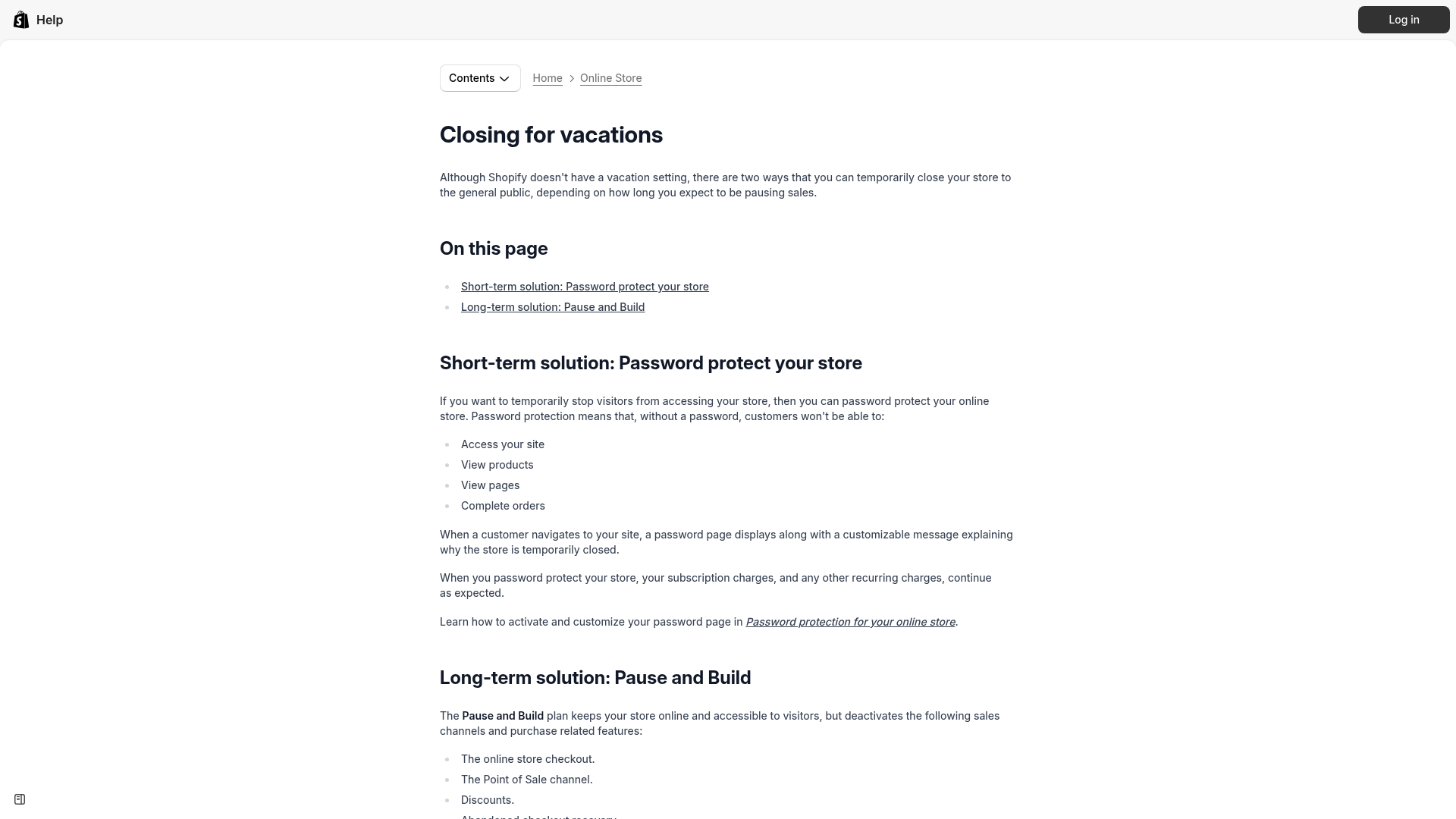
Does Shopify have a holiday mode?
No, Shopify does not have a built-in holiday mode. If you want to pause or limit holiday trading, you need to combine storefront messaging, shipping updates, and in some cases password protection or plan changes.
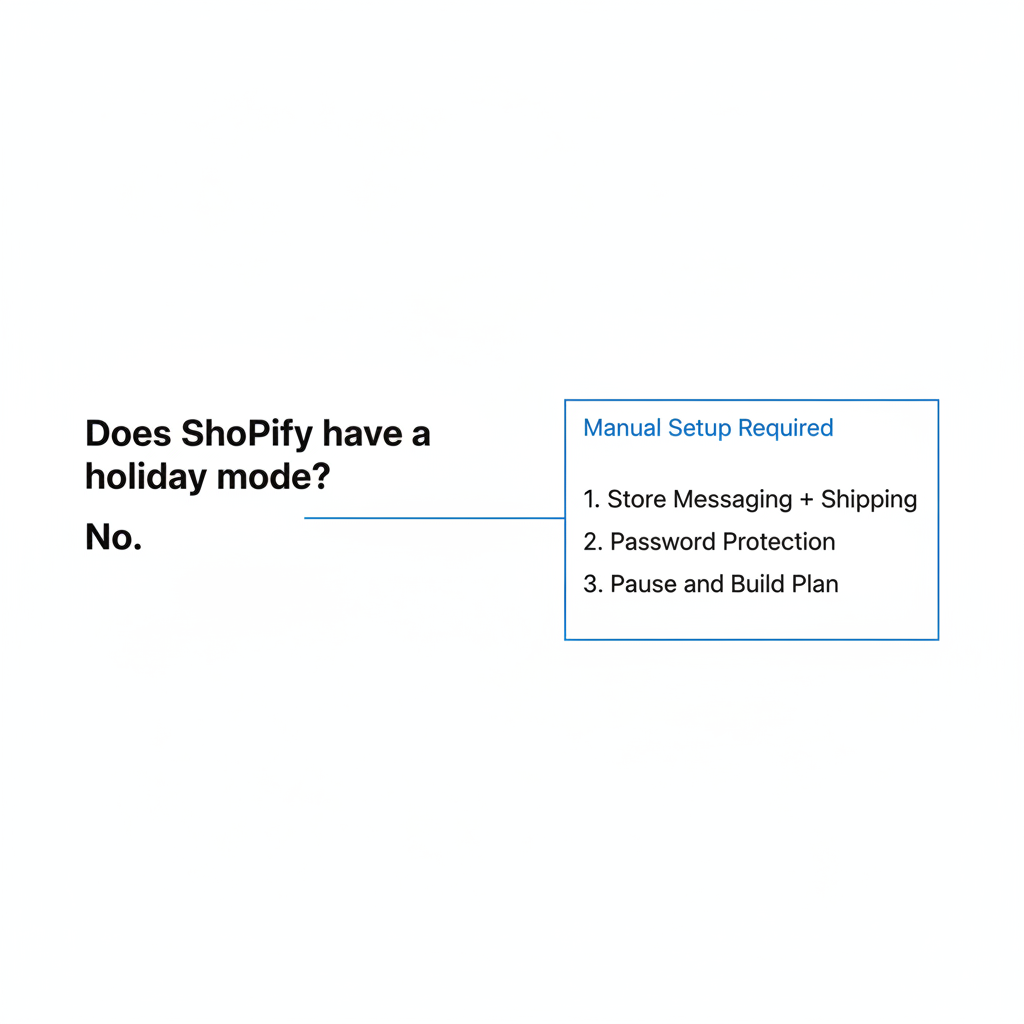
Shopify officially suggests either password protecting your store for a short closure or using Pause and Build for a longer stop. That works if you truly cannot accept orders. But for most merchants, going fully dark is too expensive because it stops new customer acquisition, kills ongoing conversion, and often creates a bigger restart problem later.
If you are deciding between full closure and staying live, I would start with a simpler question: Can you still accept money honestly if fulfillment is delayed? If the answer is yes, then you usually should keep the store open and make the delay impossible to miss.
If you need a broader shutdown strategy, I also covered the more general store pause options in How to Set Vacation Mode for Your Shopify Store in 2026.
What is the best holiday closure model for a Shopify store?
The best holiday closure model for most Shopify stores is open for orders, delayed shipping. It protects revenue while giving you room to slow or pause fulfillment during Christmas, bank holidays, or warehouse shutdowns.
I usually think about closures in three models. Picking one early avoids panic changes in the final week before Christmas.
| Closure model | How it works | Best for | Conversion impact |
|---|---|---|---|
| Open for orders, delayed shipping | Checkout stays live, dispatch dates move back | Most DTC brands, small teams, seasonal stores | Lowest impact |
| Partially restricted | Only some SKUs or collections show delayed dispatch | Mixed catalogs, made-to-order brands, multi-warehouse setups | Low to moderate |
| Fully closed | Password protect store or pause selling entirely | Relocations, major stock counts, true operational shutdowns | Highest impact |
Open for orders, delayed shipping is my default recommendation. It is the cleanest balance between honesty and revenue. Customers are often happy to wait if the message is clear and the product is still worth buying.
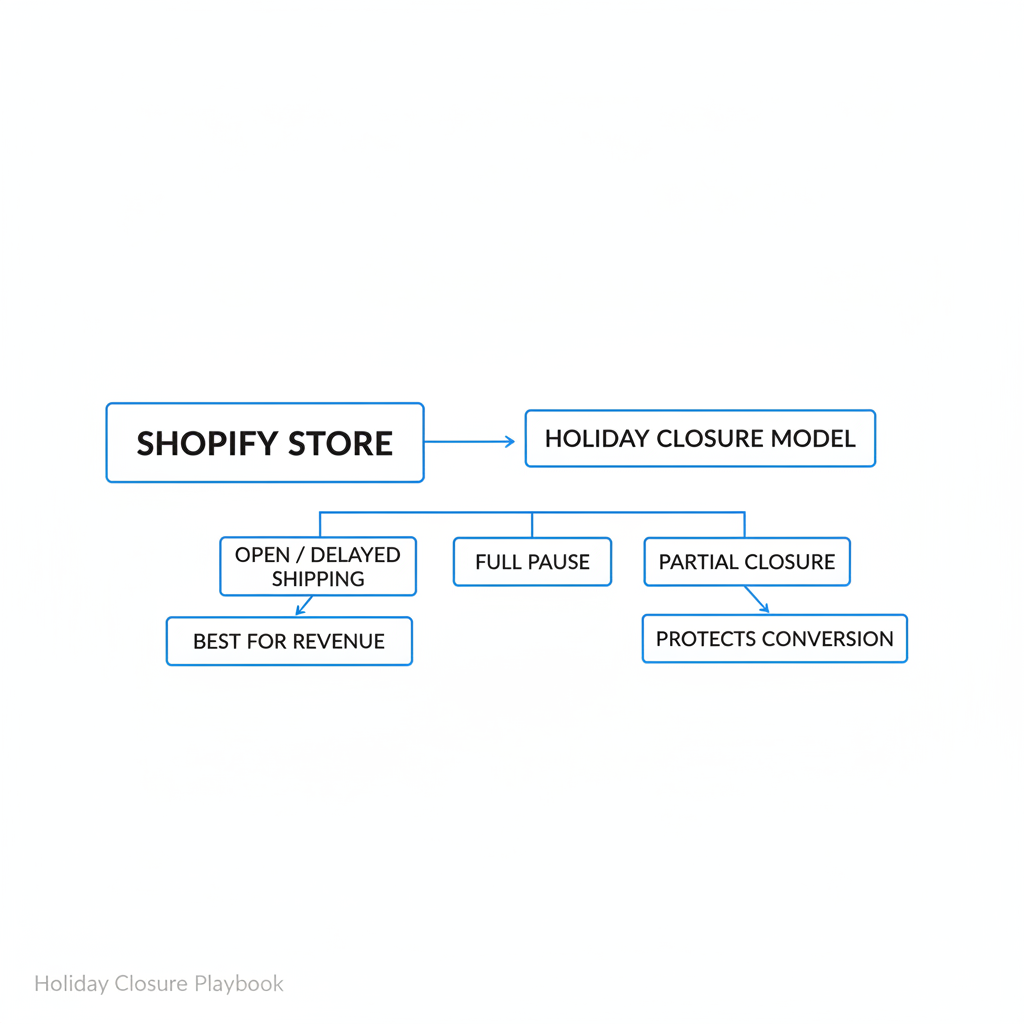
Partially restricted works well when only some products are affected. For example, your gift cards and digital products can stay instant, your stocked bestsellers can ship normally, and your made-to-order products can display a later dispatch date.
Fully closed should be the exception. I only recommend it when there is a genuine inability to fulfill, such as a warehouse move, a compliance issue, or a complete team shutdown with no support coverage.
How do I plan Christmas, bank holidays, and warehouse closures in advance?
The simplest way to plan holiday closures is to treat them like a sales calendar, not an operations footnote. Build the dates early, decide your cutoff rules, and prepare the messaging before traffic spikes.
Most merchants leave this too late. In practice, 4 to 6 weeks of planning is enough for recurring closures like Christmas, New Year, Easter, national bank holidays, and annual stock counts.
- List every closure date that affects fulfillment, support, or carriers.
- Confirm warehouse and 3PL schedules, including last pick day and first reopen day.
- Check carrier blackout dates and reduced-service periods.
- Set shipping cutoffs by region and method.
- Draft all customer-facing messages before the rush starts.
For Christmas, my evergreen planning window looks like this:
| Timing | What to do |
|---|---|
| 6 weeks before | Review last year's order volume, delays, cancellations, and support tickets |
| 4 weeks before | Publish holiday shipping page, confirm carrier dates, prep emails and banners |
| 2 weeks before | Tighten SLAs, increase urgency messaging, monitor stock and support load |
| 1 week before | Switch copy from pre-Christmas delivery promises to post-closure shipping dates |
| Post-Christmas | Move into gift cards, self-gifting, returns, and clearance campaigns |
If you are also preparing for peak season more broadly, my guide on getting your Shopify store ready for BFCM pairs nicely with this. BFCM and Christmas planning overlap more than most merchants realize.
How do I set holiday shipping cutoffs without overpromising?
The safest way to set holiday cutoffs is to use last year's data and add buffer days. A missed Christmas delivery hurts trust far more than a slightly conservative estimate.
When I test stores and review support logs, the biggest holiday problem is almost always the same: the store promised too much, too late. Overpromising destroys confidence, increases cancellations, and creates a wave of "Where is my order?" tickets that your team cannot handle during a closure.
Here is the process I recommend:
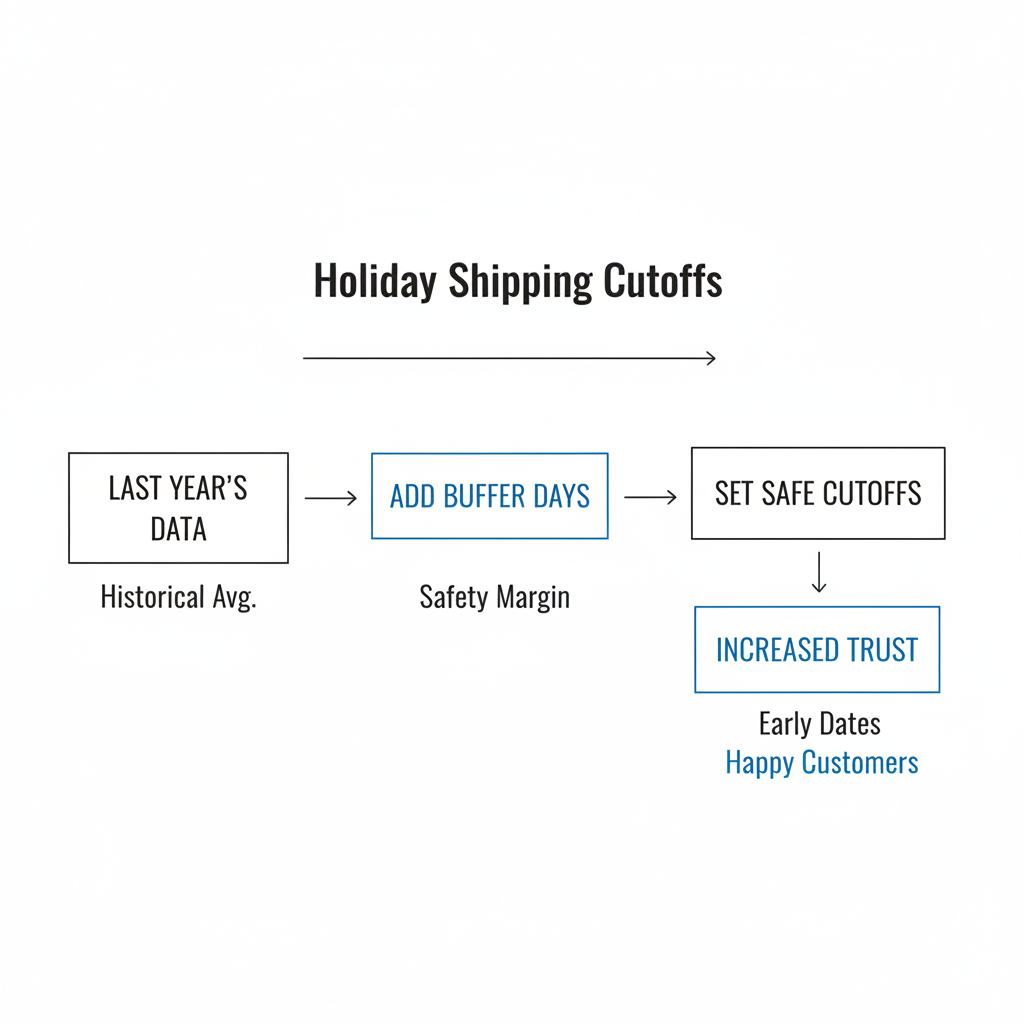
- Find last year's latest reliable dispatch date for each shipping method.
- Add 1 to 2 extra days of buffer for carrier volatility, weather, and warehouse load.
- Separate by region because domestic and international cutoffs are rarely the same.
- Update the messaging the moment a cutoff passes.
A simple example:
- Standard domestic: Order by Dec 15
- Express domestic: Order by Dec 20
- International: Order by Dec 5 to Dec 10 depending on destination
The key is what happens after the cutoff passes. Do not leave the old promise live. Switch the message immediately to something like "Orders placed now ship from Dec 27" or "May arrive after Christmas".
If your store uses urgency tools, this is also the moment to clean them up. A countdown timer that still implies fast delivery after your warehouse has closed is worse than having no timer at all. If you want to handle urgency properly, see my guide to the best countdown timer apps for Shopify.
Where should I show holiday closure messages on my Shopify store?
You should show holiday closure messages in at least four places: announcement bar, product page, cart, and order emails. One banner alone is not enough.
This is one of the biggest lessons I have learned building apps in the Shopify ecosystem. Merchants often add a top bar and assume the job is done. But customers enter on product pages, collection pages, ads, and direct checkout links. Your message has to travel with the buying journey.
How should the announcement bar work?
The announcement bar should give the core status in one line and link to more detail. It is your highest-visibility message and should be active sitewide.
Good example: "Holiday shipping update: Orders placed now ship from Jan 3. More info." Bad example: "Festive season notice" with no actual shipping information.
What should I show on product pages?
Product pages should answer the shipping question next to the buy action. If the customer is deciding whether to add to cart, that is where the dispatch message matters most.
For impacted products, show a badge or short line near the Add to Cart button. Something like "Made to order - production resumes Jan 3" or "Holiday closure - ships after Dec 27" works well because it is specific and hard to misunderstand.
What belongs in the cart and checkout?
The cart should restate the delay before the customer pays. At checkout, shipping method labels and descriptions should reflect reality.
You can update cart messaging in your theme and adjust checkout wording using Shopify's language settings where available. If you are working on a broader checkout experience, my Shopify checkout guide covers the practical pieces in more depth.
What should order confirmation emails say?
Order confirmation emails should repeat the exact closure window and expected dispatch timing. This reduces support tickets because customers can find the answer in their inbox.
A strong confirmation line is: "Thanks for your order. Due to our holiday closure, orders placed between Dec 23 and Dec 26 will ship from Dec 27." That one sentence can save your support team hours.
How do I keep conversion up when the warehouse is closed?
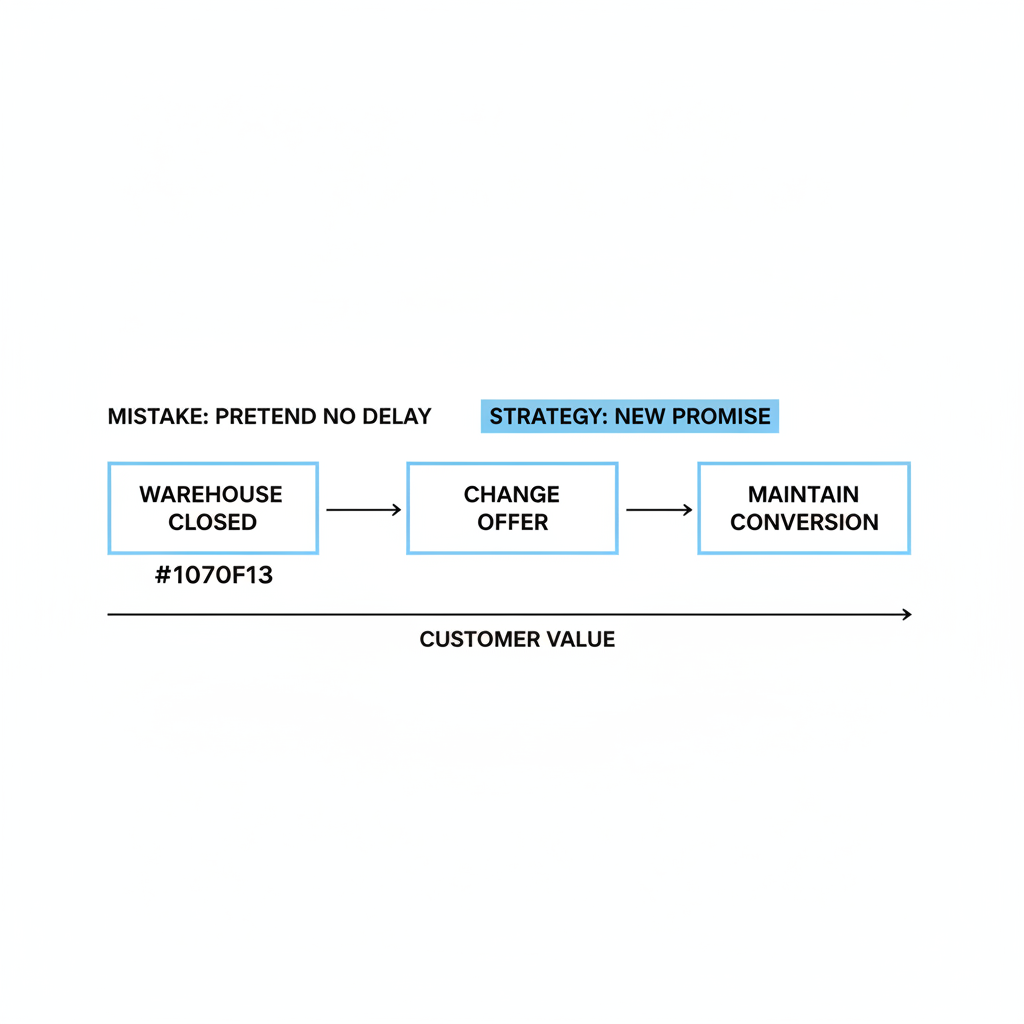
You keep conversion up during a closure by changing the offer, not by pretending nothing is delayed. Customers will still buy if the product, timing, and value are framed properly.
This is where many stores make a costly mistake. They think the only options are "business as usual" or "we're closed." In reality, there is a middle ground where you keep selling with a different promise.
Should I keep selling during a warehouse shutdown?
Yes, if you can fulfill later and communicate honestly. Delayed shipping is usually better than a full stop.
For many brands, especially DTC stores with strong product-market fit, customers are willing to wait a few extra days. In my experience, the conversion drop from delayed dispatch is often far smaller than the revenue loss from closing the store entirely.
What products convert best during holiday closures?
Gift cards, digital products, and low-ops offers convert best when physical fulfillment is paused. They let you keep revenue flowing without pressuring your warehouse.
Gift cards are especially valuable around Christmas week and bank holidays. They are instant, operationally simple, and often lead to higher final order values when redeemed. If gift cards are part of your strategy, my guide on how best to sell gift cards on Shopify is worth reading.
What should I promote after Christmas?
Post-Christmas is not downtime. It is a strong window for self-gifting, gift card redemption, and clearance.
Research shows a large share of holiday shoppers continue buying between Dec 26 and Jan 1. I have seen this firsthand in merchant dashboards. Traffic does not disappear after Christmas Day, it changes intent. Customers shift from gift urgency to self-purchase, spending gift cards, and looking for deals.
That means your messaging should change too. Instead of "Last chance for Christmas delivery," switch to copy like "Treat yourself", "Use your gift card", or "Orders ship when our warehouse reopens on Jan 3".
How can I limit operational overload without closing the store?
The best way to protect operations is to use capacity controls, blocked dates, and realistic handling times. These tools are far better than a panic shutdown.
This is a big part of why I built the Holiday & Office Closures module the way I did. Merchants often do not need a full closure. They need controlled intake.
What are capacity controls?
Capacity controls limit how much you promise, not whether you can sell at all. They help you avoid accepting more holiday demand than your team can fulfill.
For example, if your warehouse can comfortably process 800 picks per day before Christmas, then once you hit that threshold you should stop promising pre-Christmas delivery. Orders can still come in, but they should automatically shift to a later dispatch message.
Why are blocked dates useful?
Blocked dates make non-working days explicit. They are ideal for public holidays, warehouse stock counts, and company shutdown days.
A simple message like "No dispatch Dec 24 to Dec 26. Orders ship from Dec 27" prevents confusion. It is far better than leaving customers to guess why tracking has not updated.
Should I add buffer handling time?
Yes. Adding handling time around peak periods is one of the easiest ways to avoid broken promises.
Most merchants are too optimistic about holiday throughput. In every peak season, something slips: carrier scans, staff sickness, weather, stock transfers, or support delays. A small handling buffer protects your brand.
What should my holiday closure page include?
Your holiday closure page should answer who is affected, what dates matter, when orders ship, and how support works. Think of it as the source of truth for the entire season.
I recommend creating a dedicated page called something like Holiday Shipping & Warehouse Closures. Link to it from your announcement bar, product notices, footer, and email campaigns.
- Order cutoff dates by region and shipping method
- Warehouse closure dates
- Support response times
- Which products are affected
- Gift card and digital product availability
- Returns and exchange policy extensions
This page also helps SEO and customer support. Instead of answering the same questions manually, your team can point customers to a single up-to-date reference.
How should I handle returns and exchanges after the holidays?
The best post-holiday returns strategy is to extend the window, communicate it clearly, and use store credit where appropriate. Returns are unavoidable, but they do not have to become pure margin loss.
Ecommerce holiday returns can reach 20 to 30 percent of December sales. That is one reason I always tell merchants to plan returns at the same time they plan Christmas shipping. If you wait until January, you are already behind.
A practical setup looks like this:
- Extend the return window for holiday purchases, such as orders placed from Nov 1 to Dec 24 returnable until Jan 31
- State the policy clearly on product pages and in order emails
- Offer store credit incentives where legally appropriate, such as 110% store credit instead of a cash refund
- Trigger recommendation emails after returns are processed
That final point matters. The post-return journey is often ignored, but it is a strong retention opportunity. If a customer returns one item and immediately gets relevant alternatives, you can recover a surprising amount of revenue.
If your margins are under pressure after the holiday rush, you may also want to review my piece on how to recession proof your Shopify store. The same discipline around offer framing and margin protection applies here.
How does my Holiday and Office Closures module fit this playbook?
The Holiday & Office Closures module is designed to help merchants stay open intelligently instead of closing blindly. It turns closure planning into a repeatable system.
When I built it, I wanted something more useful than a generic banner. The goal was to help merchants control what customers see, when they see it, and how expectations change across the storefront.
At a practical level, the module is built around four jobs:
| Module area | What it handles |
|---|---|
| Configuration | Closure dates, affected products, messaging windows, and order acceptance model |
| Storefront messaging | Announcement bars, product notices, cart messages, and closure page content |
| Operational controls | Blocked dates, delayed dispatch messaging, and capacity-friendly scheduling logic |
| Marketing continuity | Pre-closure urgency, post-closure self-gifting, and gift card-friendly messaging |
The result is a setup that works for Christmas, bank holidays, summer breaks, and warehouse shutdowns. It is evergreen because the core customer question never changes: Can I still order, and when will it ship?
What is my recommended holiday closure checklist for Shopify merchants?
The best holiday closure checklist is simple: decide the model, set cutoffs, update messaging, protect operations, and measure the outcome. If you do those five things well, you will handle most closure periods cleanly.
Here is the checklist I would use for any Shopify store:
- Choose your closure model - open with delays, partial restrictions, or full closure
- Confirm warehouse and carrier dates
- Set shipping cutoffs with buffer
- Create a holiday shipping page
- Update announcement bar, product pages, cart, checkout, and emails
- Promote gift cards and low-ops offers
- Pause misleading ad creative once fast shipping is no longer realistic
- Extend returns policy for holiday orders
- Monitor support tickets and cancellation reasons
- Review performance after reopening
If you are launching a new store and want to make sure these basics are covered from day one, my complete Shopify store launch checklist is a useful companion resource.
The biggest takeaway is this: do not go dark unless you absolutely have to. For most Shopify brands, the winning move is to pause speed, not sales. If you communicate early, repeat the message clearly, and use the right closure tools, you can protect both customer trust and conversion through Christmas, bank holidays, and warehouse downtime.