

Boosting your Shopify store’s visibility can feel like a challenge, but showcasing featured products is a game-changer. Highlighting select items not only draws attention but also drives sales by guiding customers to your best offerings.
You don’t need to be a tech wizard to make this happen. With Shopify’s user-friendly interface, adding featured products is straightforward. Whether you’re promoting new arrivals, best-sellers, or seasonal favorites, this guide will walk you through the steps to make your store stand out.
What are Featured Products on Shopify?
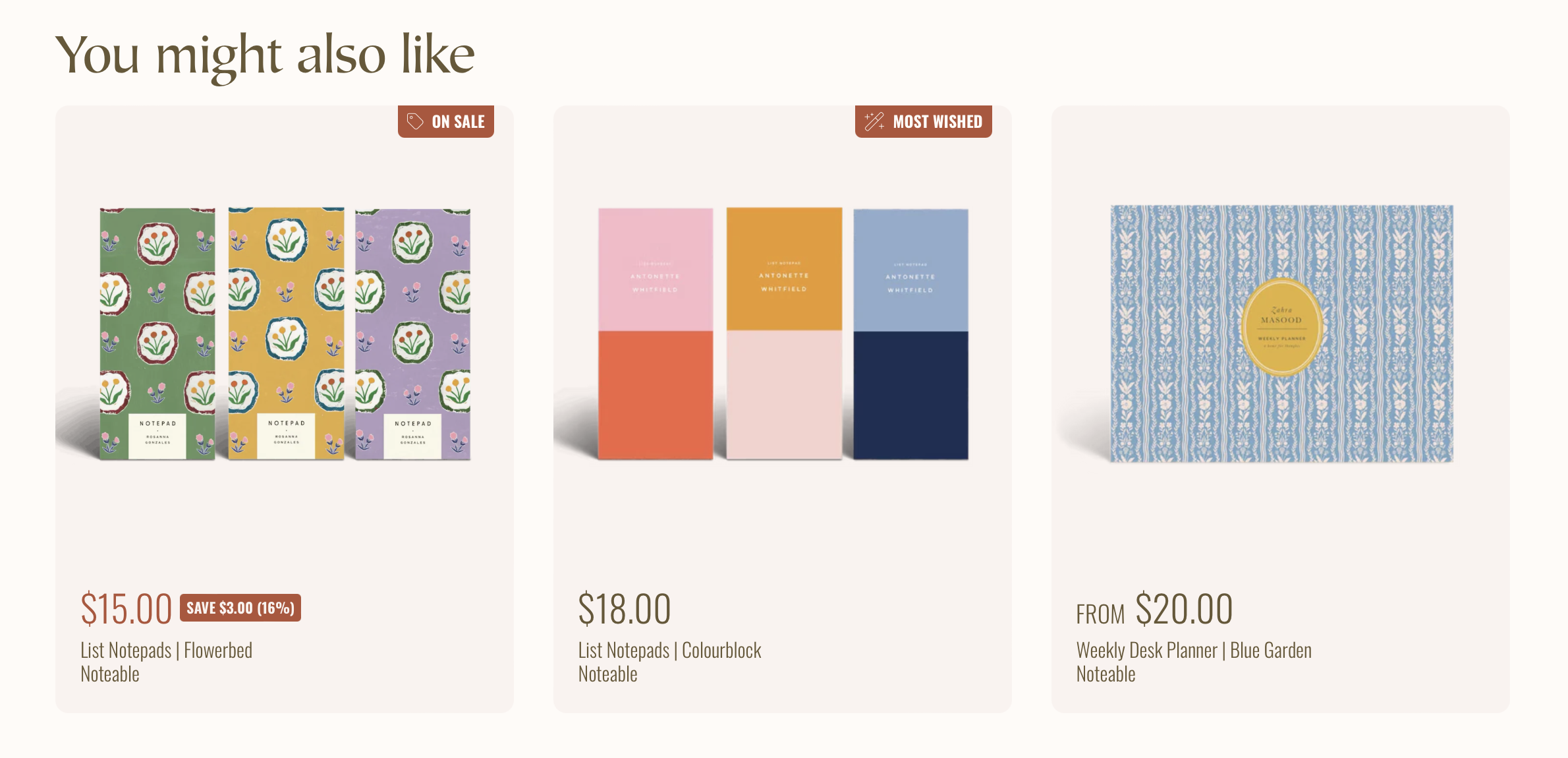
Featured products on Shopify are specific items you highlight to capture customer attention and promote sales. They can be displayed prominently on your homepage, product pages, checkout pages, or other key areas of your store. By showcasing these items, you direct visitors toward products you want to prioritize, whether they’re new arrivals, best-sellers, or seasonal favorites.
You can curate featured products based on different criteria, such as inventory levels, profit margins, or marketing campaigns. These items often include high-quality images, compelling descriptions, and calls to action, making them more appealing to potential buyers.
Placement is key for featured products. Common areas include the homepage, sidebar, product pages, checkout pages, or a dedicated featured section on category pages. Effective positioning increases visibility and engagement, turning casual browsers into buyers. Strategic placement above the fold on your homepage ensures maximum visibility for visitors.
What are the benefits of Featured Products on Shopify?
Featuring products on Shopify provides several benefits for your store, enhancing visibility, engagement, and sales. Here’s a closer look:
Increased Visibility
Highlighted products catch customer attention, making them more likely to notice your offers. This can drive traffic to high-priority items like new arrivals and best-sellers, increasing the chances that visitors will explore more of your catalog.
Enhanced Customer Engagement
Showcased products keep customers engaged by highlighting what’s new, popular, or seasonal. Leveraging high-quality images and compelling descriptions can captivate visitors and encourage exploration, creating a more memorable shopping experience.
Higher Conversion Rates
Strategically featured products can lead to higher conversion rates. By directing customers to items with higher profit margins or those you need to sell quickly, you can optimize sales outcomes. Studies show that if your Shopify store achieves conversion rates above 3.2%, you’re among the top 20% of stores, and above 4.7% places you in the top 10%.
Better User Experience
Curating products based on trends and customer preferences improves the shopping experience. By offering personalized recommendations, you cater to individual needs, increasing satisfaction and loyalty. Featured products help customers quickly find what they’re looking for without extensive browsing.
Streamlined Inventory Management
Featuring products helps with managing inventory. Highlighting overstocked or seasonal items can help clear inventory faster, reducing holding costs and maximizing profit.
Effective Marketing Strategy
Featured products are a key element of your marketing strategy. They align with promotional campaigns and seasonal trends, ensuring that your store stays relevant and competitive. You can also showcase featured products beyond your store through paid ads, email campaigns, and social media posts.
How to Add Featured Products on Shopify?
Step 1: Select a Collection or Create a New Featured Products Collection
Choose the “Products” tab on the left sidebar to get started. Click “Collections” next. Then, press the “Create collection” button on your Shopify store.
Step 2: Customize Your Theme
Click “Online Store” on the left sidebar and then “Themes” to start customizing your store theme. From here, click “Customize” to access the Shopify Theme Editor where you can add featured product sections to your pages.
How to add featured products on a product page
Adding featured products on a product page can help increase visibility and drive sales. Follow these steps to add featured products effectively:
-
Access Shopify
Log in to your Shopify admin. Navigate to Online Store > Themes > Customize -
Modify Template
Select the product template you wish to modify -
Add Featured Products Section
Click “Add Section” and select “Featured Products.” Drag and drop this section where you want it displayed on the product page. -
Select Featured Products
Choose the collection you’ve already created for featured products. If you haven’t created one, you can do that through “Collections” in your Shopify admin. -
Customize Appearance
Adjust the settings to align with your store’s theme. Opt for options like grid or carousel display and the number of products to show. -
Save Changes
Click “Save” at the top right corner of the admin to apply the changes. -
Preview and Publish
Preview the changes on the product page. Once satisfied, publish the changes so customers can see the featured products.
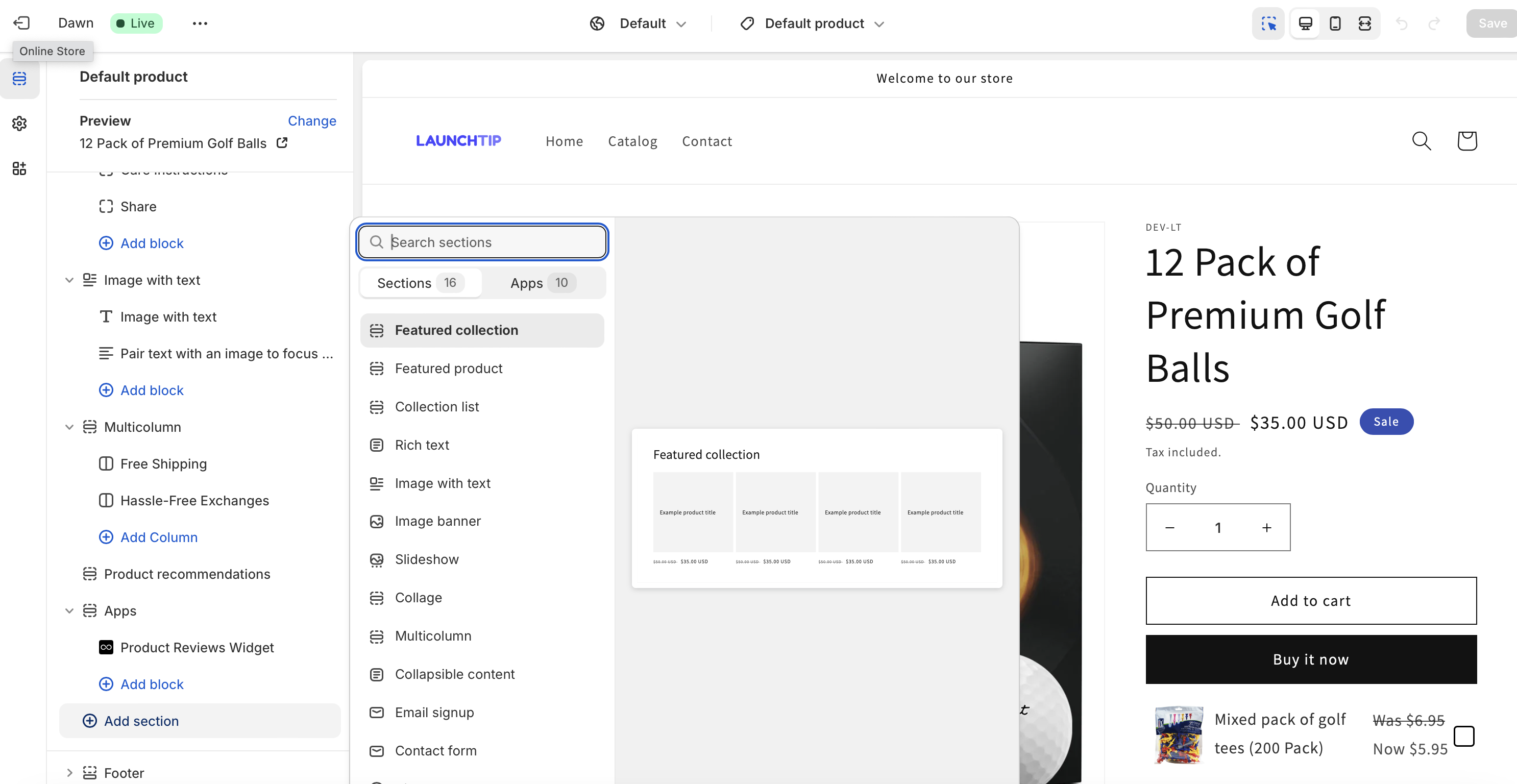
Example of Featured Products Integration
Examples help visualize the setup. Consider featuring new arrivals, like seasonal clothing or trending electronics, to captivate customers. Use high-quality images and concise descriptions to make products more appealing. Research shows that 75% of consumers find product images to be the most important part of a product page.
- Ensure featured products remain relevant by updating the collection regularly.
- Use analytics to track the performance of featured products and adjust accordingly.
- Keep the interface user-friendly to enhance the shopping experience.
- Test different layouts and placements using A/B testing to optimize conversion rates.
By following these steps, you will effectively add featured products on your Shopify product pages, boosting both engagement and conversions.
Show dynamic featured products
Enhancing your Shopify store with dynamic featured products is a strategic way to boost customer engagement and drive sales. Utilizing apps like SellUp can transform your product pages by seamlessly integrating cross-sells, upsells, and add-ons, providing tailored recommendations that enhance the shopping experience.
SellUp, for instance, analyzes customer behavior and surfaces products that are most likely to appeal to each visitor. By showcasing related items or complementary products directly on your product pages, you can increase the average order value and help customers discover more of your catalog.
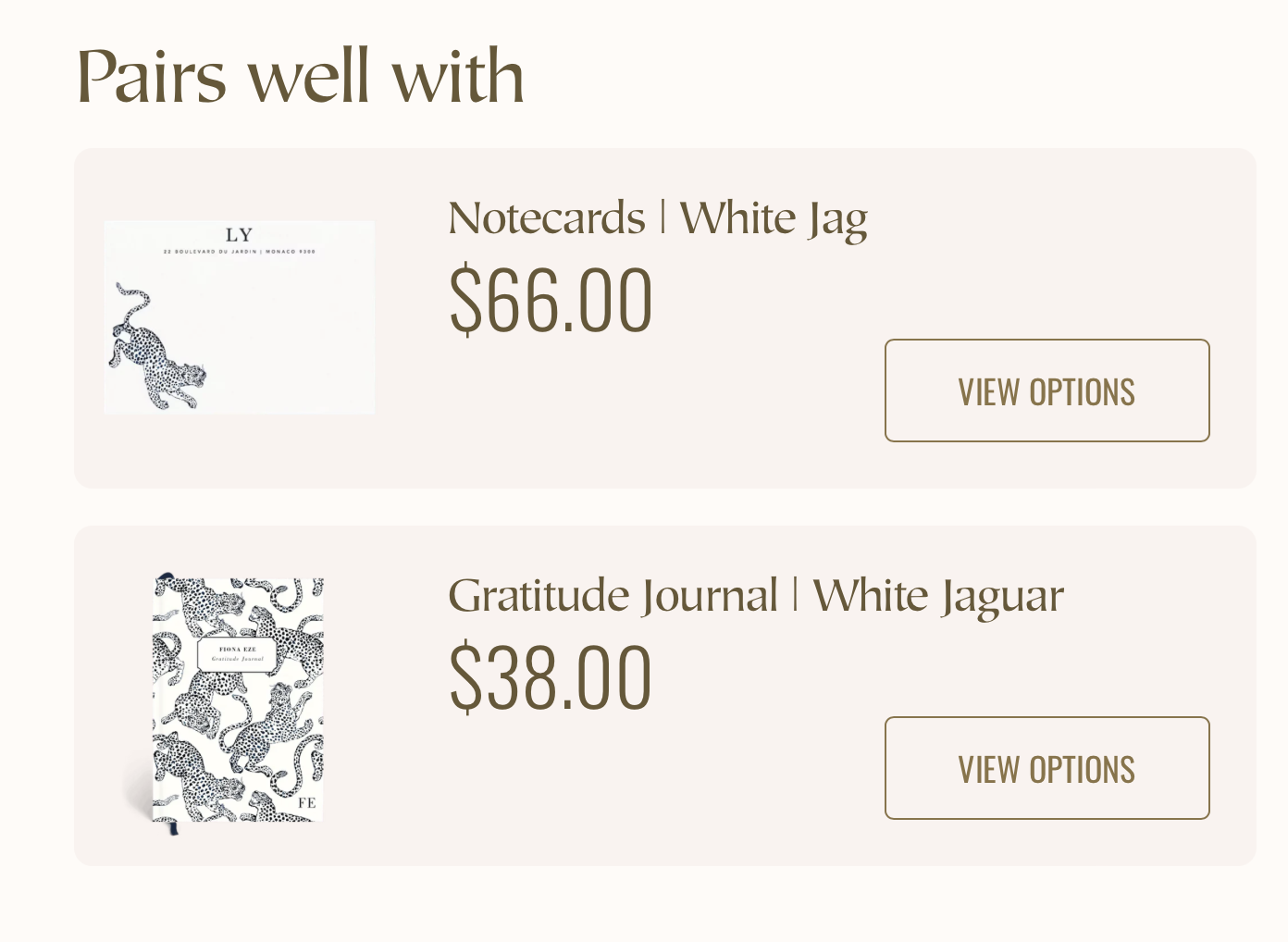
Dynamic featured products also shine on the cart page, where customers are already in a buying mindset. Integrating an app like SellUp allows you to present last-minute recommendations just before checkout, capitalizing on impulse purchases. This not only boosts your sales but also ensures that customers find additional items that enhance their primary purchase.
With minimal setup, these intelligent recommendations can be customized to match your store’s branding, ensuring a seamless and professional look. By leveraging these tools, you create a more personalized and efficient shopping experience that can significantly increase your average order value.
Conclusion
Showcasing featured products on your Shopify store significantly enhances visibility and drives sales. Leveraging various collections ensures regular updates and relevance. Strategically placing featured products on different sections of your site, such as the homepage, sidebar, product pages, checkout pages, and category pages, boosts customer engagement and conversion rates.
Remember to regularly update your featured products and track analytics to ensure you’re maximizing their potential. Customizing the appearance and maintaining a user-friendly interface are key to keeping your store attractive and easy to navigate. Consider using carousel or grid layouts to display featured products without overwhelming visitors.
With these steps and best practices, you’ll effectively leverage featured products to create a more engaging shopping experience and drive your Shopify store’s success in 2025 and beyond.