

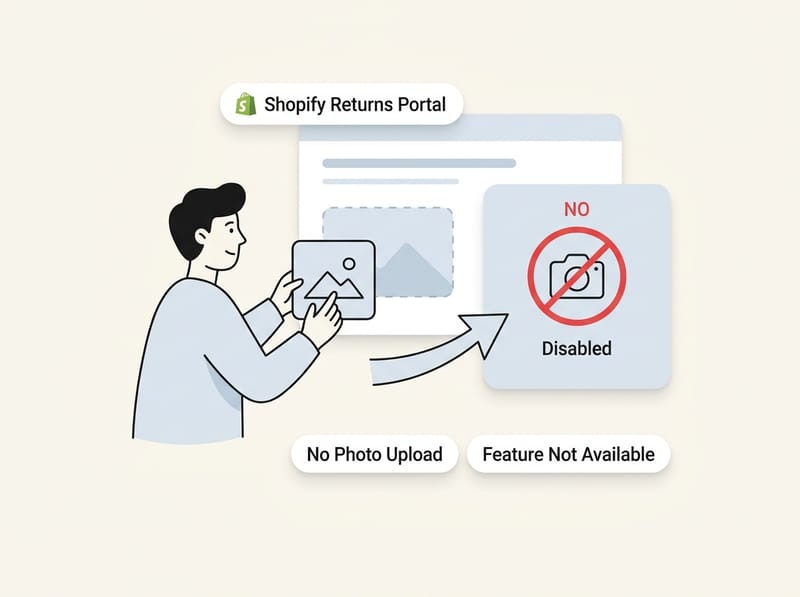
Shopify's native self-serve returns portal does not support photo uploads for returns. As of September 2026, customers can select an item, choose a reason, and add a note, but they cannot attach an image or file to the native request. To collect visual evidence, you must combine Shopify returns with an email workflow, a separate evidence-capture tool such as VerifiedReturn, a third-party returns app, or a custom solution.
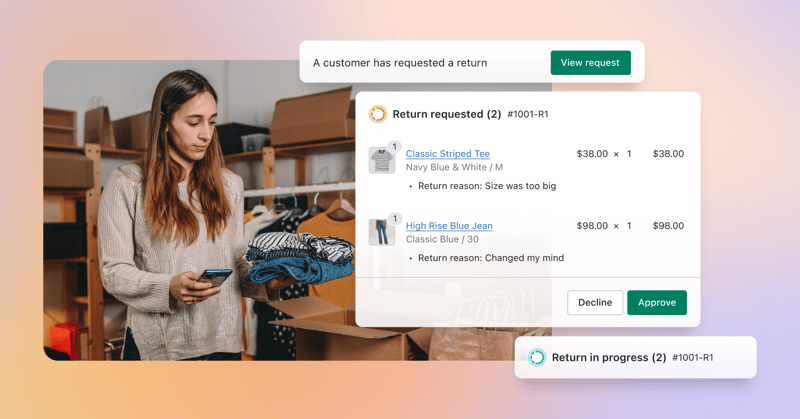
In my experience building Shopify apps, this limitation matters most for damaged, defective, wrong-item, warranty, and returnless-refund claims. The return request reaches Shopify, but the evidence often ends up in a separate email thread, creating extra work and a weaker audit trail.
Can customers upload photos through native Shopify returns?
No, customers cannot upload photos or files through Shopify's native self-serve return form. The native flow records the selected products, return reason, and customer note, but it does not provide an attachment field.
This applies to self-serve return requests initiated through customer accounts and related native Shopify experiences. Shopify's documentation explains how merchants can create and manage returns and exchanges, send return instructions, add labels, and process refunds. However, those tools do not give the buyer a photo-upload control when submitting the request.
The limitation is also documented in a Shopify Community discussion about image uploads for return requests. A theme edit cannot simply add a functional upload field to the hosted native form, and an app cannot inject an attachment control directly into that existing native request interface.
| Return function | Available natively? | What it does |
|---|---|---|
| Choose returned items | Yes | Lets the customer select eligible fulfilled products. |
| Select a return reason | Yes | Records a structured reason such as damaged or unwanted. |
| Add a written note | Yes | Collects a text explanation from the customer. |
| Upload an image or file | No | Requires email, a separate portal, an evidence-capture link, or custom development. |
| Approve or decline a request | Yes | Allows staff to review and manage the return in Shopify Admin. |
| Issue a label or refund | Yes | Supports the operational return and refund process. |
How can I request photos while keeping native Shopify returns?
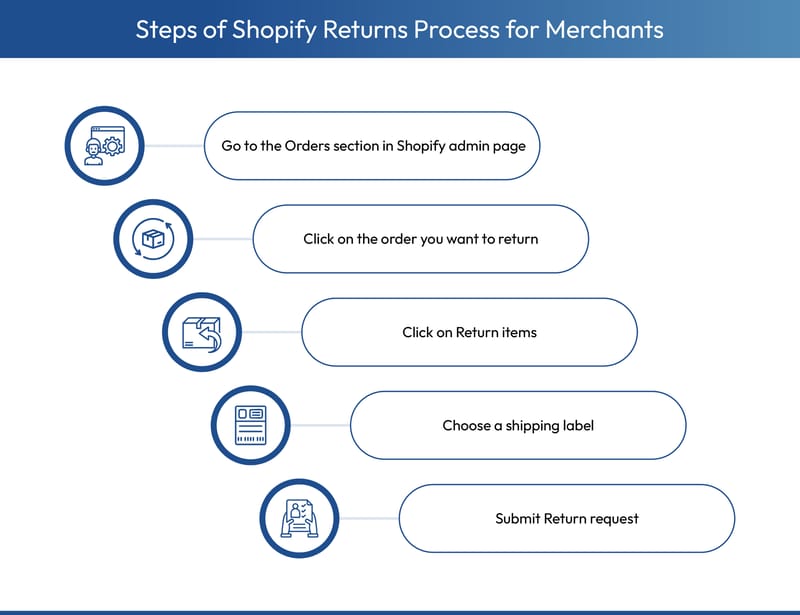
The best approach is to keep Shopify as the system for the return request and add a separate photo-collection step before approval. Place a photo-request link in your return instructions, notification email, support reply, or help center so the evidence can be associated with the order or return reference.
This is an important distinction. You are not adding an upload field to the native Shopify form. You are creating a connected workflow in which Shopify records the request and another controlled step collects the images.
- Enable Shopify's self-serve return functionality for eligible customer accounts.
- Define which return reasons require photos, such as damaged, defective, incorrect, or incomplete items.
- Add clear photo instructions to your returns policy and customer-facing return instructions.
- Send the customer to an evidence-capture link after the native request is submitted.
- Ask the customer to enter an order number, email address, or RMA reference.
- Review the images before approving a refund, exchange, replacement, or returnless refund.
- Record the decision and any useful evidence reference in the Shopify order timeline or internal notes.
Where should the photo request appear?
The photo request should appear before the customer submits a claim and immediately after submission. Repeating the requirement in both places reduces surprise and gives the customer a clear next action.
I recommend placing instructions in the following locations:
- Your refund and return policy page
- The instructions shown before a self-serve request is submitted
- The return confirmation or follow-up email
- A customer support macro for damage and defect claims
- The order status or customer account area, if you have a suitable extension or custom component
Do not hide the requirement deep inside a general policy. Use a direct sentence such as, “For damaged, defective, or incorrect items, we require current photos before approving the request.” Then explain exactly how the customer should provide them.
What information should the customer submit with the photos?
Ask for enough information to match the evidence to the return without creating an unnecessarily long form. An order number, customer email, affected item, return reason, and two or three relevant photos are usually enough.
- Order number or RMA reference
- Email address used for the order
- Product and variant affected
- One photo showing the entire item
- One close-up showing the damage or defect
- One photo of the packaging or shipping label when transit damage is alleged
- A short written description of the problem
Keep the requirements proportional to the claim. A simple size exchange should not require the same evidence as a high-value electronics damage claim.
How does VerifiedReturn fill Shopify's photo-upload gap?
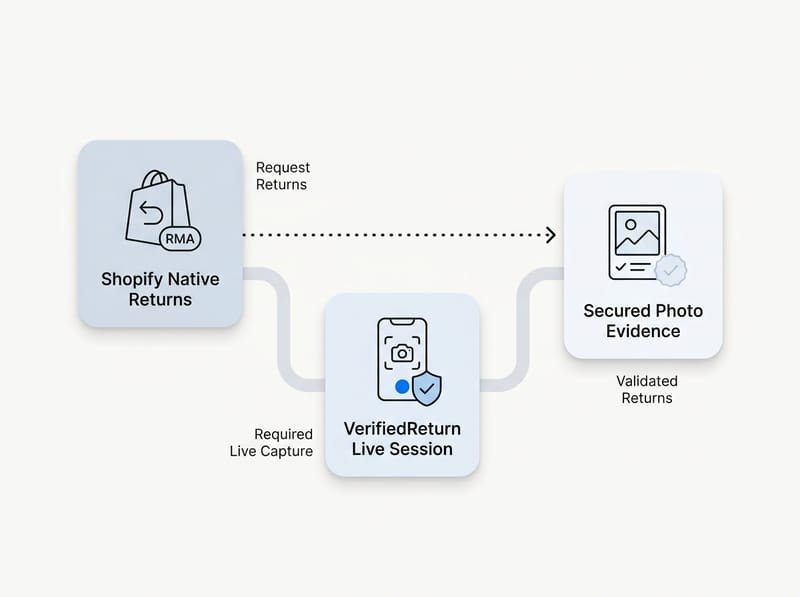
VerifiedReturn adds a separate live photo-capture step alongside Shopify returns. Instead of accepting an unrestricted gallery upload, it asks the customer to photograph the item from their device during the evidence session.
The merchant can send one link and ask the customer to associate the capture with an order number or RMA. According to VerifiedReturn, the resulting session includes integrity signals, a confidence score, and a reference-based audit trail, helping the merchant evaluate whether the submitted image is reliable before approving the claim.
This addresses two different problems. Shopify has no native attachment field, while conventional email and gallery uploads can accept screenshots, old photos, downloaded marketplace images, edited files, or AI-generated images. A live capture requirement makes it harder to submit a prepared image that was not taken during the claim process.
How do I add VerifiedReturn to a native Shopify workflow?
Add the store's VerifiedReturn link to the instructions or email used after a native return request. The customer completes the Shopify request first, then follows the link to capture and submit the required evidence.
A practical workflow looks like this:
- The customer signs in and submits a native Shopify return request.
- The customer selects “damaged,” “defective,” or another evidence-required reason.
- You send the VerifiedReturn capture link manually or through an automated message.
- The customer enters the order number and photographs the product live.
- Your team reviews the images and associated integrity information.
- You approve, decline, or request more information through your normal Shopify process.
If another return platform already generated an RMA, you can pass or prefill that reference where the implementation supports it. For example, a URL using a reference parameter can reduce typing and matching errors. Test the exact URL structure provided by your account before publishing it to customers.
Why are live photos stronger than gallery uploads?
Live photos are captured during a controlled session, while a gallery upload can be any file already stored on the customer's device. Live capture does not make fraud impossible, but it can provide better context and stronger integrity signals than an emailed JPEG.
Generative image tools have made plausible product-damage images easier and cheaper to produce. A customer may also submit a screenshot, an image copied from another listing, or a photo from an unrelated order. This is especially risky when the requested outcome is a returnless refund, because the photo effectively replaces a physical warehouse inspection.
A file upload answers, “What image did the customer send?” A controlled live-capture process can help answer, “Was this image captured during the current claim?”
What are the other ways to collect photo uploads for returns?
There are three main alternatives: manual email requests, third-party return apps, and custom development. The right choice depends on return volume, fraud exposure, required automation, and whether you need standard uploads or controlled live capture.
| Method | Best for | Main advantage | Main limitation |
|---|---|---|---|
| Email attachments | Low-volume stores | Fast and inexpensive | Weak organization and unrestricted files |
| VerifiedReturn link | Damage, warranty, and fraud-sensitive claims | Live capture and integrity signals | Adds a separate evidence step |
| Returns app | Stores needing a complete branded portal | Automation, rules, exchanges, and uploads | May replace the native customer workflow |
| Custom solution | Stores with unique requirements | Maximum workflow control | Development, hosting, privacy, and maintenance costs |
Can I request return photos by email?
Yes, email is the simplest workaround for native Shopify returns. Tell customers to reply to the return confirmation or support email with images of the item, damage, packaging, and shipping label.
This approach can work for a small store processing a few claims each week. However, attachments remain in a support inbox unless an agent manually saves and references them. Email files generally lack a controlled capture session, and the process creates another round trip after the customer thought the return request was complete.
You can use a template like this:
Subject: Photos required for return request {{ order_name }}
Thanks for submitting your return request. Before we review a damaged, defective, or incorrect-item claim, please reply with one full photo of the item, one close-up of the issue, and one photo of the packaging and shipping label. Please send original, current photos and keep the item and packaging until we confirm the next step.
Shopify Flow may help trigger internal or customer-facing actions when your store and installed apps expose the required return data. Before relying on automation, confirm that the trigger, reason value, and email action are available in your specific setup. Always test the workflow with a real test order.
Which Shopify return apps support more advanced workflows?
Third-party return apps are best when you want a branded portal, eligibility rules, exchanges, labels, automation, and evidence collection in one system. Confirm the current upload features with each developer because features and plan restrictions can change.
- AfterShip Returns provides a dedicated returns management portal and automated return workflows.
- Return Prime focuses on returns, exchanges, store credit, and configurable return experiences.
- Loop Returns offers a dedicated return platform with exchange and retention features.
- ReturnGO provides return and exchange automation through its own return-management workflow.
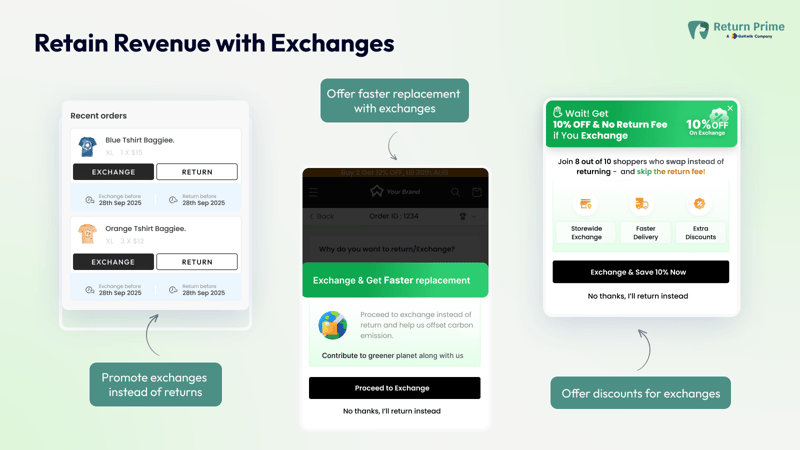
A third-party portal is not the same as adding a field to Shopify's native request. The app collects evidence in its own flow, hosted portal, or customer-account extension. If you are comparing options, see my guide to the best returns management apps for Shopify.
Should I build a custom photo-upload solution?
A custom solution makes sense when you need special evidence rules, supplier routing, warehouse integrations, or an unusual approval process. It can use a storefront form or app interface to upload files and link them to an order or RMA through your own database and Shopify integration.
Custom development is more than adding an HTML file input. You need authenticated or securely tokenized access, object storage, file-size limits, format validation, malware scanning, retention rules, customer consent, staff permissions, and a reliable reference back to the Shopify order.
You should also avoid exposing sensitive order data through predictable order numbers alone. Use verified customer identity, signed links, or another secure matching method. If your use case involves customer files at checkout rather than returns, my separate guide explains how customer file uploads work around Shopify checkout.
Which return reasons should require photos?
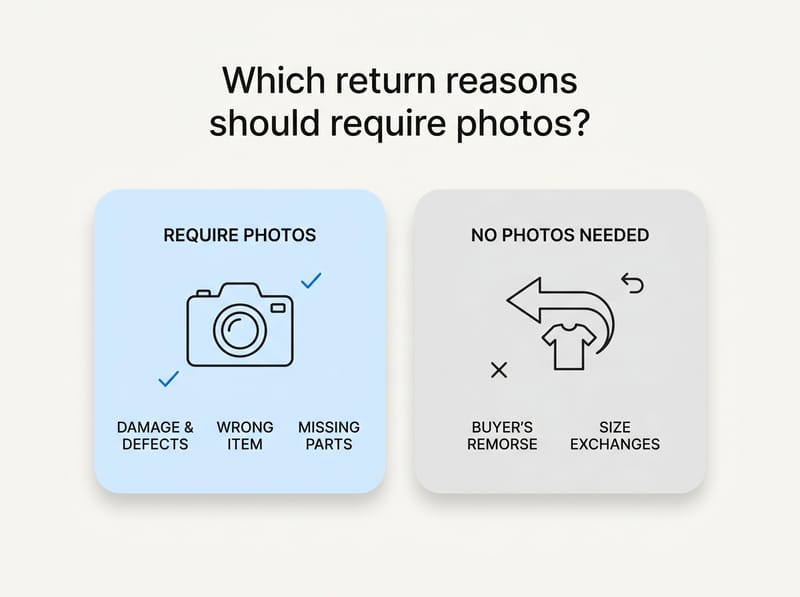
Require photos only when visual evidence can materially change the decision. Damage, defects, wrong items, missing components, warranty claims, and returnless refunds are strong candidates, while buyer's-remorse and straightforward size exchanges usually do not need them.
| Return reason | Require photos? | Suggested evidence |
|---|---|---|
| Damaged in transit | Yes | Whole item, damage close-up, packaging, and label |
| Defective product | Usually | Product, defect, model or serial number where relevant |
| Wrong item received | Yes | Received item, product label, and shipping label |
| Missing part | Usually | Box contents and packaging |
| Too small or too large | No | Use an exchange workflow unless abuse is suspected |
| Changed mind | No | Rely on policy eligibility and physical inspection |
| Returnless refund | Yes | Controlled live photos appropriate to the claim |
Over-requesting evidence creates friction for legitimate customers. Apparel stores should first improve product guidance and fit education, as explained in this guide to reducing apparel returns through better size and fit answers.
How should I write a photo requirement in my return policy?
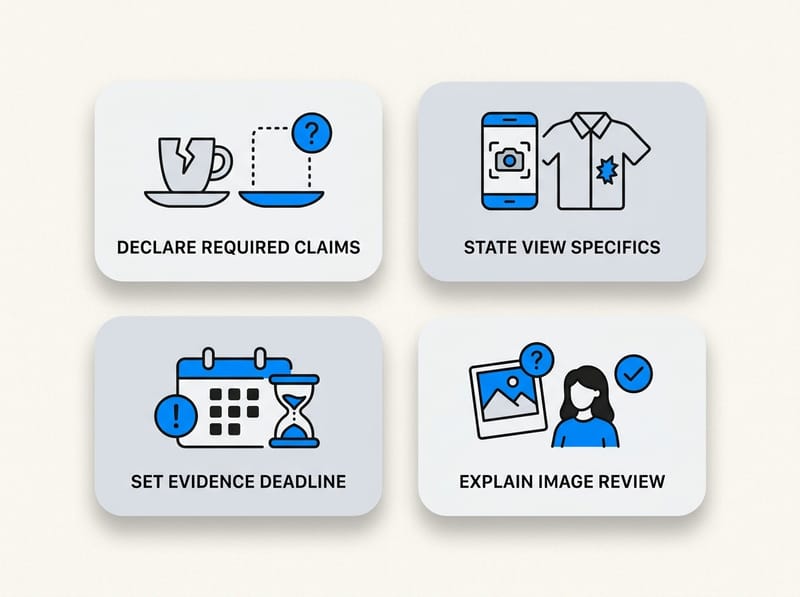
Your policy should state which claims require photos, what must be shown, when evidence is due, and how it will be used. It should not promise that submitting an image automatically guarantees a refund.
Here is a practical starting template:
For claims involving damage, defects, missing components, or an incorrect item, we may require current photographs before approving a refund, replacement, exchange, or returnless refund. Requested photos may include the full item, a close-up of the issue, the original packaging, and the shipping label. Photos must relate to the item received under the applicable order. Submitting evidence does not guarantee approval, and we may request that the product be returned for inspection.
Adapt the wording to your products, jurisdiction, and privacy obligations. State how long claim evidence is retained, who can access it, and how customers can contact you about their data. For regulated products or high-value claims, obtain advice appropriate to your business rather than relying on a generic template.
How do I review return photos consistently?
Use a documented checklist rather than making each decision informally. A consistent review process improves customer treatment, supplier recovery, staff training, and the quality of evidence retained for disputes.
- Match the reference. Confirm the order, customer, product, variant, and claim reason.
- Check coverage. Make sure the full item and the reported issue are visible.
- Compare product details. Review color, model, packaging, labels, serial numbers, and distinguishing features.
- Assess consistency. Check whether the written claim matches what the images show.
- Review capture integrity. If using a controlled capture tool, review its available signals and score alongside the images.
- Select an outcome. Approve a return, exchange, replacement, partial refund, returnless refund, or request for more information.
- Record the decision. Save the reason and evidence reference in the order or return record.
Do not treat an automated score as the sole decision-maker. Combine technical signals with order history, product value, carrier information, customer communication, and the actual images. If a dispute later becomes a payment chargeback, organized records are easier to use with the evidence templates in my Shopify chargeback guide.
What is the best setup for photo uploads for returns?
The best setup for most merchants is native Shopify returns plus a separate evidence step used only for relevant reasons. Use email if return volume is very low, a returns app if you need a complete portal, or VerifiedReturn when live image capture and image reliability are central concerns.
Shopify remains useful for recording the request, approving or declining it, creating the operational return, communicating instructions, and processing the eventual refund or exchange. The external evidence workflow fills the specific attachment gap without forcing every customer through unnecessary steps.
My practical recommendation is to start with a reason-based rule. Ask for live photos on damaged, defective, wrong-item, warranty, and returnless-refund requests, but skip the requirement for routine size or preference exchanges. This provides better evidence where it matters while preserving a low-friction experience for ordinary returns.
There is currently no way to turn on native photo uploads for returns inside Shopify's self-serve form. The reliable solution is to acknowledge that limitation, connect the return to a separate capture process, and keep the order or RMA reference consistent from submission through final resolution.