Shopify continuous A/B testing is the shift from big, risky redesigns to small, measured experiments that improve conversion rate, add-to-cart rate, and average order value month after month. In my experience building Shopify apps and working around hundreds of storefront implementations, this is one of the clearest differences between stores that plateau and stores that keep compounding gains.
A full redesign can feel productive, but it usually bundles too many changes together. When revenue goes up, you do not know why. When revenue goes down, you have to untangle theme code, merchandising, speed, and UX all at once. A continuous testing program is safer, faster to learn from, and often more profitable over 12 months than a single visual overhaul.
If you are trying to improve your store in 2026, I would strongly consider a monthly experimentation cadence instead of a redesign-first roadmap. Shopify now has better native and app-based options for testing, and merchants with enough traffic can realistically run 2 to 4 experiments per month on high-impact pages.
What is Shopify continuous A/B testing?
Shopify continuous A/B testing is an ongoing process of launching, measuring, and iterating experiments on your Shopify store every month instead of making occasional large redesigns. The goal is to create compounding gains from many small wins.
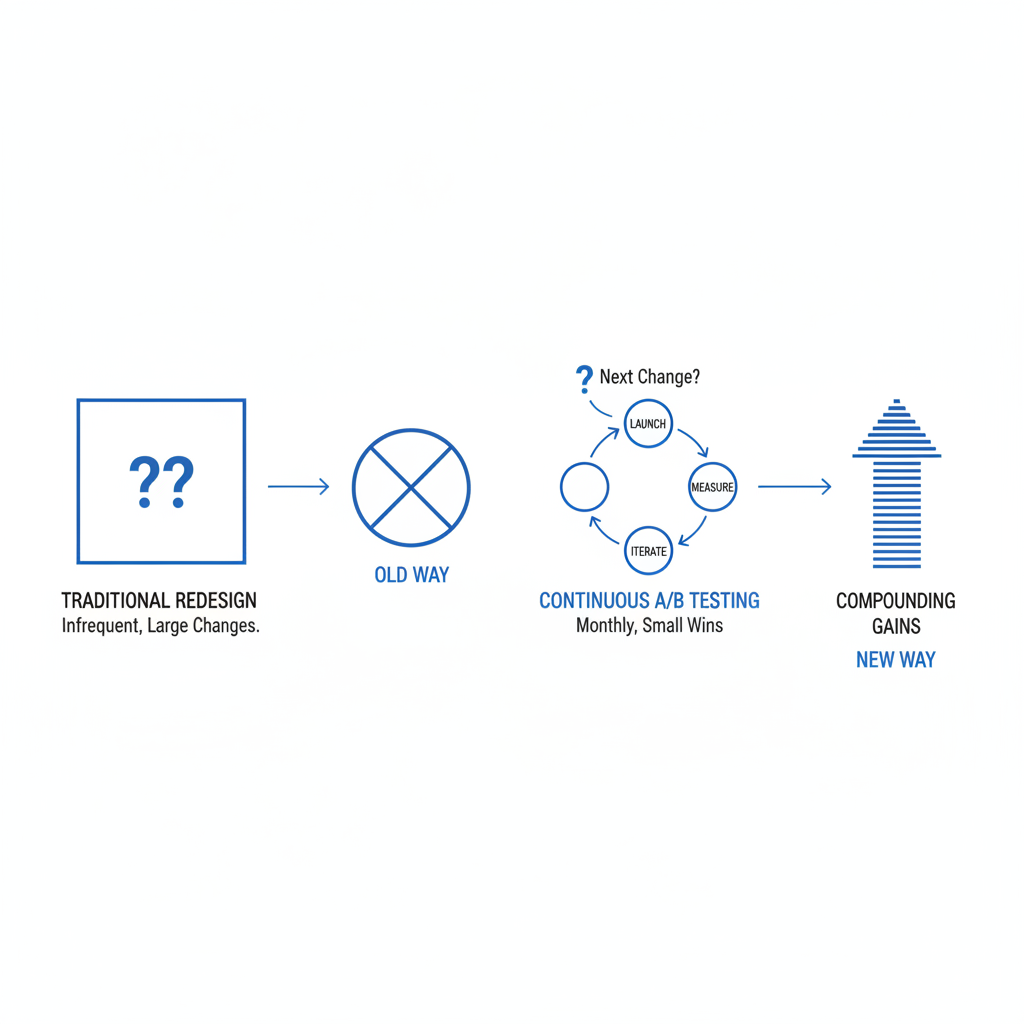
A traditional redesign asks, “What should the whole store look like next?” A continuous testing framework asks, “What is the next highest-leverage change we can validate with data?” That difference matters because the second approach keeps learning loops short and makes it much easier to protect revenue.
In practice, this means testing things like headline copy, product page layouts, trust badges, free shipping messaging, pricing presentation, and cart or checkout-adjacent upsells. If you already care about AOV growth, this pairs well with strategies I covered in Shopify cart drawer upsells and product page upsells.
Why are redesigns losing ground to monthly testing?
Redesigns are losing ground because they introduce too much change at once and make attribution difficult. Monthly testing gives you clearer wins, lower rollout risk, and more predictable growth.
I have seen merchants spend weeks polishing a new theme only to discover that the old product page converted better. That is expensive. A test-first workflow lets you validate the hero section, product media layout, or CTA treatment before rebuilding your entire storefront around assumptions.
Research across the 2026 Shopify ecosystem points in the same direction. High-volume stores using continuous experimentation often run 2 to 4 tests per month and see 12% to 18% yearly conversion lift compared with stores that rely on infrequent redesigns. Individual monthly wins are often in the 5% to 20% range on the tested metric, depending on traffic and test quality.
There is also a speed benefit. If a test loses, you stop it and move on. If a redesign loses, you may have already committed design budget, developer time, QA cycles, and internal buy-in.

How do I build a Shopify continuous A/B testing framework?
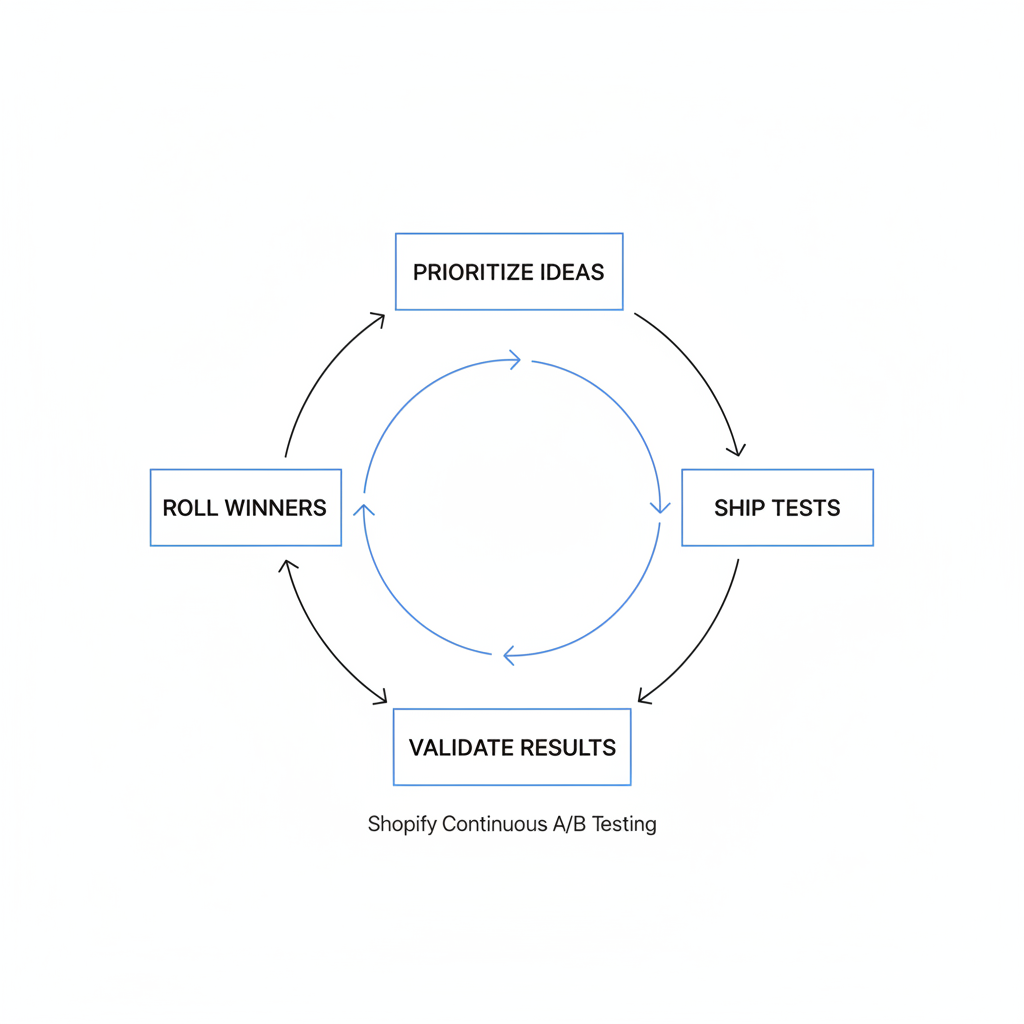
The best Shopify continuous A/B testing framework is a repeatable monthly system for prioritizing ideas, shipping tests, validating results, and rolling winners into the baseline. A good framework removes guesswork and keeps your roadmap tied to revenue.
Here is the exact structure I recommend for most Shopify stores.
1. How do I choose what to test first?
Start with pages that get the most traffic and influence revenue the most. The fastest wins usually come from homepage messaging, collection pages, product pages, and cart interactions.
I like using the PIE framework: Potential, Importance, Ease. Score each idea from 1 to 10 in each category, then sort by total score.
- Potential - How much room is there for improvement?
- Importance - How much traffic or revenue touches this area?
- Ease - How quickly can you implement and QA the test?
For example, a product page CTA test usually scores higher than a low-traffic About page redesign. If your store has checkout friction or abandonment issues, I would also review how to reduce abandoned carts in Shopify and the Shopify checkout guide.
2. How do I write a test hypothesis?
A strong hypothesis links one change to one expected outcome for one audience. It should be specific enough that the result teaches you something even if the test loses.
Use a simple structure like this: “Because mobile users are not seeing shipping value early enough, adding a free shipping bar above the CTA will increase add-to-cart rate by 8%.” That is much better than “Let’s test a new product page.”
In my experience, vague tests create vague learning. Your hypothesis should name the audience, the page element, and the metric you expect to move.
3. How do I set a monthly testing cadence?
A monthly cadence means you always have one test running, one test being prepared, and one test being analyzed. This keeps momentum high without overwhelming your team.
- Week 1 - Prioritize ideas and finalize hypotheses
- Week 2 - Build variants and QA on desktop and mobile
- Week 3 - Launch and monitor data quality
- Week 4 - Analyze results, deploy winner, document learnings
This is also where many stores fail. They run a few tests, get busy, and stop. A framework only works if you treat experimentation as an operating rhythm, not a side project.
4. How do I measure winners correctly?
You measure winners by tracking the primary business metric the test was designed to influence, not just vanity metrics. The best tests connect to revenue per visitor, conversion rate, add-to-cart rate, or AOV.
I usually recommend one primary metric and two guardrail metrics. For a product page test, the primary metric might be conversion rate, while guardrails include bounce rate and AOV. That prevents you from celebrating a lift that hurts another important part of the funnel.
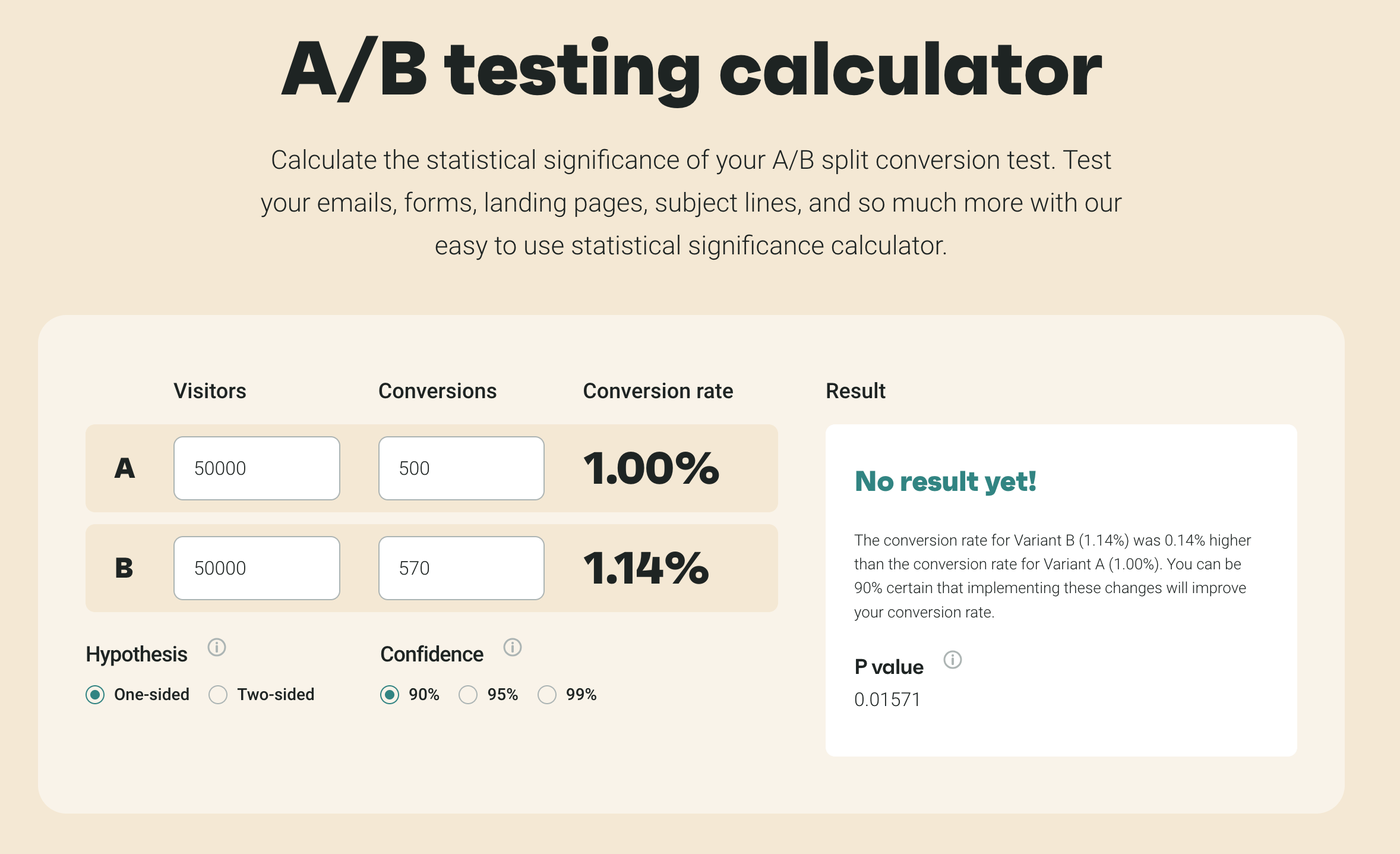
Low-traffic stores need patience here. If you have fewer than 5,000 monthly visitors, tests may need 4 to 6 weeks to reach a useful decision threshold.
What should I test on Shopify every month?
The best things to test on Shopify every month are the elements that shape trust, clarity, urgency, and purchase confidence. Start with high-visibility components before moving to more complex funnel tests.
These are the test categories I would prioritize first.
| Test Area | What to Test | Primary Metric | Why It Matters |
|---|---|---|---|
| Homepage | Hero headline, CTA text, social proof, value proposition | Click-through rate | High traffic and first impression impact |
| Collection pages | Filters, badges, sorting defaults, product card info | Product click rate | Improves product discovery |
| Product pages | Media order, CTA placement, trust badges, shipping info | Add-to-cart rate | Usually the highest-leverage page type |
| Pricing | Anchoring, bundles, compare-at price, discount framing | Conversion rate or AOV | Direct revenue impact |
| Cart | Upsells, shipping thresholds, reassurance copy | AOV | Captures more value late in funnel |
| Post-purchase | One-click offers, reorder prompts, review requests | Post-purchase revenue | Expands revenue without hurting conversion |
Pricing tests deserve special attention because they affect both conversion and margin. If you use compare-at pricing heavily, read these compare-at price techniques before testing discount presentation.
What are the best tools for Shopify continuous A/B testing in 2026?
The best Shopify continuous A/B testing tools in 2026 are Shopify Rollouts, Shoplift, Intelligems, and Visually. Each one fits a different testing maturity level and use case.
I would not treat tools as interchangeable. Some are better for theme-level rollout safety, some for pricing tests, and some for no-code experimentation across the funnel.
| Tool | Best For | Key Strengths | Limitations |
|---|---|---|---|
| Shopify Rollouts | Native theme testing and staged releases | Server-side delivery, lower flicker risk, safer rollouts | Still evolving and not a full replacement for specialized CRO tools |
| Shoplift | No-code page and theme experiments | One-click winner deployment, GA4 integration, variant generation | Best results still require clear experimentation discipline |
| Intelligems | Pricing and offer testing | Segmentation, custom metrics, strong Plus use cases | Can be overkill if you only want simple design tests |
| Visually | No-code full-funnel testing and personalization | Visual editor, unlimited tests, behavior-based variants | Needs careful QA to keep experiments clean |
How useful is Shopify Rollouts?
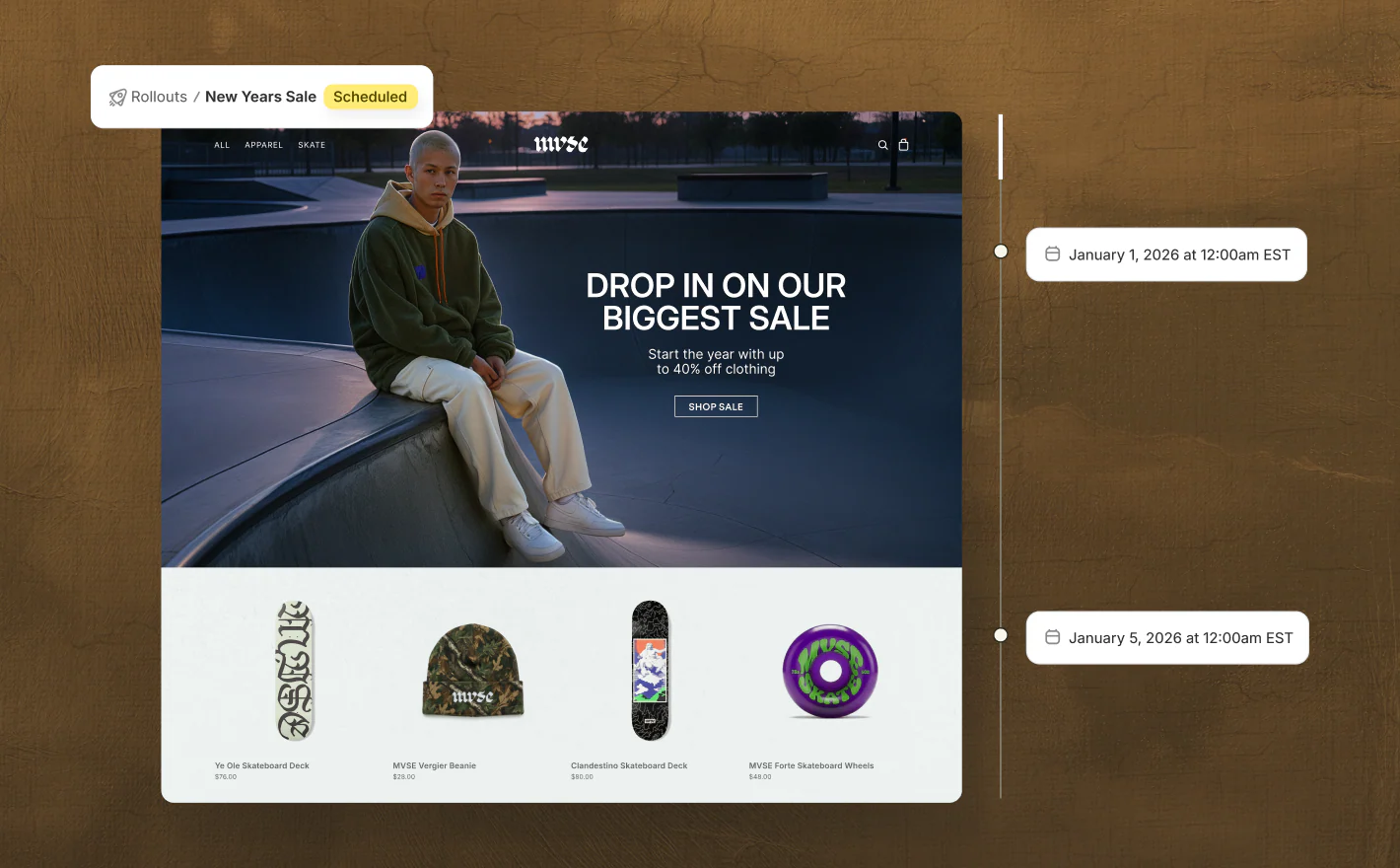
Shopify Rollouts is useful because it gives merchants a native way to stage theme changes to a percentage of traffic and reduce deployment risk. It is especially strong for stores that want server-side testing and cleaner performance.
This matters because client-side tools can sometimes introduce flicker or slower rendering if implemented poorly. Native rollout-style testing is a big step forward for Shopify, especially for theme teams that want to validate changes before a full release.
For more on performance-sensitive changes, I recommend pairing experimentation with a proper audit process like this guide to Shopify speed auditing.
When should I use Shoplift?
Shoplift is best when you want fast, no-code experimentation on themes, pages, and URLs without a heavy development cycle. It is one of the most practical options for merchants who want to test continuously without rebuilding their workflow.
What I like about this category of tool is speed. Merchants often do not need a developer for every headline, layout, or CTA experiment. That alone increases test velocity, which is usually more important than having the perfect testing stack on day one.
Is Intelligems the best choice for pricing tests?
Intelligems is one of the best choices for pricing tests on Shopify because it is built around revenue-sensitive experimentation. If your biggest questions are about discount depth, bundle framing, or regional pricing, this is where a specialized tool earns its keep.
Pricing is one of the few test areas where a small change can create a huge business impact. It can also backfire quickly. That is why I prefer dedicated pricing experimentation tools over improvised theme edits for this use case.
How do I avoid bad A/B tests on Shopify?
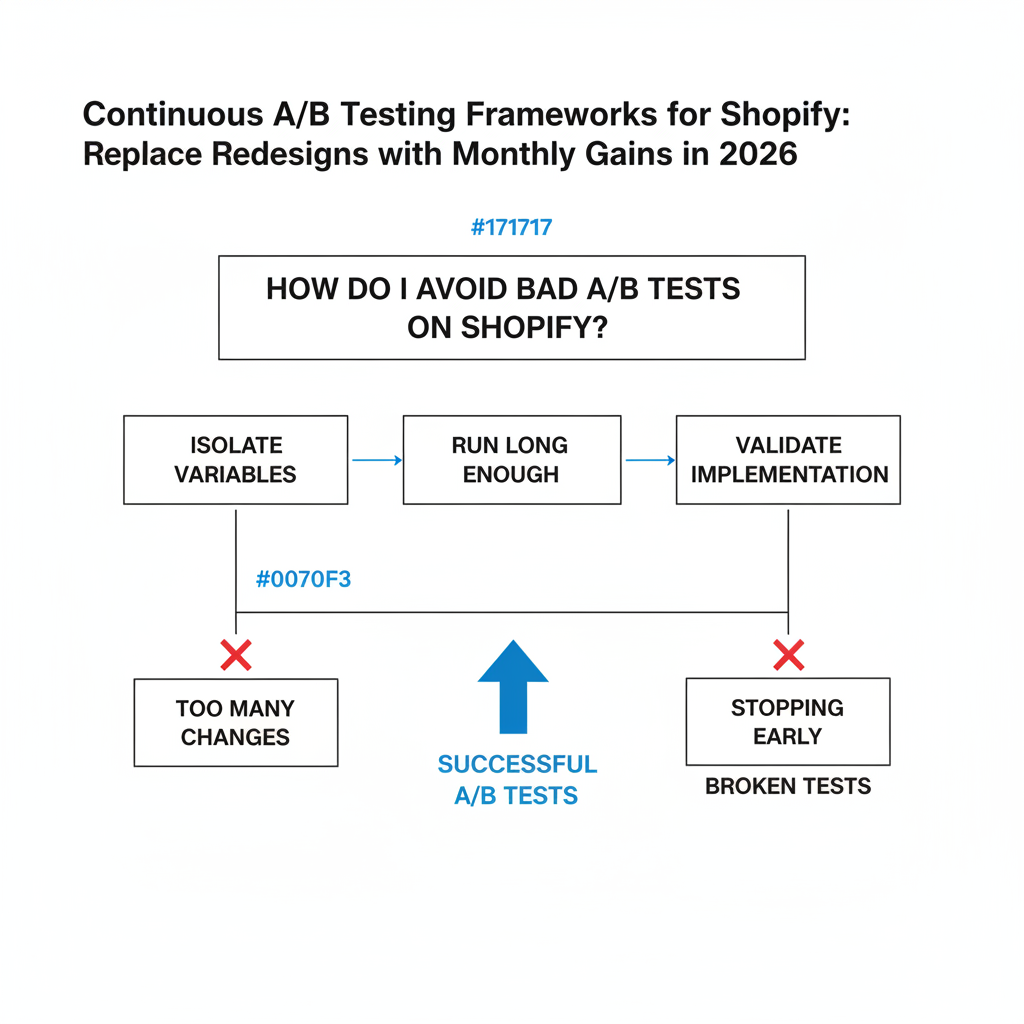
You avoid bad Shopify A/B tests by changing one meaningful variable at a time, running tests long enough, and validating implementation before launch. Most failed tests fail because of process, not because A/B testing does not work.
These are the mistakes I see most often:
- Testing low-traffic pages first and waiting forever for results
- Changing too many elements so the learning is unclear
- Stopping tests too early after a few good days
- Ignoring segmentation between mobile, desktop, region, or traffic source
- Skipping QA on different devices and browsers
- Using unstable event tracking that breaks attribution
Another common issue is testing cosmetic changes with no strategic reason behind them. Button color tests get mocked for a reason. Sometimes they matter, but most of the time there is a bigger opportunity in message clarity, shipping reassurance, social proof, or offer structure.
In my experience building Shopify apps, the best-performing tests usually improve clarity or confidence. They rarely win because they look more modern.
How much traffic do I need for Shopify continuous A/B testing?
You can run Shopify continuous A/B testing at almost any traffic level, but the speed of learning depends heavily on your visitor volume and conversion count. Stores with 10,000+ monthly visitors usually get the most value from a true monthly testing cadence.
At that level, you can often support multiple experiments and still reach decisions without waiting too long. This aligns with 2026 adoption data showing that around 70% of high-volume Shopify stores use ongoing experimentation and run 2 to 4 tests per month.
If you are below that threshold, do not give up on testing. Just narrow your scope. Focus on bigger changes, stronger hypotheses, and fewer simultaneous experiments. A low-traffic store can still benefit, but it should optimize for learning efficiency rather than test volume.
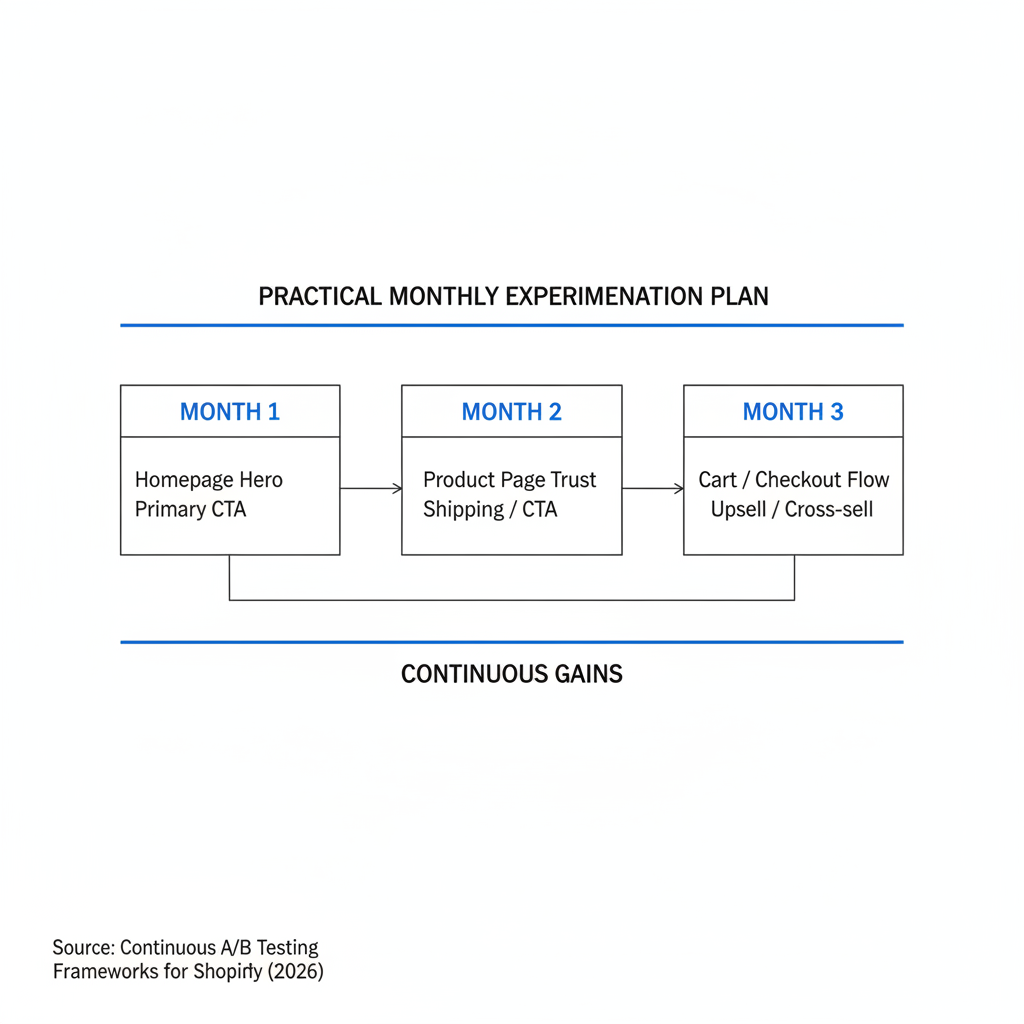
What does a practical monthly experimentation plan look like?
A practical monthly experimentation plan starts with one high-impact page, one clear metric, and one deployable winner. The simplest workable system is better than a complex plan you never maintain.
Here is a sample 90-day roadmap I would use for a mid-sized Shopify store:
- Month 1 - Test homepage hero message and primary CTA
- Month 2 - Test product page trust block, shipping reassurance, and CTA placement
- Month 3 - Test cart upsell module or free shipping threshold messaging
After each month, document the result in a simple experiment log:
- Hypothesis
- Variant description
- Primary metric
- Result
- Decision
- What you learned
That final point matters. Even a losing test can improve your next one if it teaches you what your customers actually respond to.
Should small stores hire an agency or use apps first?
Most small stores should start with apps and a lightweight internal testing process before hiring an agency. Agencies make the most sense when you have enough traffic, enough margin, and enough complexity to justify a deeper CRO program.
If you are early stage, I would invest in cleaner analytics, a faster theme, and a simple testing cadence first. Then, once you have repeatable traffic and a backlog of hypotheses, an agency can help you scale experimentation quality.
That is also why I like the current Shopify landscape. Native tools and specialized apps lower the barrier to entry. You do not need a full enterprise CRO retainer to start testing intelligently in 2026.
What is my recommended stack for Shopify continuous A/B testing in 2026?
My recommended stack is Shopify Rollouts for safer theme releases plus a dedicated experimentation app for faster page-level learning. For many stores, that means starting with Rollouts + Shoplift and adding a pricing layer like Intelligems if pricing strategy is a major lever.
If I were setting this up today for a growing merchant, I would keep it simple:
- Analytics - GA4 plus Shopify analytics
- Theme testing - Shopify Rollouts where available
- Page experimentation - Shoplift
- Pricing experiments - Intelligems
- No-code funnel testing - Visually
Then I would run a disciplined monthly process around that stack. Tools help, but the real advantage comes from consistency. The stores that win are not the stores with the flashiest redesigns. They are the stores that keep learning faster than competitors.
How do I get started this week?
You can get started with Shopify continuous A/B testing this week by choosing one page, one hypothesis, and one success metric. Do not wait for a perfect roadmap.
Here is the fastest path I would recommend:
- Pick your highest-traffic product page or homepage
- Identify one friction point from analytics, heatmaps, or support tickets
- Write one specific hypothesis
- Build one variant in your testing tool
- QA on mobile and desktop
- Run the test until you have enough data
- Deploy the winner and log the learning
If you keep doing that every month, you build a real optimization engine. That is the core idea behind shopify continuous a/b testing. It replaces redesign drama with a calmer, more defensible way to grow.
And honestly, as someone who builds in the Shopify ecosystem every day, I think that is where the platform is headed. More native testing, more controlled rollouts, and more merchants choosing continuous optimization over one-off redesigns.
If you want to go further, I would also read the best Shopify continuous optimization apps and my Shopify conversion rate optimization guide to build a broader CRO system around your experiments.