
Shopify continuous optimization apps are the tools I recommend when a store owner wants to improve performance every week instead of making one-off changes and hoping for the best. The best apps in this category help you monitor speed, fix SEO issues, analyze visitor behavior, compress assets, and clean up broken URLs so your store keeps getting better over time.
In my experience building Shopify apps, the stores that win in 2026 are not always the ones with the fanciest themes or the biggest ad budgets. They are the stores that run a simple optimization loop: measure, fix, test, and repeat. For this roundup, I picked six apps that support that loop well, with a bias toward tools that are practical for real merchants, have clear Shopify App Store listings, and solve ongoing optimization problems rather than one-time setup tasks.
What are the best Shopify continuous optimization apps in 2026?
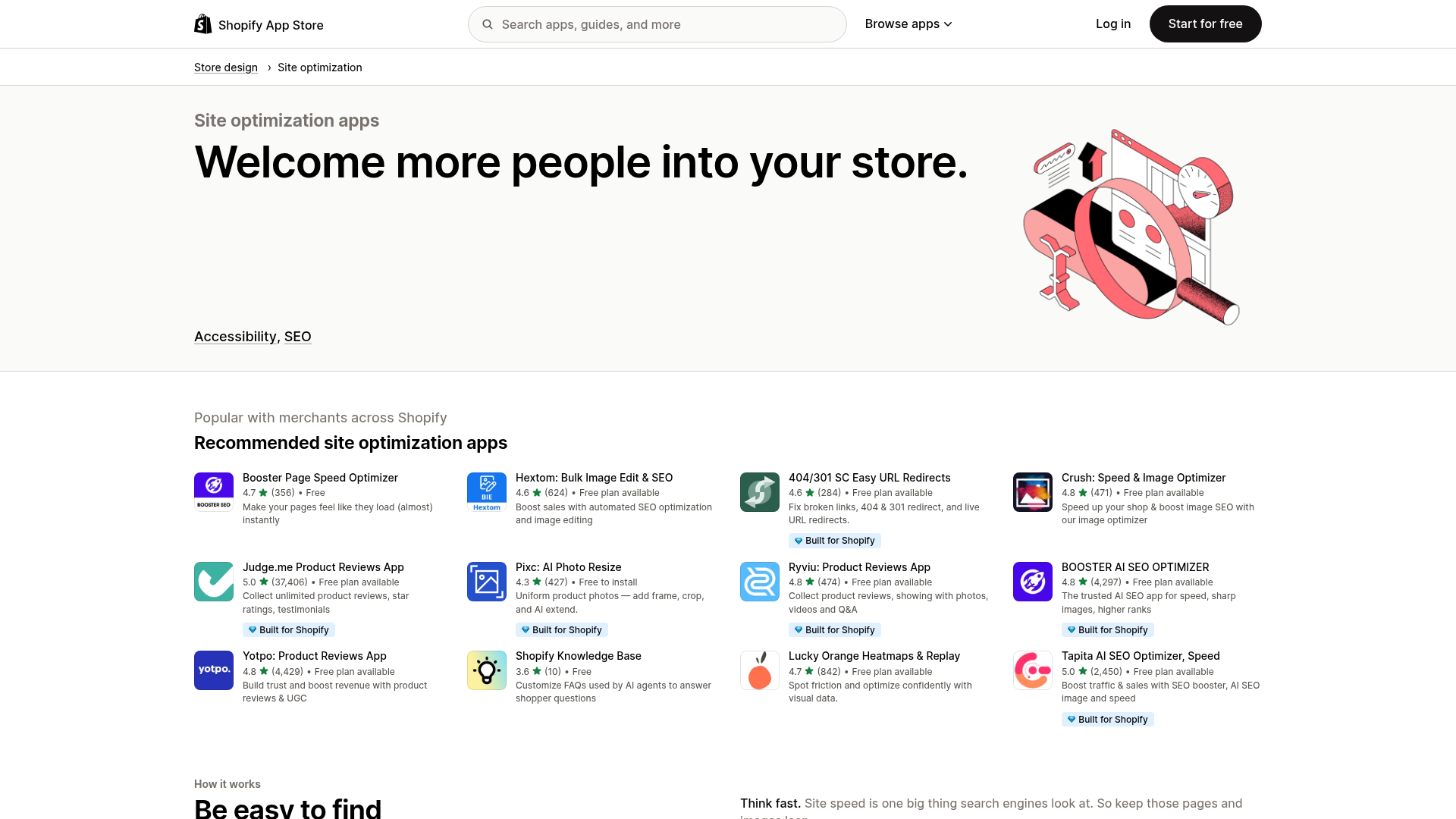
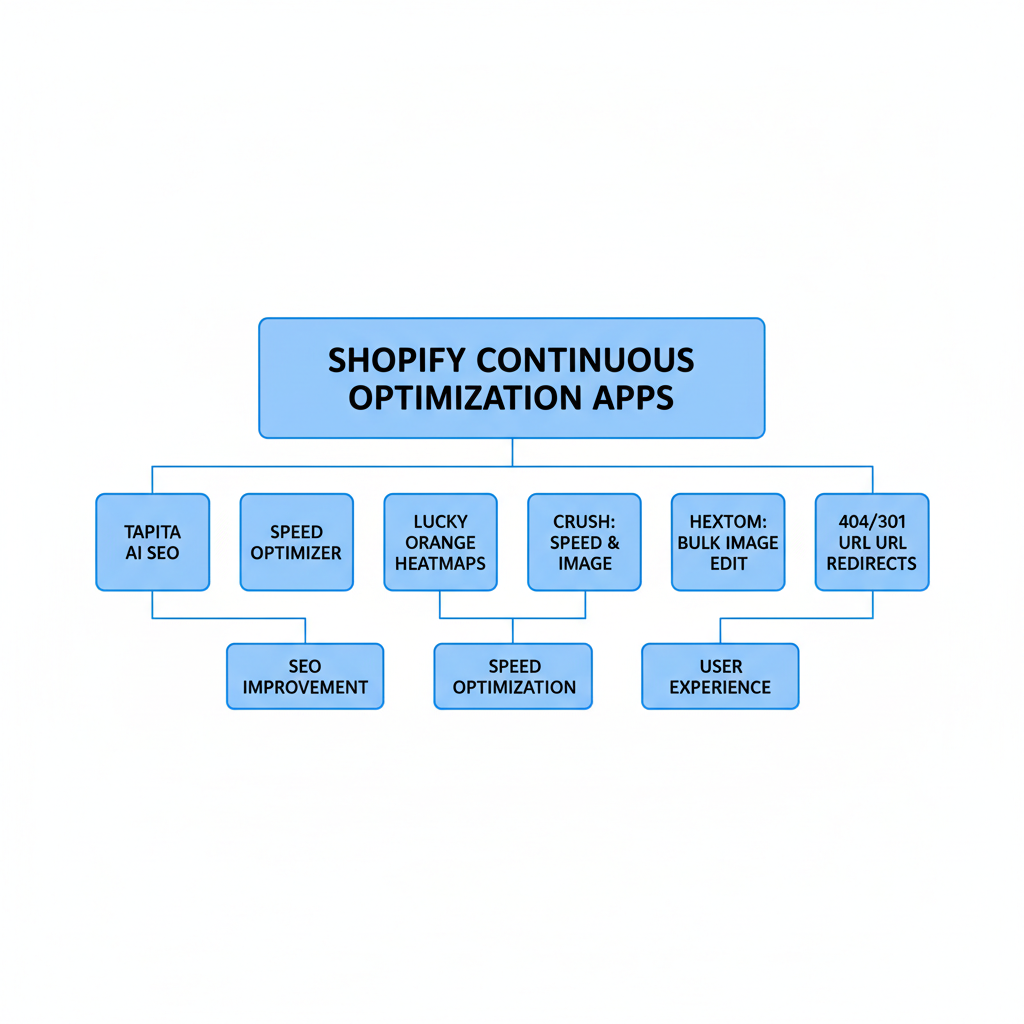
The best Shopify continuous optimization apps in 2026 are Tapita AI SEO Optimizer, Speed, Lucky Orange Heatmaps & Replay, Crush: Speed & Image Optimizer, Hextom: Bulk Image Edit & SEO, Booster Page Speed Optimizer, and 404/301 SC Easy URL Redirects. Together, they cover the main ongoing optimization jobs most stores actually need.
I like this mix because it reflects how optimization works in the real world. You need one tool for technical performance, one for SEO hygiene, one for behavior analysis, and one for store maintenance tasks like redirects and media cleanup. If you only optimize one layer, you usually leave easy revenue on the table.
How did I choose these Shopify continuous optimization apps?
I chose these apps based on ongoing usefulness, not hype. Each one helps merchants improve their store continuously through repeated audits, fixes, or behavior insights.
My selection criteria were simple:
- Verified Shopify App Store listing and real merchant usage
- Useful for continuous improvement, not just initial launch setup
- Relevant to one or more core optimization areas: speed, SEO, UX, or technical cleanup
- Suitable for merchants who want a lean app stack rather than 15 overlapping tools
- Reasonable pricing or a free plan available for testing
If you are trying to keep your tech stack under control, I also recommend reading How Many Apps Should a Shopify Store Use in 2026?. I see too many stores install three apps for the same job, then wonder why performance gets worse.
1. Tapita AI SEO Optimizer, Speed
Tapita AI SEO Optimizer, Speed is the best all-around option for merchants who want one app covering both SEO improvements and speed-related optimization. It is best for small to mid-sized stores that want a broad optimization toolkit without stitching together too many separate apps.
Tapita AI SEO Optimizer, Speed stands out because it matches how merchants actually work. Most store owners do not want a separate workflow for schema, metadata, image optimization, and page checks. They want one place to review issues and keep improving month after month.
- AI-assisted SEO recommendations
- Metadata and schema support
- Image and page optimization features
- Ongoing issue scanning and improvement suggestions
- Free plan available
Pricing: Free plan available. Paid tiers vary by usage and advanced features.
From a developer perspective, I like Tapita because it encourages a repeatable optimization habit. Instead of treating SEO like a one-time checklist, it pushes merchants toward ongoing maintenance. That is exactly the mindset I want merchants to have when they install any optimization app.
The tradeoff is that all-in-one tools can feel broad rather than deep in one specific area. If your main problem is strictly speed or strictly redirects, a more focused app below may be stronger. But for many stores, this is the best starting point.
Key pros and cons of Tapita
Tapita is strong for broad optimization coverage, but it may not replace every specialist tool. It works best when you want one dashboard for recurring improvements.
| Pros | Cons |
|---|---|
| Combines SEO and speed tasks | May be less specialized than single-purpose apps |
| Free plan available | Advanced features may require paid upgrade |
| Good fit for continuous audits | Can overlap with existing SEO tools |
2. Lucky Orange Heatmaps & Replay
Lucky Orange Heatmaps & Replay is the best Shopify continuous optimization app for understanding why visitors do not convert. It is best for conversion optimization, especially if you already have traffic but your add-to-cart rate or checkout progression feels weak.
Lucky Orange Heatmaps & Replay gives you the kind of insight analytics dashboards often miss. Numbers tell you a page has a problem. Session recordings and heatmaps show you where shoppers hesitate, rage click, get distracted, or abandon the flow.

- Heatmaps for clicks, movement, and scroll depth
- Session replay recordings
- Conversion funnel analysis
- Form analytics and visitor behavior insights
- Useful for landing page and product page testing
Pricing: Pricing depends on traffic volume and feature tier. Check the app listing for current plans.
When I test stores, this is often the app that reveals the most obvious missed opportunities. I have seen merchants spend weeks tweaking button colors when the real issue was a sticky announcement bar covering mobile CTAs or a product page section pushing the buy box too far down. Behavior data beats guesswork.
If you are actively working on AOV and product page performance, pair tools like this with the tactics in How to Optimize Your Conversion Rate on Shopify: 2026 Guide and Shopify Upsell on the Product Page: Best Methods, Apps and Setup Tips for 2026. Optimization gets much easier when you can see what shoppers actually do.
Key pros and cons of Lucky Orange
Lucky Orange is excellent for diagnosing UX problems, but it does not directly fix technical SEO or speed issues. Think of it as your observation layer.
| Pros | Cons |
|---|---|
| Excellent visual behavior data | Does not optimize speed or SEO directly |
| Great for CRO workflows | Can feel data-heavy for beginners |
| Useful for mobile UX debugging | Best value comes when you review recordings regularly |
3. Crush: Speed & Image Optimizer
Crush: Speed & Image Optimizer is the best option for merchants who want to improve image-heavy store performance without overcomplicating things. It is best for fashion, beauty, home decor, and catalog-heavy stores where oversized images quietly hurt load times.
Crush: Speed & Image Optimizer focuses on one of the most common performance problems I see across Shopify stores: unoptimized media. Merchants upload beautiful assets, but those assets often come with bloated file sizes that slow down collection pages, product pages, and mobile browsing.
- Image compression and optimization
- Automatic optimization workflows
- Helps reduce page weight
- Supports ongoing media cleanup as new products are added
- Useful for stores with large catalogs
Pricing: Pricing varies by plan and image volume. Check the app listing for current details.
My honest take is that image optimization apps are not glamorous, but they are often high-ROI maintenance tools. Every merchant keeps uploading new banners, new product photos, and new campaign assets. That means optimization is never really finished, which is exactly why a continuous tool like this makes sense.
If your store is visually rich, this kind of app can produce more reliable gains than chasing random speed hacks. In many cases, the easiest performance win is simply serving lighter assets consistently.
4. Hextom: Bulk Image Edit & SEO
Hextom: Bulk Image Edit & SEO is the best Shopify continuous optimization app for merchants managing large product catalogs and repetitive SEO media tasks. It is best for stores that need scale, especially when product images and alt text need regular cleanup.
Hextom: Bulk Image Edit & SEO has been around for years, and that matters. In the Shopify ecosystem, longevity usually means the app solves a real operational problem well enough that merchants keep it installed.

- Bulk image editing
- Alt text and filename optimization support
- SEO-friendly image workflows
- Useful for seasonal promotions and catalog refreshes
- Time-saving automation for repetitive tasks
Pricing: Multiple tiers based on usage. Check the app listing for the latest pricing.
From my side as an app developer, I respect tools that remove repetitive merchant work. Bulk operations are not exciting in a demo, but they save serious time in practice. If you have hundreds or thousands of SKUs, doing image SEO manually is just not realistic.
This app is especially useful if your team regularly updates collections, rotates campaign creative, or adds new inventory in batches. Consistency at scale is the real value here, not just one-time optimization.
What makes Hextom different from Crush?
Hextom is more focused on bulk management and SEO-related image workflows, while Crush is more directly associated with compression and speed improvement. Many merchants could justify one or the other depending on their bottleneck.
| App | Best For | Main Strength |
|---|---|---|
| Crush: Speed & Image Optimizer | Speed-focused image optimization | Reducing image weight and improving load performance |
| Hextom: Bulk Image Edit & SEO | Catalog-wide media management | Bulk editing, alt text, and SEO consistency |
5. Booster Page Speed Optimizer
Booster Page Speed Optimizer is the best lightweight app for merchants who want a simple way to target perceived speed improvements. It is best for smaller stores that want an easy install and a straightforward speed-focused tool.
Booster Page Speed Optimizer is one of those apps merchants often try early because the use case is easy to understand. Faster-feeling pages can reduce friction, especially on mobile, and the setup tends to be simpler than with broader technical suites.

- Page speed optimization features
- Simple setup for merchants who want quick wins
- Useful as an entry-level performance tool
- Can improve browsing flow for repeat page visits
- Focused single-purpose app
Pricing: See the app listing for current plan details.
My caution here is important: not every speed app improves every metric in the way merchants expect. Some tools improve perceived load speed more than raw Core Web Vitals. That can still be valuable, but I always tell merchants to validate results with real testing using PageSpeed Insights and Shopify's own performance reporting.
If you want a broader optimization stack, pair this with an SEO or analytics app rather than expecting one speed app to solve everything. Continuous optimization works best when you combine measurement plus maintenance.
6. 404/301 SC Easy URL Redirects
404/301 SC Easy URL Redirects is the best Shopify continuous optimization app for keeping your site structure clean as products, collections, and campaigns change over time. It is best for SEO maintenance and preserving traffic when URLs change.
404/301 SC Easy URL Redirects solves a problem that quietly hurts stores every month. Merchants rename products, delete old collections, run seasonal landing pages, and migrate content, then forget to tidy up the redirects. That creates broken links, wasted crawl budget, and poor user experience.
- 301 redirect management
- 404 error cleanup
- Useful for product deletions and URL changes
- Helps preserve SEO value during store updates
- Supports ongoing technical maintenance
Pricing: Check the app listing for current pricing tiers.
I think every established Shopify store should have a redirect process, whether that is through an app or a disciplined internal workflow. This is especially true for stores with active merchandising teams. The more often your catalog changes, the more likely broken URLs will pile up.
If redirects are a current pain point, you may also want to read Dynamic Pricing Apps for Shopify: 6 Best for Profit Maximization in 2026 only if you are actively changing product structures and promotions often, because operational complexity tends to increase across the whole store. And for redirect-specific topics, LaunchTip regularly covers technical Shopify maintenance patterns in related posts.
What is the best Shopify continuous optimization app for different store types?
The best app depends on your bottleneck. Tapita is best for broad optimization, Lucky Orange is best for conversion analysis, Crush is best for image-heavy stores, Hextom is best for large catalogs, Booster is best for lightweight speed improvements, and Easy URL Redirects is best for technical SEO maintenance.
| Store Type / Need | Best App | Why |
|---|---|---|
| New store that wants one broad optimization tool | Tapita AI SEO Optimizer, Speed | Combines SEO and speed workflows in one place |
| Store with traffic but weak conversions | Lucky Orange Heatmaps & Replay | Shows where shoppers get stuck |
| Image-heavy visual brand | Crush: Speed & Image Optimizer | Helps reduce media bloat over time |
| Large catalog with repetitive image SEO work | Hextom: Bulk Image Edit & SEO | Strong bulk management features |
| Small store wanting quick speed-focused setup | Booster Page Speed Optimizer | Simple, focused performance tool |
| Established store with lots of URL changes | 404/301 SC Easy URL Redirects | Protects SEO and fixes broken paths |
How should you build a continuous optimization stack on Shopify?
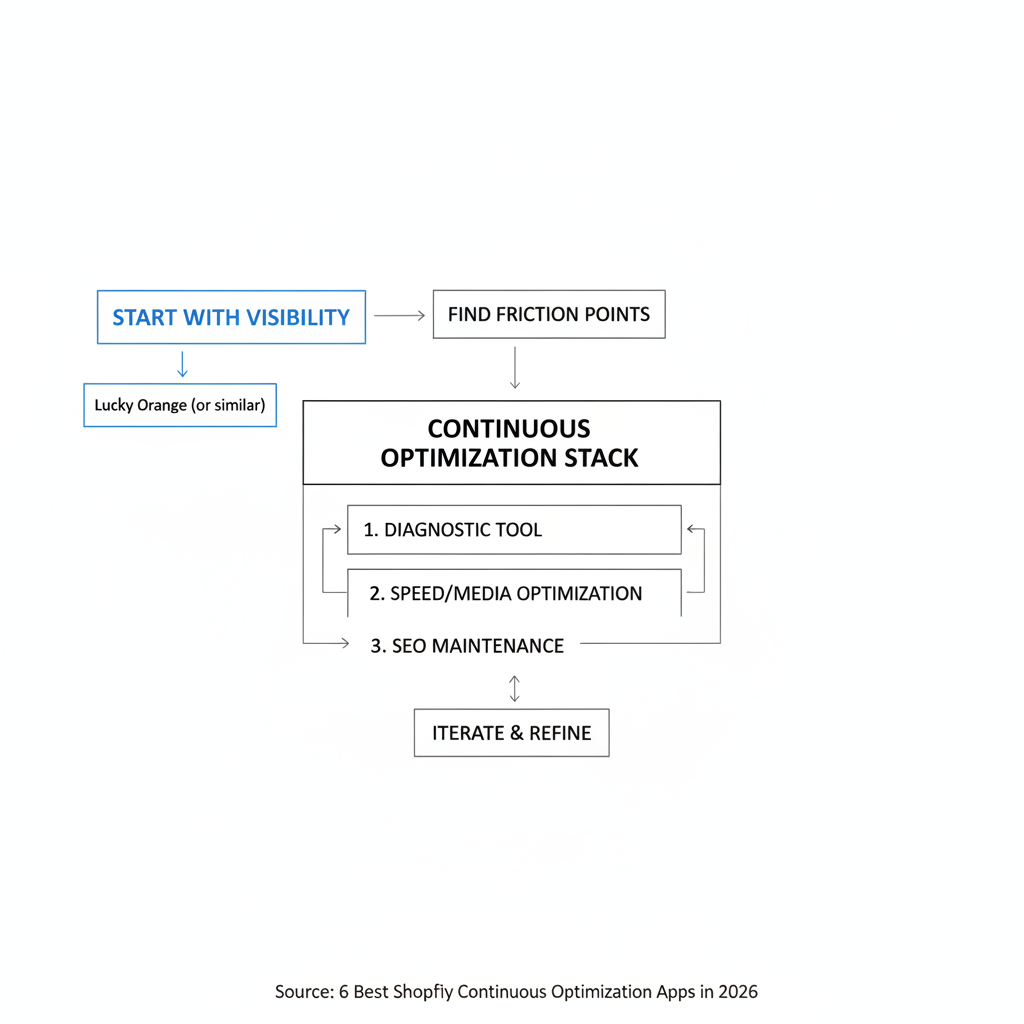
The best Shopify continuous optimization stack usually includes one diagnostic tool, one speed or media optimization tool, and one SEO maintenance tool. Most stores do not need six optimization apps at once.
If I were advising a typical merchant, I would build the stack like this:
- Start with visibility - use Lucky Orange or another behavior tool to find friction points.
- Fix obvious performance issues - use Crush or Booster if media and loading feel heavy.
- Maintain SEO basics - use Tapita or Hextom depending on whether you need broad SEO or bulk image workflows.
- Clean technical debt monthly - use Easy URL Redirects to manage broken links and changed URLs.
This is also where merchants often add revenue tools after the store foundation improves. If you are at that stage, LaunchTip has deeper guides on 12 Best Upsell Apps for Your Shopify Store in 2026 and How to Show Recommended Products on Shopify in 2026.
Which of these apps would I personally choose?
If I had to pick just one, I would start with Tapita AI SEO Optimizer, Speed for broad coverage. If I could pick two, I would add Lucky Orange Heatmaps & Replay because technical fixes matter a lot, but watching real shopper behavior often reveals the fastest conversion wins.
That answer comes from seeing how merchants actually operate. Most store owners are not lacking ideas. They are lacking a reliable system for spotting the next best improvement. The right app stack gives you that system.
The bigger lesson is this: continuous optimization beats occasional redesigns. Stores that review speed, SEO, redirects, and user behavior every month often compound small gains into major annual growth. Research around ecommerce optimization consistently points to 5-10% month-over-month improvement in the first six months for teams that actively review and iterate, which can translate into 30-60% total improvement by year-end when the process is followed consistently.
Quick comparison table: the best Shopify continuous optimization apps
This table gives you the short version. If you are comparing options before installing, start here.
| App | Best For | Main Focus | Pricing | My Verdict |
|---|---|---|---|---|
| Tapita AI SEO Optimizer, Speed | Small to mid-sized stores | SEO + speed | Free plan available | Best overall starting point |
| Lucky Orange Heatmaps & Replay | Conversion-focused brands | Behavior analytics | Tiered pricing | Best for finding UX friction |
| Crush: Speed & Image Optimizer | Image-heavy stores | Image compression | Tiered pricing | Best for visual catalogs |
| Hextom: Bulk Image Edit & SEO | Large catalogs | Bulk image SEO | Tiered pricing | Best for scale and workflow efficiency |
| Booster Page Speed Optimizer | Smaller stores | Speed optimization | Check listing | Best lightweight speed option |
| 404/301 SC Easy URL Redirects | SEO maintenance | Redirects and 404 cleanup | Check listing | Best for technical hygiene |
If you are searching for shopify continuous optimization apps, my advice is to avoid treating this as a one-time purchase decision. Pick the app that matches your biggest bottleneck today, review results after 30 days, and then layer in the next tool only if it solves a different problem. That is how the best Shopify stores stay fast, searchable, and profitable without turning their app stack into a mess.