
The simplest way to add insurance to the shopping cart in Shopify is to use an app or a custom cart add-on that inserts an optional protection fee before checkout. Shopify does not include a native cart insurance toggle for most merchants, so you need to use an app, custom code, line item properties, or a dedicated insurance product.
In practice, most stores I see take one of two routes. They either use a shipping protection app that adds a checkbox in the cart, or they create a separate insurance product and surface it as an upsell. Which route is best depends on whether you want a licensed third-party provider or a self-funded protection model where you keep the collected fees.
That distinction matters more in 2026 than it did a few years ago. A lot of merchants no longer want to give away margin on every protected order, so they prefer apps that let them control pricing, claims, and profit themselves.
In my experience building Shopify apps, the biggest mistake merchants make is confusing shipping insurance bought at label creation with cart-level insurance offered to customers. They are not the same thing. Shopify Shipping can include or sell protection when you buy labels, but that does not automatically create a customer-facing insurance option in the cart.
What is the difference between cart insurance and shipping insurance on Shopify?
Cart insurance is an optional add-on the customer selects before checkout. Shipping insurance on labels is protection you buy after the order is placed when fulfilling the shipment.
This is where a lot of forum threads and Reddit answers get muddled. Shopify plans may include some level of carrier-related cover or allow you to buy extra protection on labels, but that happens after the order exists. If you want the shopper to tick a box like Add shipping protection for £2.99, you need a separate implementation.
That implementation can live in the cart page, the cart drawer, and in some cases the checkout if your plan and app support it. For most non-Plus stores, the cart is the safest and most realistic place to add it.
Can I add insurance directly in checkout on Shopify?
Usually not on standard Shopify plans. Most merchants can add insurance in the cart or cart drawer, while checkout customisation is more limited unless you are on Shopify Plus or using supported app blocks and extensions.
This is one of the biggest search intent gaps in older articles, so it is worth being direct. If you are on Basic, Shopify, or Advanced, you generally cannot just edit checkout however you like. That is why many merchants use cart widgets instead of trying to force a checkbox into checkout.
Shopify Plus merchants have more flexibility through Checkout UI Extensions, Shopify Functions, and approved checkout customisation tools. Even then, I would still test whether adding insurance in checkout performs better than surfacing it earlier in the cart. In many stores, cart placement converts better because the shopper sees the total update before they commit.
What are the best ways to add insurance to the shopping cart in Shopify?
The best methods are using a shipping protection app, adding a dedicated insurance product as an upsell, or building a custom solution with Shopify APIs. The right choice depends on your budget, technical skills, and whether you want to manage claims yourself.
Here is the short version. If you want speed, use an app. If you want flexibility and already use upsells, use a dedicated product. If you need very specific logic, build it with Shopify's cart and checkout tooling.
1. Use a dedicated shipping protection app
This is the best option for most merchants. A good app handles the widget, pricing rules, claims flow, and cart total updates without you editing core theme files too heavily.
Most stores I have worked with choose this route because it is faster to launch and easier to maintain. You can usually configure flat fees, percentage-based fees, minimum order thresholds, and whether protection appears in the cart drawer, cart page, or post-purchase flow.
The trade-off is that some apps are third-party protection providers, while others are self-funded tools. That affects both your margins and your customer support workload.
2. Create an insurance product and upsell it in the cart
This is the best low-cost workaround if your insurance pricing is simple. You create a non-physical product like Shipping Protection and then offer it as an optional cart add-on.
This works especially well if you already use upsell software. I have seen merchants set up a product priced at £1.99, £2.99, or a fixed percentage equivalent and present it in-cart as a one-click add-on. It is not as elegant as a dedicated insurance app, but it is often good enough for smaller stores.
If you want to experiment with cart add-ons in general, I have also written about how to create cart upsells in Shopify and how to add multiple products to the cart with one button. Both are useful if you are trying to bundle protection with specific products.
3. Use line item properties for item-level protection
Line item properties are useful when insurance needs to attach to a specific product rather than the whole order. They let you capture the choice on the item itself, although pricing logic often needs extra code or an app.
This method shows up in community answers because it can be a neat workaround. For example, a product page checkbox could save a property like Shipping protection: Yes. The limitation is that line item properties are primarily for storing data, not magically charging extra money on their own.
So if your goal is to display the selection and update totals properly, you usually need a companion product, app logic, or custom cart scripting around it.
4. Build a custom app or theme-based solution
This is the best option if you need complex rules, multi-currency logic, or deep integration with your operations. It is also the most expensive and the easiest to get wrong.
A custom setup might use the Shopify Ajax Cart API, GraphQL Admin API, Checkout UI Extensions, or Shopify Functions depending on your plan and use case. You can create logic such as charging protection only for orders above a threshold, excluding certain products, or calculating insurance as a percentage of cart value.
As an app developer, I would only recommend this route if you have a genuine need that apps cannot cover. For most stores, an app gets you 80 to 90 percent of the outcome with far less maintenance.
Which Shopify plans support cart or checkout insurance options?
All Shopify plans can offer insurance in the cart using apps or custom code, but checkout-level changes are far easier on Shopify Plus. That is the practical answer most merchants need.
| Shopify plan | Cart insurance options | Checkout insurance options | Best approach |
|---|---|---|---|
| Basic | Apps, insurance products, theme code | Very limited | Cart app or upsell product |
| Shopify | Apps, insurance products, theme code | Limited | Cart widget or drawer add-on |
| Advanced | Apps, insurance products, theme code | Limited to supported tools | App-based cart protection |
| Plus | Apps, theme code, custom logic | Checkout UI Extensions and more advanced customisation | Checkout or cart, depending on UX |
If you are also customising the cart experience more broadly, these guides may help: how to add text to the Shopify cart page and how to add a disclaimer to the cart on a Shopify store. Insurance messaging often works better when paired with a clear explanation of what is covered.
What are the best Shopify apps for adding insurance to the cart?
The best Shopify apps for cart insurance are Navidium, Route, Simply Shipping Protection, Captain Shipping Protection, and SellUp for product-based insurance upsells. They each solve the problem differently, so your ideal app depends on whether you want licensed cover, self-funded protection, or a simple upsell workflow.
I have compared the main options below based on how merchants typically use them, not just on feature lists. That matters because the best app on paper is not always the best fit operationally.
| App | Best for | Model | Key strength | Main drawback |
|---|---|---|---|---|
| Navidium Shipping Protection | Stores wanting to keep fees | Self-funded | Keep 100% of collected protection fees | You manage claims |
| Route Protection and Tracking | Brands wanting a known provider | Third-party protection | Strong post-purchase tracking and brand recognition | Mixed merchant feedback in some cases |
| Simply Shipping Protection | Merchants wanting flexible placement | Self-funded | Control over cart, side cart, checkout, and claims | More operational ownership |
| Captain Shipping Protection | High-rated self-funded setup | Self-funded | Easy setup and strong reviews | Still requires you to define claims policy |
| SellUp | Fixed-price insurance add-ons | Upsell product | Fast way to add a protection product in-cart | Less specialised than dedicated insurance apps |
Is Navidium Shipping Protection a good choice?
Yes, Navidium is one of the strongest options if you want a self-funded shipping protection programme. It is particularly attractive for merchants who want to keep the collected fees instead of paying a third-party insurer.

Navidium Shipping Protection gives you control over pricing, claims, and reporting. That makes it appealing for stores with enough order volume to absorb occasional claims while still coming out ahead overall.
In real terms, Navidium suits merchants who are comfortable running protection like an internal revenue stream. If you want the margin upside and do not mind handling the edge cases, it is one of the most commercially attractive options.
Is Route Protection and Tracking worth using?
Route is worth considering if you want a recognisable provider and a polished post-purchase experience. It combines protection with tracking, which some brands value more than pure margin retention.
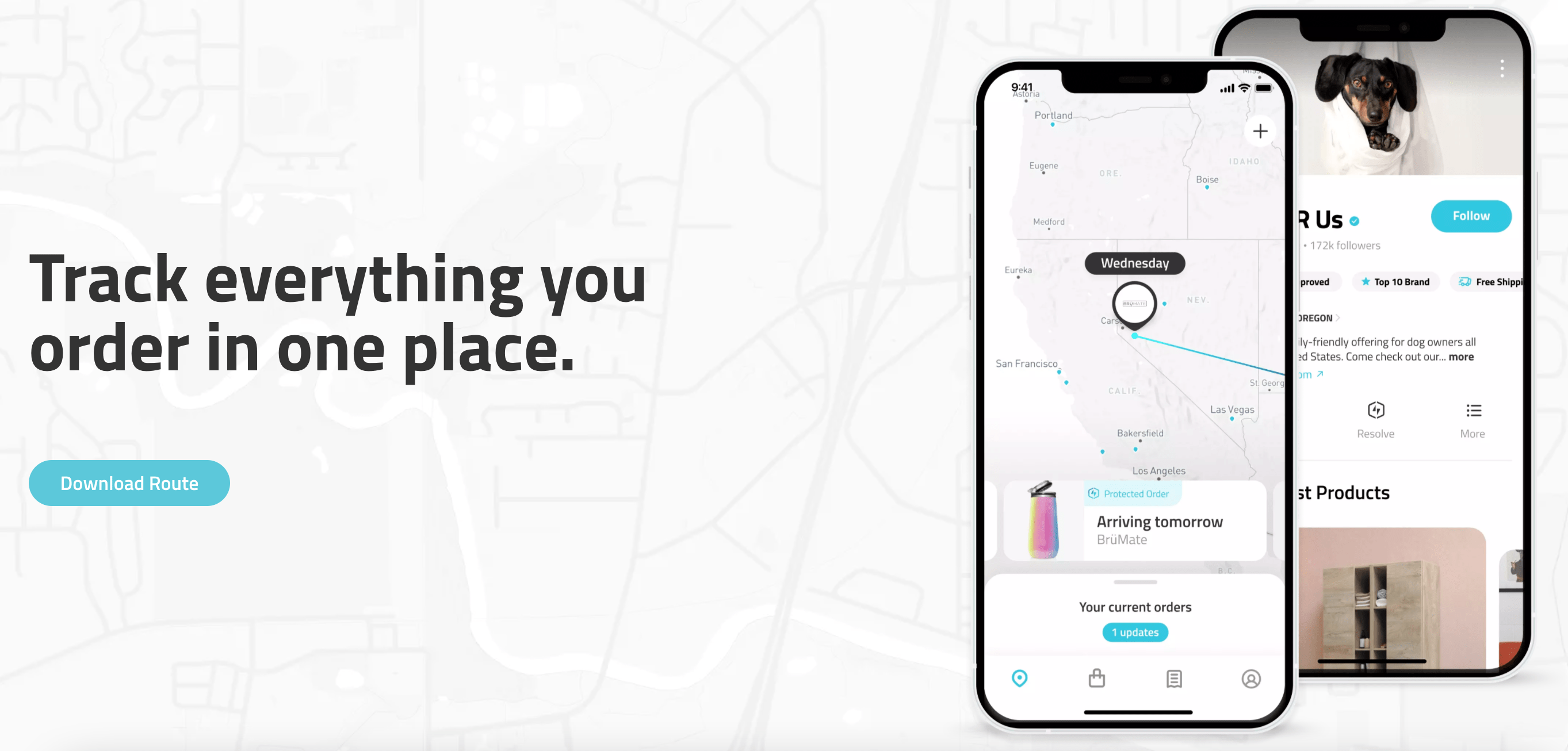

Route Protection and Tracking is one of the better-known names in this space. It offers package protection, tracking, and an overall post-purchase layer that can reduce customer anxiety around lost, stolen, or damaged parcels.
That said, I would not call it a universal winner. Merchant feedback has been mixed over time, especially around support and billing expectations, so I would test carefully and read recent reviews before rolling it out store-wide.
What about Simply Shipping Protection?
Simply Shipping Protection is a strong fit if you want flexibility without outsourcing the economics. It is designed for merchants who want to keep protection in-house while still using a dedicated app.

Simply Shipping Protection supports placement in the cart, side cart, checkout, or post-purchase depending on your setup. It also lets you handle claims via refund, reorder, or store credit, which is useful if your customer service team already has a defined process.
I like this type of app for merchants who want more control but do not want to build from scratch. It sits in a sensible middle ground between DIY and outsourced protection.
Should I use Captain Shipping Protection?
Captain Shipping Protection is one of the better-rated self-funded options on the Shopify App Store. It is a good choice if you want a modern protection widget without heavy theme edits.

Captain Shipping Protection has been popular with merchants because setup is straightforward and the app supports multiple languages. The original post mentioned a 4.9-star rating and strong review volume, which is still the kind of social proof I would pay attention to when shortlisting apps.
For many stores, this lands in the best balance of ease and control category. You keep the premiums, define the claims policy, and avoid relying fully on a third-party insurer.
Can SellUp be used for insurance?
Yes, SellUp works well if your insurance is just another optional product in the cart. It is not a dedicated shipping protection platform, but it can be a very practical solution for fixed-fee add-ons.
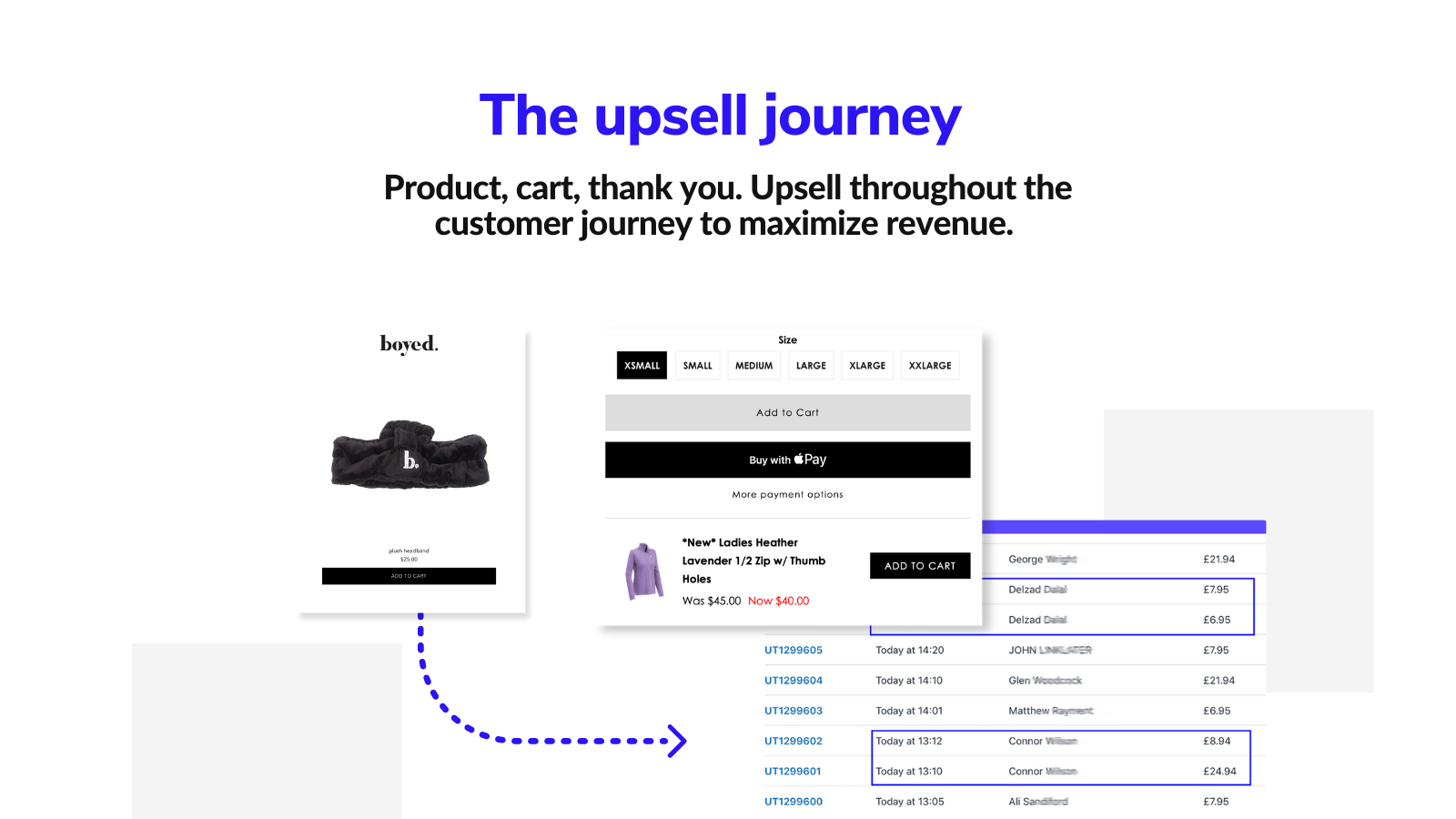

SellUp lets you create in-cart and on-page upsells for products such as shipping protection, gift wrap, or setup fees. If your insurance price is fixed across all orders, this is often the simplest low-friction method.
Because I built SellUp, I know exactly where it fits and where it does not. It is great for straightforward insurance products, especially if you want to test demand quickly, but if you need claims management and policy logic, a dedicated protection app will usually be the better long-term choice.
How do I add insurance to Shopify without an app?
You can add insurance without an app by creating a separate product, editing your cart template or cart drawer, and using Shopify's cart APIs to add or remove it. This gives you more control, but it requires development work.
The basic setup looks like this:
- Create a product called something like Shipping Insurance or Order Protection.
- Disable shipping for that product if appropriate and make sure inventory tracking will not cause issues.
- Add a checkbox or toggle to your cart page or cart drawer.
- When the customer selects it, use the Ajax Cart API to add the insurance product variant to the cart.
- When they untick it, remove that line item and refresh totals.
- Test mobile, drawer carts, discount codes, and multi-currency behaviour carefully.
This approach is viable, but there are caveats. If customers change quantities, apply discounts, or return to the cart from checkout, your logic needs to stay in sync. That is exactly why many merchants eventually move to a dedicated app.
If you are already editing your cart, you may also find these guides useful: how to skip the cart and go straight to checkout and how to add a free gift to the Shopify cart based on order value. The same cart logic principles often overlap.
Should I use product variants or shipping fees for insurance?
Usually no. Product variants and hidden shipping-fee workarounds can function technically, but they are often confusing for customers and harder to maintain.
The original article mentioned both of these methods, and I still think they are worth addressing because merchants do try them. Adding insurance as a variant can work for a single-product purchase, but it becomes messy when the customer buys several unrelated items.
Likewise, bundling insurance into shipping fees is rarely ideal. It reduces transparency, can create support headaches, and makes the offer feel less optional. In conversion terms, I would call both methods workarounds rather than best practice.
How should I price insurance in the cart?
The best pricing model is either a flat fee for low-risk stores or a percentage-based fee for higher-value baskets. Your pricing should be easy to understand and proportionate to the order value.
Most merchants use one of these structures:
- Flat fee - simple and easy to explain, such as £1.99 or £2.99.
- Tiered fee - for example, one rate for orders under £50 and another for orders above £50.
- Percentage-based fee - useful when basket values vary significantly.
In my experience, clarity beats cleverness. A shopper is more likely to accept a straightforward protection fee if the messaging is clear about what is covered, such as loss, theft, or damage in transit.
Good insurance UX is simple: explain the benefit in one sentence, show the price clearly, and let the customer opt in with one click.
What should I say in the cart to improve uptake?
Your copy should focus on reassurance, not scare tactics. The best-performing cart insurance messaging is short, specific, and transparent.
Here are examples I have seen work well:
- Add shipping protection for £2.99
- Cover your order against loss, theft, and damage
- Optional protection with fast claims resolution
- Protect your parcel for a small fee at checkout
Avoid vague labels like Insurance fee with no explanation. Customers are much more likely to opt in when they understand exactly what they are paying for.
What are the main pros and cons of self-funded protection?
Self-funded protection can be more profitable, but it also means you own the claims process. That is the real trade-off.
| Approach | Pros | Cons |
|---|---|---|
| Self-funded | Keep collected fees, full control, flexible claims handling | You handle disputes, refunds, replacements, and policy wording |
| Third-party provider | Less operational burden, recognised brand, built-in claims systems | Lower margin control, possible support dependency, policy limitations |
For smaller stores, third-party protection can feel safer because it reduces complexity. For established brands with strong support operations, self-funded models are often more attractive financially.
How do I choose the best insurance setup for my Shopify store?
The best setup depends on your order volume, average order value, fulfilment risk, and support capacity. There is no single best option for every store.
I would use this quick framework:
- Use a dedicated protection app if you want the fastest reliable setup.
- Use a self-funded app if you want to keep the premiums and can manage claims.
- Use SellUp or a product upsell if your insurance is simple and fixed-price.
- Build custom if you need advanced rules or Shopify Plus checkout logic.
If you sell high-value or fragile products, protection can make a lot of sense. If you sell low-cost items with very low replacement risk, the extra complexity may not be worth it unless uptake is strong.
What is my recommended way to add insurance to the shopping cart in Shopify?
For most merchants, I recommend starting with a dedicated shipping protection app or a simple insurance-product upsell. That gets you live quickly, lets you test conversion, and avoids overengineering the problem.
If I were advising a typical small to mid-sized Shopify store today, I would shortlist Navidium, Captain Shipping Protection, and Simply Shipping Protection for self-funded options, then compare them with Route if a third-party provider is preferred. If the store only needs a straightforward fixed-price add-on, SellUp is a very practical choice.
My final advice is simple. Do not hide the fee, do not make the wording vague, and do not assume checkout customisations will be available on your plan. Put the offer in the cart, explain the value clearly, and test the entire flow from mobile add-to-cart through to fulfilment and claims.
For official platform details, it is also worth reviewing the Shopify Help Centre, the Shopify developer documentation, and relevant Shopify Community threads if you are planning a custom build.