


If you are looking for a guide to blocking or blacklisting customers on your Shopify store, the short answer is this: Shopify does not offer a single native blacklist button, but you can still block risky buyers using a mix of customer tags, account controls, Fraud Control rules, Shopify Flow, and specialist fraud apps.
In my experience building Shopify apps and working with merchants, this is one of those jobs that sounds simple but quickly gets messy. A customer might be fraudulent, abusive to support staff, repeatedly exploiting refunds, or placing fake cash flow draining orders. The right setup depends on whether they use customer accounts, whether you use Shopify Payments, and how aggressive you want your fraud prevention to be.
This updated guide covers the practical ways to block or restrict customers in Shopify in 2026, including what still works, what has changed, and which tools are actually worth using.
Can you block or blacklist a customer on Shopify?
Yes, but not with one built-in blacklist switch. Shopify lets you disable accounts, delete customer profiles, tag risky customers, and block suspicious checkouts with rules, but you usually need to combine methods for reliable protection.
This is the part many articles gloss over. Merchants often search for a direct "block customer" feature, but Shopify's approach is more modular. You can stop some buyers from logging in, flag others for review, and automatically block certain checkouts before they become orders.
That means the best answer is rarely one tactic on its own. For example, deleting a customer record does not stop them checking out again as a guest, and disabling an account does not stop them creating a new one with the same email. If you want a proper blacklist workflow, you need rules plus tags plus monitoring.
Why would you want to block a customer in the first place?
The main reasons are fraud prevention, chargeback reduction, and operational protection. Some customers cost far more than the revenue they bring in.
Fraud is the obvious case. A suspicious buyer might use mismatched billing details, disposable emails, VPNs, repeated card attempts, or a pattern of high risk orders. But in practice, merchants also blacklist customers for serial refund abuse, repeated returns policy exploitation, harassment of support teams, or placing fake bulk orders during busy periods.
There is also a wider business cost. Industry estimates often show that every £1 or $1 lost to fraud costs merchants several times more once you include chargeback fees, lost stock, shipping, staff time, and payment processing losses. Even one repeat offender can create a huge amount of admin.
If you are already tightening up operations, it is also worth reviewing related areas like how to manage Shopify customer data without losing sales and website accessibility compliance for Shopify stores. Store protection is broader than fraud alone.
What are Shopify's built-in ways to block customers?
Shopify's native options are disable account, delete customer, tag customer, and use fraud rules. None are perfect alone, but together they form a workable baseline.
I would treat Shopify's built-in tools as your first layer, not your entire fraud stack. They are useful because they are quick to set up and do not require custom development, but they all have limits.
How do I disable a customer account in Shopify?
Disabling a customer account stops that customer logging in with their existing account credentials. It is useful for problematic logged-in customers, but it does not stop guest checkout or re-registration.
- Go to Shopify admin.
- Open Customers.
- Search for the customer by name or email.
- Open their customer profile.
- Click Disable account.
- Save your changes.
This is one of the fastest actions you can take if someone is abusing an account area or repeatedly logging in to create problems. Just do not mistake it for a full blacklist.
How do I delete a customer in Shopify?
Deleting a customer removes their profile data from your store records, but it does not block them from returning. It is mainly a data management action, not a fraud prevention system.
- Go to Customers in Shopify admin.
- Open the customer profile.
- Click More actions.
- Select Delete customer.
- Confirm deletion.
This can be appropriate for GDPR or housekeeping reasons, but from a fraud perspective it is weak on its own. A deleted customer can still place a new order with a fresh profile, a different email, or as a guest.
How do I tag a customer as blacklisted or fraud in Shopify?
Tagging is the most practical native method because it creates a reusable signal. A tag like blacklisted, fraud, or manual-review can then trigger apps, automations, or internal processes.
- Open the customer profile in Shopify admin.
- Find the Tags field.
- Add a tag such as blacklisted or fraud-risk.
- Save the profile.
In my experience, tags are the cleanest way to build a repeatable workflow. They are simple, visible to your team, and easy to connect with automation. They also help with reporting when you need to analyse repeat offenders later.
What is the best built-in app for blocking suspicious customers on Shopify?
The best native option is Fraud Control. It gives Shopify merchants a fraud dashboard and rule-based checkout blocking, especially useful if you use Shopify Payments.
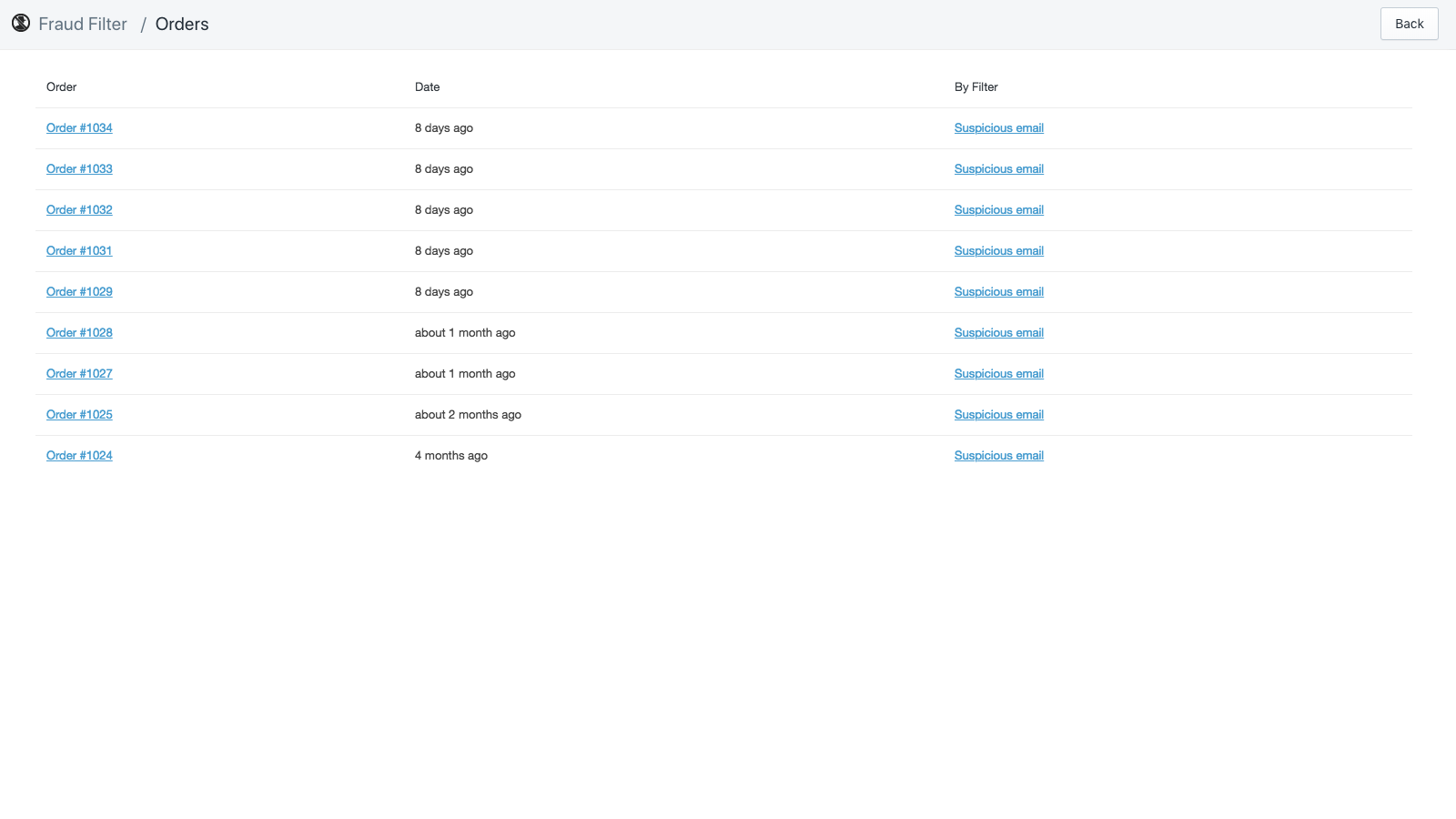
Shopify's older fraud tooling has changed over time, and that has confused a lot of merchants. The more current setup centres around Fraud Control and Shopify Flow, rather than relying on the old Fraud Filter workflow many older guides still mention.
Fraud Control is useful because it moves beyond simple order review. You can create rules that block suspicious checkouts before they become orders, based on details like email patterns, address signals, and other checkout attributes. That is much better than discovering the problem only after authorisation or fulfilment.
How does Fraud Control work?
Fraud Control lets you monitor fraud-related analytics and set checkout rules to block risky transactions. It is best for merchants who want a free Shopify-native starting point.
- Install Fraud Control from the Shopify App Store.
- Open the app from Apps in your Shopify admin.
- Review your dashboard for fraud exposure, chargebacks, and risky order trends.
- Create checkout rules based on the signals you want to block.
- Monitor blocked checkouts and adjust rules to reduce false positives.
Used well, this can stop repeat fraud patterns before they hit your ops team. Used badly, it can block legitimate customers and quietly hurt conversion rate. That is why I always recommend starting with narrow rules first.
What can you block with Fraud Control?
You can block checkouts using rule-based conditions such as email address patterns, contact details, and address-related signals. It is designed to stop suspicious checkouts before they become orders.
For example, if you notice repeated fraud from the same email domain, or a cluster of suspicious orders using slight variations of the same address, Fraud Control can help you act on that pattern. That is far more scalable than manually cancelling orders one by one.
However, it is important to be realistic. No rule-based fraud system is perfect. Fraudsters change details, use new emails, rotate devices, and switch networks. Native rules help, but they should sit inside a wider fraud process.
What are the limitations of Fraud Control?
The main limitations are that it is not a complete fraud guarantee and some features depend on Shopify Payments. It also requires careful rule tuning to avoid blocking genuine buyers.
In practical terms, that means you should not create broad rules like blocking all free email providers or all orders from a large country market unless you are absolutely sure. I have seen merchants accidentally create their own conversion problem by being too aggressive.
If you need stronger protection, guest checkout controls, IP intelligence, VPN detection, or chargeback guarantees, you will probably need a third-party app.
How do I create a proper blacklist workflow in Shopify?
The best blacklist workflow is to tag the customer, cancel or review suspicious orders, block future checkout where possible, and track repeat patterns. This turns one-off actions into a system.
Here is the workflow I would recommend for most stores:
- Review the suspicious order and document why it looks risky.
- Tag the customer as blacklisted, fraud, or manual-review.
- Cancel and refund if the order clearly fails your fraud checks.
- Add a Fraud Control rule if there is a repeatable signal such as domain, address pattern, or contact detail.
- Use Shopify Flow to notify staff or auto-tag similar future orders.
- Escalate to a specialist app if you are seeing repeated attacks or high-value fraud attempts.
This is also where Shopify Flow becomes useful. Flow can automate parts of the process, such as tagging high-risk orders, sending internal alerts, or routing suspicious orders into a manual review queue. If your store is growing, automation matters because fraud handling quickly becomes repetitive admin.
If you are already using automation for revenue, you will probably recognise the same logic from upsell workflows. We use similar operational thinking in guides like how to upsell on Shopify in 2026 and how to create Shopify cart drawer upsells. Good stores automate both growth and risk control.
What if I want to block tagged customers from checking out?
If you want to block tagged customers specifically, a third-party app is usually the easiest route. This is where apps like Cart Lock style workflows and broader blockers become useful.
The research behind this topic consistently points to a common merchant setup: tag the customer, then use an app rule that hides or blocks checkout for customers carrying that tag. This works best for logged-in users, because guest shoppers are harder to match reliably.
Even if you do not use a dedicated tag-lock app, the principle is solid. Tags are your internal source of truth, and enforcement happens via app logic or automation. That separation makes the system much easier to manage over time.
What are the best Shopify apps for blocking or blacklisting customers?
The best app depends on your risk level. Fraud Control is best for a free native setup, Blockify is strong for broader blocking and bot protection, and tools like NoFraud, Signifyd, and ClearSale are better for higher-risk stores that need more advanced screening.
Below is a practical comparison based on how merchants typically use them.
| App | Best for | Key strengths | Main limitation |
|---|---|---|---|
| Fraud Control | Best free native option | Shopify-native dashboard, checkout rules, simple setup | Not a full fraud guarantee, narrower than specialist tools |
| Blockify Fraud Filter & Blocker | Best for blocking bots, VPNs, countries, and suspicious visitors | Broader visitor blocking, fraud filters, anti-bot tooling | Requires configuration and ongoing tuning |
| NoFraud | Best for growing stores with chargeback pressure | Advanced screening, fraud review workflows, dispute support | Usually overkill for small low-risk shops |
| Signifyd | Best for enterprise and high-volume brands | Large-scale fraud intelligence, automation, strong reputation | More complex and typically pricier |
| ClearSale | Best for manual review plus fraud analysis | Fraud expertise, screening support, enterprise-friendly | Less lightweight than native tools |
Is Blockify worth it for Shopify fraud prevention?
For many stores, yes. Blockify Fraud Filter & Blocker is one of the more practical options if you want to block suspicious traffic before it turns into bad orders.
It is particularly useful when your issue is not just known customers, but also anonymous visitors, bots, VPN traffic, proxy users, or suspicious geographies. That makes it broader than a simple blacklist app.
If your store gets hit by spam traffic, fake add-to-carts, or repeat fraud from changing identities, this type of tool can be more effective than only tagging customer records.
Are NoFraud, Signifyd, and ClearSale worth it?
Yes, if you are dealing with high order values, international fraud risk, or serious chargeback volume. These are usually better suited to scaling brands than early-stage stores.



NoFraud, Signifyd, and ClearSale all sit further up the market than basic blocking tools. They are more relevant if you need deeper fraud analysis, review support, or stronger operational safeguards.
In my view, these apps are worth it when fraud is already expensive. They are not worth it unless your order volume, average order value, or chargeback exposure justify the extra complexity and cost.
Should you block by email, IP, address, or tag?
The best answer is use more than one signal. Tags are best for internal workflow, email and address rules are useful for repeat patterns, and IP-based blocking helps with anonymous or guest abuse.
| Signal | Best use case | Strength | Weakness |
|---|---|---|---|
| Customer tag | Known repeat offenders | Simple and reusable | Usually needs an app or automation to enforce |
| Disposable or repeat fraud emails | Easy to identify patterns | Fraudsters can create new emails quickly | |
| Address | Repeated shipping destinations | Good for organised fraud patterns | Can create false positives for shared addresses |
| IP address | Guest abuse, bots, suspicious locations | Useful pre-checkout signal | Dynamic IPs and VPNs reduce reliability |
In practice, I would never rely on just one. Fraudsters adapt too quickly. A layered setup catches more bad orders without forcing you into overly broad rules.
How do I avoid blocking legitimate customers by mistake?
The safest approach is to start narrow, review patterns manually, and test rules before scaling them up. False positives are one of the biggest hidden costs of aggressive fraud prevention.
I have seen stores block genuine customers because they used a VPN, shipped to a work address, or had a perfectly normal Gmail account that happened to resemble a previous fraud pattern. That is why blanket rules often backfire.
- Start with exact-match rules before broad pattern rules.
- Tag and review first if you are unsure.
- Keep internal notes on why a customer was blacklisted.
- Review blocked orders weekly for mistakes.
- Use customer service judgement for edge cases.
If you are worried about conversion damage, this overlaps with a broader store optimisation issue. I would also read the hidden truth about Shopify speed optimisation scams because a lot of merchants focus on speed and ignore operational issues that hurt revenue just as much.
What is the best setup for small stores vs large stores?
Small stores usually do best with tags, manual review, and Fraud Control. Larger stores often need a layered setup with automation, visitor blocking, and specialist chargeback tools.
| Store type | Recommended setup | Verdict |
|---|---|---|
| New or small Shopify store | Customer tags + manual review + Fraud Control | Best for small stores |
| Growing DTC brand | Fraud Control + Shopify Flow + Blockify | Best balance of control and cost |
| High-risk or high-volume store | Advanced screening with NoFraud, Signifyd, or ClearSale | Best for serious fraud exposure |
If you are not sure where you sit, look at your last 90 days of orders. If fraud is occasional, keep it simple. If it is recurring, expensive, or distracting your team every week, upgrade your stack.
What practical signs should make you blacklist a customer?
You should consider blacklisting when there is a repeatable pattern of fraud, abuse, or policy exploitation. One odd order is not always enough, but repeated risky behaviour usually is.
- Multiple failed payment attempts across short time periods
- Orders with mismatched billing and shipping details
- Repeated orders from newly created or disposable emails
- Serial refund or chargeback behaviour
- Support abuse or threats against staff
- High-value rush orders with unusual shipping requests
- Several customer profiles linked to the same suspicious destination
For stores selling custom or made-to-order products, these signals matter even more because fulfilment costs hit early. If that sounds familiar, our guides on tracking customised orders in Shopify and adding a rush order option are worth reading alongside your fraud setup.
What is my recommended approach in 2026?
My recommendation is to build a layered fraud prevention system, not rely on a single blacklist action. For most merchants, that means customer tags, Fraud Control, Shopify Flow, and a third-party blocker if fraud becomes persistent.
In my experience building Shopify apps, the merchants who handle this best are not necessarily the ones with the fanciest tooling. They are the ones with a clear process. They know what triggers a manual review, when to tag, when to cancel, when to escalate, and which signals justify a permanent block.
If I were setting this up on a typical Shopify store today, I would do the following:
- Create standard tags: blacklisted, fraud-review, refund-abuse.
- Install Fraud Control and review dashboard trends weekly.
- Use Shopify Flow to alert staff on high-risk orders.
- Add Blockify if anonymous traffic, bots, or VPN abuse is a problem.
- Move to NoFraud, Signifyd, or ClearSale if fraud is materially affecting profit.
That setup is usually strong enough for most stores without becoming overly complex. The key is to protect the business while still keeping checkout friction low for genuine customers.
Frequently asked questions about blocking customers on Shopify
Can a blocked Shopify customer still place a guest order?
Yes, in many cases they can. Disabling an account does not automatically stop guest checkout, which is why account actions alone are not enough.
Can I block someone by IP address on Shopify?
Not reliably with native Shopify tools alone. IP-based blocking usually requires a third-party app and can still be bypassed with VPNs or changing networks.
Can I stop a customer creating a new account with the same email?
Not perfectly with native tools. You can disable or delete an existing account, but a determined user may still try again, which is why rules and app-based blocking matter.
Is deleting a customer the same as blacklisting them?
No. Deleting removes the profile, but it does not stop the person ordering again later.
Do I need a paid app to blacklist customers on Shopify?
Not always. Many stores can start with tags, Fraud Control, and manual review, then only add paid apps if fraud becomes a recurring issue.


