
Website accessibility lawsuits are a real and growing risk for Shopify merchants in 2026. If you sell to customers in the US, your store can be challenged under ADA Title III even if you are a small business, even if you use a popular Shopify theme, and even if nobody warned you first.
In the latest data, more than 5,100 website accessibility lawsuits were filed in 2025, up roughly 20% year on year. Depending on the dataset, 70-77% of cases target eCommerce websites, which is exactly why Shopify merchants are so exposed.
In my experience building Shopify apps and reviewing hundreds of storefronts, accessibility problems usually do not come from one dramatic mistake. They come from a pile of small decisions: an app that breaks keyboard focus, a low-contrast button in a theme customisation, missing alt text on collection images, a pop-up that traps users, or a cart drawer that works fine with a mouse but fails with a screen reader.
If you have been treating accessibility as a nice-to-have, 2026 is the year to stop doing that. It is a legal risk, a conversion issue, and a customer experience issue all at once.
What are website accessibility lawsuits?
Website accessibility lawsuits are legal claims alleging that a website is not usable by people with disabilities. In the US, they are usually brought under the Americans with Disabilities Act, especially ADA Title III, which covers public-facing businesses.
For Shopify merchants, these claims usually focus on barriers such as missing alt text, poor colour contrast, keyboard navigation failures, inaccessible forms, broken screen reader labels, and checkout flows that are difficult or impossible to complete without a mouse. Courts and settlements often reference WCAG 2.1 AA or increasingly WCAG 2.2 AA as the practical benchmark.
The important point is this: the ADA does not give most merchants a warning period to fix issues first. A demand letter or lawsuit can arrive before you even know there is a problem.
Are Shopify stores really being targeted in 2026?
Yes, Shopify stores are firmly in the firing line. eCommerce remains one of the biggest targets for digital accessibility claims, and smaller merchants are still heavily represented in the data.
The reason is simple. Online stores have lots of interactive elements: filters, variant selectors, product galleries, slide-out carts, pop-ups, accordions, reviews widgets, upsell blocks, and multi-step checkout journeys. Every one of those components can create accessibility failures if it is not built and tested properly.
Even stores using modern Shopify themes are not automatically safe. Shopify has made meaningful improvements to its platform and themes, but theme quality is only one layer. Once you add custom sections, third-party scripts, apps, and content changes, accessibility can degrade quickly.
That matches what I see in app development too. A merchant can start with a reasonably solid theme, then install five or six apps, tweak the product page, add a sticky cart, add a countdown bar, and suddenly the experience for keyboard users is messy. Accessibility debt builds quietly.
Why are small Shopify merchants especially vulnerable?
Small businesses are often seen as easier settlement targets. They usually do not have in-house legal teams, formal compliance processes, or developers constantly auditing their storefront.
Recent reporting and industry analysis keep pointing to the same pattern: most businesses sued are not huge enterprises. Many are independent retailers doing modest revenue, and many settle because fighting is more expensive than resolving the claim quickly.
Typical settlement ranges are often quoted around $5,000 to $25,000, with remediation costs on top. Industry sources also suggest that around 97% of cases settle out of court. That is why this issue matters so much. Even if you believe a claim is weak, the cost of defending it can be painful.
In practical terms, a lawsuit can hit your cash flow twice. First, there is the legal response and settlement pressure. Second, there is the cost of fixing the site properly afterwards, which many merchants realise they should have done earlier.
What makes a Shopify website a target?
The biggest risk factors are interactive features, poor theme customisation, and untested apps. Plaintiffs' firms and auditors are not just looking for home page issues. They often check product pages, navigation, forms, cart, and checkout-related flows.
Here are the most common problem areas I see on Shopify stores:
- Missing or poor alt text on product, collection, and banner images
- Insufficient colour contrast on buttons, sale badges, announcement bars, and body text
- Keyboard navigation failures in menus, cart drawers, pop-ups, sliders, and filters
- Screen reader issues caused by missing labels, incorrect heading structure, or non-semantic HTML
- Auto-rotating carousels that are hard to pause or navigate
- Inaccessible forms on contact pages, newsletter boxes, and product customisation fields
- App conflicts that inject inaccessible code into key conversion areas
- Dynamic checkout and cart experiences that do not announce changes properly to assistive technology
Shopify stores are also vulnerable because merchants often assume Shopify itself covers everything. It does not. Shopify provides the platform, but accessibility responsibility still sits with the merchant once the storefront is customised.
Which states are the biggest lawsuit hotspots?
New York, California, and Florida remain the best-known hotspots, but the risk is national. You do not need a physical office in those states to be sued there if your store serves customers in those jurisdictions.
That is one of the most misunderstood parts of this topic. I still see merchants say, "We're not based in New York, so it doesn't apply to us." That is not a safe assumption when you operate an online store open to US customers.
Litigation has also spread beyond the usual states. New jurisdictions continue to see more claims, and legal firms are not limiting themselves to one region anymore. If you sell nationally, you should think nationally about accessibility risk.
Who is filing these claims?
A relatively small group of plaintiffs and law firms account for a large share of cases. This is one reason accessibility litigation can feel industrialised rather than purely reactive.
Competitor research and legal commentary consistently show that repeat plaintiffs and specialist firms drive a disproportionate amount of filings. They often use repeatable processes, automated scanning, and structured demand-letter campaigns to identify potential targets quickly.
That does not mean accessibility is not important. It absolutely is. But it does explain why so many merchants feel blindsided. The legal process often moves faster than the merchant's understanding of the problem.
Accessibility is both a civil rights issue and a legal risk issue. Merchants who ignore either side usually end up paying more later.
Do accessibility widgets protect Shopify stores from lawsuits?
No, accessibility widgets and overlays are not a reliable legal shield. In many cases, they do not fix the underlying code issues that create the problem in the first place.
This is one of the biggest traps in the market. Tools like accessiBe and UserWay are often sold as fast compliance solutions, but that promise is far too simplistic.


Industry data has shown that stores using overlays still get sued. Accessibility professionals have been saying this for years, and regulators have also scrutinised exaggerated compliance claims. If a widget changes font size or adds a toolbar but your menu is still not keyboard accessible, your legal exposure remains.
In my opinion, widgets are not worth relying on unless they are part of a wider remediation plan. They may offer some user controls, but they do not replace proper development, testing, and content governance.
What standard should Shopify merchants aim for?
The safest practical target is WCAG 2.1 AA at minimum, with WCAG 2.2 AA as the forward-looking benchmark. That is the standard most accessibility professionals, auditors, and legal teams now work against.
The US Department of Justice has pointed businesses towards WCAG as the recognised technical benchmark for web accessibility. While not every private-sector rule is written the same way, WCAG 2.1 AA is still the common baseline, and more teams are now building to WCAG 2.2 AA to stay current.
WCAG is built around four principles, often called POUR:
- Perceivable - users must be able to perceive content and interface elements
- Operable - users must be able to navigate and use the interface
- Understandable - content and controls must be clear and predictable
- Robust - the site must work with assistive technologies and modern browsers
If you want a simple way to think about it, ask this: can somebody browse, understand, and buy from my store using a keyboard and screen reader? If the answer is no, you have work to do.
How do I check whether my Shopify store has accessibility problems?
Start with free tools, then follow up with manual testing and a professional audit. Automated scans are useful, but they only catch a fraction of real issues.
The best free starting points are:
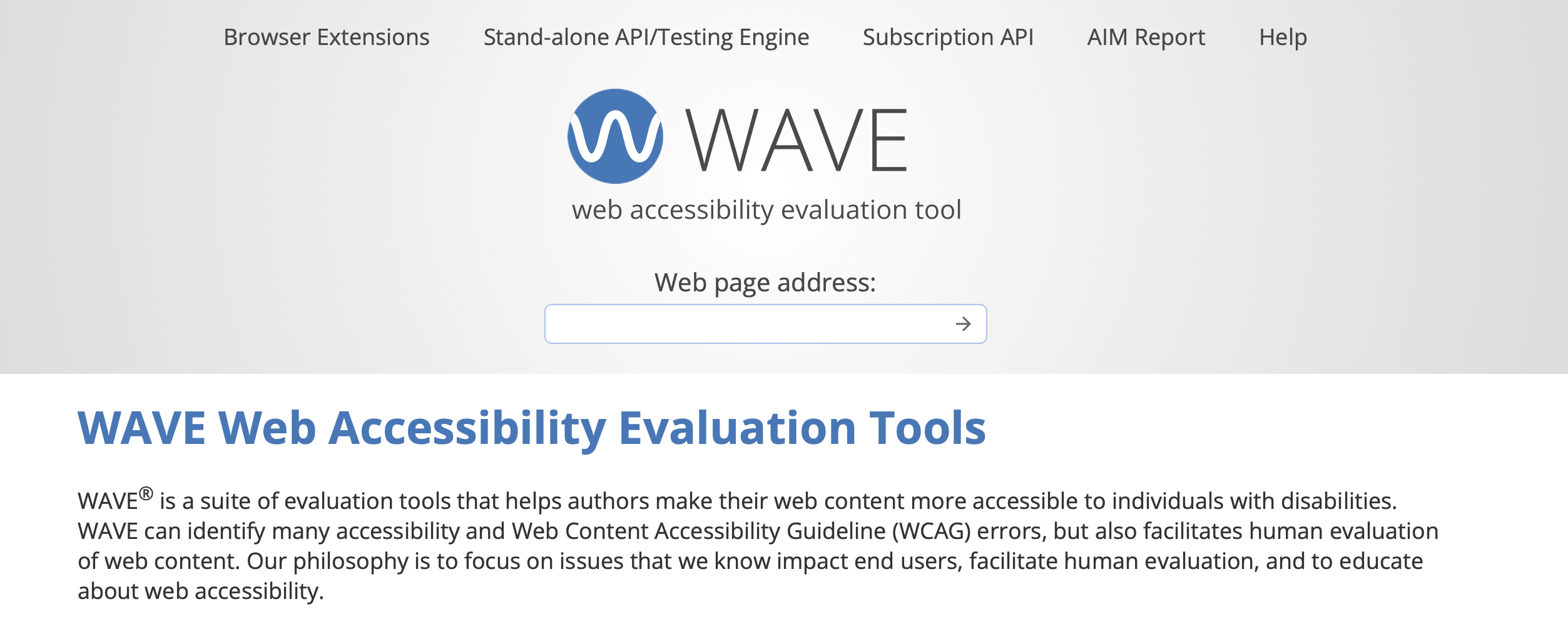
- WAVE for page-level accessibility checks
- Google Lighthouse for accessibility scoring and quick issue flags
- axe DevTools for browser-based testing
- PageSpeed Insights for an accessible snapshot and broader technical signals
Be careful not to overestimate what these tools can do. Most experts agree they catch only about 20-25% of accessibility issues. They are a starting point, not proof of compliance.
After that, I recommend manual checks on your most important templates:
- Home page
- Collection page
- Product page
- Cart drawer or cart page
- Search results
- Contact form
- Account pages if enabled
- Any app-heavy landing page
Try navigating with only your keyboard. Use Tab, Shift + Tab, Enter, and Escape. If you get stuck, lose focus, cannot open or close elements, or cannot tell where focus is, those are immediate red flags.
Should I pay for a professional accessibility audit?
Yes, if you are serious about reducing legal exposure, a professional audit is usually worth it. It gives you a prioritised remediation list and documentation that shows you are taking accessibility seriously.
Current pricing for a focused audit is often around $1,250 to $2,000 for roughly 10-12 key pages across desktop and mobile. That is not cheap, but compared with a lawsuit, settlement, and rushed remediation, it is often the better spend.
In my view, the value is not just the report. It is the clarity. A good audit tells you what is broken, how severe it is, where it appears, and what to fix first. That is much more useful than a vague widget promise or a single accessibility score.
What should I fix first on a Shopify store?
Start with the pages and components closest to revenue. Product discovery, product pages, cart, and checkout-related flows should be prioritised first.
Here is the order I usually recommend to merchants:
- Navigation and menu structure
- Collection filters and sorting
- Product page media, variants, and add-to-cart buttons
- Cart drawer or cart page
- Forms, pop-ups, and newsletter modals
- Search and predictive search
- Reviews, upsell, and bundle widgets
- Informational pages and blog content
Accessibility and conversion optimisation often overlap here. If a button is hard to see, a form label is unclear, or a cart drawer is awkward to use, that hurts all users, not just users with disabilities. This is one reason accessibility work often improves revenue as well as reducing risk.
If you are already reviewing your conversion path, it is worth reading our guide to Shopify checkout and our article on address autocomplete because checkout usability and form clarity are tightly connected to accessibility.
How do themes and apps affect accessibility?
Your theme and app stack can either reduce risk or create it. A cleaner, lighter storefront is usually easier to keep accessible than a heavily layered one.
Shopify's newer themes are generally better than many older themes, but no theme should be treated as permanently compliant. Once you customise templates or add apps, you need to retest. I have seen merchants break heading hierarchy, focus states, and ARIA labels just by installing a new promotional widget.
Third-party apps are a major blind spot. Merchants install them to improve conversion, reviews, translation, or merchandising, but they rarely test them with assistive technology afterwards.

If you use a lot of third-party apps, treat each one as a possible source of accessibility debt. In my experience, the worst offenders are often pop-ups, sliders, sticky bars, and custom product personalisation tools.
This also links to performance. Bloated storefronts are harder to maintain, harder to test, and often worse for accessibility. If your store is overloaded with scripts, our post on Shopify speed optimisation scams and our guide to lazy loading are worth reading alongside this one.
What does a practical accessibility checklist look like for Shopify?
A good checklist covers content, design, code, and ongoing QA. Accessibility is not a one-off task. It needs a repeatable process.
Content checks
Content issues are some of the easiest to fix and some of the most commonly ignored. Merchants can improve a lot without touching complex code.
- Add descriptive alt text to meaningful images
- Leave decorative images with empty alt attributes where appropriate
- Use clear, structured headings in the right order
- Avoid vague link text like "click here"
- Provide captions or transcripts for video where needed
- Write error messages that explain what went wrong and how to fix it
Design checks
Design accessibility directly affects readability and task completion. Many issues come from branding decisions that look good but perform badly.
- Check colour contrast for text, buttons, badges, and form states
- Make sure focus indicators are visible
- Do not rely on colour alone to communicate meaning
- Ensure text can resize without breaking layouts
- Avoid fast flashing or distracting movement
Functional checks
Interactive elements are where many lawsuits begin. Test the actions that users need to complete a purchase.
- Confirm full keyboard navigation across menus, filters, and modals
- Label every input properly
- Make sure cart updates are announced clearly
- Allow pop-ups and drawers to be closed with Escape
- Test screen reader behaviour on product variants and buttons
- Review app widgets after every installation or update
What should I do if I receive a demand letter?
Do not ignore it, and do not panic-buy a widget. Get legal advice, preserve evidence, and start a proper accessibility review immediately.
I am not a lawyer, so this is not legal advice, but the practical steps are fairly consistent:
- Forward the letter to a qualified attorney with ADA or digital accessibility experience
- Do not admit liability casually by email
- Document your current site state with screenshots, exports, and app lists
- Commission an accessibility audit quickly
- Begin remediation on the most serious issues
- Keep records of every fix, test, and vendor conversation
Documentation matters. There have been cases where evidence of active remediation and serious compliance efforts helped strengthen a merchant's position. At the very least, it shows you are not ignoring the issue.
Can accessibility improvements also increase conversion rates?
Yes, accessibility work often improves conversion because it removes friction from buying journeys. Better usability helps more people complete more tasks more easily.
Industry estimates often suggest that 15-20% of users may be affected by some form of disability. If your site is harder for those users to navigate, you are not just increasing legal risk. You are actively losing sales.
In my own work on Shopify apps, the same changes that improve accessibility often improve metrics merchants care about: clearer labels, better button contrast, simpler forms, cleaner focus states, and fewer intrusive overlays. Good accessibility is usually good conversion design.
If this is part of a wider launch or redesign project, I would also pair it with our Shopify store launch checklist and our guide to Shopify SEO. Cleaner structure and better content quality support both accessibility and search performance.
What is the best long-term strategy for staying compliant?
The best strategy is ongoing accessibility governance, not one-off fixes. Accessibility should become part of how you manage your Shopify store, just like SEO, speed, or conversion optimisation.
Here is the approach I recommend for most merchants:
| Approach | What it does | My verdict |
|---|---|---|
| Accessibility widget only | Adds a toolbar or overlay without fixing underlying code | Not enough on its own |
| Free automated scan only | Flags some issues quickly | Useful starting point, not a defence |
| Professional audit plus remediation | Finds real issues across key templates and devices | Best practical option for most stores |
| Ongoing QA process | Retests after theme edits, app installs, and redesigns | Best long-term protection |
A mature accessibility process usually includes:
- Quarterly automated checks
- Manual keyboard testing after major changes
- Annual or biannual expert audits
- Content guidelines for alt text, headings, and links
- App review procedures before installation
- Issue logs and remediation records
If you are on Shopify Plus or running a larger catalogue, this matters even more because complexity increases fast. More templates, more scripts, more merchandising logic, and more regional storefront changes all create more room for failure.
Is website accessibility worth doing even if I am not worried about lawsuits?
Yes, because accessibility is good retail practice. It makes your store easier to use, broadens your customer base, and reduces friction across the whole buying journey.
I know some merchants come to this topic only because of legal fear, and that is understandable. But once you start fixing issues, the benefits become obvious. Product pages become clearer, forms become easier to complete, navigation improves, and support tickets often drop because users can actually find what they need.
That is why I see accessibility as one of those rare areas where risk reduction, UX improvement, and conversion optimisation all point in the same direction. It is not glamorous work, but it is some of the highest-leverage work you can do on a Shopify store in 2026.
What should Shopify merchants do next?
If you do nothing else this week, run a free scan, manually test your key templates, and make a plan for a proper audit. Waiting until a demand letter arrives is the expensive way to learn this lesson.
If I were prioritising this for a typical merchant today, I would do it in this order:
- Run WAVE and PageSpeed Insights
- Test home, collection, product, cart, and contact pages with only a keyboard
- Review every installed app that touches navigation, cart, pop-ups, reviews, or product options
- Fix obvious content issues like alt text, headings, and contrast
- Book a professional accessibility audit
- Create a repeatable QA process for future updates
Website accessibility lawsuits are not slowing down in 2026. For Shopify merchants, the smart move is to treat accessibility as an operational requirement now, before it becomes a legal emergency later.


