
La maggior parte dei negozi Shopify non perde ricavi perché i prodotti sono scadenti. Li perde perché il percorso d’acquisto disperde valore proprio prima che la vendita venga completata. Nella mia esperienza nello sviluppo di app Shopify e nell’analisi dei funnel dei merchant, il divario tra ciò che gli acquirenti intendono acquistare e ciò che effettivamente pagano si attesta spesso intorno al 20% al 30%, soprattutto quando i negozi si affidano a un flusso standard di carrello e checkout senza una logica di upsell intelligente.
Questo valore perso di solito si manifesta in tre modi: i clienti abbandonano dopo aver aggiunto al carrello, rimuovono un accessorio o un secondo articolo, oppure completano un ordine con un solo SKU quando avrebbero accettato un componente aggiuntivo pertinente. La buona notizia è che non serve rendere il checkout più aggressivo per recuperarlo. Servono un posizionamento migliore, un tempismo migliore e offerte adatte al momento.
È qui che conta il posizionamento dell’upsell. Un’offerta nella pagina prodotto si comporta in modo molto diverso da una raccomandazione nel cart drawer, e un’offerta post-acquisto si comporta ancora diversamente. Se combini i posizionamenti giusti, è realistico recuperare dal 10% al 30%+ di AOV senza aumentare la spesa per il traffico.
In questa guida analizzerò i 5 posizionamenti di upsell che funzionano davvero su Shopify, il tipo di dati di conversione che puoi aspettarti da ciascuno e come li strutturerei in una configurazione pratica naturalmente vicina a SellUp.
Perché i negozi Shopify perdono così tanto AOV al checkout?
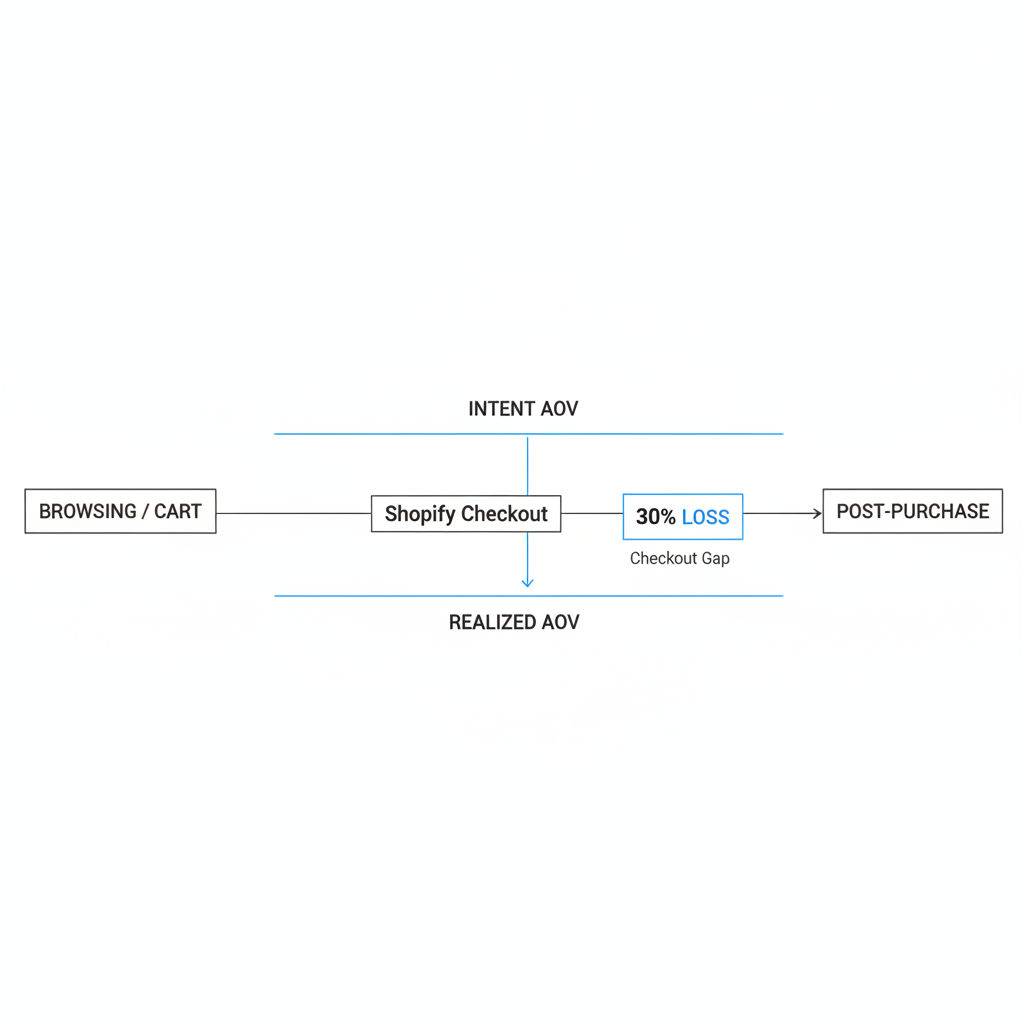
I negozi Shopify perdono AOV al checkout perché l’intento d’acquisto è massimo prima del checkout, ma la maggior parte dei negozi fa ben poco per preservare o ampliare quel valore mentre gli acquirenti avanzano nel percorso. Il risultato è un divario tra intent AOV e realized AOV.
L’intent AOV è ciò che il cliente era disposto ad acquistare mentre navigava o aggiungeva prodotti al carrello. Il realized AOV è ciò che effettivamente paga dopo modifiche al carrello, esitazioni e abbandono. È in questa differenza che scompare una parte consistente dei ricavi.
In base alla ricerca alla base di questo tema, la maggior parte dei negozi registra una combinazione di 10% al 20% di sessioni che abbandonano dopo l’aggiunta al carrello, oltre a un’ulteriore riduzione del carrello da parte di clienti che rimuovono un prodotto, scelgono una variante inferiore o saltano un articolo complementare. Inoltre, la maggior parte dei checkout Shopify è ancora ottimizzata per la velocità più che per il merchandising, il che significa che molti acquirenti non vedono nemmeno un upsell pertinente.
Nella mia esperienza, i merchant spesso pensano di avere un problema di acquisizione quando in realtà hanno un problema di tempismo nel merchandising. Stanno pagando per il clic, ottenendo l’aggiunta al carrello e poi lasciando che l’ordine si chiuda al valore più basso possibile.
Quali sono i 5 posizionamenti di upsell che funzionano davvero su Shopify?
I migliori posizionamenti di upsell su Shopify sono pagina prodotto, carrello, checkout, post-acquisto e pagina di ringraziamento. Ogni posizionamento funziona per una ragione diversa e ognuno ha un profilo di rischio differente.
Se dovessi stabilire delle priorità per la maggior parte dei negozi, di solito inizierei con pagina prodotto + carrello + post-acquisto. Questi tre coprono le opportunità di ricavo più grandi mantenendo pulito il flusso principale di checkout.
| Posizionamento | Tasso di accettazione tipico | Aumento tipico dell’AOV | Vantaggio principale | Rischio principale |
|---|---|---|---|---|
| Upsell nella pagina prodotto | 8% al 15% | 5% al 10% | Cattura l’intento in anticipo | Troppe scelte |
| Upsell nel carrello | 10% al 25% | 8% al 15% | Alto intento d’acquisto | Popup invasivi |
| Upsell al checkout | 8% al 25% | 5% al 12% | Momento di massimo impegno | Checkout disordinato |
| Upsell post-acquisto | 10% al 25% | 10% al 15%, a volte di più | Non può danneggiare la conversione iniziale | Offerte irrilevanti |
| Upsell nella pagina di ringraziamento | 3% all’8% | 2% al 5% | Ricavi incrementali a basso attrito | Visibilità inferiore |
Usati insieme, questi posizionamenti possono recuperare una parte significativa del valore d’ordine perso. La chiave non è mostrare offerte ovunque. La chiave è abbinare il tipo di offerta al momento.
In che modo gli upsell nella pagina prodotto aumentano l’AOV?
Gli upsell nella pagina prodotto aumentano l’AOV ampliando l’ordine prima che il cliente sia vincolato dal prezzo. È uno dei modi più puliti per aumentare il valore dell’ordine perché gli articoli extra vengono aggiunti prima che inizi l’attrito del checkout.
Nella pagina prodotto, l’acquirente sta ancora definendo l’acquisto. Sta decidendo quale versione, quale quantità e cos’altro gli serve. Questo la rende un ottimo punto per offerte frequently bought together, complete the set e bundle and save.
Realisticamente, mi aspetterei che un upsell ben mirato nella pagina prodotto generi un tasso di accettazione dell’8% al 15% e un aumento dell’AOV del 5% al 10%. La fascia più alta di solito arriva da negozi con prodotti naturalmente complementari come skincare, pet, gioielli, integratori o accessori per elettronica.
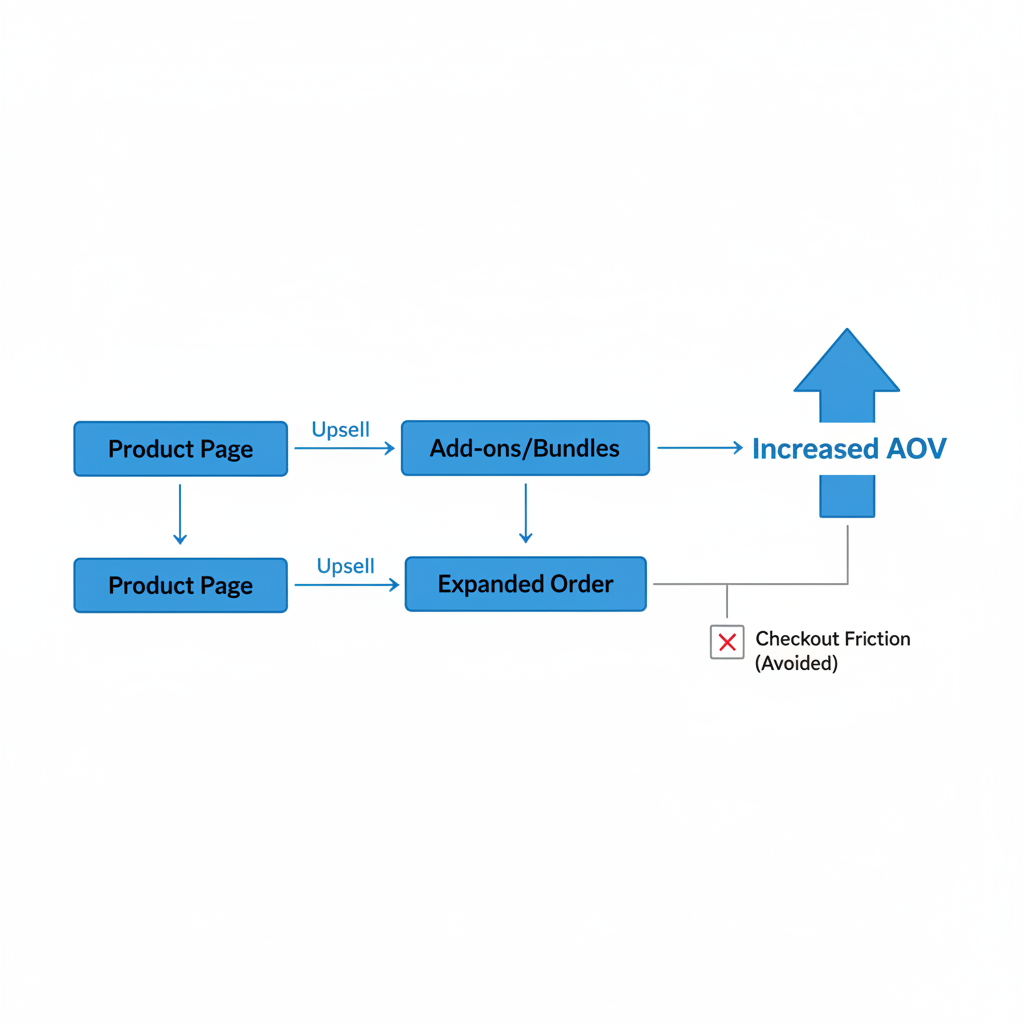
Gli upsell nella pagina prodotto che ottengono i risultati migliori sono di solito semplici. Offri un accessorio, un upgrade o un bundle. Se mostri cinque prodotti non correlati, l’acquirente inizia ad analizzare invece di comprare.
Quali offerte di upsell nella pagina prodotto funzionano meglio?
I migliori upsell nella pagina prodotto sono offerte che sembrano un’estensione naturale del prodotto principale. I modelli più efficaci sono offerte sulla quantità dello stesso prodotto, accessori e bundle preconfigurati.
- Upsell dello stesso prodotto - Compra 2 e risparmia il 10%
- Upsell di accessori - Aggiungi la custodia, la ricarica, il cinturino o il kit di cura abbinato
- Upsell bundle - Completa la routine, lo starter kit o il set completo
- Upgrade di variante - Passa a una dimensione più grande o a una versione premium
Nella mia esperienza nello sviluppo di logiche di upsell, la pertinenza batte l’entità dello sconto. Un accessorio perfettamente abbinato a prezzo pieno spesso supera le performance di un prodotto casuale con il 20% di sconto.
Se vuoi più idee per questa fase del funnel, darei anche un’occhiata a Shopify Upsell nella pagina prodotto: migliori metodi, app e consigli di configurazione per il 2026 e Come mostrare componenti aggiuntivi personalizzabili e upsell su Shopify.
Come funzionano al meglio gli upsell nel carrello su Shopify?
Gli upsell nel carrello funzionano al meglio quando compaiono all’interno del cart drawer o della pagina carrello come passaggio successivo naturale, non come interruzione. Questo posizionamento converte bene perché il cliente è già in modalità acquisto ma non ha ancora confermato i dati di pagamento.
È uno dei miei posizionamenti preferiti perché è pratico, flessibile e disponibile per molti più merchant rispetto alla personalizzazione del checkout. Si adatta anche perfettamente al modo in cui dovrebbe operare uno strumento come SellUp: basato su regole, pertinente e leggero.
Per gli upsell nel carrello, un benchmark realistico è un tasso di accettazione del 10% al 25% tra gli acquirenti che arrivano al carrello e un aumento dell’AOV dell’8% al 15% quando le offerte sono strettamente allineate ai prodotti già presenti nel carrello. Ecco perché i cart drawer sono un punto di monetizzazione così forte.
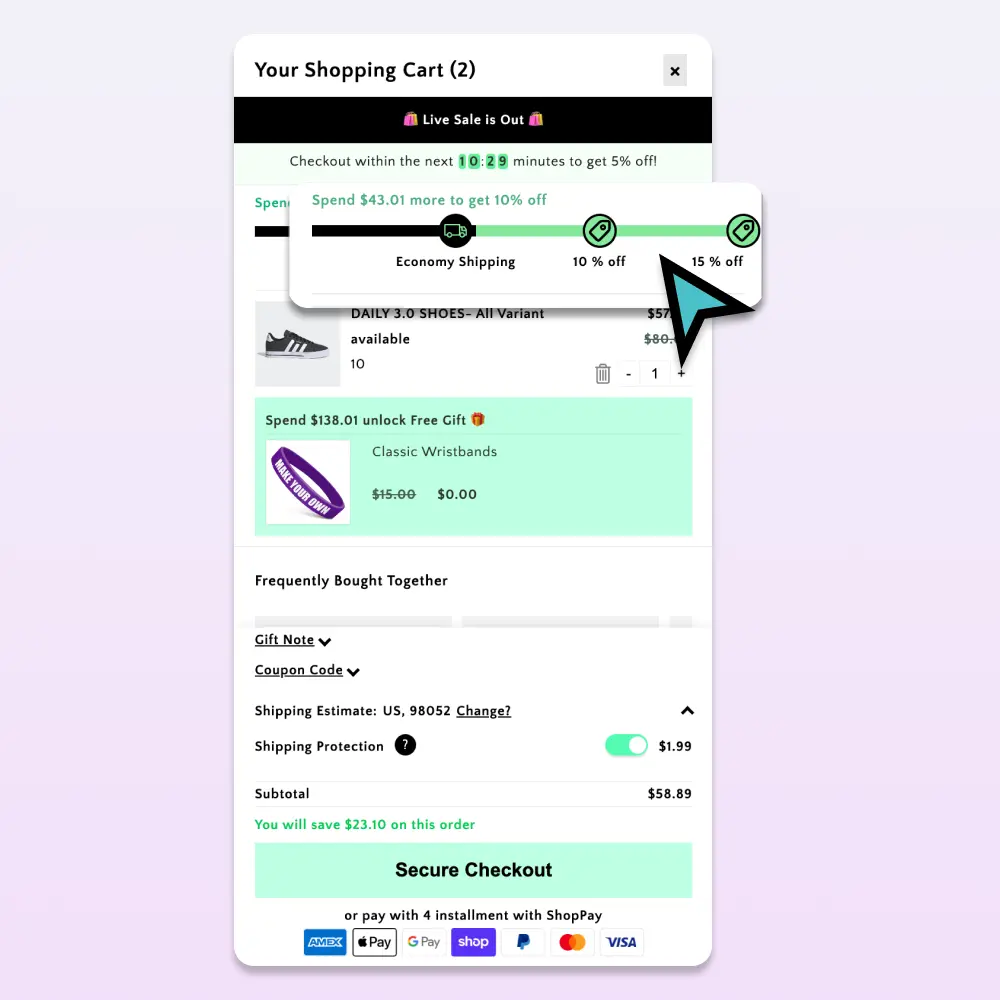
L’errore più grande che vedo è usare un popup che interrompe l’azione di aggiunta al carrello. Gli acquirenti odiano l’attrito subito dopo il clic. Un blocco di raccomandazioni inline o una sezione sticky per componenti aggiuntivi sotto il subtotale di solito ottengono risultati molto migliori.
Cosa dovresti mostrare nel carrello?
I migliori upsell nel carrello sono piccoli, utili e facili da giustificare. Gli acquirenti sono vicini al checkout, quindi l’offerta dovrebbe sembrare un’aggiunta utile piuttosto che una nuova sessione di shopping.
- Accessori con prezzo pari al 10% al 25% del valore del carrello
- Prodotti consumabili da abbinare al prodotto principale
- Confezione regalo, protezione o servizi aggiuntivi
- Incentivi verso la soglia di spedizione gratuita collegati a un articolo consigliato
Uno schema che mi piace costantemente è la barra di avanzamento. Se un acquirente è a 8-15 $ dalla spedizione gratuita, un componente aggiuntivo pertinente può sembrare più interessante che pagare la spedizione stessa. Questo è uno dei motivi per cui gli upsell nel carrello spesso superano le raccomandazioni di prodotto generiche.
Se gli upsell nel carrello sono un focus per il tuo negozio, queste guide di LaunchTip sono direttamente rilevanti: Come creare upsell nel cart drawer di Shopify che aumentano l’AOV nel 2026 e Come creare upsell nel carrello su Shopify: 2 metodi che funzionano davvero nel 2026.
Gli upsell al checkout valgono la pena su Shopify?
Gli upsell al checkout valgono la pena quando sono minimali, altamente pertinenti e tecnicamente supportati. Possono funzionare molto bene, ma comportano anche il rischio più alto di danneggiare la conversione se esageri.
Shopify mantiene intenzionalmente il checkout snello. Questo è positivo per la conversione, ma significa che i merchant hanno meno spazio per sperimentare. Se utilizzi una configurazione che supporta Shopify Checkout Extensibility, un order bump mirato può essere estremamente efficace.
I benchmark per gli upsell al checkout di solito si attestano intorno a un tasso di accettazione dell’8% al 12% nelle configurazioni conservative, con un 15% al 25% possibile per articoli molto pertinenti e a basso attrito. In termini di valore dell’ordine, questo spesso si traduce in un aumento dell’AOV del 5% al 12% da offerte solo al checkout.
Ma ecco il compromesso: il checkout è il punto in cui anche un piccolo attrito può costare caro. Nella mia esperienza, se un merchant ha già upsell forti nel carrello e nel post-acquisto, dovrebbe fare attenzione a non sovraccaricare il checkout solo perché può farlo.
Quali offerte al checkout convertono meglio?
Le migliori offerte al checkout sembrano un tocco finale, non una proposta di vendita. Gli esempi più efficaci sono order bump, kit di cura, garanzia o protezione e piccoli accessori.
| Tipo di offerta al checkout | Ideale per | Perché funziona |
|---|---|---|
| Accessorio aggiuntivo | Abbigliamento, elettronica, beauty | Sembra un articolo utile per completare l’acquisto |
| Protezione o garanzia | Prodotti ad alto prezzo | Facile dire sì al momento del pagamento |
| Upgrade bundle | Skincare, integratori, articoli per la casa | Presenta l’offerta come un acquisto più intelligente |
| Opzione regalo | Negozi stagionali e orientati ai regali | Aggiunge valore senza cambiare la scelta del prodotto principale |
Limitati a un solo blocco mirato. Se il cliente deve confrontare più offerte al momento del pagamento, stai invitando all’esitazione.
Perché gli upsell post-acquisto di solito funzionano così bene?
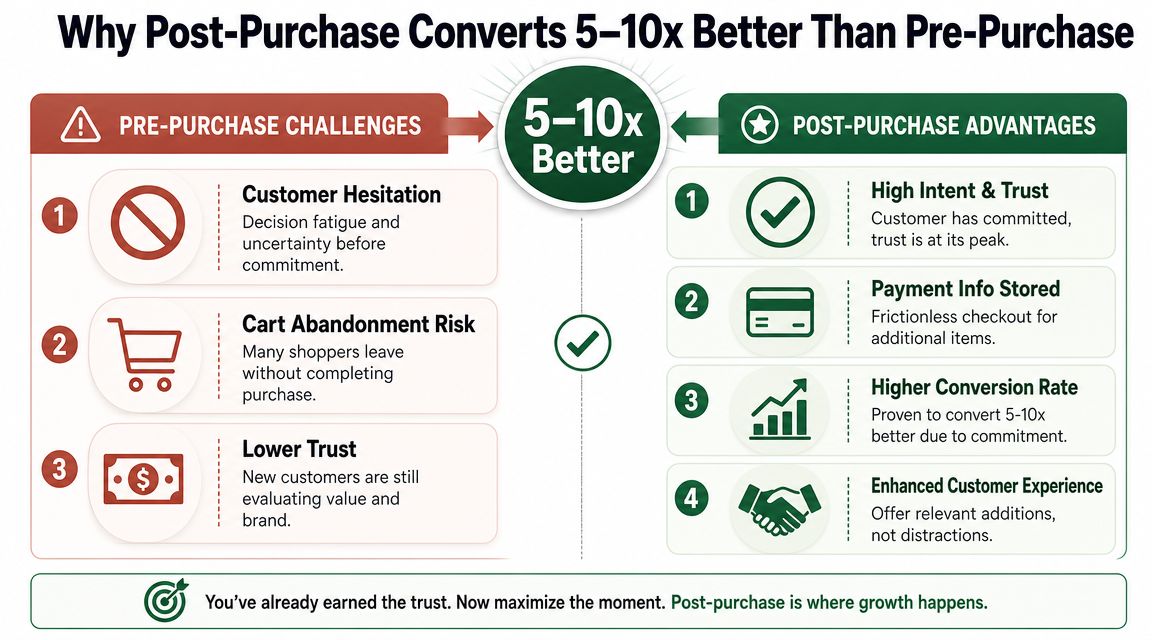
Gli upsell post-acquisto funzionano bene perché la vendita originale è già completata. Questo significa che possono aumentare i ricavi senza ridurre il tasso di conversione iniziale del checkout.
Ecco perché penso che il post-acquisto sia ancora uno dei posizionamenti di upsell più sottoutilizzati su Shopify. I merchant passano settimane a ottimizzare pagine prodotto e creatività pubblicitarie, poi ignorano l’unico momento in cui il cliente ha già detto sì ed è più aperto a un semplice follow-up con un clic.
Realisticamente, gli upsell post-acquisto possono produrre un tasso di accettazione del 10% al 25%, e un aumento dell’AOV del 10% al 15% è comune. Nei funnel ottimizzati, soprattutto con forti offerte sullo stesso prodotto, i negozi possono andare oltre.
I dati dei merchant che usano offerte combinate pre-acquisto e post-acquisto mostrano che i sistemi di upsell stratificati superano le configurazioni con un solo posizionamento. Questo corrisponde a ciò che ho visto nella pratica. Una buona offerta aiuta, ma è una sequenza coordinata che produce il vero incremento.
Quali offerte post-acquisto funzionano meglio?
Le migliori offerte post-acquisto sono di solito raddoppi dello stesso prodotto, componenti aggiuntivi complementari o un percorso di downsell se la prima offerta viene rifiutata. Anche qui la semplicità conta.
- Offerta 1 - Aggiungi un altro articolo di quello che hai appena acquistato con uno sconto limitato
- Offerta 2 - Mostra un prodotto complementare che migliora l’acquisto originale
- Downsell - Se rifiutata, mostra una versione a costo inferiore o un componente aggiuntivo più piccolo
Nella mia esperienza, l’upsell dello stesso prodotto è spesso il vincitore. Richiede quasi zero spiegazioni. Il cliente conosce già il prodotto e l’offerta sembra un’estensione della decisione appena presa.
Se stai costruendo una strategia di upsell più ampia, vale la pena leggere poi questi articoli correlati: Come fare upsell su Shopify nel 2026: guida completa per aumentare il valore medio dell’ordine e Caso studio Shopify Upsell: aumento del 27% del valore medio dell’ordine.
Gli upsell nella pagina di ringraziamento contano ancora?
Sì, gli upsell nella pagina di ringraziamento contano ancora perché aggiungono ricavi incrementali a basso attrito dopo la vendita. Di solito non superano le performance delle offerte post-acquisto, ma restano comunque preziosi.
La pagina di ringraziamento e la pagina di stato dell’ordine ricevono più interazione di quanto molti merchant si aspettino. I clienti le visitano di nuovo per confermare l’ordine, controllare gli aggiornamenti sulla spedizione e rivedere ciò che hanno acquistato. Questo rende il posizionamento utile per riordini, upgrade di abbonamento e offerte successive curate.
Le performance tipiche sono inferiori rispetto ad altri posizionamenti, con un tasso di accettazione del 3% all’8% e un aumento dell’AOV del 2% al 5%. Tuttavia, poiché questi ricavi arrivano dopo la vendita principale, spesso vale la pena implementarli come parte di una configurazione full-funnel.
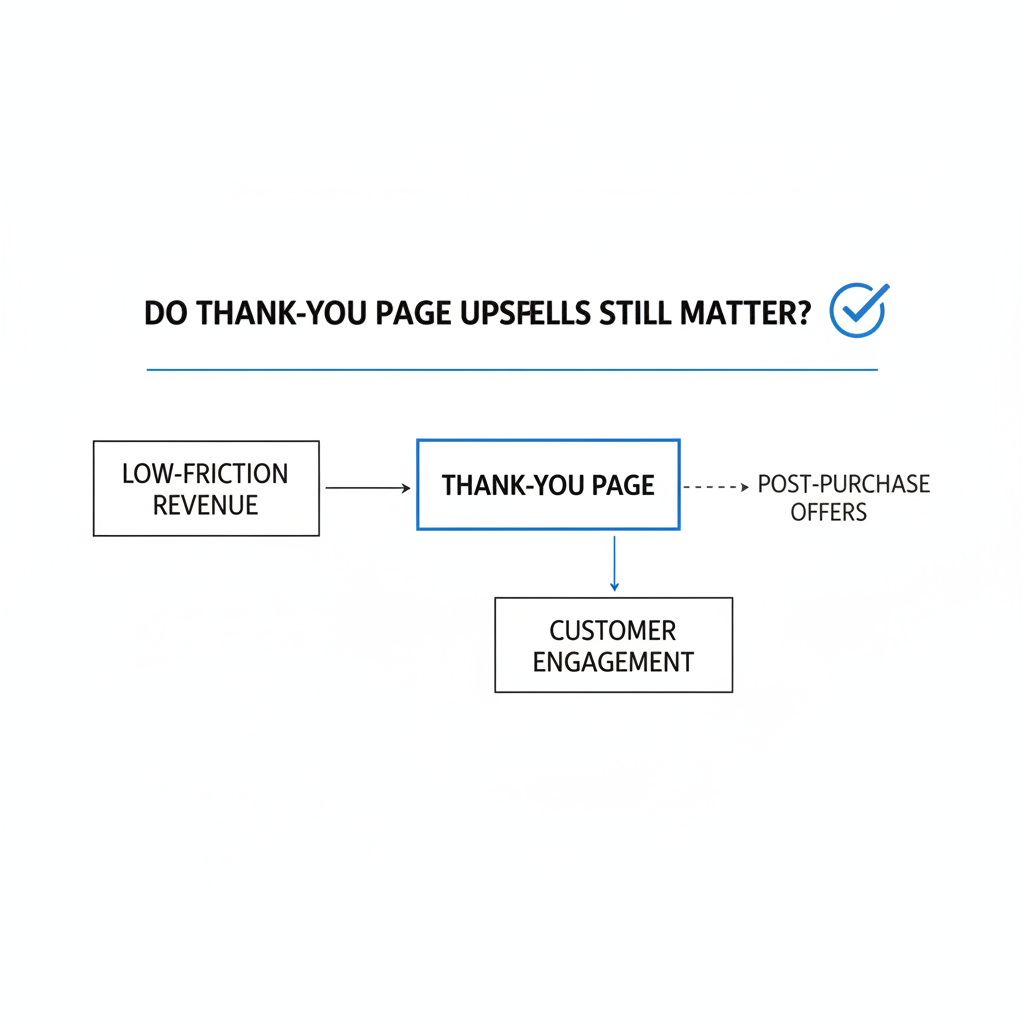
Considero gli upsell nella pagina di ringraziamento come un livello finale intelligente. Non dovrebbero sostenere l’intera strategia, ma possono intercettare acquirenti che hanno saltato offerte precedenti o che non erano ancora pronti a decidere.
Cosa dovrebbe esserci nella pagina di ringraziamento?
Le migliori offerte nella pagina di ringraziamento sono leggere e contestuali. Dovrebbero sembrare un passaggio successivo utile, non un secondo funnel di checkout imposto al cliente.
- Incentivo al riordino per prodotti consumabili
- Upgrade di abbonamento per prodotti ricaricabili o ricorrenti
- Link a una collezione di cross-sell basato sul contenuto dell’ordine
- Offerta di referral o condivisione per la promozione del brand
Se il tuo negozio vende prodotti ad acquisto ripetuto, questo è anche un buon punto per testare una proposta subscribe-and-save. È particolarmente efficace quando la proposta di valore è ovvia, come la comodità o uno sconto ricorrente.
Qual è il miglior posizionamento di upsell per la maggior parte dei negozi Shopify?
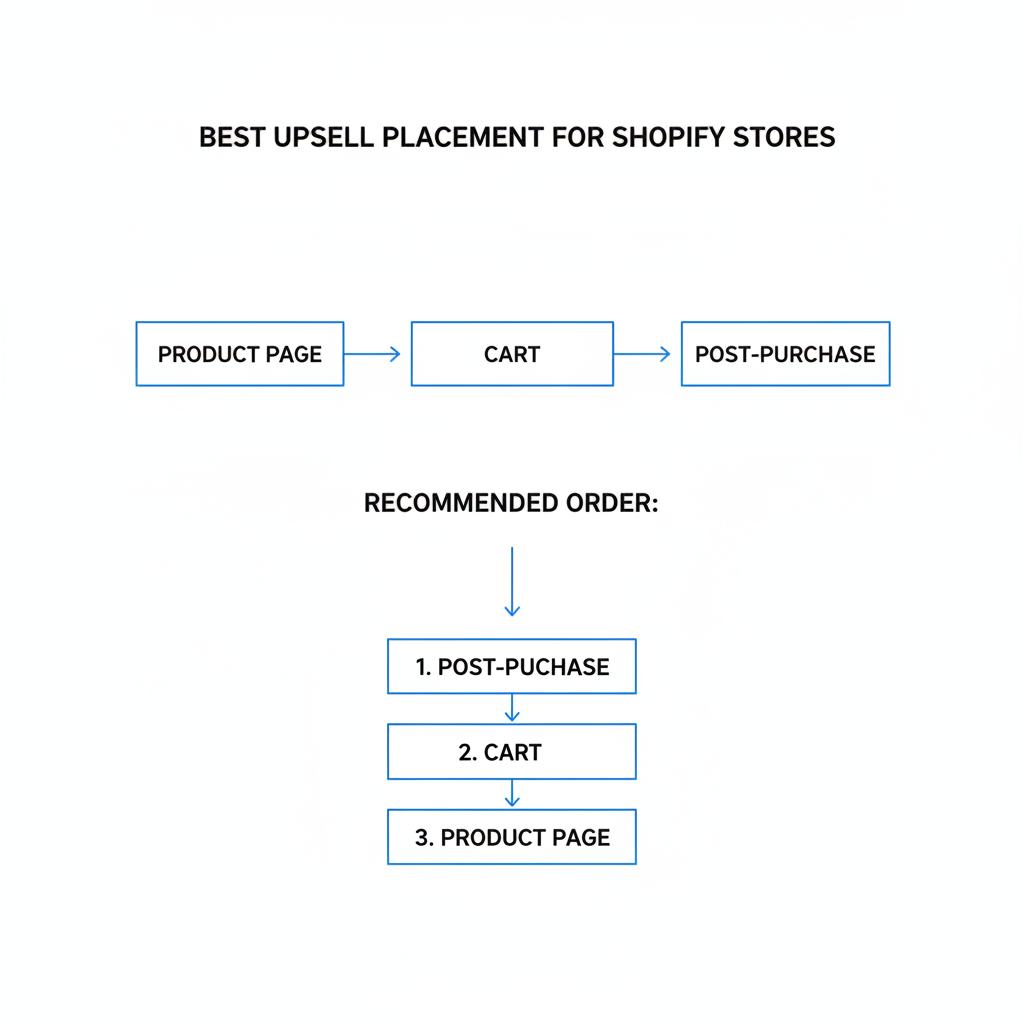
Il miglior posizionamento di upsell per la maggior parte dei negozi Shopify è di solito un mix di pagina prodotto, carrello e post-acquisto. Questa combinazione offre una copertura forte senza sovraccaricare il checkout.
Se dovessi consigliare un tipico brand DTC con un volume costante, costruirei lo stack in questo ordine:
- Prima il post-acquisto - massimo potenziale con rischio minimo per la conversione
- Poi il carrello - ottima visibilità e forti tassi di accettazione
- Terza la pagina prodotto - aiuta a costruire ordini più grandi prima
- Quarto il checkout - solo se tecnicamente supportato e strettamente controllato
- Quinta la pagina di ringraziamento - buon livello incrementale
Questo è anche il motivo per cui il tema è naturalmente vicino a SellUp. Una buona app di upsell non dovrebbe solo permetterti di mostrare offerte. Dovrebbe permetterti di mappare le offerte per posizionamento, attivarle in base a prodotto o condizioni del carrello e misurare quale posizionamento sta davvero generando ricavi incrementali.
Come dovresti misurare le performance degli upsell per posizionamento?
Dovresti misurare le performance degli upsell per posizionamento perché il solo AOV complessivo può nascondere ciò che sta davvero funzionando. Un negozio può vedere un AOV più alto mentre un posizionamento sta silenziosamente danneggiando la conversione.
Le metriche principali che monitorerei per ogni posizionamento sono visualizzazioni, tasso di accettazione, ricavi incrementali e impatto sul completamento del checkout. Se un posizionamento aumenta il valore dell’ordine ma riduce la conversione, non è una vittoria pulita.
| Metrica | Perché è importante |
|---|---|
| Visualizzazioni dell’offerta | Ti dice se il posizionamento ha visibilità sufficiente |
| Tasso di accettazione | Mostra quanto l’offerta sia convincente |
| Ricavi incrementali | Misura il contributo reale, non solo i clic |
| Tasso di conversione del checkout | Protegge dall’attrito nel carrello o nel checkout |
| Tasso di rimborso sugli articoli venduti in upsell | Verifica la qualità dell’offerta e l’intento dell’acquirente |
Nella mia esperienza, i merchant migliorano più velocemente quando smettono di chiedersi: “Gli upsell hanno funzionato?” e iniziano a chiedersi “Quale posizionamento ha generato l’aumento di profitto più pulito?”
Come imposterei oggi un sistema pratico di upsell su Shopify?
Imposterei un sistema di upsell su Shopify partendo dai prodotti principali del negozio, abbinando ciascuno a un upsell dello stesso prodotto e a un componente aggiuntivo complementare, quindi distribuendo queste offerte nei posizionamenti giusti. L’obiettivo non è la massima esposizione. L’obiettivo è la massima pertinenza.
Ecco il semplice schema che userei:
- Scegli i tuoi 10 SKU principali per ricavi o volume ordini.
- Assegna 1 upsell dello stesso prodotto e da 1 a 2 prodotti complementari a ciascuno SKU.
- Lancia un funnel post-acquisto con prima l’offerta dello stesso prodotto.
- Aggiungi upsell nel carrello per accessori a prezzo più basso e incentivi verso la soglia di spedizione gratuita.
- Aggiungi blocchi bundle nella pagina prodotto per offerte “completa il kit”.
- Testa con attenzione gli order bump al checkout se la tua configurazione lo consente.
- Usa la pagina di ringraziamento per riordini, abbonamenti o cross-sell soft.
Se sei ancora nelle fasi iniziali del processo, mantieni il test semplice. Un’offerta per posizionamento è sufficiente per imparare molto. Una configurazione pulita con forte pertinenza di solito supera un funnel complicato pieno di offerte mediocri.
E se il tuo obiettivo è specificamente aumentare l’AOV senza aggiungere costi di traffico, questo è esattamente il tipo di problema che i sistemi di upsell sono pensati per risolvere. Ne ho scritto molto su LaunchTip, inclusi Aumenta i ricavi del tuo negozio Shopify con One Check Upsells nel 2026 e 3 metodi di popup upsell per il tuo negozio Shopify che aumentano davvero l’AOV.
Quali app possono aiutare con gli upsell su Shopify?
Le migliori app di upsell per Shopify dipendono dal posizionamento che vuoi ottimizzare. Alcune sono più forti nel post-acquisto, altre nel checkout e altre ancora nel merchandising on-site.
Per i merchant che stanno valutando strumenti, vale la pena esaminare direttamente le app nello Shopify App Store e confrontare in cosa sono specializzate. Le opzioni rilevanti in questo ambito includono SellUp, ReConvert, AfterSell, Zipify OCU e Rebuy.
Quando valuto le app di upsell, mi interessa meno quanti widget offrano e di più se supportano regole di pertinenza, report chiari per posizionamento e una configurazione che non rallenti lo storefront. Le funzionalità sofisticate sono piacevoli, ma un’esecuzione pulita conta di più.
Dovresti anche consultare la documentazione di Shopify per le impostazioni del checkout e le estensioni app del checkout se prevedi di mostrare offerte vicino al checkout.
Qual è il vero punto chiave per i merchant che vogliono aumentare l’AOV?
Il vero punto chiave è semplice: la maggior parte dei negozi non ha una carenza di domanda. Ha una carenza di merchandising ben temporizzato. Se gli acquirenti arrivano alle pagine prodotto, ai carrelli e al checkout, di solito c’è più valore disponibile di quanto l’AOV finale lasci intendere.
Nella mia esperienza nello sviluppo di app Shopify, i negozi che vincono non sono quelli con gli upsell più aggressivi. Sono quelli con le offerte più pertinenti nei posizionamenti giusti. Inizia con pagina prodotto, carrello e post-acquisto. Misura ogni posizionamento separatamente. Poi espandi solo dove i dati lo supportano.
È così che recuperi il 30% di AOV che scompare silenziosamente tra intento e acquisto senza peggiorare l’esperienza d’acquisto.