
The best Shopify page builder apps in 2026 are PageFly, GemPages, Instant Section & Page Builder, Foxify Smart Page Builder, and Shogun. These tools stand out because they combine strong review scores, flexible drag-and-drop editing, and conversion-focused features that go well beyond Shopify's native theme editor.
As a Shopify app developer, I spend a lot of time looking at how merchants actually build and iterate on storefronts. In my experience building Shopify apps and testing stores across different themes, page builders are one of the fastest ways to improve design flexibility without committing to a full custom build. They are especially useful when you need campaign landing pages, richer product detail pages, or faster design changes that do not rely on a developer every time.
That said, not every page builder is worth installing. Some are brilliant for fast landing page creation, some are better for native performance and cleaner code output, and some are aimed at larger brands that want testing and team workflows built in.
In this guide, I will walk through the 5 best page builder apps for your Shopify store in 2026, explain where each one fits best, and help you avoid the common mistake of picking a builder that looks impressive in the demo but becomes awkward to use after a month.
What is a Shopify page builder app?
A Shopify page builder app is a third-party app that lets you create and customise store pages with visual editing tools instead of code. Most use a drag-and-drop editor, pre-built templates, and reusable sections to make page creation faster.
Shopify's built-in theme editor has improved a lot, especially with Online Store 2.0 sections, but it still has limits. If you want highly customised landing pages, advanced layouts, conversion sections, or campaign-specific pages, a dedicated builder usually gives you more control and faster execution.
Common use cases include homepages, about pages, collection pages, product pages, advert landing pages, seasonal campaign pages, and lead capture pages. If you regularly run promotions, launches, or paid traffic campaigns, a page builder can save a lot of time.
Why should you use a page builder app on Shopify?
You should use a page builder app if your theme editor feels too restrictive and you want to launch better-looking pages faster. The main benefits are speed, design flexibility, and better conversion optimisation.
In my experience, merchants rarely install a page builder because they want more design freedom alone. They usually install one because they need to ship pages quickly for real business reasons: product launches, bundles, seasonal promotions, influencer traffic, or paid ads that need a dedicated landing page.
A good builder also reduces the bottleneck between marketing and development. Instead of asking a developer to tweak every block, heading, spacing rule, or mobile layout, the merchant or marketer can handle most of it directly.
How do page builders help conversion rates?
Page builders help conversion rates by making it easier to create focused, persuasive pages with stronger calls to action. They also make testing layouts, headlines, social proof, and offer placement much easier.
That matters because most stores do not have a traffic problem first. They have a page experience problem. A product may be good, but if the page hierarchy is weak, trust signals are buried, or the mobile layout is clunky, conversion suffers.
If you are working on product pages specifically, I would also look at our guide to 10 Best “PDP” Product Detail Page Apps for Shopify. There is a lot of overlap between page building and product page optimisation, especially if you want to improve layout, trust, and offer presentation.
When is Shopify's native editor enough?
Shopify's native editor is enough if you only need simple section-based changes and your theme already supports the layouts you want. For many newer stores, the built-in editor is a solid starting point.
I would not recommend a page builder just because it sounds more advanced. If your store only needs a clean homepage, a few standard pages, and a decent theme, adding another app can create unnecessary complexity. The right time to upgrade is when your theme starts limiting campaigns, merchandising, or testing.
What should you look for in a Shopify page builder?
The best Shopify page builder should be easy to use, fast on the front end, and flexible enough to support your growth. It should also work well with your theme and any apps you already rely on.
After reviewing page builders across Shopify stores, these are the features I think matter most in 2026:
- Drag-and-drop editing that is genuinely intuitive
- Responsive controls for mobile, tablet, and desktop
- Template libraries for homepages, landing pages, product pages, and collection pages
- Reusable sections to speed up store-wide design work
- App compatibility with reviews, upsells, subscriptions, and quiz tools
- Custom code support for developers who need extra control
- SEO settings and clean output
- AI tools that actually save time, not just add noise
- A/B testing or experimentation features where relevant
- Low performance impact so page speed does not collapse
If upsells and add-ons are part of your strategy, it is also worth pairing your builder with the right conversion apps. Our guides to 12 Best Upsell Apps for Your Shopify Store in 2026 and 6 of the Best Shopify Add on Apps for Your Store in 2025 are useful next reads.
Which are the 5 best page builder apps for Shopify in 2026?
The 5 best Shopify page builder apps in 2026 are PageFly, GemPages, Instant Section & Page Builder, Foxify Smart Page Builder, and Shogun. These apps appear most consistently in current rankings and offer the best mix of usability, features, reviews, and merchant fit.
I have focused this list on tools that match current search intent and what merchants actually need now. That means I am not just looking at template counts. I am looking at review volume, performance considerations, workflow quality, and whether the app still feels competitive in 2026.
How do the top Shopify page builders compare?
The main differences between top page builders are pricing, performance approach, and who they are best suited for. Some are better for beginners, while others are built for design teams or high-growth brands.
| App | Rating | Free Plan | Starting Price | Standout Features | Best For |
|---|---|---|---|---|---|
| PageFly | 4.9 stars with 5,747-11,900+ reviews | Yes | $18/month | 120+ templates, SEO tools, analytics, A/B testing, HTML editing | Best all-round option |
| GemPages | 4.9 stars with 3,592 reviews | Yes | $29/month | 400+ templates, AI image-to-layout, funnels, CRO elements | Best for high-converting campaigns |
| Instant Section & Page Builder | 5.0 stars with about 274 reviews | Yes | $39/month | Native Liquid output, A/B testing, Figma plugin, low speed impact | Best for performance-conscious brands |
| Foxify Smart Page Builder | 4.8-5.0 stars with about 297-318 reviews | Yes | $19/month | AI layout generation, Figma plugin, CRO templates, BFS badge | Best for creative marketers |
| Shogun | Strong market reputation | No | $39/month | 70+ templates, experimentation, team workflows, enterprise focus | Best for larger stores |
PageFly leads for most merchants because it combines a huge review base, flexible pricing, and a mature feature set. Instant and Foxify are newer-feeling alternatives with strong design workflows, while Shogun still makes sense for stores that prioritise experimentation and team collaboration.
1. Why is PageFly the best all-round Shopify page builder?
PageFly Landing Page Builder is the best all-round Shopify page builder for most merchants because it balances ease of use, depth of features, and pricing better than almost any competitor. It is the safest recommendation if you want one app that can handle most page-building jobs well.


PageFly has been around for years and that maturity shows. It has a very large install base, 4.9-star reviews, a free plan available, and enough templates and integrations to suit most small and mid-sized stores. In practical terms, it is one of the few builders I can recommend to both beginners and more advanced merchants.
The feature set is broad: 120+ templates, responsive controls, app integrations, custom code support, analytics, SEO settings, and A/B testing capabilities. That means you can use it for simple pages at the start, then keep using it as your store gets more sophisticated.
What I like most is that it does not force you into an overly rigid workflow. You can move quickly with templates, but you still have room to customise. That matters because many merchants start with templates and then need more control once paid traffic, bundles, or seasonal campaigns become important.
Who is PageFly best for?
PageFly is best for merchants who want a proven, flexible page builder without a steep learning curve. It is especially strong for small to mid-sized stores, agencies, and stores running lots of landing pages.
If you want a page builder that can cover homepage updates, landing pages, product pages, and general merchandising without being too specialised, this is the one I would shortlist first. It is also a good fit if you want a strong support reputation and a large community of existing users.
What are the drawbacks of PageFly?
PageFly's main drawback is that its depth can feel a bit overwhelming at first. If you only need one or two simple pages, you may not use its full power.
Also, like most feature-rich builders, you still need to be sensible about layout bloat. A page builder can help conversion, but it can also tempt merchants to add too many sections, animations, and widgets. The tool is strong, but restraint still matters.
2. Is GemPages best for high-converting landing pages?
GemPages Powerful Page Builder is one of the best options for high-converting landing pages because it combines a large template library with strong sales-focused elements. It is particularly good for merchants who build around offers, funnels, bundles, and campaign pages.
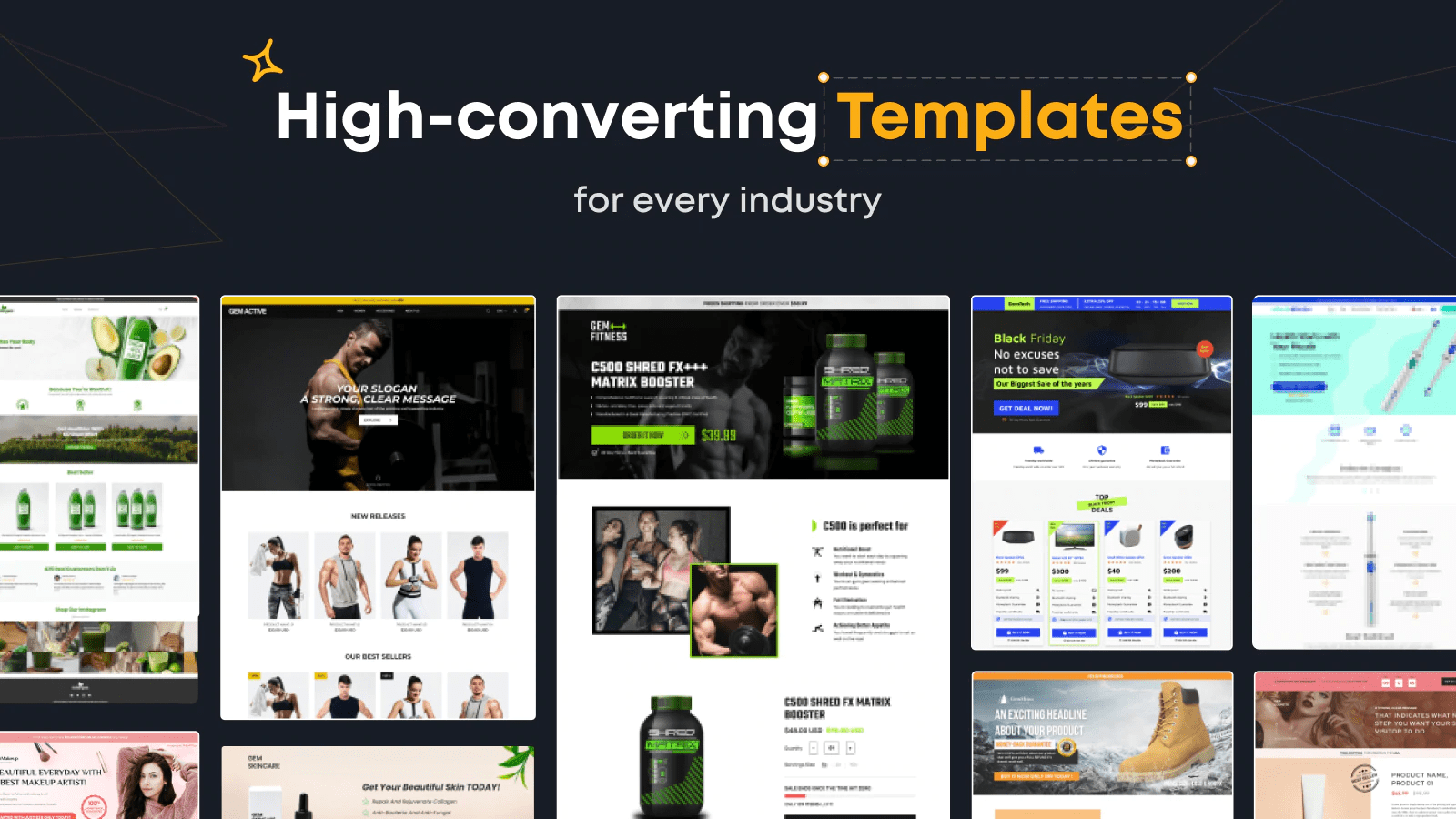

GemPages has become a very serious contender in this category. It offers 400+ templates, a 4.9-star rating, and features aimed squarely at conversion-focused merchants. The standout addition is its AI image-to-layout capability, which can speed up the first draft of a page significantly.
It also leans into sales mechanics more than some competitors. You get access to countdowns, stock indicators, bundles, pop-ups, and funnel-building tools. If your store is heavily promotional or direct-response driven, that can be a real advantage.
In my experience, GemPages works best when a merchant already knows the type of page they want to build. It is less about minimal design purity and more about creating pages that move visitors towards a purchase.
Who is GemPages best for?
GemPages is best for stores that care about offer-led conversion optimisation. It suits DTC brands, campaign-heavy stores, and merchants who want more than just a pretty landing page.
If you are combining landing pages with post-purchase offers, bundles, or upsells, GemPages fits nicely into that stack. It can also pair well with apps from our best bundle apps for Shopify roundup if your strategy relies on increasing average order value.
What are the drawbacks of GemPages?
GemPages starts at a higher price point than some entry-level alternatives, and some merchants may find the interface a bit more feature-heavy than they need. It is worth it if you actively use the conversion tools, but less compelling if you only need a few basic pages.
3. Is Instant Section & Page Builder best for speed and native performance?
Instant Section & Page Builder is one of the most interesting Shopify page builders in 2026 because it focuses on native code output and lower speed impact. For performance-conscious brands, it is one of the strongest modern options.
Unlike older builders that sometimes feel layered on top of Shopify, Instant positions itself around cleaner implementation. It supports native Liquid code, offers A/B testing, and includes a Figma plugin for design-led workflows. That combination is attractive for brands that care about both design precision and front-end performance.
I have seen more merchants start to ask not just, "Can I build this page?" but also, "What will this do to my store speed and maintainability?" Instant speaks directly to that concern, which is why it has been climbing rankings quickly.
Who is Instant best for?
Instant is best for brands with a stronger design process, especially those working from Figma or collaborating with designers. It is also a good fit for merchants who want page-building freedom without feeling like they are sacrificing too much on performance.
If your team cares about cleaner workflows and more native-feeling output, Instant is one of the most modern choices in this category. It is less established than PageFly, but its positioning is very compelling.
What are the drawbacks of Instant?
The main drawback is maturity and review volume. A 5.0-star rating is excellent, but it comes from a much smaller review base than PageFly or GemPages.
It also starts at $39/month, which may be hard to justify for smaller stores. If budget is tight, it may feel like a premium option rather than a default choice.
4. Is Foxify Smart Page Builder a good alternative to PageFly?
Foxify Smart Page Builder is a strong alternative to PageFly if you want a more modern creative workflow with AI support and a Built for Shopify angle. It is especially appealing for visually led brands and marketers who want flexibility without going fully enterprise.
Foxify has built momentum because it offers a nice middle ground. You get AI layout generation, a Figma plugin, CRO-focused templates, and a rating in the 4.8 to 5.0-star range depending on the source. Pricing also stays relatively accessible, with plans starting around $19/month.
From what I have seen, Foxify feels well suited to brands in niches like beauty, supplements, and other visual DTC categories where page aesthetics and offer presentation both matter. It is one of the better picks if you want pages that feel polished without needing a designer for every change.
Who is Foxify best for?
Foxify is best for merchants who want creative freedom and modern templates without the heavier feel of some legacy builders. It is a good option for growing stores that want to iterate quickly.
If you are choosing between PageFly and Foxify, the decision often comes down to confidence and maturity versus freshness and workflow preference. PageFly is the safer default, while Foxify is a compelling newer-style alternative.
What are the drawbacks of Foxify?
Foxify does not yet have the same review depth or long-term track record as PageFly. That does not make it risky, but it does mean there is slightly less historical proof behind it.
5. Is Shogun still worth it in 2026?
Shogun Page Builder is still worth considering in 2026 if you run a larger store and want a more structured, data-driven workflow. It remains one of the best-known names in the category, especially for teams that care about testing and collaboration.
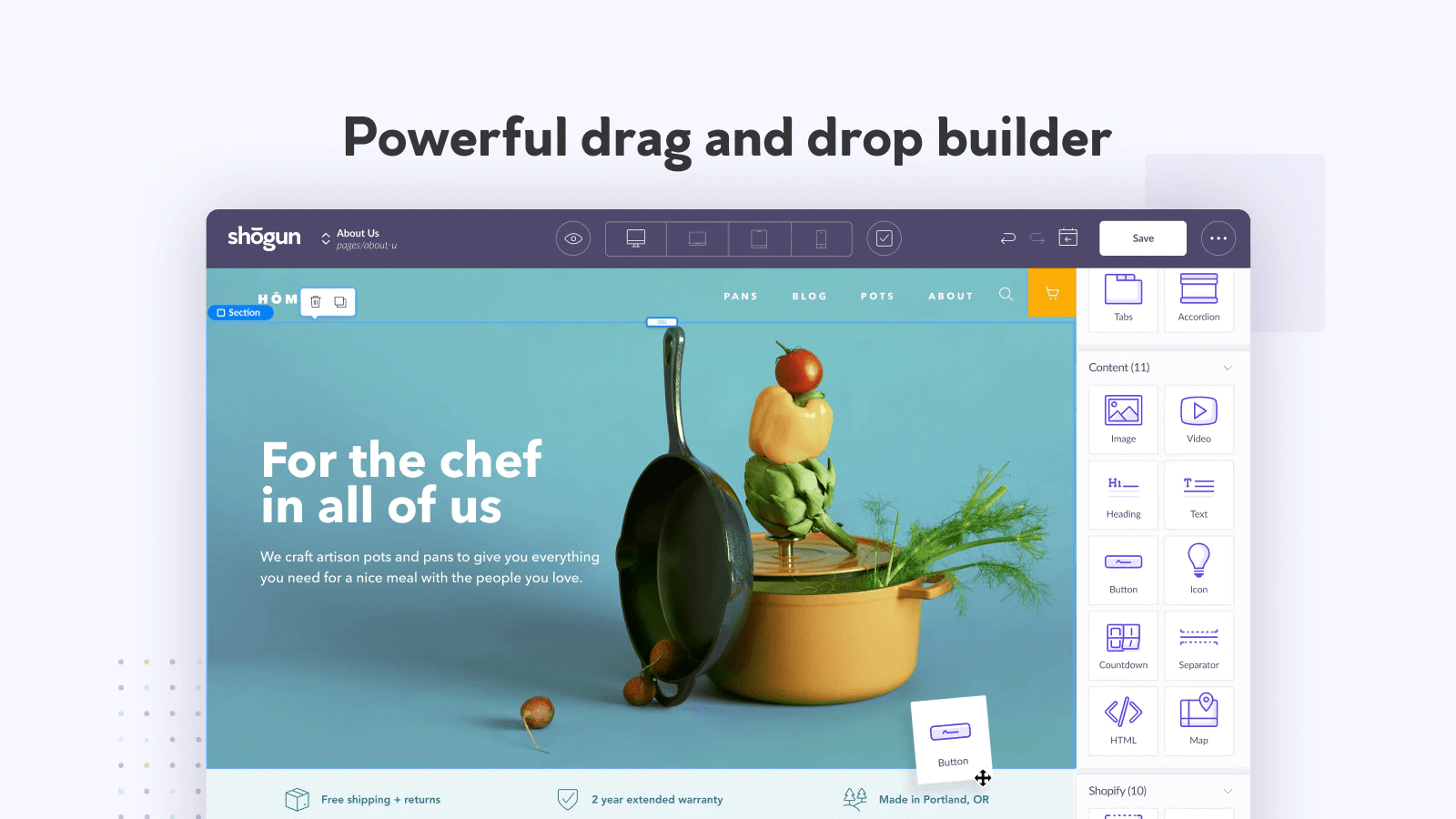

Shogun has long been positioned as a more serious builder for established brands. It includes 70+ templates, experimentation features, and team-friendly workflows that make sense for stores with more stakeholders involved in content and merchandising.
It also has AI-assisted capabilities and strong support for building different page types. In practice, I think Shogun makes more sense for merchants who already have some scale and process. It is not the cheapest option, and it does not feel like the most beginner-friendly pick, but it can be very capable in the right hands.
Who is Shogun best for?
Shogun is best for larger stores, teams, and brands that want structured experimentation. If you have a content team, paid media team, or agency workflow around landing pages, it can be a strong fit.
It is also a reasonable option if you want to formalise testing and page deployment. That said, for many smaller merchants, the price and complexity may be more than they need.
What are the drawbacks of Shogun?
The biggest drawback is value for smaller stores. With pricing starting at $39/month and no free plan, it is not worth it unless you will use the advanced workflow benefits.
What happened to older picks like AfterShip Page Builder and Zipify Pages?
Older picks like AfterShip Page Builder and Zipify Pages Builder & Editor are still relevant, but they do not appear as consistently in the strongest 2026 page builder shortlists. They are now more like honourable mentions than default top-five choices.
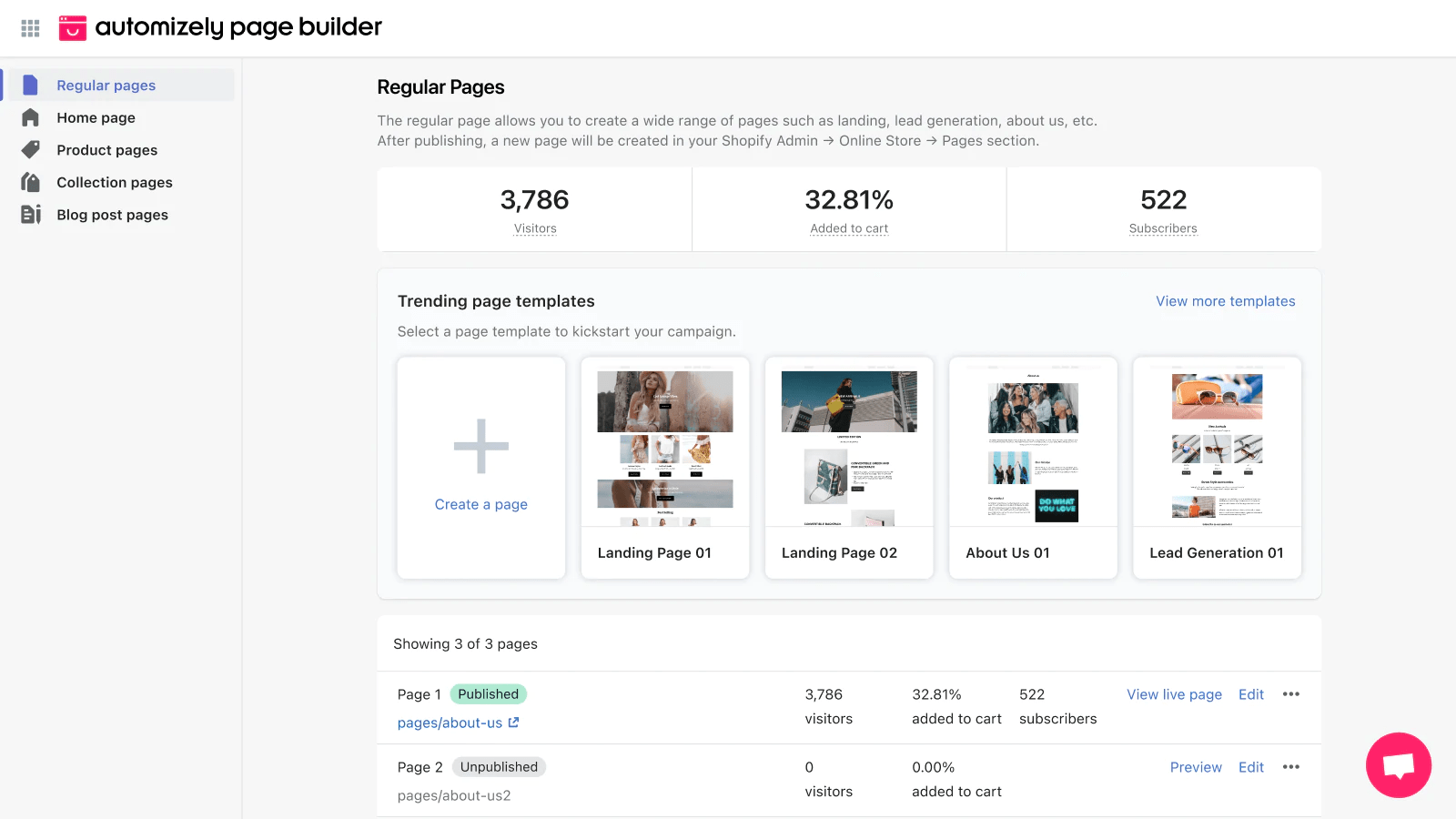
AfterShip Page Builder still offers a polished experience and can be useful if you already use other AfterShip tools. Zipify Pages also remains well known, especially among merchants influenced by direct-response marketing and funnel-style page building.
However, based on current rankings and merchant interest, PageFly, GemPages, Instant, Foxify, and Shogun are the stronger 2026 picks. The market has become more competitive, and newer builders have improved a lot.
How do you choose the right page builder for your store?
The right page builder depends on your store size, workflow, and how often you build new pages. There is no single best app for every merchant, even if PageFly is the easiest general recommendation.
- Choose PageFly if you want the safest all-round option with broad features and strong social proof.
- Choose GemPages if you are heavily focused on campaigns, funnels, and conversion elements.
- Choose Instant if performance and native output are top priorities.
- Choose Foxify if you want a modern creative workflow and strong visual flexibility.
- Choose Shogun if you run a larger operation and need team workflows or structured testing.
My general advice is to avoid choosing based on template count alone. Templates matter, but long-term fit matters more. Think about who will actually use the app every week, how much control they need, and whether the builder fits your theme and app stack.
Can page builders hurt Shopify speed or SEO?
Yes, page builders can hurt speed or SEO if used badly, but a good builder used carefully can still perform very well. The app itself matters, but how you build pages matters just as much.
I have seen merchants blame a page builder when the real issue was a page stuffed with oversized images, too many scripts, unnecessary animations, and endless sections. Even the best builder cannot fully protect you from poor page decisions.
To keep performance healthy:
- Use compressed images
- Limit unnecessary animations
- Keep layouts focused
- Check mobile spacing carefully
- Test pages with PageSpeed Insights
- Review structured content and metadata
If SEO matters to your store, our posts on top Shopify apps for blogs and GPTs to help Shopify merchants may also help if you are trying to pair design improvements with content growth and AI-assisted workflows.
Are free Shopify page builder plans enough?
Free plans are enough for testing and very small stores, but most growing merchants will eventually need a paid plan. The free tier is best treated as a trial environment rather than a permanent solution.
This is especially true if you want multiple published pages, advanced templates, analytics, A/B testing, or stronger support. In most cases, once a store starts running serious campaigns, the monthly cost of a paid builder is easy to justify if it improves conversion even slightly.
As a rough rule, if a page builder helps you convert just a handful of extra orders per month, it often pays for itself. That is why I usually encourage merchants to think in terms of return on better pages, not just app subscription cost.
What is my verdict on the best Shopify page builder apps for 2026?
PageFly is the best Shopify page builder for most stores in 2026. It has the best combination of trust, features, flexibility, and pricing for the broadest range of merchants.
If I were recommending one app to a typical Shopify merchant today, that would be it. But there are clear cases where another option makes more sense. GemPages is excellent for conversion-led campaigns, Instant is the most interesting performance-first option, Foxify is a strong creative alternative, and Shogun still suits larger brands.
The biggest mistake is not choosing the wrong app. It is expecting a page builder to fix weak messaging, poor offers, or unclear product positioning. A page builder gives you more control over presentation, but the strategy behind the page still matters most.
If you want to improve the rest of your conversion stack after choosing a builder, I would also look at our guides to best quiz apps for Shopify and best checkout apps to extend the Shopify checkout. Better pages work best when the rest of the buying journey is just as strong.