Shopify product pages do most of the heavy lifting in ecommerce. A strong PDP is where buying decisions happen, where objections get answered, and where your store either wins the sale or loses it.
In my experience building Shopify apps and reviewing hundreds of merchant stores, the biggest conversion gains rarely come from a full redesign. They usually come from fixing weak PDP elements like missing social proof, poor variant selection, unclear delivery expectations, thin FAQs, and irrelevant recommendations.
That is why the best Shopify PDP apps matter. They help you add the pieces Shopify themes often leave out, including product options, reviews, upsells, delivery messaging, FAQs, badges and flexible layout control.
If you are trying to improve your product pages in 2026, this guide covers the 10 best PDP product detail page apps for Shopify, who each one is best for, and how I would use them on a real store.
What is a PDP app for Shopify?
A Shopify PDP app is an app that improves the product detail page experience. It adds features that help shoppers understand the product faster and feel more confident buying.
That can mean very different things depending on the store. For one merchant it might be custom product options. For another it might be reviews, trust signals, related products, delivery estimates or a drag-and-drop page layout builder.
Shopify gives you a solid base, but most stores need extra functionality on the PDP to compete. If your product page only shows a title, images, price and add to cart button, you are probably leaving conversions on the table.
Why are PDP apps so important for conversion rates?
PDP apps matter because product pages are where customer intent is highest. A visitor on a PDP is already evaluating whether the product is right for them, so even small improvements can lift conversion rate and average order value.
Current ecommerce benchmarks still put average conversion rates roughly in the 2.5% to 3% range for many stores, though this varies by niche and traffic quality. In practice, I have seen merchants improve performance simply by adding better reviews, clearer shipping messaging, stronger upsells and more intuitive option selectors.
Product page speed matters too. Faster pages generally produce better engagement, and image-heavy PDPs are often one of the first places I look when a merchant says their store feels slow. If you want a broader framework, my guides on higher-converting product detail pages and maximising revenue from Shopify product pages go deeper into structure and strategy.
How did I choose the best Shopify PDP apps for 2026?
The best Shopify PDP apps combine clear value, easy implementation, strong merchant fit and features that directly improve the product page. I focused on apps that solve common PDP problems rather than general store tasks.
For this list, I looked at how each app helps with one or more of these areas:
- Conversion optimisation on the product page
- Personalisation or product options
- Social proof and trust
- Average order value growth
- Merchandising and urgency
- PDP layout flexibility
- Ease of use for merchants
I have also kept search intent in mind. People searching for PDP apps usually want tools that enhance the product page itself, not just back-end admin helpers. That is why this list includes reviews, options, upsells, FAQs, layout and recommendation apps, rather than only one app type.
Which Shopify PDP app is best for your store?
The best Shopify PDP app depends on the exact weakness in your product page. There is no single winner for every store.
| App | Best for | Main PDP benefit |
|---|---|---|
| Product Options & Customizer | Custom products and add-ons | More variant flexibility and paid options |
| SEO, Speed & Image Optimizer | Image-heavy stores | Faster PDP loading and cleaner image handling |
| Loox Product Reviews & Photos | Social proof | Review widgets and photo reviews on PDPs |
| ModeMagic Store Conversions | Visual merchandising | Badges, labels and promotional highlights |
| Delivery Timer | Shipping reassurance | Estimated delivery messaging on product pages |
| PageFly Landing Page Builder | Custom layouts | Flexible PDP design without heavy theme edits |
| Growave | All-in-one retention features | Reviews, wishlists and loyalty features |
| SellUp | Upsells and add-ons | Higher AOV from product page offers |
| Easy FAQ Page | Objection handling | Product FAQs that reduce hesitation |
| Also Bought Related Products | Recommendations | Relevant cross-sells and related products |
If you sell personalised or made-to-order products, I would prioritise product options. If your product pages already convert reasonably well, I would usually test upsells, reviews and related products next.
What are the 10 best PDP product detail page apps for Shopify in 2026?
These are my picks for the best Shopify PDP apps in 2026. Each one improves a different part of the product page journey, and together they cover the main conversion levers most stores need.
1. Product Options & Customizer
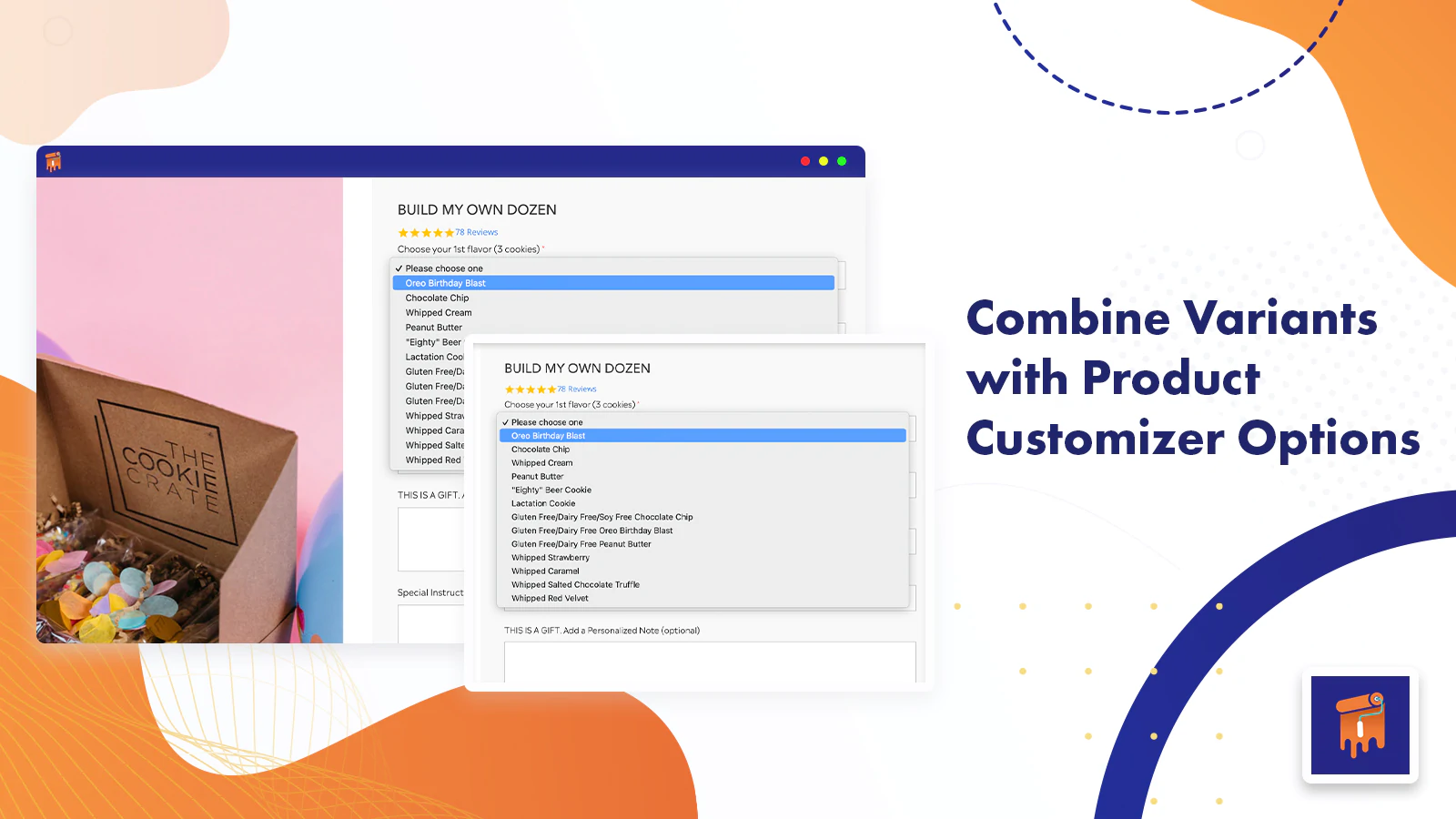
Product Options & Customizer is one of the best PDP apps for stores that need more than Shopify's default variant system. It is especially useful if you sell personalised, bundled or made-to-order products.

![]()
Product Options & Customizer lets merchants add unlimited product options like text boxes, dropdowns, checkboxes, image swatches and date pickers. That solves a major PDP limitation for stores that need customisation without creating endless native variants.
One of the biggest wins here is per-option pricing. If you charge extra for engraving, gift wrap, premium materials or file uploads, the app can turn those choices into direct AOV lifts rather than admin headaches.
For merchants selling custom clothing, gifts or personalised goods, this type of app is often more important than a page builder. If that sounds like your niche, my post on Shopify apps for selling custom clothing products covers adjacent tools worth pairing with it.
2. SEO, Speed & Image Optimizer
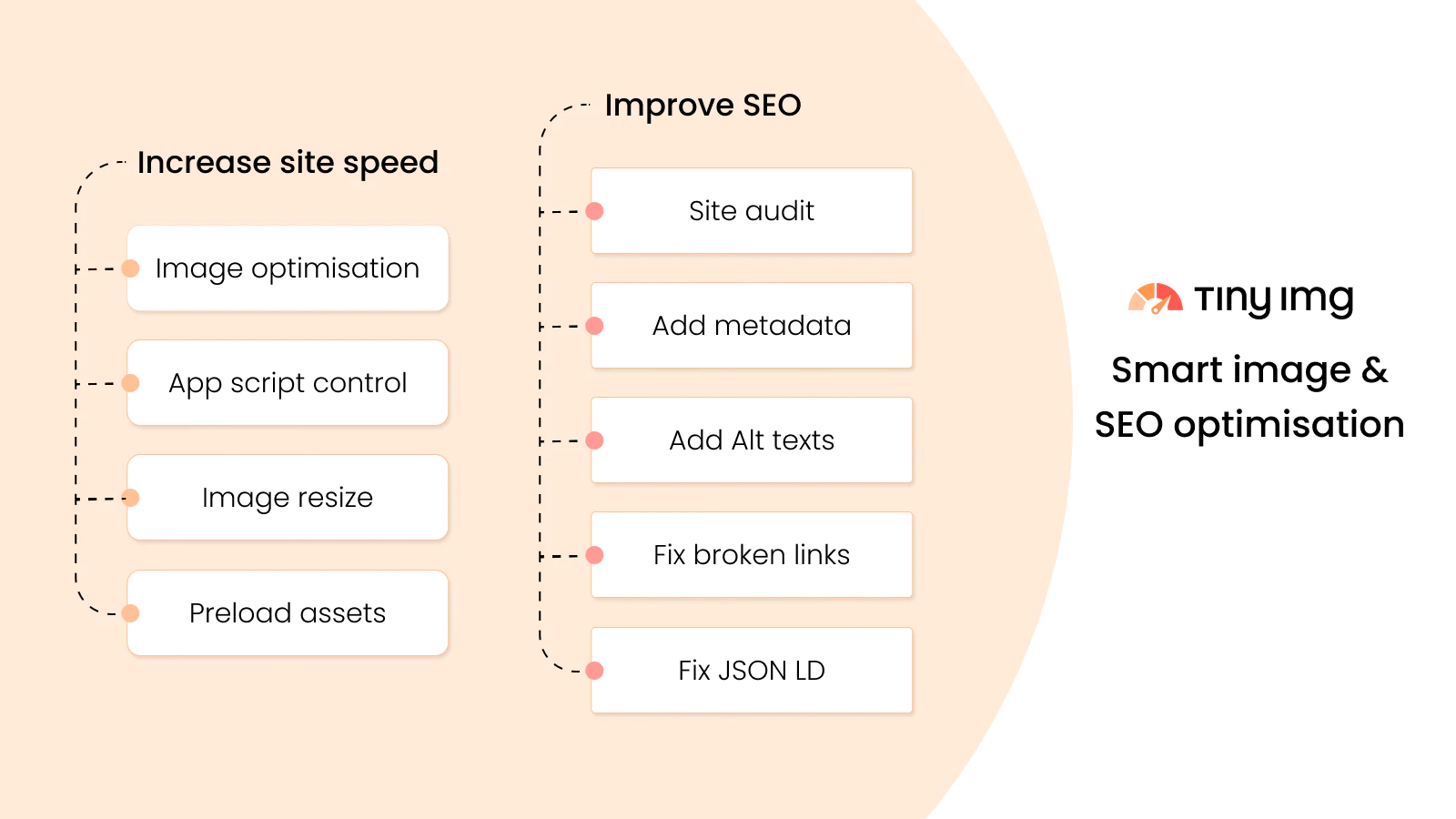
SEO, Speed & Image Optimizer is best for stores whose PDPs are slowed down by large product images. Faster product pages generally create a better user experience and reduce friction before add to cart.

![]()
SEO, Speed & Image Optimizer compresses and optimises store images automatically. That matters because product pages are usually the most media-heavy pages on a Shopify store, especially for fashion, beauty and home brands.
In my experience, merchants often overfocus on homepage speed and ignore the PDP. That is a mistake. A slow product page can hurt both conversion rate and organic visibility, particularly on mobile where image payloads matter even more.
This app is not a magic fix for every performance issue, but it is a practical way to tidy up one of the most common causes of slow PDPs. Shopify's own developer docs and performance guidance also reinforce the importance of efficient media handling and page speed for storefront UX.
3. Loox Product Reviews & Photos
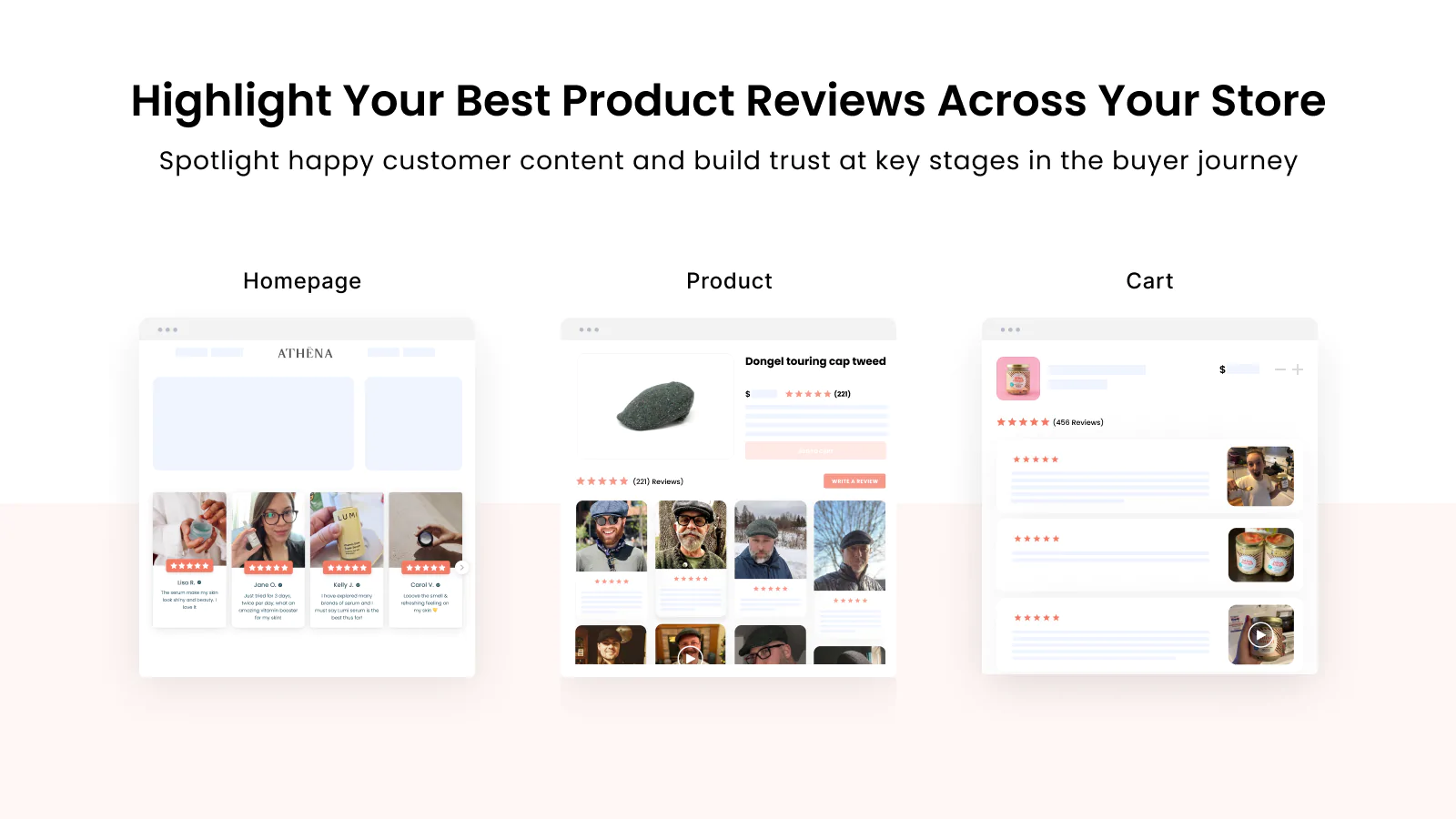
Loox Product Reviews & Photos is one of the strongest Shopify apps for adding social proof directly to product pages. Reviews reduce uncertainty and help shoppers trust both the product and the store.

![]()
Loox Product Reviews & Photos helps merchants collect reviews through automated review request emails and display them in visual widgets. Photo reviews are especially effective because they answer the question shoppers always have: what does this look like in real life?
I like Loox for visually led brands because the widgets look polished and are easy to place on PDPs. It also supports sharing reviews to channels like Google Shopping and Meta, which helps extend social proof beyond the product page itself.
If your store still has thin or no review coverage, this is often one of the first apps I would test. You can also compare other options in my guide to trust badge apps for Shopify, since reviews and trust elements usually work best together.
4. ModeMagic Store Conversions
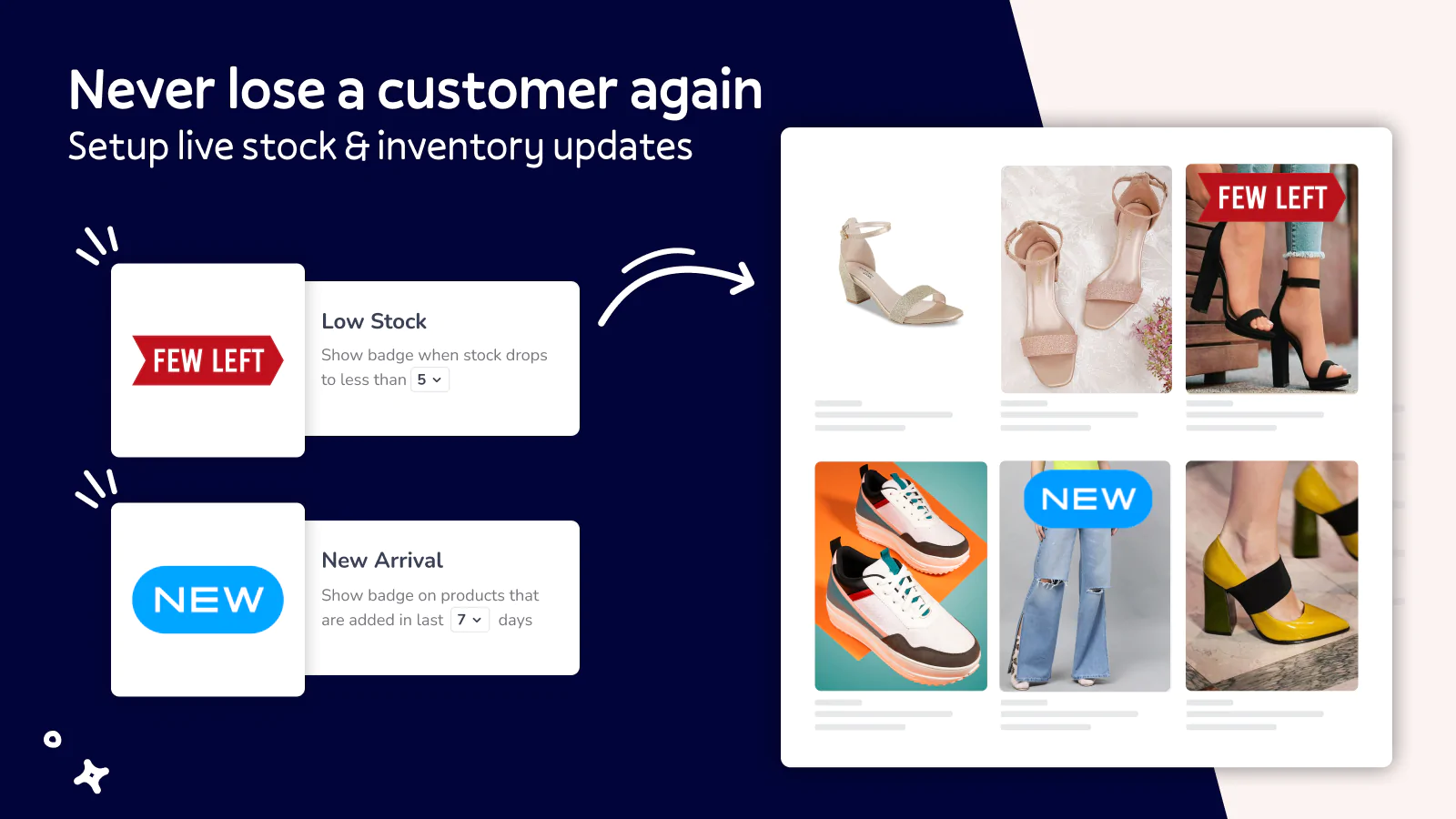
ModeMagic Store Conversions is ideal for merchants who want to improve PDP merchandising without redesigning the page. It helps products stand out using labels, badges and promotional callouts.

![]()
ModeMagic Store Conversions lets you add badges, banners, labels and announcement elements to highlight bestsellers, low stock items, new arrivals and offers. On a PDP, that can reinforce urgency or direct attention to the most persuasive product attributes.
This kind of visual merchandising works particularly well when used sparingly. In my experience, too many badges can make a PDP feel noisy, but one or two clear signals like bestseller or limited stock can improve clarity and action.
It is a good fit for stores that want a merchandising layer without changing themes or hiring a developer.
5. Delivery Timer
Delivery Timer is one of the simplest ways to improve product page conversion. Clear delivery messaging reduces hesitation and gives shoppers confidence about when an order will arrive.

![]()
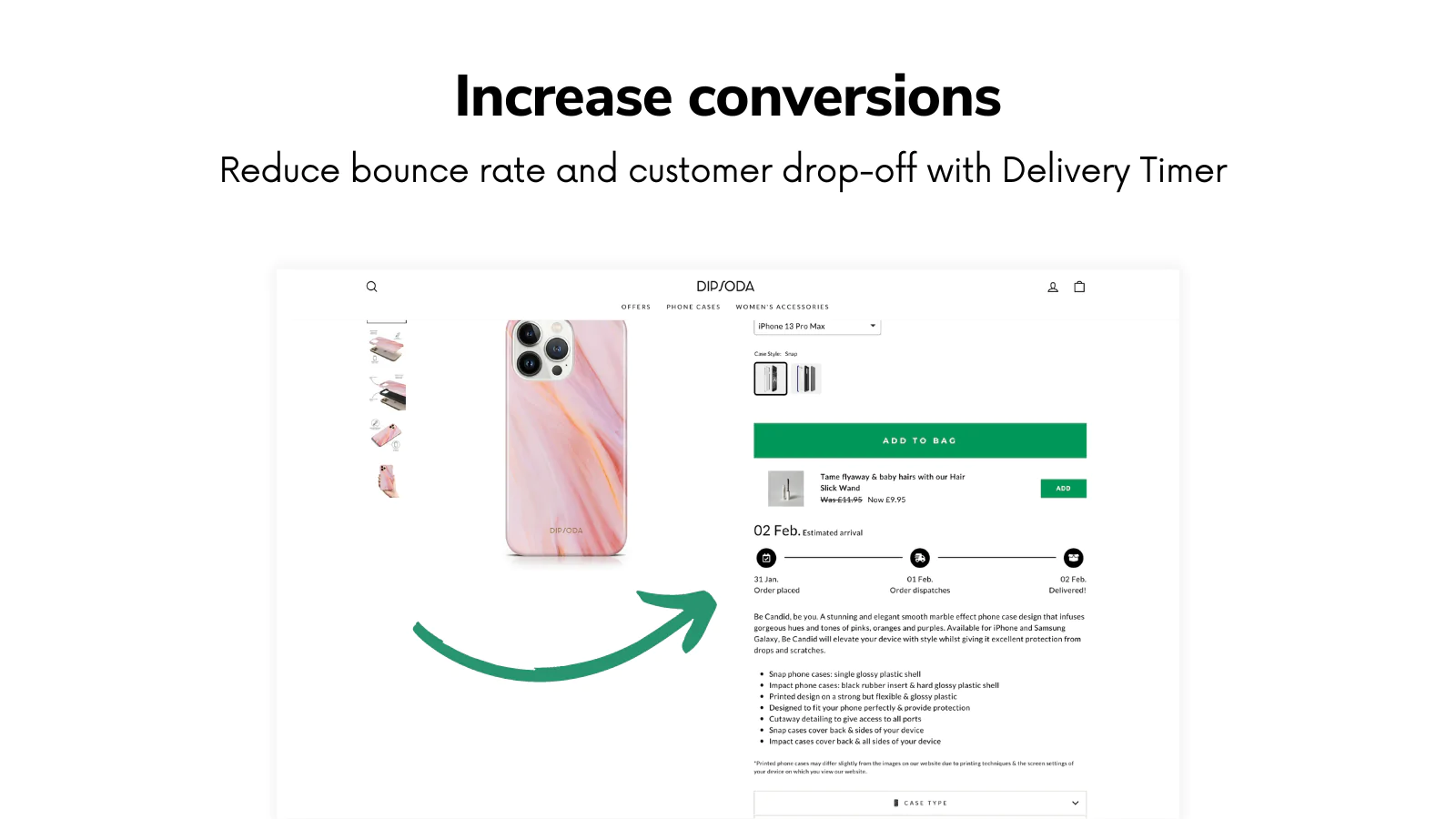
Delivery Timer displays estimated delivery dates and order deadline messaging on product pages. This is especially useful for stores where shipping expectations strongly influence the purchase decision, such as gifts, seasonal products or time-sensitive everyday items.
As the developer behind Delivery Timer, I have seen merchants use it to reduce uncertainty at the exact point where shoppers are deciding whether to buy now or keep browsing. A clear message like order within 2 hours for delivery by Thursday can be more persuasive than a generic shipping policy link.
The app also supports styling and rules for different products, which matters if your catalogue has mixed fulfilment times. If you want more detail on setup, you can also read my page on Delivery Timer.
6. PageFly Landing Page Builder
PageFly Landing Page Builder is the best option on this list if your main problem is layout flexibility. It gives you far more control over PDP structure than most standard themes.

![]()
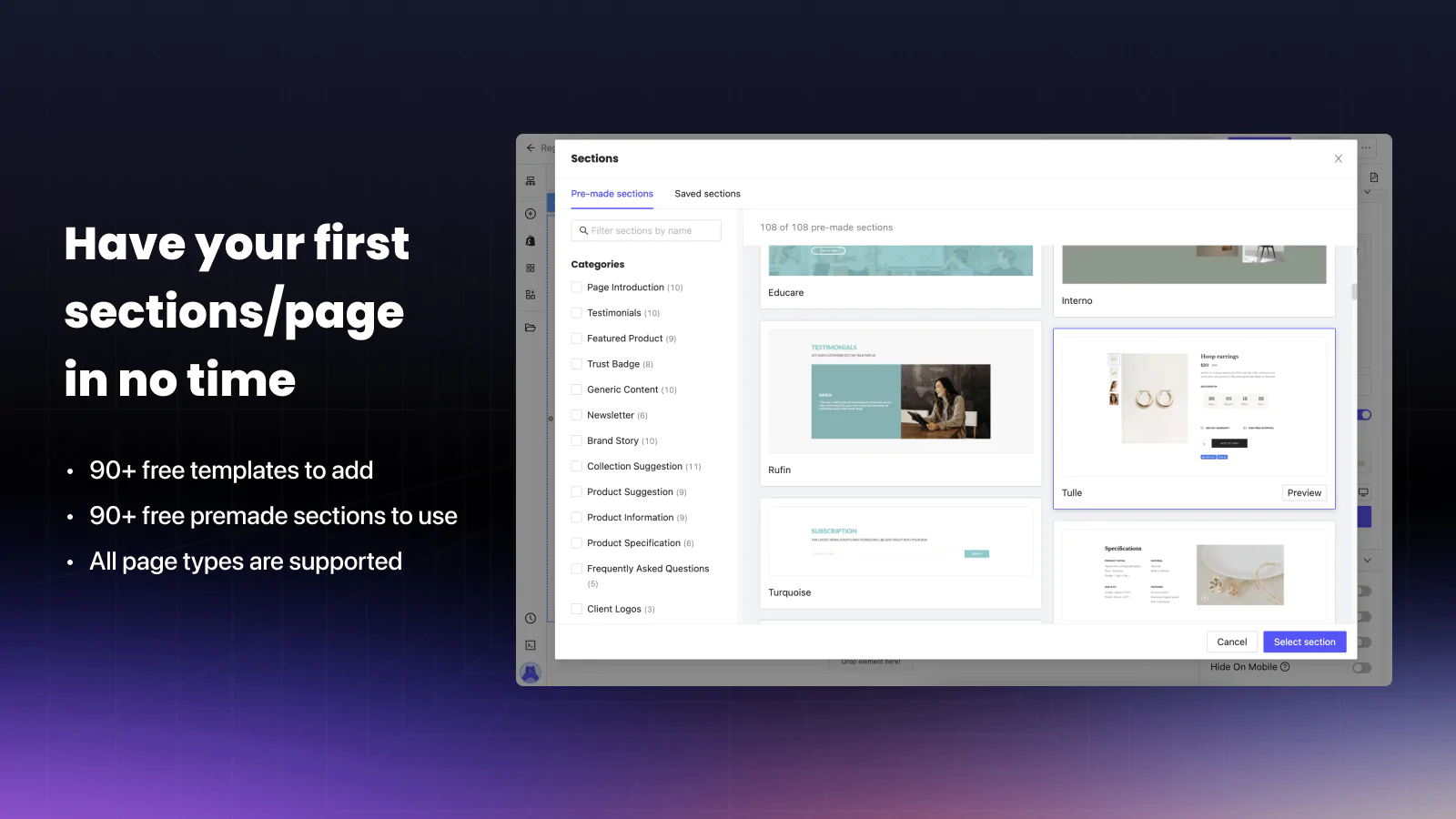
PageFly Landing Page Builder lets you build custom product pages using a drag-and-drop editor and pre-made sections. If your theme feels restrictive, this is one of the fastest ways to test a more conversion-focused PDP without a full custom build.
PageFly is especially useful for brands that want long-form product pages with sections for benefits, FAQs, video, comparison tables, icons, bundles and social proof. It also integrates well with many other Shopify apps, which makes it practical for more advanced PDP stacks.
If you are comparing page builders, my review of the best page builder apps for Shopify covers where PageFly fits in the wider market.
7. Growave
Growave is a strong all-in-one choice for stores that want several PDP-enhancing features in one app. It combines reviews, wishlists, loyalty and referrals in a single platform.

![]()
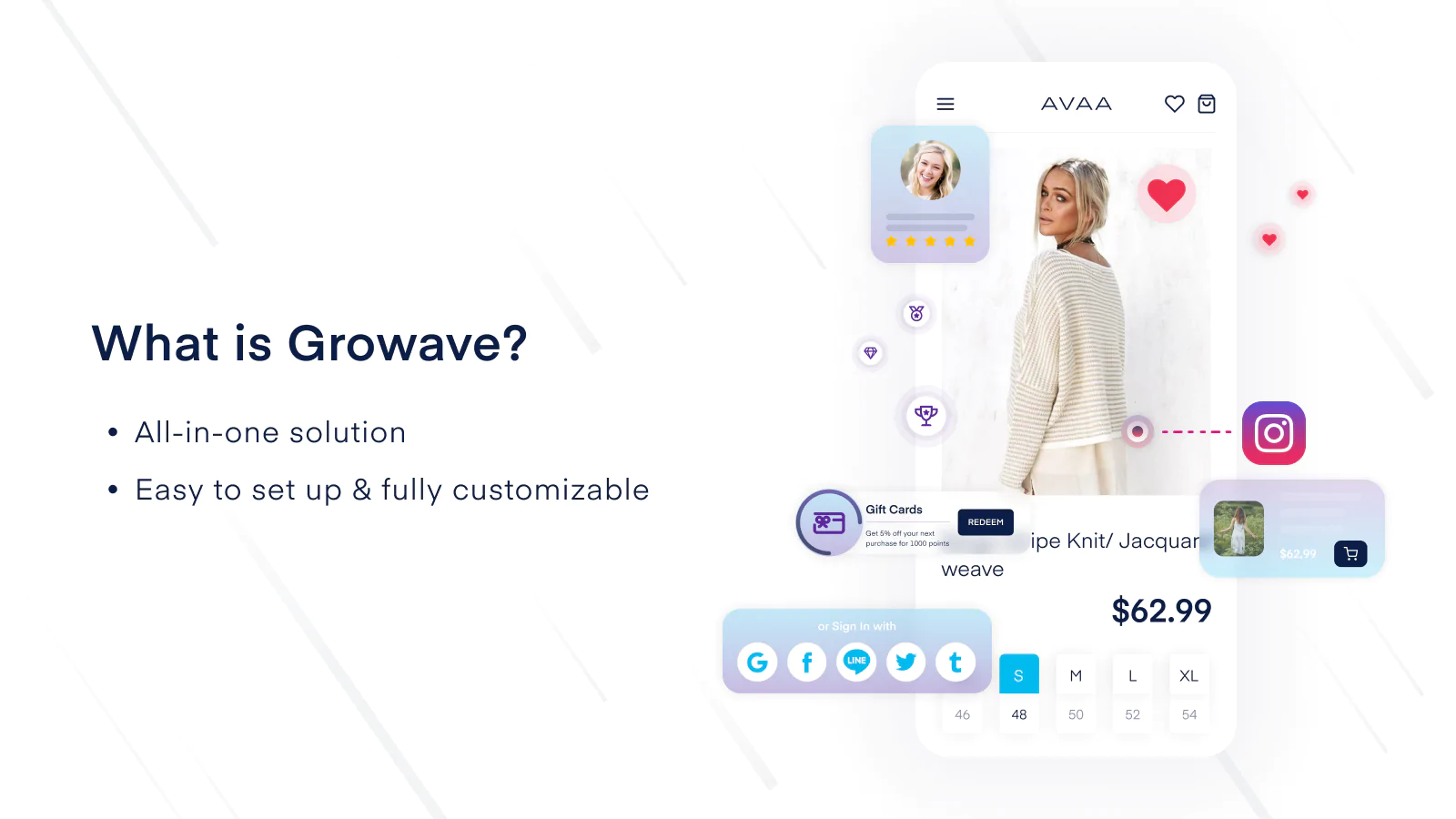
Growave can improve PDPs by adding photo reviews, wishlist buttons and loyalty touchpoints. For stores that do not want to stitch together multiple point solutions, that bundled approach can be appealing.
The wishlist feature is particularly useful for products with longer consideration cycles. Not every shopper is ready to buy on the first visit, and letting them save items can help recover intent later through email or account activity.
I would not always recommend an all-in-one app over specialised tools, but for small to mid-sized stores wanting fewer moving parts, Growave can make a lot of sense.
8. SellUp
SellUp is one of the best Shopify apps for PDP upsells and add-ons. It helps merchants increase average order value by showing relevant extra offers before the customer reaches checkout.

![]()
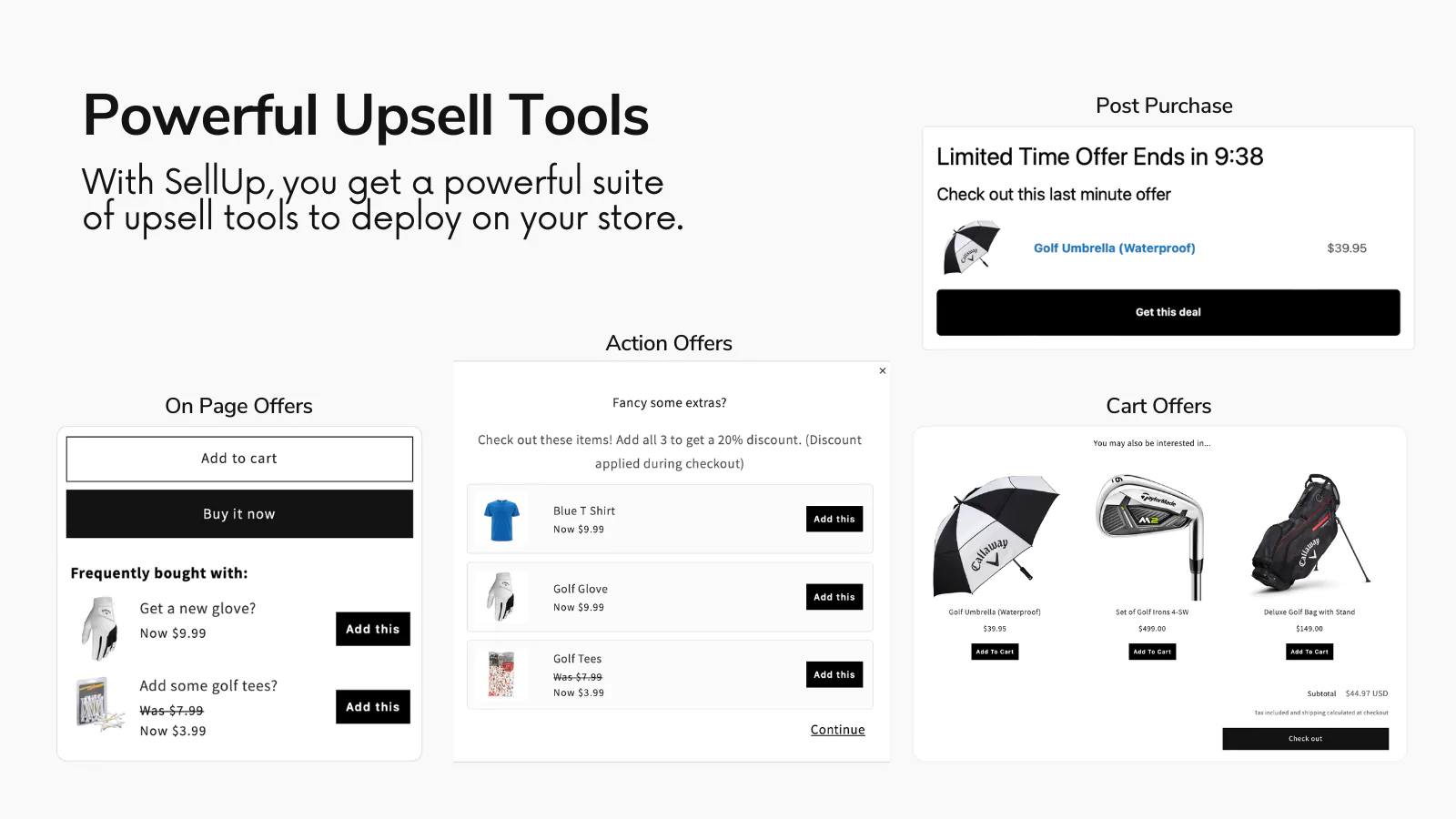
SellUp lets you present upsells, cross-sells, add-ons and product recommendations on the product page. This is one of the most direct ways to grow revenue without needing more traffic.
As the developer behind SellUp, I can say the best-performing PDP upsells are usually simple and tightly related to the main product. Think accessories, extended options, bundles or useful add-ons, not random catalogue items.
If you want a broader comparison of upsell tools and tactics, see my guides to the best upsell apps for Shopify and Shopify upsell on the product page.
9. Easy FAQ Page
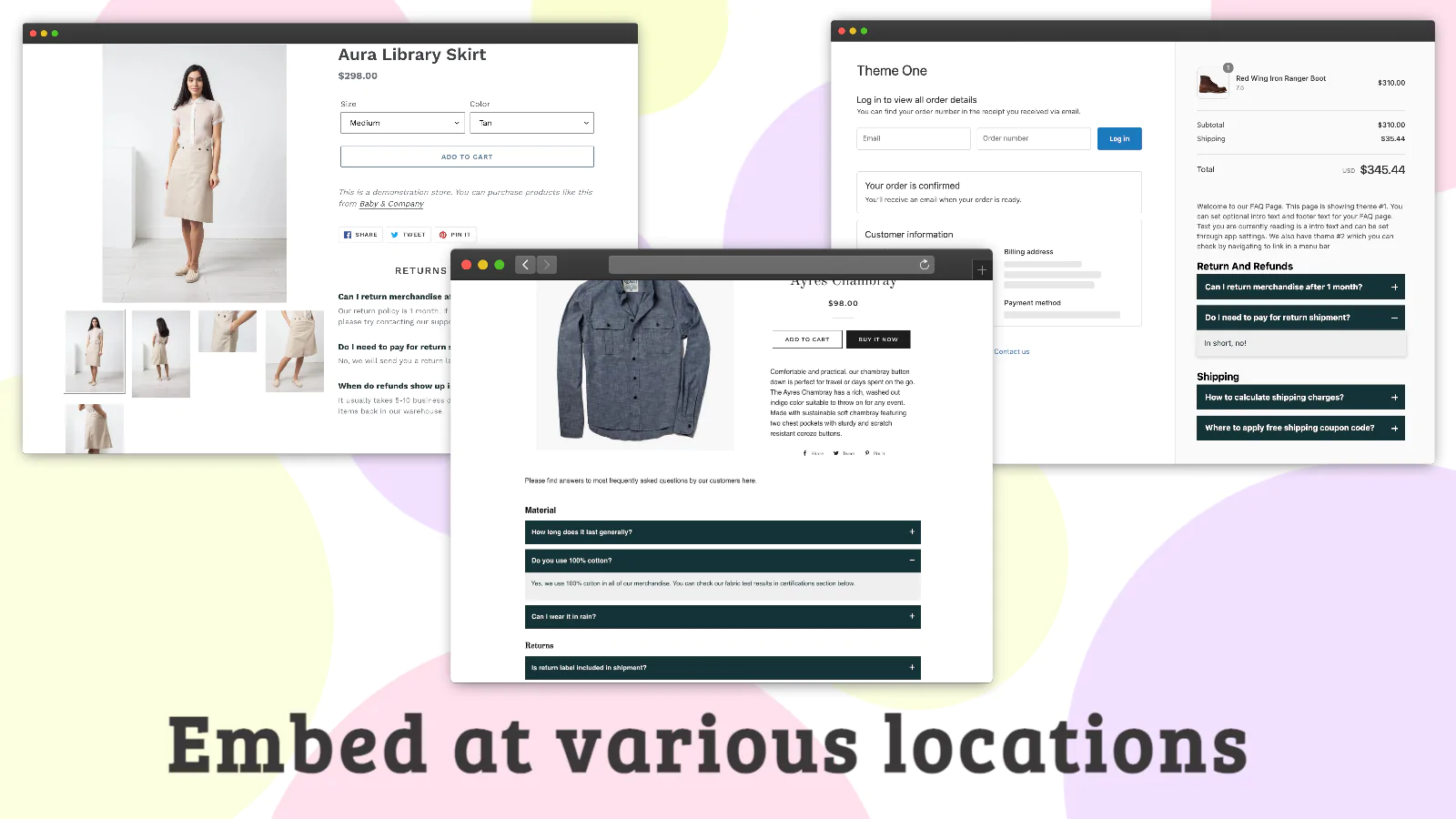
Easy FAQ Page is best for reducing customer hesitation. FAQs on the product page can answer objections before they become abandoned sessions or support tickets.

![]()
Easy FAQ Page helps merchants create clean FAQ sections and pages with custom styling. On PDPs, this is valuable because many purchase blockers are repetitive: sizing, materials, returns, shipping, compatibility and care instructions.
In my experience, FAQs work best when they are product-specific rather than generic. A broad store FAQ page is useful, but a PDP FAQ that answers the exact questions a shopper has at that moment is much more conversion-friendly.
It is also a practical way to reduce pre-sale support load for small teams.
10. Also Bought Related Products
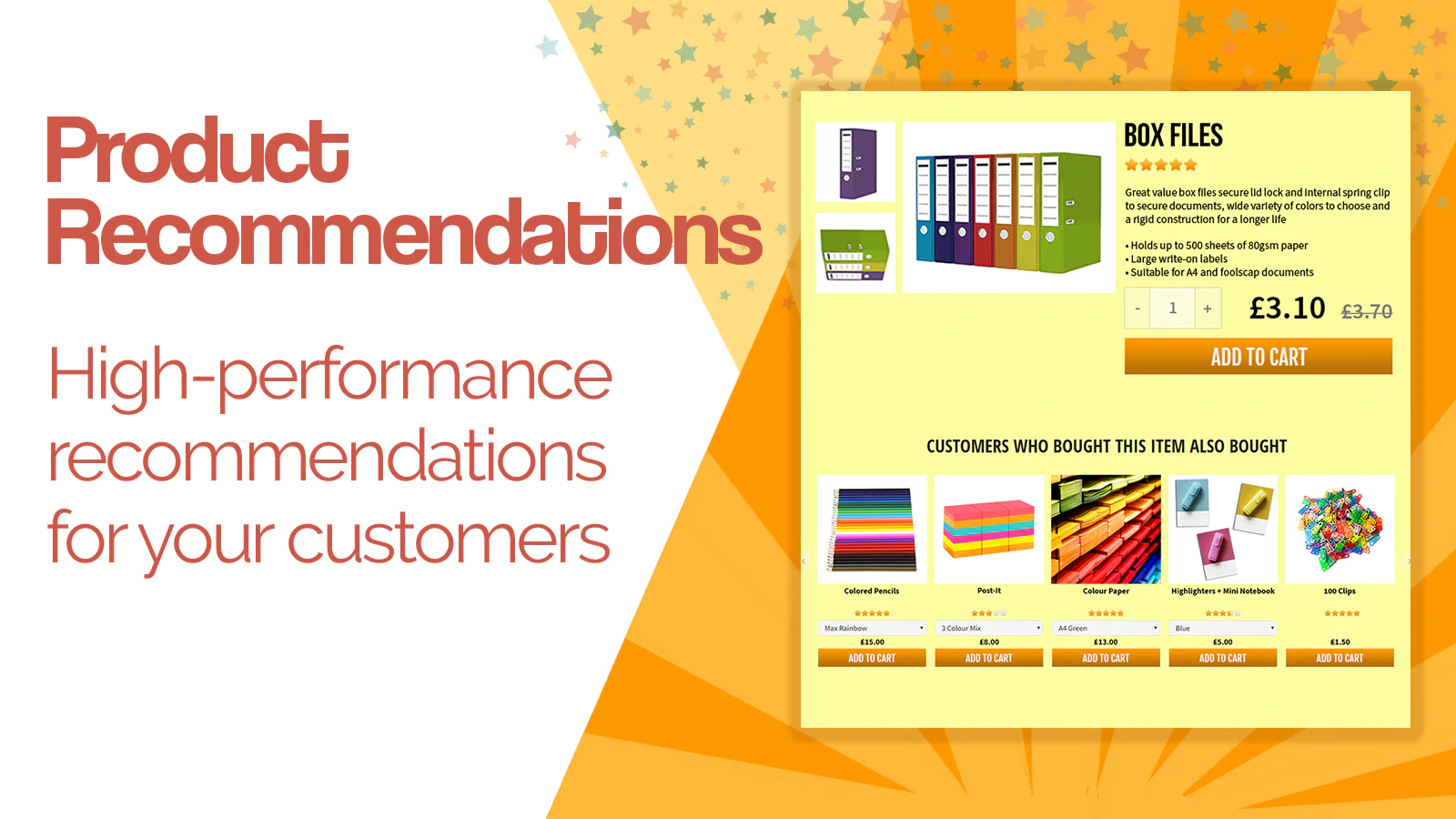
Also Bought Related Products is a strong choice for merchants who want Amazon-style recommendations on their product pages. Relevant related products can increase basket size without adding much friction.
![]()
Also Bought Related Products shows recommendation blocks based on related buying patterns and product relationships. Done well, this can lift cross-sell revenue and help shoppers discover useful complementary items.
I like this type of app for stores with natural attach products, such as skincare, electronics accessories, pet products or kitchenware. It is less effective when the recommendations are weak, so relevance is everything.
If your catalogue supports bundles, pair this with a bundle strategy too. My post on the best bundle apps for Shopify is a good next read.
What features should you look for in a Shopify PDP app?
The best Shopify PDP app should solve a clear conversion problem without slowing down the page or making the layout messy. The right feature set depends on your store model, but some qualities matter almost every time.
- Theme compatibility so it fits your storefront cleanly
- Fast loading with minimal impact on page performance
- Mobile-friendly design because most PDP traffic is mobile-first
- Flexible placement in product page sections or app blocks
- Clear analytics or measurable impact
- Useful support and documentation
- Pricing that scales reasonably as your store grows
One thing I always tell merchants is this: do not stack too many PDP apps just because each one sounds useful. A product page packed with badges, popups, timers, reviews, accordions and upsells can quickly become cluttered.
How many apps should you add to a Shopify product page?
Most stores should start with two to four well-chosen PDP apps, not ten at once. A focused setup is usually more effective than a bloated one.
If I were auditing a typical Shopify store, I would usually start with a combination like this:
- Reviews for trust
- Delivery messaging for reassurance
- Upsells or related products for AOV
- FAQs or options depending on product complexity
Then I would test performance before adding anything else. This is the same logic I use when thinking about my own apps. A good PDP should feel helpful, not overloaded.
Are product options apps the most important PDP tools in 2026?
For many stores, product options apps are becoming more important in 2026 because shoppers increasingly expect personalisation. They are not the only important PDP tools, but they are often the biggest unlock for custom-product businesses.
Recent market research around Shopify product options apps highlights a clear trend: merchants want real-time previews, dynamic pricing, file uploads, visual swatches and more advanced configuration on the PDP. Apps like Easify, Zepto, DPO and others are pushing this category forward, especially for stores selling custom or configurable products.
That said, not every store needs advanced options. If you sell simple products, you may get a better return from reviews, recommendations and faster pages than from a complex configurator.
What is my verdict on the best Shopify PDP apps?
The best Shopify PDP app is the one that fixes your biggest product page bottleneck first. For most stores, that means choosing based on function, not popularity.
If you need customisation, Product Options & Customizer is a strong pick. If you need trust, go with Loox. If you need layout flexibility, PageFly is the obvious choice. If you want to improve clarity around shipping, Delivery Timer is one of the simplest wins.
For revenue growth, I am naturally biased towards SellUp, but I also genuinely believe PDP upsells are underused on Shopify. When they are relevant and well-placed, they can produce some of the fastest AOV gains available on a product page.
The main thing is to treat your PDP as a system, not a template. The highest-converting product pages usually combine clarity, trust, speed, relevance and smart merchandising. The apps in this list help you build exactly that.