

Gift buyers are often willing to pay for convenience, presentation, and reassurance. A well-designed Shopify gift-order upsell can turn gift wrapping, handwritten cards, personalized messages, rush processing, and discreet packaging into valuable additions without distracting customers from the main purchase. In my experience building Shopify apps, the best approach is to treat gifting as a complete order journey rather than adding a single gift-wrap checkbox.
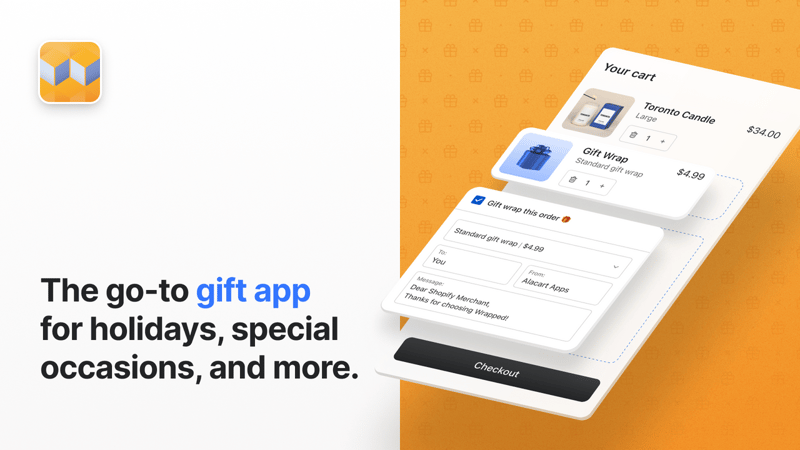
What are Shopify gift-order upsells?
Shopify gift-order upsells are optional products or services offered to customers buying an item as a gift. Common examples include premium wrapping, greeting cards, gift messages, gift boxes, rush preparation, and occasion-specific accessories.
These offers differ from a generic product recommendation because they solve a specific gifting problem. The buyer may be sending the order directly to the recipient, buying at the last minute, or worrying about how the package will look when it arrives. A useful add-on reduces that uncertainty while increasing average order value.
The keyword phrase shopify upsell gift wrapping messages describes two connected requirements. The store needs to sell a paid or optional gifting service, and it needs to capture accurate personalization instructions that appear clearly on the order.
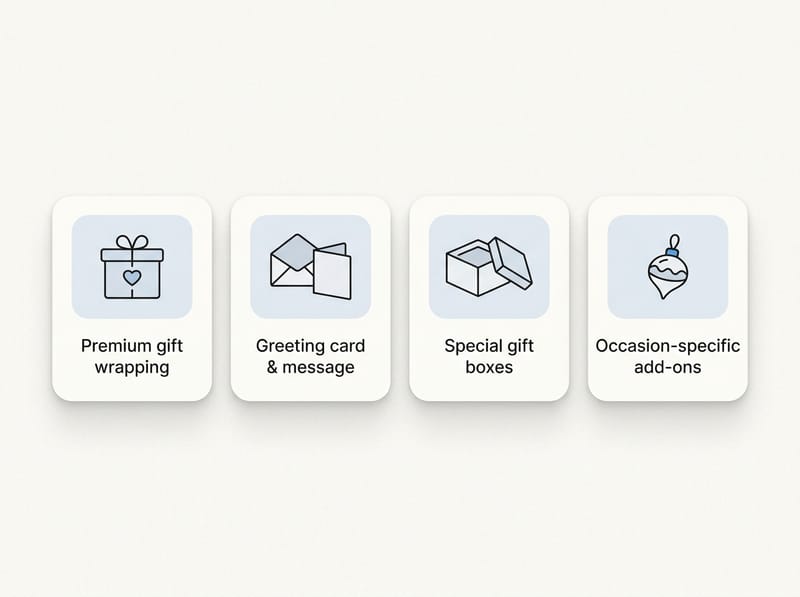
Why should a Shopify store offer gift wrap, messages, and cards?
Gift-order add-ons can increase revenue while making the buying experience more convenient. They are especially effective when the add-on is inexpensive relative to the main product and removes work the buyer would otherwise need to do after delivery.
For example, a customer buying a $75 candle set may readily add $6 gift wrapping, a $4 greeting card, and $8 rush preparation. That turns a $75 order into a $93 order, representing a 24% increase in order value before considering shipping or other products.
The benefits extend beyond immediate revenue:
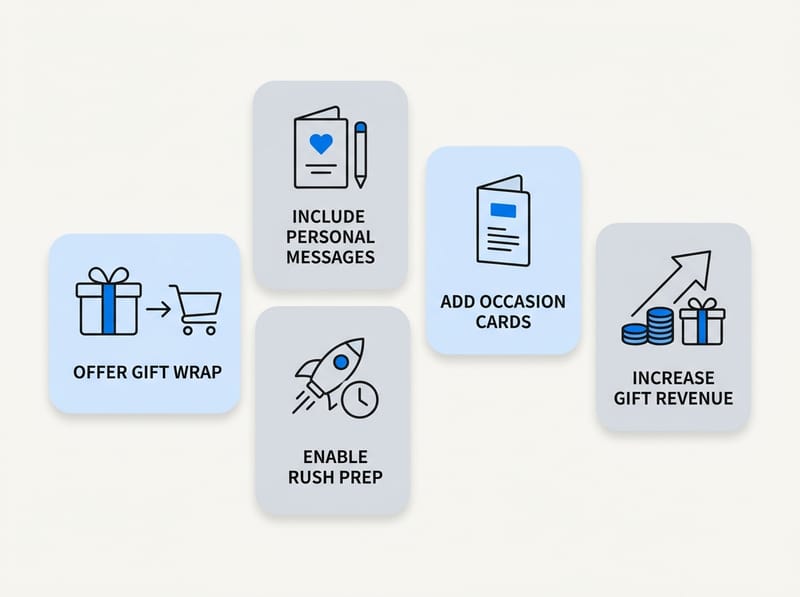
- Higher AOV: Gift services add incremental revenue without requiring the customer to choose another major product.
- Better gifting convenience: The order can arrive ready to give or be shipped directly to the recipient.
- Stronger brand presentation: Premium packaging makes the unboxing experience feel intentional.
- Clearer fulfillment instructions: Structured message fields reduce ambiguous order notes and support requests.
- Seasonal merchandising opportunities: Stores can change cards, wrapping styles, and recommendations for each occasion.
I have seen merchants make gift options too complicated by presenting a long form before the customer commits to buying. The strongest gift upsells feel optional, visual, and quick to understand. Customers should be able to select an offer in a few seconds and continue toward checkout.
Which gift-order add-ons should you offer?
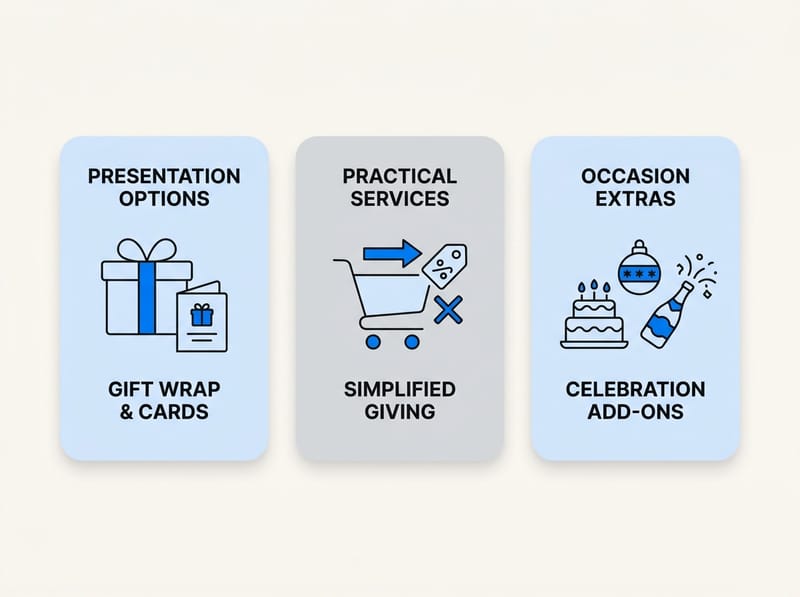
The best gift-order menu combines one or two presentation options with practical services and occasion-relevant extras. Start with a small set that your fulfillment team can deliver consistently, then expand based on attachment rates and customer requests.
| Add-on | Example price | Customer pain point solved | Fulfillment requirement |
|---|---|---|---|
| Standard gift wrap | $4 to $8 | The buyer does not need to wrap the item | Wrapping paper, ribbon, and packing time |
| Premium gift box | $8 to $20 | The gift needs a more impressive presentation | Appropriate box sizes and packing rules |
| Printed or handwritten card | $3 to $7 | The recipient needs to know who sent the gift | Card stock, printer, or handwriting process |
| Gift message | Free or $1 to $3 | The buyer is shipping directly to the recipient | Message must be visible on the order |
| Rush processing | $10 to $30 | The buyer has an urgent gifting deadline | Operational capacity and clear cutoff times |
| Discreet packaging | Free or $2 to $5 | The package contents must remain private | Plain packaging and packing slip rules |
| Occasion add-on | $5 to $25 | The main gift feels incomplete | Relevant inventory and product matching |
These prices are examples rather than fixed benchmarks. Your price should cover materials, labor, payment fees, and operational complexity while still feeling proportionate to the underlying order.
Should gift messages be free or paid?
A simple printed gift message is usually best offered for free, while premium cards and handwritten notes can be paid upgrades. This structure removes friction from basic gifting while creating a clear reason to purchase the more valuable option.
For example, offer a free packing-slip message of up to 200 characters, then sell a designed birthday card for $5. Customers understand the difference because one is a basic communication feature and the other is a physical product with presentation value.
Should you charge for discreet packaging?
Discreet packaging should generally be free when privacy is a reasonable expectation, but it can be a paid service when it requires special materials or separate handling. The promise must clearly explain what will and will not appear outside the package.
Avoid suggesting that the carrier label can be completely anonymous if your shipping process cannot support that. Operational accuracy matters more than small add-on revenue, particularly for sensitive gifts, jewelry, health products, and surprise deliveries.
How can SellUp power Shopify gift wrapping and message upsells?
SellUp can present gift wrapping, cards, packaging upgrades, and complementary products as targeted upsell offers. It is a practical choice when you want gifting options to operate as purchasable products that can be tracked in Shopify orders and inventory workflows.
As the developer behind SellUp, I recommend creating each paid fulfillment service as a Shopify product. A product called “Premium Gift Wrap,” for example, can have its own price, image, SKU, tax configuration, and fulfillment instructions. SellUp can then display it beside eligible products or at another relevant point in the buying journey.
This approach is useful because the add-on becomes a real order line rather than an informal instruction hidden inside a note. Your team can see that the customer purchased gift wrap, reporting can measure its revenue, and automations can identify orders containing the relevant SKU.
If you want a broader explanation of offer placement, my guide to Shopify product-page upsells covers how to position offers without overwhelming the primary add-to-cart decision.
How should you build the gift add-on products?
Create separate Shopify products for services that have different prices, materials, or fulfillment steps. Use variants only when the options share a similar operational process, such as red, gold, or birthday-themed wrapping paper.
- Create a product for each paid gift service, such as Standard Gift Wrap, Premium Gift Box, Greeting Card, or Rush Processing.
- Add a clear image so shoppers can see what they are buying.
- Write a short description covering materials, message limits, exclusions, and processing implications.
- Assign a recognizable SKU, such as GIFT-WRAP-PREMIUM.
- Confirm whether the add-on should be taxable in the regions where you sell.
- Exclude the service product from normal collections and search results if it should only be purchased as an add-on.
- Create targeted SellUp offers for the products and collections commonly bought as gifts.
Do not create one vague product called “Gift Option” for every service. Separate line items make reporting and fulfillment much easier. They also let you measure whether wrapping, cards, or rush processing produces the highest revenue.
How do you collect the recipient's message?
Collect the message through a dedicated product field, line-item property, cart attribute, or gifting app that stores the text with the order. The correct method depends on whether the message applies to one item or the entire shipment.
Use an item-level field when a cart may contain gifts for different people. Use an order-level field when one message applies to the complete package. Shopify theme developers can use Shopify product form properties to capture item-specific customization, although merchants should test theme and cart compatibility carefully.
SellUp is strongest for presenting and selling the add-on. Depending on your theme and message workflow, you can pair the paid card or wrapping product with a properly labeled custom field. My guide on displaying customizable add-ons and upsells explains the wider setup considerations.
Use one clearly labeled message field and state the character limit beside it. Never rely on customers to place recipient instructions inside an unrelated order note.
Where should gift upsells appear in the customer journey?
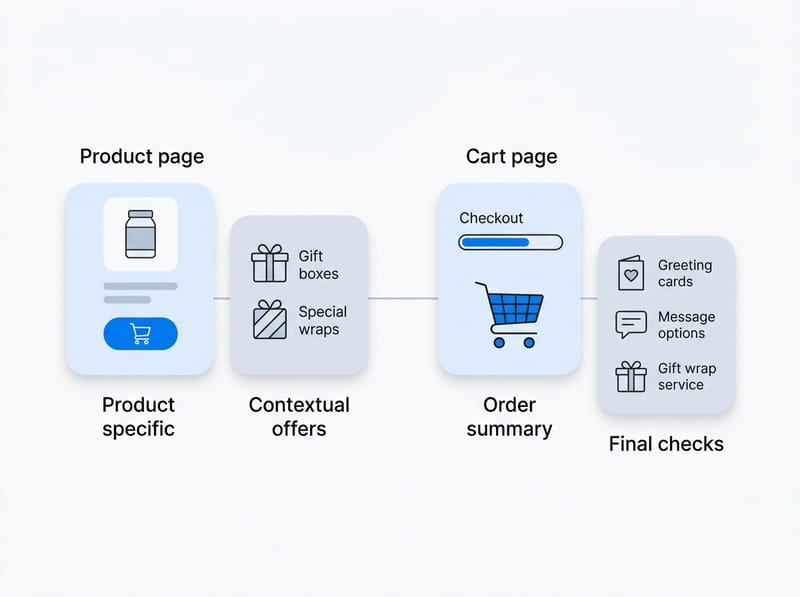
Gift upsells should appear where the customer has enough context to understand the offer but can still add it without backtracking. Product pages work well for product-specific presentation options, while the cart is better for order-wide wrapping, cards, and final gifting checks.
| Placement | Best gift offers | Main advantage | Potential risk |
|---|---|---|---|
| Product page | Gift box, product-specific wrap, matching accessories | Highly relevant to the selected item | Too many choices can distract from add to cart |
| Cart drawer | Wrapping, card, gift message prompt | High intent with minimal journey interruption | Theme conflicts or limited space |
| Cart page | Order-wide gift options and recipient instructions | More room for fields and explanations | Some shoppers may skip the full cart page |
| Checkout | Simple add-ons for supported checkout configurations | Very high purchase intent | Customization depends on Shopify plan and extension support |
| Post-purchase | Complementary products that do not require editing the original package | Does not interrupt the initial conversion | Often too late for wrapping instructions |
Do not wait until post-purchase to ask whether the item needs wrapping. Shopify defines the post-purchase page as a stage after checkout but before the thank-you or order status page, as described in its post-purchase extension documentation. By then, your order routing or fulfillment automation may already be starting.
For stores using a slide-out cart, read my practical guide to Shopify cart drawer upsells. A compact gifting block can work well there when it uses one checkbox, one image, and a short benefit statement.
How do you create occasion-based gift recommendations?
Occasion-based recommendations match add-ons to why the customer is buying, such as a birthday, anniversary, wedding, holiday, or corporate event. The most effective offers use product tags, collections, seasonal campaigns, or a customer-selected occasion to determine what appears.
Start by mapping product groups to likely gifting moments:
- Jewelry: Premium box, polishing cloth, handwritten card, and discreet packaging.
- Candles: Gift wrap, matches, birthday card, and relaxation accessories.
- Flowers: Vase, chocolates, printed message card, and priority preparation.
- Food gifts: Greeting card, insulated packaging, serving accessories, and recipient-safe packing slip.
- Baby products: New baby card, keepsake box, and neutral wrapping.
- Corporate gifts: Branded card, bulk message upload, scheduled dispatch, and invoice-free packaging.
In SellUp, keep the offer focused by targeting relevant products or collections instead of displaying every gifting option across the entire catalog. A sympathy card shown beside a birthday product is not simply irrelevant. It can make the store feel careless.
Which Shopify apps can support gift-order upsells?
The best app depends on whether you primarily need revenue-focused upsells or a specialized gifting workflow. SellUp is my preferred option for targeted paid add-ons, while dedicated gifting apps can be useful for complex multi-recipient messages, delivery dates, and specialized gift fields.
| App | Best fit | Notable use |
|---|---|---|
| SellUp | Targeted product and cart upsells | Selling wrapping, cards, boxes, and occasion products as trackable add-ons |
| Giftship | Broader gifting workflows | Gift notes, wrap, greeting cards, date pickers, and custom gifting fields |
| Wrapped: Gift Wrap & Messages | Dedicated wrapping and message blocks | Gift options across supported storefront and checkout locations |
| Super: Gift Wrap, Gift Message | Gift wrap, notes, cards, and boxes | A dedicated gifting interface with a free plan available at the time of research |
| GA: Product Addons+Gift Wrap | General product add-ons with gifting options | Combining gift services with warranties, accessories, and other extras |

When comparing apps, verify current pricing, theme support, cart compatibility, and Shopify plan requirements directly on each App Store listing. App features and ratings change, and checkout customization may differ between standard Shopify plans and Shopify Plus.
How do you set up a complete Shopify gift-order upsell flow?
A complete setup connects merchandising, message collection, pricing, fulfillment, and testing. The goal is not merely to display an offer, but to ensure every paid promise reaches the packing team accurately.
- Choose the initial add-ons. Start with one wrap option, one card, one free message field, and one operational upgrade.
- Create service products. Give each paid add-on an image, SKU, price, and concise description.
- Define eligibility. Exclude oversized, digital, subscription, drop-shipped, or supplier-fulfilled products when wrapping is unavailable.
- Build targeted SellUp offers. Match each service to the products, collections, or occasions where it makes sense.
- Add message fields. Decide whether each message belongs to an item or the complete order.
- Set character limits. A limit of 150 to 250 characters is often practical for a small printed card, but test against your actual design.
- Create fulfillment tags or rules. Make gift orders easy to identify in Shopify Admin and any warehouse system.
- Test discounts and quantities. Confirm that customers cannot accidentally buy two rush-processing services or receive an unintended discount.
- Run a complete test order. Check the storefront, cart, checkout, confirmation email, Shopify order, packing slip, and fulfillment workflow.
- Measure results. Track views, acceptance rate, add-on revenue, refund requests, and fulfillment errors.
What should the gift offer copy say?
Gift offer copy should explain the result, price, and any limitation in one or two short sentences. Use specific language such as “Add premium gift wrapping for $6” rather than a generic label like “Make it special.”
Useful examples include:
- Gift wrap: “Make it ready to give with tissue, ribbon, and recyclable wrapping for $6.”
- Greeting card: “Add a birthday card with your printed message for $5.”
- Discreet packaging: “Ship in plain outer packaging with no product name shown.”
- Rush preparation: “Move this order to priority preparation for $15. Carrier transit time is unchanged.”
The rush-processing example is important because merchants sometimes imply faster delivery when they only control warehouse handling. Separate preparation speed from carrier delivery speed to avoid disappointed customers and support tickets.
What mistakes reduce gift-order upsell conversions?
The biggest mistakes are unclear pricing, excessive choices, hidden fulfillment limitations, and message fields that do not reach the packing team. A profitable add-on is only valuable when the store can fulfill it reliably during peak periods.
- Showing too many options: Five wrapping styles, eight cards, and multiple packaging upgrades can create decision fatigue.
- Using text-only offers: Gift presentation is visual, so show the box, paper, ribbon, or card whenever possible.
- Offering unavailable services: Exclude products shipped by suppliers who cannot follow your gifting workflow.
- Hiding character limits: Customers become frustrated when a long message is cut off after payment.
- Failing to test mobile: Long fields and large modals can make the cart difficult to use on a phone.
- Discounting add-ons unintentionally: Storewide discount codes may reduce service prices unless exclusions are configured.
- Ignoring packing slips: A recipient should not see prices if the buyer expects a gift receipt.
- Overpromising at peak season: Rush processing should be disabled when your team cannot honor it.
In my experience building Shopify apps, the technical storefront setup is only half of the project. The warehouse handoff is where gifting programs succeed or fail. Place a test order before every major seasonal campaign and ask someone unfamiliar with the setup to fulfill it using only the information shown in your normal workflow.
How should you measure gift upsell performance?
Measure gift upsells using attachment rate, incremental revenue, margin, and fulfillment accuracy. Revenue alone can be misleading if material costs, labor, refunds, or packing errors absorb most of the gain.
Use these core metrics:
- Offer view rate: The percentage of eligible sessions or carts that actually see the offer.
- Attachment rate: Add-on purchases divided by eligible orders.
- Add-on AOV: Average gifting revenue generated by orders accepting an offer.
- Gross margin: Add-on revenue minus materials, labor, app costs, and payment fees.
- Fulfillment error rate: The percentage of gift orders with missing wrap, incorrect cards, or message mistakes.
- Support contact rate: Questions or complaints related to gift services divided by gift orders.
Test one meaningful change at a time. You might compare a product-page offer against a cart offer, test “Premium gift wrap for $6” against benefit-led copy, or compare one wrapping option with three. Allow enough orders to avoid making decisions based on a handful of seasonal purchases.
What is the best gift-order upsell strategy for Shopify?
The best strategy is to sell a small number of visually clear gift services, capture instructions in structured fields, and surface each offer at the most relevant point in the purchase journey. For many stores, SellUp provides the revenue-focused upsell layer, while Shopify fields or a specialist gifting app can handle more complex personalization.
Begin with the operationally simple combination of paid gift wrap, a free message, and a paid greeting card. Once fulfillment is accurate, add occasion recommendations, premium boxes, discreet packaging, or rush preparation. This staged approach lets you learn what customers value without creating an unmanageable seasonal workflow.
The highest-converting gifting experience is not necessarily the one with the most features. It is the one that tells the buyer, in a few seconds, what the recipient will receive, what it costs, and whether it will arrive as expected.