
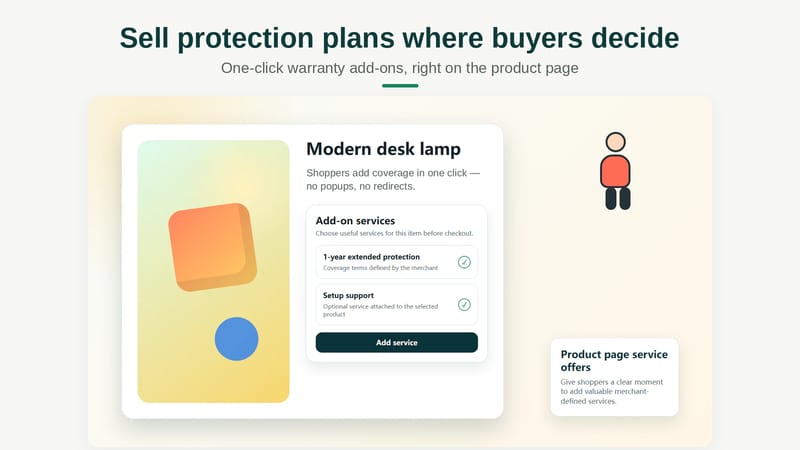
A Shopify warranty upsell protection plan offer lets customers add extended coverage, accidental damage protection, shipping protection, or a paid service while purchasing an eligible product. In my experience building Shopify apps, these offers work best when they are relevant, easy to understand, and selectable in one click on the product page or in the cart. This guide explains how to structure the offer, choose an implementation method, write effective copy, and measure whether it genuinely increases average order value.
What is a Shopify warranty upsell protection plan?
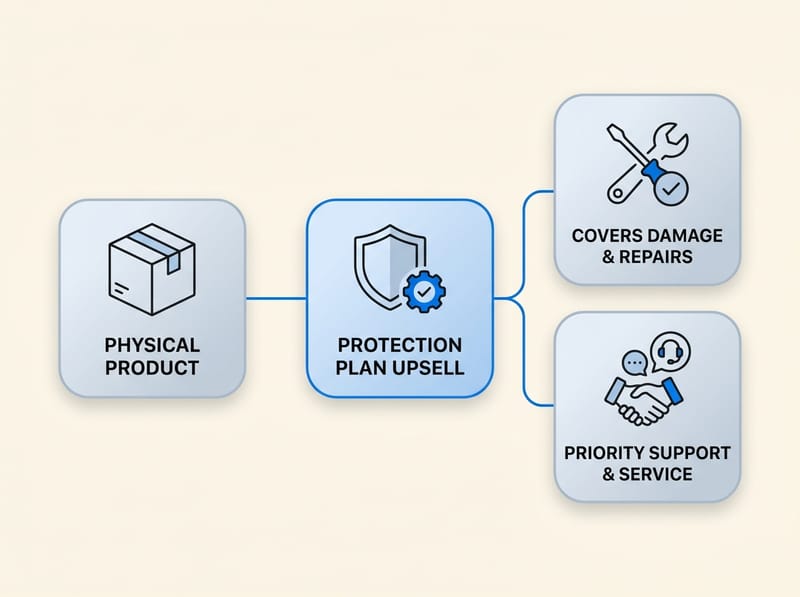
A Shopify warranty upsell protection plan is an optional paid product or service offered alongside a physical product. It can cover mechanical failure, accidental damage, delivery problems, installation, setup, maintenance, or priority support, depending on the terms provided by the merchant or protection provider.
The underlying upsell is relatively simple: a customer buys the main product and pays an additional amount for greater protection or convenience. For example, a merchant selling a $600 espresso machine could offer a two-year extended service plan for $59. A furniture store could offer assembly for $49, while an electronics store could offer data transfer or setup assistance.
This differs slightly from a conventional cross-sell. A cross-sell normally recommends a separate complementary product, such as a case for a phone. A warranty or service plan is tied directly to the customer's ownership experience, making it a highly contextual add-on rather than an unrelated recommendation.
Shopify also identifies extended warranties as a standard upselling example in its guide to upselling. However, the offer still needs careful implementation because warranties, service contracts, and insurance can have different legal and operational requirements.
Why should Shopify merchants upsell warranties and service add-ons?
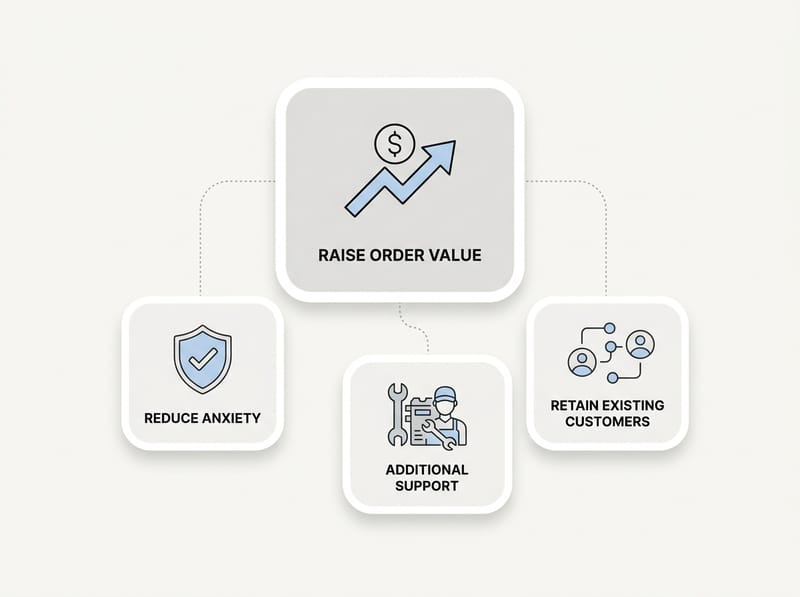
Warranty and service add-ons can raise average order value without requiring the merchant to acquire another customer. They can also reduce purchase anxiety by giving shoppers a clearer route to support if the product breaks, arrives damaged, or requires specialist setup.
The main pain point is that merchants often focus exclusively on selling another physical item. That approach introduces inventory, fulfillment, and shipping costs. By contrast, a well-designed service add-on can generate incremental order revenue without adding another parcel to the shipment.
- Higher average order value: The plan adds revenue to an order that the shopper is already prepared to place.
- Greater purchase confidence: Clear coverage may reassure customers purchasing expensive, technical, or fragile products.
- Better customer experience: Installation, setup, and support services remove practical barriers after delivery.
- More predictable support: Defined coverage terms can establish a consistent process for eligible incidents.
- Stronger product economics: Digital or service-based add-ons may avoid the storage and shipping costs associated with physical cross-sells.
There are also risks. Vague exclusions, difficult claims, automatic preselection, or misleading language can damage trust quickly. The plan must create customer value, not merely add a fee at the last moment.
Which types of protection plans and add-ons can I sell?
The best type of add-on is one that addresses a credible risk or task associated with the main product. Extended warranties suit durable goods, while setup, assembly, maintenance, and priority support may be better for products that require expertise.
| Offer type | What it provides | Example products | Example offer |
|---|---|---|---|
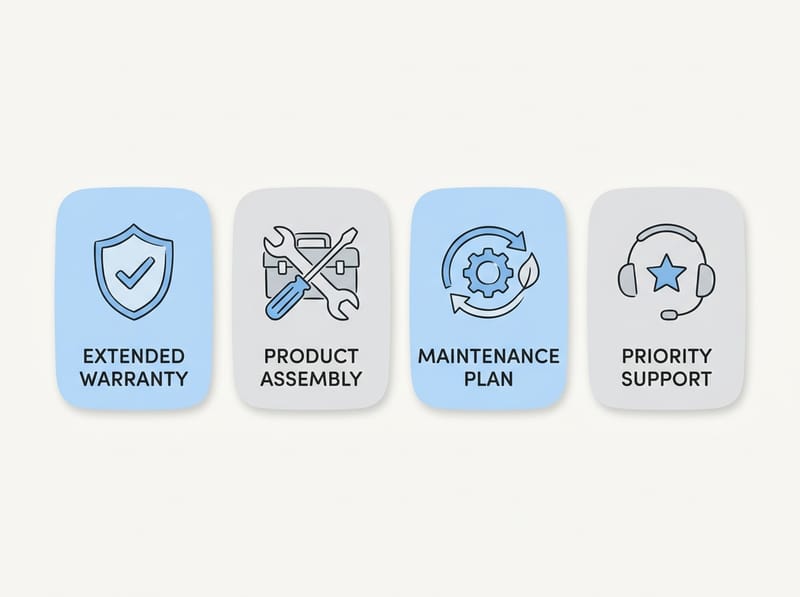
| Extended warranty | Coverage after the standard warranty expires | Appliances, electronics, tools | Two additional years for $49 |
| Accidental damage protection | Coverage for specified accidental incidents | Phones, cameras, portable devices | Two-year accidental damage plan |
| Shipping protection | Protection against defined delivery problems | Fragile, valuable, or custom goods | Delivery protection for $4.99 |
| Installation or assembly | Professional setup after purchase | Furniture, equipment, smart devices | In-home assembly for $79 |
| Technical setup | Configuration or onboarding assistance | Computers, networking equipment | Remote setup session for $39 |
| Maintenance plan | Scheduled servicing or replacement of consumables | Bikes, coffee machines, equipment | Annual service package for $99 |
| Priority support | Faster or expanded support access | Technical or business products | 12 months of premium support |
Do not label an offer as insurance simply because that language sounds familiar. Insurance and service contracts may be regulated differently across jurisdictions. Before launching, have qualified counsel review the plan, claims process, refund policy, and promotional wording for every market in which it is sold.
Where should I display a warranty upsell on Shopify?
The product page is usually the strongest starting point because the customer can evaluate the plan while evaluating the main product. The cart is useful as a reminder, while checkout and post-purchase offers can capture shoppers who initially declined.
Should the offer appear on the product page?
Yes, the product page provides the best combination of visibility and context for most warranty offers. Position the selector close to the product form, ideally near the price, variant selector, or Add to Cart button.
A concise product-page widget can show the plan duration, price, core benefit, and a link to the full terms. Customers should be able to choose No protection, a one-year plan, or a longer plan without opening multiple pages. If you want broader placement advice, my guide to Shopify product page upsells explains how to introduce offers without distracting from the main purchase.
Should I repeat the protection plan in the cart?
A cart offer is useful when the shopper skipped the product-page selector or added an item through a quick-buy button. The cart should recognize eligible products and present only the matching plan.
Avoid showing five competing plans in a compact cart drawer. One clearly recommended option and a secondary alternative are usually easier to process. When I test cart offers, I also verify that removing the main item automatically removes or invalidates the attached service product. My guide to Shopify cart drawer upsells covers the placement and testing considerations in more detail.
Can I offer a plan at checkout or after purchase?
Checkout and post-purchase placements can recover missed add-on sales, but their availability and behavior depend on Shopify's current extension rules, the merchant's plan, and the selected app. Confirm compatibility before designing the entire strategy around checkout placement.
Checkout copy must be especially compact because customers are trying to complete payment. Post-purchase offers can work for registration, setup calls, or extended coverage, but merchants should confirm whether the protection provider permits enrollment after the product transaction. The coverage start date and eligible enrollment window should be explicit.
How do I add warranty and service upsells to Shopify?
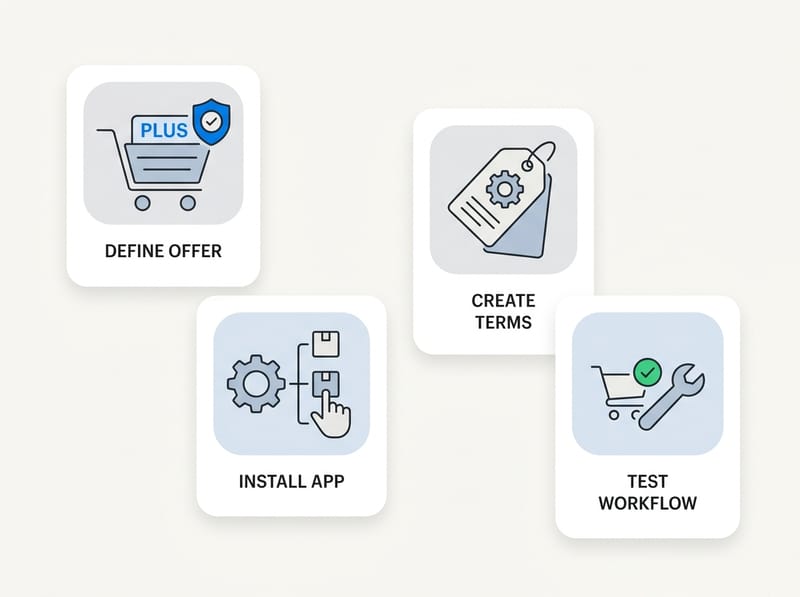
The practical setup process is to define the offer, create its terms and price, select eligible products, install an upsell or warranty app, place the widget, and test the complete order workflow. Do not launch until you have tested refunds, cancellations, claims, and product removal.
- Choose the add-on model. Decide whether you are selling your own service, administering an in-house warranty, or using a specialist provider that handles coverage and claims.
- Document the terms. State what is covered, what is excluded, when coverage starts, how long it lasts, and how a customer requests service.
- Set the price. Use a fixed amount or product-specific tiers based on the product's value, replacement cost, failure risk, and expected service cost.
- Define eligibility. Target products using collections, tags, product IDs, variants, vendors, or price ranges. Exclude products that cannot be covered.
- Install the app or widget. Use a theme app extension where available instead of hard-coding the feature into theme files.
- Place the offer. Start on the product page, then add a restrained reminder in the cart if the initial test supports it.
- Configure fulfillment. Make sure service products are not sent to a physical fulfillment provider and do not add unnecessary shipping weight.
- Test the lifecycle. Place test orders with and without the plan, change quantities, remove the main item, issue a refund, and verify customer emails.
- Launch and measure. Monitor take rate, average order value, claims, refunds, support contacts, and customer complaints.
For a custom service add-on, the plan can sometimes be represented as a separate Shopify product. However, a dedicated app becomes valuable when you need product-level matching, conditional display, analytics, or claims administration. Shopify's theme app extension documentation explains how compatible app blocks can be positioned through the theme editor.
What are the best Shopify apps for warranty upsells?
The best app depends on whether you need a flexible add-on widget or a provider that administers the underlying warranty. SellUp and Upseller Product Upsell are options for presenting custom add-on products, while OneAssist Protection is positioned around extended warranty and accidental protection plans.
| App | Best suited to | Key consideration |
|---|---|---|
| SellUp | Custom warranty products, service add-ons, and product-page or cart upsells | You define and administer the underlying service or warranty terms |
| OneAssist Protection | Eligible lifestyle products, electronics, and consumer durables | Confirm supported locations, products, pricing, claims, and current app reviews |
How can SellUp handle a warranty or service add-on?

SellUp can present a warranty, setup service, or protection add-on as an upsell linked to the main product. It is a practical choice when the merchant already has the service product and needs a clear, no-code way to offer it.
As the developer behind SellUp, I would use this structure for merchant-managed offers: create the service as a dedicated product, associate it with eligible products, display the offer near the purchase decision, and track the resulting orders. This is particularly useful for installation, gift services, support packages, maintenance, and merchant-backed warranties.
The important distinction is that an upsell app presents and adds the offer, but it does not automatically turn a merchant-created product into a compliant insurance policy. The merchant remains responsible for the terms, service delivery, support, and any required legal review. For more custom product extras, see my guide to displaying customizable add-ons and upsells.
How should I price a Shopify protection plan?
Price the plan according to the product's value, expected failure or service cost, plan duration, and customer benefit. The price should feel proportionate to the main purchase and must be sufficient to support claims, refunds, administration, and any provider fees.
A fixed fee is the simplest approach for products within a narrow price range. Tiered pricing is better when the catalog ranges from low-cost accessories to premium equipment. For example, products from $100 to $249 could receive one plan price, while products from $250 to $499 receive another.
| Main product | Potential offer | Example price | Primary customer benefit |
|---|---|---|---|
| $180 cordless tool | Two-year extended service plan | $19 | Repair or replacement under stated terms |
| $450 camera | Accidental damage plan | $44 | Protection against specified accidents |
| $900 dining table | Assembly service | $89 | Professional installation |
| $1,200 laptop | Setup and data transfer | $79 | Faster onboarding and configuration |
These are examples rather than universal pricing recommendations. Model the economics using your own repair cost, replacement rate, labor expense, provider share, refund rate, and support workload. A plan with attractive upfront revenue can become unprofitable if claims and administration are underestimated.
What warranty upsell copy converts without hurting trust?
Effective warranty copy explains the benefit, duration, price, and major coverage conditions in plain language. It should help the shopper make an informed choice rather than creating fear or implying that the main product is unreliable.
A concise product-page offer might read: Protect your purchase for two additional years for $39. Coverage begins after the manufacturer's warranty and includes eligible mechanical failures. View full terms.
For installation, the copy could read: Add professional setup for $69. Our technician will assemble and test your product at a scheduled appointment. Available in eligible ZIP codes.
Use the following copy principles:
- Lead with the customer outcome, not internal plan terminology.
- Show the full price before the customer selects the option.
- State the duration and when coverage begins.
- Link to complete terms without hiding major exclusions.
- Explain how customers request service or file a claim.
- Use an unselected default unless applicable law and platform policy clearly allow otherwise.
- Avoid false urgency, pre-checked boxes, and claims such as complete protection if exclusions apply.
In my experience building Shopify conversion tools, specificity usually beats hype. Phrases such as eligible repairs, two years, and remote setup session give the customer something concrete to evaluate. Generic wording such as total peace of mind can support the message, but it should not replace the actual details.
How do I measure whether the warranty upsell is working?
Measure the offer using take rate, incremental revenue, average order value, refund rate, claim rate, and support workload. Revenue alone does not show whether the plan is profitable or creating a good customer experience.
The basic take-rate formula is: plans sold divided by eligible products sold, multiplied by 100. If 40 eligible products are sold and eight include a plan, the take rate is 20%. Track this by product category, plan duration, placement, device type, and traffic source.
- Offer impression rate: How many eligible shoppers actually saw the offer?
- Plan take rate: What percentage added a plan?
- Incremental AOV: How much additional order value did the offer produce?
- Plan refund rate: How often was the plan canceled or refunded?
- Claim rate: What percentage of plans generated a claim?
- Approval and resolution time: How quickly were customers helped?
- Support cost: How much staff time was required per plan sold?
- Conversion impact: Did displaying the offer change main product conversion?
Run one controlled change at a time. For example, compare a one-plan product-page offer against a two-tier selector before also changing the headline, placement, and price. A clean test gives you a more reliable answer about what caused the result.
What mistakes should I avoid?
The biggest mistakes are presenting irrelevant plans, hiding exclusions, failing to connect the plan to the correct product, and neglecting the post-purchase service process. A warranty upsell is only successful when the customer can use it as easily as they bought it.
- Offering plans on ineligible products: Use product, collection, variant, vendor, or tag rules to prevent mismatches.
- Using unclear terminology: Separate warranties, insurance, shipping protection, and paid services accurately.
- Preselecting paid coverage: This can create consent, compliance, and trust problems.
- Hiding important exclusions: Disclose material limits before purchase and link to complete terms.
- Ignoring linked quantities: Two eligible items may require two plans, not one.
- Leaving orphaned plans in the cart: Remove or flag the plan if the covered product is removed.
- Forgetting refunds: Define whether the plan is canceled automatically when the main product is refunded.
- Launching without support ownership: Customers must know whether to contact the merchant or a third-party provider.
- Overloading the interface: Too many durations, badges, popups, and warnings can reduce confidence.
What is the best Shopify warranty upsell strategy?
The best strategy is a relevant product-page offer supported by a restrained cart reminder, transparent terms, and a tested claims or service workflow. Use a flexible upsell app for merchant-managed add-ons, or a dedicated protection provider when outsourced administration is more important than full control.
For most stores, I recommend beginning with one offer, one placement, and one eligible product category. A merchant selling appliances might test a two-year service plan on its five best-selling products. A furniture merchant could test assembly on local orders, while a technology store could test remote setup rather than immediately launching a complex accidental damage program.
SellUp is a practical solution when you want to display your own warranty product or service add-on through a Shopify upsell flow.
Start with a limited rollout, monitor results for at least a complete sales and refund cycle, and collect customer feedback. A strong Shopify warranty upsell protection plan should increase order value while making ownership easier. If the offer creates confusion, complaints, or unresolved claims, improve the service before increasing its visibility.