Subscription upsells on Shopify work best when you match the offer to the customer's buying intent, keep the experience friction-light, and present the value clearly. If someone has already shown they are happy to buy from you once, the next logical step is often not a random extra product, but a recurring version, premium plan, or complementary subscription add-on.
I've spent years building Shopify apps and watching merchants test upsells across product pages, carts, post-add-to-cart modals, and post-purchase flows. In my experience, subscription upselling is one of the highest-leverage revenue tactics because it can lift today's order value while also increasing monthly recurring revenue, retention, and customer lifetime value.
If you sell coffee, supplements, skincare, pet products, refills, meal kits, or anything customers buy repeatedly, this is the playbook I would use today.
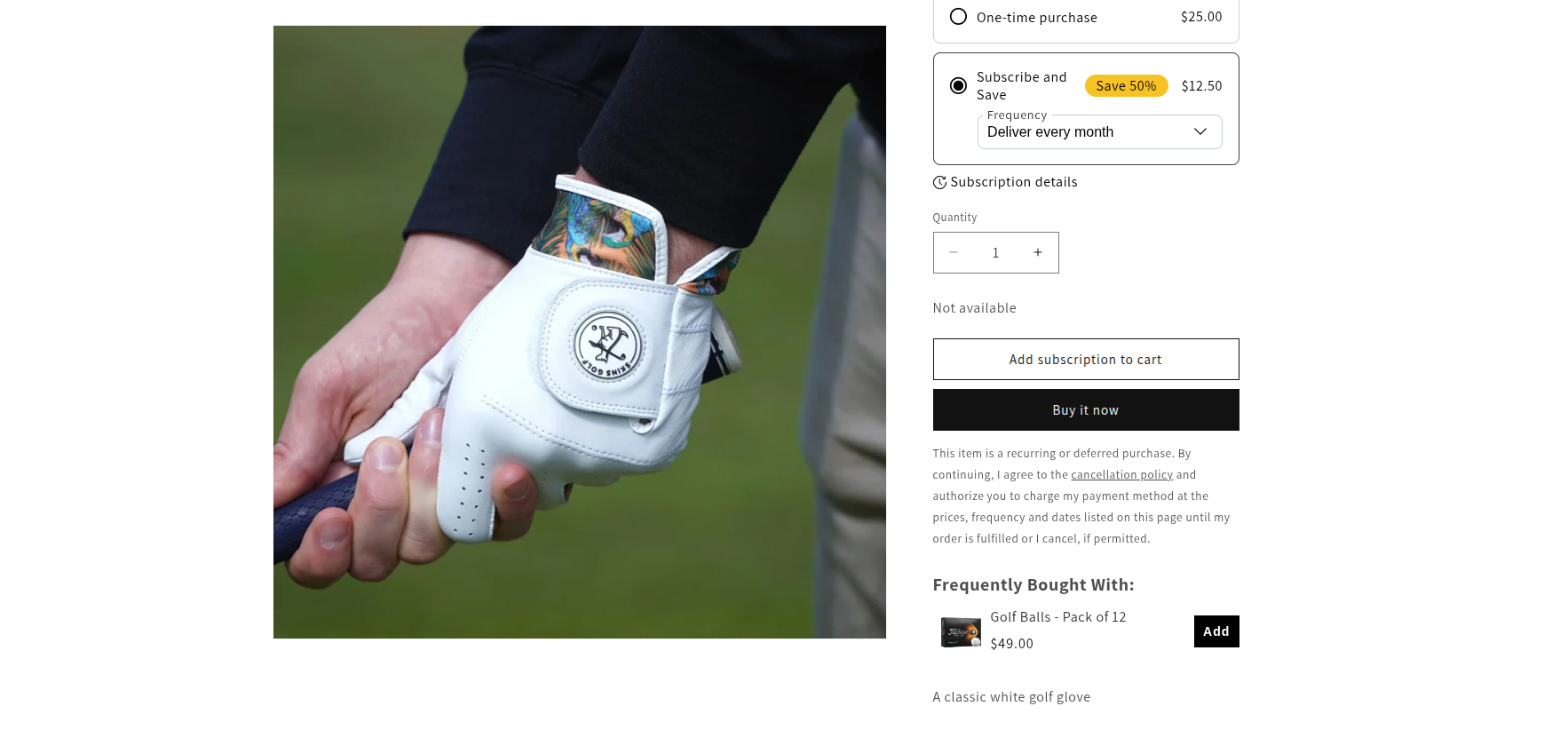
Why do subscription upsells matter so much on Shopify?
Subscription upsells matter because they increase revenue beyond a single transaction. A successful subscription upsell can raise immediate AOV, but the bigger win is that it turns one order into repeat revenue.
That difference is huge in practice. If a customer adds a £15 per month subscription instead of making a one-off purchase, that is not just an extra £15 today. It could mean £180 per year from one customer before you even factor in renewals, add-ons, or future upgrades.
The wider market trend supports this too. Subscription ecommerce continues to grow quickly, and merchants are leaning harder on retention because paid acquisition is expensive. Predictable recurring revenue is simply more valuable than hoping a customer remembers to come back in 30 days.
In my experience building Shopify apps, merchants usually underestimate how much better a good subscription offer performs when it is shown at the right time. A customer who has just bought is in a very different mindset from a cold visitor landing on your homepage.
What is a subscription upsell on Shopify?
A subscription upsell is an offer that encourages a shopper to upgrade from a one-time purchase to a recurring plan, or to add another recurring product to their order. It can appear before checkout, after add to cart, on the thank-you page, or in follow-up email and SMS flows.
The most common examples are simple. You might offer "Subscribe and save 15%" on the product page, prompt a one-time buyer to switch to monthly delivery after checkout, or suggest a complementary subscription product such as vitamins alongside protein powder.
Done well, subscription upselling feels useful rather than pushy. The offer should reduce hassle, improve value, or help the customer stay stocked. If it only exists to squeeze extra revenue from the order, customers can feel that immediately.
How do I upsell subscription products on Shopify without hurting conversion?
The best way to upsell subscription products on Shopify is to keep the offer relevant, consistent with the purchase mode, and easy to accept in one click or one clear choice. Friction and confusion are what kill conversion, not the upsell itself.
Here is the short version of the strategy I recommend:
- Choose a subscription app that supports the type of recurring billing you need.
- Use an upsell app or built-in flow that can present relevant offers in the right place.
- Target one-time buyers differently from existing subscribers.
- Lead with a clear value proposition such as savings, convenience, or bonus products.
- Track acceptance rate, retention, and LTV, not just clicks.
If you want a broader foundation for upsell strategy first, I would also read How to upsell on Shopify in 2026 and 12 Best Upsell Apps for Your Shopify Store in 2026. Those guides cover the wider mechanics around placement, offer design, and app selection.
What are the biggest mistakes merchants make with subscription upsells?
The most common mistakes are irrelevant offers, mixed-mode confusion, too much friction, and poor targeting. These issues show up constantly when merchants bolt subscriptions onto an existing store without rethinking the customer journey.
Why does mixing one-time and subscription products cause problems?
Mixed carts can create confusion if your apps do not handle them cleanly. Customers may not understand which items recur, when they will be billed, or whether they are creating one order or multiple orders.
I have seen stores lose perfectly good sales because the checkout experience became messy the moment a subscription and one-time product were combined. Some app combinations handle this well. Others create clunky edge cases that erode trust fast.
Why do irrelevant subscription offers convert badly?
Irrelevant upsells fail because they do not match the intent of the original purchase. If someone just subscribed to premium coffee, a random kitchen gadget is much less compelling than filters, beans, or a higher-frequency delivery plan.
Relevance is the first rule. In practical terms, the best subscription upsells usually fall into one of three buckets: the same product on a recurring plan, a better subscription tier, or a complementary recurring product.
Why is friction so damaging in post-purchase upsells?
Post-purchase upsells only work when acceptance feels effortless. If the customer has to re-enter payment details, re-checkout, or work out complicated plan terms, conversion drops sharply.
This is why one-click or near one-click flows matter so much. The customer should be able to understand the offer in seconds: what they get, how often they are charged, what they save, and how to manage it later.
Why should you not show subscription upsells to existing subscribers?
Existing subscribers need different offers from one-time buyers. Showing a "subscribe now" message to someone who already subscribes is wasted real estate and can make your store feel unsophisticated.
Instead, existing subscribers are better candidates for plan upgrades, add-on subscriptions, bundle expansions, or longer commitment discounts. Segmentation matters here.
What is the best place to show subscription upsells on Shopify?
The best placement depends on your product, price point, and customer intent, but post-purchase and product page offers are usually the strongest starting points. Product pages capture intent early, while post-purchase offers benefit from peak trust after payment.
In my experience, merchants should not rely on just one placement. The best-performing setup is often a combination of product page subscription prompts, cart or add-to-cart offers, and post-purchase upgrade opportunities.
| Placement | Best for | Strengths | Watch-outs |
|---|---|---|---|
| Product page | Converting one-time buyers to subscribe | High intent, easy to explain savings and delivery frequency | Can clutter the page if overdesigned |
| Add-to-cart modal | Complementary add-ons and mode-matched offers | Strong visibility, catches shoppers at decision moment | Too many pop-ups can annoy users |
| Cart drawer or cart page | Bundles and threshold-based offers | Good for increasing basket value before checkout | Can introduce friction if messaging is unclear |
| Post-purchase / thank-you page | Subscription upgrades and one-click add-ons | Payment trust is highest here | Offer must be extremely clear and relevant |
| Email / SMS follow-up | Recovering missed subscription conversions | Good for education and reminders | Lower immediacy than on-site offers |
If you are specifically testing on-site placements, my guides on Shopify upsell on the product page and how to create cart upsells in Shopify will help you structure those flows properly.
How should a subscription upsell flow work?
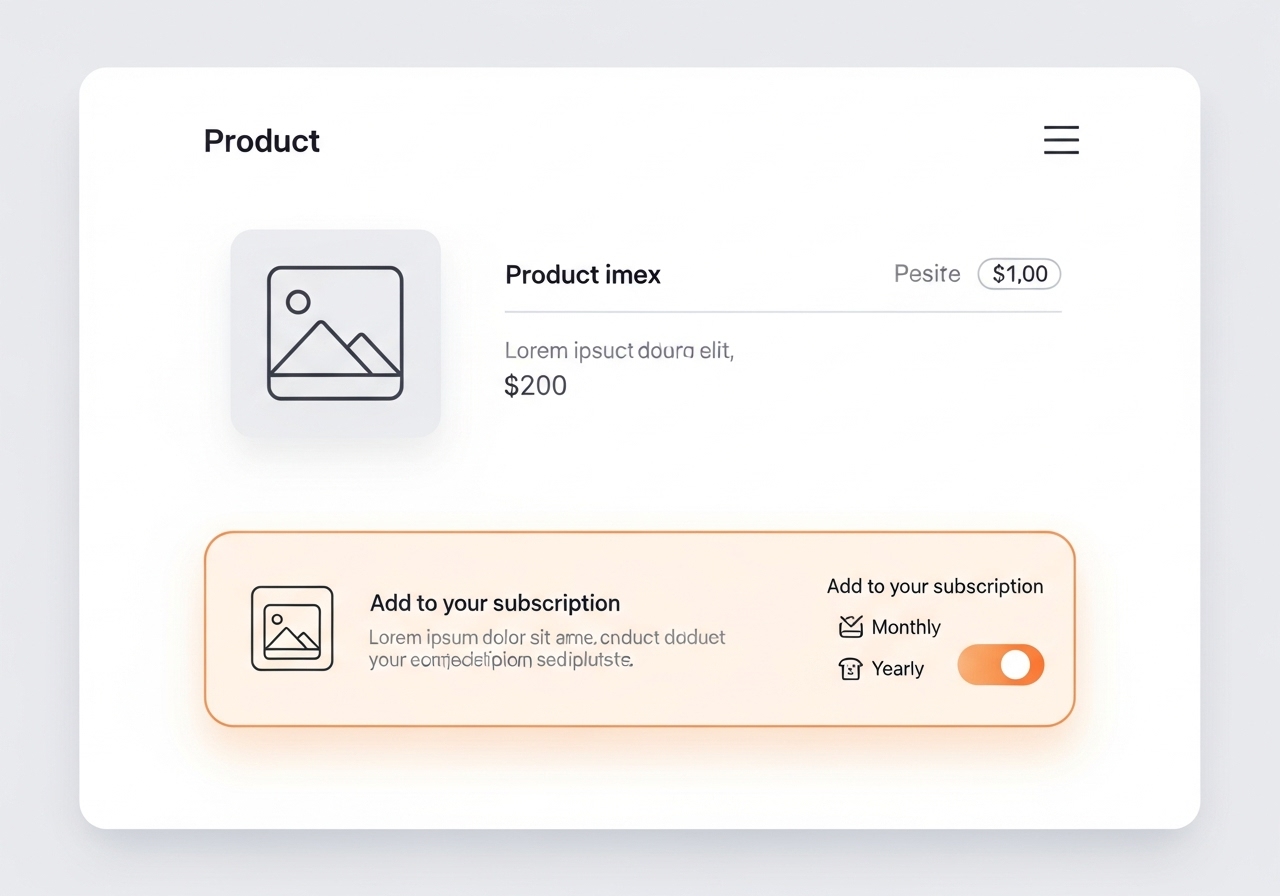
A strong subscription upsell flow should detect intent, show a relevant recurring offer, explain the benefit clearly, and let the customer accept or decline without effort. Simplicity wins here.
The flow I like most looks like this:
- Customer selects a one-time purchase on the product page.
- You present a relevant subscription alternative with a clear saving or convenience angle.
- After add to cart or post-purchase, you show a complementary recurring offer or a plan upgrade.
- The customer can accept in one click or decline without friction.
- You track not just acceptance, but retention after 30, 60, and 90 days.
That last point matters. I have seen merchants celebrate a high upsell take rate, then realise those subscribers churned quickly because the offer attracted bargain-hunters rather than good-fit customers.
Which Shopify apps are best for subscription upsells?
The best Shopify apps for subscription upsells depend on whether you need recurring billing, upsell presentation, or both. Most stores need a subscription engine plus an upsell layer that can work with it.
Below are the main apps I would shortlist based on the tools mentioned in this space.
| App | Best for | Main role | App Store |
|---|---|---|---|
| Recharge | Established subscription brands | Subscription management | View app |
| Loop | Flexible subscription experiences and customer portal flows | Subscription management | View app |
| Appstle | Merchants wanting broad subscription features | Subscription management | View app |
| Shopify Subscriptions | Stores wanting a native Shopify option | Subscription management | View app |
| Seal Subscriptions | Budget-conscious merchants | Subscription management | View app |
| SellUp | Mode-aware upsells and flexible offer placement | Upsell presentation | View app |
What does Recharge do best?
Recharge is best known for powering mature subscription programmes with robust recurring billing workflows. It is often chosen by merchants who already have meaningful subscription volume and need dependable infrastructure.

If you are scaling a serious subscription business, Recharge is a familiar name for good reason. The trade-off is that you still need to think carefully about how upsells are presented around it.
What does Loop do best?
Loop is strong for subscription experiences, upsell opportunities, and customer portal optimisation. It is especially useful when you want more control over subscriber journeys.

Loop is frequently mentioned in post-purchase subscription conversion discussions, and for good reason. If your strategy includes converting one-time buyers after checkout, it is worth a close look.
What does Appstle do best?
Appstle is a versatile option for merchants who want a broad subscription toolkit. It is often shortlisted by stores that want flexibility without moving into enterprise-level complexity.

From what I have seen, Appstle tends to appeal to merchants who want to launch quickly but still keep room to expand their subscription model later.
Is Shopify Subscriptions enough for most stores?
Shopify Subscriptions is a sensible starting point for stores that want a native Shopify-first setup. It is often the easiest way to get a basic subscription programme live.
If you are considering it, I would also read The Essential Guide to the Native Shopify Subscriptions App. Native does not always mean complete, but it can be a strong fit for simpler stores.
Is Seal a good low-cost option?
Seal Subscriptions is often a good fit for smaller merchants who want subscription functionality without a heavy monthly app stack. It is a practical option when budget matters.
For lean stores, the best app is not always the most feature-rich one. It is the one that gets the basics right and does not create operational headaches.
Where does SellUp fit into subscription upselling?
SellUp is built for presenting upsells in a way that matches customer intent, including subscription-aware offers. That matters when you do not want to force merchants into one subscription ecosystem just to run effective upsells.

As the developer behind Shopify apps, I care a lot about whether a tool respects the actual buying mode a customer is in. Mode-aware upselling is one of those details that sounds small until you see how much cleaner the customer experience becomes.
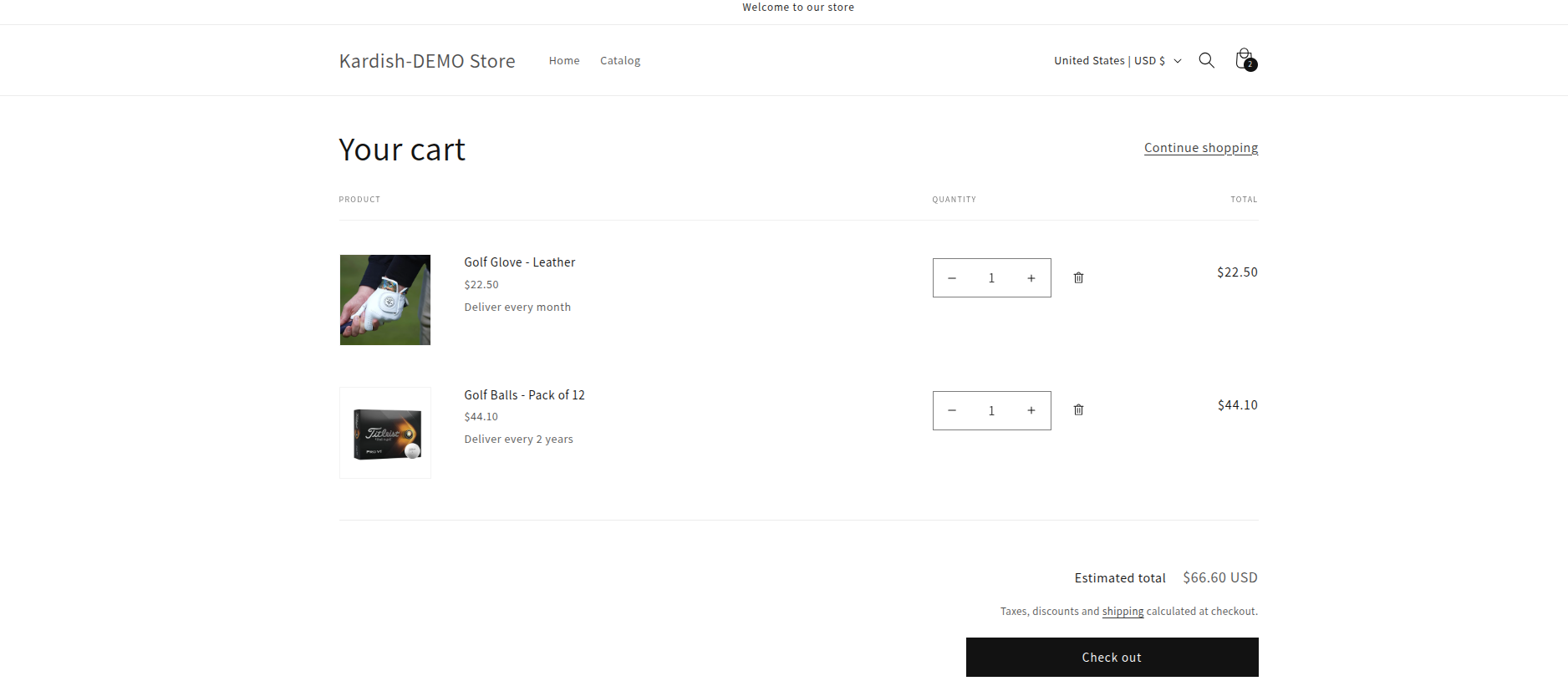
How do I create offers that actually convert?
The best subscription upsell offers are specific, relevant, and easy to understand. Customers should instantly know what changes if they accept the offer and why it benefits them.
Should I upsell the same product as a subscription?
Yes, this is often the highest-converting starting point. If someone is buying a replenishable product once, offering a recurring version with a clear discount is usually the most natural upsell.
Examples include:
- Subscribe and save 10% to 20%
- Monthly delivery with free shipping
- First month discounted, then standard recurring price
This works because the customer already wants the product. You are not changing the product. You are changing the buying model.
Should I upsell a premium subscription tier?
Yes, premium tiers work well when they add obvious value. A better plan could include exclusive flavours, early access, bonus samples, members-only pricing, or a better per-unit saving.
I like this approach when the standard subscription is already converting well. It gives you a second layer of monetisation without relying only on acquisition.
Should I bundle complementary products into the subscription?
Yes, but only when the add-on is genuinely connected to the original purchase. Complementary bundles can lift AOV and increase stickiness, especially in health, beauty, pet care, and food categories.
For example, protein powder plus creatine, coffee beans plus filters, or dog food plus treats can work well. If you need more ideas on packaging add-ons, see how to display customisable add-ons and upsells on Shopify.
What messaging works best for subscription upsells?
The best messaging focuses on savings, convenience, and continuity. Customers subscribe because it feels easier and smarter, not because they want to decode complicated billing language.
Here are the message angles I see work most often:
- Save money - "Save 15% on every delivery"
- Never run out - "Delivered every month before you need it"
- Low commitment - "Skip, pause or cancel anytime"
- Extra value - "Subscribe today and get a free bonus item"
What does not work as well? Vague copy, hidden terms, and overhyped urgency. If you use urgency, make it real and defensible. If the offer expires after checkout, say so clearly.
How do I set up subscription upsells step by step on Shopify?
To set up subscription upsells on Shopify, you need a subscription app, a clear offer structure, and at least one placement where the offer appears naturally in the buying journey. Start simple, then optimise from data.
- Pick your subscription platform such as Shopify Subscriptions, Recharge, Loop, Appstle, or Seal.
- Choose where the upsell will appear - product page, add-to-cart modal, cart, post-purchase, or follow-up email/SMS.
- Create one core offer first, such as converting one-time buyers to monthly delivery with a discount.
- Write transparent copy showing billing frequency, savings, and cancellation flexibility.
- Segment your audience so existing subscribers do not see first-time subscription prompts.
- Test one variable at a time - offer amount, copy, placement, or product pairing.
- Review retention data after the first renewal cycle, not just initial take rate.
If you want to go deeper on post-purchase mechanics, my article on one check upsells is a useful companion read.
What metrics should I track for subscription upsells?
The most important metrics are upsell acceptance rate, incremental revenue, subscriber retention, churn, and LTV lift. A high take rate means little if those subscribers cancel immediately.
These are the numbers I would watch first:
- Upsell acceptance rate - how many eligible shoppers accept the offer
- Incremental AOV lift - how much extra revenue the upsell creates per order
- Subscription conversion rate - one-time buyers converted into subscribers
- First renewal rate - how many upsold subscribers make it to renewal two
- 90-day retention - a strong early signal of long-term value
- LTV vs non-upsold customers - the metric that really matters
In my experience, the healthiest subscription programmes optimise for quality of subscriber, not just quantity. A smaller number of well-matched subscribers is usually more profitable than a larger number acquired through overly aggressive discounting.
What are the best practices for subscription upsell success in 2026?
The best practices are relevance, clear value, low friction, segmentation, and ongoing testing. These principles are simple, but they consistently separate high-performing stores from average ones.
- Start with complementary products. Offer items that naturally fit the original purchase rather than random extras.
- Keep the purchase mode consistent. If the shopper is in subscription mode, show subscription-friendly offers first.
- Use one-click or near one-click acceptance wherever possible.
- Test placement. Product page, cart, and post-purchase each behave differently by niche.
- Use incentives carefully. Discounts, free gifts, and longer-term savings can work, but do not destroy margin.
- Personalise when you can. Behaviour-based offers usually outperform generic ones.
Personalisation is becoming more important every year. If that is part of your roadmap, you may find my posts on how to upsell on Shopify leveraging AI and AI-powered upsells useful for planning the next step.
How do I answer the most common questions merchants have?
Most merchants want to know where to start, whether Shopify supports subscriptions, and what kind of upsell converts best. Here are the concise answers I would give.
How do you do upsells on Shopify?
You do upsells on Shopify by showing relevant higher-value or additional offers before, during, or after checkout. For subscriptions, that usually means converting one-time purchases into recurring plans or adding related subscription products.
What is a subscription upsell?
A subscription upsell is an offer that moves a customer from a one-time purchase to a recurring plan, or encourages them to upgrade or expand an existing subscription. The goal is to increase recurring revenue and retention.
How do you sell monthly subscriptions on Shopify?
You sell monthly subscriptions on Shopify using a subscription app such as Shopify Subscriptions, Recharge, Loop, Appstle, or Seal. You then present the plan clearly on the product page and reinforce it with well-timed upsell prompts.
What are the most common Shopify upsell mistakes to avoid?
The biggest mistakes are irrelevant offers, too many pop-ups, unclear billing terms, poor mobile UX, and not measuring retention. Subscription upsells should feel helpful, not disruptive.
What would I do first if I were launching this today?
If I were launching subscription upsells on a Shopify store today, I would start with one product, one offer, and one placement. That is the fastest route to clean learning.
I would pick the product with the strongest repeat-purchase behaviour, set up a straightforward subscribe and save offer, and test it either on the product page or immediately after purchase. Then I would watch not only the conversion rate, but also the first renewal rate and support tickets.
That last part is easy to ignore. As an app developer, I can tell you that support conversations often reveal friction your analytics will not. If customers keep asking how billing works, where to pause, or why two products are treated differently, your upsell flow needs simplifying.
The smart merchant mindset is not "How do I show more offers?" It is "How do I make the next best purchase feel obvious?" When you get that right, subscription upsells stop feeling like a tactic and start becoming part of a stronger retention engine.