

如何在 Shopify 商品页面关闭商品变体的自动选择
如果你是销售带有多个变体的 Shopify 商家,当消费者进入你的商品页面时,Shopify 会自动选中一个变体。举个例子:如果你卖袜子,可能会有不同颜色供顾客选择,比如黄色、蓝色、红色、绿色等。
注意:Shopify 正在将每个产品的变体上限扩展到 2,048 个,计划于 2025 年末全面开放。目前,大多数店铺仍然是 100 个变体的限制,不过 Shopify Plus 店铺和开发店铺可能会提前获得更高上限的权限。
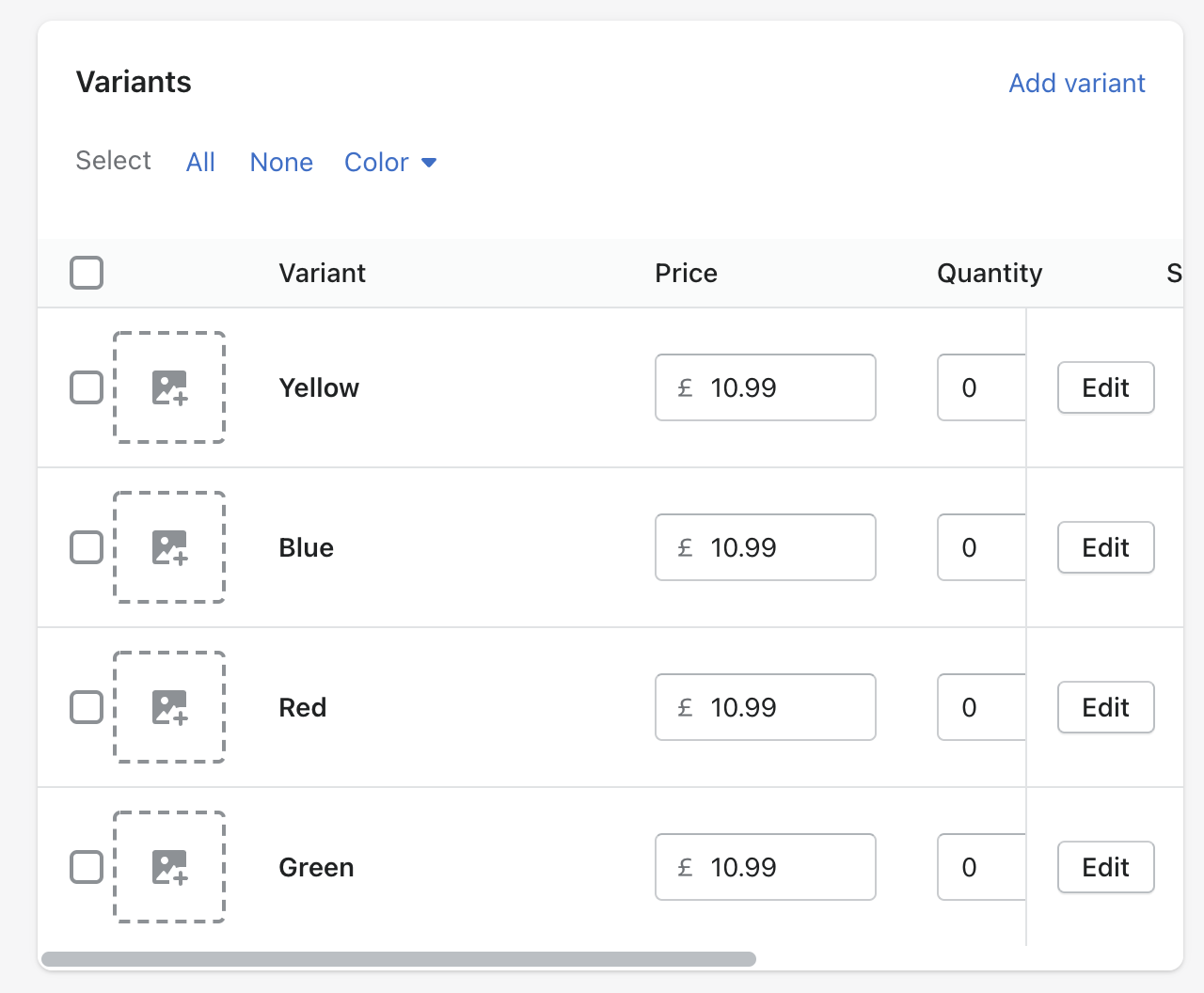
当消费者进入你的商品页面时,该商品的第一个变体会被自动选中。如果你想为某个商品关闭自动选择,这是可以实现的。
如何关闭商品变体的自动选择
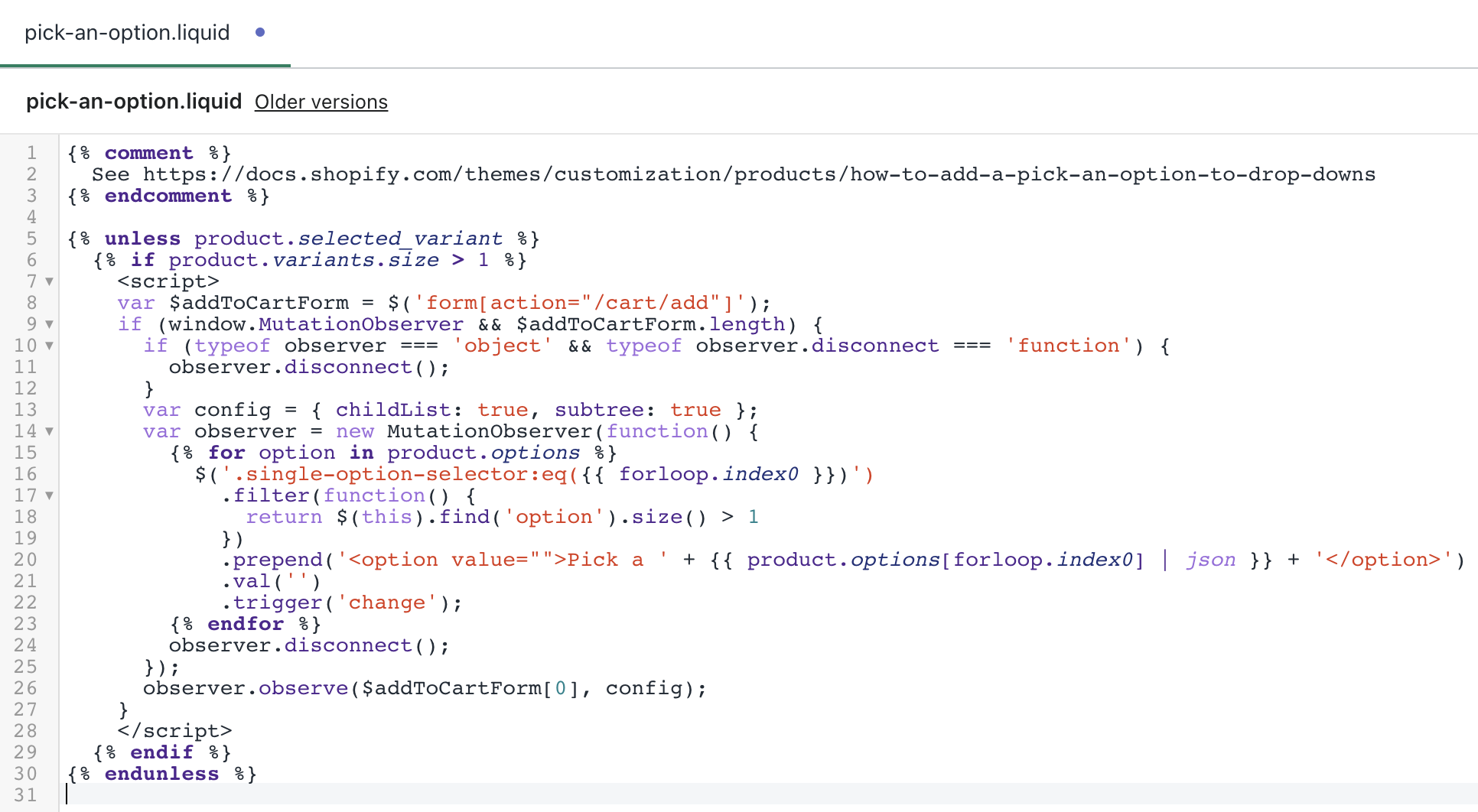
要关闭商品变体的自动选择,你需要在下拉菜单中加入提示项。操作方法如下:
- 进入 Snippets 目录,然后点击 Add a new snippet
- 将名称保持为 ‘pick-an-option’
- 把这个 code 粘贴到新建的 snippet 文件中并保存
- 进入 Layout 目录并选择 theme.liquid
- 在文件末尾找到 </body> 标签
- 在该标签上一行粘贴这段代码 {% render ‘pick-an-option’ %}
- 点击 Save
- 接下来,找到包含 ‘add to cart’ 表单的文件。该文件中的 action 属性会是 /cart/add
- 定位到该文件后,查找以下其中一段代码
<option {% if variant == product.selected_or_first_available_variant %} selected="selected" {% endif %} data-sku="{{ variant.sku }}" value="{{ variant.id }}">{{ variant.title }} - {{ variant.price | money_with_currency }}</option>或者……
<option {% if variant == current_variant %} selected="selected" {% endif %} data-sku="{{ variant.sku }}" value="{{ variant.id }}">{{ variant.title }} - {{ variant.price | money_with_currency }}</option>- 将其替换为以下代码
<option {% if forloop.length <= 1 and variant == product.selected_or_first_available_variant %} selected="selected" {% endif %} data-sku="{{ variant.sku }}" value="{{ variant.id }}">{{ variant.title }} - {{ variant.price | money_with_currency }}</option>- 最后,点击 Save
现代 Shopify 主题方法(Dawn & Online Store 2.0 主题)
对于使用 Online Store 2.0 架构的新主题(如 Dawn),操作方式会有所不同:
- 在主题文件中找到 product-variant-options.liquid
- 找到包含 {% if value.selected %} checked {% endif %} 的代码
- 删除或修改这段代码,以阻止自动选中
- 添加 JavaScript 校验,确保顾客在加入购物车前先选择一个变体
注意:此方法需要一定技术能力,并可能影响主题功能。修改前务必先创建备份。
主题专属的自动选择设置
如果你使用的是 Empire 或类似的付费主题,通常无需改代码也能关闭自动选择:
- 进入 Online Store > Themes > Customize
- 导航到 Products > Form
- 关闭 Auto-select first available variant 选项
查看你的主题文档,确认该功能是否在主题设置中提供。
使用 CSS:在选择前隐藏 Add to Cart
将以下 CSS 添加到你的 theme.liquid 文件中,在完成选择前隐藏 Add to Cart 按钮:
<style>
body:has(.disabled-option:checked) .product-form__buttons button {
display: none !important;
}
</style>
替代方案:使用 Apps
如果不想改代码,你也可以使用以下变体管理应用(截至 2025 年):
- Variant Option Product Options(提供免费方案,付费版 $9.99/月起)
- Globo Product Options(提供免费方案)
- OPTIS Product Options(提供免费方案)
这些应用可以处理“禁用自动选择”,并提供颜色色卡、条件逻辑、无限商品选项等增强功能。
如何修改 add to cart 设置
你可以调整这些设置,确保在顾客做出选择之前,商品不会显示为 unavailable。
- 进入 Online Store 和 Themes
- 选择你要编辑的主题,然后点击 Actions
- 选择 Edit Language,并找到 Filter items 搜索框
- 输入 ‘unavailable’,系统会显示对应的翻译条目
- 将 Unavailable 改为 请选择
变体管理最佳实践
- 用颜色色卡替代下拉菜单,提升体验并提高转化率
- 使用变体专属图片,让顾客选择选项后自动展示对应图片
- 设置低库存提醒,并自动隐藏缺货变体,更高效地管理库存
- 在移动端测试变体选择器——考虑用按钮组替代下拉菜单,以提升触屏可用性
- 添加如“请先选择一个选项”的校验提示,避免顾客困惑
如果你想在不删除的情况下隐藏某些商品变体,同样也可以实现。


