

![4 Focus Areas to Increase the Speed of Your Shopify Store [2025 Guide]](https://www.launchtip.com/rails/active_storage/blobs/proxy/eyJfcmFpbHMiOnsiZGF0YSI6MjIwNCwicHVyIjoiYmxvYl9pZCJ9fQ==--b6dde86eecdfbaf51461c85625f4e3c556c11b51/improve-your-shopify-store-speed-og.png)
If you are here, chances are you are looking to improve your Shopify’s store speed.
Whether it is because you have noticed the Web Performance Dashboard in your admin and now wish to improve it or you have been checking up on SEO, having a fast store is better than a slow one.
First off, let’s extinguish a myth
Unfortunately, no. Having a fast site will please the customers on your store. However, considering the millions of stores on the web, you need something called “awareness” to get sales.
Awareness is the key to selling lots of product. This can come from brilliant marketing, paid ads, luck, unique product and exposure, word of mouth and so on. Site speed alone will barely dent the ocean of what you need for a successful store.
With that out the way, let’s look at why you would want to improve your Shopify site speed.
A speedy store can lead to increased conversions
This one is true.
It is not referring to acquisition of a customer through SEO, traffic or marketing but simply; converting the customers that are likely to buy on your store once they are there.
Research consistently shows that page speed directly impacts conversion rates. Recent studies have found that stores loading in under 2 seconds achieve conversion rates 2.5 to 3 times higher than stores taking 5 seconds or more. Even small improvements matter—every 100ms improvement in page load time can increase conversion rates by up to 7%.
The impact becomes more dramatic with longer load times. If your ecommerce site takes more than 4 seconds to load, 63% of shoppers will bounce. At 6 seconds, 2 out of 3 shoppers leave. While nearly 70% of consumers say page speed impacts their willingness to buy from an online retailer.
For context, if you have 50 visits a day with a 6-second load time, improving that to 5 seconds could increase your conversion rate from around 1% to 1.9%. That doesn’t sound like much, but over a year, those incremental gains add up.
We can prove the above statement very easily.
Let’s take 2 stores with 50 visits a day. On store A, we will spend a lot of time and money on improving the load speed. On Store B, we will spend the same amount of time and money but on “marketing”.
After a week passes, guess which store had more sales? Yep, Store B.
If you aren’t rushing off to think up ways to go viral, get your store in front of 1000s or squeeze extra revenue from your existing customers, check out our tips below on how to improve your Shopify store speed.
How to improve your Shopify store speed; 4 key focus areas.
There are many factors that can affect your Shopify store speed. Some of these you can control, others are factors that you can’t control.
Shopify has evolved its speed measurement approach. The platform now uses a Web Performance Dashboard that focuses on Core Web Vitals—Google’s key metrics for user experience. These include Largest Contentful Paint (LCP), Interaction to Next Paint (INP), and Cumulative Layout Shift (CLS). Your Shopify page speed loading time is the amount of time it takes for your store to load on any browser and device.
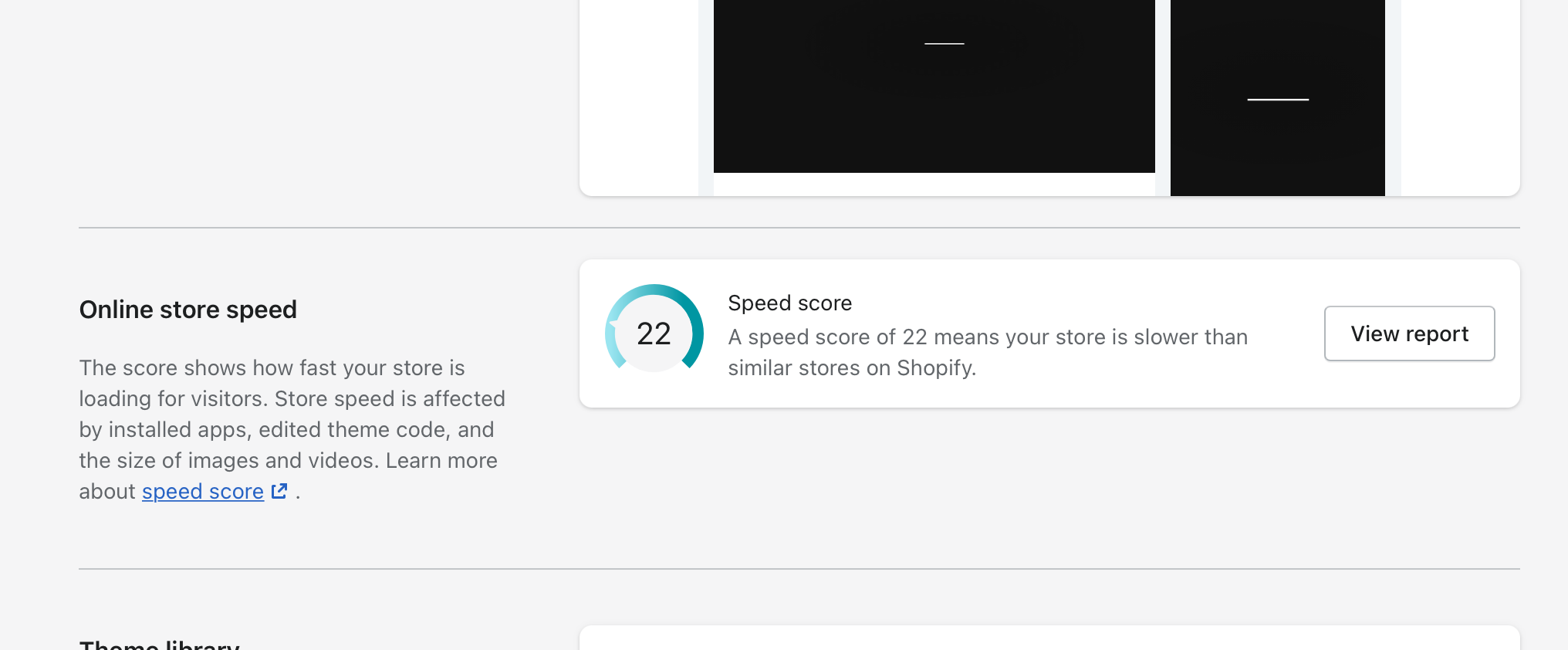
Why is your Shopify theme speed score important?
The quicker your Shopify theme and store loads on a browser, the better the chance you’ll rank higher on Google above similar ranking stores. Core Web Vitals have been a ranking factor since 2021, and Google has continued to emphasize their importance. The real gain in having a fast-loading Shopify theme is the significantly improved user experience for potential customers visiting your store, which in turn results in better shopping experiences for them, making Shopify merchants a.k.a YOU more money.
Improving your Shopify theme speed
We’ve included some factors that could be impacting the speed of your Shopify theme and your online store, and how you improve the speed of your Shopify theme.
1) Your published Shopify theme
Themes that are used to create great-looking online stores are made up of code. This includes the likes of Liquid, HTML, JavaScript and CSS. Editing or customising the code or any part of your Shopify theme can affect your Shopify theme speed. You can look to compress and minify CSS and JavaScript code.
If you believe your Shopify theme is slowing down your online store, you could try the following:
- Consider performance-optimized themes like Dawn (Shopify’s default theme, 35% faster than previous versions), Sense, or Studio for free options. For paid themes, Prestige, Motion, and Blum are known for excellent speed performance in 2025
- Disabling any of the theme’s features that you don’t use, such as pop-ups on product and collection pages. Loading extra data your customers aren’t viewing can impact the speed of your online store
- Try contacting your theme’s developer for some insight into how you can increase your Shopify theme speed
- Think about using a system font. These include:
- Lucida Grande
- Trebuchet MS
- Garamond
- Palatino
- Time New Roman
- Courier New
- Monaco
2) Apps, Apps and Apps.
You could have Shopify Apps that you no longer are using on your store that you could uninstall. If you’ve added apps to change the functionality or appearance of your online store, they would have added extra code into your chosen theme so they can work.
You can remove parts of the code to improve your Shopify theme speed.
The average Shopify store uses 15 apps, and each one can add JavaScript, make API calls, and slow down your site. Recent testing shows that removing unnecessary apps can improve load times by 20-30%.
Apps that run in admin-only will not affect the speed of your online store.
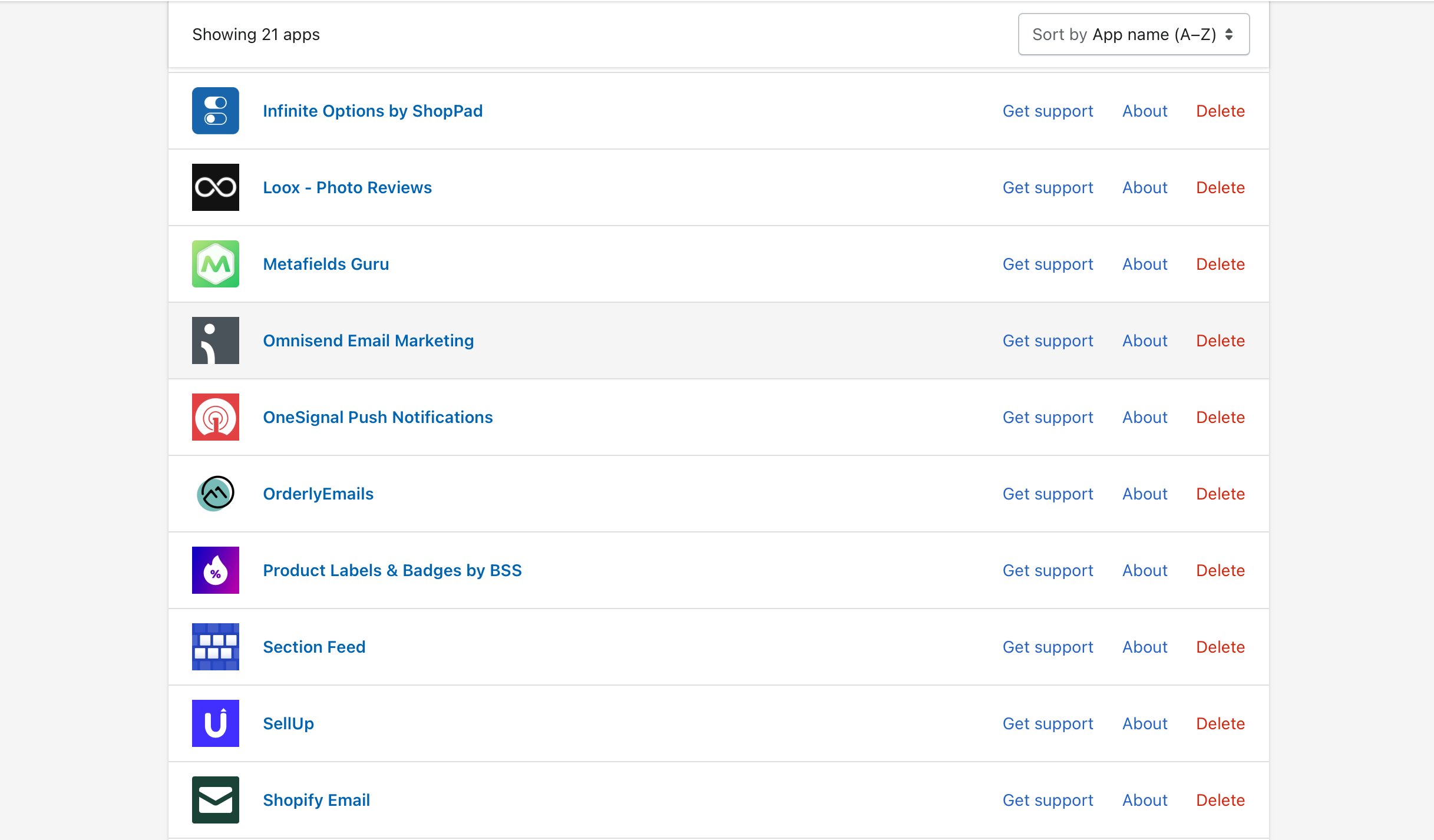
The most important factor here is to only remove redundant apps. Do not remove apps that add revenue to your store. This is a critical mistake that merchants often make. They clear out most of their apps in the hope of hitting a 100 speed score only to decimate their store revenue in the process.
An app that generates you revenue with a positive ROI will ALWAYS take precedence over store speed.
3) Liquid code & Theme files
Shopify allows you to edit all of the Liquid code that’s used for your online store. Complex operations with Liquid code can increase your Liquid render time, which in turns affects your overall store speed.
To see how optimized your Liquid code is, you can use the Shopify Theme Inspector for Chrome.
You can also look to minify your Shopify store’s CSS and JS. This is another important process that will help speed up your site and improve its loading time.
4) Images and videos
Large images and videos take a long time to load, which can add to your Shopify theme speed. Images typically account for 50-80% of a webpage’s weight, making them one of the most impactful areas for optimization. Shopify has put in place safeguards to stop Shopify merchants from overloading their stores with images and videos.
- You’re unable to have more than 50 products on one collection page
- You can’t have more than 25 sections on your home page
- Some themes are set up to defer loading images that aren’t currently on screen (lazy loading)
- Themes can load a specific size of an image based on the screen on which it’s being displayed
- Shopify automatically serves images in WebP format when browsers support it, offering better quality and size ratios
- Shopify’s CDN does some compression and heavy lifting
Although these safeguards are put in place, they don’t always stop images and videos from affecting your Shopify theme speed. Some other steps you can try are:
- Keeping slideshows of images to two or three, or even better, just use one main image
- Ensure images don’t exceed 5000 x 5000 pixels or 20 MB in file size
- Replace GIFs with static images or convert them to MP4/HTML5 format where possible—GIFs can add 10MB+ to a single page
- Compress your images: Use Compress PNG or Tiny PNG
- Ask your theme developer for any advice on how best to use images with their theme
If you have a free Shopify theme, then you can contact Shopify support for guidance and support.
Conclusion
Whist it is a great feeling to score well on a test, do not let a performance score consume you. Some of the biggest ecommerce stores on the planet have mediocre scores quite frankly and it certainly wasn’t “Speed” that got them there or keeps them there.
In 2025, Google has confirmed that while Core Web Vitals are a ranking factor, they’re just one of many signals. Content quality, relevance, and user intent still matter significantly more for SEO rankings.
In all honest, as long as your store loads in a reasonable time (aim for under 2.5 seconds for LCP based on Google’s Core Web Vitals) as measured by GT Metrix Test or Pagespeed insights test, move on and focus on the aspects that will directly generate you revenue (Marketing, SEO, Content Marketing, Paid Ads, Viral Ads, Social Media and so on). If you have mastered those channels and you are hitting 1 million monthly unique visitors then by all means, get your theme score optimized.


