

Shopify gift cards are one of the easiest products to add to a store, and in my experience they are often under-optimised. Most merchants switch them on, keep the default artwork, and miss a simple branding win that can make the product look far more giftable.
This guide gives you 5 free gift card designs and templates for Shopify, shows you how to customise them, and explains exactly where to update the image on your product page, email, and redemption page. If you want a fast, no-app way to make Shopify gift cards look more polished, this is the setup I would use.
Gift cards remain a strong category globally, with the market still measured in the trillions of dollars. For Shopify merchants, they are especially attractive because they can bring in cash upfront, work well during peak gifting periods, and often introduce new customers to your brand.
Shopify now supports gift cards across all plans through its built-in gift card product tools, and the platform documents setup in its gift card product guide. That means you do not need an app just to sell digital gift cards with a branded image.
If you are still deciding whether gift cards are worth adding, I covered the wider strategy in How Best to Sell Gift Cards on Your Shopify Store in 2026. In this article, I am focusing specifically on the design side, because that is usually the fastest improvement merchants can make.
What are the best free gift card designs and templates for Shopify?
The best free gift card designs for Shopify are simple, on-brand, and sized correctly for Shopify product listings and gift card pages. A good template should be easy to edit in Canva, work with your logo and brand colours, and still look clean when viewed on mobile.
LaunchTip offers 5 free gift card designs and templates created specifically for Shopify stores. These are designed to replace the generic default image and help your gift card listing look like a proper product rather than an afterthought.
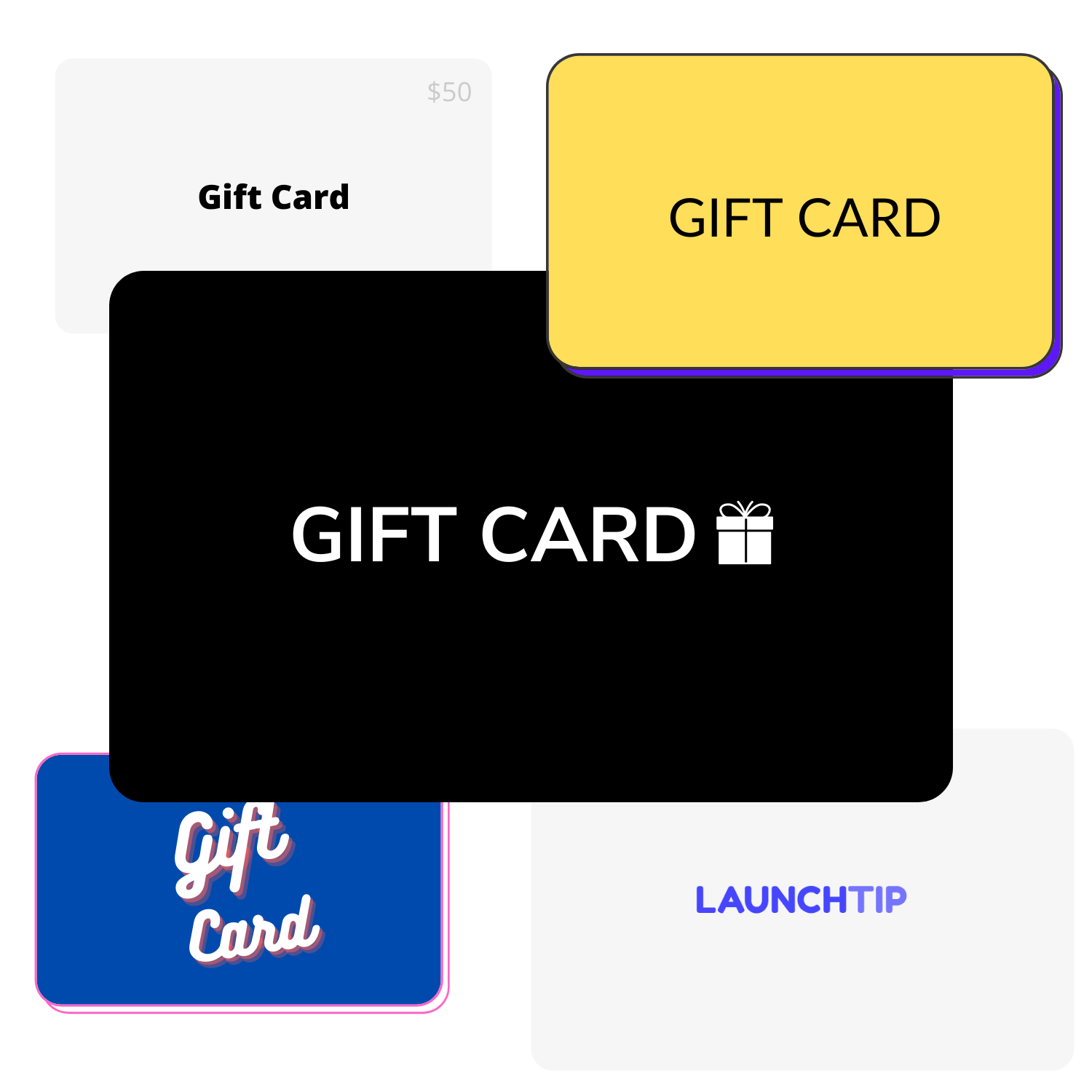
You can access the free Canva-ready designs here: 5 free Shopify gift card templates. They are free to customise, and you can change text, colours, logo placement, and background styling in a few minutes.
When I test gift card product pages, the biggest difference usually comes from visual trust and polish. A branded design makes the product feel intentional, which matters a lot when someone is buying for another person and wants the gift to feel presentable.
Why should you customise your Shopify gift card image?
You should customise your Shopify gift card image because the default design is generic and does little to reinforce your brand. A custom image helps the listing look more premium, more relevant to your audience, and more likely to convert during gifting occasions.
In my experience building Shopify apps and reviewing hundreds of stores, merchants often spend hours optimising product pages but leave their gift card product untouched. That is a mistake, especially around Christmas, Mother's Day, Father's Day, Valentine’s Day, graduation season, and last-minute gifting periods.
A branded gift card image helps with three things: better first impressions, stronger brand consistency, and higher perceived value. Even if the actual product is digital, customers still judge it like a physical gift.
If you run seasonal campaigns, pairing gift cards with urgency or gifting incentives can work well. For example, a countdown timer or free gift offer can complement your campaign, and I have covered related tactics in 6 Best Christmas Shopify Apps for Your Store: Updated for 2026 and How to Add a Free Gift to Shopify Cart When Checkout Total Is Over $25.
What makes a good gift card listing on Shopify?
A good Shopify gift card listing is clear, branded, and easy to buy in seconds. The best listings use a simple title, a short description, sensible denomination options, and a polished image that matches the rest of the store.
Most stores do not need anything fancy here. You want the product to be immediately understandable, especially for shoppers who are in a hurry and buying because they need a present today.
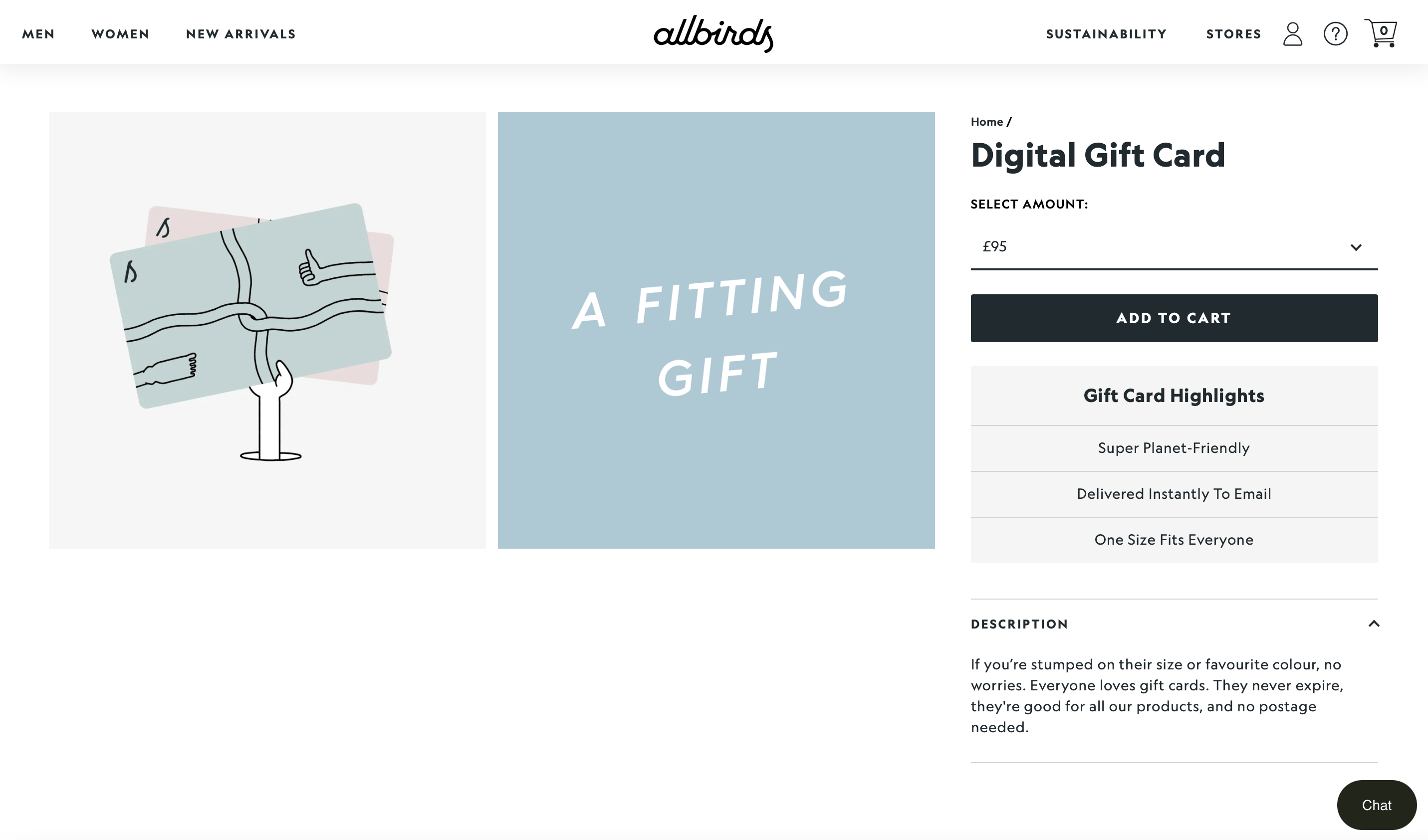
I recommend including the following:
- A straightforward title such as “Brand Name Gift Card”
- A short description explaining delivery and redemption
- Popular denominations such as £10, £25, £50, £100
- A branded product image in the right aspect ratio
- Clear messaging on whether it is digital, emailed, and redeemable online
The recommended gift card image size commonly used by Shopify merchants is 950 x 550 px, which is a 5:3 aspect ratio. You can go larger for sharper output, but keep the same proportions so the design crops cleanly across themes and devices.
For stores that sell curated presents, gift cards can also work well alongside bundles or gift sets. If that is relevant to your business, see Creating Custom Gift Sets in Your Shopify Store for ideas on packaging gifting offers more effectively.
What should the gift card description say?
Your gift card description should explain what the customer is buying, how it is delivered, and how it can be used. Keep it short, because gift card shoppers usually want reassurance rather than a long sales pitch.
A solid example would mention that the card is digital, sent by email, redeemable at checkout, and available in multiple values. If you allow the gift card to be sent directly to the recipient, say that clearly too.
What denominations should you offer?
The best gift card denominations are the ones that match your average order value and product catalogue. Most stores should offer a low entry option, a mid-range option, and a premium option.
For example, if your average order value is around £40, then options such as £25, £50, and £100 tend to make more sense than only offering £10 and £200. In my experience, too many options can slow the purchase down, so I usually keep it to 3 to 5 values.
Will customers actually see and receive the gift card image?
Yes, customers will see the gift card image on the product listing, and recipients may also see branded elements in the gift card email and redemption experience. Exactly how it appears depends on your theme and notification customisations.
The purchaser will definitely see the image on your storefront product page. When the gift card is issued and sent by email, the recipient will see the gift card details along with the redemption link or button.
The exact appearance varies by theme and notification setup, but the key point is this: the artwork matters beyond the product page. A generic image can make the whole gifting flow feel less polished than the rest of your store.
How do I customise the free gift card templates?
The easiest way to customise these free Shopify gift card templates is to edit them in Canva, then export them as PNG or JPG. You only need your logo, brand colours, and a few minutes.
This is the workflow I would recommend for most merchants because it is fast and does not require design software. Canva is enough for almost every small or mid-sized store using a digital gift card product.
- Open the free template link in Canva
- Duplicate the design into your own Canva workspace
- Replace the placeholder brand name with your store name
- Update the colours to match your brand palette
- Add your logo if you want a more recognisable design
- Export as PNG for crisp quality or JPG for smaller file size
- Upload the finished image to your Shopify gift card product

If you want another source of editable assets, Shopify also offers branding resources through its Hardware Store design resources. These can be useful if you want to build a more customised card with your own layout.
How do I update the gift card image on Shopify?
You can update the gift card image on Shopify by editing the gift card product in your admin and replacing the default product image. This is the simplest part of the setup and usually takes less than two minutes.
There are two separate places to think about when customising gift cards in Shopify:
- Product listing - the gift card product page in your storefront
- Gift card page - the redemption page the recipient sees after claiming the card
How do I change the gift card product listing image?
To change the Shopify gift card listing image, go to Products, open your gift card product, and replace the product media. This works like editing any other product image in Shopify.
The product listing page is essentially a standard Shopify product with gift card functionality attached. If your store already has gift cards enabled, the image swap is very straightforward.
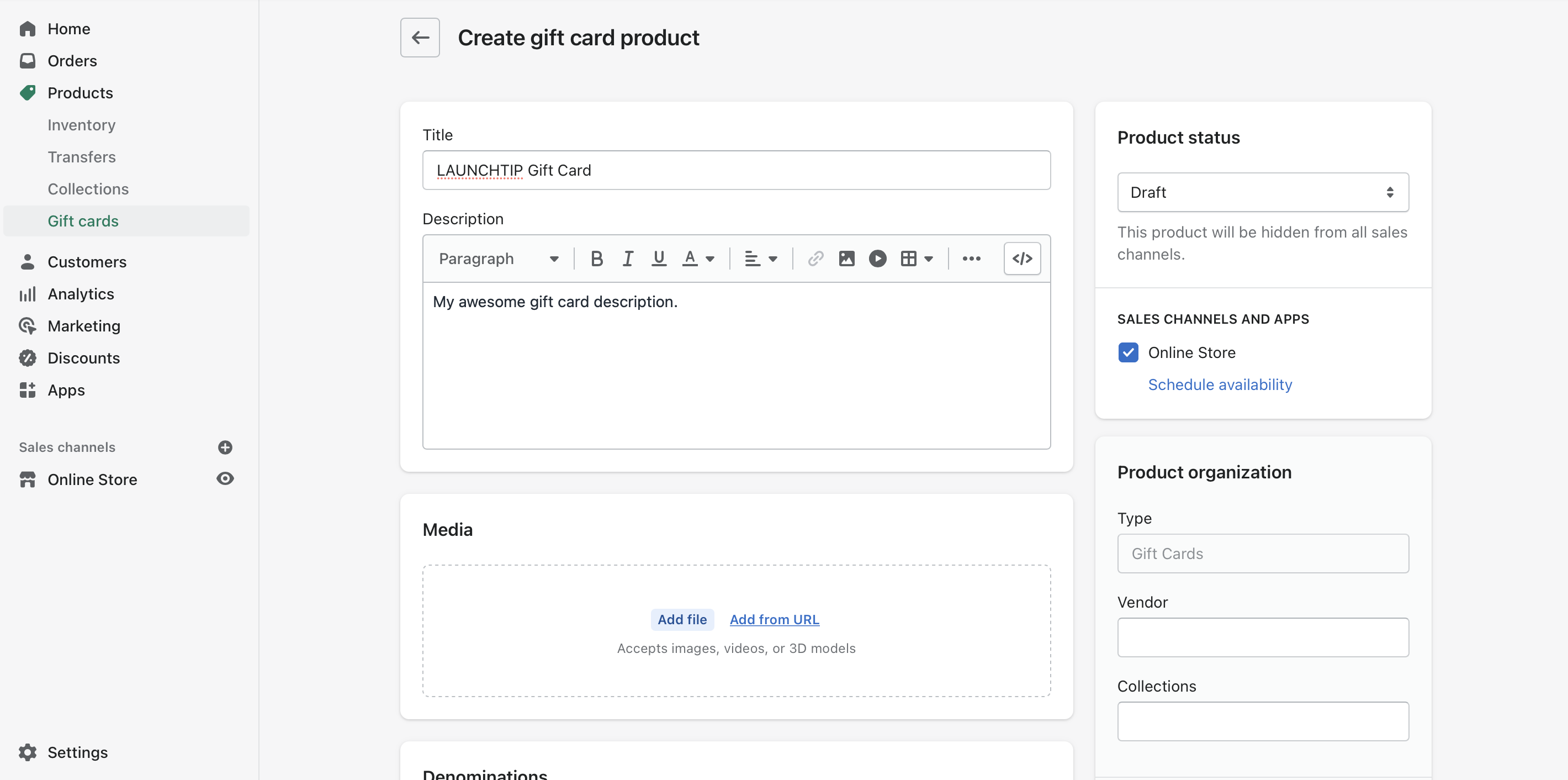
- In Shopify admin, go to Products
- Open Gift Cards or the relevant gift card product
- Click the current product image
- Upload your new branded template image
- Save the product
If you have not created a gift card product yet, follow Shopify’s official guide on adding or updating gift card products.
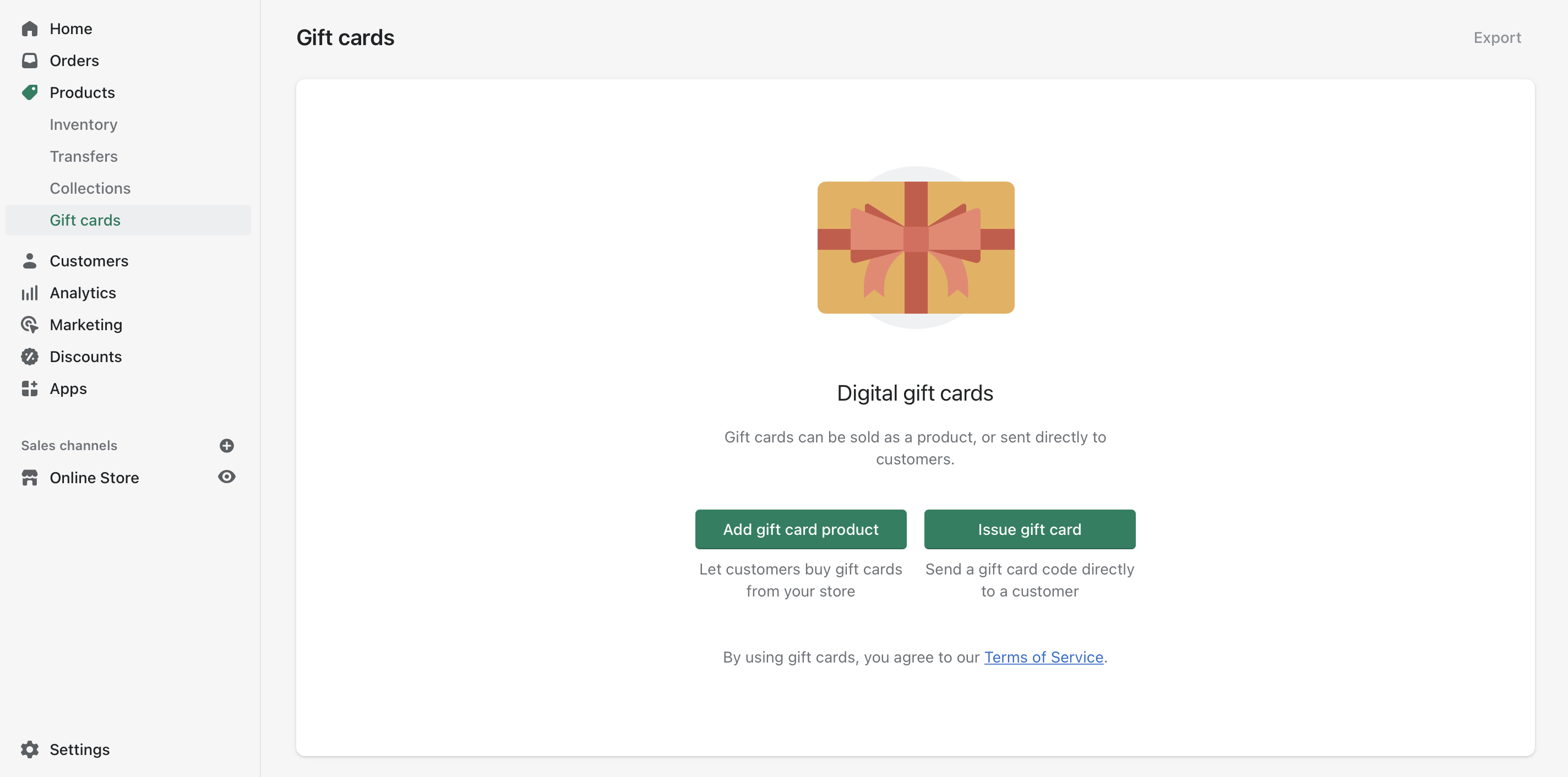
How do I customise the Shopify gift card redemption page?
You can customise the Shopify gift card redemption page by editing your theme’s gift card template files. On many themes, this means changing the default image reference in the gift card template to your own uploaded asset.
This part is a little more technical than changing the product image, but it is still manageable if you are comfortable making small theme edits. In my experience, it usually takes 5 to 15 minutes on a modern theme like Dawn or Impulse.
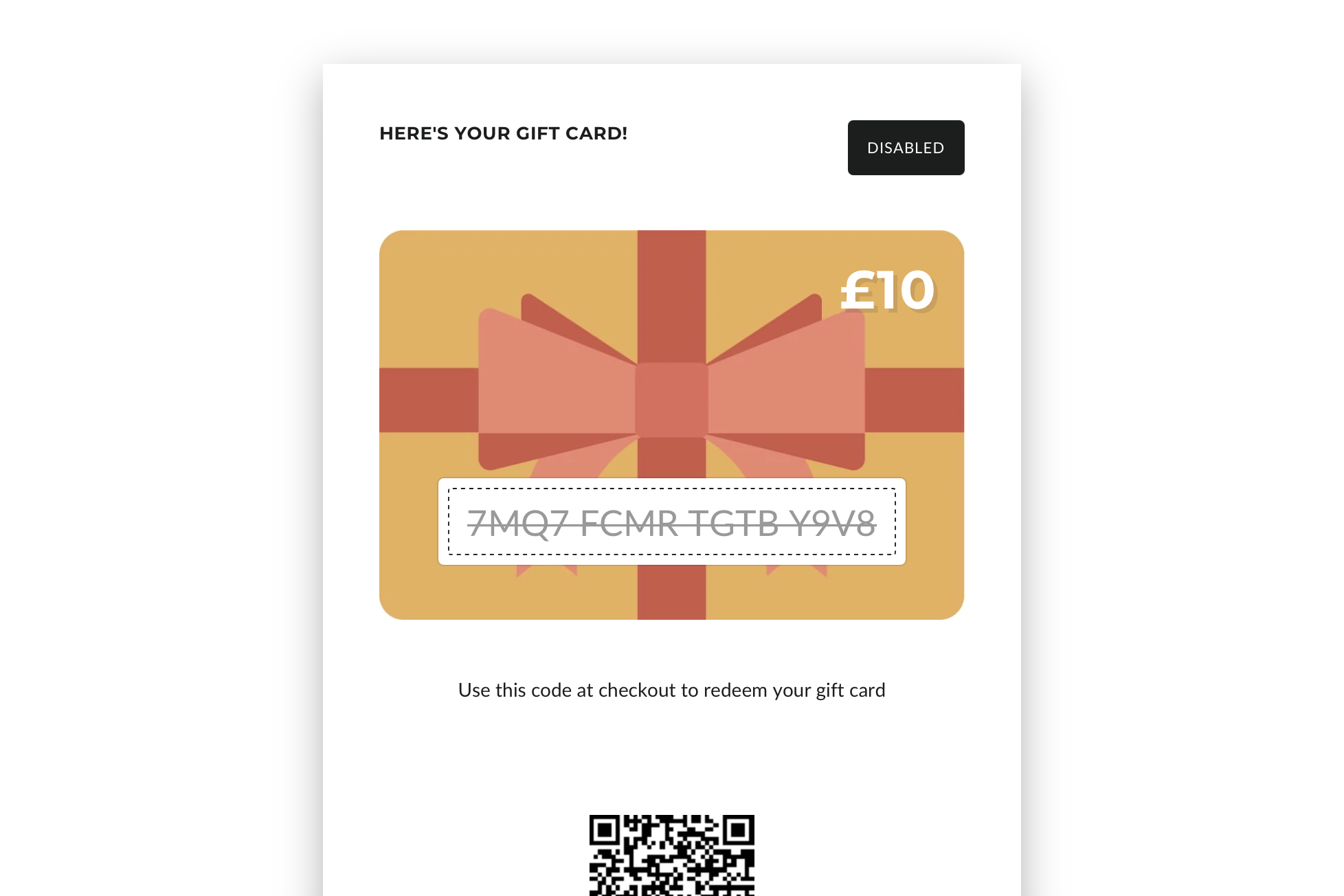
Shopify’s official documentation on gift card customisations is the best starting point. You should always duplicate your theme first before editing code.
A common approach is:
- Go to Online Store > Themes
- Duplicate your live theme as a backup
- Open Edit code
- Find the gift card template, often named gift_card.liquid or a gift card section/snippet depending on the theme
- Locate the default gift card image reference, often something like 'gift-card/card.svg'
- Replace it with your uploaded image asset, for example {{ 'your-custom-image.svg' | shopify_asset_url }}
- Save and preview the gift card page
The latest research for this article confirms that this no-app method works across many themes, including Dawn and Impulse. If your theme uses JSON templates or sections in a slightly different way, the file names may vary, but the principle is the same.

Can I customise Shopify gift cards without using an app?
Yes, you can customise Shopify gift cards without an app. For most stores, changing the product image and editing the gift card template in the theme is enough to create a branded experience.
This is one of the reasons I like this setup. It is free, relatively quick, and does not add another app to your stack just for a visual change.
That said, apps can make sense if you need more advanced features like bulk issuing, personalised messages, scheduled sending, physical or printable vouchers, or more sophisticated branded delivery flows.
When should you use a gift card app instead of Shopify's built-in option?
You should use a gift card app when Shopify’s native gift card feature is too basic for your workflow. If you need advanced issuance, custom delivery rules, or more flexible templates, an app can save time.
I generally tell merchants to start with Shopify’s native setup first. If you are just selling standard digital gift cards, built-in tools are usually enough. But if you need more than simple branding, dedicated apps can help.
| Need | Built-in Shopify gift cards | Gift card app may be better |
|---|---|---|
| Basic digital gift card sales | Yes | Not necessary |
| Custom branded product image | Yes | Not necessary |
| Gift card email and redemption customisation | Yes, with theme/code edits | Helpful if you want easier controls |
| Bulk issuing gift cards | Limited | Yes |
| Printable PDF vouchers | No native focus | Yes |
| Advanced scheduling and campaigns | Limited | Yes |
Two app examples currently appearing in the market are Lit Gift Card and iziGift: Gift Cards & Rewards. If you are comparing native Shopify vs apps, look closely at pricing, template flexibility, and whether you really need the extra features.
What is the best image size and format for Shopify gift card templates?
The best Shopify gift card template size is usually 950 x 550 px or a larger image using the same 5:3 ratio. PNG is the safest export format for crisp text and graphic elements.
In practice, I usually create the artwork at a larger canvas size for sharper displays, then keep the same aspect ratio. For example, 1900 x 1100 px can work well if your theme compresses images nicely.
| Element | Recommended spec | Why it works |
|---|---|---|
| Aspect ratio | 5:3 | Matches common Shopify gift card display proportions |
| Base size | 950 x 550 px | Commonly used and quick to upload |
| Higher-res option | 1900 x 1100 px | Sharper on larger screens |
| Format | PNG | Best for text, logos, and flat graphics |
| Alternative format | JPG | Smaller file size for photographic designs |
Try to keep file sizes sensible so your product page still loads quickly. If you are already working on store performance and design consistency, my guide to 16 of the Best Free Shopify Themes for 2025 may help if your current theme feels dated.
What should your gift card design include?
Your gift card design should include your brand identity, enough contrast to be readable, and a layout that still looks good on mobile. Simplicity usually beats over-design here.
When I review designs for merchants, the best-performing ones usually include:
- Store logo or brand name
- Brand colours used consistently
- Clean typography with high contrast
- Enough empty space so the design does not look cramped
- A subtle gifting cue such as ribbon, card shape, or celebratory styling
Avoid adding too much small text into the image itself. The product page and email copy can handle the explanatory details. The image should mainly communicate brand, occasion, and quality.
What are the most common mistakes with Shopify gift card templates?
The most common mistakes are using the default image, choosing the wrong dimensions, and forgetting to preview the full customer journey. Small design issues can make the gift card look unfinished.
These are the problems I see most often:
- Keeping the generic default artwork
- Using the wrong aspect ratio, which causes awkward cropping
- Uploading text-heavy designs that are unreadable on mobile
- Not checking the email and redemption flow
- Editing theme code without a backup
- Offering confusing denominations that do not match your price points
If you want the gift card to act as a conversion tool rather than just a placeholder product, make sure it feels like part of your wider merchandising strategy. That means the design, product copy, and related promotions should all feel consistent.
How do I make Shopify gift cards sell better?
To sell more Shopify gift cards, make them visible, make them look branded, and promote them at the right moments. Design helps, but placement and messaging matter just as much.
In my experience, the stores that sell gift cards well do not hide them in a menu. They surface them in high-intent places such as the header, footer, gifting collections, seasonal landing pages, and email campaigns.
Here are a few practical ways to improve sales:
- Add gift cards to your main navigation during gifting seasons
- Feature them on the homepage when delivery cut-offs are close
- Use email campaigns for last-minute gifting
- Create occasion-specific graphics for Christmas, birthdays, or Mother's Day
- Pair them with gift guides and gift set collections
If you are improving your email marketing around gifting, you may also find The Best Free Shopify Email Templates in 2026 useful for creating more polished campaigns.
Where can I download the free Shopify gift card templates?
You can download the free Shopify gift card templates from LaunchTip using the Canva link below. They are designed to be edited quickly and uploaded straight to your Shopify gift card product.
This is the same resource I would point a merchant to if they asked for the fastest possible upgrade from the default Shopify gift card design.
Get the 5 free Shopify gift card designs and templates
Once you have customised the design, upload it to your gift card product, preview the storefront on desktop and mobile, and if needed update your theme’s gift card template so the redemption experience matches too.
If you only make one change after reading this, make it this one: replace the default gift card artwork with something on-brand. It is a small task, but it can make your store look much more considered.


