

Claude Code for Shopify themes is one of the most practical workflow upgrades I have seen for theme developers in years. If you want to ship custom Shopify storefronts faster in 2026 without taking on the cost and complexity of Hydrogen or another headless stack, this setup is absolutely worth learning.
In my experience building Shopify apps and working with merchants on theme performance, most stores do not need to go headless. They need a faster way to build sections, refactor Liquid, validate changes, and keep customizations organized. That is exactly where Claude Code + Shopify Theme Kit style workflows fit in.
The big shift in 2026 is that Shopify's AI Toolkit, released on April 9, 2026, lets tools like Claude Code connect directly to Shopify context through MCP, validation tools, docs, and APIs. That means less tab switching, fewer schema mistakes, and a much smoother local development loop.
What is Claude Code for Shopify themes?
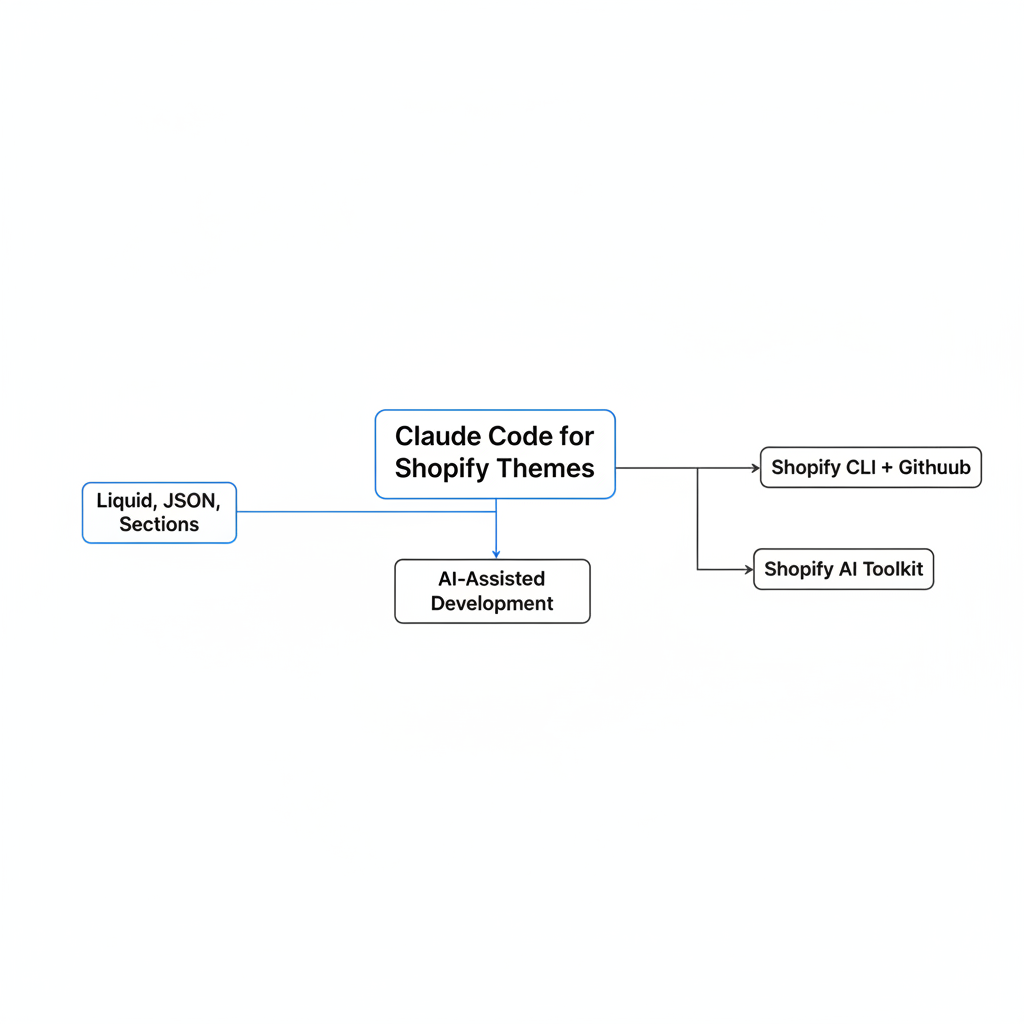
Claude Code for Shopify themes is an AI-assisted development workflow where Claude helps you build, edit, validate, and refactor Shopify theme code using natural language prompts. It works best alongside Shopify CLI, GitHub, and Shopify's AI Toolkit rather than replacing your normal development stack.
Think of it as a very fast pair programmer that understands Liquid, JSON templates, sections, blocks, metafields, and Shopify conventions. Instead of manually hunting down every schema setting or section render bug, you can ask Claude to create or update the code, then validate and preview the result locally.
This is important because the keyword claude code shopify themes is really about workflow, not magic. Claude is not a replacement for theme architecture, QA, or merchant context. It is a productivity layer on top of standard Shopify theme development.
Do I need to go headless to use Claude with Shopify themes?
No, you do not need to go headless to get major benefits from Claude Code on Shopify. In fact, for most merchants, staying on a native Shopify theme is the better decision.
I keep seeing teams assume AI-assisted development somehow points them toward Hydrogen, Remix, or a full custom frontend. In reality, AI makes traditional theme development more competitive, because it removes a lot of the repetitive work that used to push agencies toward heavier stacks.
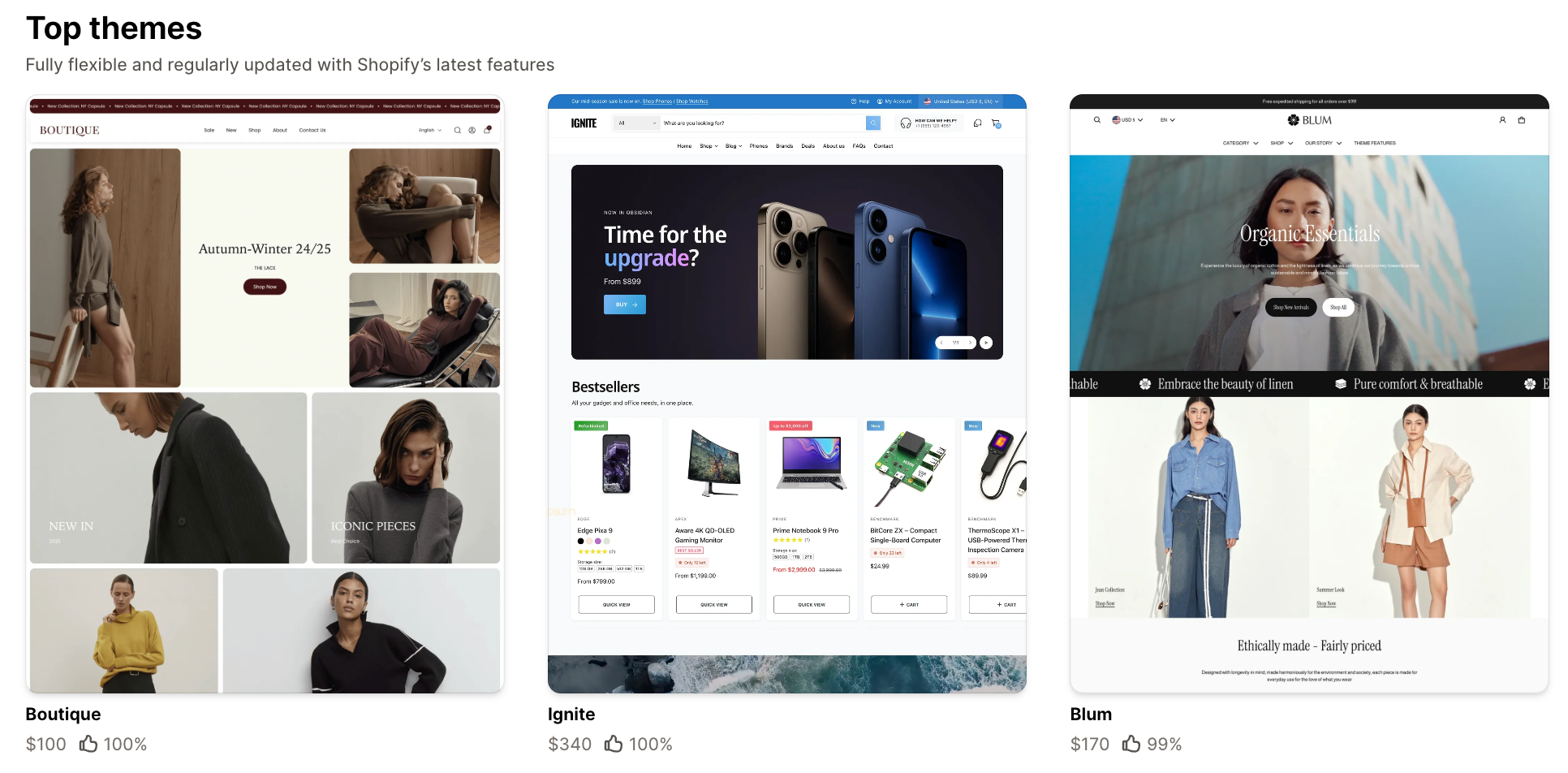
If your store can achieve good UX, strong Core Web Vitals, and flexible merchandising with a theme, then going headless often adds cost without enough upside. I would only recommend headless when you have unusually complex frontend requirements, multi-system content orchestration, or very custom buyer journeys that Shopify themes cannot handle cleanly.
Most Shopify stores need better theme engineering, not a headless rebuild.
If performance is one of your reasons for considering headless, read How to Speed up Your Shopify Theme: 15 Practical Fixes That Actually Move Core Web Vitals. In many cases, a well-built theme gets you most of the way there.
How does Shopify's AI Toolkit change theme development in 2026?
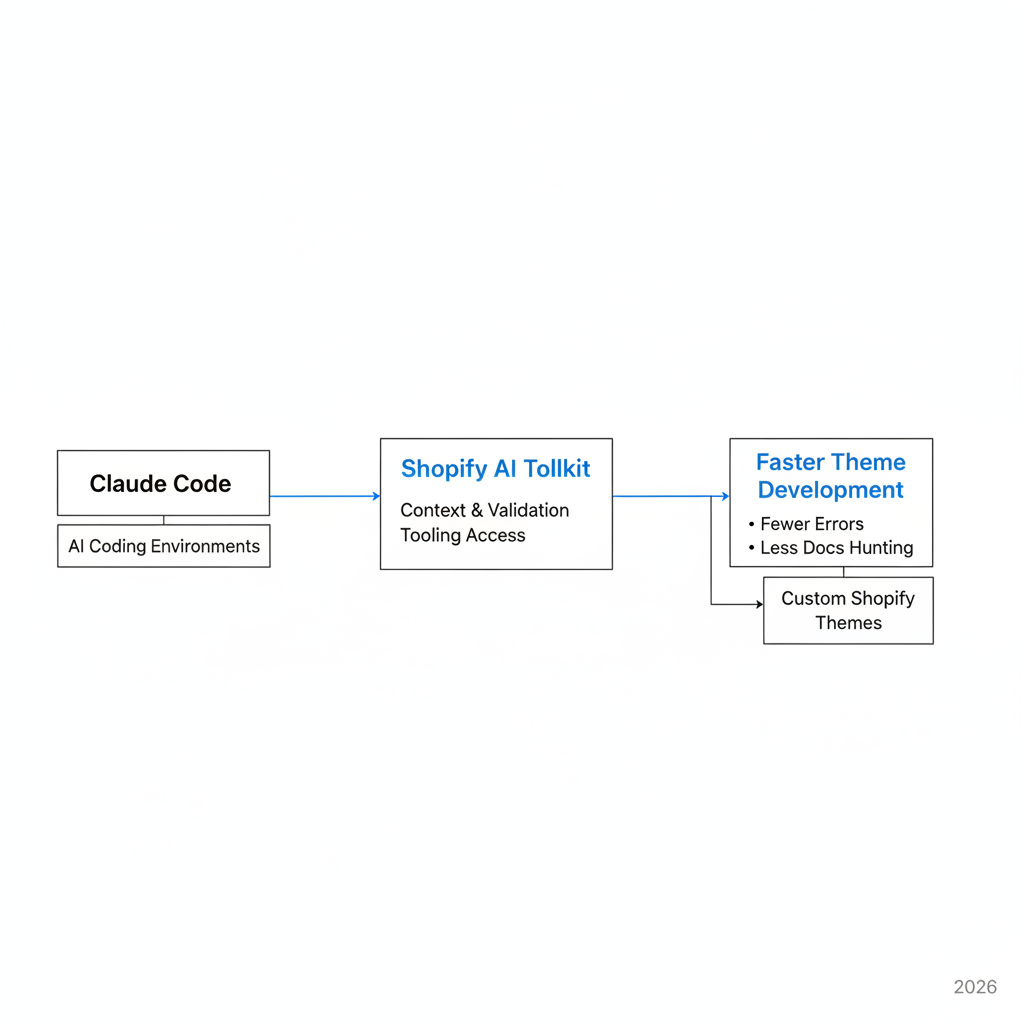
Shopify's AI Toolkit gives Claude Code direct access to Shopify-aware context, validation, and tooling. The result is faster development with fewer errors and less documentation hunting.
According to current research and launch coverage, the toolkit was released on April 9, 2026 and supports tools like Claude Code, Cursor, VS Code, and other AI coding environments through Model Context Protocol. That means your prompts can be grounded in real Shopify structures instead of generic code guesses.
What I like most is the validation angle. In normal theme work, a lot of time gets burned on tiny mistakes in section schema, metafield references, JSON templates, or Liquid conditions. With a Shopify-aware AI setup, those issues get caught earlier, often inside the conversation before deployment.
- Live theme editing through natural language prompts
- Schema-aware validation for Liquid and Shopify structures
- Faster local development with Shopify CLI previews
- Store context access for data-informed merchandising or admin tasks
- Less tab switching between docs, editor, terminal, and admin
Shopify says this kind of workflow can compress tasks that used to take 30 to 60 minutes into a single guided session. That feels believable to me, especially for repetitive section work and initial scaffolding.
What is the best setup for Claude Code Shopify themes?
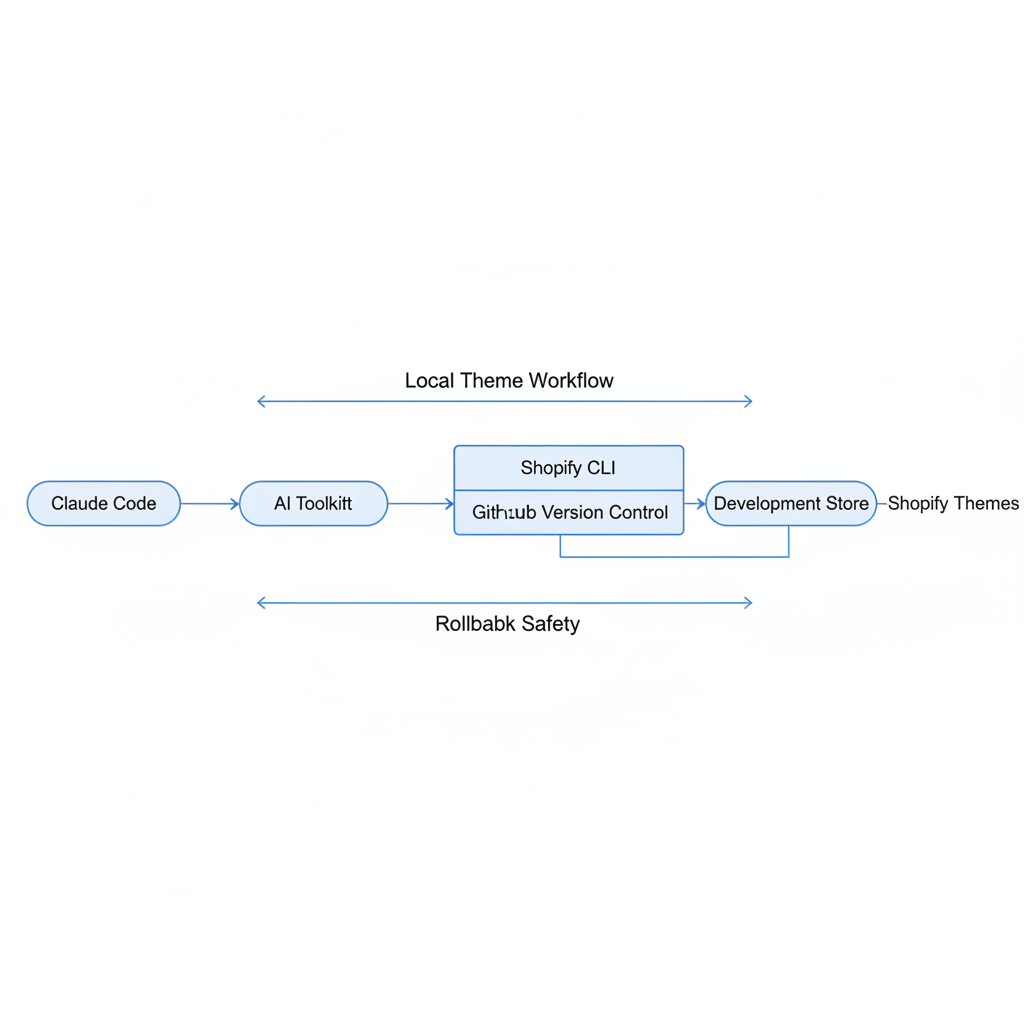
The best setup for claude code shopify themes is a local theme workflow with Shopify CLI, GitHub version control, a development store, and Shopify's AI Toolkit connected to Claude Code. This keeps you fast without sacrificing rollback safety.
I would not run AI-assisted theme edits directly against a production theme with no version control. That is asking for trouble. The sweet spot is a workflow where Claude helps you generate and refactor code, while GitHub protects history and Shopify CLI gives you a safe preview loop.
What tools should I install first?
You should install Claude Code, Node.js 18+, Shopify CLI, Git, and access to a Shopify store or development store. If available in your environment, add the Shopify AI Toolkit plugin as well.
| Tool | Why you need it | My take |
|---|---|---|
| Claude Code | AI-assisted coding and prompt-based editing | Core tool for this workflow |
| Node.js 18+ | Required for modern CLI tooling | Install first |
| Shopify CLI | Local preview, theme pull/push, dev workflow | Non-negotiable |
| GitHub | Version control and backups | Essential for safety |
| Shopify AI Toolkit | Shopify-aware context and validation | Big productivity boost |
If you are new to theme selection before customization, you may also want to review 16 of the Best Free Shopify Themes for 2025 and 14 Fastest Themes for Your Shopify Store in 2026 [PageSpeed Benchmarks]. Starting from the right base theme matters more than most people think.
How do I set up Claude Code with a Shopify theme workflow?
The fastest setup is to clone or pull your theme locally, connect it to GitHub, run Shopify CLI for preview, then use Claude Code inside that project folder. Once the AI Toolkit is connected, Claude can work with much better Shopify context.
This setup usually takes about five minutes if you already have your tools installed. The exact plugin steps may vary as Shopify updates the toolkit, but the core workflow stays the same.
- Create or access a Shopify development store so you have a safe environment.
- Install Shopify CLI and authenticate your store connection.
- Pull your theme locally or clone the repository from GitHub.
- Initialize Git if the theme is not already version-controlled.
- Run local preview with Shopify CLI so changes can be tested instantly.
- Open the project in Claude Code and describe the changes you want.
- Validate every generated change before pushing or publishing.
- Commit small changes often so rollback is simple.
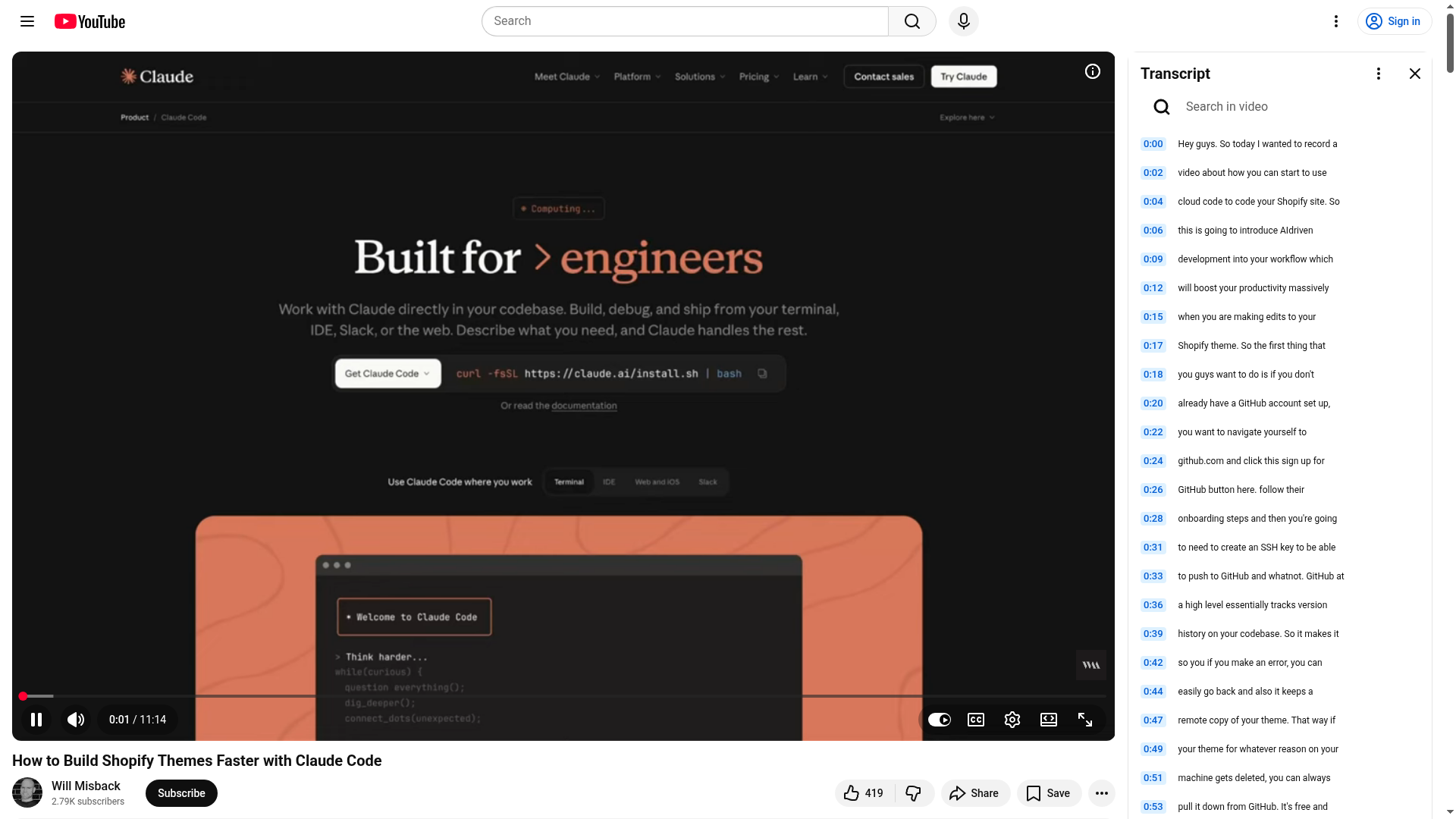
One of the better walkthroughs currently ranking is Will Misback's YouTube tutorial on building Shopify themes faster with Claude Code. For toolkit setup, Fudge also has a useful guide on setting up the Shopify AI Toolkit with Claude Code.
How do I actually use Claude Code to build Shopify theme features?
The best way to use Claude Code is to give it small, specific, testable tasks inside a real Shopify theme project. Ask for one section, one refactor, or one bug fix at a time, then preview and validate before moving on.
When I tested AI-assisted theme workflows, the output quality improved a lot when prompts included the exact file path, desired merchant setting, and expected storefront behavior. Generic prompts create generic code. Detailed prompts create much better Liquid.
Example tasks Claude handles well
Claude Code is especially useful for repetitive or structured theme tasks. It is best for accelerating implementation, not for replacing your judgment.
- Create a new homepage section with configurable blocks and schema settings
- Refactor a product template into reusable snippets
- Add metafield-driven content to product or collection pages
- Improve responsive markup and semantic HTML
- Add conditional Liquid logic for badges, low stock, or shipping messages
- Generate starter code for upsell blocks, FAQ sections, or trust content
- Troubleshoot schema or JSON template errors
For example, I might prompt Claude with something like: create a product page section that shows 3 trust badges, supports icon + text blocks, hides when no blocks exist, and follows Shopify section schema conventions. That is the kind of request where AI can save real time.
If you are building merchandising features, these related guides may help: How to Create a Complete the Look Section in Shopify and How to Create Product Kits for Your Shopify Store in 2026.
What should I ask Claude Code to do, and what should I still do myself?
You should ask Claude to handle structured coding, refactoring, and documentation-heavy tasks. You should still own architecture, QA, performance review, and merchant-specific decisions.
This is where a lot of people get tripped up. The fastest workflow is not "let AI build everything." The fastest workflow is let AI do the boring 70 percent while you focus on store strategy and quality control.
| Task | Let Claude do it? | My recommendation |
|---|---|---|
| Scaffold a new section | Yes | Great use case |
| Write section schema settings | Yes | Usually fast and accurate with validation |
| Choose overall theme architecture | No | Developer should decide |
| Optimize performance tradeoffs | Partly | Use AI suggestions, then review manually |
| Debug Liquid errors | Yes | Big time saver |
| Publish directly to live store | No | Always review first |
| Accessibility review | Partly | AI helps, but manual testing still needed |
How much faster is Claude Code for Shopify theme development?
For the right tasks, Claude Code can make Shopify theme development materially faster. Based on current research, workflows that used to take 30 to 60 minutes of switching between docs, schema references, and code editors can now happen in one guided session.
That lines up with what I would expect from my own work. If I am building a custom section, adding settings, wiring up blocks, and checking schema syntax manually, the overhead is not the coding alone. It is the constant context switching. AI reduces that friction.
Where I see the biggest gains are:
- Section scaffolding and schema generation
- Theme refactors across repeated code patterns
- Documentation-heavy tasks like metafields or app blocks
- Bug fixing when errors are localized and reproducible
Where the gains are smaller is strategy work. Claude will not know your merchant's margin structure, merchandising priorities, or CRO goals unless you feed it that context.

What are the biggest risks of using Claude Code on Shopify themes?
The biggest risks are bad assumptions, over-editing, and pushing unreviewed code. AI can move fast, but it can also confidently produce code that looks plausible and still breaks a storefront.
In my experience, the most common failure mode is not catastrophic code. It is subtle code. A section works on desktop but breaks on mobile. A schema setting renders, but the merchant UX is confusing. A Liquid condition technically works, but adds unnecessary performance overhead.
Here are the guardrails I recommend:
- Never skip Git and never work without rollback history
- Use a development theme, not your published theme
- Review diffs manually before every push
- Test mobile first, because that is where fragile theme code shows up fastest
- Keep prompts narrow so changes stay understandable
- Validate performance after feature additions
If you are making bigger edits to an existing theme, it is also smart to know how to recover mistakes. This LaunchTip guide on recovering accidentally deleted Shopify Liquid code and templates is worth bookmarking.
Is Claude Code better than going fully custom or headless?
For most stores, yes - Claude Code plus a solid Shopify theme workflow is a better investment than going headless. You get much of the speed and flexibility benefit without the maintenance burden of a separate frontend stack.
Headless still makes sense in some cases. If you need a deeply custom app-like frontend, advanced content orchestration, or non-standard interactions across multiple systems, then Hydrogen or another headless approach may be justified. But those are edge cases, not the median Shopify store.
| Approach | Speed to launch | Maintenance | Best for |
|---|---|---|---|
| Standard theme editing | Moderate | Low to moderate | Basic customizations |
| Claude Code + Shopify theme workflow | Fast | Low to moderate | Most custom storefronts |
| Headless Shopify | Slow | High | Complex enterprise experiences |
If your real concern is theme speed rather than architecture, you may get more return from better optimization. I would start with How to Easily Add Lazy Loading to Your Shopify Store in 2026 and your Core Web Vitals audit before considering a full rebuild.
What are the best prompt patterns for Claude Code Shopify themes?
The best prompt patterns are specific, file-aware, and outcome-driven. Tell Claude what file to edit, what merchant setting to support, and what the frontend result should be.
I have found that prompts improve dramatically when they include constraints. For example, ask Claude to avoid extra JavaScript, preserve existing CSS naming conventions, or follow Dawn-style schema patterns. Those details reduce messy output.
Prompt examples that work well
Good prompts are concrete and testable. They should produce a clear diff, not a vague idea.
- Create a new section called featured-benefits with up to 4 blocks, each block containing an icon, heading, and text. Follow Shopify section schema conventions and make it mobile responsive.
- Refactor product-card markup into a reusable snippet without changing current storefront output.
- Add a metafield-powered size guide to the product template and hide the section if the metafield is empty.
- Improve accessibility of the mobile menu by adding ARIA labels and keyboard support without changing visual styling.
- Audit this section for performance and remove unnecessary loops, duplicate image rendering, and blocking scripts.
For Claude Code itself, Builder.io has a useful post on Claude Code settings to customize. Some of those adjustments can make long development sessions smoother.
Can Claude Code help with Shopify app integrations inside themes?
Yes, Claude Code can help with app integrations inside Shopify themes, especially for app blocks, snippets, embed logic, and theme placement. It is useful for reducing the repetitive glue code that often slows theme work down.
As someone who builds Shopify apps, I see this as one of the most practical use cases. Whether you are adding reviews, upsells, delivery messaging, or support widgets, there is usually a layer of theme integration work that is simple but tedious. Claude is good at speeding that up if your app docs and expected placement are clear.
For example, if you are integrating Kartify, SellUp, NoteDesk, Lumo Reviews, Quizive, or Delivery Timer, Claude can help scaffold theme placement instructions, app block wrappers, and conditional rendering logic. Just make sure you still test the merchant-facing UX thoroughly.
Should beginners use Claude Code for Shopify themes?
Yes, but with guardrails. Beginners can learn faster with Claude Code, but they should use it to understand Shopify theme patterns, not to blindly ship code they cannot explain.
I actually think this workflow is great for newer developers because it shortens the gap between idea and implementation. You can ask why a section schema is structured a certain way, what a Liquid filter does, or how to make a block optional. That feedback loop is powerful.
The catch is that beginners should avoid treating AI output as authoritative. If you cannot explain what a section, snippet, or schema setting is doing, you are not ready to publish it. Use Claude as a tutor and coding assistant, not a substitute for fundamentals.
What is my verdict on Claude Code Shopify themes in 2026?
Claude Code is one of the best upgrades to Shopify theme development in 2026, especially when paired with Shopify CLI, GitHub, and the Shopify AI Toolkit. For most merchants and developers, it is a smarter path than jumping to headless.
My honest take is this: if you already build Shopify themes, you should be testing this workflow now. It will not replace strong frontend judgment, but it can remove a lot of repetitive work, speed up implementation, and help you ship cleaner custom storefronts faster.
The stores that benefit most are not necessarily enterprise brands. They are the brands that want custom UX without custom-stack overhead. That is a huge chunk of Shopify in 2026.
If you came here searching for claude code shopify themes, the answer is simple. Yes, it works. Yes, it is useful. And no, you do not need to go headless to get the payoff.


