
The best trust badge apps for Shopify in 2026 are the ones that add credibility without cluttering your product pages. In practice, that usually means an app with fast setup, clean badge designs, and enough flexibility to place icons on product, cart, and checkout-adjacent pages.
In my experience building Shopify apps, merchants often install trust badges hoping for an instant conversion lift, but the real win comes from using them properly. A badge strip can reassure shoppers, yet it works best when paired with strong reviews, clear shipping information, and a polished product page. If you want to improve the whole buying journey, I’d also look at these best upsell apps for Shopify and these best PDP apps for Shopify.
For this updated guide, I’ve reviewed the current search results, compared the apps still being recommended in 2026, and used the latest available app data including ratings, pricing, and feature sets. The result is a more practical shortlist of 14 of the best trust badge apps for Shopify, plus advice on which type of app is best for different store sizes and use cases.
| App | Best for | Pricing | Rating |
|---|---|---|---|
| Ultimate Trust Badges FREE! | Simple badge strips | Free | Not specified |
| Free Trust Badge Master | Basic payment and security icons | Free | Not specified |
| Trust Hero | Free trust badges and social proof | Free | Highly popular |
| Trust Me By SEOAnt | Easy setup for small stores | Free | 4.9 stars (583) |
| Avada Boost Sales Trust Badges | All-in-one conversion widgets | Free | 5.0 stars (1,598) |
| Conversion Bear Trust Badges | Clean design and quick launch | Free | 4.9 stars (378) |
| Trustbadge: Reviews Toolkit | Reviews plus trust signals | Free to install | Not specified |
| TrustedSite | Security-focused trust seals | Not specified | Not specified |
| Essential Trust Badges & Icons | Large badge library | $6.99-$29.99/month | 5.0 stars (743) |
| ShopClimb Trust Badges | Custom templates and geo-aware icons | Free-$19.99/month | 4.7 stars (156) |
| TZ Trust Badges, Sales Popup | FOMO and trust combo | Free plan | 4.5 stars (253) |
| VITALS | 40+ apps in one | Stores reducing app bloat | Not specified | Not specified |
| FREE Ultimate Trust Badges Pro | Free icons and quick installs | Free | Not specified |
| Badgify | Product badges and visual labels | Not specified | Not specified |
Do trust badges actually increase Shopify conversions?
Yes, trust badges can increase conversions, but only when they reduce genuine buyer hesitation. They work best for new stores, unfamiliar brands, high-ticket products, and stores with weaker brand recognition.
When I test product pages, I usually see trust badges help most in three places: near the add to cart button, below payment options, and in the cart drawer. They are especially useful if your store is new and visitors have never heard of your brand before. If you already have strong social proof, badges still help, but the incremental gain is often smaller.
Trust badges are not magic. If your theme looks dated, your shipping policy is vague, or your mobile product page is slow, badges will not fix the underlying problem. That is why I often recommend merchants combine trust badges with review collection, customer support visibility, and delivery messaging. For example, if reviews are a weak point, this guide on how to collect Trustpilot reviews on Shopify is worth reading.
How should you choose the right Shopify trust badge app?
The right trust badge app depends on what kind of trust signal you need. Some apps focus on payment icons, some on security seals, and some bundle badges with popups, reviews, urgency bars, or product labels.
My rule of thumb is simple. If you only want a clean row of payment and security icons, choose a lightweight free app. If you want badges plus social proof, free shipping bars, stock counters, or reviews, choose a broader conversion app. If you want labels on collection pages such as Sale, New, or Best Seller, you may actually need a product badge tool rather than a pure trust badge app.
- Choose a simple badge app if you want fast setup and minimal theme impact.
- Choose an all-in-one conversion app if you are trying to reduce app overload.
- Choose a reviews-led app if social proof matters more than payment icons.
- Choose a product badge app if you need labels on collection and product cards.
What are the 14 best trust badge apps for Shopify?
These are the 14 Shopify trust badge apps I’d shortlist in 2026 based on current relevance, feature depth, ease of use, and merchant fit. I’ve included the original apps from your older list where they still make sense, and I’ve added more context so you can choose faster.
1. Ultimate Trust Badges FREE!
Ultimate Trust Badges FREE! is a good option if you want a straightforward badge app with enough customisation to match your theme. It is best for merchants who want a simple, free badge strip without getting lost in advanced settings.
Ultimate Trust Badges gives you access to 100+ customisable badges, including payment and reassurance icons. You can usually adjust colours, size, spacing, and alignment, which matters more than many merchants realise. A trust badge section that clashes with your brand colours can look cheap rather than reassuring.
In my experience, this kind of app works well for smaller stores or newer brands that just need the basics. If your store is still validating offers and you do not want another monthly subscription, this is a sensible place to start.
2. Trust Hero
Trust Hero is one of the better free options if you want badges plus a bit of extra social proof. It is best for budget-conscious stores that want more than static icons.

Trust Hero is known for free trust badges and can also highlight activity such as reviews, sales, or sign-ups depending on the setup. That makes it more conversion-focused than a basic badge-only app. For stores trying to create momentum on low-traffic product pages, that extra layer can help.
I like Trust Hero for merchants who want to test trust signals without overcommitting. It is not the most advanced app in the category, but it is easy to trial and often a good fit for first-time Shopify founders.
3. TRUST
TRUST is designed to communicate legitimacy and confidence on your storefront. It is best for merchants who want trust elements and review-related features in one place.
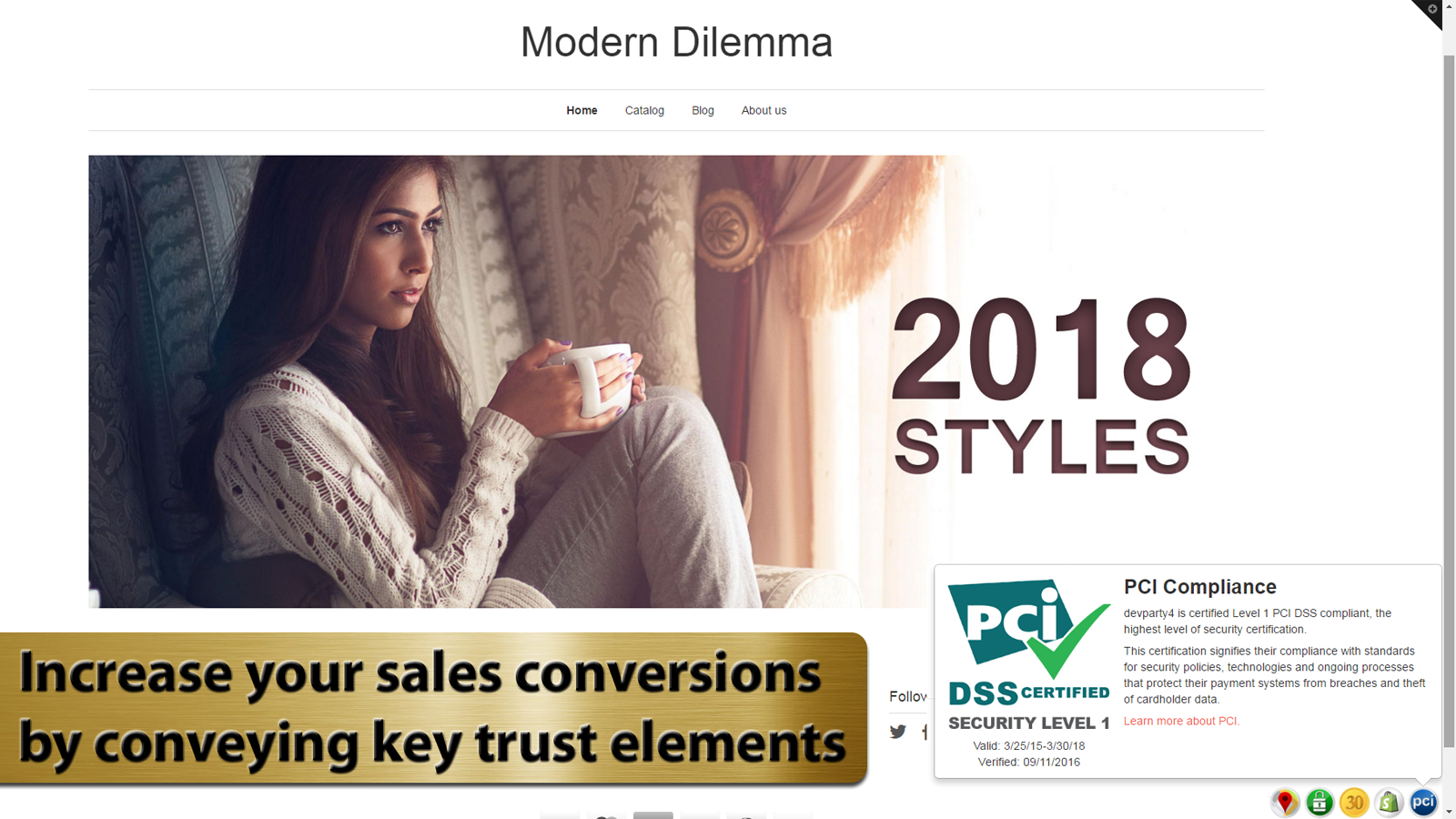
TRUST focuses on helping merchants show key trust elements that reassure shoppers before checkout. Some merchants prefer this type of app because it goes beyond payment icons and leans into broader buyer reassurance. That can be useful if your brand is in a higher-risk category such as supplements, beauty, or electronics.
If you are choosing between a simple icon app and something like TRUST, think about the friction points on your store. If customers question legitimacy rather than payment methods, a more holistic trust app can be the better choice.
4. Free Trust Badge
Free Trust Badge is a lightweight app for placing trust badges around your store. It is best for merchants who want drag-and-drop simplicity.
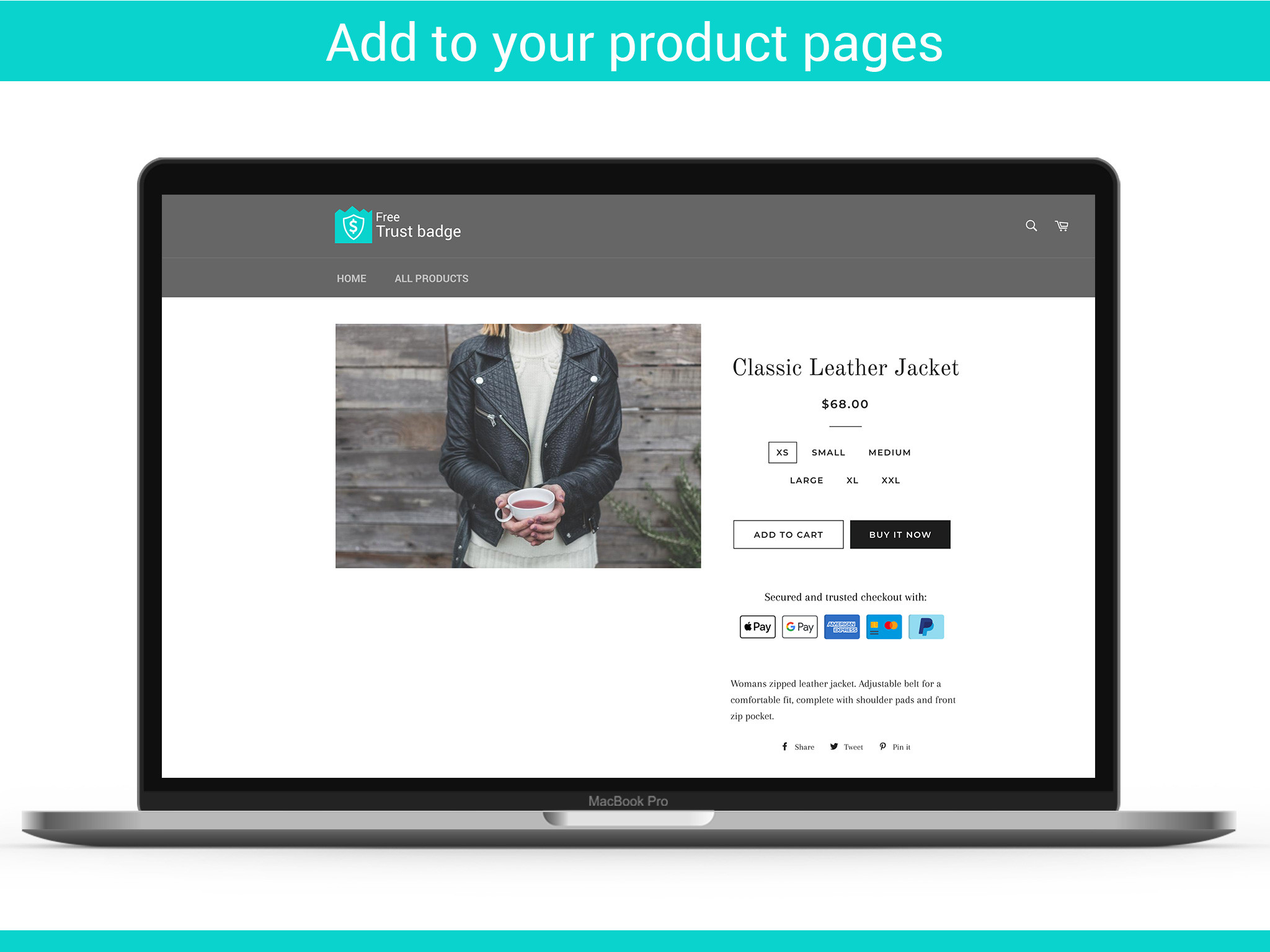

Free Trust Badge lets you place badges in multiple areas, which matters if you want consistency across product pages, cart pages, and even the footer. The premium tier historically unlocked a larger badge library, including hundreds of payment badges, but even the basic functionality is enough for many stores.
I generally recommend this style of app when a merchant wants to move quickly. If your theme already looks polished and you just need reassurance icons near the buy box, you probably do not need a bigger platform.
5. Trust Badge Master
Trust Badge Master is aimed at reducing hesitation and cart abandonment with customisable icons. It is best for stores that want broad page coverage.
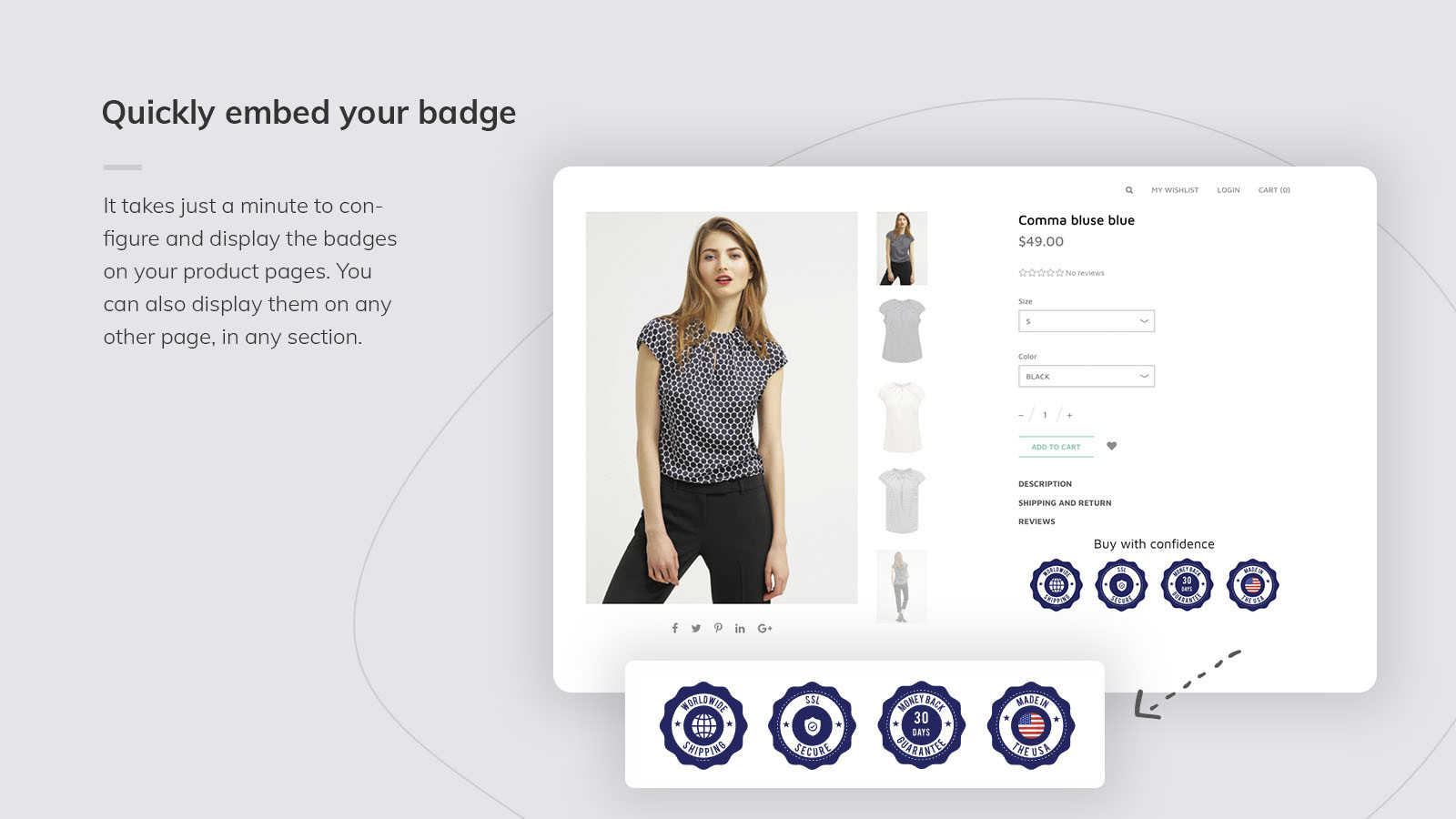

Trust Badge Master has long been positioned as a way to add eye-catching payment and security icons across your storefront. That storewide flexibility is helpful if you want a repeated trust message rather than a single badge strip on product pages.
As a developer, I’d say this is the sort of app that works best when used sparingly. Sitewide trust icons can be effective, but too many repeated badges can create visual fatigue. Keep the placement strategic.
6. TrustedSite
TrustedSite is one of the better-known names for security-focused trust seals. It is best for stores that want stronger security messaging rather than just generic payment icons.
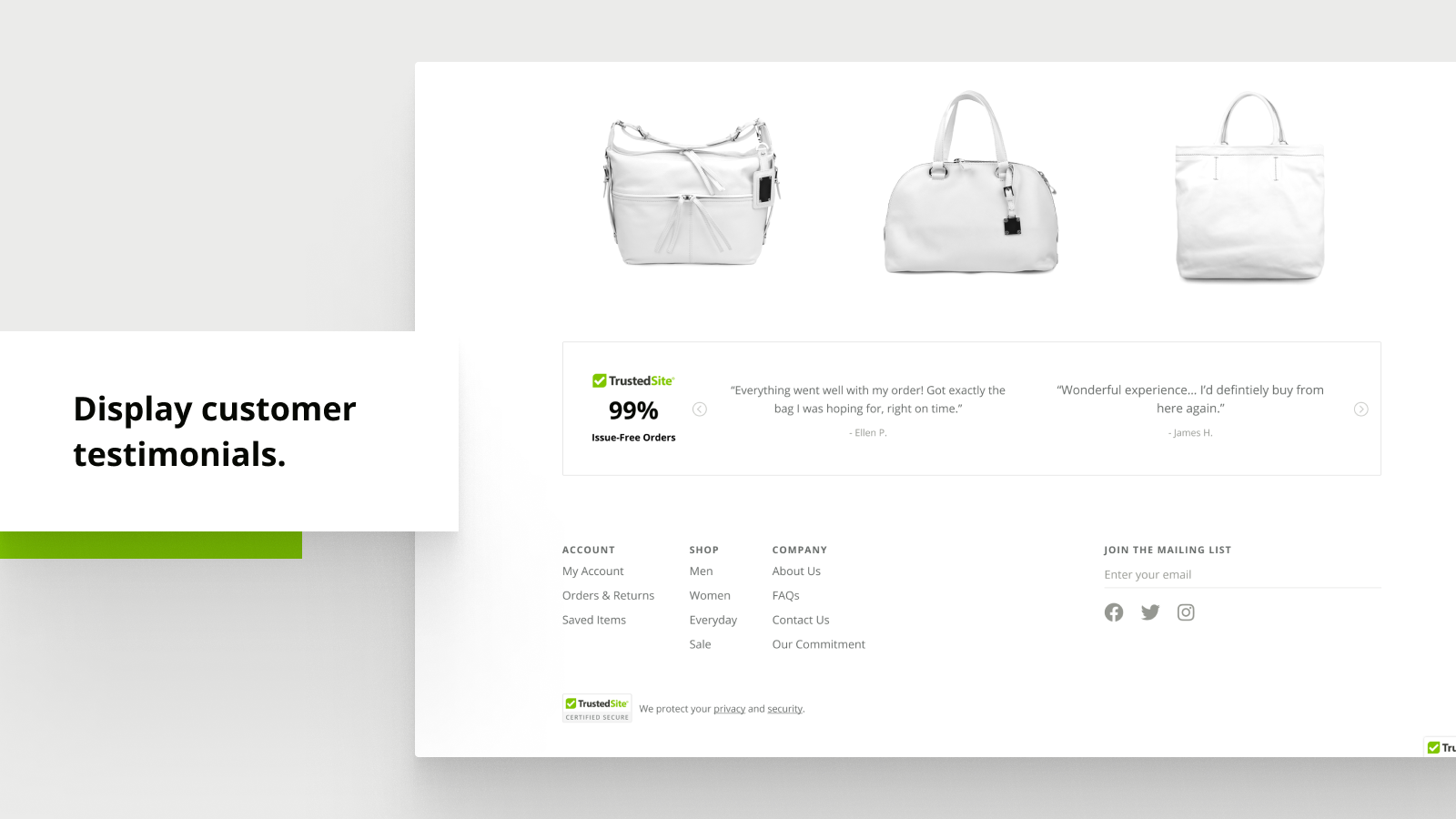
TrustedSite offers security-led seals and a large set of trust and payment badges. This kind of app tends to suit merchants in niches where shoppers are especially cautious, such as health, luxury, or stores with higher average order values.
From a conversion perspective, security seals can work well near checkout steps or policy sections. Just make sure the badge reflects a real assurance rather than looking like decorative clip art. Shoppers are savvier now than they were a few years ago.
7. Badgify
Badgify is more of a product badge app than a pure trust badge app, but it still belongs in this list because many merchants searching for trust badges also need sales labels and stock messaging. It is best for visual merchandising on collection and product pages.
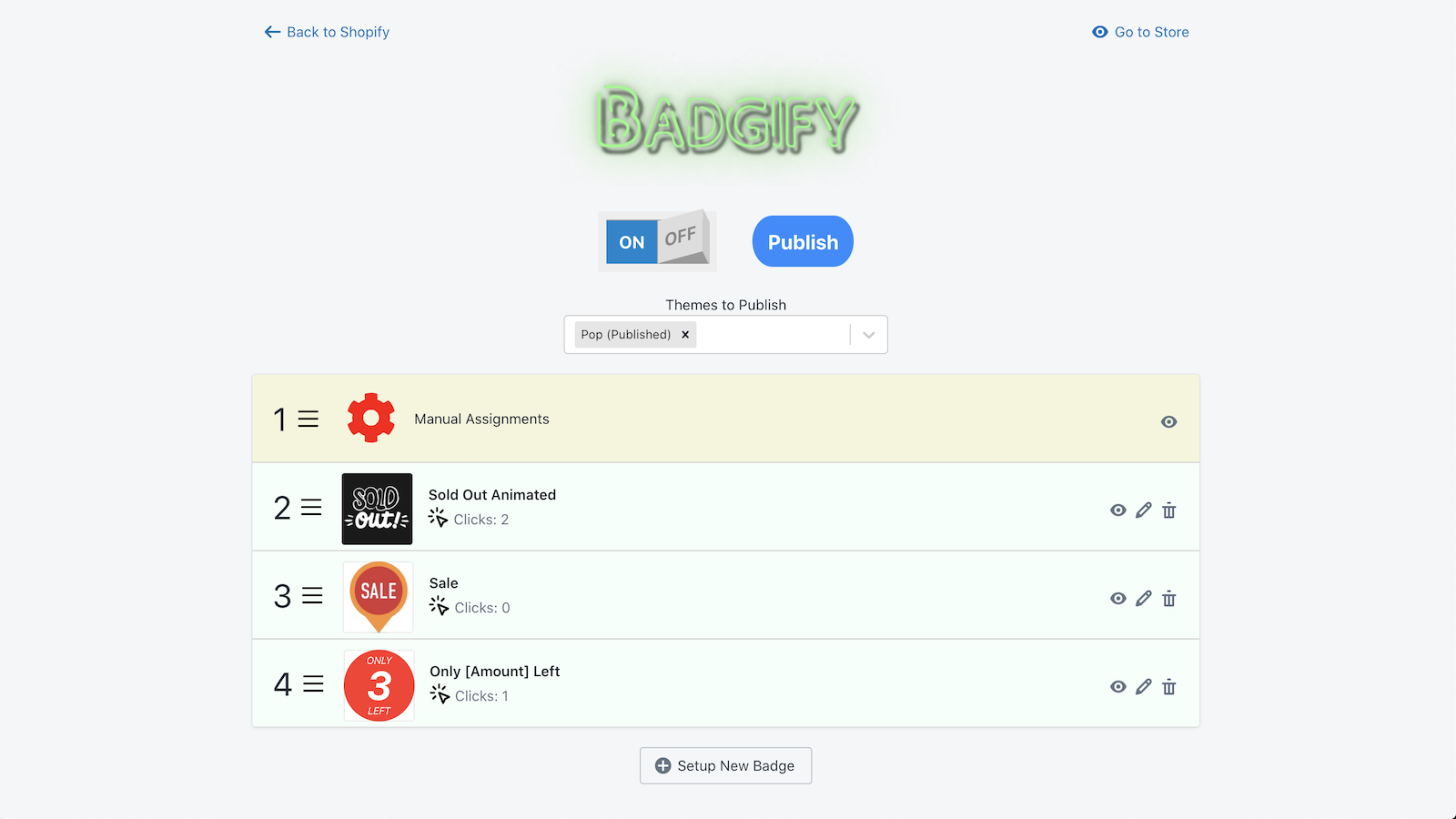

Badgify helps highlight products with labels like Sale, New, Featured, Best Seller, or Out of Stock. While that is not the same as a security badge, it still contributes to buyer confidence by making catalogue information clearer.
If your main goal is to improve product discovery and promotion, Badgify may be more useful than a traditional trust icon app. If you specifically want to add dynamic labels based on product conditions, this guide on how to add custom badges based on product tags in Shopify may also help.
8. Trustbadge: Reviews Toolkit
Trustbadge: Reviews Toolkit combines reviews and trust signals. It is best for merchants who want social proof and trust marks together.
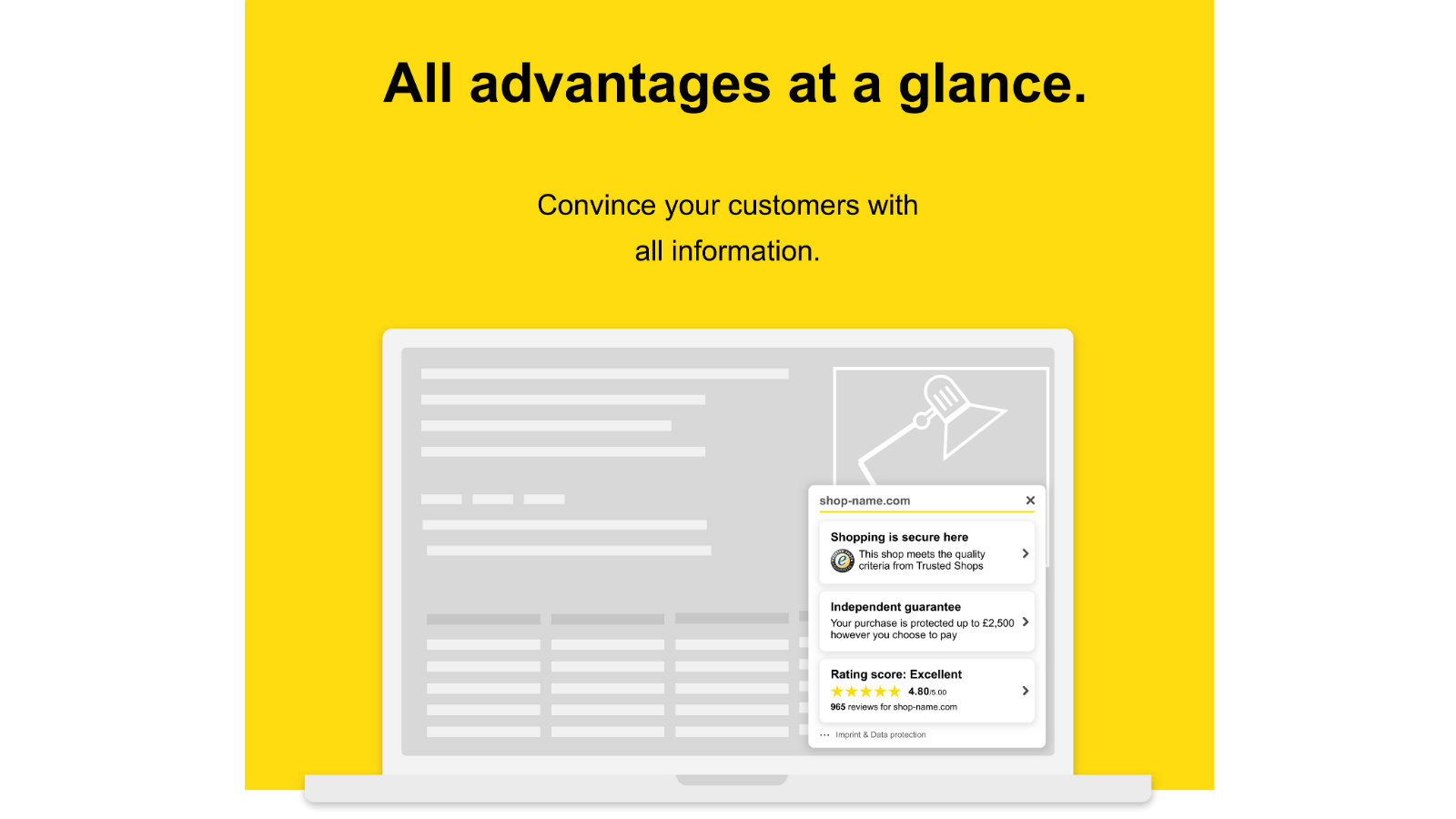

Trustbadge: Reviews Toolkit is useful if you want to collect and publish reviews while also displaying a trustmark. In many cases, reviews outperform generic trust icons because they provide real buyer evidence rather than visual reassurance alone.
That is something I have seen repeatedly across Shopify stores. If I had to choose between a badge strip and a strong reviews widget, I would usually prioritise the reviews widget. The ideal setup is both, but if budget is tight, social proof often wins.
9. Trust Me
Trust Me by SEOAnt is one of the strongest current options for simple trust icons. It is best for small stores that want a proven free app.
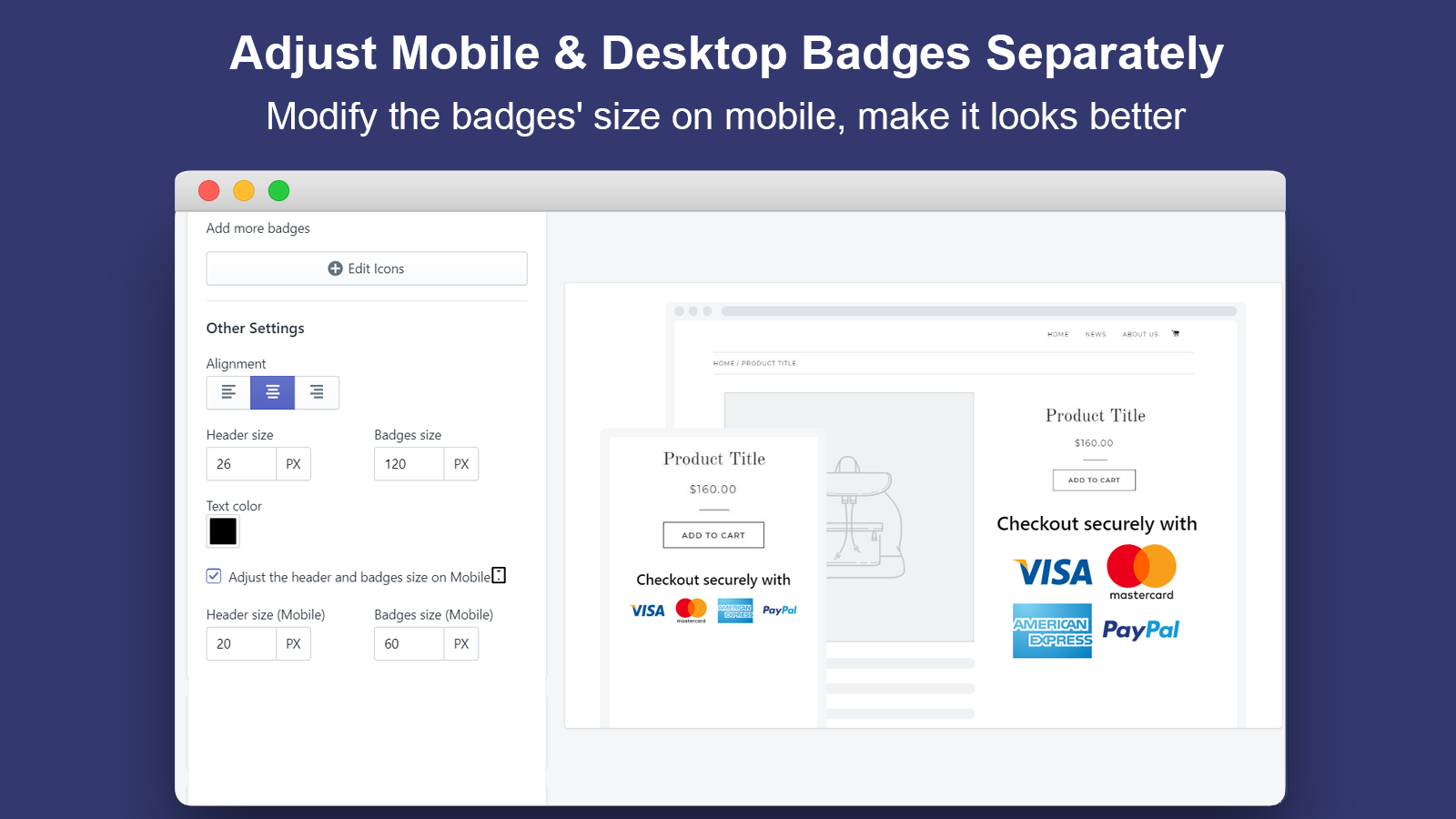
Trust Me has a current rating of 4.9 stars from 583 reviews, which is one of the clearest quality signals in this category. It offers one-click setup, custom colours and sizing, and the kind of low-friction implementation most merchants want.
If you are asking me for a practical recommendation for a smaller store, this is one of the first apps I would test. Strong ratings, free pricing, and easy setup make it a very safe starting point.
10. FREE Ultimate Trust Badges Pro
FREE Ultimate Trust Badges Pro is another free trust badge app worth considering if you want a no-code setup. It is best for merchants who want free badge styles without complexity.

FREE Ultimate Trust Badges Pro focuses on ease of installation and a decent range of styles and icons. That makes it appealing for merchants who want to launch quickly and avoid touching theme code.
This type of app is ideal if you are running a lean stack. If you only need visible reassurance around payments and security, there is no reason to overcomplicate the setup.
11. Avada Boost Sales Trust Badges
Avada Boost Sales Trust Badges is one of the strongest all-rounders in this space. It is best for merchants who want trust badges plus broader conversion tools.
Avada Boost Sales Trust Badges stands out because it combines badges with sales popups and free shipping bars. It also has a current rating of 5.0 stars from 1,598 reviews, which is excellent. That volume of reviews matters because it is harder to maintain a perfect rating at scale.
For merchants who want one app to handle multiple conversion elements, Avada is a serious contender. Just be careful not to turn on every widget at once. In my testing, stores usually convert better when the page feels focused rather than overloaded.
12. Apollo Trust Badges
Apollo Trust Badges remains a relevant option for merchants who want to build confidence and reduce abandonment. It is best for straightforward reassurance messaging.
Apollo Trust Badges has historically been used to add visible trust elements that calm shoppers before purchase. While it is less prominent in current ranking articles than some of the larger names, it still fits the needs of merchants who want a simple trust-focused layer.
I would consider Apollo if you have already tested the bigger free apps and want an alternative design style or setup. In categories like trust badges, visual fit often matters as much as raw feature count.
13. Coupo Free Trust Badges
Coupo Free Trust Badges is a badge-heavy option for merchants who want lots of customisable icons. It is best for stores that want variety in badge design.
Coupo Free Trust Badges offers a broad set of badge styles and can help merchants add reassurance without much setup friction. This is useful if your store design is more playful or branded and you do not want generic-looking icons.
That said, I would still keep badge styling conservative. The goal is to build trust, not add decoration. Clean and understated usually performs better than loud and flashy.
14. Trust Badges Builder
Trust Badges Builder is a solid option for merchants who want to customise badge style and colour to fit their theme. It is best for stores that care about visual consistency.
Trust Badges Builder is built around helping you show that your site is legitimate and secure, while letting you choose badge styles that match your branding. That matters because trust icons should feel like part of the page, not an awkward add-on.
For design-conscious stores, this can be a better route than default badge libraries. A lot of trust badge implementations fail simply because they look bolted on.
Which trust badge app is best for different types of Shopify stores?
The best app depends on your store size, design needs, and whether you want badges only or a wider conversion toolkit. There is no single best trust badge app for every merchant.
| Store type | Best app choice | Why |
|---|---|---|
| New store on a budget | Trust Me or Trust Hero | Free, easy setup, strong trust signals |
| Store wanting all-in-one conversion tools | Avada Boost Sales Trust Badges | Combines badges, popups, and bars |
| Security-sensitive niche | TrustedSite | More security-focused seal positioning |
| Design-conscious brand | Ultimate Trust Badges or Trust Badges Builder | Better visual customisation |
| Review-led trust strategy | Trustbadge: Reviews Toolkit | Pairs trust marks with customer reviews |
| Product label use case | Badgify | Better for sale, new, and stock labels |
Where should you place trust badges on Shopify?
The best places to put trust badges are near buying decisions. For most stores, that means the product page buy box, the cart, and selected policy or shipping sections.
When I review Shopify stores, I usually recommend starting with one badge strip below the add to cart button. After that, test a second placement in the cart drawer or cart page. Avoid repeating the same badge in five places because it can start to look spammy.
- Product page - below add to cart or near payment icons
- Cart page or cart drawer - to reduce abandonment before checkout
- Footer - useful for subtle sitewide reassurance
- Policy sections - especially near shipping, returns, or payment FAQs
If you are also working on cart-level conversion, you may find this roundup of best checkout apps to extend the Shopify checkout useful alongside badge testing.
What mistakes should you avoid with trust badge apps?
The biggest mistake is using trust badges as decoration instead of reassurance. If badges do not answer a real concern, they can hurt credibility rather than help it.
Here are the most common mistakes I see:
- Using too many badges - this makes pages look cluttered and low quality.
- Choosing outdated icon styles - old-fashioned graphics can reduce trust.
- Adding badges without reviews or policies - shoppers want proof, not just icons.
- Ignoring mobile layout - oversized badges often break product page flow.
- Stacking too many conversion apps - popups, counters, and badges together can overwhelm visitors.
This is especially important if you already use upsell, review, and support apps. In my own app work, I have seen merchants accidentally slow pages and clutter UX by stacking too many widgets. If customer reassurance is your broader goal, it may be smarter to combine trust badges with one of these customer service apps for Shopify so shoppers can quickly get answers before buying.
Are free Shopify trust badge apps good enough?
Yes, free trust badge apps are often good enough for most Shopify stores. Paid plans only become necessary when you need advanced design control, wider badge libraries, or bundled conversion features.
For most merchants, a free app such as Trust Me, Trust Hero, or Avada is enough to test whether badges improve conversion. I would not pay for a trust badge app on day one unless it solves a very specific design or merchandising problem.
That said, premium tools can make sense if they replace multiple apps. An all-in-one option can sometimes be cheaper and cleaner than running separate apps for trust badges, urgency bars, social proof popups, and product labels.
My verdict: which Shopify trust badge apps are actually worth trying first?
If you want the shortest shortlist, start with Trust Me, Avada, TrustedSite, and Ultimate Trust Badges. Those four cover the main use cases most merchants care about.
My personal picks would be:
- Best free trust badge app for small stores - Trust Me
- Best all-in-one conversion option - Avada Boost Sales Trust Badges
- Best for security-first trust messaging - TrustedSite
- Best for simple design customisation - Ultimate Trust Badges
If your store already has good reviews and a polished theme, trust badges are a nice conversion enhancer. If your store still lacks social proof, shipping clarity, or a strong product page, fix those first and then use badges to reinforce the message.
That is really the key takeaway from my experience in the Shopify ecosystem. Trust badges work best as part of a wider trust strategy, not as a shortcut. Use them to support a store that already feels credible, and they can absolutely help reduce hesitation and improve conversion.