
The ecommerce landscape continues to grow at an impressive pace. Global ecommerce sales are projected to reach $6.86 trillion in 2025, with ecommerce accounting for 15.5 percent of total retail sales in the U.S. Shopify powers a significant portion of this growth, and customer service remains one of the many aspects where Shopify stores leave the competition behind.
Additionally, part of the effective management of customer’s queries is to cater to their feedback. In simple words, people want practical solutions when they want to return or exchange a purchased item. Therefore, handling exchanges is pivotal for the overall reputation and customer retention rate of the store. Contrary to public opinion, it is not as complex as you may think.
How to manage exchanges in your Shopify store
First off, it helps if you have a customer facing platform to handle the support requests. This allows you to streamline your customer service without getting overwhelmed. For Shopify merchants, there is a customer support ticket app called Delight Chat. Not only does it handle common customer support channels such as Whatsapp, Facebook and live chat; it keeps it all neat and tidy in a streamlined CRM style app. Now you have your customer support sorted, it’s time to get to managing the exchanges.
Handling exchanges is not as complicated as you think
Although many merchants believe that returns and exchanges are nothing but a strenuous task, this doesn’t have to be the case. Handling exchanges provide the sellers with the opportunity to satisfy their customers better and offer them individual attention. Here are three methods by which you can manage exchanges with ease.
3 Methods on how to handle exchanges for your Shopify store.
Method 1: Use Shopify’s Native Exchange System
Shopify has released built-in exchanges for online orders, available to all merchants, allowing you to seamlessly create, track and manage exchanges from your Shopify admin. This native functionality helps you maximize revenue retention without needing third-party apps.
How to create an exchange using Shopify’s native system
- From your Shopify admin, go to Orders.
- Click the order you need to process an exchange for.
- Click Return (or More Actions > Create return or exchange).
- In the Select return items section, choose the item(s) being returned.
- In the Exchange items section, click Add products and select replacement items from your product catalog.
- Review the summary. The financial outcome is calculated automatically, with return fees and exchange items applied against returned items to determine whether a refund is due or payment needs to be collected.
- Add return shipping information (label or instructions).
- Click Create return to send the details to your customer.
- After receiving the returned item, click Process return to complete the exchange.
Offering exchanges helps you retain revenue and potentially increase revenue through upsells. If there’s a price difference between the returned and exchange items, Shopify automatically calculates whether you need to collect payment or issue a partial refund.
Note for Shopify Plus merchants: If you’re on the Shopify Plus plan, you can activate the exchanges feature using the feature test drive before rolling it out to your production store.
Method 2: Issuing gift cards or store credit
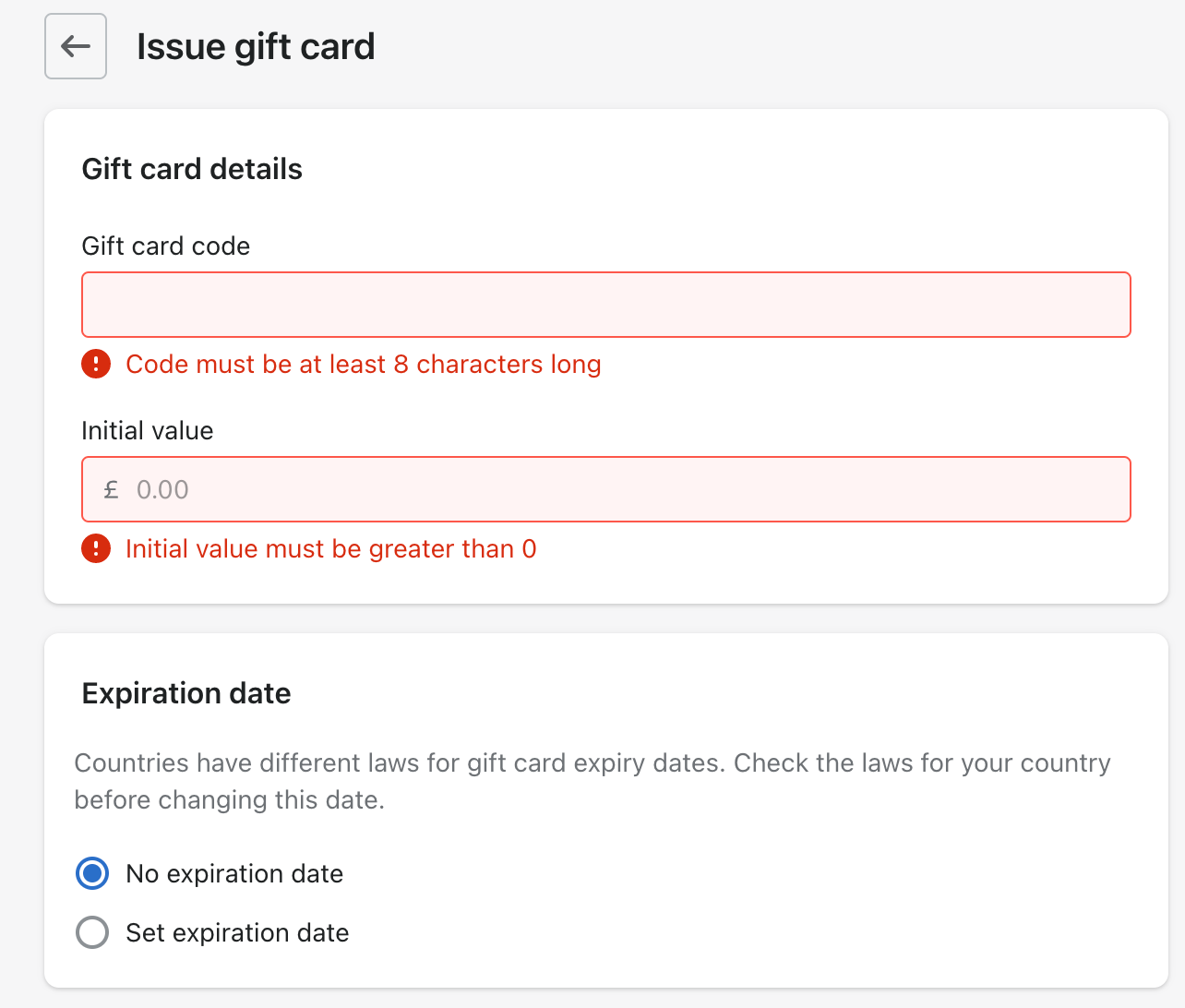
Shopify stores have access to customizable gift cards worth variable amounts of money. They are convenient, and operating them is reasonably straightforward. Gift cards solve the problem with minimal friction for both merchant and customer.
Store credit works similar to gift cards. Instead of physically providing the customers with a particular product as a replacement, you can refund them the money as store credit. Store credit is now available as a refund method when processing a return or exchange. Then the customer can make a new purchase from the store credit without any hassle, which helps retain revenue within your store.
Method 3: Use third-party exchange apps
While Shopify’s native exchange functionality is powerful, some merchants may need additional features like branded return portals, advanced automation, or international return label generation. Third-party apps can provide these enhanced capabilities.
Popular Shopify exchange apps include:
- Loop Returns – Supports exchanges via Shopify’s native exchange infrastructure, creating exchanges in an improved way that connects exchanges to the original order
- ZigZag Returns & Exchanges – Offers competitive cross-border returns with pre-negotiated shipping rates
- Parcel Panel Returns & Exchange – Features automated return portal and AI-powered analytics
- Returner – Native Shopify app that handles returns directly in the Shopify admin
These apps integrate with Shopify’s exchange system while providing additional customization options for your specific business needs.
How to review returns and exchanges in Shopify Analytics
If you want to make improvements in your shop, you need to look at the return rate and figure out the possible reasons behind people returning products. Shopify has significantly improved its analytics capabilities for tracking returns and exchanges.
Reviewing returns using Shopify Analytics
- Go to your Shopify admin.
- Select Analytics → Reports.
- In the search bar or categories, look for returns-related reports.
- You can filter by date range, product, return reason, and other parameters.
- The return rate shows the percentage of items sold that were later returned – for example, a 5% return rate means that out of all items sold in the period, 5% were returned by customers.
Sales and returns are both factored into sales reports, with both returns and refunds displaying a negative value. This allows you to see the true impact of returns on your revenue.
Key metrics to monitor:
- Total return rate by product
- Return reasons (size, quality, not as described, etc.)
- Exchange-to-refund ratio
- Time between purchase and return request
- Financial impact of returns vs. exchanges
Advanced Features for Managing Exchanges in 2025
Automated Return Labels
You can create a return label in Shopify for your customer if your primary location and customer shipping address are both in the United States. This streamlines the reverse logistics process and improves customer satisfaction.
Using Shopify Fulfillment Network for Exchanges
For merchants using Shopify Fulfillment Network (SFN), exchanges become even more efficient. SFN handles storage, picking, packing, and shipping, and returned products are handled directly and restocked in the inventory system quickly. SFN offers guaranteed 2-day delivery for most orders, which can speed up the exchange process significantly.
Through SFN, returned or exchanged items from multiple locations are automatically managed, and products are stored close to customers, reducing shipping times and costs.
POS Exchanges
Using the Shopify POS app, you can complete returns and issue refunds, and if you’re on the POS Pro subscription, you can also exchange a returned item for a new item. This creates a seamless omnichannel experience for customers who want to return online purchases in-store or vice versa.
Return Rules and Policies
You can use return rules with Shopify POS Pro – return rules determine when customers can request returns and how return fees are applied to your store. Setting clear return windows and fee structures helps manage customer expectations while protecting your margins.
Best Practices for Exchange Management
With all the above improvements and available features, Shopify continues to make store management easier and more efficient—especially when it comes to handling exchanges. Here are some best practices to follow:
- Clear communication: Set clear return and exchange policies on your website
- Fast processing: Process returns and exchanges quickly to improve customer satisfaction
- Analyze patterns: Review your analytics regularly to identify products with high return rates
- Encourage exchanges over refunds: Use store credit or offer incentives to keep revenue within your store
- Automate where possible: Use Shopify’s native features or apps to reduce manual work
- Track financial impact: Monitor how exchanges affect your bottom line versus full refunds
Make sure your store takes advantage of these new features to stay ahead of the competition and improve customer satisfaction. The exchange process is no longer a pain point—it’s an opportunity to turn a potentially negative experience into a positive one that builds customer loyalty.


