New
Christmas Shipping Deadline Banner
Last order dates for each delivery method, with a live countdown to the next one.
Delivery, returns and international shipping answers in tidy rows with icons.
Important: Before making any changes to your theme, duplicate it in Online Store > Themes so you have a backup.
Shipping cost and returns are the two questions that most often send shoppers off the product page to look for answers. This block puts the answers next to the buy button, as an accordion or always-open rows, with a link to your full policy.
Orders placed before 2pm ship the same working day. Most arrive in 2 to 4 days.
Preview with the default settings. Colours, text and layout can all be changed in the theme editor.
In Shopify admin go to Online Store > Themes. Next to the theme you want to edit, click the three dots and choose Edit code.
In the Sections folder click Add a new section, name it lt-shipping-returns-block, delete the placeholder code, paste in the code below and click Save.
Click Customize, go to Products > Default product, click Add section and choose Shipping and returns.
Change the settings in the sidebar, drag the section where you want it, and click Save.
{%- comment -%}
  Shipping and returns info block by LAUNCHTIP
  https://launchtip.com/free-shopify-sections-code
{%- endcomment -%}
{%- style -%}
  #lt-{{ section.id }} { padding: {{ section.settings.padding }}px 0; }
  #lt-{{ section.id }} .lt-sr__heading { margin: 0 0 10px; }
  #lt-{{ section.id }} .lt-sr { border-top: 1px solid {{ section.settings.border_color }}; }
  #lt-{{ section.id }} .lt-sr__item { border-bottom: 1px solid {{ section.settings.border_color }}; }
  #lt-{{ section.id }} summary,
  #lt-{{ section.id }} .lt-sr__title { display: flex; align-items: center; gap: 12px; padding: 14px 0; cursor: pointer; font-weight: 600; list-style: none; }
  #lt-{{ section.id }} summary::-webkit-details-marker { display: none; }
  #lt-{{ section.id }} summary::after { content: '+'; margin-left: auto; font-size: 1.3em; line-height: 1; }
  #lt-{{ section.id }} details[open] summary::after { content: '\2212'; }
  #lt-{{ section.id }} svg { width: 22px; height: 22px; flex-shrink: 0; color: {{ section.settings.icon_color }}; }
  #lt-{{ section.id }} .lt-sr__body { padding: 0 0 14px 34px; opacity: 0.85; }
  #lt-{{ section.id }} .lt-sr__body p:first-child { margin-top: 0; }
  #lt-{{ section.id }} .lt-sr__body p:last-child { margin-bottom: 0; }
  #lt-{{ section.id }} .lt-sr__link { display: inline-block; margin-top: 12px; color: inherit; }
{%- endstyle -%}

{%- capture icon_truck -%}<path stroke-linecap="round" stroke-linejoin="round" d="M8.25 18.75a1.5 1.5 0 0 1-3 0m3 0a1.5 1.5 0 0 0-3 0m3 0h6m-9 0H3.375a1.125 1.125 0 0 1-1.125-1.125V14.25m17.25 4.5a1.5 1.5 0 0 1-3 0m3 0a1.5 1.5 0 0 0-3 0m3 0h1.125c.621 0 1.129-.504 1.09-1.124a17.902 17.902 0 0 0-3.213-9.193 2.056 2.056 0 0 0-1.58-.86H14.25M16.5 18.75h-2.25m0-11.177v-.958c0-.568-.422-1.048-.987-1.106a48.554 48.554 0 0 0-10.026 0 1.106 1.106 0 0 0-.987 1.106v7.635m12-6.677v6.677m0 4.5v-4.5m0 0h-12"/>{%- endcapture -%}
{%- capture icon_return -%}<path stroke-linecap="round" stroke-linejoin="round" d="M9 15 3 9m0 0 6-6M3 9h12a6 6 0 0 1 0 12h-3"/>{%- endcapture -%}
{%- capture icon_globe -%}<path stroke-linecap="round" stroke-linejoin="round" d="M12 21a9.004 9.004 0 0 0 8.716-6.747M12 21a9.004 9.004 0 0 1-8.716-6.747M12 21c2.485 0 4.5-4.03 4.5-9S14.485 3 12 3m0 18c-2.485 0-4.5-4.03-4.5-9S9.515 3 12 3m0 0a8.997 8.997 0 0 1 7.843 4.582M12 3a8.997 8.997 0 0 0-7.843 4.582m15.686 0A11.953 11.953 0 0 1 12 10.5c-2.998 0-5.74-1.1-7.843-2.918m15.686 0A8.959 8.959 0 0 1 21 12c0 .778-.099 1.533-.284 2.253m0 0A17.919 17.919 0 0 1 12 16.5c-3.162 0-6.133-.815-8.716-2.247m0 0A9.015 9.015 0 0 1 3 12c0-1.605.42-3.113 1.157-4.418"/>{%- endcapture -%}
{%- capture icon_clock -%}<path stroke-linecap="round" stroke-linejoin="round" d="M12 6v6h4.5m4.5 0a9 9 0 1 1-18 0 9 9 0 0 1 18 0Z"/>{%- endcapture -%}
{%- capture icon_shield -%}<path stroke-linecap="round" stroke-linejoin="round" d="M9 12.75 11.25 15 15 9.75m-3-7.036A11.959 11.959 0 0 1 3.598 6 11.99 11.99 0 0 0 3 9.749c0 5.592 3.824 10.29 9 11.623 5.176-1.332 9-6.03 9-11.622 0-1.31-.21-2.571-.598-3.751h-.152c-3.196 0-6.1-1.248-8.25-3.285Z"/>{%- endcapture -%}
{%- capture icon_gift -%}<path stroke-linecap="round" stroke-linejoin="round" d="M21 11.25v8.25a1.5 1.5 0 0 1-1.5 1.5H5.25a1.5 1.5 0 0 1-1.5-1.5v-8.25M12 4.875A2.625 2.625 0 1 0 9.375 7.5H12m0-2.625V7.5m0-2.625A2.625 2.625 0 1 1 14.625 7.5H12m0 0V21m-8.625-9.75h18c.621 0 1.125-.504 1.125-1.125v-1.5c0-.621-.504-1.125-1.125-1.125h-18c-.621 0-1.125.504-1.125 1.125v1.5c0 .621.504 1.125 1.125 1.125Z"/>{%- endcapture -%}

<div id="lt-{{ section.id }}" class="page-width">
  {%- if section.settings.heading != blank -%}
    <h2 class="lt-sr__heading h4">{{ section.settings.heading }}</h2>
  {%- endif -%}

  <div class="lt-sr">
    {%- for block in section.blocks -%}
      {%- liquid
        case block.settings.icon
          when 'return'
            assign icon = icon_return
          when 'globe'
            assign icon = icon_globe
          when 'clock'
            assign icon = icon_clock
          when 'shield'
            assign icon = icon_shield
          when 'gift'
            assign icon = icon_gift
          else
            assign icon = icon_truck
        endcase
      -%}
      <div class="lt-sr__item" {{ block.shopify_attributes }}>
        {%- if section.settings.layout == 'accordion' -%}
          <details {% if block.settings.open %}open{% endif %}>
            <summary>
              <svg xmlns="http://www.w3.org/2000/svg" fill="none" viewBox="0 0 24 24" stroke-width="1.5" stroke="currentColor" aria-hidden="true">{{ icon }}</svg>
              {{ block.settings.title }}
            </summary>
            <div class="lt-sr__body">{{ block.settings.text }}</div>
          </details>
        {%- else -%}
          <div class="lt-sr__title">
            <svg xmlns="http://www.w3.org/2000/svg" fill="none" viewBox="0 0 24 24" stroke-width="1.5" stroke="currentColor" aria-hidden="true">{{ icon }}</svg>
            {{ block.settings.title }}
          </div>
          <div class="lt-sr__body">{{ block.settings.text }}</div>
        {%- endif -%}
      </div>
    {%- endfor -%}
  </div>

  {%- if section.settings.link_label != blank and section.settings.link_url != blank -%}
    <a class="lt-sr__link" href="{{ section.settings.link_url }}">{{ section.settings.link_label }}</a>
  {%- endif -%}
</div>

{% schema %}
{
  "name": "Shipping and returns",
  "tag": "section",
  "class": "lt-sr-section",
  "settings": [
    {
      "type": "text",
      "id": "heading",
      "label": "Heading"
    },
    {
      "type": "select",
      "id": "layout",
      "label": "Layout",
      "options": [
        { "value": "accordion", "label": "Accordion" },
        { "value": "list", "label": "Always open" }
      ],
      "default": "accordion"
    },
    {
      "type": "text",
      "id": "link_label",
      "label": "Link label",
      "default": "Read our full policies"
    },
    {
      "type": "url",
      "id": "link_url",
      "label": "Link"
    },
    {
      "type": "color",
      "id": "icon_color",
      "label": "Icon colour",
      "default": "#111111"
    },
    {
      "type": "color",
      "id": "border_color",
      "label": "Divider colour",
      "default": "#e5e5e5"
    },
    {
      "type": "range",
      "id": "padding",
      "label": "Vertical padding",
      "min": 0,
      "max": 60,
      "step": 4,
      "unit": "px",
      "default": 12
    }
  ],
  "blocks": [
    {
      "type": "row",
      "name": "Row",
      "settings": [
        {
          "type": "select",
          "id": "icon",
          "label": "Icon",
          "options": [
            { "value": "truck", "label": "Truck" },
            { "value": "return", "label": "Return arrow" },
            { "value": "globe", "label": "Globe" },
            { "value": "clock", "label": "Clock" },
            { "value": "shield", "label": "Shield" },
            { "value": "gift", "label": "Gift" }
          ],
          "default": "truck"
        },
        {
          "type": "text",
          "id": "title",
          "label": "Title",
          "default": "Free UK delivery over £50"
        },
        {
          "type": "richtext",
          "id": "text",
          "label": "Text",
          "default": "<p>Orders placed before 2pm ship the same working day. Most arrive in 2 to 4 days.</p>"
        },
        {
          "type": "checkbox",
          "id": "open",
          "label": "Open by default",
          "default": false
        }
      ]
    }
  ],
  "presets": [
    {
      "name": "Shipping and returns",
      "blocks": [
        { "type": "row", "settings": { "icon": "truck", "title": "Free delivery over £50", "text": "<p>Orders placed before 2pm ship the same working day. Most arrive in 2 to 4 days.</p>" } },
        { "type": "row", "settings": { "icon": "return", "title": "30-day free returns", "text": "<p>Changed your mind? Send it back within 30 days for a full refund.</p>" } },
        { "type": "row", "settings": { "icon": "globe", "title": "International shipping", "text": "<p>We ship to over 40 countries. Duties and taxes are shown at checkout.</p>" } }
      ]
    }
  ]
}
{% endschema %}
| Setting | Default |
|---|---|
| Heading | — |
| Layout | Accordion |
| Link label | Read our full policies |
| Link | — |
| Icon colour | #111111 |
| Divider colour | #e5e5e5 |
| Vertical padding | 12px |
Add, remove and reorder these inside the section:
Further reading: Add an estimated delivery date to Shopify
Yes. Link to /policies/shipping-policy and /policies/refund-policy with the link setting.
Yes. Paste another SVG path into the captures at the top of the section and add it to the icon options in the schema.
No. It's plain HTML and CSS with no JavaScript.

Delivery Timer adds a live get-it-by date and a countdown to the same spot, so shoppers know exactly when their order arrives.
Try Delivery TimerLast order dates for each delivery method, with a live countdown to the next one.
"Order within 3h 12m to get it Thu 16 – Mon 19 Oct", worked out from your cut-off and transit times.
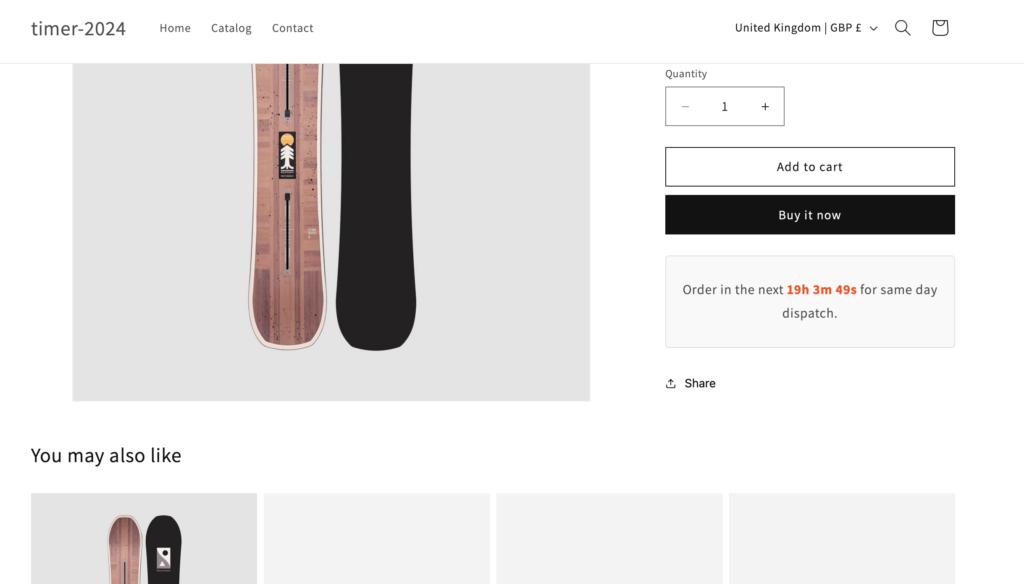
Inform customers of delivery information and create urgency with this countdown timer.
Discover more code snippets to enhance your Shopify store.
View All Sections