
Reducing returns in ecommerce starts before the order is placed. In my experience building Shopify apps, the biggest return drivers are usually not warehouse problems or refund-policy problems. They are pre-purchase information problems: the shopper picked the wrong size, selected the wrong variant, or expected something different from what actually arrived.
If you fix uncertainty at the product page, variant selector, cart, and checkout handoff, you can prevent a surprising number of returns. That is especially true for apparel, accessories, electronics, and any catalog where fit, compatibility, or variant choice affects whether the order is actually right for the customer.
The core idea in this guide is simple: answer the question at the moment of doubt. Do not assume shoppers will open a hidden size chart, compare model numbers carefully, or read a long product description. Give them the answer exactly where they hesitate, ideally with an on-site assistant like Chatkit that can surface sizing rules, compatibility info, and product knowledge in real time.
What is the best way to reduce returns in ecommerce?
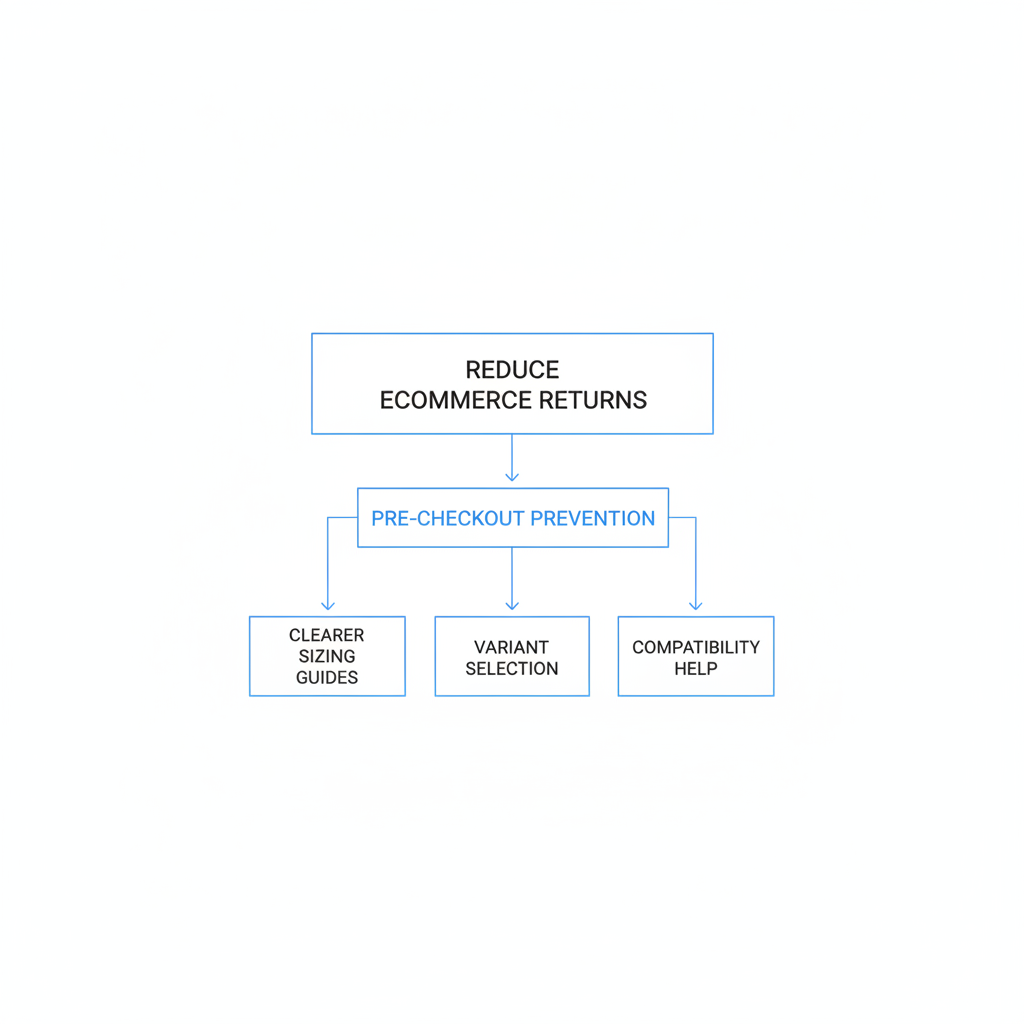
The best way to reduce returns in ecommerce is to prevent wrong expectations before checkout. That means giving shoppers clearer sizing, clearer variant selection, clearer compatibility guidance, and faster answers when they are unsure.
A lot of return advice online focuses on reverse logistics, return portals, and policy design. Those matter operationally, but they do not solve the root cause of many returns. If a customer buys the wrong size or wrong model, the expensive part has already happened.
Industry sources often cite ecommerce return rates around 20% to 30% overall, with some categories running much higher. In practice, I have found that many merchants can make meaningful progress just by improving product-page clarity, variant UX, and pre-checkout guidance.
Why do customers return products in ecommerce?
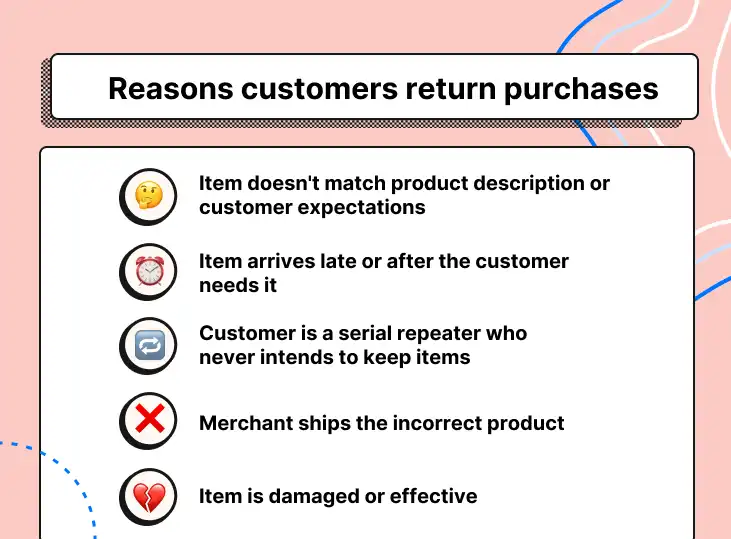
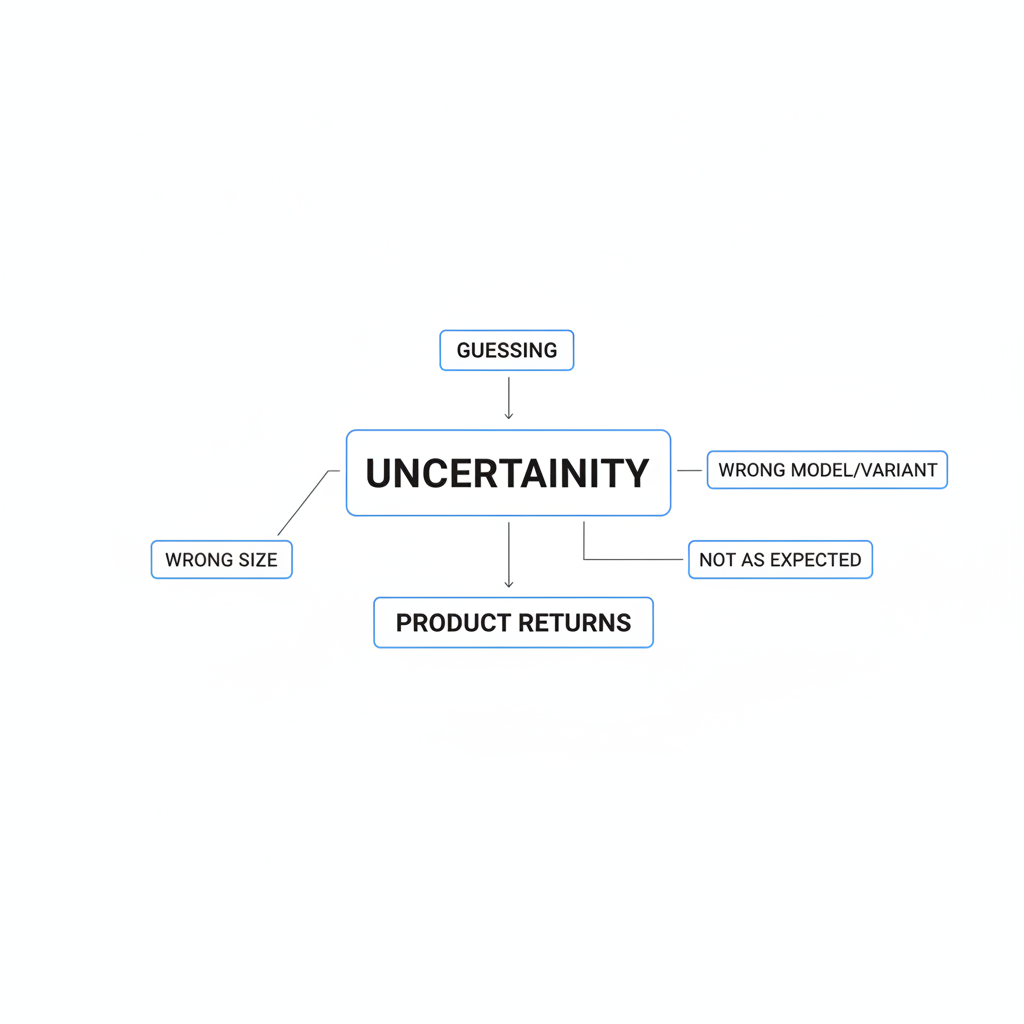
Most preventable returns happen because the customer could not confidently verify the product choice before buying. The main buckets are wrong size, wrong variant or model, and the product not matching expectations.
Those reasons sound different, but they all point to the same issue: uncertainty. When shoppers are uncertain, they guess. And when they guess, merchants pay for it later through refunds, support load, damaged inventory, and lower lifetime value.
Here is the framework I use when analyzing return prevention on Shopify stores:
| Return reason | What caused it pre-purchase | Best prevention tactic |
|---|---|---|
| Wrong size | Generic charts, hidden fit info, no guidance at decision point | Inline fit notes, product-specific size help, live Q&A or guided assistant |
| Wrong color, style, or model | Confusing variant selector, mixed galleries, unclear naming | Variant-specific images, better labels, compatibility prompts |
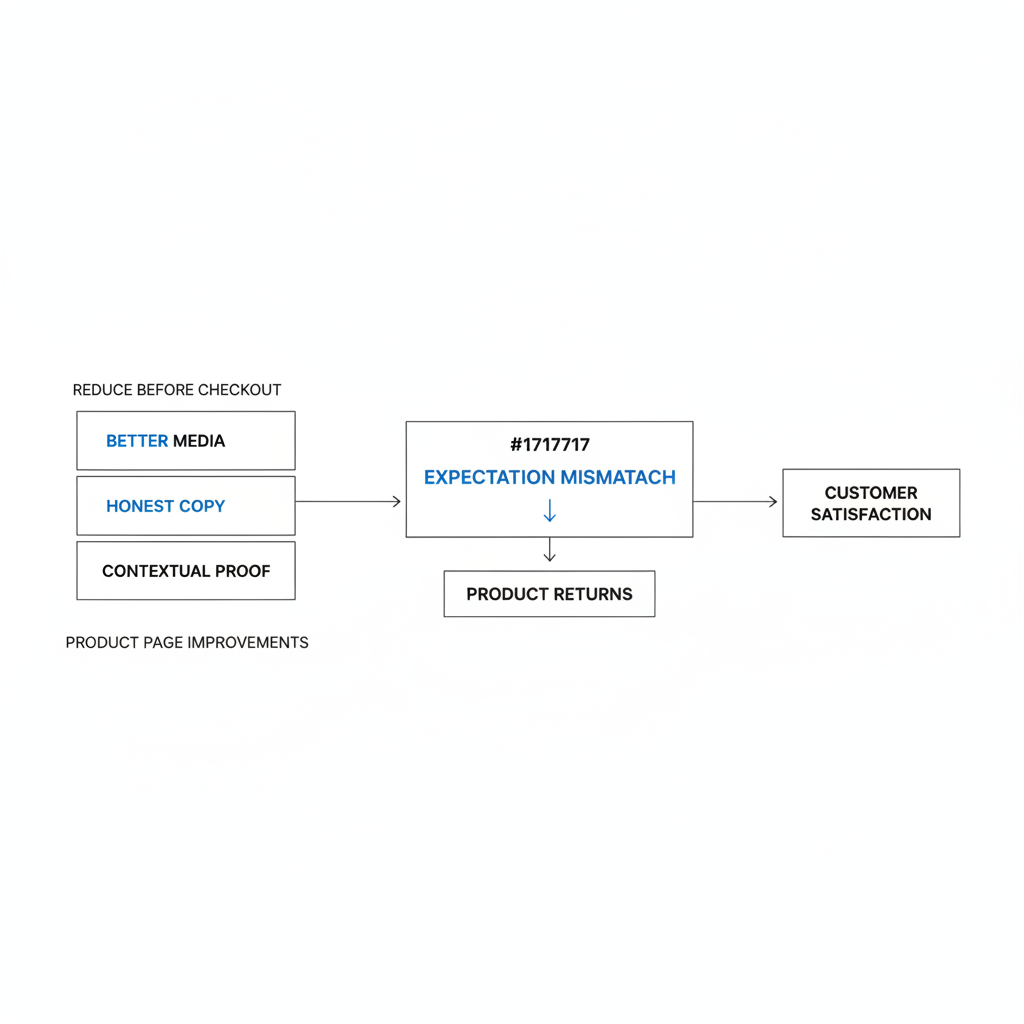
| Did not match expectations | Weak photos, vague descriptions, no context on materials or dimensions | More realistic media, honest copy, FAQs and reviews near add to cart |
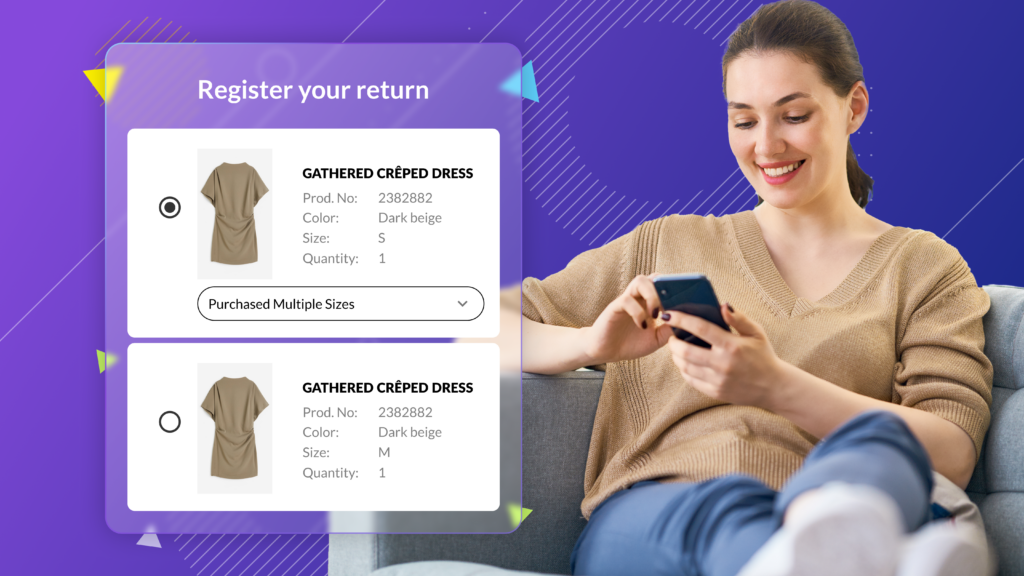
| Bracketing orders | Customer lacks confidence and buys multiple sizes | Recommendation tools, fit confidence messaging, pre-purchase assistance |
How do I reduce wrong-size returns before checkout?
To reduce wrong-size returns, make sizing help impossible to miss and easy to act on. A hidden size chart is not enough. Shoppers need a recommendation or explanation right next to the size selector.
Wrong-size returns are one of the most common ecommerce return reasons, especially in apparel and footwear. The mistake many stores make is providing sizing information in a format customers do not actually use under time pressure.
How should size guidance appear on the product page?
The best size guidance is inline, product-specific, and written in plain language. It should help the shopper choose, not force them to interpret a dense table.
I recommend placing size help directly beside or below the size options. Include garment measurements, cm and inches, and a short fit note such as runs small, size up one or relaxed fit, true to size.
Even better, tailor it by product type. A slim-fit tee, heavyweight hoodie, and wide-leg pant should not share the same chart. Product-specific guidance consistently performs better because it answers the actual buying question, not a generic brand question.
- Put the size guide within one click of the size selector
- Use real garment measurements, not just S, M, L labels
- Show both inches and centimeters
- Add a short fit note in plain English
- Include model height and size worn in product media
Why do shoppers still pick the wrong size even when a chart exists?
Most shoppers do not want to interpret a chart on their own. They want a direct answer like “you should choose Medium” or “this style runs smaller than usual.”
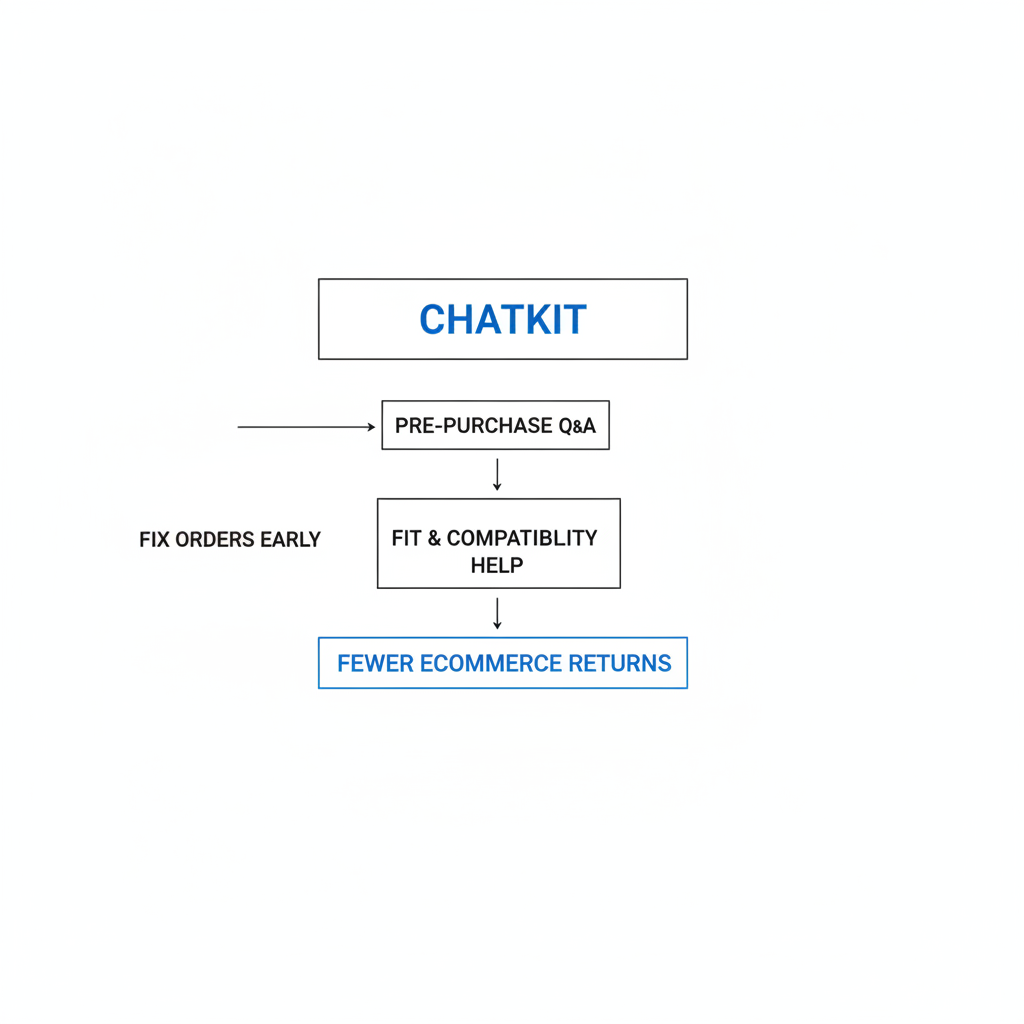
That is why I like using an on-site assistant for sizing questions. With Chatkit, you can embed store knowledge, sizing guidance, and product-specific rules so the customer can ask a natural question such as “I’m 5'10 and 175 lbs, what size should I buy?” instead of hunting through tabs.
That approach matters because it meets the customer at the exact moment of hesitation. Answering fit questions in-session is often more effective than simply adding more static content and hoping it gets read.

What should I teach an on-site agent about sizing?
Your on-site agent should know your fit rules, category differences, and common customer objections. If it only answers generic support questions, it will not reduce returns much.
For example, I would load guidance such as: which products run small, which fabrics have stretch, how one collection compares to another, and when customers should size up or down. You can also include FAQs from support tickets and past return reasons so the assistant reflects what shoppers actually struggle with.
For stores that want broader conversion improvements around buyer confidence, I would also review related product-page friction using guidance like our post on how to optimize your conversion rate on Shopify.
How do I reduce wrong-model and wrong-variant orders?
Wrong-model returns usually come from confusing variant UX, not careless customers. If the product page mixes colors, capacities, generations, or bundle options poorly, shoppers will misclick.
This is especially common in electronics, accessories, beauty shades, furniture finishes, and fashion colorways. The fix is to make the selected variant visually and verbally obvious at every step.
What variant changes have the biggest impact?
The biggest wins are variant-specific galleries, clearer labels, and per-variant details. Customers should never wonder whether the photo they are looking at matches the option they selected.
When a shopper selects Navy, show only Navy images. When they choose 256GB Pro 2024, show the exact specs and compatibility notes for that version. In my experience, this alone can remove a lot of “I thought I ordered the other one” support tickets.
- Use variant-specific image galleries
- Make swatches visually accurate
- Standardize variant naming conventions
- Show per-variant specs using Shopify metafields
- Repeat selected variant details in the cart
How should products be named to prevent wrong-model orders?
Product and variant names should remove ambiguity. The customer should be able to confirm brand, style, color, generation, size, and capacity at a glance.
“Pro Black” is weak. “Pro 2024 - Black - 256GB” is much safer. For accessories, be explicit about compatibility, such as fits iPhone 15 only or designed for 14-inch MacBook Pro 2023.
If you sell matching products or bundles, a cross-sell setup can also increase confusion if it is not clear which version fits which base item. That is one reason I always recommend pairing merchandising work with compatibility messaging. If you are working on bundle logic too, see our guide on cross-selling matching variants on Shopify.
How can an on-site agent prevent wrong-model purchases?
An on-site agent can answer compatibility and model-selection questions instantly. That is often the missing layer between static product data and confident checkout.
With Chatkit, you can train the assistant on product compatibility tables, model differences, included accessories, and common confusion points. A shopper can ask “Will this fit the 2023 version?” or “What is the difference between Standard and Pro?” and get an answer before adding to cart.
That is much better than forcing them to compare long spec tables manually. Fast answers reduce misorders, and they also reduce abandoned sessions caused by uncertainty.
How do I stop products from not matching customer expectations?
Expectation mismatch is reduced by better media, more honest copy, and contextual proof from reviews. Customers return products when the real item feels different from the one they imagined online.
This is not just a fashion problem. I see it in home goods, supplements, tech accessories, and giftable products too. If texture, scale, finish, thickness, weight, or color matters, your product page has to make those traits obvious.
What content reduces expectation-based returns?
The most effective content is specific, visual, and realistic. Generic marketing copy rarely reduces returns because it does not answer the customer’s practical questions.
I recommend at least five product images where possible, including close-ups and in-context shots. For apparel, include multiple body types and state model measurements. For home goods or gear, include dimensions in an image and in the description so shoppers do not need to estimate.
- Use natural-looking photography with minimal color distortion
- Show close-ups of material, texture, and finish
- List dimensions, weight, and included items clearly
- Call out what the item is not, not just what it is
- Feature reviews that mention fit, color, and real-world use
Should reviews be part of return prevention?
Yes, reviews are one of the best return-prevention assets on a product page. They help future shoppers calibrate expectations using real customer language.
I like reviews that include structured fit data such as runs small, true to size, or runs large. For apparel, reviews are even more useful when they mention height, weight, and size purchased. For accessories and electronics, reviews that confirm compatibility are gold.
If your store already uses social proof heavily, think about where those reviews appear. They should support decision-making near the buy box, not just sit lower on the page. Our post on optimizing Shopify checkout is also relevant here because reducing doubt before payment improves both conversion and order quality.
How can Chatkit help reduce ecommerce returns?
Chatkit helps reduce returns by answering fit, compatibility, and product-selection questions before checkout. Instead of making shoppers search for information, it gives them a direct path to clarity.
Chatkit is especially useful when your catalog has nuance that static pages struggle to communicate. That includes sizing differences between collections, compatibility rules for accessories, or important distinctions between similar variants.
As a Shopify app developer, I like tools that reduce friction without forcing merchants into a full theme rebuild. A conversational layer can sit on top of the existing product page and close information gaps quickly.
| Use case | What the shopper asks | How Chatkit helps |
|---|---|---|
| Sizing uncertainty | "I usually wear Nike M. What should I get here?" | Returns product-specific fit notes and recommendation logic |
| Model confusion | "Will this fit the 2023 Pro version?" | Uses embedded compatibility data to confirm or reject the choice |
| Expectation mismatch | "Is this fabric thick or lightweight?" | Surfaces product attributes and FAQs in plain language |
| Bracketing prevention | "Should I order two sizes?" | Provides confidence-building guidance to reduce guesswork |
For merchants trying to reduce pre-purchase doubt more broadly, there is a strong overlap with abandoned-cart prevention. If uncertainty is causing both returns and drop-offs, read our guide on how to reduce abandoned carts in Shopify.
What pre-checkout safety nets should I add in cart?
The cart should act as a final confirmation step for size, variant, and compatibility. It should not just show a product title and subtotal.
This is one of the easiest places to catch mistakes before they become returns. In my experience, a few small prompts in the cart can prevent a meaningful number of wrong orders, especially for high-risk SKUs.
What should the cart display?
The cart should repeat the exact variant details the shopper selected. That includes image, size, color, model, capacity, dimensions, or any key spec tied to return risk.
For example, if someone adds a phone case, the cart should clearly show the compatible device model. If someone adds apparel, the cart can include a short reminder such as this style runs small with a link back to the size guide.
- Show the specific variant thumbnail
- Repeat size, color, and model details prominently
- Add a lightweight “double-check before checkout” prompt
- Link back to size guide or model comparison if relevant
- Flag high-return SKUs with targeted notes
Should I warn customers about risky items?
Yes, but keep warnings soft and useful. The goal is to help the customer verify the choice, not scare them away.
If your returns data shows a product is frequently returned as too small, add a cart note for that SKU. If a model is often confused with another version, add a quick comparison link or a short compatibility reminder. This is where return data becomes operationally valuable instead of just historical reporting.
How do I measure whether return-rate reduction is working?
You should measure return reduction by reason code, SKU, and variant, not just storewide rate. A storewide number can hide whether your changes actually fixed the problem you targeted.
If you only track “overall return rate,” you may miss the fact that one collection improved while another got worse. The better approach is to isolate the specific return reasons you are trying to reduce, especially wrong size, wrong model, and not as expected.
What metrics should I track?
The most useful metrics combine return reasons with product-level detail. That lets you see whether a page change or guidance tool actually moved the needle.
| Metric | Why it matters | How to use it |
|---|---|---|
| Return rate by SKU | Shows which products create the most issues | Prioritize product-page fixes for top offenders |
| Return rate by variant | Reveals sizing or model-specific confusion | Adjust copy, swatches, and warnings for those variants |
| Return reason mix | Separates fit issues from expectation issues | Map each reason to a prevention tactic |
| Bracketing rate | Indicates low confidence in size selection | Measure whether guidance reduces multi-size orders |
| Agent-assisted conversion and return rate | Shows whether guided sessions create better orders | Compare orders with and without Chatkit interaction |
How long should I test before judging results?
Give most return-prevention changes at least 4 to 8 weeks, depending on order volume and return lag. You need enough time for orders to be placed, delivered, and either kept or returned.
I usually recommend a before-and-after comparison using the same products and a clean time window. If possible, compare return reasons for the exact SKUs where you added new sizing guidance, variant clarifications, or Chatkit knowledge.
A simple measurement framework looks like this:
- Export 60 to 90 days of return data from Shopify and your returns tool.
- Group returns by SKU, variant, and reason code.
- Identify the top products driving wrong-size and wrong-model returns.
- Implement product-page and cart fixes on those products first.
- Track the same reason codes for the next 30 to 60 days.
- Compare return rate, support contacts, and conversion rate together.
That last point matters. A good return-reduction strategy should not hurt conversion. If anything, better clarity often improves both conversion quality and customer satisfaction.
What is a practical Shopify setup to reduce returns?
A practical Shopify setup combines theme improvements, product data cleanup, and a guided assistant. You do not need a massive replatforming project to make progress.
If I were implementing this on a Shopify store today, I would start with the highest-return products and build a repeatable system. The goal is to improve order accuracy where it matters most, then expand the pattern across the catalog.
- Audit return reasons by SKU and variant for the last 60 to 90 days.
- Rewrite product pages for top offenders with better fit notes, dimensions, and media.
- Fix variant UX using clearer labels, swatches, and selected-variant galleries.
- Add cart confirmation prompts for high-risk products.
- Install Chatkit and load sizing guides, compatibility rules, and common presales questions.
- Measure assisted sessions against non-assisted sessions for conversion and return rate.
If you also sell products where delivery timing affects purchase confidence, there is some overlap with expectation management on shipping promises. Our post on delivery promises that convert is useful for that side of the buying journey.
Is reducing returns really a customer-experience problem?
Yes, reducing returns is largely a customer-experience and information-design problem. The smoother your pre-purchase guidance, the fewer customers will make avoidable mistakes.
That is the shift I think more merchants need to make. Returns are often treated as a post-purchase operations issue, but many of the most expensive returns were created much earlier, right at the moment the customer hesitated and had no clear answer.
In my experience building Shopify apps, the stores that reduce returns most effectively are the ones that stop relying on hope. They do not hope customers read the size chart. They do not hope customers understand model differences. They proactively answer the question before checkout.
If you want a straightforward place to start, install Chatkit, feed it your sizing and compatibility knowledge, and deploy it on your highest-risk product pages first. Then measure whether wrong-size, wrong-model, and not-as-expected returns go down. That is the kind of test that can pay for itself quickly.