The best Shopify apps for offering local delivery in 2026 are Zapiet, EasyRoutes Local Delivery, Pickeasy, and Local Delivery. These four stand out because they cover the features most local merchants actually need: delivery zones, scheduled time slots, route planning, postcode-based rules, and customer notifications.
In my experience building Shopify apps and working with merchants across food, floristry, gifting, and retail, local delivery looks simple from the outside but gets complicated quickly. The moment you need to limit same-day orders, charge by distance, block holiday dates, or help drivers complete 40 stops efficiently, Shopify's native setup usually stops being enough on its own.
That is why choosing the right app matters. If you sell anything time-sensitive or location-sensitive, a strong local delivery setup can improve conversion rate, reduce support tickets, and stop you overpromising at checkout.
What is the best app for offering local delivery options on Shopify?
Zapiet is the best all-round app for most Shopify stores offering local delivery. EasyRoutes is the best fit for stores with their own drivers, Pickeasy is excellent for highly specific postcode and slot rules, and Local Delivery is a solid option for simple same-day and scheduled delivery setups.
I would not pick one app purely on star rating. I would pick based on your actual operational model: whether you run one location or several, whether you use your own fleet, and whether you need checkout scheduling or just a clean delivery zone setup.
How do I choose the right Shopify local delivery app?
The right Shopify local delivery app depends on how you fulfil orders. If you deliver locally yourself, prioritise route planning and driver tools. If customers book delivery windows, prioritise slot controls, cut-off times, and postcode validation.
When I evaluate delivery apps, I usually look at six things first:
- Delivery area controls - postcode, radius, or zone-based restrictions
- Time slot management - daily caps, blackout dates, and cut-off times
- Pricing flexibility - flat fee, distance-based, cart-value, or weight-based charges
- Driver workflow - route optimisation, assignment, proof of delivery, and tracking
- Customer communication - email or SMS updates for out-for-delivery and delivered states
- Ease of setup - because a powerful app that takes two weeks to configure is often the wrong app for a small team
If you are still deciding whether you need a broader shipping stack too, have a look at 7 of the Best Shopify Shipping Apps to Use in 2026. Local delivery often sits alongside your wider shipping rules, not separately from them.
Which 4 Shopify apps are best for local delivery?
The top 4 Shopify local delivery apps are Zapiet, EasyRoutes Local Delivery, Pickeasy, and Local Delivery. These apps appear consistently across 2026 app roundups, Shopify App Store recommendations, and merchant discussions because they solve the core problems local stores face.
Here is the quick comparison before I break each one down.
| App | Best for | Key strengths | Pricing | Rating data |
|---|---|---|---|---|
| Zapiet - Pickup + Delivery | Best all-rounder | Pickup, local delivery, scheduling, zones, notifications | Paid, free trial available | 4.9 stars and 1,700+ reviews in Shopify category listings |
| EasyRoutes Local Delivery | Best for in-house drivers | Route planning, driver assignment, tracking, proof of delivery | Paid | 4.8 stars from 78 reviews |
| Pickeasy | Best for flexible slot rules | Postcode logic, date/time selection, cut-offs, blackout dates | Free plan available, paid from $9.99/month | Strong merchant feedback across 2026 lists |
| Local Delivery | Best for simple scheduled delivery | Same-day delivery, 3-hour delivery, store pickup, blackout dates | Paid, pricing varies | Well-established option in local delivery roundups |
One note before we get into the details: the original version of this article included Shopify Local Delivery and Alpaca. Both are still relevant enough to mention, and I have kept them in here where useful. But based on current 2026 search results and cross-source consensus, EasyRoutes and Pickeasy deserve to be in the top four ahead of them.
Why is Zapiet the best all-round local delivery app for Shopify?
Zapiet is the strongest all-round choice because it combines pickup, local delivery, and shipping in one mature app. It is especially good for merchants who want one system to manage multiple fulfilment methods without piecing together separate tools.
In practice, this matters more than it sounds. A lot of local merchants do not just offer local delivery. They also offer click and collect, sometimes ship nationally, and often need different rules by product, location, or day of the week.

Zapiet - Pickup + Delivery is one of the most established apps in this category. Shopify category pages currently show it at around 4.9 stars with 1,700+ reviews, which is a serious signal in a category where operational reliability matters.
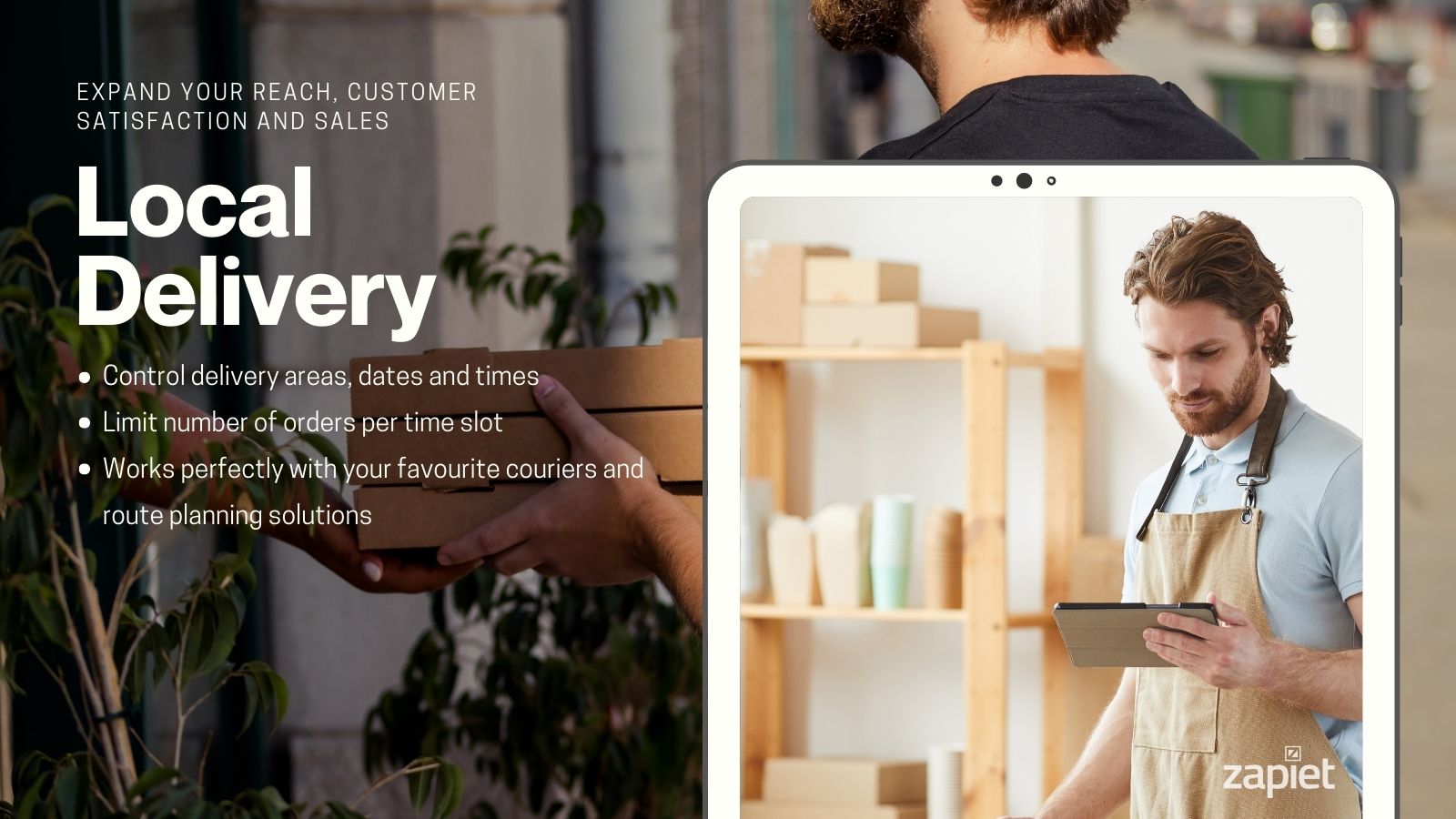
Its strongest features include delivery zone management, scheduled delivery slots, order limits, and customer notifications. It also supports Shopify POS and works well for merchants running one shop, several branches, or a hybrid retail setup.
What I like most about Zapiet is that it has been battle-tested. When an app has this many reviews in a fulfilment category, it usually means the team has already solved a lot of the awkward edge cases merchants run into, like postcode mismatches, holiday closures, and multi-location confusion.
Who should use Zapiet?
Zapiet is best for stores that need flexibility without building a custom workflow. If you sell flowers, bakery items, prepared food, gifts, or anything where customers expect a local option at checkout, it is a very safe choice.
- Best for: multi-location stores, mixed pickup and delivery, established DTC brands
- Less ideal for: merchants who mainly need driver route optimisation after checkout
If your store relies heavily on delivery expectations, pairing Zapiet with Delivery Timer can help you show cut-off messaging before checkout. I will cover that later.
Why is EasyRoutes Local Delivery best for stores with their own drivers?
EasyRoutes is best when your local delivery operation continues after checkout. It focuses more heavily on route planning, driver assignment, tracking, and proof of delivery than checkout-only apps do.
This is the app I would look at first if you have your own van, bike couriers, or a small delivery team. Once you are doing dozens of stops per day, the post-purchase logistics become just as important as the checkout experience.

EasyRoutes Local Delivery is rated at approximately 4.8 stars from 78 reviews in the latest research data. Its key strengths are route optimisation, driver tools, real-time SMS and email tracking, and proof of delivery.
That means it helps with the operational side that many merchants underestimate. Customers want the option to choose local delivery, but they also want updates, accurate ETAs, and confidence that the order has actually arrived.
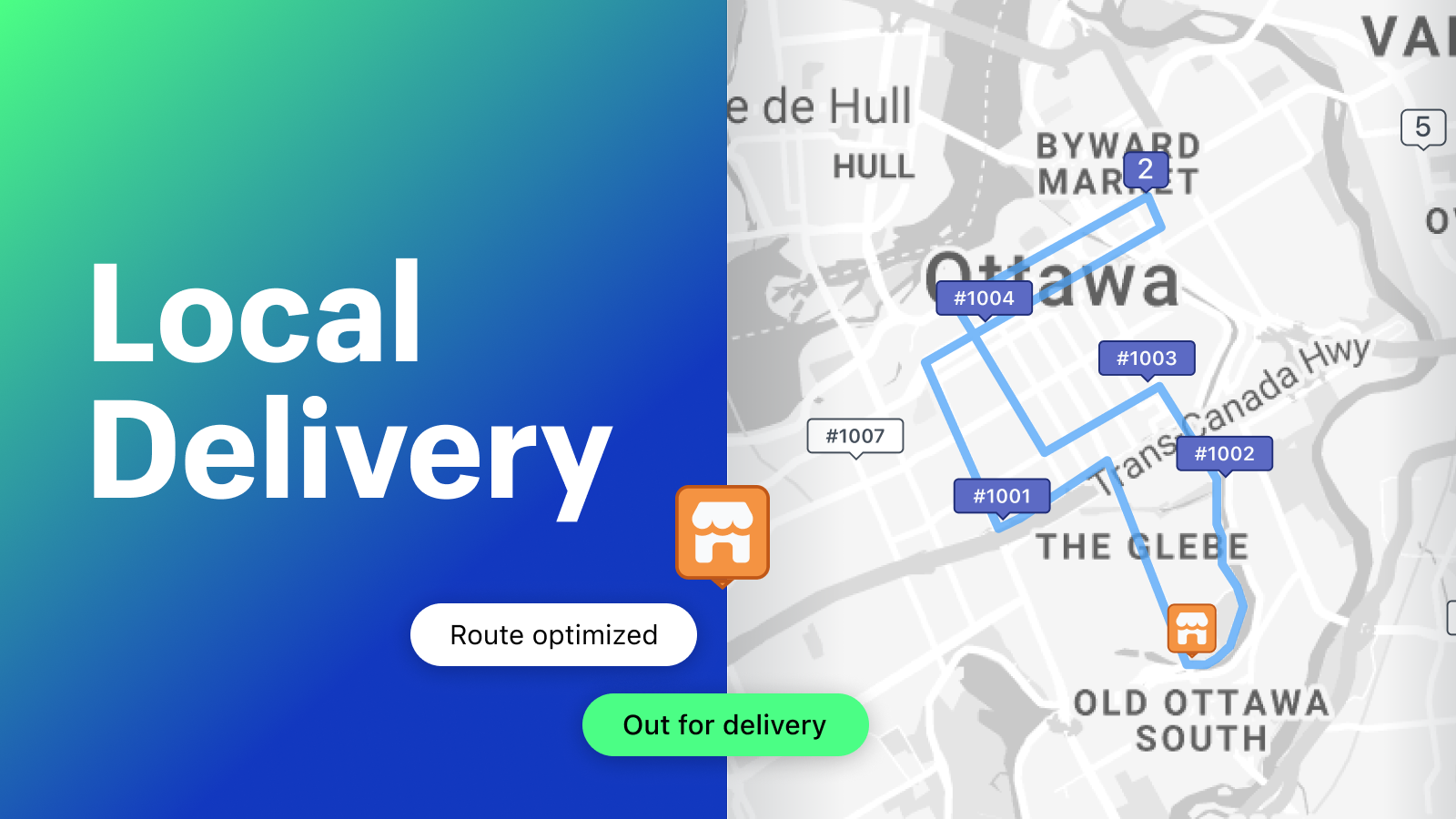
The original article referred to Shopify Local Delivery as a free app. The more relevant modern recommendation here is EasyRoutes, which covers the same broad need but does a better job for merchants with active delivery fleets. It helps plan efficient routes, reduce wasted mileage, and keep customers informed automatically.
Who should use EasyRoutes?
EasyRoutes is best for merchants running in-house local delivery at scale. If your team is assigning drivers manually in spreadsheets or messaging apps, this kind of tool can save hours each week.
- Best for: grocers, florists, farm shops, meal prep brands, local retailers with drivers
- Less ideal for: very small stores that only need a simple postcode-based delivery selector
For stores where delivery timing is a big conversion lever, I also recommend reading How to Show Delivery Estimate Based on Customer Location in Shopify. Showing the right promise early often reduces checkout hesitation.
What makes Pickeasy a strong choice for postcode and time-slot rules?
Pickeasy is a strong option if your main challenge is controlling exactly when and where customers can book delivery. It is particularly useful for stores that need fine-grained rules by postcode, cart value, product, or weight.
That level of control matters for local commerce. A bakery might deliver cakes only to selected postcodes, while a butcher may offer same-day delivery only above a minimum basket value. Generic shipping apps often struggle with those combinations.
Pickeasy offers delivery date and time selection, postcode-based availability, blackout dates, and cut-off times. Research data also points to a free plan available with paid plans starting from $9.99/month, which makes it one of the more accessible options for smaller stores.
One feature I especially like is the ability to work with very narrow slot windows, reportedly down to 1 to 15 minute time slots depending on setup. That will not matter to every merchant, but for high-precision deliveries or appointment-style fulfilment, it can be genuinely useful.
Who should use Pickeasy?
Pickeasy is best for merchants who care more about checkout precision than route management. It is the app I would shortlist if your biggest issue is customers selecting dates or locations you cannot realistically fulfil.
- Best for: bakeries, gift stores, made-to-order brands, local service-style fulfilment
- Less ideal for: stores that need advanced driver tracking and proof of delivery
If your store also uses upsells around delivery or gifting, you may find ideas in 6 of the Best Shopify Add On Apps for Your Store in 2026. Local delivery often pairs well with gift wrap, notes, and premium time-slot upgrades.
Is Local Delivery still worth considering on Shopify?
Yes, Local Delivery is still worth considering if you want a simpler app for same-day, scheduled delivery, and store pickup. It is a practical option for merchants who do not need the broader complexity of Zapiet or the fleet tooling of EasyRoutes.
Simple is not a bad thing here. In fact, for many small stores, the best app is the one that can be configured in an afternoon and understood by the whole team without training.

Local Delivery supports scheduled deliveries, store pickup, same-day delivery, and even 3-hour delivery windows. It also supports blackout dates and delivery caps, which are essential if you do not want to overbook your team during busy periods.
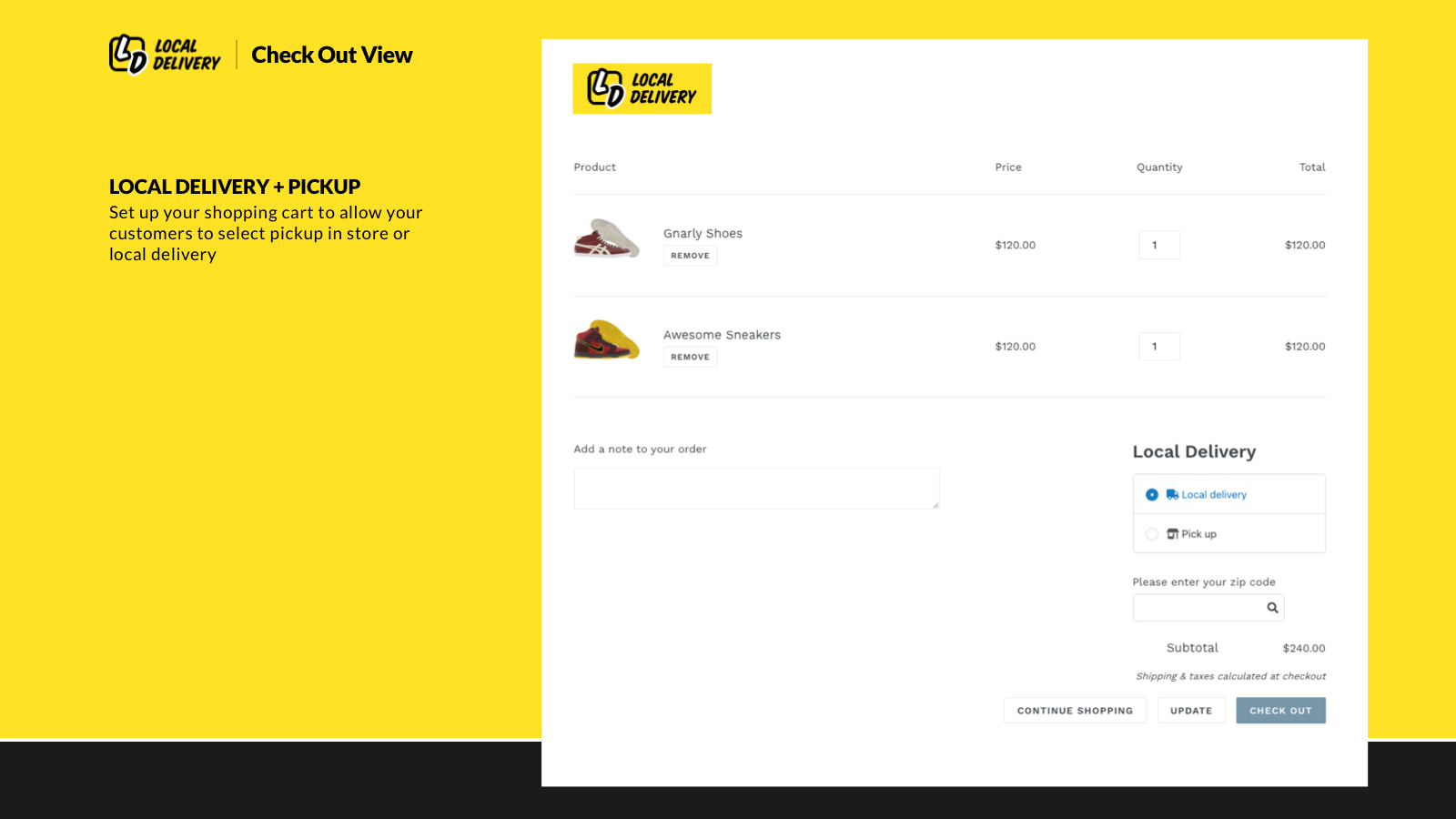
That makes it a good fit for seasonal businesses and stores that regularly hit fulfilment bottlenecks around events, holidays, or weekends. Customers can see available slots upfront, which is much better than taking the order and apologising later.
I also like that apps in this category increasingly support Online Store 2.0 themes cleanly. The less theme friction you have, the faster you can test and iterate your delivery offer.
Who should use Local Delivery?
Local Delivery is best for smaller and mid-sized stores that want straightforward delivery scheduling. If you mainly need to offer local delivery and pickup without a huge operational stack, it is a sensible contender.
- Best for: small teams, local retailers, stores wanting quick setup
- Less ideal for: merchants needing advanced multi-location logic or route optimisation
What about Alpaca: Pack, Pickup, Deliver?
Alpaca is still a useful alternative, especially for merchants who want fulfilment tools alongside pickup and delivery. It just misses the top four based on current 2026 consensus and visibility compared with Zapiet, EasyRoutes, Pickeasy, and Local Delivery.
I have kept it in this rewrite because it was in the original article and it still fills a real use case. Some merchants care just as much about pick and pack workflow as they do about the customer-facing delivery selector.

Alpaca: Pack, Pickup, Deliver includes multi-location support, distance and postcode-based delivery pricing, pickup instructions, time slots, and a fulfilment dashboard with printable slips and picklists.
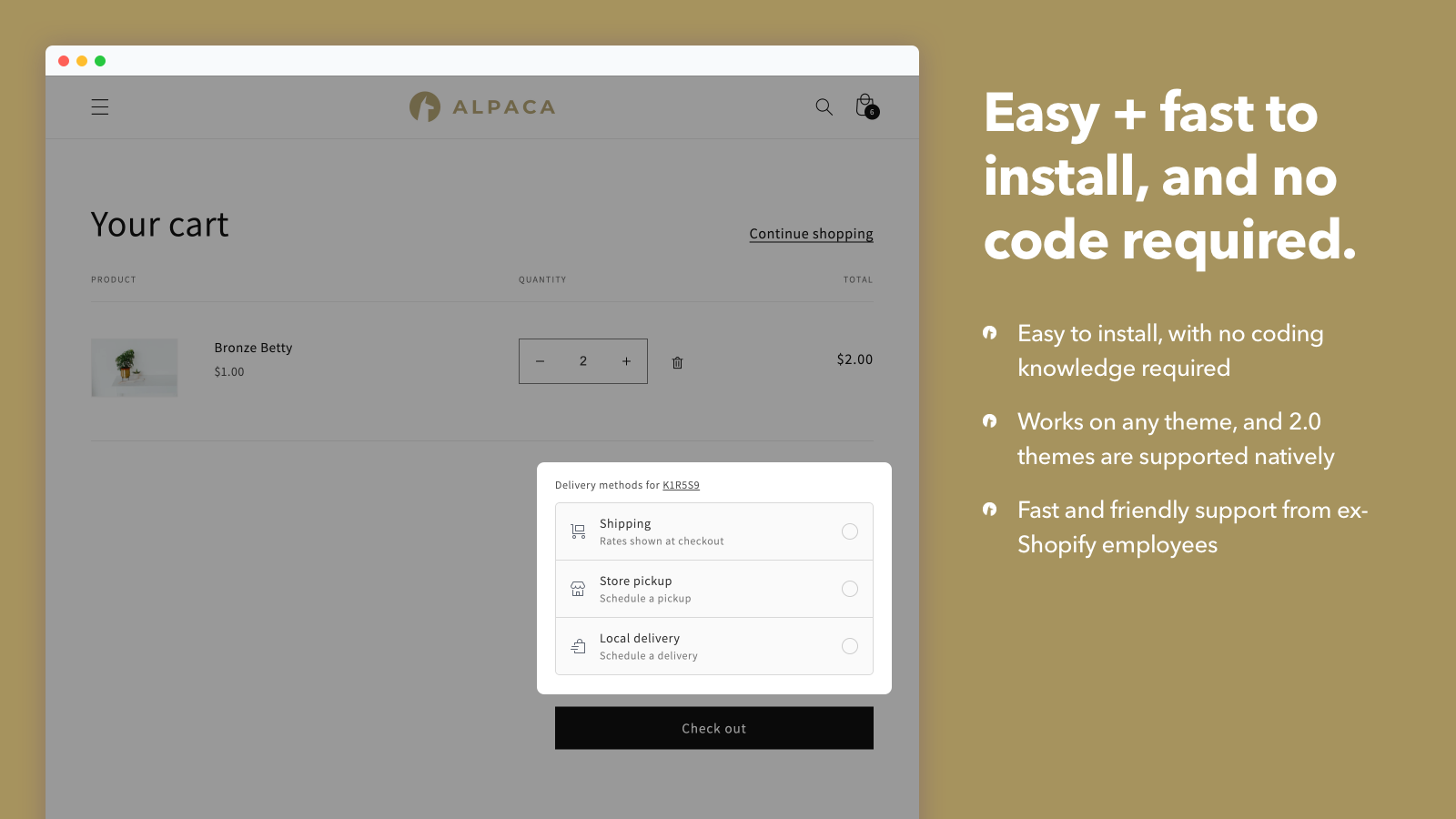
That makes it attractive for stores where warehouse or back-room workflow matters. If your team is processing a lot of local orders in batches, those operational extras can be valuable.
How does Shopify's built-in local delivery compare with dedicated apps?
Shopify's built-in local delivery is fine for basic setups, but most growing stores outgrow it. Dedicated apps offer more control over zones, time slots, driver workflows, and customer communication.
Native Shopify features are a good starting point if you are validating demand. But once you need postcode restrictions, route planning, order caps, or multi-location scheduling, an app almost always becomes necessary.
| Feature | Built-in Shopify setup | Dedicated local delivery app |
|---|---|---|
| Basic local delivery option | Yes | Yes |
| Advanced postcode or zone logic | Limited | Yes |
| Delivery date and time slots | Limited | Yes |
| Route optimisation | No | Yes |
| Driver assignment and proof of delivery | No | Yes |
| Blackout dates and delivery caps | Basic | More flexible |
In other words, native Shopify is often enough to start, but not enough to optimise.
How do I set up local delivery on Shopify without hurting conversions?
The best way to set up local delivery on Shopify is to keep the rules clear and visible before checkout. Customers convert better when they know whether you deliver to them, how much it costs, and when it will arrive.
Here is the process I usually recommend:
- Define your delivery area by postcode, radius, or zone
- Set a realistic minimum order value if small baskets are unprofitable
- Add delivery date and time slots so customers choose from actual capacity
- Use blackout dates and cut-off times to avoid overpromising
- Show delivery expectations on product and cart pages, not just at checkout
- Automate order updates via email or SMS where possible
- Review failed or unserviceable orders weekly to tighten your rules
That fifth point is the one many stores miss. If shoppers only discover delivery limitations late in checkout, you will lose sales. This is exactly why delivery messaging tools matter.
How can I show cut-off times and delivery estimates on Shopify?
The easiest way to show cut-off times and delivery estimates on Shopify is with a delivery messaging app on your product pages. This reduces uncertainty and gives shoppers a reason to buy now rather than later.
As the developer behind Shopify apps myself, I pay close attention to moments where a simple piece of clarity can increase conversion. Delivery promises are one of those moments. If a customer sees order in the next 2 hours for local delivery today, that can be enough to get the sale over the line.
Delivery Timer is built for exactly this. It helps merchants display cut-off times, estimated delivery dates, and urgency messaging on product pages.
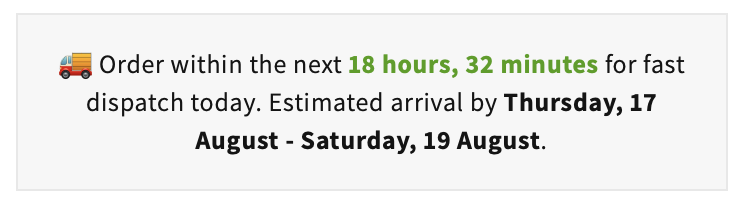
For local delivery stores, this works especially well when paired with one of the apps above. The delivery app controls eligibility and scheduling, while the timer app handles the customer-facing promise earlier in the journey.
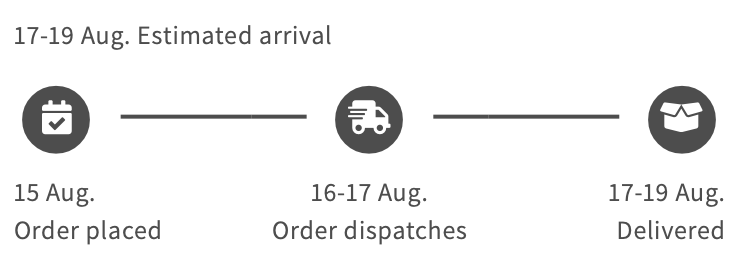
If you want to go deeper on this topic, read How to Show Delivery Estimate Based on Customer Location in Shopify. It covers the logic behind location-aware delivery messaging in more detail.
Which local delivery app is best for your type of store?
The best app depends on your store model. A florist, grocer, meal prep brand, and gift store all need local delivery, but they do not need the same workflow.
| Store type | Best app | Why |
|---|---|---|
| Florist | Zapiet or Pickeasy | Strong scheduling, postcode rules, gift-friendly delivery windows |
| Grocer or farm shop | EasyRoutes | Route optimisation and driver management matter more |
| Bakery or made-to-order food | Pickeasy or Local Delivery | Precise cut-offs, slot control, and order caps |
| Gift and retail store | Zapiet | Balanced pickup, local delivery, and shipping support |
| Small local shop | Local Delivery | Fast setup without too much operational overhead |
For florists specifically, you may also want to read Blooming Success: 4 Best Apps for a Florist Shopify Store. Local delivery is often one of the most important parts of that stack.
What mistakes should I avoid when offering local delivery on Shopify?
The biggest mistakes are offering delivery too broadly, underpricing it, and failing to set clear cut-off rules. These mistakes usually show up as late deliveries, support tickets, and poor margins.
Here are the ones I see most often:
- No minimum order value for low-margin local drops
- No blackout dates for holidays or peak periods
- Overlapping shipping and delivery options that confuse customers
- Weak postcode validation leading to unfulfillable orders
- No proactive delivery messaging on product pages
- Manual route planning once order volume grows
In my experience, merchants often focus on adding local delivery as a feature, but the real win comes from making it operationally sustainable. If your team dreads local orders, the setup is not finished yet.
My verdict: which Shopify local delivery app should you choose?
If you want the safest overall choice, pick Zapiet. If you run your own drivers, choose EasyRoutes. If you need highly specific postcode and slot rules, choose Pickeasy. If you want a simpler scheduling app, choose Local Delivery.
That is the practical version. Not every merchant needs the most feature-rich app. Many just need the one that matches their current operation and leaves room to grow.
For most stores reading this, my shortlist would look like this:
- Best overall: Zapiet - Pickup + Delivery
- Best for in-house fleets: EasyRoutes Local Delivery
- Best budget-friendly flexible option: Pickeasy
- Best for simple scheduled delivery: Local Delivery
If your store's growth depends on communicating delivery promises clearly, I would also strongly consider Delivery Timer as part of the stack. Eligibility and scheduling are only half the battle. Clarity sells.
And if you are comparing broader fulfilment tools as well, 7 of the Best Shopify Shipping Apps to Use in 2026 is the next guide I would read.