
If you’re running a Shopify store and want to showcase products with 3D models, you’ll want to pay attention to this exciting development. Shopify has just released the exact tool they use internally to optimize 3D models—and it’s completely free.
Why This Matters for Your Store
3D product visualization is becoming increasingly important for online retailers. Whether you’re selling furniture, electronics, or fashion items, letting customers view products from every angle can significantly boost conversion rates. However, there’s always been one major challenge: file size.
Today @Shopify is open sourcing the tool we use for optimizing glTF 3D models.
🔧 Tweak compression settings per texture
⚡ See changes immediately
🧰 Mesh compression options
🌐 Hosted online & free👇 Check the thread for details pic.twitter.com/HNgcXaxWxn
— Daniel Beauchamp (@pushmatrix) July 31, 2025
Large 3D files lead to slow loading times, which frustrates customers and hurts your store’s performance. Until now, most optimization tools have taken a one-size-fits-all approach, compressing every texture the same way. This often resulted in either files that were still too large or models that looked terrible.
What Makes Shopify’s Tool Different
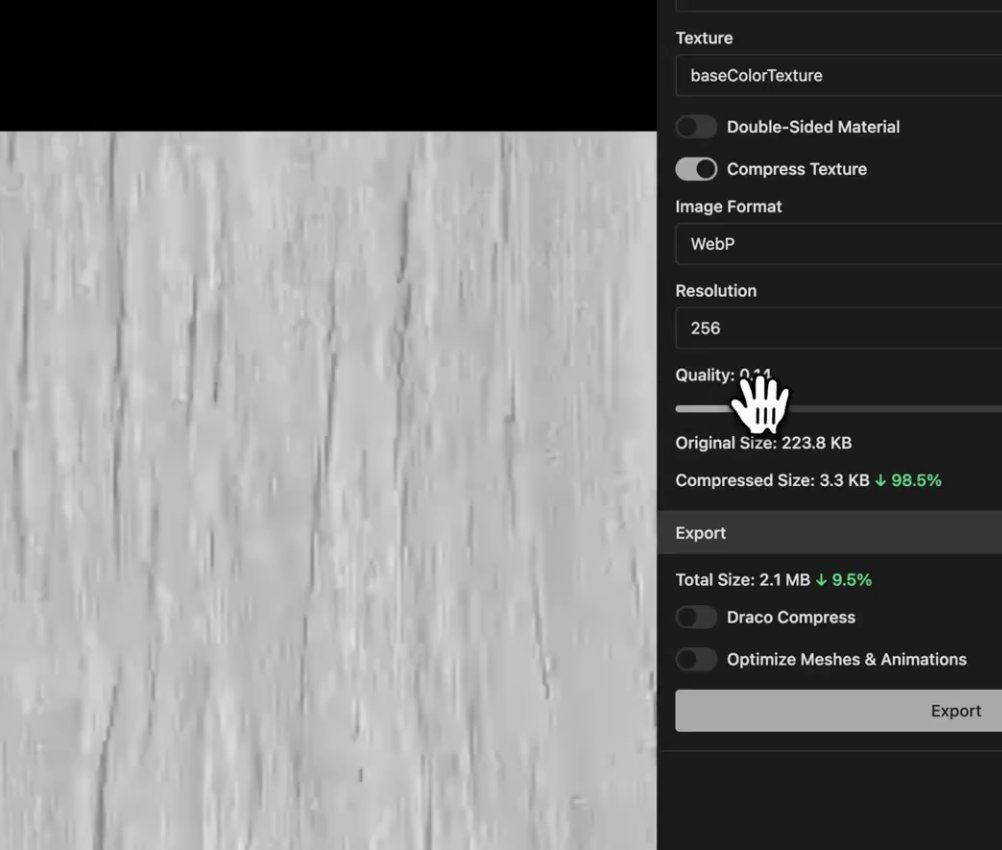
The new glTF Compressor (available at gltf-compressor.com) solves this problem with a game-changing feature: per-texture compression control.
Here’s what you can do:
- Adjust compression settings individually for each texture – Your normal maps (which define surface details) can maintain higher quality while less critical textures like ambient occlusion maps can be compressed more aggressively
- See changes immediately – No need to export your model repeatedly to test different settings
- Compare original vs. compressed versions side-by-side – Make informed decisions about the quality/size trade-off
- Access mesh compression options – Optimize not just textures but the 3D geometry itself
How to Use It for Your Store
- Visit the tool at gltf-compressor.com – it’s hosted online and completely free
- Upload your glTF 3D model – This is the standard format for web-based 3D content
- Adjust compression settings for each texture individually
- Preview changes in real-time to ensure quality meets your standards
- Download the optimized model when you’re satisfied with the results
Real-World Impact: The Horizon Drive Example
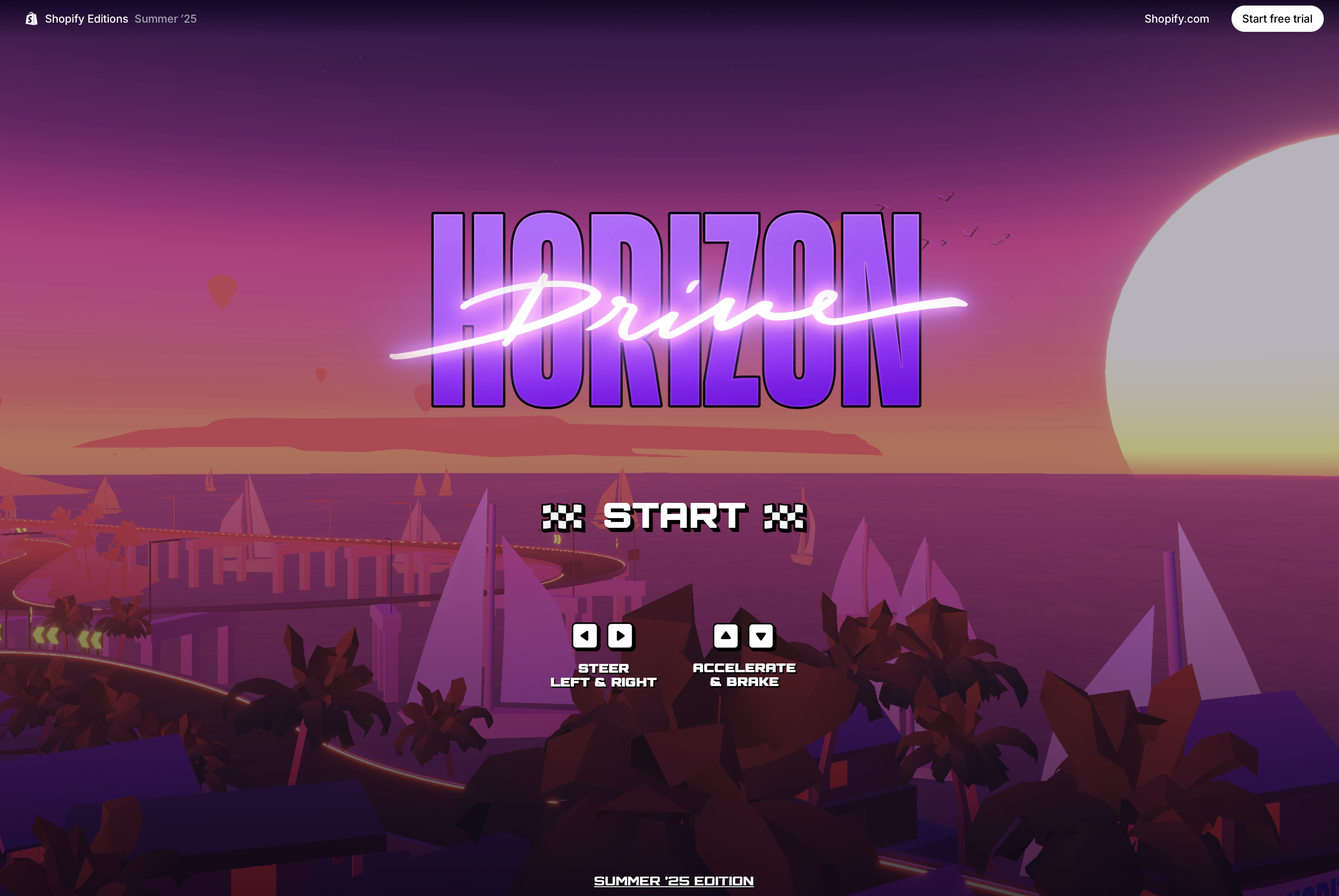
To demonstrate the power of this tool, Shopify created Horizon Drive—a fully functional racing game built with Three.js and React. Despite being a complex 3D experience, the entire game weighs in at under 10MB thanks to careful optimization using this exact tool.
What’s even more impressive is how they built it:
- No physics libraries needed
- No expensive raycasting calculations
- Track collision detection using spline-based normals and tangents
- Exceptional performance on standard devices
Shopify just launched a racing game built in threejs and React (R3F).
No physics libraries. No raycasts.
Not vibe coded. But all vibes. ✨ pic.twitter.com/37WT2gMgpF
— Daniel Beauchamp (@pushmatrix) May 22, 2025
You can experience it yourself as an easter egg on Shopify’s Summer 2025 Editions page.
The Team Behind the Tool
This powerful optimization tool was created by a talented team at Shopify, including Daniel Beauchamp (@pushmatrix), Diego Macario (@maca_graphics), brennan (@letkma) and other contributors.
These are the same developers who built the impressive Horizon Drive racing game, demonstrating their deep expertise in 3D web experiences. Their decision to open-source this internal tool shows Shopify’s commitment to empowering merchants with professional-grade resources.
Why Open Source Matters
By open-sourcing this tool (code available at github.com/shopify/gltf-compressor), Shopify is giving you access to the same optimization technology they use for their own high-performance 3D experiences. This means:
- No vendor lock-in – You own your optimized files
- Community improvements – Developers worldwide can contribute enhancements
- Transparency – You can see exactly how your models are being processed
- Customization potential – Tech-savvy merchants can modify the tool for specific needs
Best Practices for Your 3D Models
When using the glTF Compressor for your store’s 3D models, keep these tips in mind:
- Start with high-quality models – The tool optimizes existing content; it can’t improve poor original quality
- Test on various devices – What looks good on your high-end computer might struggle on customer phones
- Balance quality and performance – Sometimes a slightly larger file that loads reliably is better than an ultra-compressed one that looks poor
- Consider your audience – Fashion items might need higher texture quality than industrial equipment
Getting Started Today
If you’re already using 3D models in your Shopify store, try running them through this optimizer today. You’ll likely see significant file size reductions without noticeable quality loss. If you haven’t yet added 3D visualization to your store, this tool removes one of the biggest barriers to entry.
The combination of Shopify’s AR capabilities and this new optimization tool means there’s never been a better time to enhance your product pages with interactive 3D content. Your customers will appreciate the ability to examine products in detail, and your store will benefit from the increased engagement and reduced bounce rates that come with fast-loading, high-quality 3D experiences.
Ready to optimize your 3D models? Head to gltf-compressor.com and see the difference for yourself.