New
Size Guide Popup
A size chart popup with a how-to-measure image and a "Not sure which size?" prompt.
A Track your order page with steps, carrier links, common questions and a help box.
Important: Before making any changes to your theme, duplicate it in Online Store > Themes so you have a backup.
"Where is my order?" is the most common support question for most stores. A clear tracking help page answers it without an email: how to find the tracking link, where to track with each carrier, what common statuses mean, and how to get help if something's wrong.
Track your order
Still need help?
Send us your order number and we'll check on it for you.
Contact usPreview with the default settings. Colours, text and layout can all be changed in the theme editor.
In Shopify admin go to Online Store > Themes. Next to the theme you want to edit, click the three dots and choose Edit code.
In the Sections folder click Add a new section, name it lt-order-tracking-page, delete the placeholder code, paste in the code below and click Save.
Click Customize, go to Pages > Create template (a new page template), click Add section and choose Order tracking help.
Change the settings in the sidebar, drag the section where you want it, and click Save.
{%- comment -%}
  Order tracking help page by LAUNCHTIP
  https://launchtip.com/free-shopify-sections-code
  Add this section to a page template, then assign that template to a
  page called Track your order.
{%- endcomment -%}
{%- style -%}
  #lt-{{ section.id }} { padding: {{ section.settings.padding }}px 0; }
  #lt-{{ section.id }} .lt-ot { max-width: 760px; margin: 0 auto; }
  #lt-{{ section.id }} .lt-ot__intro { opacity: 0.85; }
  #lt-{{ section.id }} .lt-ot__button { display: inline-block; background: {{ section.settings.button_color }}; color: {{ section.settings.button_text }}; border-radius: 6px; padding: 12px 20px; font-weight: 600; text-decoration: none; }
  #lt-{{ section.id }} .lt-ot__button--ghost { background: transparent; color: inherit; border: 1px solid currentColor; }
  #lt-{{ section.id }} h2 { margin: 36px 0 12px; }
  #lt-{{ section.id }} ol.lt-ot__steps { list-style: none; margin: 0; padding: 0; counter-reset: step; }
  #lt-{{ section.id }} ol.lt-ot__steps li { counter-increment: step; position: relative; padding: 0 0 18px 44px; }
  #lt-{{ section.id }} ol.lt-ot__steps li::before { content: counter(step); position: absolute; left: 0; top: 0; width: 30px; height: 30px; border-radius: 50%; display: flex; align-items: center; justify-content: center; background: {{ section.settings.button_color }}; color: {{ section.settings.button_text }}; font-weight: 700; font-size: 0.9em; }
  #lt-{{ section.id }} .lt-ot__steps strong { display: block; }
  #lt-{{ section.id }} .lt-ot__carriers { display: flex; flex-wrap: wrap; gap: 10px; }
  #lt-{{ section.id }} .lt-ot__carriers a { padding: 8px 14px; border: 1px solid {{ section.settings.border_color }}; border-radius: 999px; color: inherit; text-decoration: none; font-size: 0.9em; }
  #lt-{{ section.id }} details { border-bottom: 1px solid {{ section.settings.border_color }}; }
  #lt-{{ section.id }} summary { padding: 14px 0; cursor: pointer; font-weight: 600; }
  #lt-{{ section.id }} details > div { padding: 0 0 14px; opacity: 0.85; }
  #lt-{{ section.id }} .lt-ot__help { margin-top: 36px; padding: 24px; border-radius: 10px; background: {{ section.settings.help_background }}; }
  #lt-{{ section.id }} .lt-ot__help h2 { margin-top: 0; }
  #lt-{{ section.id }} .lt-ot__actions { display: flex; flex-wrap: wrap; gap: 10px; margin-top: 14px; }
{%- endstyle -%}

<div id="lt-{{ section.id }}" class="page-width">
  <div class="lt-ot">
    <h1>{{ section.settings.heading }}</h1>
    {%- if section.settings.intro != blank -%}
      <div class="lt-ot__intro">{{ section.settings.intro }}</div>
    {%- endif -%}
    {%- if section.settings.show_account_link and shop.customer_accounts_enabled -%}
      <p><a class="lt-ot__button" href="{{ routes.account_url }}">{{ section.settings.account_label }}</a></p>
    {%- endif -%}

    {%- assign steps = section.blocks | where: 'type', 'step' -%}
    {%- if steps.size > 0 -%}
      <h2 class="h3">{{ section.settings.steps_heading }}</h2>
      <ol class="lt-ot__steps">
        {%- for block in steps -%}
          <li {{ block.shopify_attributes }}><strong>{{ block.settings.title }}</strong>{{ block.settings.text }}</li>
        {%- endfor -%}
      </ol>
    {%- endif -%}

    {%- assign carriers = section.blocks | where: 'type', 'carrier' -%}
    {%- if carriers.size > 0 -%}
      <h2 class="h3">{{ section.settings.carriers_heading }}</h2>
      <div class="lt-ot__carriers">
        {%- for block in carriers -%}
          <a href="{{ block.settings.url }}" target="_blank" rel="noopener" {{ block.shopify_attributes }}>{{ block.settings.name }}</a>
        {%- endfor -%}
      </div>
    {%- endif -%}

    {%- assign questions = section.blocks | where: 'type', 'question' -%}
    {%- if questions.size > 0 -%}
      <h2 class="h3">{{ section.settings.faq_heading }}</h2>
      {%- for block in questions -%}
        <details {{ block.shopify_attributes }}>
          <summary>{{ block.settings.question }}</summary>
          <div>{{ block.settings.answer }}</div>
        </details>
      {%- endfor -%}
    {%- endif -%}

    <div class="lt-ot__help">
      <h2 class="h3">{{ section.settings.help_heading }}</h2>
      <p>{{ section.settings.help_text }}</p>
      <div class="lt-ot__actions">
        <a class="lt-ot__button" href="{{ section.settings.help_link | default: '/pages/contact' }}">{{ section.settings.help_label }}</a>
        {%- if shop.email != blank -%}
          <a class="lt-ot__button lt-ot__button--ghost" href="mailto:{{ shop.email }}">{{ shop.email }}</a>
        {%- endif -%}
      </div>
    </div>
  </div>
</div>

{% schema %}
{
  "name": "Order tracking help",
  "tag": "section",
  "class": "lt-ot-section",
  "settings": [
    {
      "type": "text",
      "id": "heading",
      "label": "Heading",
      "default": "Track your order"
    },
    {
      "type": "richtext",
      "id": "intro",
      "label": "Intro",
      "default": "<p>Every order gets a shipping confirmation email with a tracking link as soon as it leaves us. Here's how to find it and what to do if something looks wrong.</p>"
    },
    {
      "type": "checkbox",
      "id": "show_account_link",
      "label": "Show account button",
      "default": true,
      "info": "Only appears when customer accounts are turned on."
    },
    {
      "type": "text",
      "id": "account_label",
      "label": "Account button label",
      "default": "View my orders"
    },
    {
      "type": "text",
      "id": "steps_heading",
      "label": "Steps heading",
      "default": "Find your tracking link"
    },
    {
      "type": "text",
      "id": "carriers_heading",
      "label": "Carriers heading",
      "default": "Track with the carrier"
    },
    {
      "type": "text",
      "id": "faq_heading",
      "label": "Questions heading",
      "default": "Common questions"
    },
    {
      "type": "text",
      "id": "help_heading",
      "label": "Help box heading",
      "default": "Still need help?"
    },
    {
      "type": "text",
      "id": "help_text",
      "label": "Help box text",
      "default": "Send us your order number and we'll check on it for you, usually within a few hours."
    },
    {
      "type": "text",
      "id": "help_label",
      "label": "Help button label",
      "default": "Contact us"
    },
    {
      "type": "url",
      "id": "help_link",
      "label": "Help button link",
      "info": "Leave blank to use /pages/contact."
    },
    {
      "type": "color",
      "id": "button_color",
      "label": "Button colour",
      "default": "#111111"
    },
    {
      "type": "color",
      "id": "button_text",
      "label": "Button text colour",
      "default": "#ffffff"
    },
    {
      "type": "color",
      "id": "help_background",
      "label": "Help box background",
      "default": "#f5f5f5"
    },
    {
      "type": "color",
      "id": "border_color",
      "label": "Divider colour",
      "default": "#e5e5e5"
    },
    {
      "type": "range",
      "id": "padding",
      "label": "Vertical padding",
      "min": 0,
      "max": 100,
      "step": 4,
      "unit": "px",
      "default": 48
    }
  ],
  "blocks": [
    {
      "type": "step",
      "name": "Step",
      "settings": [
        { "type": "text", "id": "title", "label": "Title", "default": "Check your email" },
        { "type": "richtext", "id": "text", "label": "Text", "default": "<p>Search your inbox for your order number.</p>" }
      ]
    },
    {
      "type": "carrier",
      "name": "Carrier link",
      "settings": [
        { "type": "text", "id": "name", "label": "Carrier name", "default": "Royal Mail" },
        { "type": "url", "id": "url", "label": "Tracking page" }
      ]
    },
    {
      "type": "question",
      "name": "Question",
      "settings": [
        { "type": "text", "id": "question", "label": "Question", "default": "My tracking hasn't updated" },
        { "type": "richtext", "id": "answer", "label": "Answer", "default": "<p>Tracking can take 24 hours to show the first scan.</p>" }
      ]
    }
  ],
  "presets": [
    {
      "name": "Order tracking help",
      "blocks": [
        { "type": "step", "settings": { "title": "Check your shipping email", "text": "<p>Search your inbox, and your spam folder, for your order number. The shipping email has a Track your order button.</p>" } },
        { "type": "step", "settings": { "title": "Open the tracking link", "text": "<p>The link opens the order status page, which shows each scan from the carrier.</p>" } },
        { "type": "step", "settings": { "title": "No email after 2 working days?", "text": "<p>Your order may still be packing. Use the button below and we'll check for you.</p>" } },
        { "type": "carrier", "settings": { "name": "Royal Mail", "url": "https://www.royalmail.com/track-your-item" } },
        { "type": "carrier", "settings": { "name": "DPD", "url": "https://track.dpd.co.uk" } },
        { "type": "carrier", "settings": { "name": "UPS", "url": "https://www.ups.com/track" } },
        { "type": "question", "settings": { "question": "My tracking hasn't updated in days", "answer": "<p>Parcels are sometimes only scanned at the start and end of the journey. If nothing changes for 5 working days, contact us and we'll open a case with the carrier.</p>" } },
        { "type": "question", "settings": { "question": "It says delivered but I don't have it", "answer": "<p>Check with neighbours and any safe place you gave. If it still hasn't turned up within 24 hours, get in touch.</p>" } },
        { "type": "question", "settings": { "question": "Can I change my delivery address?", "answer": "<p>If the order hasn't shipped yet, reply to your confirmation email with the new address as soon as you can.</p>" } }
      ]
    }
  ]
}
{% endschema %}
| Setting | Default |
|---|---|
| Heading | Track your order |
| Intro | Every order gets a shipping confirmation email with a tracking link as soon a... |
| Show account button Only appears when customer accounts are turned on. | On |
| Account button label | View my orders |
| Steps heading | Find your tracking link |
| Carriers heading | Track with the carrier |
| Questions heading | Common questions |
| Help box heading | Still need help? |
| Help box text | Send us your order number and we'll check on it for you, usually within a few... |
| Help button label | Contact us |
| Help button link Leave blank to use /pages/contact. | — |
| Button colour | #111111 |
| Button text colour | #ffffff |
| Help box background | #f5f5f5 |
| Divider colour | #e5e5e5 |
| Vertical padding | 48px |
Add, remove and reorder these inside the section:
Further reading: Add a chatbot to your Shopify store
Shopify only shows order status to the customer who placed it, through the link in their email or their account. This page helps them find that link rather than looking orders up itself.
To the customer account page. It only appears when customer accounts are turned on in Settings > Customer accounts.
Yes. Add a Question block for each one.

Chatkit's AI assistant answers where-is-my-order questions in chat, looks up the order, and hands the conversation to you only when a person is needed.
Try ChatkitA size chart popup with a how-to-measure image and a "Not sure which size?" prompt.
A contact form with a honeypot, a time check and link blocking to stop spam.
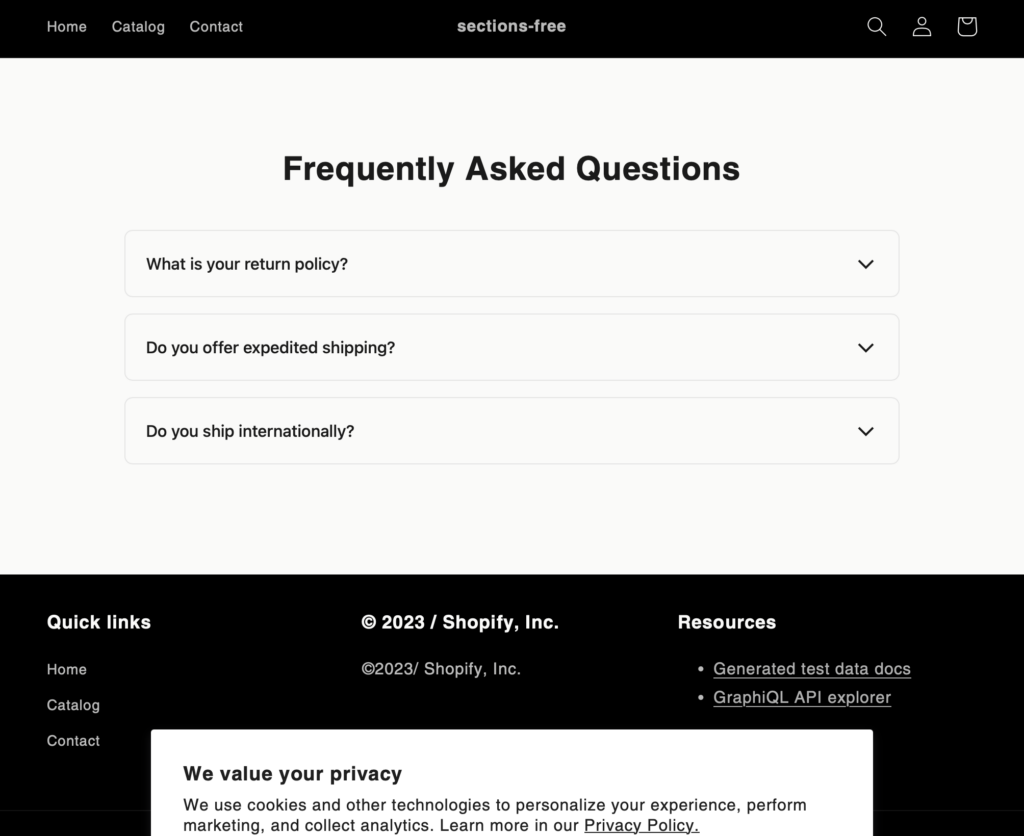
Inform customers of store information and policies with this clean FAQ section.
Discover more code snippets to enhance your Shopify store.
View All Sections