TikTok Video Carousel
Showcase your TikTok content with a beautiful, responsive video carousel. Works with any Shopify theme.
Important: Before making any changes to your theme, create a backup first.
Why Add TikTok Videos to Your Store?
- 29% higher conversion rates – brands using UGC see significant increases in web conversions
- 60% of TikTok brand engagement comes from user-generated content
- 79% of consumers say UGC highly impacts their purchasing decisions
- 136 million active US users – bridge social media and your e-commerce presence
What's Included
Responsive Design
Looks great on all devices with touch and swipe support
Auto-Playing Carousel
Smooth auto-play with pause on hover
Easy Customization
Customize through the theme editor - no coding needed
Up to 10 Videos
Navigation arrows and dots for easy browsing
What You'll Build
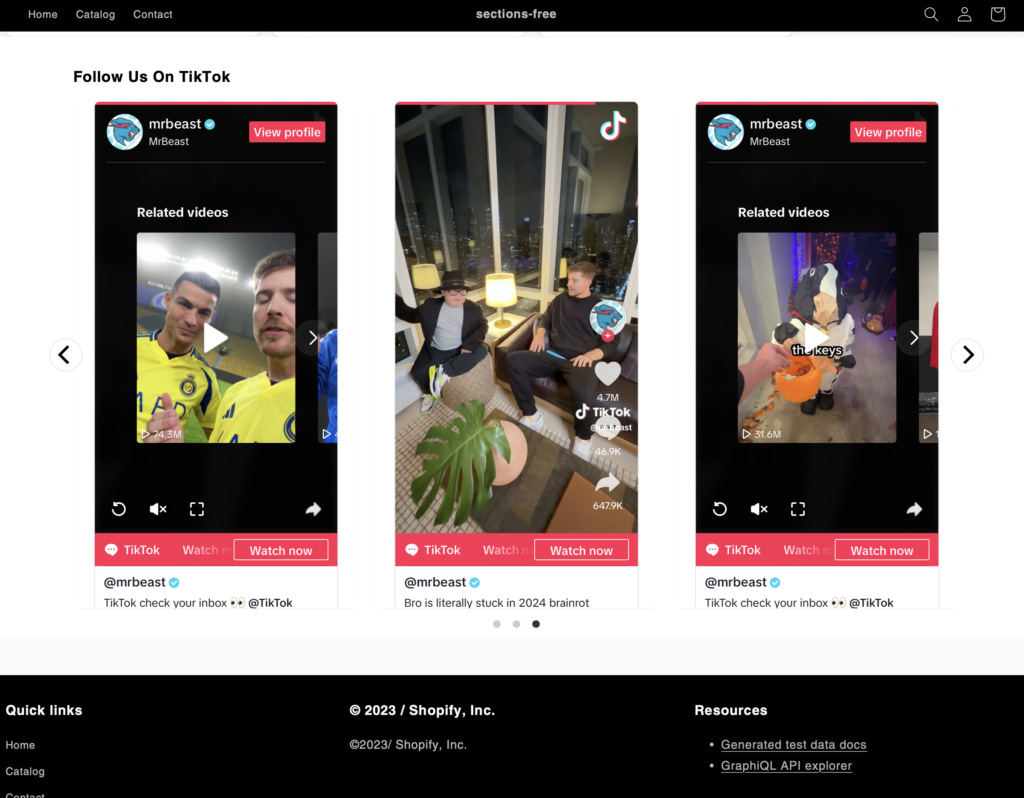
Installation Steps
-
1
Access Your Theme Code
- Go to Online Store > Themes in your Shopify admin
- Click "Actions" then "Edit code" on your active theme
-
2
Create the Section File
- In the Sections folder, click "Add a new section"
- Name the file
tiktok-carousel.liquid - Copy and paste the code below
-
3
Add the Section to Your Store
- Return to the theme customizer
- Choose the page where you want to add the carousel
- Click "Add section"
- Select "TikTok Carousel" from the list
-
4
Add Your TikTok Videos
- Click "Add TikTok Video"
- Paste the TikTok video URL
- Repeat for each video you want to display
What the Code Looks Like
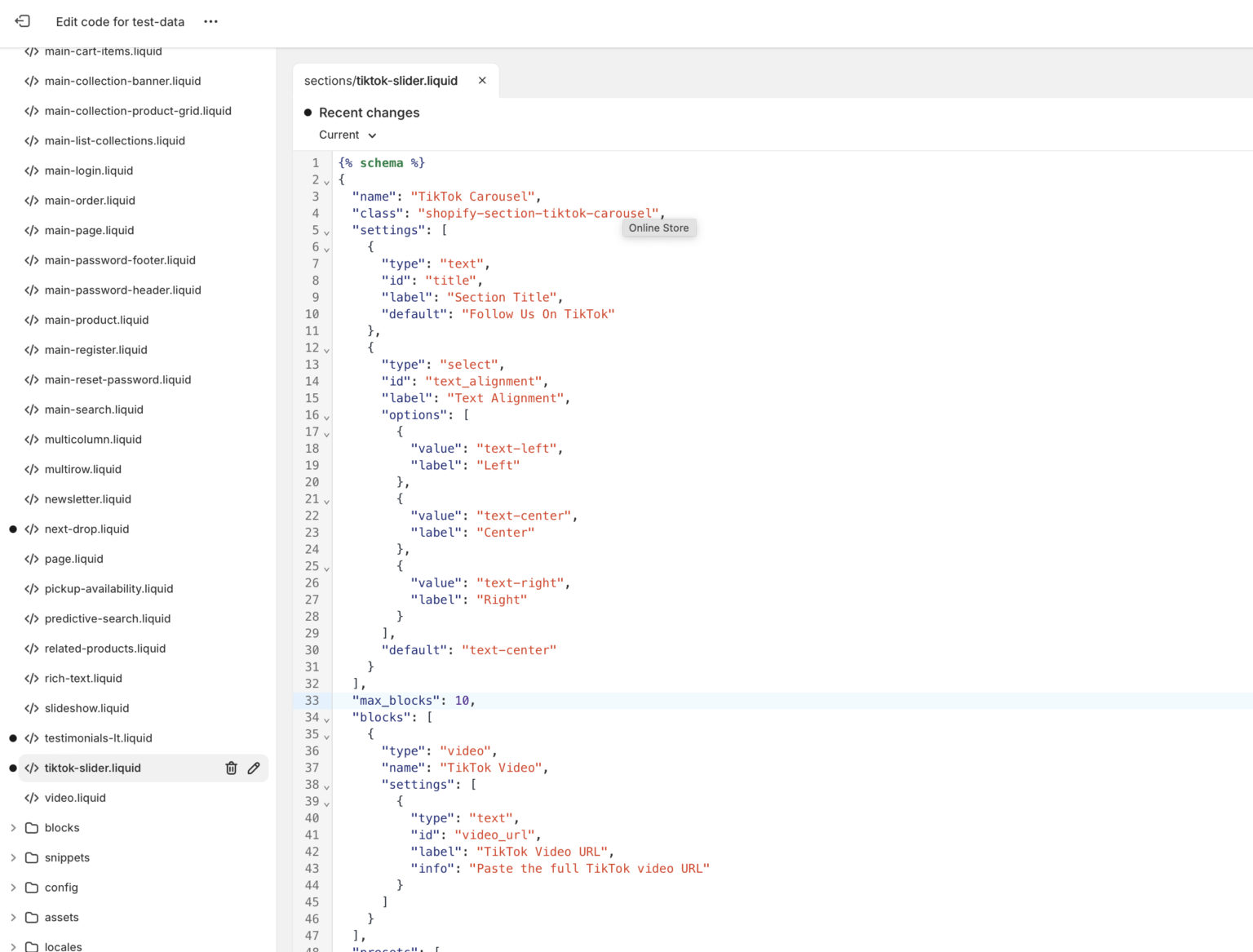
The TikTok carousel code in the Shopify theme editor
Copy This Code
This complete section includes the Liquid schema, CSS styling, and JavaScript for the carousel functionality.
{% schema %}
{
  "name": "TikTok Carousel",
  "class": "shopify-section-tiktok-carousel",
  "settings": [
    {
      "type": "text",
      "id": "title",
      "label": "Section Title",
      "default": "Follow Us On TikTok"
    },
    {
      "type": "select",
      "id": "text_alignment",
      "label": "Text Alignment",
      "options": [
        { "value": "text-left", "label": "Left" },
        { "value": "text-center", "label": "Center" },
        { "value": "text-right", "label": "Right" }
      ],
      "default": "text-center"
    }
  ],
  "max_blocks": 10,
  "blocks": [
    {
      "type": "video",
      "name": "TikTok Video",
      "settings": [
        {
          "type": "text",
          "id": "video_url",
          "label": "TikTok Video URL",
          "info": "Paste the full TikTok video URL"
        }
      ]
    }
  ],
  "presets": [
    {
      "name": "TikTok Carousel",
      "blocks": [
        { "type": "video" },
        { "type": "video" },
        { "type": "video" }
      ]
    }
  ]
}
{% endschema %}

<link rel="stylesheet" href="https://cdnjs.cloudflare.com/ajax/libs/flickity/3.0.0/flickity.css" />
<script src="https://cdnjs.cloudflare.com/ajax/libs/flickity/3.0.0/flickity.pkgd.min.js" defer="defer"></script>

<style>
.tiktok-carousel {
  padding: 4rem 0;
  background: #fff;
}

.tiktok-carousel__header {
  margin-bottom: 2rem;
}

.tiktok-carousel__title {
  font-size: 2rem;
  font-weight: 600;
  margin: 0 0 1rem;
}

.tiktok-carousel__container {
  position: relative;
  max-width: 1200px;
  margin: 0 auto;
  padding: 0 1rem;
  width: 100%;
}

.tiktok-carousel__wrapper {
  margin: 0 -1rem;
}

.tiktok-carousel__slide {
  width: 100%;
  padding: 0 1rem;
}

@media screen and (min-width: 768px) {
  .tiktok-carousel__slide { width: 50%; }
}

@media screen and (min-width: 990px) {
  .tiktok-carousel__slide { width: 33.333%; }
}

.tiktok-carousel__video-container {
  position: relative;
  padding-bottom: 177.77%; /* TikTok's aspect ratio (9:16) */
  height: 0;
  background: #f4f4f4;
  border-radius: 12px;
  overflow: hidden;
}

.tiktok-carousel__video-container iframe {
  position: absolute;
  top: 0;
  left: 0;
  width: 100%;
  height: 100%;
  border: none;
}

.flickity-button {
  background: #fff;
  border: 1px solid #e5e5e5;
  color: #000;
  transition: all 0.3s ease;
}

.flickity-button:hover {
  background: #000;
  color: #fff;
}

.flickity-prev-next-button {
  width: 44px;
  height: 44px;
}

.flickity-prev-next-button.previous { left: -22px; }
.flickity-prev-next-button.next { right: -22px; }

.flickity-page-dots {
  bottom: -2.5rem;
}

.flickity-page-dots .dot {
  width: 8px;
  height: 8px;
  margin: 0 5px;
  background: #e5e5e5;
  transition: all 0.3s ease;
}

.flickity-page-dots .dot.is-selected {
  background: #000;
}
</style>

<div class="tiktok-carousel">
  <div class="tiktok-carousel__container">
    {% if section.settings.title != blank %}
      <div class="tiktok-carousel__header {{ section.settings.text_alignment }}">
        <h2 class="tiktok-carousel__title">{{ section.settings.title }}</h2>
      </div>
    {% endif %}

    {% if section.blocks.size > 0 %}
      <div class="tiktok-carousel__wrapper js-tiktok-carousel" data-flickity='{
        "cellAlign": "left",
        "contain": true,
        "prevNextButtons": true,
        "pageDots": true,
        "wrapAround": true,
        "autoPlay": 5000,
        "pauseAutoPlayOnHover": true,
        "dragThreshold": 10,
        "adaptiveHeight": false
      }'>
        {% for block in section.blocks %}
          {% if block.settings.video_url != blank %}
            <div class="tiktok-carousel__slide" {{ block.shopify_attributes }}>
              <div class="tiktok-carousel__video-container">
                <iframe
                  src="https://www.tiktok.com/embed/{{ block.settings.video_url | split: '/' | last }}"
                  frameborder="0"
                  allow="accelerometer; autoplay; clipboard-write; encrypted-media; gyroscope; picture-in-picture"
                  allowfullscreen>
                </iframe>
              </div>
            </div>
          {% endif %}
        {% endfor %}
      </div>
    {% else %}
      <div class="tiktok-carousel__empty text-center">
        <p>Add TikTok videos using the theme editor</p>
      </div>
    {% endif %}
  </div>
</div>

{% if section.blocks.size > 0 %}
<script>
  document.addEventListener('DOMContentLoaded', function() {
    const carousel = document.querySelector('.js-tiktok-carousel');
    if (carousel && typeof Flickity === 'function') {
      new Flickity(carousel, JSON.parse(carousel.getAttribute('data-flickity')));
    }
  });
</script>
{% endif %}Best Practices
Choose top performers
49.7% of TikTok users buy from the platform monthly
Update regularly
Keep content fresh to maintain engagement
Mix content types
83% say UGC makes brands more authentic
Don't overload
Keep videos limited for faster load times
Note: TikTok videos must be public to be embedded. Private account videos cannot be displayed on your store.
Common Issues
- Verify your TikTok video URLs are correct and videos are public
- Check that you've copied the entire code snippet correctly
- Clear your browser cache if changes aren't appearing
- Ensure your theme is compatible with custom sections
Explore More Free Sections
Discover more code snippets to enhance your Shopify store.
View All Sections