If you are searching for a Shopify Free Trial Guide for 2026, the short answer is this: Shopify currently offers 3 days free with no credit card required, followed by an optional $1 per month for 3 months on eligible plans. In practical terms, that gives most new merchants a very low-risk way to build, test, and prepare a store before paying full price.
As someone who builds Shopify apps and spends a lot of time inside real merchant stores, I have seen the same mistake over and over: people sign up for the trial, spend the first two days changing fonts and colours, then realise they have not set up products, shipping, payments, or a proper launch flow. The best use of the Shopify trial is not to build a perfect store. It is to get a launch-ready store live as quickly as possible.
In this guide, I will explain how the Shopify free trial works in 2026, what is included, what happens after the 3 days, whether old trial offers still exist, and how to make the most of every day. I will also cover a few lesser-known options, including development stores, student discounts, and when it may make sense to speak to a Shopify Partner or Expert.
What is the Shopify free trial in 2026?
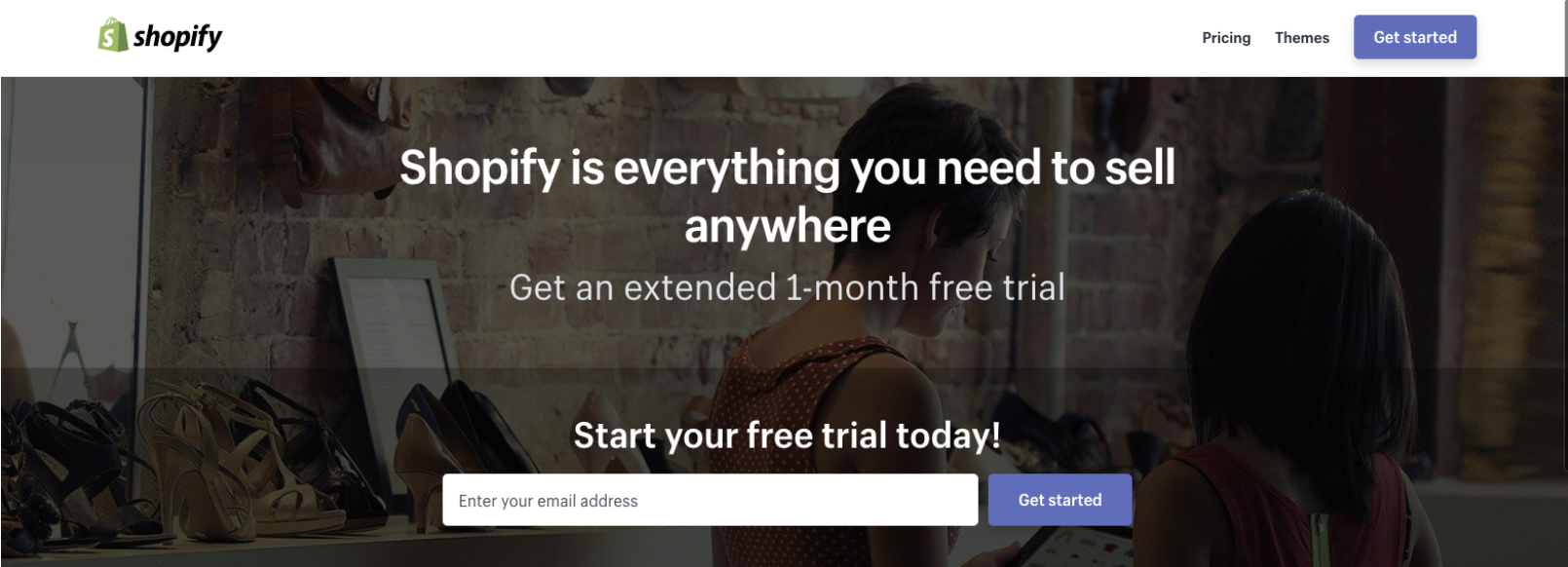
The Shopify free trial in 2026 is 3 days of free access to the platform, followed by an optional $1/month for 3 months on select plans. No credit card is required to start, but you will need to add one if you want to continue with the discounted period.
This is the version of the offer most people will see on Shopify's pricing page. It is aimed at new users only, and it gives you access to the actual Shopify admin rather than a limited demo. That means you can add products, customise a theme, connect a domain, configure shipping, explore apps, and prepare the store properly.
What often confuses beginners is the wording around the offer. The free trial itself is 3 days. The $1/month for 3 months is a discounted paid period that starts afterwards if you choose a plan. So when some creators talk about getting Shopify for around 90 days for almost nothing, that is what they mean.
Current 2026 Shopify trial offer: 3 days free, then 3 months at $1/month, with regular pricing starting afterwards. That is the clearest way to think about it.
How does the Shopify free trial actually work?
The Shopify free trial works by giving you immediate access to the platform, then prompting you to choose a plan once the free period ends. You can build the store before paying, but you generally cannot process live sales until you move onto a paid plan.
Here is the basic flow I would expect most merchants to follow in 2026:
- Go to Shopify and click Start free trial.
- Enter your email address and create your account.
- Answer the onboarding questions or skip them.
- Enter the Shopify admin and start working through the setup checklist.
- Before the 3 days end, choose whether to continue on the $1/month for 3 months offer.
- If you continue, add your card details and select a plan.
In my experience, this setup is actually better than the older 14-day trial for many beginners because it forces faster decision-making. Momentum matters more than endless tinkering. Merchants who launch quickly usually learn faster than merchants who spend weeks polishing a store that never goes live.
What do you get during the Shopify free trial?
During the Shopify free trial, you get full access to the core platform for store setup and testing. You can build a real store, but checkout and live selling require a plan selection.
That means the trial is not just a brochure or sandbox. You can use the actual admin, test the theme editor, organise collections, upload product imagery, install apps, and configure operational settings. From a product perspective, it is enough to know whether Shopify is the right platform for you.
Here is what is typically included during the trial:
- Unlimited product setup, including variants, images, descriptions, collections, and inventory
- Access to free Shopify themes such as Dawn, Sense, and Craft
- Use of the Online Store 2.0 editor for homepage, product page, and collection page customisation
- Basic settings for domains, shipping, taxes, payments, and policies
- Access to the Shopify App Store to install free apps and trial paid ones
- The ability to test different plans before committing
If you are planning to improve conversion from day one, this is also a good time to think about your upsell and cart strategy. I have written more on that in How to upsell on Shopify in 2026 and How to Create Shopify Cart Drawer Upsells That Boost AOV.
Can you sell during the Shopify free trial?
No, the key limitation is that you generally cannot process live customer orders until you choose a paid plan. You can build almost everything first, but selling starts after plan activation.
This is one of the biggest points people miss. The trial is designed to let you set up and test your store, not run a fully active business for free. So if your goal is to start taking orders immediately, you should treat the 3 free days as a build sprint and be ready to move onto the $1/month period or a standard subscription.
That said, you can still do a lot before paying full price. You can create your catalogue, write product copy, set up navigation, connect a custom domain, install apps, and make the storefront look professional. If you use the trial properly, you can reach the end of it with a store that is ready to launch, not half-finished.
How much does Shopify cost after the free trial?
After the free trial, Shopify usually offers $1/month for 3 months on eligible plans, and then standard pricing begins. In 2026, Basic starts at $39/month in Shopify's standard pricing structure in many markets.
The exact plan names can vary slightly by region, and Shopify occasionally updates how it labels tiers. You may see references to Basic, Grow, or Advanced depending on market and rollout. Shopify Plus is separate and usually requires a sales conversation rather than a self-serve trial.
| Stage | Typical cost | What happens |
|---|---|---|
| Initial free trial | £0 / $0 | 3 days of platform access, no card required |
| Intro offer | £1 / $1 per month for 3 months | Choose a plan and continue building or launch selling |
| Regular pricing | From $39/month | Normal billing begins after the intro period |
Shopify also offers annual billing discounts in many cases, which can reduce the effective monthly cost. If you already know you are committed, annual billing can be a sensible saving. If you are still validating your product or niche, I would usually stay monthly until you have traction.
If you are wondering when it makes sense to move upmarket, my guide on when to upgrade your store to Shopify Plus covers the decision points.
How do I claim the Shopify free trial step by step?
To claim the Shopify free trial, go to Shopify's official pricing or trial page, create an account, and start the onboarding flow. The process is simple and usually takes less than 5 minutes.
- Visit Shopify Pricing or the official free trial page.
- Click Start free trial.
- Enter your email address, choose a password, and create your store.
- Answer the onboarding questions about what you plan to sell and where.
- Choose a temporary store name if needed.
- Enter the admin dashboard and follow the setup checklist.
- Before the free period ends, choose a plan if you want the $1/month extension.
In my experience helping merchants and building apps that sit inside the Shopify admin, the people who get the most value from the trial are the ones who prepare before signing up. Have your brand name, logo, product photos, pricing, and shipping rules ready. That alone can save you hours.
What should you do on each day of the Shopify free trial?
The best way to use the Shopify free trial is to assign a job to each day. Day 1 should be setup, Day 2 should be design and operations, and Day 3 should be testing and launch prep.
This matters because trial periods disappear quickly. When I test merchant onboarding flows, the biggest source of wasted time is not complexity. It is indecision. A simple plan fixes that.
What should I do on Day 1?
Day 1 should focus on your store structure. Get the foundations in place before worrying about visual polish.
- Choose a theme such as Dawn, Sense, or Craft
- Add your first products with titles, descriptions, pricing, and images
- Create collections and basic navigation
- Set up key pages like Contact, Shipping Policy, Returns Policy, and About
What should I do on Day 2?
Day 2 should focus on design and operations. Make the store look trustworthy and configure how it will actually work.
- Customise your homepage and product templates
- Set up shipping zones and rates
- Connect payments and review tax settings
- Connect or purchase your custom domain
What should I do on Day 3?
Day 3 should focus on quality control. Test the store, install only essential apps, and decide whether to continue on the $1/month offer.
- Run through the customer journey on mobile and desktop
- Test product pages, cart, and checkout flow
- Install only the apps you actually need
- Check speed, trust signals, and policy pages
- Choose your plan and activate selling if ready
If you want to optimise revenue before launch, read How to Maximize Revenue from Your Shopify Product Pages. It pairs very well with a new-store setup process.
What is the best Shopify plan for beginners after the trial?
For most new merchants, the best Shopify plan after the trial is Basic. It gives you what you need to launch without paying for features you are unlikely to use in the first few months.
Unless you already have meaningful order volume, a team, or advanced reporting requirements, I would not overcomplicate this decision. Basic is usually the right starting point. You can always upgrade later. Shopify makes plan changes relatively straightforward, and it is better to start selling than to over-optimise the subscription tier.
| Plan type | Best for | My view |
|---|---|---|
| Basic | New stores, side hustles, first-time founders | Best for most beginners |
| Mid-tier Shopify plan | Growing stores with more operational needs | Worth considering once sales are consistent |
| Advanced | Higher-volume merchants needing deeper reporting | Not worth it unless you already have real traction |
| Shopify Plus | Enterprise and high-growth brands | Separate conversation entirely |
Can you extend the Shopify free trial?
Officially, the standard free trial is fixed, and you should not assume Shopify will extend it. In some cases, support or special programmes may offer alternatives, but there is no guaranteed public extension path.
This is one area where older articles often create confusion. Years ago, merchants occasionally saw promotional offers or partner-led extensions. In 2026, the reliable public offer is still the 3-day trial plus 3 months at $1. If you need longer, the realistic options are usually:
- Move onto the $1/month introductory period
- Use a Shopify Partner development store if you are working with an agency or developer
- Look for a legitimate programme such as a student or founder initiative if available in your region
If you contact Shopify support with a very specific issue, you might get guidance, but I would not build your launch plan around the hope of an extension.
What previous Shopify free trials existed?
Shopify has offered different trial structures over the years, including 14-day, 30-day, 45-day, 60-day, and 90-day promotions. However, these are mostly historical and not the standard 2026 offer.
This is important because many outdated blog posts still rank for free-trial terms. People read about an old 14-day or 90-day deal and assume it still exists. In most cases, it does not. The current consensus across official and current third-party sources is the much shorter free period paired with the discounted 3-month intro offer.
What happened to the 14-day Shopify free trial?
The 14-day Shopify free trial was the standard offer until late 2022, but it was discontinued. It gave merchants more time upfront, but the current model shifts more of that access into the $1/month period.
The old 14-day trial was useful for setup, but you still could not fully operate as a live store without choosing a paid plan. In that sense, the current offer is different in format rather than completely different in intent.
Did Shopify offer a 30-day or 45-day trial?
Yes, Shopify did run 30-day and 45-day promotional trials in the past, usually tied to specific periods or campaigns. These are not standard public offers in 2026.
These longer trials tend to reappear in blog posts and videos because they make attractive headlines. Unfortunately, they are usually out of date by the time someone lands on the page.
Was there ever a 60-day Shopify trial?
Yes, there were 60-day offers previously, sometimes through partner campaigns. One example often mentioned is a collaboration involving QuickBooks.
That specific type of promotion is no longer the normal public route, but it is worth noting as part of Shopify's trial history. If you are researching older offers, you may come across references to QuickBooks integrations and partner-led campaigns.
Was there a 90-day Shopify free trial?
Yes, Shopify offered a 90-day trial in 2020 during the Covid period, and there were also regional or programme-specific variations. That offer is historical and should not be treated as the default 2026 trial.
There have also been special initiatives for underrepresented founders in some markets, including programmes connected to Black entrepreneurship support. These are valuable, but they are separate from the standard public offer and may have eligibility requirements or limited availability.
What is a Shopify development store, and is it better than the free trial?
A Shopify development store is a store created through the Shopify Partner ecosystem for building and testing before launch. It can be better than the public trial if you are working with a developer, agency, or Shopify Partner.
As a Shopify app developer, I use development stores constantly for testing apps, themes, and merchant flows. They are useful because they are not tied to the same public trial structure. You can build extensively before handing the store over or activating a paid plan.
For merchants, though, there is a catch: development stores are really intended for partner-led builds. If you are DIY-ing your first store, the standard free trial is still the simplest route. If you want professional help, you can also look at the Shopify Partner Directory.
Can students get a longer Shopify trial?
Some students may qualify for separate Shopify education offers, including additional free months through approved programmes. These are not the default public trial, so you should verify current eligibility directly with Shopify or your course provider.
This changes from time to time, and I would be cautious about any article making sweeping promises without linking to an official source. If you are a student, it is worth checking Shopify's current offers before you sign up, because the savings can be meaningful.
What mistakes waste the Shopify free trial?
The biggest mistakes are spending too long on design tweaks, installing too many apps, and starting without your product data ready. The trial is for progress, not perfection.
Here are the most common issues I see:
- Obsessing over theme details before adding products
- Installing five apps when one would do
- Writing product descriptions from scratch inside Shopify instead of preparing them beforehand
- Ignoring mobile optimisation
- Failing to configure shipping and payments early
- Waiting until the final day to understand pricing
If you want to use AI to speed things up, that can help, but be careful not to publish generic content. I would rather see a simple product page with clear specifics than a polished page full of bland AI copy. If AI search visibility matters to you, read How to Get Your Shopify Store into ChatGPT and How to Optimise Your Shopify Store for AI Shopping Agents.
Is the Shopify free trial worth it in 2026?
Yes, for most new ecommerce founders, the Shopify free trial is still worth using. It is one of the lowest-friction ways to test a serious ecommerce platform without committing much money upfront.
What makes it worthwhile is not the 3 free days on their own. It is the combination of full platform access, no card required upfront, and the $1/month for 3 months bridge into paid usage. That gives you enough time to decide whether you can actually build momentum on Shopify.
In my experience, Shopify remains the easiest platform for most merchants who want a balance of speed, ecosystem depth, and scalability. The app ecosystem is still its strongest advantage. Whether you need reviews, upsells, customer support, or fulfilment tools, there is usually a mature solution available in the App Store.
How do I make the most of the Shopify free trial as a beginner?
The best way to make the most of the Shopify free trial is to sign up only when you are ready to build, keep your app stack lean, and aim for a minimum viable store. Launch first, optimise second.
My practical beginner checklist would look like this:
- Prepare your products, prices, images, and policies before signing up
- Use a free Shopify theme first
- Create a clean homepage, collection page, and product page
- Set up shipping, tax, and payment basics early
- Install only essential apps
- Test mobile thoroughly
- Go live on the $1/month period if the store is viable
If your store depends on higher AOV from the start, think carefully about your add-ons and cross-sells. My related guides on cross-selling matching variants, upselling subscription products, and adding rush order options can help you build a stronger launch setup.
Where should you start if you want to build a Shopify store from scratch?
If you are starting from zero, begin with a simple store structure, one clear product range, and a realistic launch plan. You do not need a huge catalogue to validate demand.
For a broader walkthrough, you can also read our earlier startup resource on building a store from scratch. The key thing is to avoid treating the free trial like a browsing session. Treat it like a short project sprint with a launch date attached.
And if you are already thinking beyond launch, it is worth planning how you will handle customer data, reviews, and repeat purchases. Those are often the difference between a store that makes a few sales and a store that becomes sustainable.