Countdown Timer
Create urgency and boost conversions with a same-day dispatch countdown timer on your product pages.
Important: Before making any changes to your theme, create a backup first.
Want to create a sense of urgency and potentially increase your sales? Adding a countdown timer to your product page might be just the trick you need. This timer shows customers how much time they have left to order for same-day dispatch.
What You'll Build
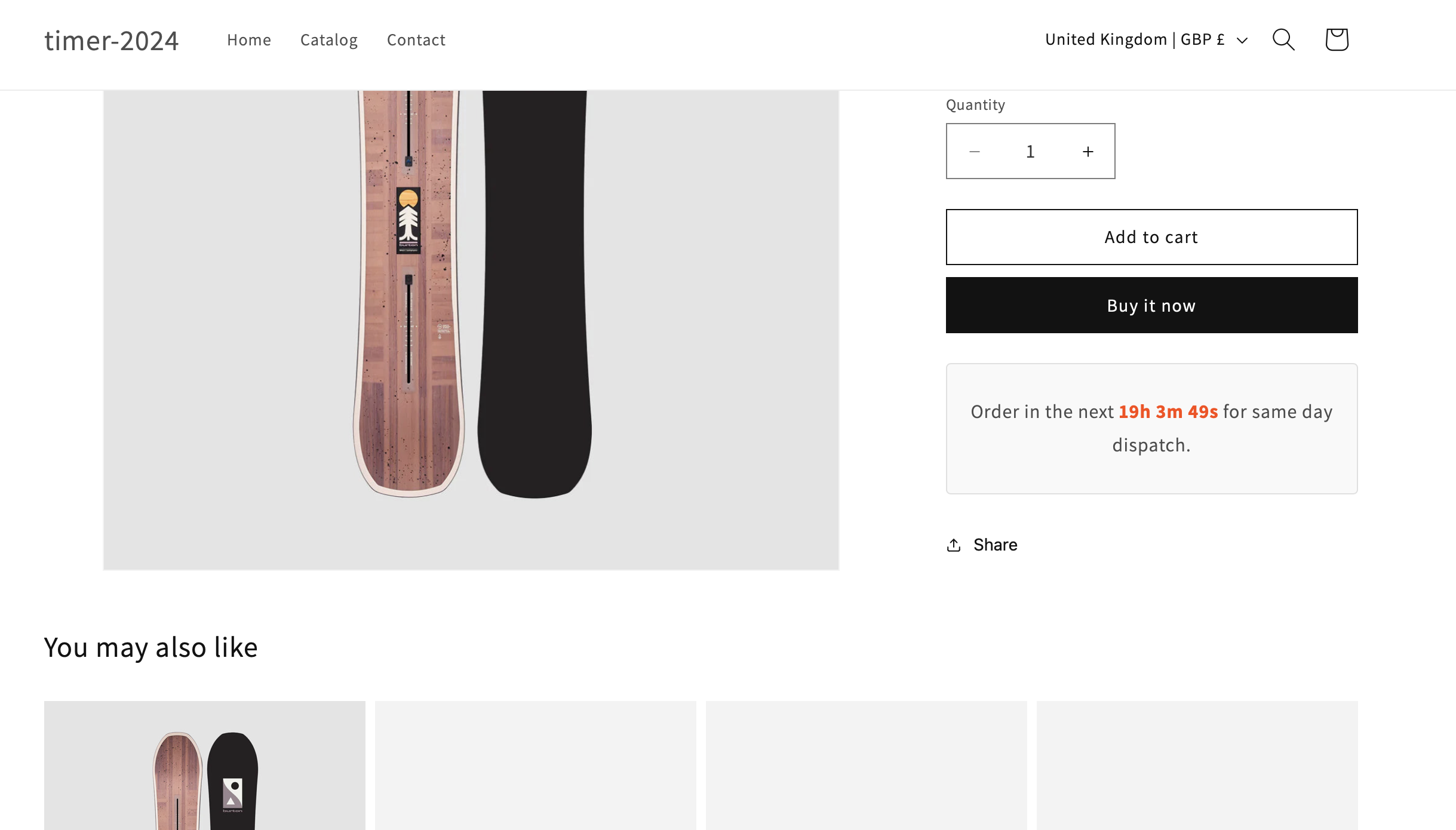
Order in the next 2h 34m 12s for same day dispatch.
Live preview - timer updates in real-time
Add the HTML and Liquid
First, create the HTML structure for the timer. Add this in a Custom Liquid block in your theme customizer.
<div id="countdown-timer" class="countdown-container">
  <p>Order in the next <span id="countdown"></span> for same day dispatch.</p>
</div>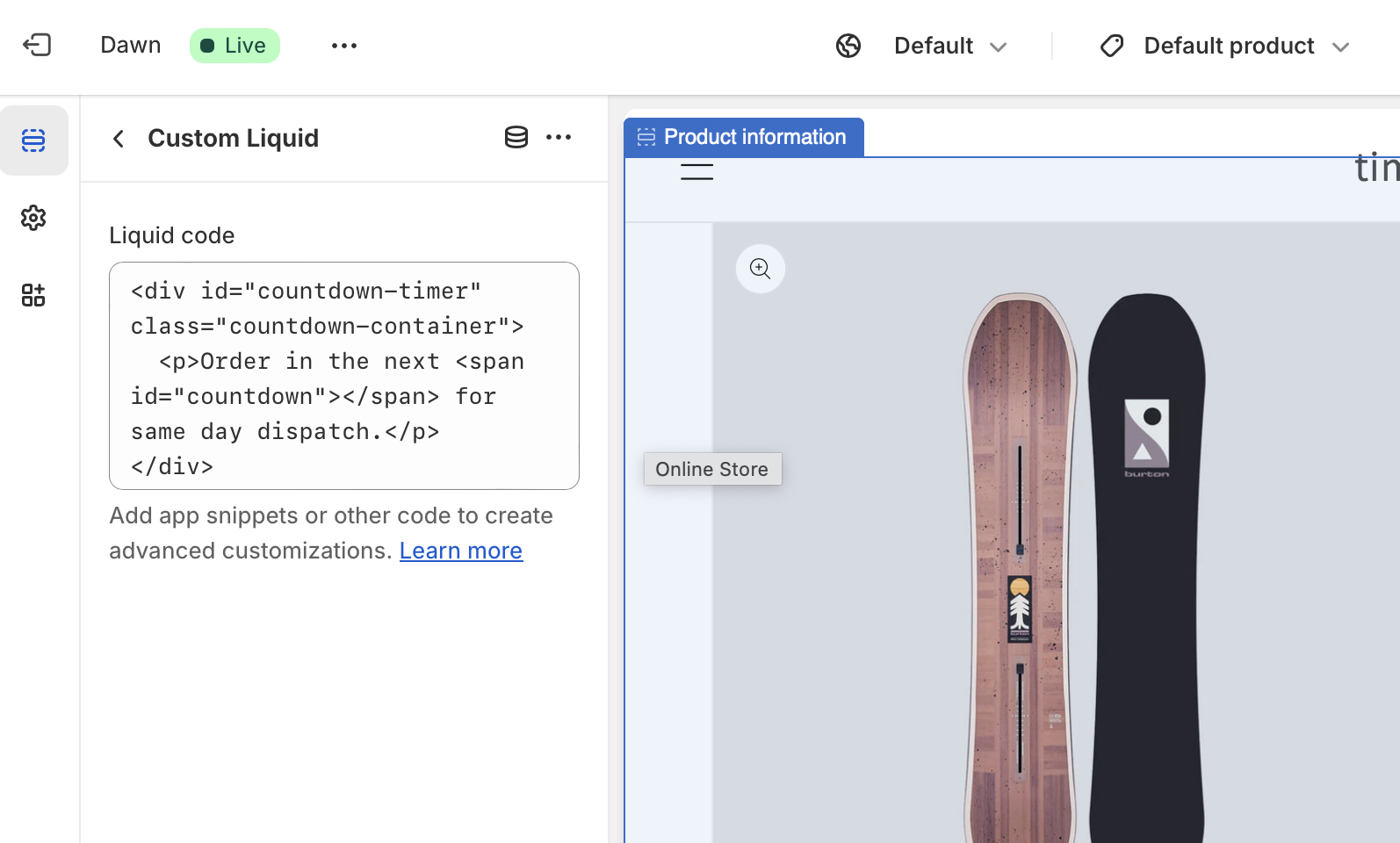
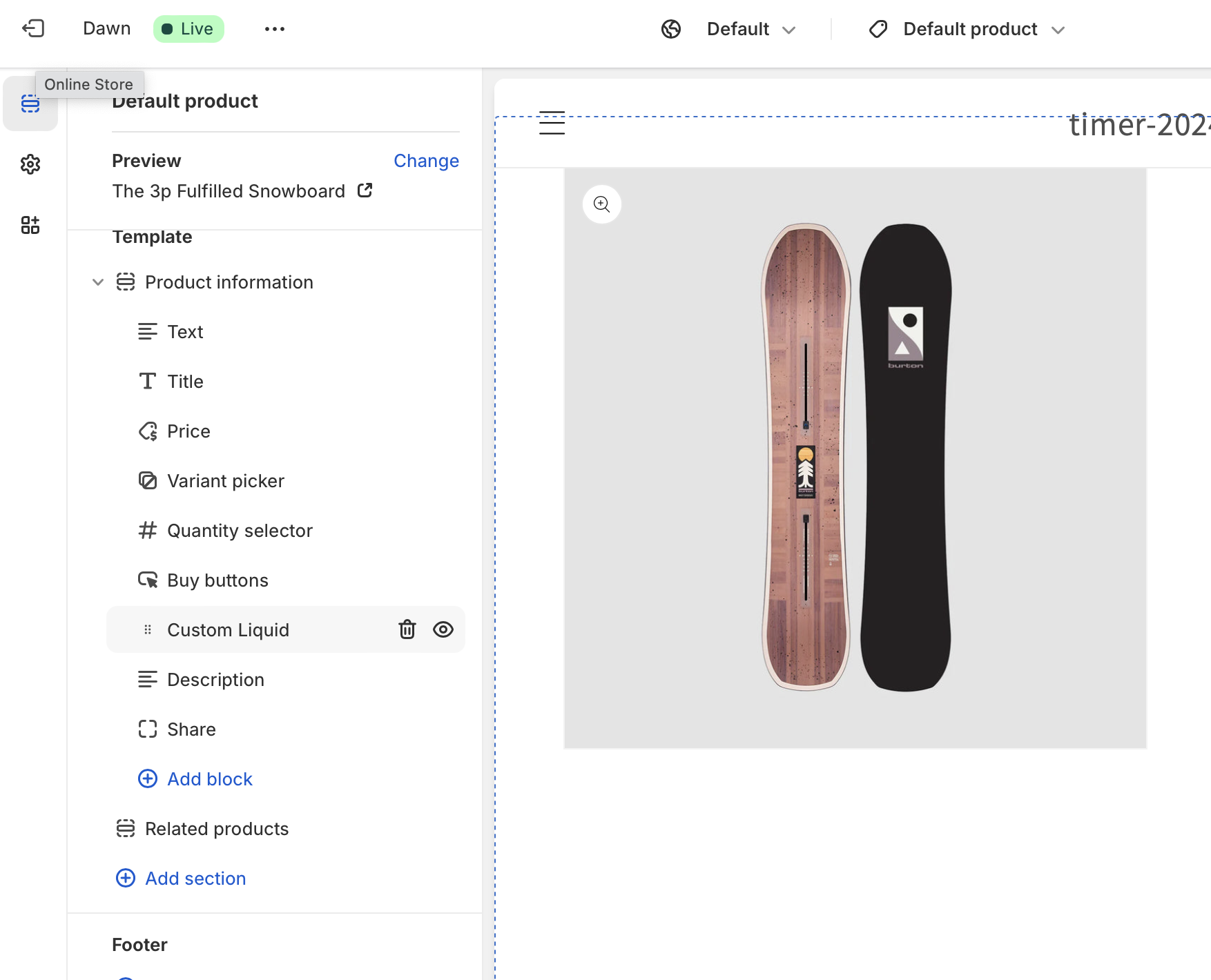
You can move the liquid block up and down to position the timer where you want it.
Style Your Timer
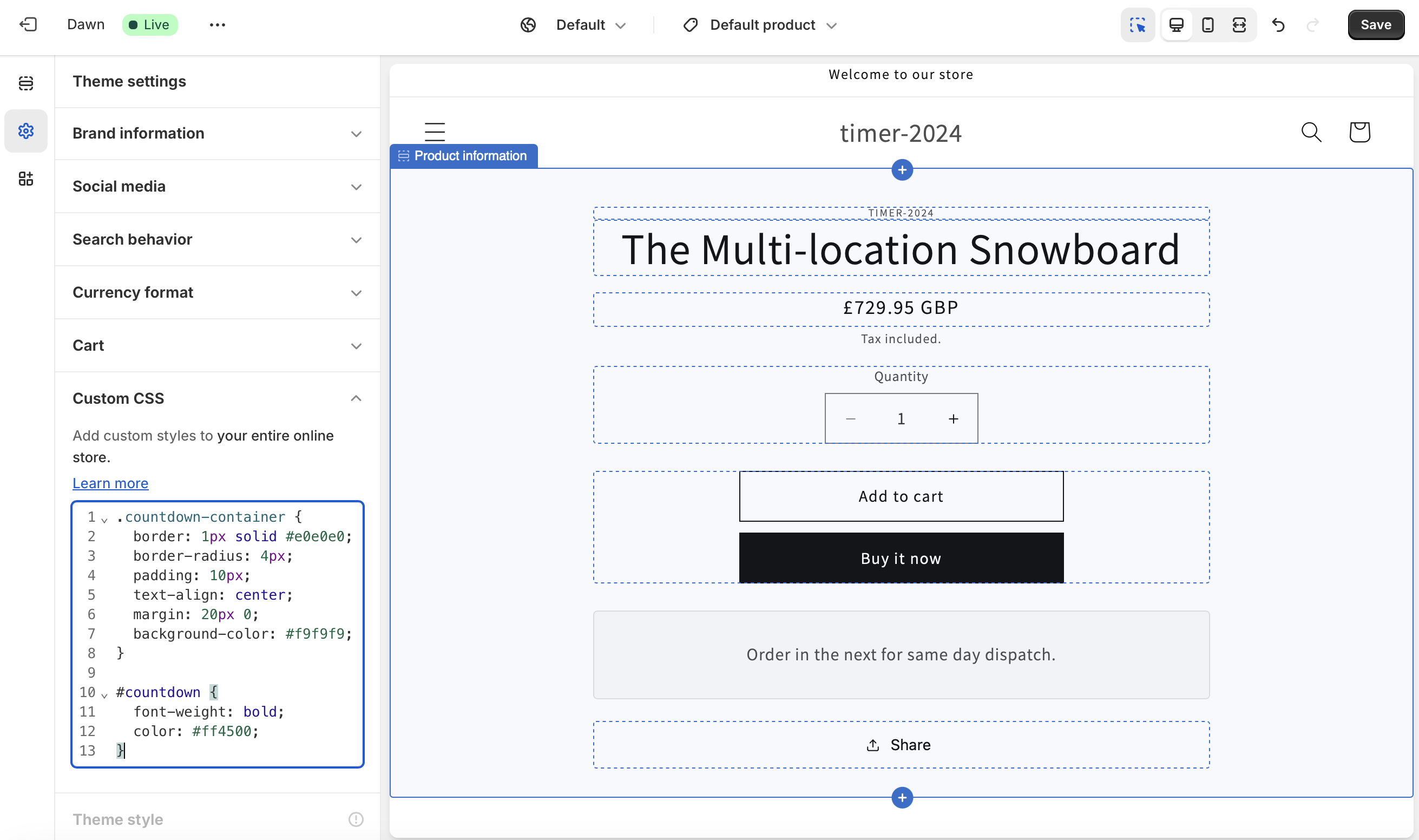
Add this CSS to your theme's CSS file or to the theme customizer CSS section.
.countdown-container {
  border: 1px solid #e0e0e0;
  border-radius: 4px;
  padding: 10px;
  text-align: center;
  margin: 20px 0;
  background-color: #f9f9f9;
}

#countdown {
  font-weight: bold;
  color: #ff4500;
}
Add the JavaScript
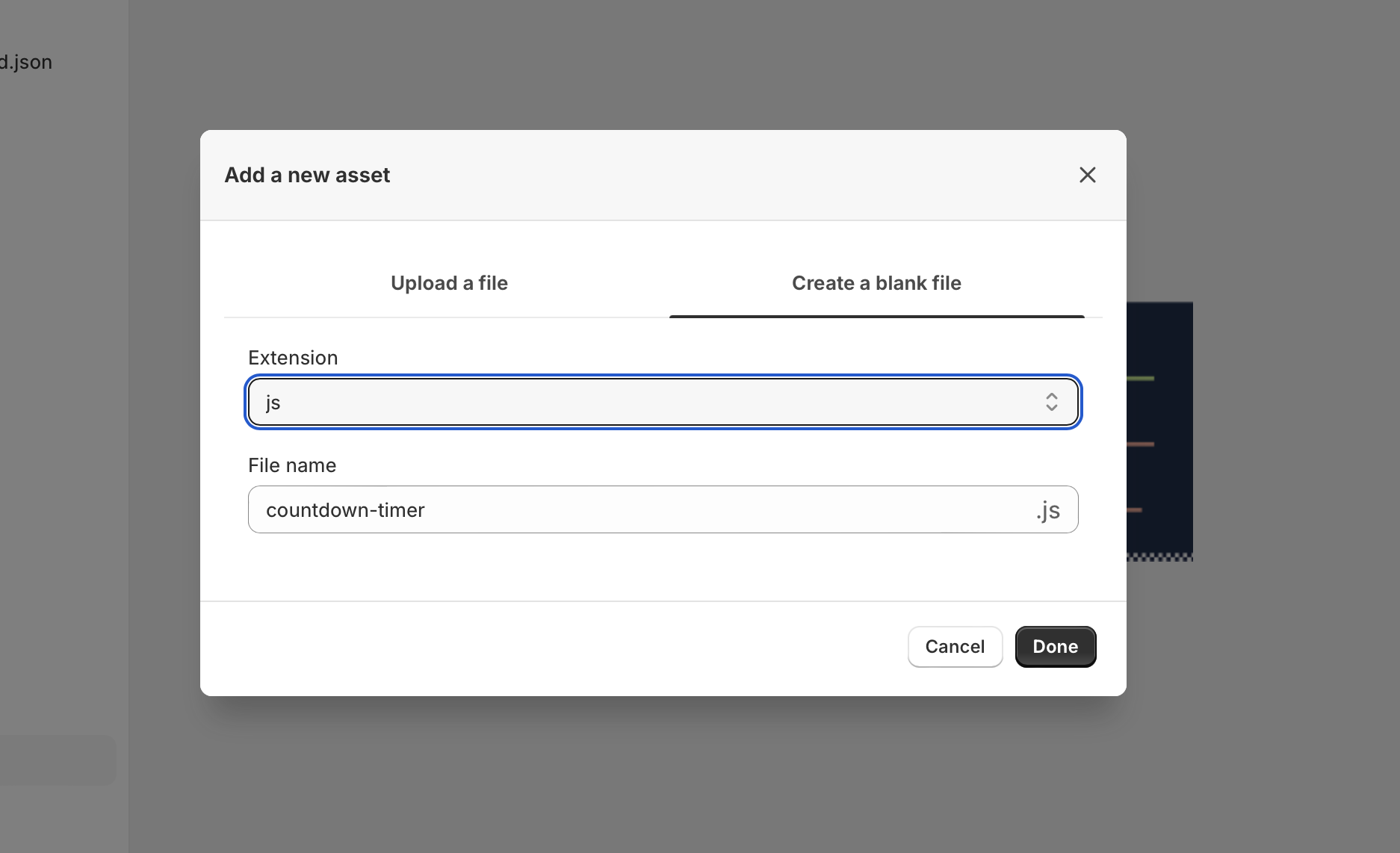
Create a new JavaScript file in your theme assets called countdown-timer.js and add this code:
function updateCountdown() {
  const now = new Date();
  const cutoffTime = new Date(now);
  cutoffTime.setHours(15, 0, 0, 0); // Set cutoff time to 3:00 PM

  if (now > cutoffTime) {
    cutoffTime.setDate(cutoffTime.getDate() + 1);
  }

  const timeLeft = cutoffTime - now;
  const hours = Math.floor(timeLeft / (1000 * 60 * 60));
  const minutes = Math.floor((timeLeft % (1000 * 60 * 60)) / (1000 * 60));
  const seconds = Math.floor((timeLeft % (1000 * 60)) / 1000);

  const countdownElement = document.getElementById('countdown');
  if (countdownElement) {
    countdownElement.textContent = `${hours}h ${minutes}m ${seconds}s`;
  }
}

setInterval(updateCountdown, 1000);
updateCountdown(); // Initial call
Include this JavaScript file in your theme. Add this line to your layout/theme.liquid file:
{{ 'countdown-timer.js' | asset_url | script_tag }}
Your timer should now be visible on your products:
Change the Cutoff Time
The timer is set to countdown to 3:00 PM each day. To change this, modify the setHours() function:
3:00 PM (default)
setHours(15, 0, 0, 0)
2:00 PM
setHours(14, 0, 0, 0)
5:00 PM
setHours(17, 0, 0, 0)
12:00 PM (noon)
setHours(12, 0, 0, 0)
The timer uses the visitor's local time zone. For specific time zones, you'd need to modify the JavaScript accordingly.
This is a static timer that resets daily. It doesn't take into account your actual inventory or shipping capabilities. For more powerful control over cutoff and shipping times, consider using a dedicated app.

Need More Control?
Delivery Timer provides dynamic timers based on your actual inventory, shipping rules, and business hours. Works across your entire store automatically.
Learn MoreExplore More Free Sections
Discover more code snippets to enhance your Shopify store.
View All Sections